Welcome Guest ( Log In | Register )

Outline · [ Standard ] · Linear+

 [WTA] CCTV DIY setup question, upload CCTV video to cloud

views
     
TSheyamazingpeople
post Mar 31 2019, 05:10 PM, updated 7y ago

Casual
***
Junior Member
321 posts

Joined: Nov 2016
Hi Guys,

Anyone has any experience setting up Hikvision CCTV?

i am thinking to upload the backup copy of CCTV footage to online storage / cloud, in case the thief took the whole DVR when there is a break in.

From my search, i believe the follow YouTube video are the guide for this:-
https://www.youtube.com/watch?v=yOFIYfql2yA
https://www.youtube.com/watch?v=VrYW5ENCc3o
https://www.youtube.com/watch?v=tOlTbmLHKrk
Basically more video from youtube with the keyword: "Cctv video record to cloud storage."


I have a few question.

1.
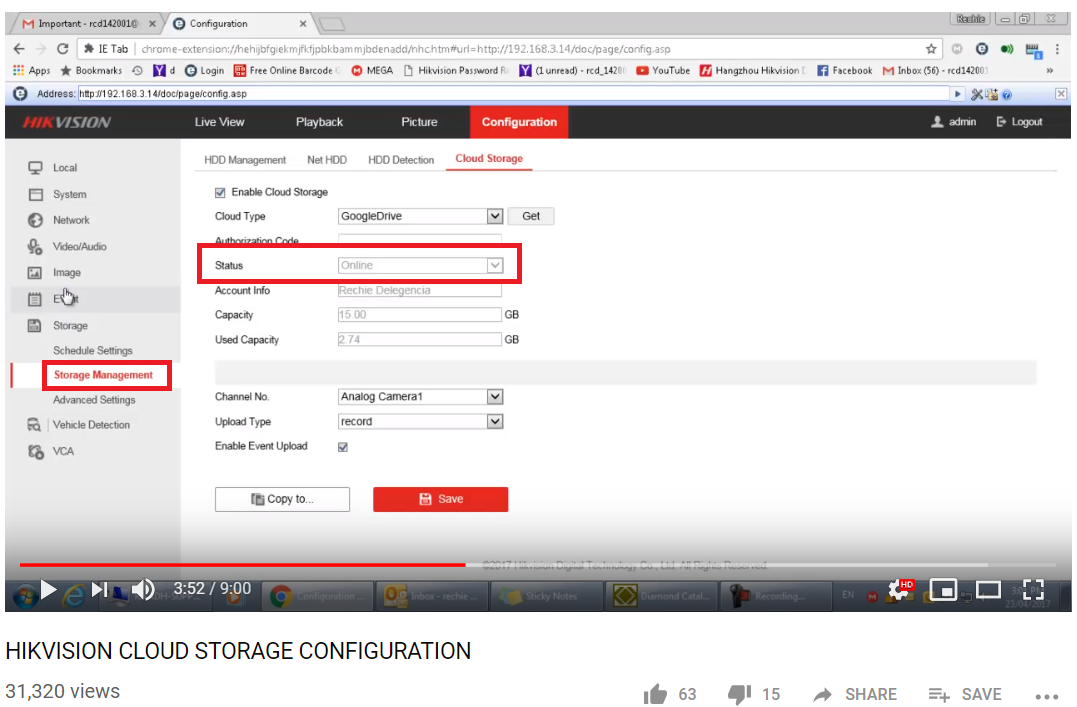
I have successfully setup the cloud, google drive in my case,
I manage to get the status online.
But in google drive, i dont see any record.
Any idea what went wrong?

See screenshot below from youtube:-
user posted image

2.
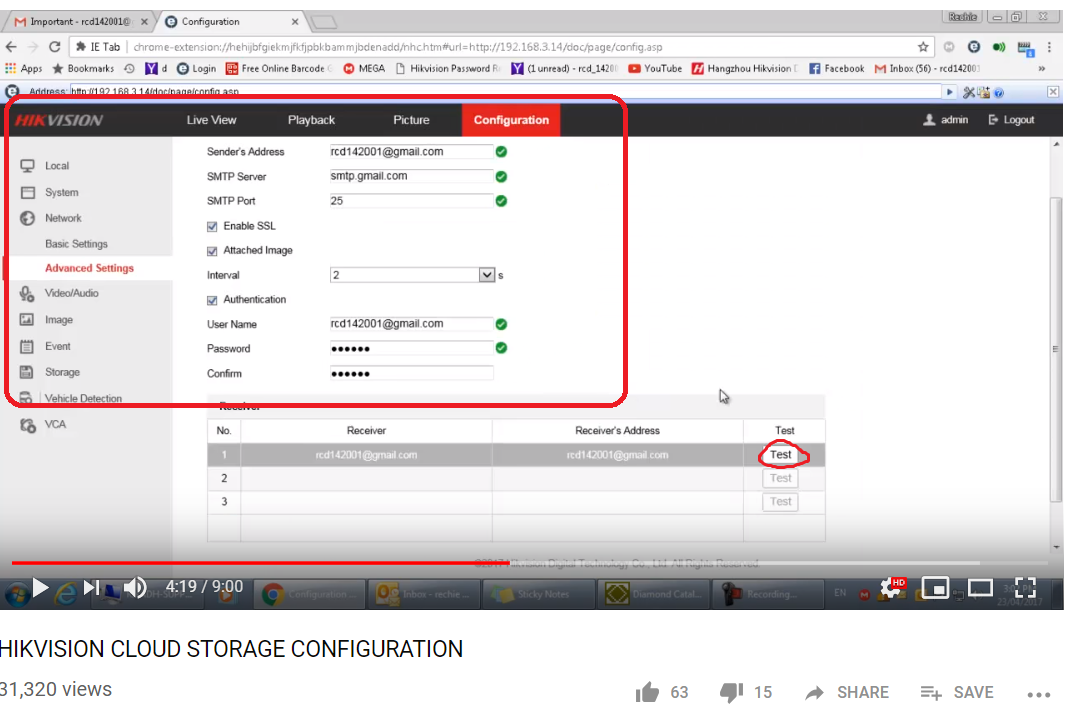
Does setting up an email a necessary step?
Does this step matter?
Or even without this, the video can still be uploaded to cloud.
I have got an error when press the test button.. and i dont seem to know the reason of error and how to fix it.

See screenshot below from youtube:-
user posted image


3.
How can i access the DVR remote via internet (not access in LAN network ) (lets say i am away from home, need to download the cctv video or even modify some of the setting )
Does it have something to do with DDNS?

below video should be the guide to it?
https://www.youtube.com/watch?v=_laTMUJ6pA0&t=639s

Thanks.
mrlonely78
post Mar 31 2019, 05:44 PM

Casual
***
Junior Member
347 posts

Joined: Oct 2004
QUOTE(heyamazingpeople @ Mar 31 2019, 05:10 PM)
Hi Guys,

Anyone has any experience setting up Hikvision CCTV?

i am thinking to upload the backup copy of CCTV footage to online storage / cloud, in case the thief took the whole DVR when there is a break in.

From my search, i believe the follow YouTube video are the guide for this:-
https://www.youtube.com/watch?v=yOFIYfql2yA
https://www.youtube.com/watch?v=VrYW5ENCc3o
https://www.youtube.com/watch?v=tOlTbmLHKrk
Basically more video from youtube with the keyword: "Cctv video record to cloud storage."
I have a few question.

1.
I have successfully setup the cloud, google drive in my case,
I manage to get the status online.
But in google drive, i dont see any record.
Any idea what went wrong?

See screenshot below from youtube:-
user posted image

2.
Does setting up an email a necessary step?
Does this step matter?
Or even without this, the video can still be uploaded to cloud.
I have got an error when press the test button.. and i dont seem to know the reason of error and how to fix it.

See screenshot below from youtube:-
user posted image
3.
How can i access the DVR remote via internet (not access in LAN network ) (lets say i am away from home, need to download the cctv video or even modify some of the setting  )
Does it have something to do with DDNS?

below video should be the guide to it?
https://www.youtube.com/watch?v=_laTMUJ6pA0&t=639s

Thanks.
*
Hi, i'm using Hikvision DVR and link to Google cloud.

What you need to know is that;

1) The video or image uploaded to google cloud storage is based on event type, so you need to create event first such as motion detected etc, then it will send a snapshot and upload to the google drive.

2) To have it remote access, you can use free dns service such as no-ip.com and either you setup at hikvision or your internet router for this.

Thanks.
TSheyamazingpeople
post Mar 31 2019, 11:36 PM

Casual
***
Junior Member
321 posts

Joined: Nov 2016
QUOTE(mrlonely78 @ Mar 31 2019, 05:44 PM)
Hi, i'm using Hikvision DVR and link to Google cloud.

What you need to know is that;

1) The video or image uploaded to google cloud storage is based on event type, so you need to create event first such as motion detected etc, then it will send a snapshot and upload to the google drive.

2) To have it remote access, you can use free dns service such as no-ip.com and either you setup at hikvision or your internet router for this.

Thanks.
*
1)
did i miss out any step on this?

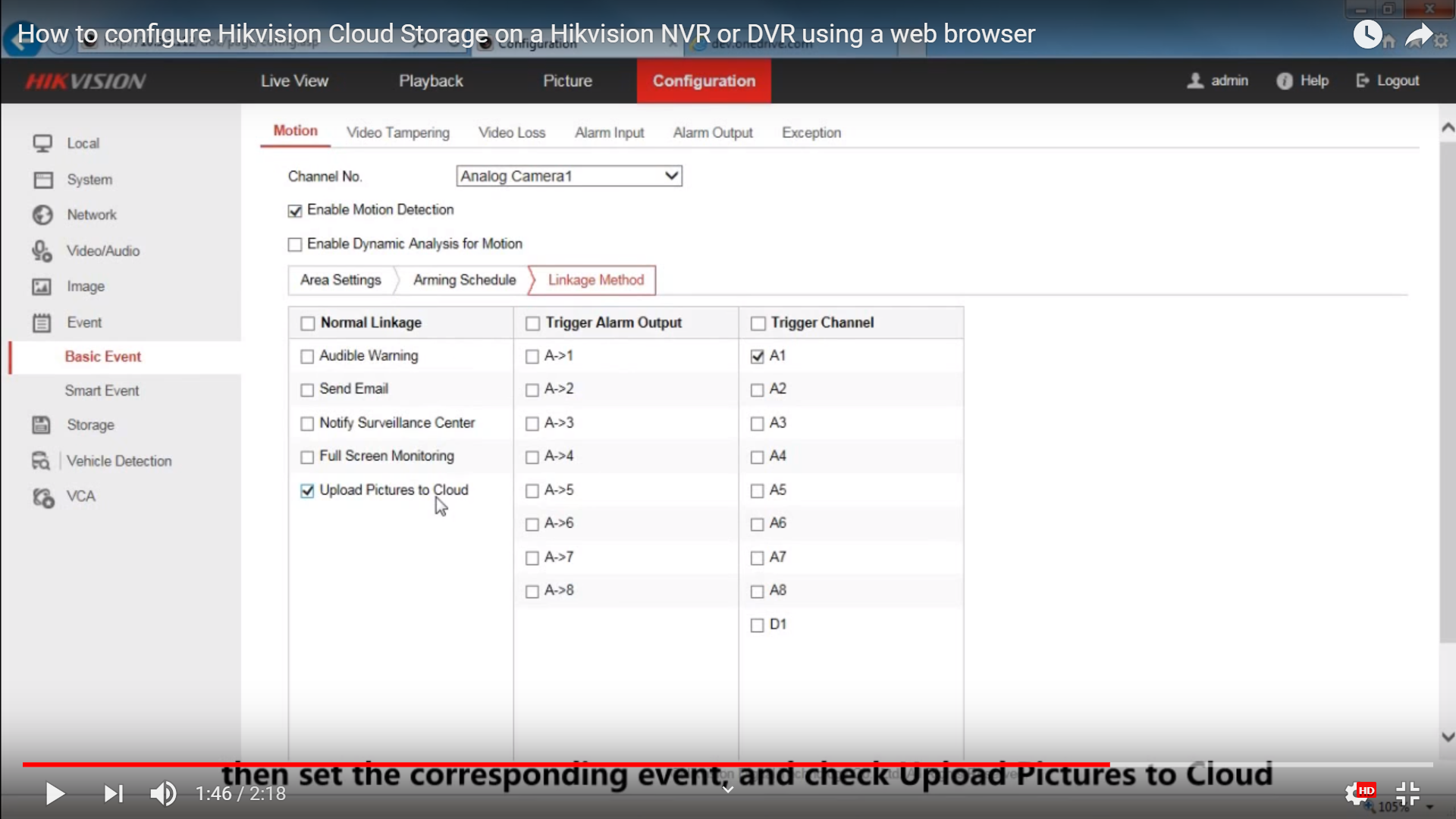
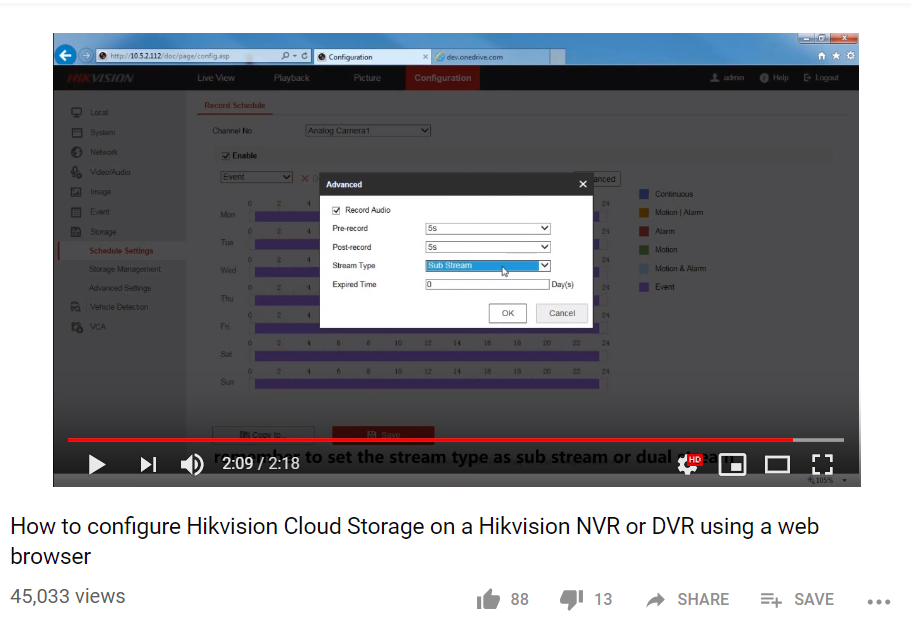
user posted image

user posted image

is it this step from the video above?
Thought i have followed it exactly.. but still didnt work out for me.


2)
thanks for the info.. will need some time to digest this.

Youtube:
Configuring DDNS Settings with Your No-IP Account
Configuring ddns using no-ip for free


idealhometech
post Apr 2 2019, 09:57 AM

NCS
*****
Senior Member
955 posts

Joined: Oct 2010
From: Yen Lee NCS Enterprise (Seri Kembangan)
Hi,

Follow the steps below:
Enable camera motion detection. (under "Basic Event")
Tick "Upload Pictures to Cloud" under Linkage Method
Then under "Storage Management" > "Cloud Storage", enable it, select the cloud type, and click "Get", sign in ur cloud account to get the "Authorization Code"
Then save, if the Status show "Online" means connected.
For your info, it will not upload the video file, it is a jpeg file.


Change to:
| Lo-Fi Version
0.0168sec    1.10    5 queries    GZIP Disabled
Time is now: 18th December 2025 - 11:07 PM