Outline ·
[ Standard ] ·
Linear+
Wechat proxy setting to bypass network block, confuse with proxy
|
TScpteoh
|
 Mar 15 2019, 11:44 PM, updated 7y ago Mar 15 2019, 11:44 PM, updated 7y ago
|

|
I am using Wechat on my windows 7 laptop, but recently my office network blocked it, and I cannot send/receive message nor call with it. Is there any way to bypass it? I noted there is proxy setting, but tried to google, but cannot find any useful tutorial how to use it. Appreciate fellow LYN members can point where should I start investigating or give a tutorial. Many thanks!! This post has been edited by cpteoh: Mar 16 2019, 12:49 AM Attached thumbnail(s)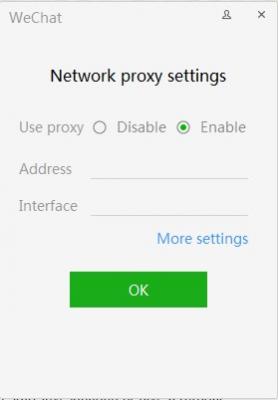
|
|
|
|
|
|
TScpteoh
|
Mar 16 2019, 12:50 AM
|
|
|
QUOTE(GOPI56 @ Mar 16 2019, 12:38 AM) Your office might blocked WeChat application for some reasons. Have you tried using VPN services? of course because my office didnt want us to use wechat... hope if I can bypass by putting in the proxy setting as below. Attached thumbnail(s)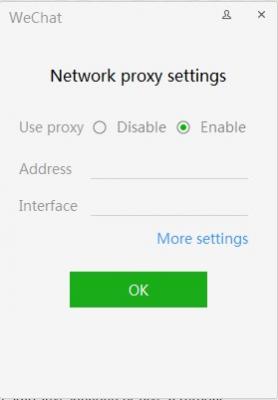
|
|
|
|
|
|
TScpteoh
|
Mar 16 2019, 07:16 PM
|
|
|
QUOTE(WebWalker @ Mar 16 2019, 07:09 AM) VPN is the answer BUT it is not free. If i use VPN, then I will lose connection to office network, cannot get my email and etc... I can do this by connecting my laptop to my phone hotspot and connect wechat, but I lost office network, which prevent me from working... I just want my Wechat to go through proxy, but still can work on office network (receiving email, accessing database and etc) |
|
|
|
|



 Quote
Quote

 0.0163sec
 0.89
0.89
 7 queries
 GZIP Disabled