Welcome Guest ( Log In | Register )

Outline · [ Standard ] · Linear+

 PS4 output to pc (capture card?)

views
     
TSjosh5671
post Jan 29 2019, 09:13 AM, updated 7y ago

Regular
******
Senior Member
1,197 posts

Joined: Dec 2010
As topic. (not emulator)
Only need normal video and audio output to pc. So I can record or screenshot. Online stream not needed.
Have tested remote play but some how the app on pc keep disconnected.

Any budget suggestion?

This post has been edited by josh5671: Jan 29 2019, 09:14 AM
SUSifourtos
post Jan 29 2019, 09:20 AM

Look at all my stars!!
*******
Senior Member
2,256 posts

Joined: Feb 2012


Ps4 can record itself
TSjosh5671
post Jan 29 2019, 09:49 AM

Regular
******
Senior Member
1,197 posts

Joined: Dec 2010
QUOTE(ifourtos @ Jan 29 2019, 09:20 AM)
Ps4 can record itself
*
Know that. But need everytime copy from ps4 also waste a lot time.

+ I only have 1 monitor. So I need switch input everytime.
Mgsrulz
post Jan 29 2019, 10:36 AM

30 years of Metal Gear
********
All Stars
14,258 posts

Joined: Mar 2005


if you only have 1 monitor, just stick to the inbuilt ps4 capturing software.
if you want to use a game capture card, you'll need to have a secondary monitor otherwise you have to constantly switch devices on one screen to confirm that what you're doing is registered.
TSjosh5671
post Jan 29 2019, 10:58 AM

Regular
******
Senior Member
1,197 posts

Joined: Dec 2010
QUOTE(Mgsrulz @ Jan 29 2019, 10:36 AM)
if you only have 1 monitor, just stick to the inbuilt ps4 capturing software.
if you want to use a game capture card, you'll need to have a secondary monitor otherwise you have to constantly switch devices on one screen to confirm that what you're doing is registered.
*
Pc have 2 monitor. Primary with multiple input support.second was old dsub monitor.

Because I have hard time to make remote play work.
And mostly it disconnected.
dark_heart07
post Jan 29 2019, 11:13 AM

Getting Started
**
Junior Member
77 posts

Joined: Oct 2009
From: Penal Military Units of Osean Air Defence Force

I use remote play on my pc. Install the official sony ps remote play app on pc. Run it with ps4 using same network. On pc I run nvidia geforce app to record, stream and screenshot. Works great on stream protected game like Persona 5 and Tales of series. Quality depend on your setting. So far I use full hd setting for remote play.
TSjosh5671
post Jan 29 2019, 11:55 AM

Regular
******
Senior Member
1,197 posts

Joined: Dec 2010
QUOTE(dark_heart07 @ Jan 29 2019, 11:13 AM)
I use remote play on my pc. Install the official sony ps remote play app on pc. Run it with ps4 using same network. On pc I run nvidia geforce app to record, stream and screenshot. Works great on stream protected game like Persona 5 and Tales of series. Quality depend on your setting. So far I use full hd setting for remote play.
*
Tried monster hunter, super robot war long before this.if me recall the problem. Either can't control or disconnected... Need retry.

That's why I buy steam version mhw... LoL..
Mgsrulz
post Jan 29 2019, 01:12 PM

30 years of Metal Gear
********
All Stars
14,258 posts

Joined: Mar 2005


QUOTE(josh5671 @ Jan 29 2019, 10:58 AM)
Pc have 2 monitor. Primary with multiple input support.second was old dsub monitor.

Because I have hard time to make remote play work.
And mostly it disconnected.
*
it might cost you RM600 or so to get an elgato that can record in 60fps 1080p
cheaper cards may be available but they might only give you 1080p 30fps. probably can find them for RM400 or so

You will need to see reviews, too.

Some cards may record or capture at 1080p 60fps but have really awful software that keeps locking up or barely works.

I've tried the following cards and my experience is as follows:

LiveGamerPortable

Video recording works with and without a PC, only goes up to 1080p30fps or 720p60fps
PC required to take screenshots.

roxio game capture hd pro
cheapest of the lot
lousy software

avoid at all costs

Elgato HD60 1080p60fps
expensive, but works
inbuilt editor for quick cutting of videos

i believe the hd60s is capable of lag free gaming on your pc

Avermedia's LiveGamerPortable would probably be your best bet. cheap(est) and works, just won't give you 1080p60fps.

This post has been edited by Mgsrulz: Jan 29 2019, 01:12 PM

TSjosh5671
post Jan 29 2019, 03:11 PM

Regular
******
Senior Member
1,197 posts

Joined: Dec 2010
QUOTE(Mgsrulz @ Jan 29 2019, 01:12 PM)
it might cost you RM600 or so to get an elgato that can record in 60fps 1080p
cheaper cards may be available but they might only give you 1080p 30fps. probably can find them for RM400 or so

You will need to see reviews, too.

Some cards may record or capture at 1080p 60fps but have really awful software that keeps locking up or barely works.

I've tried the following cards and my experience is as follows:

LiveGamerPortable

Video recording works with and without a PC, only goes up to 1080p30fps or 720p60fps
PC required to take screenshots.

roxio game capture hd pro
cheapest of the lot
lousy software

avoid at all costs

Elgato HD60 1080p60fps
expensive, but works
inbuilt editor for quick cutting of videos

i believe the hd60s is capable of lag free gaming on your pc

Avermedia's LiveGamerPortable would probably be your best bet. cheap(est) and works, just won't give you 1080p60fps.
*
Thanks for long reply.
Not really familiar with the model you named.
I have search. The avermedia you mention about 800 on shopee
And I found similar version for pcie version about same price.

For elgato. Lazada was 9xx....

I think at the end It will cost too much to do....


TenSou
post Jan 29 2019, 03:26 PM

New Member
*
Junior Member
48 posts

Joined: Feb 2008
QUOTE(josh5671 @ Jan 29 2019, 03:11 PM)
Thanks for long reply.
Not really familiar with the model you named.
I have search. The avermedia you mention about 800 on shopee
And I found similar version for pcie version about same price.

For elgato. Lazada was 9xx....

I think at the end It will cost too much to do....
*
What's your budget? You can get used capture cards on ebay but you still have to expect to spend RM400+ even for those. HD capture cards aren't cheap.
Mgsrulz
post Jan 29 2019, 04:20 PM

30 years of Metal Gear
********
All Stars
14,258 posts

Joined: Mar 2005


QUOTE(josh5671 @ Jan 29 2019, 03:11 PM)
Thanks for long reply.
Not really familiar with the model you named.
I have search. The avermedia you mention about 800 on shopee
And I found similar version for pcie version about same price.

For elgato. Lazada was 9xx....

I think at the end It will cost too much to do....
*
it's an enthusiast device, so if you're not really into recording, editing, etc, then there's little point in getting one, you'd just be wasting money.

Just stick to the inbuilt function
TSjosh5671
post Jan 29 2019, 09:28 PM

Regular
******
Senior Member
1,197 posts

Joined: Dec 2010
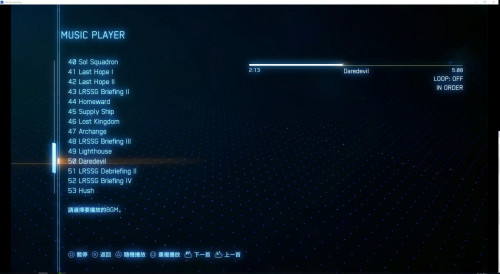
Some how the remote play work...lol?...the delay almost non...
user posted image

I will observe first see it 'perfect'or not
dark_heart07
post Jan 29 2019, 10:06 PM

Getting Started
**
Junior Member
77 posts

Joined: Oct 2009
From: Penal Military Units of Osean Air Defence Force

QUOTE(josh5671 @ Jan 29 2019, 09:28 PM)
Some how the remote play work...lol?...the delay almost non...
user posted image

I will observe first see it 'perfect'or not
*
rclxms.gif


Change to:
| Lo-Fi Version
0.0165sec    0.54    5 queries    GZIP Disabled
Time is now: 6th December 2025 - 11:03 PM