Outline ·
[ Standard ] ·
Linear+
SocialClub.rockstargames.com is blocked?, problem is still there for TM Unifi user
|
junclj
|
 Jul 12 2019, 08:54 AM Jul 12 2019, 08:54 AM
|

|
QUOTE(M.Harris @ Jul 11 2019, 08:41 PM) i changed it, didnt work, need help 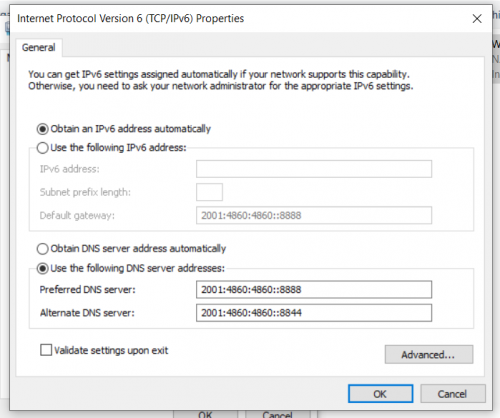 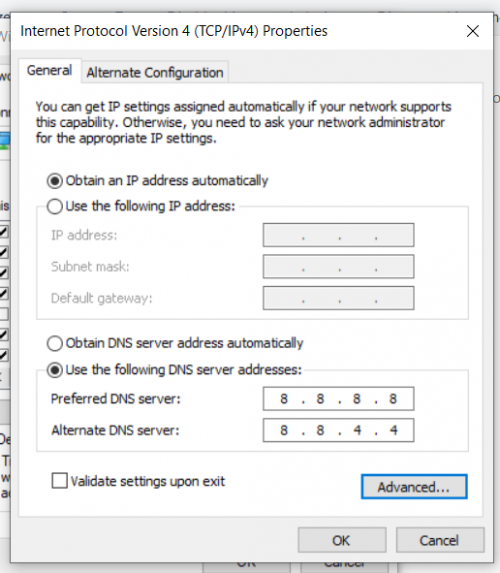 restart your router and change to other ip address. I am facing the same issue like you, I can access to socialclub with IP 175.x.x.x and 115.x.x.x but can't access with IP 60.x.x.x. Try to avoid 60.x.x.x if you want to play GTAV or RDR2. This post has been edited by junclj: Jul 12 2019, 08:56 AM |
|
|
|
|
|
junclj
|
Jul 25 2019, 05:30 PM
|
|
|
QUOTE(dre999 @ Jul 23 2019, 02:34 PM) tried IP start with 60,115,175 also cannot connect to socialclub Tried using DNS 1.1.1.1, totally not working even I reboot my router and change from 60.x.x.x to 175.x.x.x I change back to DNS 8.8.8.8 then everything solved. Probably you have no choice to change back your cloudflare DNS to google DNS. |
|
|
|
|
|
junclj
|
Jul 25 2019, 05:33 PM
|
|
|
QUOTE(14NKG @ Jul 25 2019, 08:25 AM) I just reinstalled my GTA on Sunday. Been having error issues since. This is a first in the 5 years I had GTA. Error msg: files required to download GTA online not available Or Rockstar game services are not available right now. Am on PS4. I've tried all solutions except for the vpn ( cz I don't know how) and am at a loss. I've been playing with my mobile hotspot but need to find a solution. I'm eating through my data 😭😭😭 My ISP is Unifi do the settings in router for DNS 8.8.8.8. |
|
|
|
|
|
junclj
|
Jul 26 2019, 04:46 PM
|
|
|
QUOTE(dre999 @ Jul 22 2019, 11:16 PM) same problem restart router many times already still can't connect can you still visit this website? https://signin.rockstargames.com/signin/use...?cid=socialclub |
|
|
|
|
|
junclj
|
Jul 26 2019, 11:34 PM
|
|
|
|
|
|
|
|
|
junclj
|
Aug 5 2019, 11:08 AM
|
|
|
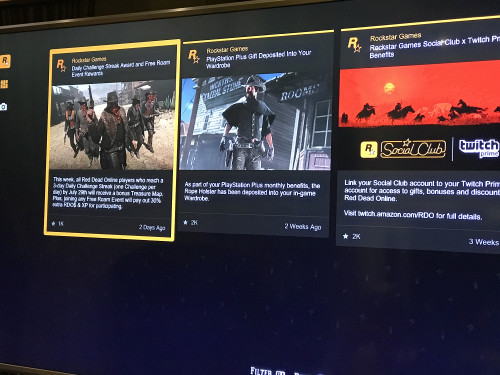
QUOTE(lzchyi @ Aug 5 2019, 10:40 AM) Problem is I can't connect to RDR online too. |
|
|
|
|
|
junclj
|
May 20 2020, 04:42 PM
|
|
|
The worst IP of Unifi, 60.x.x.x. Try to avoid this IP. Sometimes it is quite annoying because my router keep connecting to 60.x.x.x. Only can successfully change to other IP start with 115.x.x.x, 175.x.x.x etc after 100 times of tries. Just avoid 60.x.x.x. This IP address is so annoying. Sometimes Unifi is keep forcing me to join 60.x.x.x no matter how many times I did restart my router.
This post has been edited by junclj: May 20 2020, 04:43 PM
|
|
|
|
|



 Quote
Quote

 0.0193sec
 0.32
0.32
 6 queries
 GZIP Disabled