

 Jun 11 2007, 04:01 AM, updated 19y ago


Introduction
It is now known that every Tom, Dick n Harry is only interested in the Intel C2D. The C2D uses DDR2 hence most reviews of memory is of the DDR2 variety nowadays. My review today is about DDR though. Why? Because there are still a lot of people out there with decent systems running DDR and there's nothing better than to pair those systems with some really good DDR for better overclocking. Also, now is the perfect time for buying more memory as Vista chews up so much memory. So those who are still using older systems and are not keen to upgrade to a new motherboard and CPU, now's a great time to upgrade to 2gb of DDR for use with Vista.
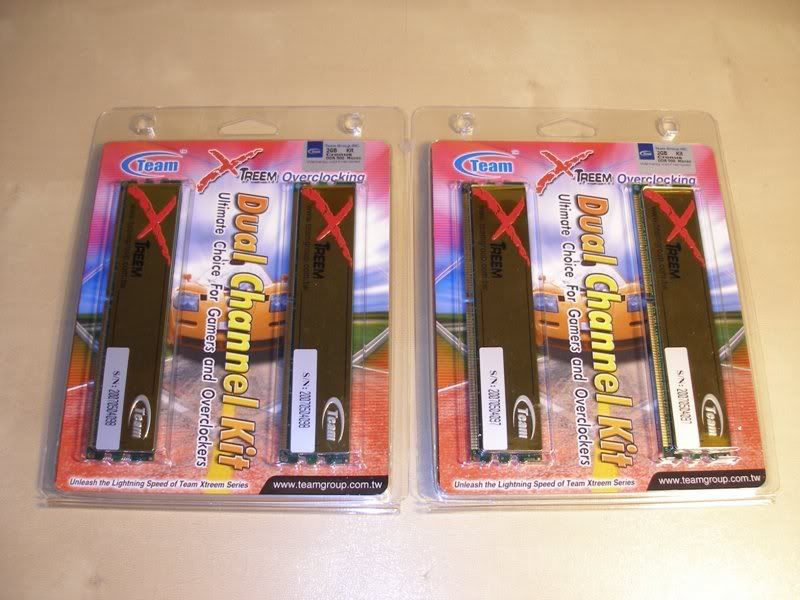
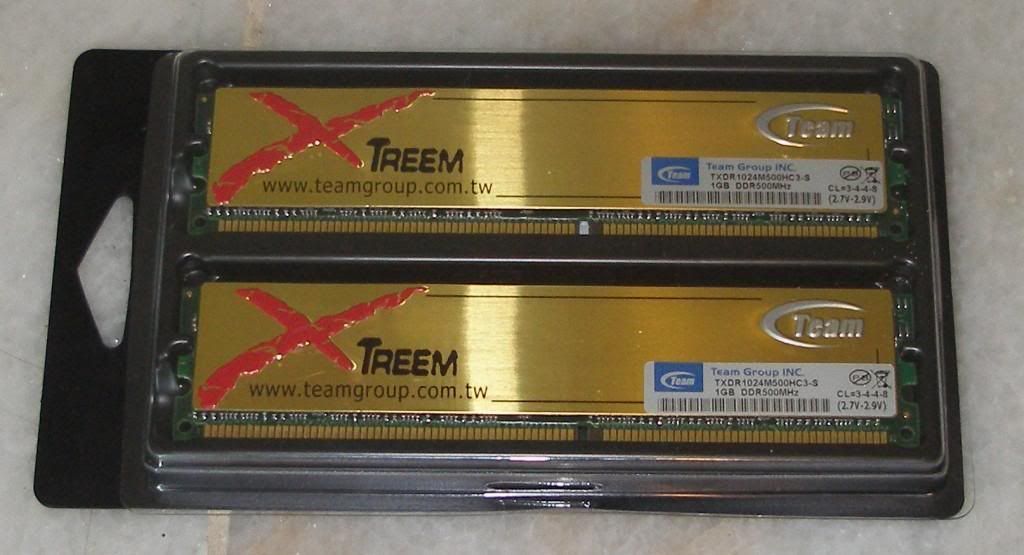
Here's a picture of the RAM in the packaging. 4gb of nice juicy RAM.

Look at all those World Records!
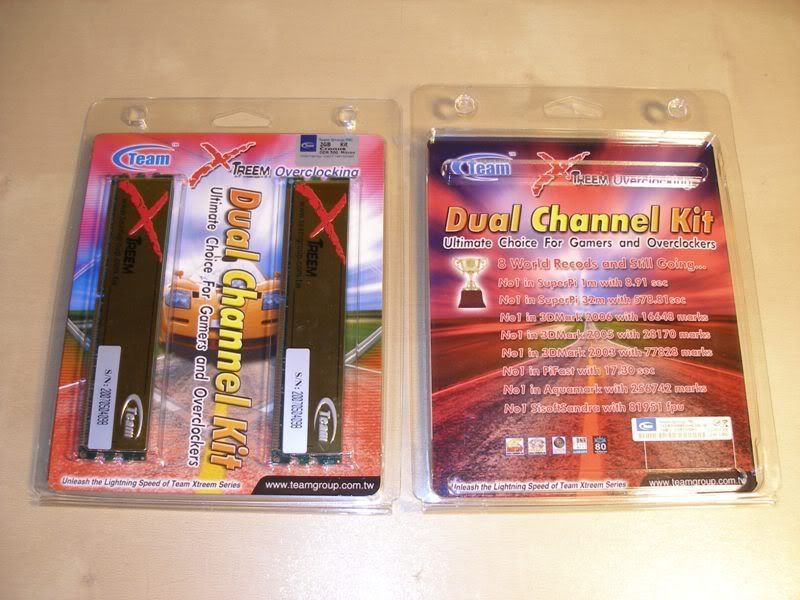
The Company
Team Group may sound like an unknown brand to most people as it was not widely available in LYP before this. Team does not have a big presence like Kingston, OCZ, Corsair, Mushkin or Patriot locally but it's actually a well known brand among hardcore computer enthusiasts. Here's a lil bit of info I took off the Team website.
"Team Group Inc. is a manufacturer and wholesaler of computer components. The company is established in 1994. They manufacture and sell high quality memory modules with wafer chips made by Samsung, Infineon, Micron, Hynix, Mosel and Nanya. In addition to the modules, they also manufacture flash memory cards, and USB flash drives incorporating fashionable design and excellent quality.
The company is recognized as one of the leading memory product manufacturers in Taiwan. Team Group covers many business regions all over the world, and has four logistic distribution centers: Taiwan, Hong Kong, and the USA. We are also planning to establish more logistic centers in other regions.
Our company in the USA, Team Research Inc. was founded back in 1990 in Milpitas (Silicon Valley), California, USA. Team Research is one of the top-ranking companies with excellent business experience in the computer components industry. We have developed successful buy and sell models to better serve our customers in this highly competitive field. Team Research inc. also maintains the R&D office for our entire group in order to further support our customers.
Our goal is to become one of the leading providers for memories, flash cards, and pen drives in Asia in the near future.
Through our four international offices, we can easily provide fast, reliable inventory access worldwide. Having developed close and long term relationships with many leading manufacturers and OEMs, we are able to provide various products even during the shortage and allocation periods."
You can see from the company introduction that Team has been around for quite a while. 13 years to be exact. Team is a really good brand for enthusiasts as you can check on their website for the type of chips they use in the particular sticks of RAM you're interested in. You can also email them and they'll fully disclose what type of chips they use. No guesswork involved, just ask and you shall get the answer. Now, that's what I call great support.
Specification
Now, let's get down to looking at the RAM I'm reviewing. It's called Team Xtreem Cronus Series. This is the best DDR kit that Team has as of now.
Here's a quick look at the features-
1. PC4000 DDR500 mhz 3-3-3-8
2. Micron 5B chips
3. 184 pin, non ECC. Unbuffered DDR SDRAMM
4. Aluminum heatspreader
5. 6 layer PCB
6. 2.7-2.9V
7. Lifetime warranty
8. Packaged together as matched pair after stability testing
9. Benchmarked using Nforce3, Nforce4 and ATI chipsets
Here's how the Team Xtreem ram looks like out of the box and installed in the motherboard.
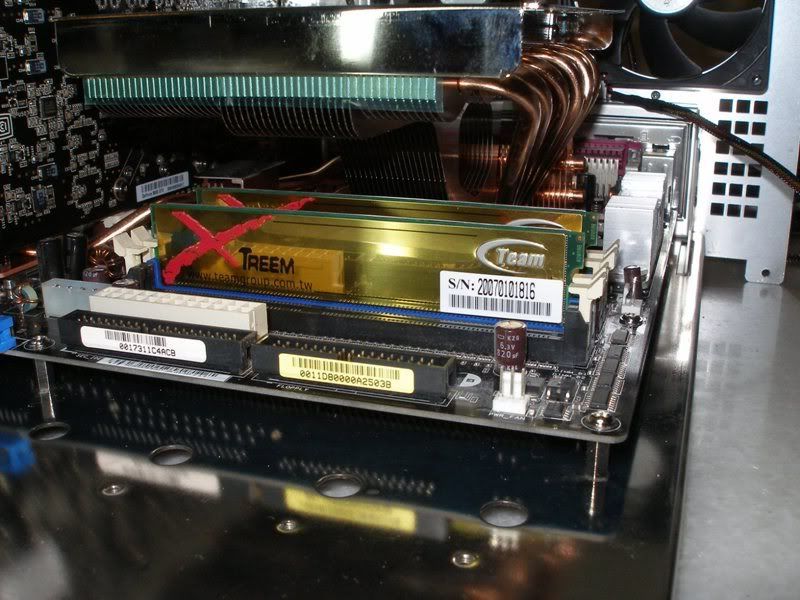
It's got a nice gold aluminum heat spreader on it. The good thing about Team RAM is that we don't have to peel off the heatspreader to find out what chip it's using. It's already stated in their website as Micron 5B. No guesswork involved for the hardcore overclockers who must know the type of chips used before deciding to buy.
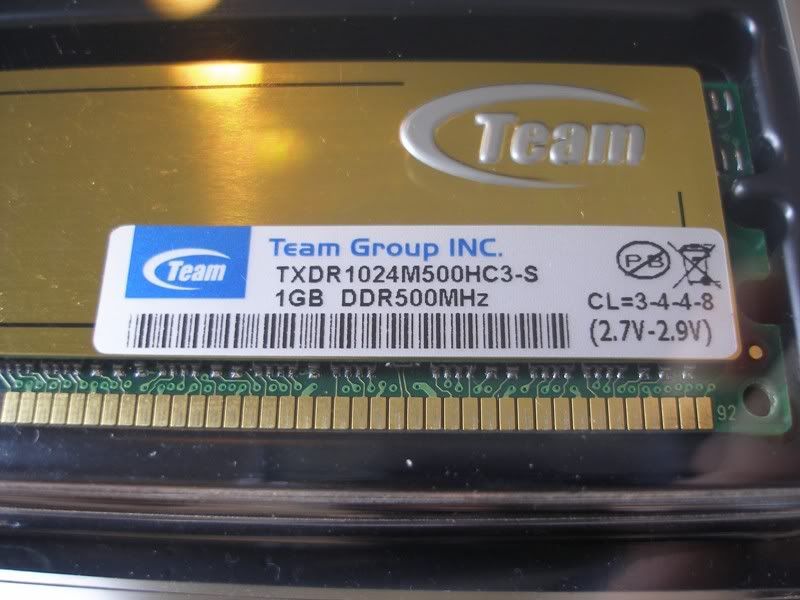
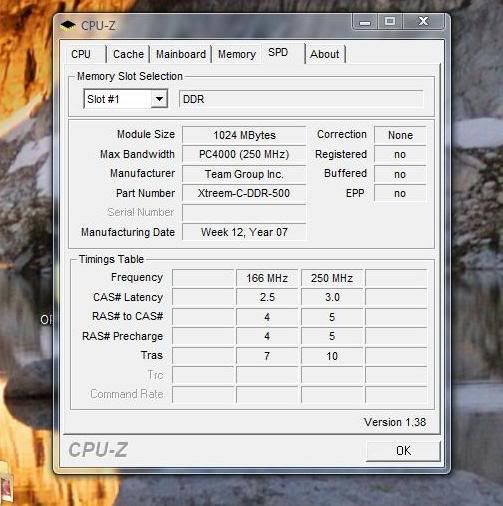
This RAM is capable of running at 500mhz at 3-3-3-8 timings and can take up to 2.9V as can be seen in this picture.
Test System
CPU- AMD64 X2 4200+
Motherboard- Asus A8N32SLi-Deluxe
Memory- Team Xtreem TXDR1024M500HC3-S
Hard Drive- WD Raptor 150gb
Graphics cards- 8800GTX
Cooling- CM GeminII
PSU- Silverstone Olympia 1000W
Case- Silverstone TJ07
Operating System- Windows Vista Business 32bit
Testing programs n benchmarks
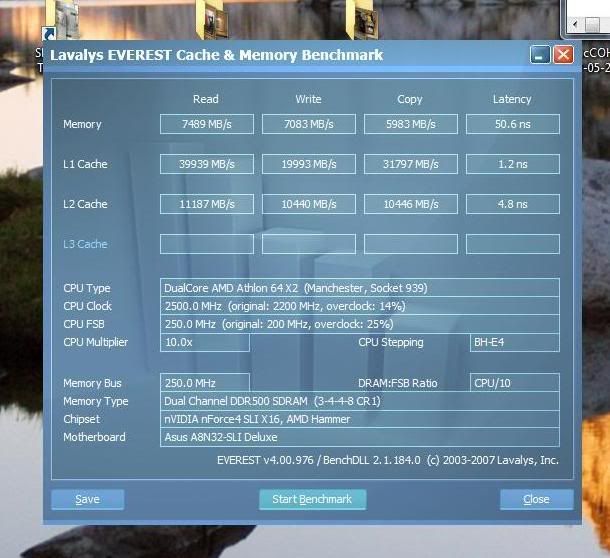
I'm using an Asus A8N32SLi-Deluxe and AMD64 X2 4200+ for the testing of this RAM. All I did was plug in the RAM and it boots up with no problems. I only needed to manually set the BIOS to run it at the settings that Team guarantees. So I proceeded to set the CPU to run at 250x10 to get it to run at 2.5ghz for this test. All tests were run with the CPU at 2.5ghz. RAM divider was set at 1:1 so that I can max out the RAM at the rated 500mhz. Voltage set to 2.9V. Timings at 3-3-3-8. Everything went perfectly well. To test stability of the overclock I then ran dual instances of Prime95 and I'm happy to report it's totally stable. No errors whatsoever.
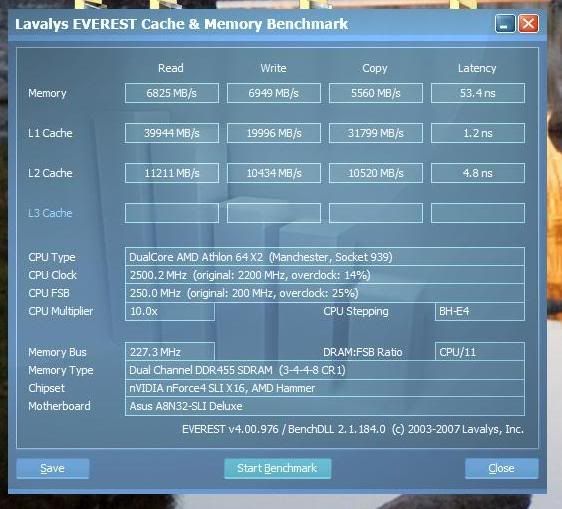
After making sure the RAM works perfectly at the rated 500mhz, I dropped it to 400mhz n then 450mhz for benchmarking. The CPU remains at 2.5ghz, RAM timings at 3-3-3-8 and 2.9V to keep all the benchmarks running at same settings except for the RAM speed.
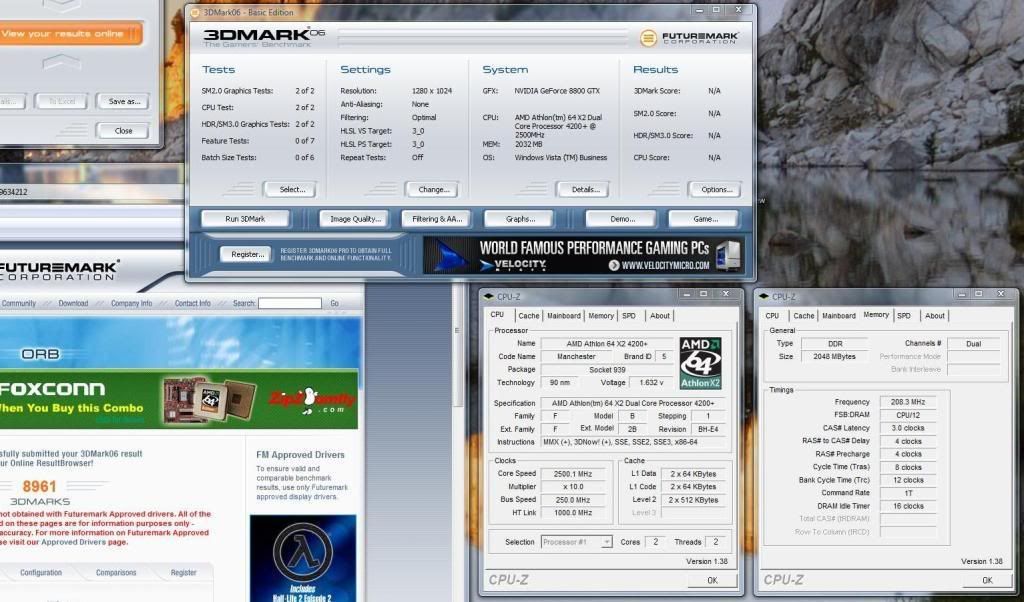
Here's the results for 3DM06 at 400mhz. 8961 marks.
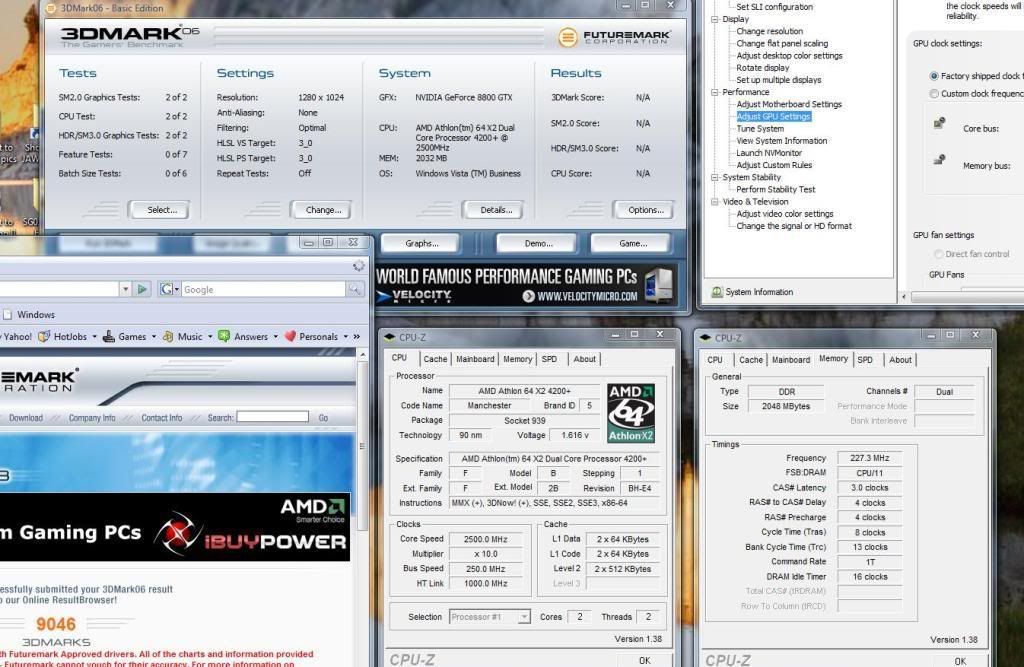
3DM06 at 450mhz. 9046 marks.
3DM06 at 500mhz. 9251 marks.
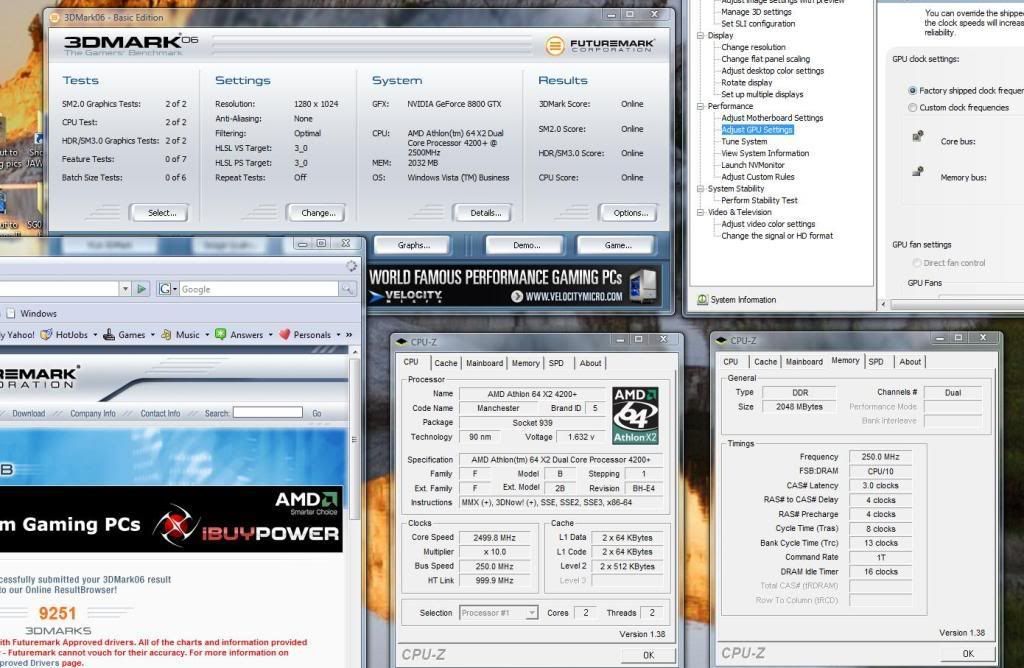
As you can see from the above 3DM06 test. There's a pretty fantastic gain of 290 marks by going from 400mhz to 500mhz.
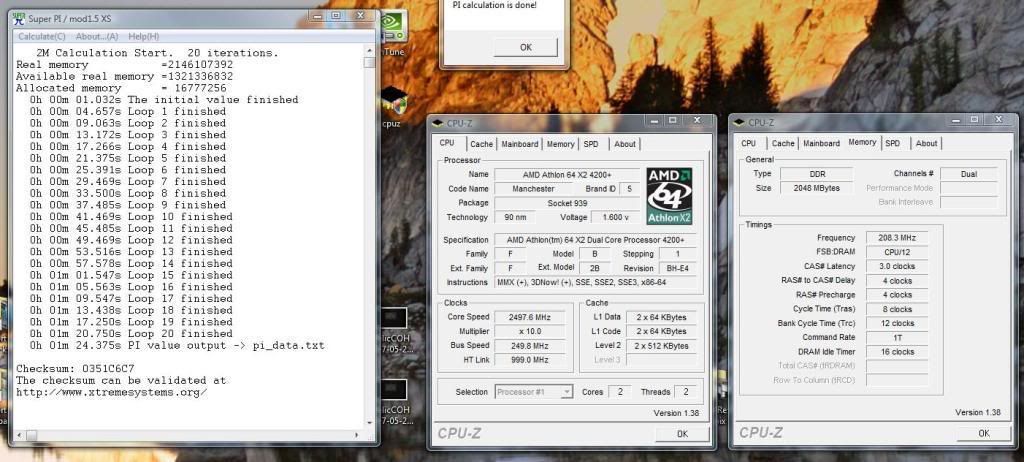
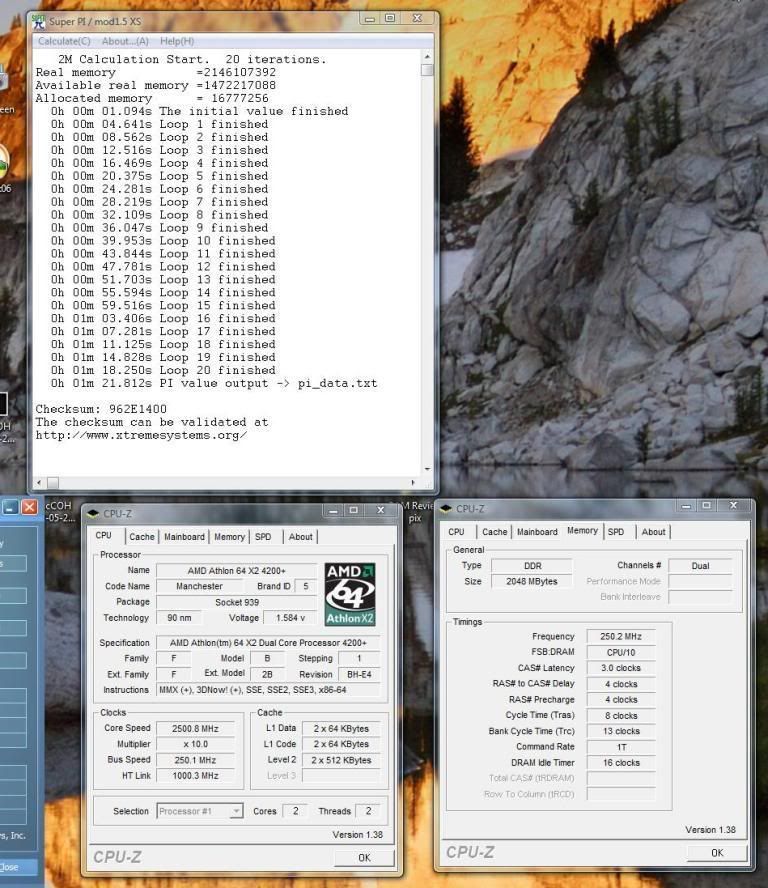
Now I'll move on to Super PI. Super PI at 400mhz.
Super PI at 450mhz.
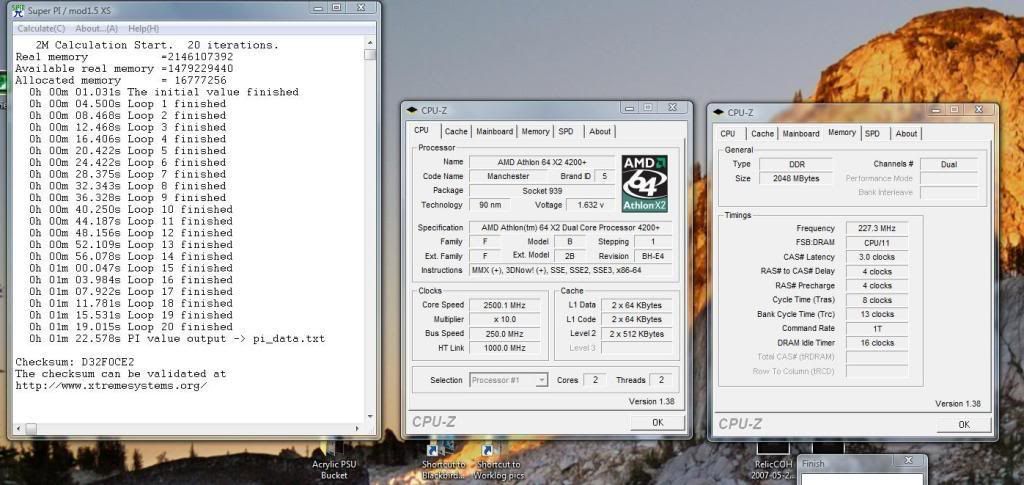
Super PI at 500mhz.
This post has been edited by ianho: Jun 14 2007, 01:50 AM
 Quote
Quote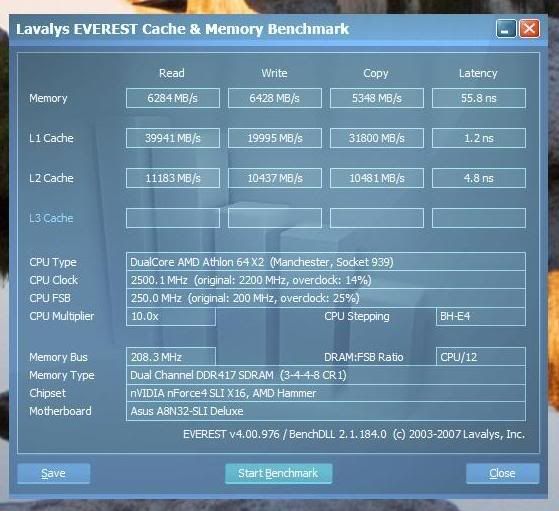


 U can check with the local retailers at LYP for the pricing.


 Really nice rams. Was actually looking at this ram or the crucial rams. Would be ideal for my rig as my HTT max at about 250 Mhz (DDR500).






 , in fact i got myself a ValueRAM instead... luckily it can be overclocked to DDR533 instead of DDR400
  ...
...

 to answer the question
 , technically yes, better... but still, plugged-in DDR500 onto motherboard, 1st thing detected as DDR400, you have to tweak/overclock kaw² until reach DDR500, it is guaranteed reach DDR500, but what about our motherboard capabilities? some motherboard can't even get pass 250MHz
 0.0272sec
 1.50
1.50
 5 queries
 GZIP Disabled