

 Nov 2 2018, 06:37 PM


QUOTE(insidemycloset @ Nov 2 2018, 03:37 PM)
like you said, I went to safemode with network, the upload speed is always 204mbps.
ookla chrome 88mbps
tmspeedtest chrome 301mbps
ookla chromium 90mbps,
tmspeedtest chromium 302mbps
ookla opera 87mbps
tmspeedtest opera 302mbps
ALSO I tested my Cat5e cable too, switching ethernet ports with my Cat6 cable, same results.
I did a little bit of googlin and went through regedit, cpu-z validator. I don't have spectre mitigation enabled, It's not even patched cuz I never update my windows .
.
should I just give up and call TM to send their technician over? :confused:

Had the same issue. Troubleshooted using all methods found in this forum. Called up technician. Changed the modem another one time, (Dlink 842). Speedtest was promising, but to be monitored for a few days for the dl speed stability ookla chrome 88mbps
tmspeedtest chrome 301mbps
ookla chromium 90mbps,
tmspeedtest chromium 302mbps
ookla opera 87mbps
tmspeedtest opera 302mbps
ALSO I tested my Cat5e cable too, switching ethernet ports with my Cat6 cable, same results.
I did a little bit of googlin and went through regedit, cpu-z validator. I don't have spectre mitigation enabled, It's not even patched cuz I never update my windows
.should I just give up and call TM to send their technician over? :confused:
 Quote
Quote


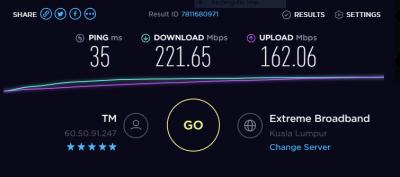






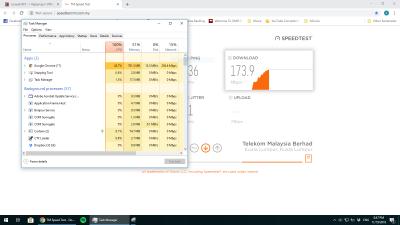
 Please disable it. I was expecting you to use Windows built-in antivirus in first place.


 0.0287sec
 0.33
0.33
 7 queries
 GZIP Disabled