

 Jan 17 2019, 02:10 PM


QUOTE(soonwai @ Jan 13 2019, 06:51 PM)
Trying out hAP AC2 as my RB750Gr3 was not fast enough to handle Turbo800 due to my use of local VLANs and a VLAN trunk for HyppTV and Internet.
Happy to report hAP AC2 more than capable. See the screen recording for CPU usage. HyppTV is also streaming at the same time as the test. Forgot to turn the TV off but it didn't affect the test.
At RM300, a very affordable choice if you're on Turbo800 and trunking your HyppTV. Can put off buying the RB4011 for now.
hAP AC2 (IPQ4018 CPU same as ASUS RT-AC58U)
ether1 - Unifi BTU
ether2 - vlan 50 and 600 trunk to RB2011UAS downstairs
ether3 - AP (Aztech FG7008GR)
ether4 - unused
ether5 - to my MacBook Pro (Thunderbolt GbE adaptor)
Fasttrack: ON
Bridge ports hw_offload: OFF (auto off due to vlans in bridge)
VLANs configured are 500, 600, 50 (ipv4 LAN), 56 (ipv6 LAN) and 70 (IoT LAN.)
Only 500, 600 and 50 in use during this test.

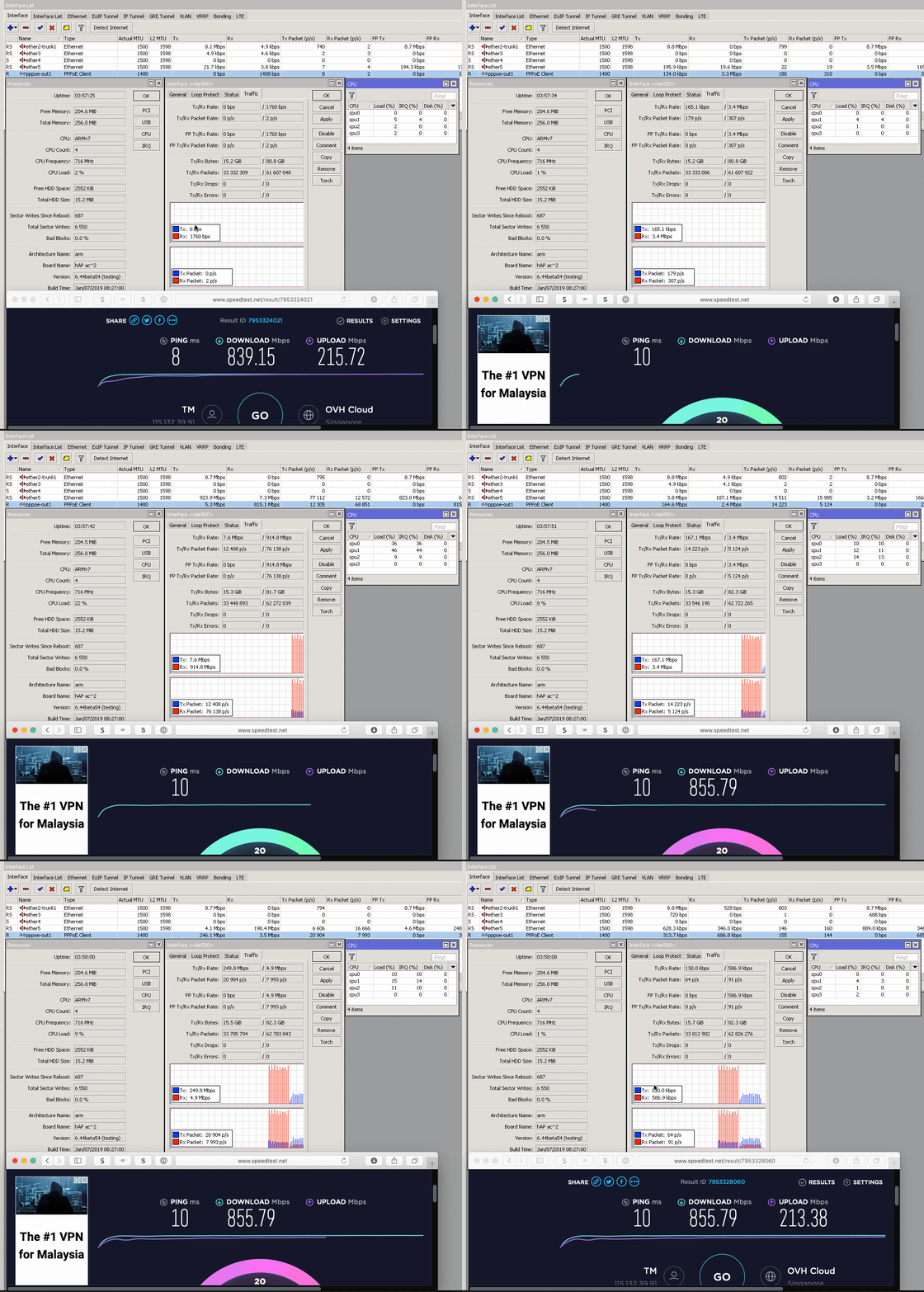
https://res.cloudinary.com/soonwai/image/up...t-cpu_usage.gif

My gr3 seems to be running fine for turbo800. Is it due to the local VLAN on your set up?Happy to report hAP AC2 more than capable. See the screen recording for CPU usage. HyppTV is also streaming at the same time as the test. Forgot to turn the TV off but it didn't affect the test.
At RM300, a very affordable choice if you're on Turbo800 and trunking your HyppTV. Can put off buying the RB4011 for now.
hAP AC2 (IPQ4018 CPU same as ASUS RT-AC58U)
ether1 - Unifi BTU
ether2 - vlan 50 and 600 trunk to RB2011UAS downstairs
ether3 - AP (Aztech FG7008GR)
ether4 - unused
ether5 - to my MacBook Pro (Thunderbolt GbE adaptor)
Fasttrack: ON
Bridge ports hw_offload: OFF (auto off due to vlans in bridge)
VLANs configured are 500, 600, 50 (ipv4 LAN), 56 (ipv6 LAN) and 70 (IoT LAN.)
Only 500, 600 and 50 in use during this test.
https://res.cloudinary.com/soonwai/image/up...t-cpu_usage.gif
 Quote
Quote
 - well normal home use, it's fine.
 0.2059sec
 1.02
1.02
 7 queries
 GZIP Disabled