

The sales person told me the front camera 3D Augmented Reality AR scanning feature is not available in Malaysia version is it true?
demo of 3D scan feature https://www.youtube.com/watch?v=G_Mce8BjQZw
Huawei Mate 20/20 Pro/20 X & Huawei GT
Huawei Mate 20/20 Pro/20 X & Huawei GT
|
|
 Oct 29 2018, 06:33 PM Oct 29 2018, 06:33 PM
Return to original view | IPv6 | Post
#1
|
 
Junior Member
70 posts Joined: Sep 2013 
|
The sales person told me the front camera 3D Augmented Reality AR scanning feature is not available in Malaysia version is it true?
demo of 3D scan feature https://www.youtube.com/watch?v=G_Mce8BjQZw |
|
|
|
|
|
Nov 2 2018, 11:44 PM
Return to original view | Post
#2
|
|
Junior Member
70 posts Joined: Sep 2013
|
which shop at klang valley has ready stock now for mate 20 pro that comes with free huawei wireless charger pad?
|
|
|
Nov 5 2018, 10:14 AM
Return to original view | Post
#3
|
|
Junior Member
70 posts Joined: Sep 2013
|
At the notification screen there is this "Fast App Engine not found" notice on a newly opened set, do we have to install it?
|
|
|
Nov 5 2018, 01:00 PM
Return to original view | Post
#4
|
|
Junior Member
70 posts Joined: Sep 2013
|

new to emui 9, what is this fast app engine? can't get rid of the prompt...  |
|
|
Nov 5 2018, 05:15 PM
Return to original view | Post
#5
|
|
Junior Member
70 posts Joined: Sep 2013
|
QUOTE(Arool @ Nov 5 2018, 03:14 PM) No need to download 3rd party app. Just: thanks for the tip! just tested mine, LG panel batch 43 (assumed the last digit is the batch no. here), touch wood all is good....twilight color set... 1. Open setting>battery>darken interface color 2. Make sure you're in dark room (bathroom, switched off lights, whatever) 3. Turn the screen brightness to the lowest for best effect 4. Open dialer app & observe   Btw, anyone managed to migrate the whatsapp backup from ios 12 to this mate 20 pro? I thinking to get the paid app wazzapMigrator to do the trick, but some users reported not working for mate 20 pro... anyone succeeded pls share your method!  |
|
|
Nov 5 2018, 05:32 PM
Return to original view | Post
#6
|
|
Junior Member
70 posts Joined: Sep 2013
|
QUOTE(olly @ Nov 5 2018, 05:19 PM) i planning to purchase mate 20 pro, currently im using iphone 6. would like to know wazzapMigrator really work or not I would probably try it on another basic old android phone see work or not, if successful migrated to old android build, just backup the old android whatsapp to gdrive and restored to mate 20 pro from gdrive... QUOTE(chuah_ph @ Nov 5 2018, 05:25 PM) How to verify the batch no and OLED brand? 
some said the last 2 digit is the batch, but some said it's not the batch no., it's simply the driver code.... no really sure though.. few said they got replaced the 51 to 43 and so far so good... |
|
|
|
|
|
Nov 5 2018, 05:40 PM
Return to original view | Post
#7
|
|
Junior Member
70 posts Joined: Sep 2013
|
I noticed the App Twin feature only limited to whatsapp, FB and FB messenger, there is an online tutorial to add 'any' apps to the App Twin listing, but only through windows machine, https://www.xda-developers.com/google-relea...nary-downloads/
anyone cuba already? |
|
|
Nov 7 2018, 06:37 PM
Return to original view | Post
#8
|
|
Junior Member
70 posts Joined: Sep 2013
|
QUOTE(holymushroom @ Nov 7 2018, 06:13 PM) Not only.on the curve side. Mine almost cover the whole screen wanna ask whether your case the green tints actually affected normal usage under normal lighting brightness? for example in office lighting, outdoor, dim restaurant? is the green tint visible when not in lowest brightness setting or dark grey color background? thanks! I asked this because want to know how bad it could affect usability in the future.. thanks bro! |
|
|
Nov 24 2018, 12:16 PM
Return to original view | IPv6 | Post
#9
|
|
Junior Member
70 posts Joined: Sep 2013
|
QUOTE(e_mc_square @ Nov 24 2018, 12:01 PM) Not sure is Huawei issue or those greedy retailer issue. Those retailer might just out source the repair job for cheap repair shop. The so called "refurbished" is just cheap. nice planet Mars there! I don't think xs max can capture it..well done bro! If Huawei Malaysia is the one who allow the retailer do such thing, I don't think they can get big in Malaysia. Well, I post a photo captured by my Mate 20 Pro last night. Never thought phone stock camera can capture such photo. It is a cropped photo. But I'm still vedy impressed! 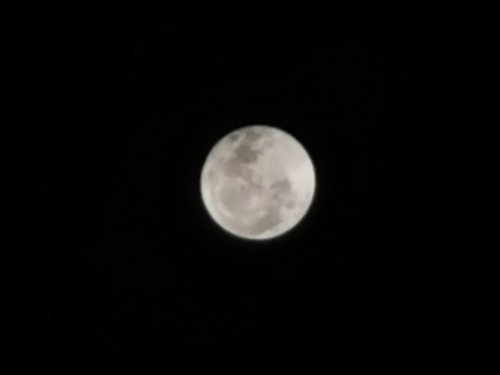 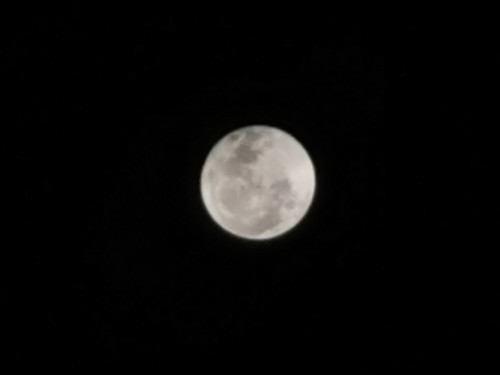  |
|
|
Nov 24 2018, 12:22 PM
Return to original view | IPv6 | Post
#10
|
|
Junior Member
70 posts Joined: Sep 2013
|
QUOTE(sai86 @ Nov 24 2018, 12:08 PM) wow. never thought a phone camera can capture this. on the contrary, I loving the huawei beautify feature at 0 level, as my skin tone and texture by default not very smooth and pretty like those young pretty Caucasian, every time I used my Xs to selfie I have to edit beautifying my look before dare to upload to social media lol... the huawei beautify at level 0 is just so very naturally beautiful yet not overly done like done in some 3rd party app, i mean who really love to seeing my pimples and wrinkles imperfection and really enjoy it? the only thing i dislike is even at 0 beautify, its still too smooth on the skins. i hope we can remove this.  |
|
|
Nov 24 2018, 12:24 PM
Return to original view | IPv6 | Post
#11
|
|
Junior Member
70 posts Joined: Sep 2013
|
QUOTE(crusher @ Nov 24 2018, 12:18 PM) Just wondering, whats the difference? Both same huawei SC right pavillion one is Direct Huawei Malaysia, the rest r indirect but authorized so their priority is not the same. |
|
|
Nov 24 2018, 12:48 PM
Return to original view | IPv6 | Post
#12
|
|
Junior Member
70 posts Joined: Sep 2013
|
QUOTE(sai86 @ Nov 24 2018, 12:42 PM) yeah, its good for selfie, portrait on the face, no doubt bout that. i'm more to the old fashion where i like to make my own adjustment instead I don't understand, my experience is the beautify feature on huawei only done on the human face when the phone auto detected face, and only the face is beautify here not the surrounding, or maybe u r referring to the background blur that comes with the auto-portrait mode when the face is detected? as it applies to the whole photo, it make some details wash out for me. as it applies to the whole photo, it make some details wash out for me. i mean it will be good to have a choice/option to turn it off completely   |
|
|
Nov 24 2018, 12:51 PM
Return to original view | IPv6 | Post
#13
|
|
Junior Member
70 posts Joined: Sep 2013
|
and speaking of background blur, I have to say huawei mate 20 pro done a much better job at edge detection compared to Xs Max, huawei background and object separation is super duper awesome, whereas the Xs Max sometimes would mistaken some object edge or hair as background...
|
|
|
|
|
|
Nov 27 2018, 01:57 PM
Return to original view | Post
#14
|
|
Junior Member
70 posts Joined: Sep 2013
|
QUOTE(jeffbong @ Nov 27 2018, 01:49 PM) tips:- transferring from PC to Phone takes long time if connect directly via USB ....is better if u use PC----> SD Card--->OTG to Mate 20 Pro...it will reduce transfer time tremendously... Tip: the transfer is very fast if u install huawei HiSuite in your PC or Mac when you connect your phone to USB port of your PC/Mac (the HiSuite installer is visible in PC/MAC when u connect your phone)..give it a try  |
|
|
Nov 28 2018, 04:10 PM
Return to original view | IPv6 | Post
#15
|
|
Junior Member
70 posts Joined: Sep 2013
|
QUOTE(crusher @ Nov 28 2018, 12:55 PM) Did some test on the phone. Confirm do not have hulk issue on my BOE screen my fren also in dilemma due to this, his unit very minor green in lowest brightness on right side using grey color to test, but this won't affect user experience in 99% of the times under normal brightness level..... if exchange 1 to 1 to BOE unit, then the 'less clear' and 'less vibrant' situation is 100% of the times of normal usage condition compared to the LG unit....However i felt BOE screen somehow less "clear" and dimmer than LG one. Prolly this is the difference. so should go for 1 to 1 or enjoy 99% of best of the best LG screen color and quality under normal usage condition? |
|
|
Nov 28 2018, 04:35 PM
Return to original view | Post
#16
|
|
Junior Member
70 posts Joined: Sep 2013
|
QUOTE(crusher @ Nov 28 2018, 04:23 PM) Just to share with you, at first 2 weeks I did not go to SC due to they green tinted isnt that serious unless in darker area. However, the green tinted became more serious after that. Afraid that it will become worst, decided to go 1to1 exchanged. checked with SC already, they allowed to 1 to 1, now it's up to the owner to decide, btw, if few months later it got really worse even in normal usage brightness still can 1 to 1? or need to leave the phone at SC for weeks waiting for screen replacement? any idea?Since there are so many cases on LG screen issue, it just a ticking bomb. However, you have 1 year warranty, within this year anything still can go change. Would suggest u go sc to seek for their advise. If you are ok with it, then no need waste time go. |
|
|
Nov 29 2018, 05:30 PM
Return to original view | IPv6 | Post
#17
|
|
Junior Member
70 posts Joined: Sep 2013
|
QUOTE(Dave Minion @ Nov 28 2018, 04:10 PM) my fren also in dilemma due to this, his unit very minor green in lowest brightness on right side using grey color to test, but this won't affect user experience in 99% of the times under normal brightness level..... if exchange 1 to 1 to BOE unit, then the 'less clear' and 'less vibrant' situation is 100% of the times of normal usage condition compared to the LG unit.... Fren opted to stick with LG oled for the time being until further notice so should go for 1 to 1 or enjoy 99% of best of the best LG screen color and quality under normal usage condition? |
|
|
Nov 29 2018, 05:32 PM
Return to original view | IPv6 | Post
#18
|
|
Junior Member
70 posts Joined: Sep 2013
|
QUOTE(holymushroom @ Nov 29 2018, 05:29 PM) More issue with this mate 20 pro. i think only OLED from sammy is suitable for super expensive flagship device, good luck to apple future BOE oled device...Look like boe also not perfect now. Screen color not balance, red tint issue, low light white background u will see a little dirty spot. Screen flashing. https://tieba.baidu.com/p/5951427514?pn=0& saw some1 posted he exchange 6 times just for lg screen, even with green tint also acceptable. All the pic below was reported by boe screen user. |
|
|
Nov 29 2018, 06:42 PM
Return to original view | IPv6 | Post
#19
|
|
Junior Member
70 posts Joined: Sep 2013
|
QUOTE(Andrewtst @ Nov 29 2018, 06:24 PM) Huawei shall stop the Mate 20 Pro production and recall all. That's why for those who are not having serious green tint issue on their LG oled Mate 20 Pro are the luckiest flagship owners in the world, in year 2018 Lucky some shop vet good now, they will advice you don't get Mate 20 Pro now, one of the shop told me they cannot assure second badge will be issue free yet or not. It seems Huawei not 100% rectify the actual root cause yet. I suggest for the moment of want Mate 20, go for Mate 20 or Mate 20 X. The Mate 20 Pro better don't buy yet. |
|
|
Nov 30 2018, 05:29 PM
Return to original view | Post
#20
|
|
Junior Member
70 posts Joined: Sep 2013
|
QUOTE(BlacBeanz @ Nov 30 2018, 01:02 PM) m20X after 48H Malaysian set ( my bro got pro so tested both) Mate 20 Pro version comes with bluetooth with aptX HD support what about X version? and im lovin it so far... Screen - huge OLED 7.2 inch great for youtube viewing - no hulk issue, samsung display, so colors pop - non curve sides (not a fan anyway) - small teardrop notch, just nice & not obscure screen much, can hide if u want Performance - kirin 980 same like the rest of Mate series so nothing to compare la, tiptop smooth performance but.... only X has the cooling gas/graphene built in, so ur device won't heat up during gaming etc ( i ain't phone based gamer anyway) but logically it will reduce lost of energy as heat and therefore reduce power consumption Battery - massive 5000maH.. i think biggest of all phones now.. and with supercharge.. from 12% to 100% abt 1h15m, no need powerbank dy Size/weight 200+ g, heavy phone... but hey size so big of course la.. for average guy like me, no issues using 1 hand cz u can shrink the screen to type. but 2 hand usage more comfortable and faster typing for sure. 1 hand prolong can kebas oso la haha. i buy those rm 3-5 air bag button thingy to provide extra support with 1 hand * another issue is pocket space risk of falling out/lost, suggest go try 1 to see u really ok with size and weight or not Sound - Dolby atmos support, but only X has 2 free speakers which are loud and clear, stereo sound so great if watch movies/youtube on the go, bear in mind speakers are top and bottom & not kongsi the usb c port.. pro 1 the lower speakers kongsi with usb c port. so if charging sound quality diff No on screen fingerprint button, but tat don't bother me... physical 1 is faster and my finger can reach without much effort M Pen - only available for X, and can ONLY use on X - big point if u are addicted to stylus ( got ppl its a deal breaker 1 lo) for me not issue, but cz it is free included when buy M20X.. of cz wan la - charge with type c usb (same charger as phone) & included extra another 2 pen tips for replacement - writing is fluid & responsive.. palm on screen wont cz weird breaks or interrupted writing - no place keep the pen on the phone so risk lost (unlike Note) - cannot use it as remote control to take photo Price if by ori price as of now (Huawei store k, not lazada Qoo10) is 400 less than Pro Camera nonid say la... share same specs as Pro everything except 3D detection camera in front.. so no 3D facial recognition, but the standard 2D facial recognition still got.. So wat else i missing out.. if got only update la.. so far tat all the reason i buy m20X https://www.aptx.com/products?field_aptx_type_tid=483 one more thing, the hardware spec of mate 20 pro comes with 6CA hardware support, but due to huawei licensing fee paid with regards to our telco bands here practically only support up to 3CA is it correct? anyone can confirm? This post has been edited by Dave Minion: Nov 30 2018, 05:32 PM |
|
Topic ClosedOptions
|
| Change to: |  0.0226sec 0.0226sec
 0.25 0.25
 7 queries 7 queries
 GZIP Disabled GZIP Disabled
Time is now: 2nd December 2025 - 11:37 AM |
 Quote
Quote