Welcome Guest ( Log In | Register )

666 Pages « < 91 92 93 94 95 > » Bottom

Outline · [ Standard ] · Linear+

TIME [OFFICIAL] TIME Fibre Broadband™ v4, Experience the ONE TRUE 2Gbps

views
     
FusionXY
post Nov 20 2018, 08:33 PM

LAZZIE ON VACATION
*******
Senior Member
3,834 posts

Joined: Aug 2016

QUOTE(FG123 @ Nov 20 2018, 08:30 PM)
I have UNIFI plan to cancel it. but TIME coverage really weak.

Have maxis, Unifi but dont have time fibre
*
Hi, may I know that you're staying on Landed or High Rise?

Thanks.
FG123
post Nov 20 2018, 08:37 PM

Getting Started
**
Junior Member
55 posts

Joined: Mar 2017
landed
FusionXY
post Nov 20 2018, 08:40 PM

LAZZIE ON VACATION
*******
Senior Member
3,834 posts

Joined: Aug 2016

QUOTE(FG123 @ Nov 20 2018, 08:37 PM)
landed
*
Unfortunately, TIME is not available on landed because cannot install ports.

Thanks.


yeh_chiam
post Nov 20 2018, 09:29 PM

Getting Started
**
Junior Member
104 posts

Joined: Aug 2008
From: brickfielfs


QUOTE(jjj2 @ Nov 20 2018, 08:41 AM)
Hi, that is a known bug, please check again few things :

1) When the globe indicator becomes red/orange, is your line really down ?
2) Which version of firmware you are running ?

This version Build 20180502 rel.45702 (official) will be the latest one at this moment, unfortunately it only reduces the problem but will Not 100% get rid of it.

Thanks.
*
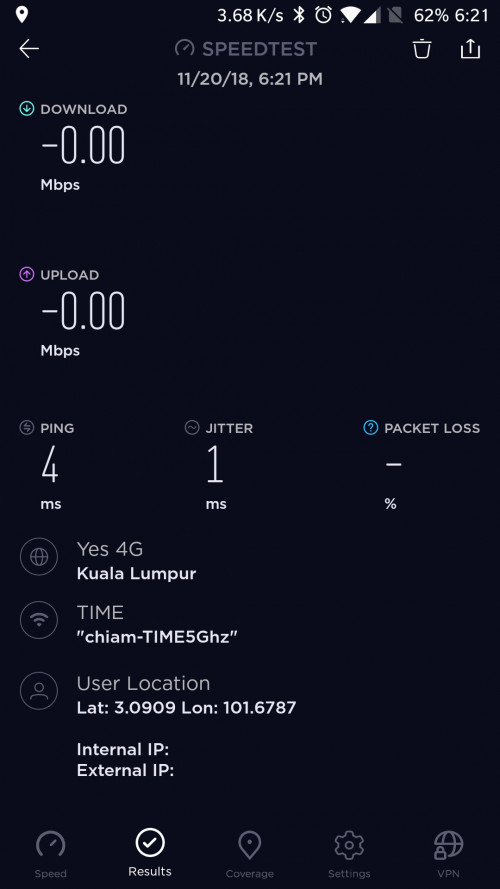
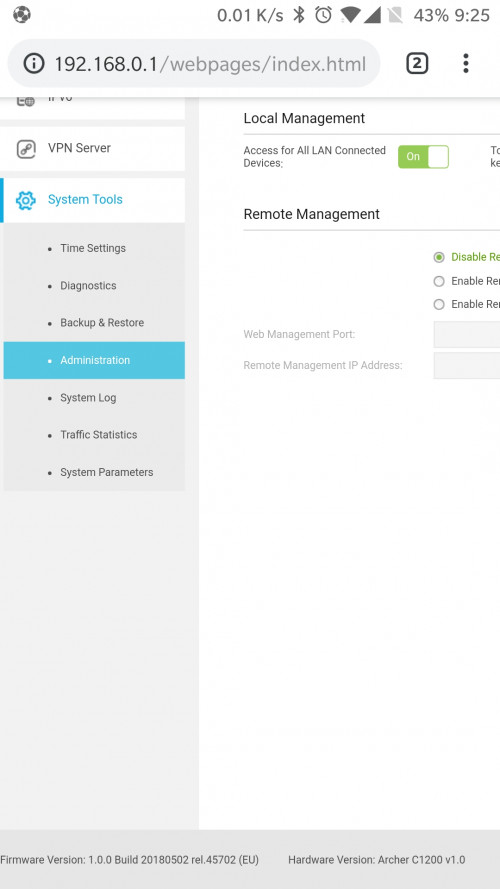
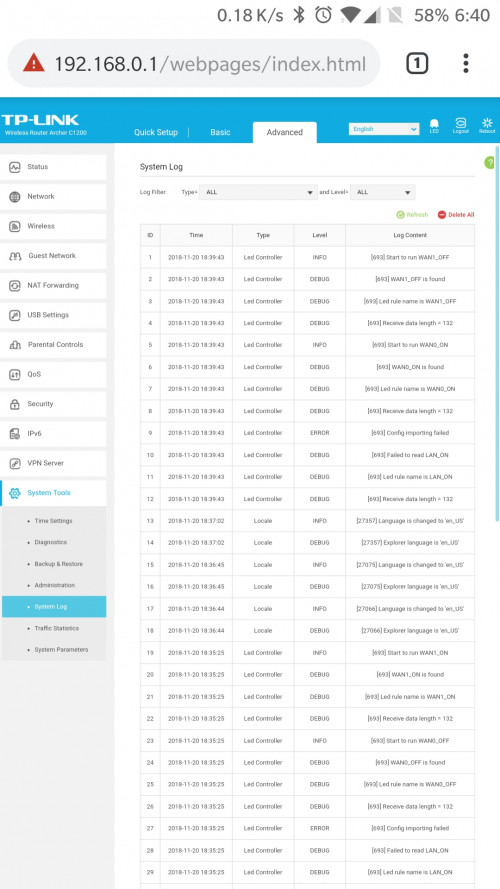
Hi, thank you for responding to my issue, please see my answer below:

1)Yes, when the globe indicator turn red, the internet is down.
2) My current firmware is 20180502 rel.45702 which is the latest.

Please see screenshot attached.
user posted image
user posted image
user posted image
FusionXY
post Nov 20 2018, 09:41 PM

LAZZIE ON VACATION
*******
Senior Member
3,834 posts

Joined: Aug 2016

QUOTE(yeh_chiam @ Nov 20 2018, 09:29 PM)
Hi, thank you for responding to my issue, please see my answer below:

1)Yes, when the globe indicator turn red, the internet is down.
2) My current firmware is 20180502 rel.45702 which is the latest.

Please see screenshot attached.
user posted image
user posted image
user posted image
*
Hi, my advice to you is to hide the IP Address and Wi-Fi SSID when posting it here.

The speedtest looks bad. Negative on both DL and UL.

Check the RAM and CPU status on your router.

Thanks.
yeh_chiam
post Nov 20 2018, 09:51 PM

Getting Started
**
Junior Member
104 posts

Joined: Aug 2008
From: brickfielfs


QUOTE(FusionXY @ Nov 20 2018, 09:41 PM)
Hi, my advice to you is to hide the IP Address and Wi-Fi SSID when posting it here.

The speedtest looks bad. Negative on both DL and UL.

Check the RAM and CPU status on your router.

Thanks.
*
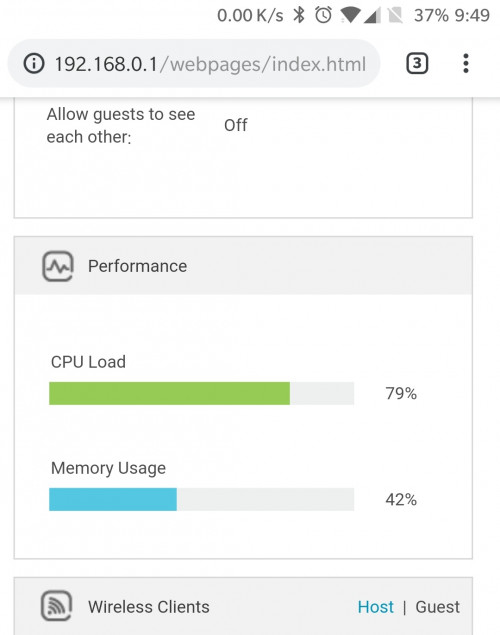
Thank you for your advice, will take note on that, please see my screenshot for the RAM and CPU status.

user posted image
FusionXY
post Nov 20 2018, 09:53 PM

LAZZIE ON VACATION
*******
Senior Member
3,834 posts

Joined: Aug 2016

QUOTE(yeh_chiam @ Nov 20 2018, 09:51 PM)
Thank you for your advice, will take note on that, please see my screenshot for the RAM and CPU status.

user posted image
*
CPU load is the way too high.
When the router overloads may results in frequent disconnection.
Your firmware is the latest from TIME.

Let our expert bro jjj2 with this case.

Thanks.
yeh_chiam
post Nov 20 2018, 09:57 PM

Getting Started
**
Junior Member
104 posts

Joined: Aug 2008
From: brickfielfs


QUOTE(FusionXY @ Nov 20 2018, 09:53 PM)
CPU load is the way too high.
When the router overloads may results in frequent disconnection.
Your firmware is the latest from TIME.

Let our expert bro jjj2 with this case.

Thanks.
*
Thank you for pointing out the CPU load, how can I reduce it? And what the best level to maintain?
FusionXY
post Nov 20 2018, 10:00 PM

LAZZIE ON VACATION
*******
Senior Member
3,834 posts

Joined: Aug 2016

QUOTE(yeh_chiam @ Nov 20 2018, 09:57 PM)
Thank you for pointing out the CPU load, how can I reduce it? And what the best level to maintain?
*
It should be below 50%.

Mine CPU and RAM loads are 33% on Archer C9.

Thanks.
SilentVampire
post Nov 20 2018, 10:04 PM

Networking Enthusiast
*******
Senior Member
5,714 posts

Joined: Mar 2007


QUOTE(yeh_chiam @ Nov 20 2018, 09:57 PM)
Thank you for pointing out the CPU load, how can I reduce it? And what the best level to maintain?
*
Just change your router, bro. I recommend the Tenda AC18 or Archer C7 v5.
blacktubi
post Nov 20 2018, 10:07 PM

-
Group Icon
Elite
8,409 posts

Joined: Jul 2008

QUOTE(yeh_chiam @ Nov 20 2018, 09:51 PM)
Thank you for your advice, will take note on that, please see my screenshot for the RAM and CPU status.

user posted image
*
Do you enable NAT Boost in system parameters?
yeh_chiam
post Nov 20 2018, 10:16 PM

Getting Started
**
Junior Member
104 posts

Joined: Aug 2008
From: brickfielfs


QUOTE(blacktubi @ Nov 20 2018, 10:07 PM)
Do you enable NAT Boost in system parameters?
*
Hi bro, yes both NAT and NAT boost is enable, should I disable it? And what does it do? Thank you.
eas7even
post Nov 20 2018, 10:30 PM

New Member
*
Newbie
12 posts

Joined: Mar 2018


user posted image


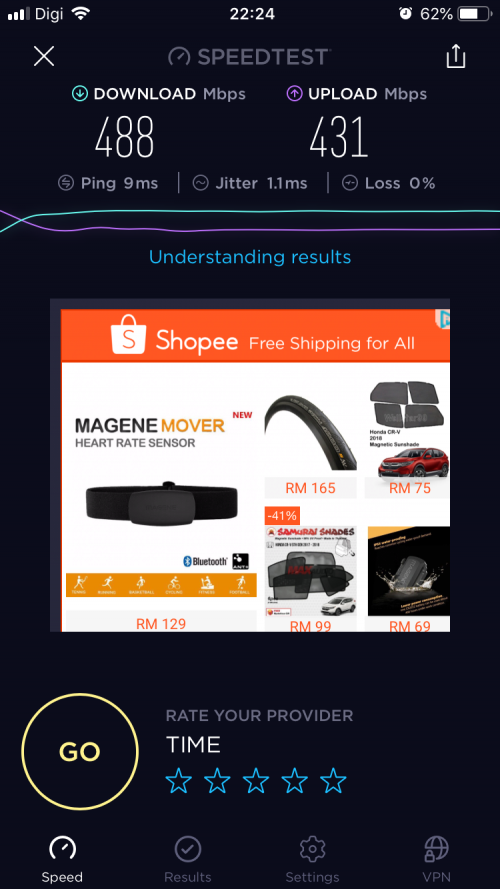
Is this look ok ? Or I should get full 500 instead ?
FusionXY
post Nov 20 2018, 10:45 PM

LAZZIE ON VACATION
*******
Senior Member
3,834 posts

Joined: Aug 2016

QUOTE(eas7even @ Nov 20 2018, 10:30 PM)
user posted image
Is this look ok ? Or I should get full 500 instead ?
*
This is consider normal.

Thanks.
jimbet1337
post Nov 20 2018, 11:58 PM

meh
*******
Senior Member
2,671 posts

Joined: Sep 2006
QUOTE(eas7even @ Nov 20 2018, 10:30 PM)
user posted image
Is this look ok ? Or I should get full 500 instead ?
*
which router do you use?
qt2100
post Nov 21 2018, 09:15 AM

Getting Started
**
Junior Member
120 posts

Joined: Sep 2007


QUOTE(jjj2 @ Nov 20 2018, 02:53 PM)
Hi,

What are the issues you are facing now with Maxis Fiber ?
*
30Mbps package but hardly get 50% of it....
qintian
post Nov 21 2018, 10:03 AM

Soaring Like Eagle
******
Senior Member
1,269 posts

Joined: Mar 2005
Dear Members,

If anyone have face this issue before? Recently, if i left my TIME modem/router idle (not connecting) for overnight, in the next morning or afternoon, when i try to connect, it will state "Cannot be connected" , and i will need to restart my modem + router then all back to normal again..

all these issue just happen recently only..before this are alright.
arefiq09
post Nov 21 2018, 10:43 AM

Getting Started
**
Junior Member
102 posts

Joined: Oct 2013
QUOTE(qintian @ Nov 21 2018, 10:03 AM)
Dear Members,

If anyone have face this issue before? Recently, if i left my TIME modem/router idle (not connecting) for overnight, in the next morning or afternoon, when i try to connect, it will state "Cannot be connected" , and i will need to restart my modem + router then all back to normal again..

all these issue just happen recently only..before this are alright.
*
So far never occurred to me. I do have one time issue where the router self restarts while I'm using it.
button87
post Nov 21 2018, 01:50 PM

New Member
*
Newbie
4 posts

Joined: Apr 2014


Hi, I am currently using Unifi and intended to switch to Time. Based on my understanding, i need to submit my "intention to terminate the Unifi service" to TM 30 days before I can terminate the service at TM Point (which is a stupid idea from TM), should I apply the Time Internet now or should I wait for 30 days?

P/S: My 24 months contracts ended coupled of years ago, i am free to go anytime.
jjj2
post Nov 21 2018, 02:05 PM

Look at all my stars!!
*******
Senior Member
3,606 posts

Joined: Feb 2006
QUOTE(button87 @ Nov 21 2018, 01:50 PM)
Hi, I am currently using Unifi and intended to switch to Time. Based on my understanding, i need to submit my "intention to terminate the Unifi service" to TM 30 days before I can terminate the service at TM Point (which is a stupid idea from TM), should I apply the Time Internet now or should I wait for 30 days?

P/S: My 24 months contracts ended coupled of years ago, i am free to go anytime.
*
Few free to refer to the pm for arrangement.

Thanks.

666 Pages « < 91 92 93 94 95 > » Top
 

Change to:
| Lo-Fi Version
0.0174sec    0.65    6 queries    GZIP Disabled
Time is now: 7th December 2025 - 05:34 PM