

I got my 800mbps already but with wifi pcie adapter on my pc, can only get max also 500 lol.
Unifi Official TM UniFi High Speed Broadband Thread V35, READ 1ST PAGE FOR TURBO SPEED INFO!
Unifi Official TM UniFi High Speed Broadband Thread V35, READ 1ST PAGE FOR TURBO SPEED INFO!
|
|
 Sep 19 2018, 02:07 PM Sep 19 2018, 02:07 PM
Return to original view | IPv6 | Post
#1
|
 
Senior Member
1,885 posts Joined: Dec 2007 From: Kuala Lumpur, Malaysia   
|
I got my 800mbps already but with wifi pcie adapter on my pc, can only get max also 500 lol.
|
|
|
|
|
|
Sep 19 2018, 02:26 PM
Return to original view | IPv6 | Post
#2
|
|
Senior Member
1,885 posts Joined: Dec 2007 From: Kuala Lumpur, Malaysia
|
QUOTE(expl0it @ Sep 19 2018, 05:19 PM) May I know which PCIE adapter & how far away you are from the router? Thanks Im like 6 feet away and im using the tplink ac1300 pcie card. Should be able to support. Would a big ass antenna help? |
|
|
Oct 4 2018, 08:25 PM
Return to original view | Post
#3
|
|
Senior Member
1,885 posts Joined: Dec 2007 From: Kuala Lumpur, Malaysia
|
Hey guys.
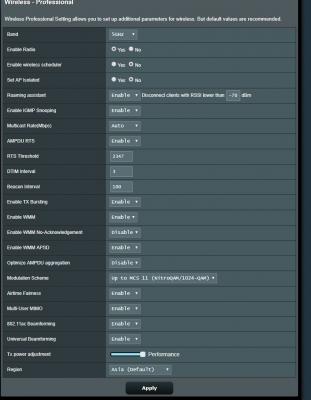
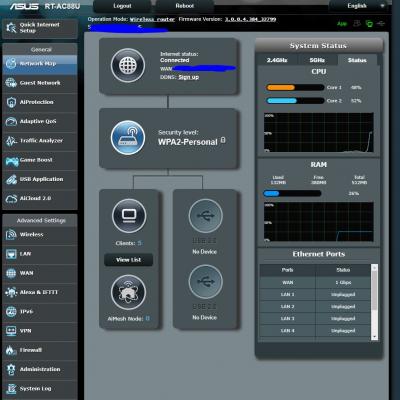
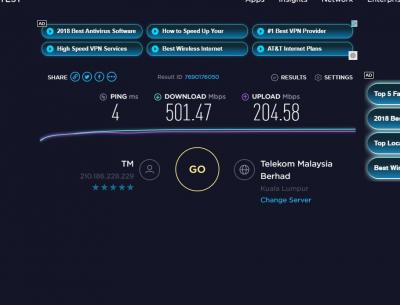
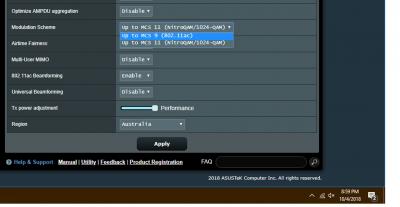
I just got the asus rt ac88u and i spoke to one of the technical guys from asus but he was just going back and forth saying that my router placement is not ideal so in the end i just put the router beside my wifi adapter which is the asus asus pce ac88. I also posted this on the asus thread. Im on the unifi 800 and i can get full speed with cable but im only at 500 for wifi. Does anyone have any settings that they can share? Here's mine on the router. I'm on 5ghz btw. 
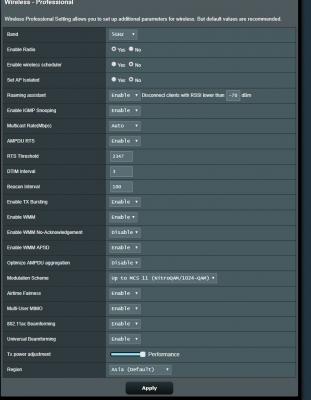
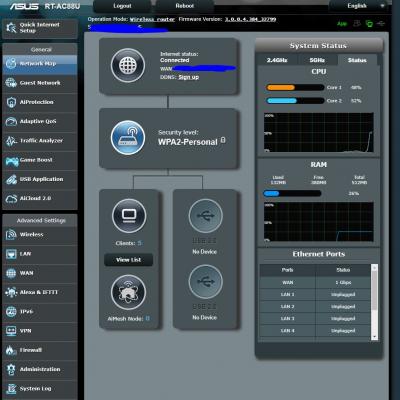
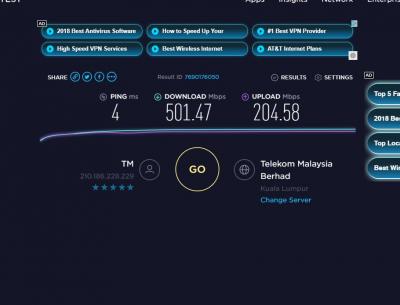
I also noticed that the cpu goes up to 70-80% when speed testing, is that normal? Thanks for your help people. |
|
|
Oct 4 2018, 09:00 PM
Return to original view | Post
#4
|
|
Senior Member
1,885 posts Joined: Dec 2007 From: Kuala Lumpur, Malaysia
|
QUOTE(zarchrykl @ Oct 4 2018, 11:50 PM) Testing using laptop? Wifi adapter in your laptop support ac kan because can accept 5ghz. If anything ok might be the router cant go untill 800. Nah, testing with desktop with the asus pce ac88 |
|
|
Oct 8 2018, 08:13 PM
Return to original view | Post
#5
|
|
Senior Member
1,885 posts Joined: Dec 2007 From: Kuala Lumpur, Malaysia
|
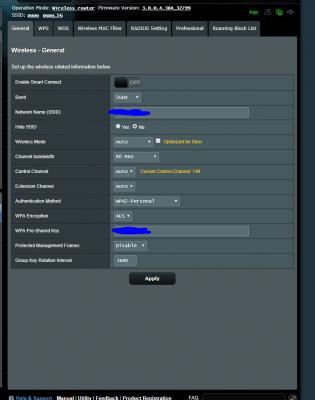
Im also on 5ghz on the Asus RTAC88 using the high end asus pcie wifi card. ON 800mbps but strange part is that my cable on cat6 only gets 350 and wifi gets 500++

|
|
Topic ClosedOptions
|
| Change to: |  0.2296sec 0.2296sec
 0.85 0.85
 7 queries 7 queries
 GZIP Disabled GZIP Disabled
Time is now: 2nd December 2025 - 02:06 PM |
 Quote
Quote