Welcome Guest ( Log In | Register )

Outline · [ Standard ] · Linear+

 Apple Watch Series 4 Official Discussion Thread, All new. For a better you.

views
     
terrancehah
post Oct 11 2018, 10:22 PM

Getting Started
**
Junior Member
75 posts

Joined: Nov 2017


Just a quick ask, AW4 Nike version does come with GPS-only version, just like the old series 3, right?

Am an avid runner, the Nike watch face and reflective watch band really appeal to me the most🤔
terrancehah
post Oct 24 2018, 12:11 PM

Getting Started
**
Junior Member
75 posts

Joined: Nov 2017


QUOTE(moodytea @ Oct 24 2018, 09:46 AM)
nothing significant other than screen and ecg. battery life should be the same.
*
I saw some reviews from Youtube, stating that even the battery life stays the same, the exact usage time will still be different, especially on workout mode.

Eg., on AW 3, the battery stays for only about 4 hours while AW 4 stays for 6 hours+ for workout use (heart rate monitoring+GPS).

Anyone can confirm this?
terrancehah
post Feb 14 2019, 02:37 AM

Getting Started
**
Junior Member
75 posts

Joined: Nov 2017


For customizable watch face, go to this website:
https://watch.bbqe.com

BTW,there are some things you need to set up after installing the apps:

1.In Apple watch app, General>Wake Screen>On Screen Wake Show Last App>Always
It's to make sure that every time you raise your wrist, it's the watch face app that shows, not your original watch face

2. Can only install new watch faces with app opened on both AW4 and your iphone, and both the screens have to be activated

3. DO NOT EVER TURN OFF THE AW4 SCREEN BY COVERING THE SCREEN WITH YOUR PALM, OR THE WATCH FACE APP WILL CLOSE (actually, this closes all apps)
I find this annoying as I do shut the screen by covering the screen with my palm, and it's such a pain in the ass everytime I accidentally close the watch face app, now I only use the watch face app once in a while LOL

Hope it helps.

terrancehah
post Feb 14 2019, 09:32 AM

Getting Started
**
Junior Member
75 posts

Joined: Nov 2017


QUOTE(nitrox @ Feb 14 2019, 08:57 AM)
There is a new complications feature, to at least make the activation/reactivation of the custom watch faces easier.  By adding this App complication in your original Apple Watch face saves 2 button clicks 😁
*
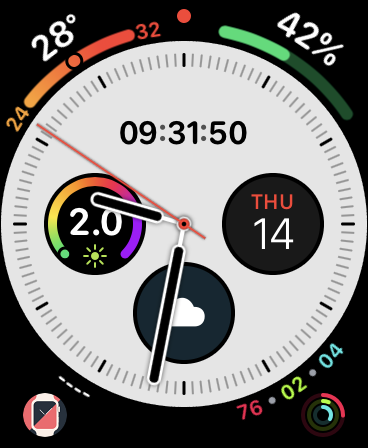
Yeah, wasn't really aware of that feature until I updated the app few days ago, at least it helps save some time haha, I put it on the bottom left corner of my Infograph watch face LOL

user posted image
terrancehah
post Feb 14 2019, 05:33 PM

Getting Started
**
Junior Member
75 posts

Joined: Nov 2017


QUOTE(blackstripes @ Feb 14 2019, 02:24 PM)
Thanks terrance!!

but they asked me for login & pw before i could download. when I clicked register, it said that it isn't open to public??

any idea how to get around this possibly?

or if anyone has an invitation code that I could use, that would be great please smile.gif
*
Found this in their user guide. I was unable to get the invitation code, or else i will distribute it here. They say you have to join their FB or Wechat group as they will distribute codes irregularly there.

user posted image


Change to:
| Lo-Fi Version
0.0591sec    0.47    7 queries    GZIP Disabled
Time is now: 9th December 2025 - 12:10 PM