

QUOTE(lucaswjk @ Sep 20 2018, 06:51 PM)
wah u hv free gift... I apa pun talak

haha cos i bought something a bit unique (for now at least) 
Huawei Huawei P20 P20 Pro V2, EMUI 10 is HERE!!!
|
|
 Sep 20 2018, 07:55 PM Sep 20 2018, 07:55 PM
|
 
Junior Member
190 posts Joined: Oct 2012 
|
QUOTE(lucaswjk @ Sep 20 2018, 06:51 PM) wah u hv free gift... I apa pun talak haha cos i bought something a bit unique (for now at least) |
|
|
|
|
|
Sep 20 2018, 09:29 PM
|

Junior Member
104 posts Joined: Mar 2014
|
QUOTE(00king00 @ Sep 5 2018, 10:31 PM) Yup, using Spigen + Nillkin Tempered glass for my P20 Pro, and is awesome! is your nillkin edge-to-edge fully cover type or a non full cover one? i found if put on spigen case for fully covered type will cause lifting issue |
|
|
Sep 20 2018, 10:15 PM
|
|
Junior Member
190 posts Joined: Oct 2012
|
pearl white...
Attached thumbnail(s) 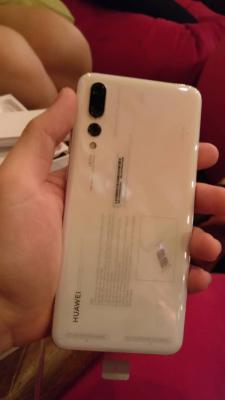

|
|
|
Sep 20 2018, 10:23 PM
Show posts by this member only | IPv6 | Post
#144
|

Senior Member
3,817 posts Joined: May 2008 From: The other side...
|
I jus bought Mcdodo 5A Type C cable,
tested it support Super Charging. damage... rm22 ps: it comes with blue LED too 😅 |
|
|
Sep 20 2018, 10:25 PM
Show posts by this member only | IPv6 | Post
#145
|

Senior Member
2,300 posts Joined: Nov 2009 From: Selangor 
|
QUOTE(audio technica @ Sep 20 2018, 10:15 PM) pearl white... Nice |
|
|
Sep 21 2018, 01:50 AM
|

Senior Member
6,373 posts Joined: May 2007
|
QUOTE(audio technica @ Sep 20 2018, 10:15 PM) pearl white... Gonna use which casing?  |
|
|
|
|
|
Sep 21 2018, 02:02 AM
Show posts by this member only | IPv6 | Post
#147
|
|
Senior Member
3,817 posts Joined: May 2008 From: The other side...
|
wanna ask...
1. how u all lock screen using other than power button? I'm currently using geenify by long press home icon. 2. how about wake up screen by knocking on the screen? i don't use fingerprints... 3. can I display data usage by swipe down quick notification? 4. how to disable the search screen.. swipe down gesture? i every time accidently trigger this and I'm not using it... This post has been edited by lucaswjk: Sep 21 2018, 02:03 AM |
|
|
Sep 21 2018, 07:40 AM
|
|
Senior Member
6,373 posts Joined: May 2007
|
QUOTE(lucaswjk @ Sep 21 2018, 02:02 AM) wanna ask... 2. You can't, you can only wake screen by lifting it up.1. how u all lock screen using other than power button? I'm currently using geenify by long press home icon. 2. how about wake up screen by knocking on the screen? i don't use fingerprints... 3. can I display data usage by swipe down quick notification? 4. how to disable the search screen.. swipe down gesture? i every time accidently trigger this and I'm not using it... |
|
|
Sep 21 2018, 08:30 AM
|

Senior Member
4,412 posts Joined: Jan 2013
|
QUOTE(zafrandbz @ Sep 20 2018, 09:51 AM) I also haven't receive the update and I think my phone is the early batch. okay.. at least i'm not alone.. i'm early batch as well.. i bought at first day of launch.. somehow didnt receive the latest update.. my latest update was patch update.. |
|
|
Sep 21 2018, 10:03 AM
|
|
Senior Member
2,300 posts Joined: Nov 2009 From: Selangor
|
QUOTE(lucaswjk @ Sep 21 2018, 02:02 AM) wanna ask... 1. U can use the screen lock widget and put it on your homescreen1. how u all lock screen using other than power button? I'm currently using geenify by long press home icon. 2. how about wake up screen by knocking on the screen? i don't use fingerprints... 3. can I display data usage by swipe down quick notification? 4. how to disable the search screen.. swipe down gesture? i every time accidently trigger this and I'm not using it... 2. I use fingerprint 3.Dont know 4.Dont know but I find the features useful can immediately search thing |
|
|
Sep 21 2018, 11:46 AM
|
|
Senior Member
3,612 posts Joined: Jan 2009
|
QUOTE(lucaswjk @ Sep 20 2018, 10:23 PM) I jus bought Mcdodo 5A Type C cable, Can advise where you bought it from? And is there a plug which supports the super charging for sale as well? TQ.tested it support Super Charging. damage... rm22 ps: it comes with blue LED too 😅 This post has been edited by PeeEl: Sep 21 2018, 11:48 AM |
|
|
Sep 21 2018, 12:53 PM
|
|
Senior Member
3,817 posts Joined: May 2008 From: The other side...
|
QUOTE(PeeEl @ Sep 21 2018, 11:46 AM) Can advise where you bought it from? And is there a plug which supports the super charging for sale as well? TQ. i bought at ninjaz, i choose this nylon cable becoz rubber cable tends to degrade over time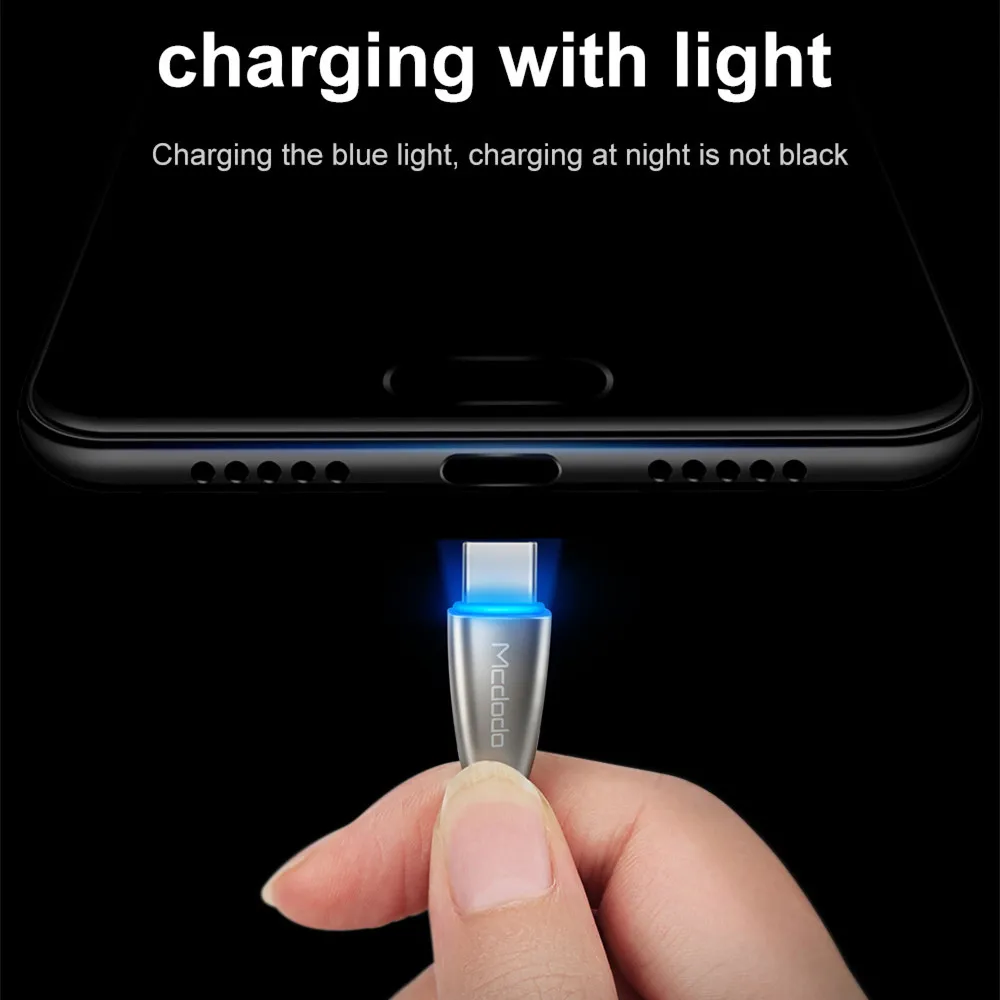 shopee got oso https://shopee.com.my/Mcdodo-Huawei-Super-C...3046.1437788023 the plug... nope... talak... i think the only plug in the market for super charging is huawei themself and anker brand. the next closest one is fast charging mode, i only know one of the xiaomi powerbank support it. This post has been edited by lucaswjk: Sep 21 2018, 01:33 PM |
|
|
Sep 21 2018, 01:12 PM
Show posts by this member only | IPv6 | Post
#153
|
|
Senior Member
3,817 posts Joined: May 2008 From: The other side...
|
QUOTE(fkinmeng @ Sep 21 2018, 07:40 AM) 2. You can't, you can only wake screen by lifting it up. QUOTE(olygopoly @ Sep 21 2018, 10:03 AM) 1. U can use the screen lock widget and put it on your homescreen thnx, i decided to use fingerprints unlock.2. I use fingerprint 3.Dont know 4.Dont know but I find the features useful can immediately search thing wow widgets lock icon is nice find. after tested i prefer to use the greenify's long press home icon (can lock anywhere). but it need to enable the compatibility mode and it is causing the hibernation time longer. |
|
|
|
|
|
Sep 21 2018, 01:48 PM
|
|
Senior Member
3,612 posts Joined: Jan 2009
|
QUOTE(lucaswjk @ Sep 21 2018, 12:53 PM) i bought at ninjaz, i choose this nylon cable becoz rubber cable tends to degrade over time Thanks. So, what plug do you use with this cable? And does it actually super charge your phone?shopee got oso https://shopee.com.my/Mcdodo-Huawei-Super-C...3046.1437788023 the plug... nope... talak... i think the only plug in the market for super charging is huawei themself and anker brand. the next closest one is fast charging mode, i only know one of the xiaomi powerbank support it. |
|
|
Sep 21 2018, 01:55 PM
|
|
Senior Member
3,817 posts Joined: May 2008 From: The other side...
|
QUOTE(PeeEl @ Sep 21 2018, 01:48 PM) Thanks. So, what plug do you use with this cable? And does it actually super charge your phone? my normal 2A charger 🤦🏻♂️actually i also wanna ask other forumer what they use for super/fast charging This post has been edited by lucaswjk: Sep 21 2018, 01:55 PM |
|
|
Sep 21 2018, 05:43 PM
|
|
Junior Member
190 posts Joined: Oct 2012
|
To anyone planning on a purchase of the p20 pro...
Be careful of Huawei's sneaky tactics regarding their free gifts. i only got 2 out of the 3 supposed gifts they provided. you might not even get a single free gift at all. going to huawei's main page Huawei Main Page you will see the ad about the new color. Next, clicking on buy now led me to this page P20 Pro Pearl white page where I would be able to see that the free gifts are while stocks last. As this was not the page to buy i quickly clicked through it to go the page to purchase the product https://shop.huawei.com/my/product/18060805963827.html there was nothing about while stocks lasts on the page to purchase. Apparently, the *terms and conditions on the event page https://shop.huawei.com/my/events/P20ProPearlWhite.html was clickable and leads to this. Complained to Huawei but the staff were rather nonchalant and behaved rather rudely. Manager even told me I should be lucky that I managed to get a pearl white p20 and that I got any free gifts at all. my own fault for not checking the t&c (lesson learned) but still a shocking experience to me. first and last purchase from huawei official. This post has been edited by audio technica: Sep 21 2018, 06:32 PM |
|
|
Sep 21 2018, 06:53 PM
|
|
Senior Member
3,612 posts Joined: Jan 2009
|
QUOTE(lucaswjk @ Sep 21 2018, 01:55 PM) my normal 2A charger 🤦🏻♂️ The more important question here is...does it actually super charge your phone when it's plugged in?actually i also wanna ask other forumer what they use for super/fast charging |
|
|
Sep 21 2018, 07:05 PM
Show posts by this member only | IPv6 | Post
#158
|
|
Senior Member
3,817 posts Joined: May 2008 From: The other side...
|
QUOTE(PeeEl @ Sep 21 2018, 06:53 PM) The more important question here is...does it actually super charge your phone when it's plugged in? the cable must match with huawei original super charger.normal 2A charger will not works. --- ohh any of u guyz got it to work with fast charger? can recommend the model? |
|
|
Sep 21 2018, 07:08 PM
|
|
Senior Member
3,612 posts Joined: Jan 2009
|
QUOTE(lucaswjk @ Sep 21 2018, 07:05 PM) the cable must match with huawei original super charger. Ok, got it. TQ.normal 2A charger will not works. --- ohh any of u guyz got it to work with fast charger? can recommend the model? |
|
|
Sep 21 2018, 08:40 PM
|

Senior Member
698 posts Joined: Jan 2009 From: Mount Akina
|
QUOTE(wdc @ Sep 20 2018, 09:29 PM) is your nillkin edge-to-edge fully cover type or a non full cover one? i found if put on spigen case for fully covered type will cause lifting issue non full cover one, spigen case fit perfectly ~ |
| Change to: |  0.0201sec 0.0201sec
 0.33 0.33
 6 queries 6 queries
 GZIP Disabled GZIP Disabled
Time is now: 7th December 2025 - 09:19 AM |
 Quote
Quote