Outline ·
[ Standard ] ·
Linear+
How to buy cheap ASUS RT-AC68U router, come have a look
|
SilentVampire
|
 Jul 12 2018, 10:52 PM Jul 12 2018, 10:52 PM
|

|
QUOTE(wailam @ Jul 12 2018, 10:41 PM) what bout xiaomi? Their Mi router 3 looks. BTW I'm looking for a modem router with 5Ghz dual-band with 2.4Ghz running simultaneously. Got any kah? That is okay, but no Malaysian firmware available, and there are lots and lots of dual band routers out there now. If you want go enjoy full speed, you have to pay extra for a decent router. |
|
|
|
|
|
SilentVampire
|
Jul 13 2018, 07:31 AM
|
|
|
QUOTE(enduser @ Jul 13 2018, 04:55 AM) Can share the link where u bought it? He bought it at taobao, as well, I would think. |
|
|
|
|
|
SilentVampire
|
Jul 16 2018, 06:15 PM
|
|
|
QUOTE(HaN18 @ Jul 16 2018, 06:03 PM) ok i bought mine.. but i couldnt connect to my unifi anyone help?? i tried with asus firmware but yet i couldnt find connect to unifi and there are no unifi option for me do i need to download third party firmware to make this wifi work? Go to the IPTV tab, and select Unifi-Home. Read the manual here: http://dlcdnet.asus.com/pub/ASUS/wireless/...U_manual_v2.pdf, page 63. This post has been edited by SilentVampire: Jul 16 2018, 06:18 PM |
|
|
|
|
|
SilentVampire
|
Jul 16 2018, 06:43 PM
|
|
|
QUOTE(HaN18 @ Jul 16 2018, 06:37 PM) nope, im using latest asus firmware 3.0.0.4.384.21140 ah.... THANK YOU!!!! No worries, hope you are able to connect now. |
|
|
|
|
|
SilentVampire
|
Jul 16 2018, 07:06 PM
|
|
|
QUOTE(HaN18 @ Jul 16 2018, 06:52 PM) yea.. but something very weird happen.. my download speed is only 4mbps meanwhile my upload are 48 mbps Are you on wired or wireless? If you are on wireless and on 2.4GHz band, your 2.4GHz is probably congested or there is an interference. Get a wifi analyzer app on your Android phone or on the computer, I recommend Acrylic Wifi Analyzer. Connect on the 5GHz AC band and see if your download speed is still slow. |
|
|
|
|
|
SilentVampire
|
Jul 16 2018, 08:52 PM
|
|
|
QUOTE(HaN18 @ Jul 16 2018, 08:38 PM) wireless.. my other device are working fine.. only my main dekstop have problem with the download speed.. weird will monitor for few days first. thank you Try to update the driver for your wireless adapter. If that doesn’t work, see if your wireless adapter can go on 5GHz. If you can’t, get a USB wireless adapter that supports AC.. |
|
|
|
|
|
SilentVampire
|
Jul 16 2018, 10:27 PM
|
|
|
QUOTE(HaN18 @ Jul 16 2018, 09:04 PM) im using TP link T9UH ac1900 USB adaptor weird.. when i use back my old asus router i get 105mpbs download, 48 on upload lol.. running on 5g wifi too That is weird. Could be many reasons. |
|
|
|
|
|
SilentVampire
|
Jul 30 2018, 10:12 PM
|
|
|
QUOTE(sgpdsmss @ Jul 30 2018, 09:41 PM) you meant the local seller bought from taobao n sale at price 899 with 3 years warranty ? can provide link Pls ... thanks ... Yes. Here bro: https://www.lazada.com.my/products/asus-rt-...49WPdA&search=1 |
|
|
|
|
|
SilentVampire
|
Aug 23 2018, 09:30 PM
|
|
|
QUOTE(CKC_1 @ Aug 22 2018, 11:58 PM) Nope, that is the AC68U. You want the AC86U. QUOTE(matt_rix @ Aug 23 2018, 09:27 PM) Yes, but with China warranty. If anything bad happened, he is finished. |
|
|
|
|
|
SilentVampire
|
Oct 4 2018, 10:05 AM
|
|
|
QUOTE(alfred29 @ Oct 4 2018, 12:43 AM) I've just upgraded from RT-N56U to AC86U (bought from Taobao) Tested with LAN can reach up to 500 mbps easily but using 2.4ghz WiFi, I'm getting 60-70mpbs constantly on speedtest. The issue does not improve at all since upgrading from RT-N56U !! While on 5ghz, I can reach 200-220mbps which is not much improvement from the old router... This makes me feel like wasting money on the upgrade. Appreciate any advice on issue... *Note : I'm using Unifi Turbo 500mbps You still have a lot to learn. Click the link on my sig and read ALL the green text, and learn how WLAN works. |
|
|
|
|
|
SilentVampire
|
Nov 9 2018, 09:57 PM
|
|
|
QUOTE(evilhomura89 @ Nov 9 2018, 08:34 PM) Between RT-AC86U and RT-AC88U, which one would you buy assuming budget is not of a concern? I know AC86U is newer with a faster processor but I'm more interested in stability and range. RT-AC86U. |
|
|
|
|
|
SilentVampire
|
Nov 20 2018, 04:45 PM
|
|
|
QUOTE(HappyGuy @ Nov 20 2018, 03:36 PM) Received my router today from skynet although is public holiday. Too bad the signal cant cover whole house, no signal at upper floor. mistake placed the btu at the back of my house. You can try getting another Asus RT-AC86U, for AiMesh. |
|
|
|
|
|
SilentVampire
|
Nov 21 2018, 12:18 PM
|
|
|
QUOTE(~C.W.S~ @ Nov 21 2018, 11:26 AM) Got my AC86U today, will test it tonight  Shipped by taobao direct air. Nice. You will enjoy it. Don’t forget that you need to select Unifi-Home mode for it to work. QUOTE(cskean @ Nov 21 2018, 12:08 PM) 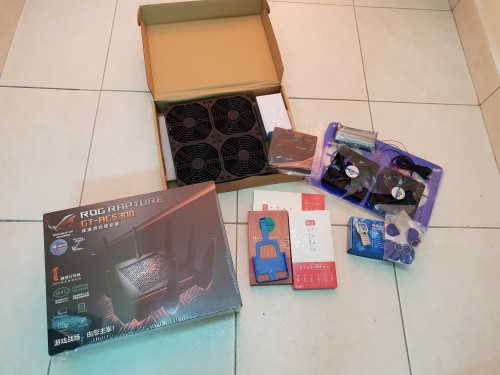 Finally, collected it safe & sound. Too bad need to attend meeting tonight, so need to wait for tomorrow only test it out~ Nice one. Don’t forget you need to select Unifi-Home mode for it to work. Unifi-Business works too, if you are not watching unifiTV. |
|
|
|
|
|
SilentVampire
|
Nov 21 2018, 09:41 PM
|
|
|
QUOTE(~C.W.S~ @ Nov 21 2018, 09:17 PM) Can't able to get it work after trying for few hours  My router don't have option to select "special requirement from ISP" how to solve that? See the post above me and do that, and you will be able to connect just fine. |
|
|
|
|
|
SilentVampire
|
Mar 20 2019, 11:27 AM
|
|
|
QUOTE(midmay @ Mar 19 2019, 10:52 PM) thanks for the tips! have you try to set up for time fibre before? i can leave the iptv step aside and straight set up right? Yes. TIME does not utilize VLAN tagging, so you should be fine. |
|
|
|
|
|
SilentVampire
|
Mar 26 2019, 09:51 AM
|
|
|
QUOTE(cthcthcth @ Mar 26 2019, 09:42 AM) too late, i bought the AC88u, i need 8 port to connect my home device, etc CCTV, desktop. do AC88U overheat problem? You could have got a cheap switch for that  |
|
|
|
|



 Quote
Quote
 0.0544sec
 0.43
0.43
 7 queries
 GZIP Disabled