Welcome Guest ( Log In | Register )

Outline · [ Standard ] · Linear+

 NVIDIA GeForce Community V19, RTX 5000 unveiled

views
     
Jason
post Dec 21 2020, 01:53 PM

Look at all my stars!!
*******
Senior Member
6,356 posts

Joined: Jan 2003
QUOTE(terradrive @ Dec 20 2020, 08:26 PM)
Nobody posted this yet?

Same game assets, just plain improvement just from lighting. The last part in the car is really next generation difference.
*
Thanks for the share. That video alone convinced me to forget about team red entirely for the current generation of RX 6xxx cards. Since consoles can't do RT, might as well get a console for that.
Jason
post Jan 18 2021, 02:27 PM

Look at all my stars!!
*******
Senior Member
6,356 posts

Joined: Jan 2003
RTX 3070, undervolt seems to be very interesting AND beneficial.

Completely stock, 3070, playing RDR2 the GPU always hits 220w (TDP limit), regardless of where in the game.

After undervolting to 0.875mv @ 1920mhz, the GPU runs 170w on average, BUT when you go to an area with a lot of visual candy, e.g. in the snow, the thing draws 220w as well.

It DOES NOT mean when you undervolt, you draw less watts @ max. That is power limit. watt = voltage x amp (current draw). Undervolting will not lower down the total wattage at full load.

So it seems undervolting is really good if you get it stable. GPU benchmarks like Furmark don't reflect real world results as they are designed to stress and burn the GPU to its limits, whereas it seems that in gaming, the load is dynamic and the GPU boosts accordingly.

Everybody should undervolt IMO. But bear in mind it won't show any benefits in Furmark as it still draws to the power limit.

EDIT: At least this is my own personal experience.

This post has been edited by Jason: Jan 18 2021, 02:27 PM
Jason
post Jan 18 2021, 02:47 PM

Look at all my stars!!
*******
Senior Member
6,356 posts

Joined: Jan 2003
QUOTE(Pepperboy @ Jan 18 2021, 02:43 PM)
May I know at what resolution is that? All settings maxed out?

What is your build specs?
*
1080p, everything max out. I will soon replace with 1440p monitor.

Build
Ryzen 5 5600X + A520 mobo
32GB HyperX @ 3600mhz (Infinity Fabric 1:1)
1TB A2000 Kingston NVME
650W Corsair SF650 GOLD

The PSU is very chill. lol. Fan spins very low speed and the thing doesn't run hot even when gaming for hours.

So far only set core to 1920 @ 875mv

RAM +1000, I crash. +850mhz also crash, but its not immediate crash, its after gaming for 20 minutes. Now testing +800mhz seems stable. My memory chips suck.

EDIT: MSI Ventus 2X RTX 3070 OC

This post has been edited by Jason: Jan 18 2021, 02:48 PM
Jason
post Jan 19 2021, 12:10 PM

Look at all my stars!!
*******
Senior Member
6,356 posts

Joined: Jan 2003
QUOTE(nrw @ Jan 19 2021, 09:30 AM)
If +850 crashes even if +800 doesn't that'll surely be within error correction and hence at a performance loss.
*
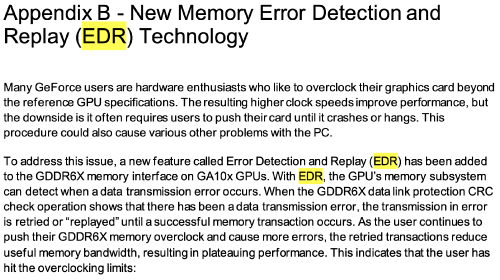
EDR only applicable for GDDR6X according to Nvidia.

user posted image
https://www.nvidia.com/content/dam/en-zz/So...itepaper-V1.pdf

So for 3070, memory OC is straightforward, if it runs, it runs. No performance loss.
If it crashes then too bad for you.

Jason
post Jan 19 2021, 04:46 PM

Look at all my stars!!
*******
Senior Member
6,356 posts

Joined: Jan 2003
QUOTE(nrw @ Jan 19 2021, 12:20 PM)
nah, it's applicable to gddr6 as well, done enough testing on this during Turing days.

edit if you don't believe me just bench the memory and keep increasing the clock. you'll be able to confirm it that way quite easily.
*
Chill. I don’t disbelieve you. What is a good benchmark to test memory OC stability?

Because 99% GPU load doesn’t always equal to max power limit. I can be at 99% load @ 170w or 99% load @ 220w (power limit)

All this is new to me.


Change to:
| Lo-Fi Version
4.5881sec    0.35    7 queries    GZIP Disabled
Time is now: 18th December 2025 - 02:49 AM