QUOTE(hawk123 @ Jul 25 2018, 10:49 AM)
Anyone here ever try to use PC-USB method to upgrade x92? Working?
It seems like my laptop (Win 10) and PC (Win XP) can't even detect x92.
Which USB port on X92 is used to connect the box to PC? It shld be the port on Top Right. But, I tried all 4 ports, none is working.
Need to press down the reset button? I tried too. Not detected.
Need to connect to power cord? Tried too. Not working too.
Could it be USB cable problem?
The reason why I use PC-USB to update the firmware is sdcard method fails.
I have tried the files (Samde V19 by @syumul, stock 20171211 by @stasio and mk22 by @puchongite; Tqvm, guys) provided above using sdcard method.
Only Samde v19 succeeded. Others fail.😭😭😭😭
Pls help me.
Tqvm.
I assume u're trying to flash using the burning tool via pc, correct? All u need are..
1. X92 unit only, no need the power adapter
2. A toothpick to press the reset button
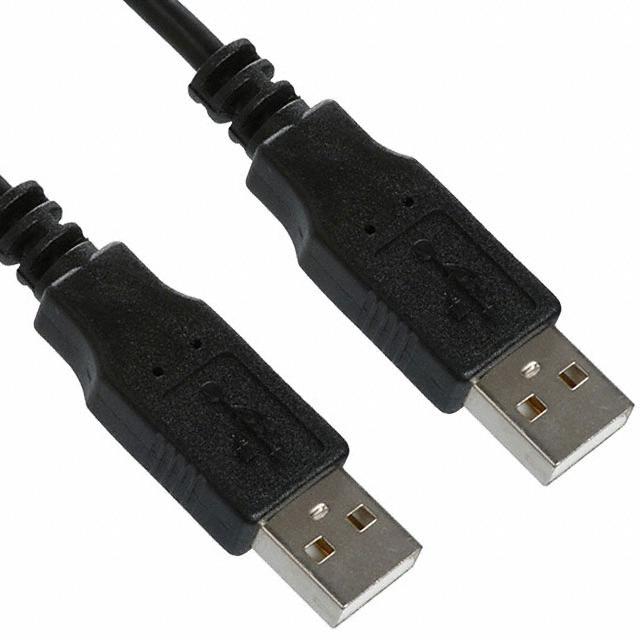
3. A male-male usb cable
4. The firmware image file u want to flash
5. The usb burning tool program
Steps I did..
1. Run the burning tool on pc. Change to english language.
2. Took the toothpick and pressed the reset button in the X92 unit, and while pressing it I connected the unit to pc with the male-male usb cable (use the top right usb slot).
* I have never connected the X92 to pc before this, so the first time it connected to pc (with the reset button pressed with a toothpick), windows detected and installed new drivers. Once installed correctly, the burning tool will successfully detect ur X92 unit.
3. Selected the image file, then clicked on Start, and let it finish.
4. Once completed, I clicked on Stop and then closed the burning tool.
5. Disconnect the X92 from the pc, then turned the X92 on, and wait for it to completely boot and load the home screen.


 Jan 15 2018, 11:28 AM, updated 7y ago


 Quote
Quote




 Do you think price will go down soon?Or maintain?











 0.1401sec
 0.62
0.62
 6 queries
 GZIP Disabled