Outline ·
[ Standard ] ·
Linear+
[WTA]Docooler M9S-PRO, Bricked?
|
BOTAK_WAI
|
 Nov 23 2017, 11:41 PM Nov 23 2017, 11:41 PM
|

|
QUOTE(SecretJay @ Nov 23 2017, 09:17 PM) Hi, I just bought this Docooler M9S-PRO TV Box (TOMTOM Lazada), however the firmware got auto updated (not sure how) and it is bricked (still can power on, blue LED, but stuck at the logo loading)...may I know how to flash it? Anyone has experience dealing with it? I have tried using the USB_Burning_Tool but keep on stucking at 2% and telling me romcode/intialize ddr error.... Please help me and thanks in advance  u update that supersu? hahaha...it's a trap. yours is 2g/16g model or 3g/32g model? b9th using different firmware. if u use usb burning tool, you need to find correct firmware...new docooler m9s pro is using s905x chipset, can't flash s905 chipset firmware. else u can try twrp recovery and install other version supersu apk, you might able to fix it. |
|
|
|
|
|
BOTAK_WAI
|
Nov 24 2017, 01:27 AM
|
|
|
QUOTE(SecretJay @ Nov 24 2017, 12:41 AM) 2g/16g version, sadly I spend whole night and can't find the right firmware.... How twrp recovery works actually? Using the SD card? have you look thru 4pda forum? i only got 3g/32g firmware. for twrp method u might need to ask nightfelix |
|
|
|
|
|
BOTAK_WAI
|
Nov 27 2017, 09:30 PM
|
|
|
there is a firmware just shared on 4pda...not sure for which variant. https://translate.googleusercontent.com/tra...7U8AhGJrbWiz85g |
|
|
|
|
|
BOTAK_WAI
|
Nov 27 2017, 11:00 PM
|
|
|
QUOTE(puchongite @ Nov 27 2017, 09:35 PM) Okay I tested the TWRP recovery. Boots fine. Tq. I was able to navigate using my usb airmouse. My sdcard is too small, I need to strategize my backup plan first before going further. My current Rom is an android 6. Is there a newer/better ROM than this ? 3g/32g variant latest firmware 
|
|
|
|
|
|
BOTAK_WAI
|
Nov 29 2017, 03:31 PM
|
|
|
|
|
|
|
|
|
BOTAK_WAI
|
Nov 29 2017, 06:53 PM
|
|
|
I don't. Just share the firmware to help forumers who bricked their device.
If no one share firmware, i think mine also bricked and can throw into rubbish bin already.
|
|
|
|
|
|
BOTAK_WAI
|
Dec 2 2017, 02:32 PM
|
|
|
QUOTE(puchongite @ Dec 2 2017, 02:02 PM) Already noticed some regression of the 7.1.2 rom compared to the android 6 one. Basically wifi keyboard (with usb dongle ) has stopped working as before. Only touchpad and mouse related keys are working. Have to type by click the on screen keyboard. Keyboard is working in TWRP, meaning this is a config/set up issue. yup. the 7.1.2 firmware out if the box cant use the keyboard. but working after updated to another latest 7.1.2 firmware. |
|
|
|
|
|
BOTAK_WAI
|
Dec 2 2017, 02:49 PM
|
|
|
QUOTE(NightFelix @ Dec 2 2017, 02:43 PM) You USB flash update or TWRP update? usb la... |
|
|
|
|
|
BOTAK_WAI
|
Dec 2 2017, 03:53 PM
|
|
|
QUOTE(puchongite @ Dec 2 2017, 03:38 PM) Please share the link. I will try to use the customization tool to compare the differences. Try to avoid re-installing everything. shared above already mah. |
|
|
|
|
|
BOTAK_WAI
|
Dec 2 2017, 04:19 PM
|
|
|
QUOTE(puchongite @ Dec 2 2017, 03:57 PM) Which one you are refering to ? Actually the second link for 2G/16G Rom is a 6.0.1 Rom. The first link is 7.1.2. mine is 3g/32g. |
|
|
|
|
|
BOTAK_WAI
|
Dec 2 2017, 04:23 PM
|
|
|
i have no 2g 16g i kenot test
|
|
|
|
|
|
BOTAK_WAI
|
Dec 8 2017, 09:57 PM
|
|
|
Docooler M9S Pro (S905X 3G/32G) PCB 

add an usb fan underneath 
powered by usb, added an on/off switch too. 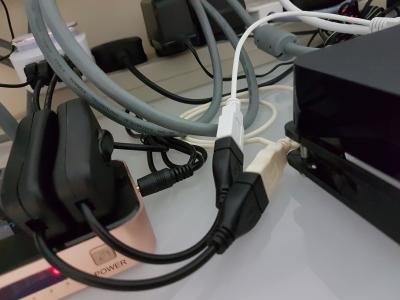
fan off temp: idle 45-50c, max 80c fan on temp: idle 43-45c, max 60c |
|
|
|
|
|
BOTAK_WAI
|
Dec 11 2017, 08:59 PM
|
|
|
QUOTE(DigitaLDNA @ Dec 11 2017, 07:59 PM) got mine today... 2g/16 version hmmm i ter update the supersu now stuck at mbox screen... Ethernet cannot connect too... mine come with 7.1.2 so how to unbrick this box... need help plz.. 1st timer on android box get 1 usb male a to male a cable. flash using amlogic usb burning tool. firmware u can get from previous page. or use twrp method install other version supersu This post has been edited by BOTAK_WAI: Dec 11 2017, 09:00 PM |
|
|
|
|
|
BOTAK_WAI
|
Dec 12 2017, 12:49 AM
|
|
|
QUOTE(DigitaLDNA @ Dec 12 2017, 12:23 AM) Its android version 7.1.2 security patch lvl may 5 2017... try check update it said up to date when i restart the ethernet icon came up... i see router blinking then after < 1min it disappear.. we mean the firmware upgrade via usb burning tool. |
|
|
|
|
|
BOTAK_WAI
|
Dec 16 2017, 11:31 AM
|
|
|
QUOTE(erdel @ Dec 16 2017, 07:02 AM) Hi friend, I need that one you have 3g/32g, How can I get this? Thanks for now Erico from Brazil this https://translate.googleusercontent.com/tra...Hk8gsVhRYdwdApw |
|
|
|
|
|
BOTAK_WAI
|
Dec 17 2017, 04:42 PM
|
|
|
QUOTE(qhalidx @ Dec 17 2017, 03:27 PM) Hi guys, never thought i would come to this. I ter-update the dang super su. I already booted the twrp and installed it but i really would love to know what the next step. i dont know how to use twrp. i only know flash firmware (page 2 to download) |
|
|
|
|
|
BOTAK_WAI
|
Dec 21 2017, 08:51 AM
|
|
|
QUOTE(rraauurr @ Dec 21 2017, 01:09 AM) No, it is not. Can you check CPU-Z in the device? The TV shows up 1920px1080, but internally, the device is working at 720p. Do you know the differences between these firmwares= hx_s905x_Nougat_660M_3g_32g_20171028_1830_ZNT hx_s905x_Nougat_660M_20171030_1748_2017110102 Kind regards why not you try flash the firmware and tell us the difference |
|
|
|
|
|
BOTAK_WAI
|
Dec 25 2017, 11:07 PM
|
|
|
tested hx_s905x_Nougat_660M_20171030_1748_2017110102 firmware on S905X 3G/32G variant. https://mega.nz/&usg=ALkJrhh3qAx3B5f-H9vZgk...Squm9T0Q7U6NagQupdated: this firmware fix storage capacity info (previously shows 40GB internal storage, now 26GB), but bluetooth seems not working. TLDR: FIRMWARE NOT RECOMMENDED. NightFelix rraauurrThis post has been edited by BOTAK_WAI: Jan 8 2018, 12:01 PM |
|
|
|
|



 Quote
Quote
 0.0264sec
 0.52
0.52
 7 queries
 GZIP Disabled