


This post has been edited by sean810818: Dec 12 2018, 10:08 AM
Guide Review & Setup - Xiaomi DaFang IP Cam
|
|
 Dec 12 2018, 10:07 AM Dec 12 2018, 10:07 AM
|
 
Junior Member
452 posts Joined: Oct 2010 
|
Hi All, anyone facing below issue for the dafang ? is the latest firmware problem ? last time i still able to view using maxis/digi data but now cannot. i think i able to view inside my house but outside cannot. thanks
This post has been edited by sean810818: Dec 12 2018, 10:08 AM |
|
|
|
|
|
Dec 12 2018, 11:07 AM
|
|
All Stars
11,308 posts Joined: Feb 2008
|
QUOTE(sean810818 @ Dec 12 2018, 10:07 AM) Hi All, anyone facing below issue for the dafang ? is the latest firmware problem ? last time i still able to view using maxis/digi data but now cannot. i think i able to view inside my house but outside cannot. thanks whats your firmware version?
 |
|
|
Dec 12 2018, 11:20 AM
|
|
Junior Member
452 posts Joined: Oct 2010
|
QUOTE(idoblu @ Dec 12 2018, 11:07 AM) whats your firmware version? Hi bro, my firmware 5.5.1.418.i keep update when there is a new firmware out thanks |
|
|
Dec 12 2018, 11:27 AM
|
|
All Stars
11,308 posts Joined: Feb 2008
|
QUOTE(sean810818 @ Dec 12 2018, 11:20 AM) Hi bro, my firmware 5.5.1.418. damn! mine is the same i keep update when there is a new firmware out thanks  I just updated yesterday I got two dafang, one old firmware still ok crap!  wait, it seems wifi also cannot This post has been edited by idoblu: Dec 12 2018, 11:28 AM |
|
|
Dec 12 2018, 11:32 AM
|
|
All Stars
11,308 posts Joined: Feb 2008
|
QUOTE(sean810818 @ Dec 12 2018, 11:20 AM) Hi bro, my firmware 5.5.1.418. ok can already. i keep update when there is a new firmware out thanks i unplug the power then plug in again. After that all ok Try it |
|
|
Dec 12 2018, 11:38 AM
|

Junior Member
179 posts Joined: Dec 2008 From: BP, JH 
|
maybe need to restart by unplugging the power.
|
|
|
|
|
|
Dec 12 2018, 11:48 AM
|
|
Junior Member
452 posts Joined: Oct 2010
|
Yes, i also manage to view but after a while the issue will back again. very annoying if everyday want to restart again and again.
|
|
|
Dec 13 2018, 08:34 PM
|
|
All Stars
11,308 posts Joined: Feb 2008
|
anybody using these type of wall/ceiling mount?
or any ceiling mount that you can recommend? This post has been edited by idoblu: Dec 13 2018, 08:35 PM Attached thumbnail(s) 

|
|
|
Dec 19 2018, 09:12 AM
|

Newbie
10 posts Joined: Oct 2006
|
QUOTE(idoblu @ Dec 13 2018, 08:34 PM) anybody using these type of wall/ceiling mount? You can try this from shopee.. a stainless steel wall mount.or any ceiling mount that you can recommend? https://shopee.com.my/Wall-Ceiling-Mount-Ho...14462.868364287 |
|
|
Dec 23 2018, 06:57 PM
Show posts by this member only | IPv6 | Post
#370
|

Junior Member
541 posts Joined: Mar 2009 From: Technically not from Lebanon 
|
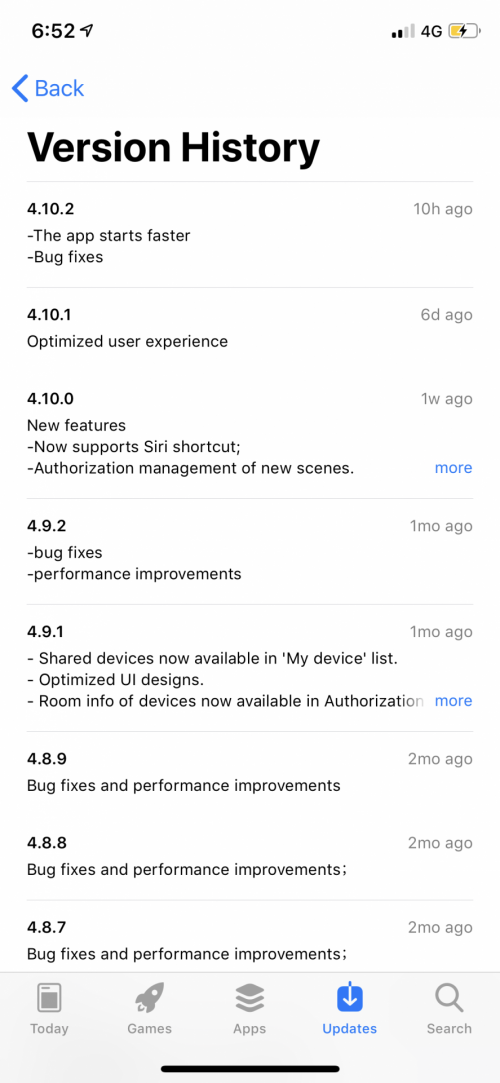
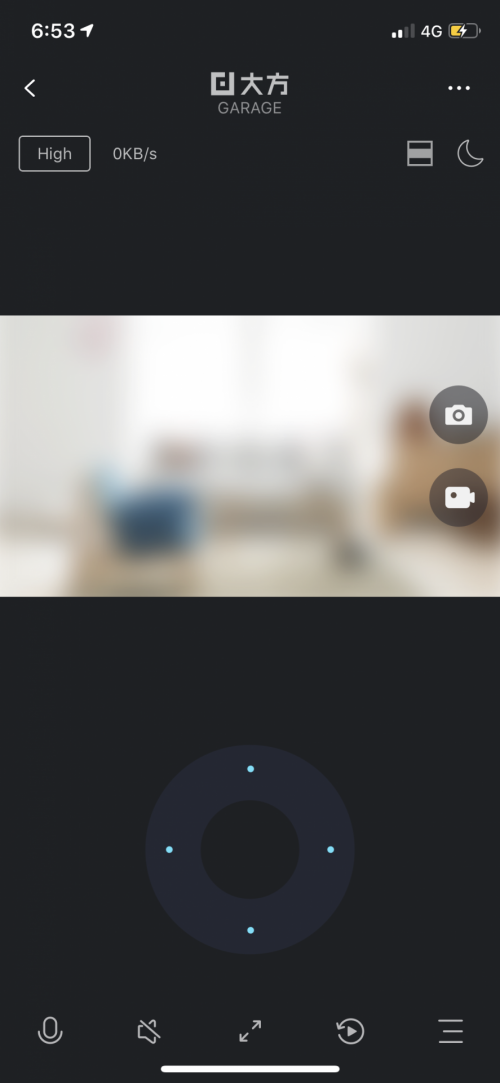
iOS users, don’t update your Mi Home to the latest version as at today. It will not show the CCTV preview. Tested on my Android phone there is no problem on viewing the CCTVs.
  |
|
|
Dec 23 2018, 06:57 PM
|

Senior Member
4,038 posts Joined: Aug 2005 From: Earth
|
QUOTE(fiqqq @ Dec 23 2018, 06:57 PM) iOS users, don’t update your Mi Home to the latest version as at today. It will not show the CCTV preview. Tested on my Android phone there is no problem on viewing the CCTVs. Just reboot the camera it will fix it |
|
|
Dec 23 2018, 06:59 PM
|
|
Senior Member
4,038 posts Joined: Aug 2005 From: Earth
|
QUOTE(idoblu @ Dec 13 2018, 08:34 PM) anybody using these type of wall/ceiling mount? Hahahaha i don't recommended u use ceiling mount for this modelor any ceiling mount that you can recommend? Use this model can easy mount on the ceiling |
|
|
Dec 23 2018, 07:03 PM
|
|
Junior Member
541 posts Joined: Mar 2009 From: Technically not from Lebanon
|
QUOTE(MX510 @ Dec 23 2018, 06:57 PM) Just reboot the camera it will fix it Oh is it? I’m away from home now so can’t reboot the CCTVs. |
|
|
|
|
|
Dec 28 2018, 06:18 AM
|
|
All Stars
11,308 posts Joined: Feb 2008
|
QUOTE(sean810818 @ Dec 12 2018, 11:20 AM) Hi bro, my firmware 5.5.1.418. 5.5.1.419 seems to have fixed the problemi keep update when there is a new firmware out thanks |
|
|
Dec 28 2018, 08:50 AM
|
|
Junior Member
452 posts Joined: Oct 2010
|
QUOTE(idoblu @ Dec 28 2018, 06:18 AM) 5.5.1.419 seems to have fixed the problem Thanks bro, seem stable now. |
|
|
Jan 2 2019, 11:54 AM
Show posts by this member only | IPv6 | Post
#376
|
|
Junior Member
541 posts Joined: Mar 2009 From: Technically not from Lebanon
|
QUOTE(idoblu @ Dec 28 2018, 06:18 AM) 5.5.1.419 seems to have fixed the problem Still have viewing issues on my iOS with the latest version of Mi Home. At the same time I can view flawlessly using my Android phone and old iPhone 6 with older version of Mi Home. |
|
|
Jan 10 2019, 11:43 AM
|
|
Junior Member
7 posts Joined: Aug 2005
|
Hi,
not sure if this is the correct place but here i go, anyone having issue with dafang video dump feature? i try dumping it to my storage but its seem that its only dump the last 30 minute of the hour into my storage device. 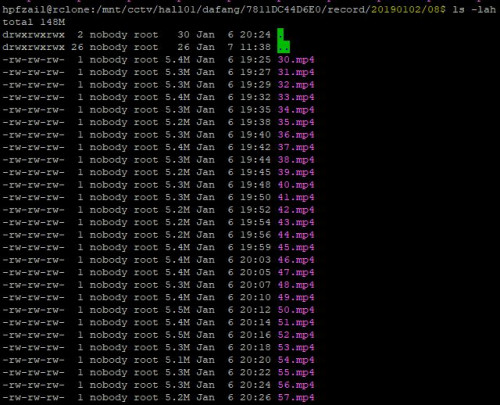 at 1st i suspected there was a storage issue, but as you can see below, i only use half of it. .  this is currently using the latest firmware, i have reboot it and perform all sort of action. if anyone have any idea about this or any suggestion, please holla back. Thanks. |
|
|
 Jan 21 2019, 10:41 PM Jan 21 2019, 10:41 PM
|
|
Newbie
2 posts Joined: Nov 2012
|
Hi Hikashi,
I managed to configure the network drive and FTP with Maxis Home Fibre using slightly different steps following your guide. The storage device that works is Sandisk Cruzer 16GB FAT32. I could not get a USB 320GB NTFS, I am not sure if it is due to the max storage limit or NTFS format. MiHome: 5.4.43 Dafang firmware: 5.5.1.419 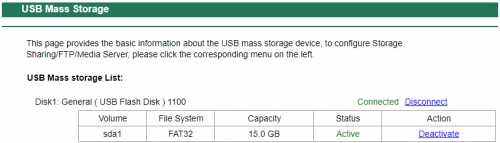 I notice the following: It will auto create dafang folder inside TDDOWNLOAD. Although I have created xiaofang folder, but the video dump did not select it and this folder is empty. My Windows 10 is not able to UNC to the FTP drive with the error message that the router/modem is using SMB1 protocol that is not safe/compatible with Windows 10. I used ES Explorer on a Android to explore the shared drive via FTP. After I managed to manually "dump" the videos using MiHome, I can only see 3 videos in the dafang folder, do I have to wait after 8am and 5pm ? 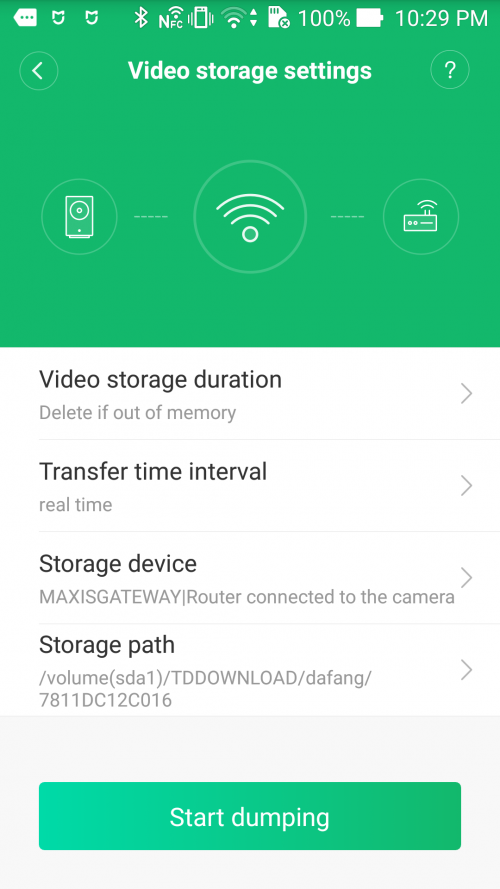 Thanks |
|
|
Feb 20 2019, 02:04 PM
|
|
Newbie
10 posts Joined: Oct 2006
|
Have anyone experienced that the Da Fang time is out of sync? From the camera preview screen it shows the correct local time.
When try to view past recording, the time there were way out and unable to view the recording from USB/MicroSD cards. Anyone experience this issue or its just me? |
|
|
Mar 3 2019, 10:18 AM
|
|
Newbie
3 posts Joined: Mar 2018
|
QUOTE(maxpang @ Feb 20 2019, 02:04 PM) Have anyone experienced that the Da Fang time is out of sync? From the camera preview screen it shows the correct local time. Select "Distortion correction", then the camera time will be sync.When try to view past recording, the time there were way out and unable to view the recording from USB/MicroSD cards. Anyone experience this issue or its just me? Mine is having problem on night vision, it just all dark if there is no light switch on. Also there is no push notification when motion alarmed. Not sure is a firmware problem or is a faulty unit I get. |
| Change to: |  0.0322sec 0.0322sec
 0.54 0.54
 6 queries 6 queries
 GZIP Disabled GZIP Disabled
Time is now: 9th December 2025 - 08:55 AM |
 Quote
Quote