Welcome Guest ( Log In | Register )

Outline · [ Standard ] · Linear+

 D-Link Malaysia Official Thread

views
     
TSD-Link
post Oct 16 2017, 06:16 AM, updated 7y ago

Getting Started
**
Junior Member
67 posts

Joined: Oct 2017
D-Link Malaysia
Founded in 1986, D-Link is a global leader in the design, manufacture and marketing of advanced networking, broadband, digital, voice and data communications solutions. Following our company motto, “Building Networks for People”, D-Link continually meets the global networking and connectivity needs of digital home consumers, small office professionals, small to medium-sized businesses, and enterprise environments.

D-Link’s international headquarters are located in Taipei, Taiwan, Republic of China. More than 90 global offices serve North America, Asia and Europe, including the North American headquarters in Fountain Valley, California. D-Link maintains strategic operations in Canada, the United Kingdom, Germany, France, Spain, Italy, Greece, Turkey, Sweden, Norway, the Netherlands, Denmark, Finland, Russia, Israel, the Middle East, South Africa, Chile, Australia, Japan, Vietnam, Singapore, China, India and other countries on five continents.

http://www.dlink.com.my

Contact Details
Strata Office SO-20-08, Menara 1,
KL Eco City,
Jalan Bangsar, Kg. Hj. Abdullah Hukum,
59200 Kuala Lumpur

Tel (603) 2202 0032

24/7 Technical Hotline :
1800-88-2880
Mandarin, Bahasa Malaysia - 9am-6pm (Monday to Friday)

D-Link Service Center
Advancenet Technology Sdn. Bhd
147, Jalan Kenari 23A, Bandar Puchong Jaya, 47100 Puchong, Selangor
Operating Hours : 9:00am-6:30pm (Monday – Friday)

D-Link RMA Support
Tel : (603) 8070 5953
Email rma@advancenet.com.my

This post has been edited by D-Link: Nov 5 2019, 10:37 AM
TSD-Link
post Oct 16 2017, 06:30 AM

Getting Started
**
Junior Member
67 posts

Joined: Oct 2017
n/a

This post has been edited by D-Link: Oct 18 2018, 05:34 PM
TSD-Link
post Oct 16 2017, 06:31 AM

Getting Started
**
Junior Member
67 posts

Joined: Oct 2017
Reserved Post
TSD-Link
post Oct 16 2017, 06:31 AM

Getting Started
**
Junior Member
67 posts

Joined: Oct 2017
Reserved Post
cucubud
post Oct 16 2017, 07:46 AM

Super Moderator
*******
Senior Member
3,076 posts

Joined: Jan 2008


Thank you for creating a dedicated D-Link thread.
Hope to see more product information here.
sgpdsmss
post Oct 16 2017, 08:07 AM

Regular
******
Senior Member
1,704 posts

Joined: Jan 2005
hi dlink...

does this thread included product support?

if yes ...May i ask ...
i have Wireless AC1750 Dual-Band Gigabit Cloud Router
DIR-868L ....the WIFI signal drop to half bar instead of full bar for mobile phones ,laptops that place close to the router ..tried 2.4g and 5g both same only half bar received..

change other router ..no such issue ..

so any solution software improve ?
or hardware issue ?

thanks ...
powerwoot
post Oct 16 2017, 10:01 AM

讨厌的 ubuntu
*******
Senior Member
2,930 posts

Joined: Jan 2007
From: Kolej Universiti Agrosains Malaysia, Melaka


I am looking for AP that has wireless client feature, DAP 1360 is an example, do you have any model that having more than 1 LAN port. Currently I have 2 devices that don't have wireless port except LAN port and these 2 to be intended to connect to my DSL 2730E wirelessly.
TSD-Link
post Oct 17 2017, 10:16 AM

Getting Started
**
Junior Member
67 posts

Joined: Oct 2017
QUOTE(cucubud @ Oct 16 2017, 07:46 AM)
Thank you for creating a dedicated D-Link thread.
Hope to see more product information here.
*
Yes, more to come!
TSD-Link
post Oct 17 2017, 10:17 AM

Getting Started
**
Junior Member
67 posts

Joined: Oct 2017
QUOTE(sgpdsmss @ Oct 16 2017, 08:07 AM)
hi dlink...

does this thread included product support?

if yes ...May i ask ...
i have Wireless AC1750 Dual-Band Gigabit Cloud Router
DIR-868L ....the WIFI signal drop to half bar instead of full bar for mobile phones ,laptops that place close to the router ..tried 2.4g and 5g both same only half bar received..

change other router ..no such issue ..

so any solution software improve ?
or hardware issue ?

thanks ...
*
Hrmmm doesn't sound good.

How old is the unit?

Perhaps you should bring to shop to check, or send for warranty because it doesn't sound like normal behavior.
TSD-Link
post Oct 17 2017, 10:17 AM

Getting Started
**
Junior Member
67 posts

Joined: Oct 2017
QUOTE(powerwoot @ Oct 16 2017, 10:01 AM)
I am looking for AP that has wireless client feature, DAP 1360 is an example, do you have any model that having more than 1 LAN port. Currently I have 2 devices that don't have wireless port except LAN port and these 2 to be intended to connect to my DSL 2730E wirelessly.
*
You have 2 ways to go about

DAP-1360 (and the likes) and add a switch to it (makes your 1 port into X)

Or just get a router. biggrin.gif
sgpdsmss
post Oct 17 2017, 10:32 AM

Regular
******
Senior Member
1,704 posts

Joined: Jan 2005
[quote=D-Link,Oct 17 2017, 10:17 AM]
Hrmmm doesn't sound good.

How old is the unit?

Perhaps you should bring to shop to check, or send for warranty because it doesn't sound like normal behavior.
*

[/q

the warranty already over....
May i know the repair cost if send to dlink service center?

any service centre can send to in penang ?

thanks ...
sonypshomer
post Oct 17 2017, 10:41 AM

Regular
******
Senior Member
1,594 posts

Joined: Aug 2017
D-Link


I disconnect the network cable from

user posted image and connect to user posted image

The cable attached to unifi modem.

Call TM to provide the unifi id & password to set up PPOE to set up the latter. Problem is no internet, call Unifi, reset port, reboot modem, reboot router, change lan port, call unifi, repeat 10 X yet still no internet.

Connect the old router, got internet.

HELP!
SilentVampire
post Oct 17 2017, 11:55 AM

Networking Enthusiast
*******
Senior Member
5,714 posts

Joined: Mar 2007


QUOTE(sonypshomer @ Oct 17 2017, 10:41 AM)
D-Link
I disconnect the network cable from

user posted image and connect to user posted image

The cable attached to unifi modem.

Call TM to provide the unifi id & password to set up PPOE to set up the latter. Problem is no internet, call Unifi, reset port, reboot modem, reboot router, change lan port, call unifi, repeat 10 X yet still no internet.

Connect the old router, got internet.

HELP!
*
Did you checked the VLAN tag to see if you have it tagged correctly? In other words, did you set it up with TM specific settings in mind?
sgpdsmss
post Oct 17 2017, 01:21 PM

Regular
******
Senior Member
1,704 posts

Joined: Jan 2005
QUOTE(sonypshomer @ Oct 17 2017, 10:41 AM)
D-Link
I disconnect the network cable from

user posted image and connect to user posted image

The cable attached to unifi modem.

Call TM to provide the unifi id & password to set up PPOE to set up the latter. Problem is no internet, call Unifi, reset port, reboot modem, reboot router, change lan port, call unifi, repeat 10 X yet still no internet.

Connect the old router, got internet.

HELP!
*
try using different browser to set the ppoe settings and save...
some browser after set will not save the settings even saved

hope it help ...

thanks ...

wwc88
post Oct 20 2017, 04:00 AM

Getting Started
**
Junior Member
98 posts

Joined: Feb 2008
https://forum.lowyat.net/topic/4434855/all

Hi, could you please advise on this?
My router is the one provided by TM, DIR-850L.
Thanks.
pokchik
post Oct 21 2017, 01:10 AM

I'm getting too old for this sh*t
******
Senior Member
1,304 posts

Joined: Mar 2010


D-Link,

user posted image

I bought this on the fly, since my old DSL-2877AL router screwed-up.

Been searching the web, but I can't find a decent hint on the LED status lights.

What does it mean when the 2.4G & 5G status LEDs blink?
I noticed that they're always turn ON (no blinking) but once in a while, it'll blink by itself.


TSD-Link
post Oct 25 2017, 11:58 PM

Getting Started
**
Junior Member
67 posts

Joined: Oct 2017
QUOTE(wwc88 @ Oct 20 2017, 04:00 AM)
https://forum.lowyat.net/topic/4434855/all

Hi, could you please advise on this?
My router is the one provided by TM, DIR-850L.
Thanks.
*
Hello, don't understand - are you still using our products? biggrin.gif I see latest posts like different product now.
TSD-Link
post Oct 26 2017, 12:01 AM

Getting Started
**
Junior Member
67 posts

Joined: Oct 2017
QUOTE(pokchik @ Oct 21 2017, 01:10 AM)
D-Link,

user posted image

I bought this on the fly, since my old DSL-2877AL router screwed-up.

Been searching the web, but I can't find a decent hint on the LED status lights.

What does it mean when the 2.4G & 5G status LEDs blink?
I noticed that they're always turn ON (no blinking) but once in a while, it'll blink by itself.
*
Hello,

Just to confirm with you - this is the model?

http://www.dlink.com.sg/product/ac1200-wir...bit-4-port-iad/
TSD-Link
post Oct 26 2017, 12:02 AM

Getting Started
**
Junior Member
67 posts

Joined: Oct 2017
QUOTE(sonypshomer @ Oct 17 2017, 10:41 AM)
The cable attached to unifi modem.

Call TM to provide the unifi id & password to set up PPOE to set up the latter. Problem is no internet, call Unifi, reset port, reboot modem, reboot router, change lan port, call unifi, repeat 10 X yet still no internet.

Connect the old router, got internet.
Connected to correct LAN Port I hope. biggrin.gif
VeeJay
post Oct 26 2017, 12:09 AM

Look at all my stars!!
*******
Senior Member
3,845 posts

Joined: Aug 2005


wow! finally we have a DLINK thread!

Thanks D-LINK
sgpdsmss
post Oct 26 2017, 08:08 AM

Regular
******
Senior Member
1,704 posts

Joined: Jan 2005
QUOTE(D-Link @ Oct 17 2017, 10:17 AM)
Hrmmm doesn't sound good.

How old is the unit?

Perhaps you should bring to shop to check, or send for warranty because it doesn't sound like normal behavior.
*
the warranty already over....
May i know the repair cost if send to dlink service center?

any service centre can send to in penang ?

thanks ...

TSD-Link
post Oct 26 2017, 11:45 AM

Getting Started
**
Junior Member
67 posts

Joined: Oct 2017
QUOTE(VeeJay @ Oct 26 2017, 12:09 AM)
wow! finally we have a DLINK thread!

Thanks D-LINK
*
biggrin.gif Thank you for the support!
TSD-Link
post Oct 26 2017, 11:46 AM

Getting Started
**
Junior Member
67 posts

Joined: Oct 2017
QUOTE(sgpdsmss @ Oct 26 2017, 08:08 AM)
the warranty already over....
May i know the repair cost if send to dlink service center?

any service centre can send to in penang ?

thanks ...
*
Hello,

You may contact Advancenet - they have a Penang branch, contact details as seen here

http://www.advancenet.com.my/contact/

No. 105-08-02 (8th Floor),
Hexagon Tech Park,
Jalan Gurdwara, 10300,
Penang.

Tel : +6015 – 48762849
Fax : +6015 – 48762914

Business hour :
Mon-Friday : 0900 – 1830
Sat-Sun : Off
TSD-Link
post Oct 26 2017, 11:51 AM

Getting Started
**
Junior Member
67 posts

Joined: Oct 2017
QUOTE(pokchik @ Oct 21 2017, 01:10 AM)
Been searching the web, but I can't find a decent hint on the LED status lights.
oh btw about the blink - blinking means there's data in transfer.
stormcloud
post Oct 26 2017, 12:32 PM

Getting Started
**
Junior Member
53 posts

Joined: Nov 2007
From: L2 Lagrange Point


Whats the word on patches for the WPA2 vulnerability for your current DSL routers?

http://www.dlink.com.my/category/support-m...nter/#collapse4
VeeJay
post Oct 26 2017, 12:56 PM

Look at all my stars!!
*******
Senior Member
3,845 posts

Joined: Aug 2005


Just parking the firmware upgrade for 850L since many Unifi users would need them.

http://www.dlink.com.my/dir-850l-msia/#firmware


For Malaysia DIR-850L provided by TM only (with/without TM Logo)
Note: After upgrade wireless SSID will include a suffix “@unifi” on your existing Wireless SSID.
Upgrade Guide: as attached in the zip file

Add @unifi for wireless ssid.
Support to download firmware with https.
Disable web file access on WAN site (in default status).
Lock console. User must log in before using console.
Fix silex (reboot) issue. jcpd command won’t be processed.
Fix issue 3: WAN && LAN - revB - Retrieving admin password, gaining full access using the custom mydlink Cloud protocol Register mydlink with https protocol.
Fix issue 4: WAN - revA and revB - Weak Cloud protocol Connect to mydlink server with https protocol.
Fix issue 5: LAN - revB - Backdoor access Remove mfcd (telnetd).
Fix issue 6: WAN && LAN - revA and revB - Stunnel private keys Every DIR-850 has unique certificate.
Refine issue 8: Local - revA and revB - Weak files permission and credentials stored in plain text Remove un-necessary files.
Fix issue 9: WAN - revB - Pre-Auth RCEs as root (L2) Avoid command injection in DHCP domain name, Prevent the command injection in the parameter from DHCP server.
Solve the security issue [CVE-2016-6563 / VU#677427]: Dlink DIR routers HNAP Login stack buffer overflow
Support authentication for console access.

Fix multiple tr069 issue.
pokchik
post Oct 26 2017, 04:09 PM

I'm getting too old for this sh*t
******
Senior Member
1,304 posts

Joined: Mar 2010


QUOTE(D-Link @ Oct 26 2017, 12:01 AM)
Hello,

Just to confirm with you - this is the model?

http://www.dlink.com.sg/product/ac1200-wir...bit-4-port-iad/
*
yes, it is.
sgpdsmss
post Oct 27 2017, 08:04 AM

Regular
******
Senior Member
1,704 posts

Joined: Jan 2005
QUOTE(D-Link @ Oct 26 2017, 11:46 AM)
Hello,

You may contact Advancenet - they have a Penang branch, contact details as seen here

http://www.advancenet.com.my/contact/

No. 105-08-02 (8th Floor),
Hexagon Tech Park,
Jalan Gurdwara, 10300,
Penang.

Tel : +6015 – 48762849
Fax : +6015 – 48762914

Business hour :
Mon-Friday : 0900 – 1830
Sat-Sun : Off
*
alright ...thanks ...btw can estimate the repair cost ?

thanks ...

Rainings
post Oct 27 2017, 06:27 PM

Regular
******
Senior Member
1,100 posts

Joined: Jul 2008
just bought this model DSL-2877AL and just realize it doesn't have traffic control.. shame
sgpdsmss
post Oct 30 2017, 01:33 PM

Regular
******
Senior Member
1,704 posts

Joined: Jan 2005
QUOTE(D-Link @ Oct 26 2017, 11:46 AM)
Hello,

You may contact Advancenet - they have a Penang branch, contact details as seen here

http://www.advancenet.com.my/contact/

No. 105-08-02 (8th Floor),
Hexagon Tech Park,
Jalan Gurdwara, 10300,
Penang.

Tel : +6015 – 48762849
Fax : +6015 – 48762914

Business hour :
Mon-Friday : 0900 – 1830
Sat-Sun : Off
*
how long will get reply after email them ?

thanks ....
TSD-Link
post Nov 1 2017, 07:05 AM

Getting Started
**
Junior Member
67 posts

Joined: Oct 2017
QUOTE(sgpdsmss @ Oct 30 2017, 01:33 PM)
how long will get reply after email them ?

thanks ....
*
Hello,

How about dropping us a pm of your contact details?

We'll get our people to contact you.
TSD-Link
post Nov 1 2017, 07:10 AM

Getting Started
**
Junior Member
67 posts

Joined: Oct 2017
QUOTE(Rainings @ Oct 27 2017, 06:27 PM)
just bought this model  DSL-2877AL and just realize it doesn't have traffic control.. shame
*
biggrin.gif Nothing we can do on that, do check with us next time!
sgpdsmss
post Nov 1 2017, 07:50 AM

Regular
******
Senior Member
1,704 posts

Joined: Jan 2005
QUOTE(D-Link @ Nov 1 2017, 07:05 AM)
Hello,

How about dropping us a pm of your contact details?

We'll get our people to contact you.
*
done ....

btw..still no reply from them....

thanks ..
etlynleon
post Nov 2 2017, 01:40 PM

New Member
*
Junior Member
34 posts

Joined: Jul 2013
hello, i would like to get some advice of the model for repeater to buy. my house is condo unit size 1300 sft. would like to know should i get a "D-LINK AC1750 Wi-Fi Range Extender DAP-1720" or "D-Link DAP-1320 Wireless N Range Extender N300" would be sufficient? Thanks.
TSD-Link
post Nov 2 2017, 11:47 PM

Getting Started
**
Junior Member
67 posts

Joined: Oct 2017
QUOTE(sgpdsmss @ Nov 1 2017, 07:50 AM)
done ....

btw..still no reply from them....

thanks ..
OK well I passed your contact to our technical people, they'll contact you soon.
etlynleon
post Nov 3 2017, 08:38 AM

New Member
*
Junior Member
34 posts

Joined: Jul 2013
Why D-Link is not advicing on my query. You are not the subject matter expert here isit?
wrx7
post Nov 3 2017, 08:53 AM

New Member
*
Junior Member
11 posts

Joined: Jan 2006


Hi, I bought a D-link DIR-850L from IT store which is not provided by TM.
is there possibly to re-flash the firmware back to 1.07SG (please note the current hardware:A1)

Tried downloading the firmware from the Malaysia support site.. but its not compatible to the hardware I am using. Do you have a solutions for this?

thanks in advance..
TSD-Link
post Nov 8 2017, 12:04 AM

Getting Started
**
Junior Member
67 posts

Joined: Oct 2017
QUOTE(etlynleon @ Nov 2 2017, 01:40 PM)
hello, i would like to get some advice of the model for repeater to buy. my house is condo unit size 1300 sft. would like to know should i get a "D-LINK AC1750 Wi-Fi Range Extender DAP-1720" or "D-Link DAP-1320 Wireless N Range Extender N300" would be sufficient? Thanks.
*
Hello, any model will be more sufficient, however we would recommend 1750 over 1720 if the orignal router is with AC.

AC 1200 =-> DAP-1520
AC 1750 =-> DAP-1720
AC 2600 =-> DAP-1860
TSD-Link
post Nov 8 2017, 12:05 AM

Getting Started
**
Junior Member
67 posts

Joined: Oct 2017
QUOTE(wrx7 @ Nov 3 2017, 08:53 AM)
Hi, I bought a D-link DIR-850L from IT store which is not provided by TM.
is there possibly to re-flash the firmware back to 1.07SG (please note the current hardware:A1)

Tried downloading the firmware from the Malaysia support site.. but its not compatible to the hardware I am using. Do you have a solutions for this?

thanks in advance..
*
Most of the current item on sale are Hw:Bx, they are not compatible with firmware on Hw:Ax.
island
post Nov 8 2017, 01:41 PM

Regular
******
Senior Member
1,731 posts

Joined: Jan 2007


Any firmware update for serious flaw in WPA2 protocol for DSL-2750E , currently is SEA_1.10 and feel bad about that with Malaysia version firmware, lame.
shen1716
post Nov 10 2017, 06:45 AM

Getting Started
**
Junior Member
197 posts

Joined: Jan 2007


I am using dlink dir 850l. I am setting vlan 600 for hypptv for ssid unifi_iptv. But when i want to connect to the ssid,it always return error with wrong password although i hv key in the correct password. Any idea?


Attached thumbnail(s)
Attached Image
haturaya
post Nov 10 2017, 06:52 AM

Look at all my stars!!
Group Icon
Elite
2,553 posts

Joined: Jan 2003
QUOTE(wrx7 @ Nov 3 2017, 08:53 AM)
Hi, I bought a D-link DIR-850L from IT store which is not provided by TM.
is there possibly to re-flash the firmware back to 1.07SG (please note the current hardware:A1)

Tried downloading the firmware from the Malaysia support site.. but its not compatible to the hardware I am using. Do you have a solutions for this?

thanks in advance..
*
Possible, a few not so complicated steps and 1.07SG firmware needed.
rajatetra
post Nov 13 2017, 05:26 PM

Getting Started
**
Junior Member
110 posts

Joined: Aug 2008


Hi dlink.. i have vpn account which is provide l2tp details. I also subscriber of unifi which provided me with 815 router. So i want to setting vpn on unifi router. Can u guide?
warrenlee713
post Nov 13 2017, 06:04 PM

New Member
*
Junior Member
33 posts

Joined: Jul 2007
From: KL

Here is the review of the DIR-882: https://klgadgetguy.com/2017/11/12/d-link-e...-router-review/

Enjoy reading peeps!
cho
post Nov 13 2017, 09:50 PM

Casual
***
Junior Member
369 posts

Joined: Sep 2004
From: Kajang


QUOTE(shen1716 @ Nov 10 2017, 06:45 AM)
I am using dlink dir 850l. I am setting vlan 600 for hypptv for ssid unifi_iptv. But when i want to connect to the ssid,it always return error with wrong password although i hv key in the correct password. Any idea?
*
I just remove the password. Make it open. Works for me.

Also have the same problem as yours. Authentication error if put a password.

And disable internet only for guest ssid.

This post has been edited by cho: Nov 15 2017, 08:18 PM
atrashadnan
post Nov 14 2017, 02:38 AM

Getting Started
**
Junior Member
112 posts

Joined: Dec 2011
Hi Dlink

I bought the Router DIR 842 about a month ago and lately the past few weeks I've been having issues with it. I can't access App store or do an ICloud backup on my Apple devices, i can't load up Lowyat.net and several other websites not even youtube using the mobile app even even after changing to Google DNS, and i keep having to reconfigure the internet setting every time I access the web UI for the router. Oh and the dns setting always reverts back when I access the web UI. The router is DIR-842 HW:C1 FW:3.01. I've tried restoring it to factory setting but to no avail. I'm on Unifi btw. Speedtest shows I’m getting about 45+ Down,18 up though (usually it’s 50+ down,20+ up). Any help would be much appreciated

edit: I found out that I can only access Lowyat.net forum and several other websites when using a VPN. this is even when using Google DNS. what is wrong with the router?

This post has been edited by atrashadnan: Nov 14 2017, 07:24 PM
TSD-Link
post Nov 15 2017, 05:09 AM

Getting Started
**
Junior Member
67 posts

Joined: Oct 2017
QUOTE(island @ Nov 8 2017, 01:41 PM)
Any firmware update for serious flaw in WPA2 protocol for DSL-2750E , currently is SEA_1.10 and feel bad about that with Malaysia version firmware, lame.
*
Hello, we checked with HQ - seems that DSL devices are not affected.
island
post Nov 16 2017, 09:59 AM

Regular
******
Senior Member
1,731 posts

Joined: Jan 2007


QUOTE(D-Link @ Nov 15 2017, 05:09 AM)
Hello, we checked with HQ - seems that DSL devices are not affected.
*
Thanks. I like this model.
TSD-Link
post Nov 17 2017, 10:28 AM

Getting Started
**
Junior Member
67 posts

Joined: Oct 2017
QUOTE(atrashadnan @ Nov 14 2017, 02:38 AM)
Hi Dlink

I bought the Router DIR 842 about a month ago and lately the past few weeks I've been having issues with it. I can't access App store or do an ICloud backup on my Apple devices, i can't load up Lowyat.net and several other websites not even youtube using the mobile app even even after changing to Google DNS, and i keep having to reconfigure the internet setting every time I access the web UI for the router. Oh and the dns setting always reverts back when I access the web UI. The router is DIR-842 HW:C1 FW:3.01. I've tried restoring it to factory setting but to no avail. I'm on Unifi btw. Speedtest shows I’m getting about 45+ Down,18 up though (usually it’s 50+ down,20+ up). Any help would be much appreciated

edit: I found out that I can only access Lowyat.net forum and several other websites when using a VPN. this is even when using Google DNS. what is wrong with the router?
*
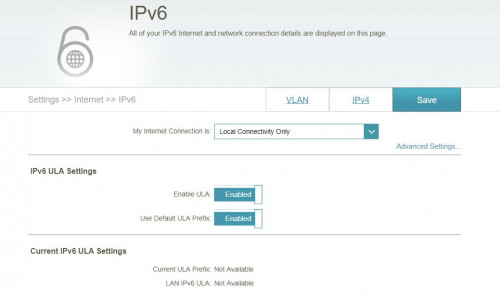
Try to configure IPv6 to Local connection only to see if that help.
TSD-Link
post Nov 17 2017, 10:29 AM

Getting Started
**
Junior Member
67 posts

Joined: Oct 2017
QUOTE(rajatetra @ Nov 13 2017, 05:26 PM)
Hi dlink.. i have vpn account which is provide l2tp details. I also subscriber of unifi which provided me with 815 router. So i want to setting vpn on unifi router. Can u guide?
*
815 can't work as a l2tp vpn client.

You will have to configure that l2tp vpn client on your pc/notebook.

This post has been edited by D-Link: Nov 17 2017, 10:29 AM
TSD-Link
post Nov 17 2017, 10:29 AM

Getting Started
**
Junior Member
67 posts

Joined: Oct 2017
QUOTE(cho @ Nov 13 2017, 09:50 PM)
I just remove the password. Make it open. Works for me.

Also have the same problem as yours. Authentication error if put a password.

And disable internet only for guest ssid.
*
shen1716 try the above.
TSD-Link
post Nov 21 2017, 11:21 AM

Getting Started
**
Junior Member
67 posts

Joined: Oct 2017
user posted image

biggrin.gif Don't miss out our promotion!
yeo882u
post Nov 23 2017, 06:50 PM

New Member
*
Junior Member
16 posts

Joined: Apr 2012


hi,

i have dsl 2750e and dsl 2730u and problem now is when i use 2730u everything work good without DC, but when i change it to 2750e, it DC a lot when play game.Both connect ADSL mode are (2730u = g.dmt) and (2750e = t1.413) , i did try ADSL2 and 2plus also the same ,that is 2730u all working well but 2750e gaming DC a lot.
WHY ?
Can i flash 2750u firmware into 2750e ? because 2750e firmware is outdated (now using sea 1.03 HW:T1).

thank in advance.
outpace
post Nov 23 2017, 06:56 PM

On my way
****
Junior Member
574 posts

Joined: Jan 2011


Hi, any ceiling mounted access point for residential usage?
and how much it cost
island
post Nov 24 2017, 08:43 AM

Regular
******
Senior Member
1,731 posts

Joined: Jan 2007


QUOTE(yeo882u @ Nov 23 2017, 06:50 PM)
hi,

i have dsl 2750e and dsl 2730u and problem now is when i use 2730u everything work good without DC, but when i change it to 2750e, it DC a lot when play game.Both connect ADSL mode are (2730u = g.dmt) and (2750e = t1.413) , i did try ADSL2 and 2plus also the same ,that is 2730u all working well but 2750e gaming DC a lot.
WHY ?
Can i flash 2750u firmware into 2750e ? because 2750e firmware is outdated (now using sea 1.03 HW:T1).

thank in advance.
*
Funny. Dude. Wrong firmware caused the trouble. 2750u firmware can't work on 2750e. Get the SEA_1.10, looking solid on my 2750e, no issues. Because i'm experiments on it before, and don't trying the beta firmware too!
yeo882u
post Nov 24 2017, 11:23 AM

New Member
*
Junior Member
16 posts

Joined: Apr 2012


QUOTE(island @ Nov 24 2017, 08:43 AM)
Funny. Dude. Wrong firmware caused the trouble. 2750u firmware can't work on 2750e. Get the SEA_1.10, looking solid on my 2750e, no issues. Because i'm experiments on it before, and don't trying the beta firmware too!
*
Thank for the advice,but where can I get this sea1.10 ? Because the dlink only have sea1.01(2013) and sea1.03(2014).any links for download? Thank you.
island
post Nov 24 2017, 01:36 PM

Regular
******
Senior Member
1,731 posts

Joined: Jan 2007


QUOTE(yeo882u @ Nov 24 2017, 11:23 AM)
Thank for the advice,but where can I get this sea1.10 ? Because the dlink only have sea1.01(2013) and sea1.03(2014).any links for download? Thank you.
*
For hardware V1. http://www.dlink.com.my/dsl-2750e-v1/ . Get the date 08/26/2015, not the version 2, lag like hell, local dns.


Feel like you got older version hardware, check http://www.dlink.com.my/dsl-2750e-th/ , make sure the hardware version, V1 only for V1 hardware or you got a crazy DSL I got one too, killed by lightning or usb port surge.

This post has been edited by island: Nov 24 2017, 01:49 PM
waisang
post Dec 21 2017, 01:51 PM

On my way
****
Junior Member
588 posts

Joined: Dec 2009
Hi, Is it D-Link Dir-842 Rev A1 (Realtek) or D-Link Dir-842 C1 (Qualcomm Atheros) product? What is the flash and RAM size? Thanks.
TSD-Link
post Dec 25 2017, 11:29 PM

Getting Started
**
Junior Member
67 posts

Joined: Oct 2017
user posted image
TSD-Link
post Jan 8 2018, 07:13 PM

Getting Started
**
Junior Member
67 posts

Joined: Oct 2017

GameSky
post Jan 9 2018, 07:55 AM

Nyancat too much
*******
Senior Member
6,381 posts

Joined: Jun 2005
From: meow meow
installed 2730e firmware from dlink my website...and it bricked my modem, lel?
CKyoon
post Jan 9 2018, 03:56 PM

Getting Started
**
Junior Member
266 posts

Joined: Jan 2003
I need to buy a modem+router all in one for my company using streamyx, can you recommend some stable models?
sheep
post Jan 12 2018, 12:55 PM

Casual
***
Junior Member
338 posts

Joined: Nov 2005
QUOTE(GameSky @ Jan 9 2018, 07:55 AM)
installed 2730e firmware from dlink my website...and it bricked my modem, lel?
*
Did you check your hardware version??
It is possible that you upgraded the worng firmware...

hehe

did that once before.
GameSky
post Jan 12 2018, 03:43 PM

Nyancat too much
*******
Senior Member
6,381 posts

Joined: Jun 2005
From: meow meow
QUOTE(sheep @ Jan 12 2018, 12:55 PM)
Did you check your hardware version??
It is possible that you upgraded the worng firmware...

hehe

did that once before.
*
same hardware on the support page..then noticed the new firmware doesn't come with SEA tag doh.gif ...somemore it's on dlink malaysia website doh.gif

This post has been edited by GameSky: Jan 12 2018, 03:43 PM
island
post Jan 13 2018, 01:22 PM

Regular
******
Senior Member
1,731 posts

Joined: Jan 2007


QUOTE(GameSky @ Jan 9 2018, 07:55 AM)
installed 2730e firmware from dlink my website...and it bricked my modem, lel?
*
So, how to bricked it? confused.gif
island
post Jan 13 2018, 01:24 PM

Regular
******
Senior Member
1,731 posts

Joined: Jan 2007


any update for DSL-2750E–V1 for WPA3?
SilentVampire
post Jan 13 2018, 02:00 PM

Networking Enthusiast
*******
Senior Member
5,714 posts

Joined: Mar 2007


QUOTE(island @ Jan 13 2018, 01:24 PM)
any update for DSL-2750E–V1 for WPA3?
*
Not likely. It is a very new standard and you will have to wait a while, plus there might be a possibility that you will need to buy a new router for that.
vergas
post Jan 14 2018, 10:00 AM

Regular
******
Senior Member
1,488 posts

Joined: Oct 2004


My internet connection keeps on disappearing and then ok again. Can anyone give more ideas based on the log. Is it the router or the modem?
» Click to show Spoiler - click again to hide... «


This post has been edited by vergas: Jan 14 2018, 10:01 AM
SilentVampire
post Jan 14 2018, 02:36 PM

Networking Enthusiast
*******
Senior Member
5,714 posts

Joined: Mar 2007


QUOTE(vergas @ Jan 14 2018, 10:00 AM)
My internet connection keeps on disappearing and then ok again. Can anyone give more ideas based on the log. Is it the router or the modem?
» Click to show Spoiler - click again to hide... «

*
Looks like a router issue. Your router is misinterpreting your device trying to connect as a packet flood attack. Disable your packet flood protection settings in your router and try again.

NickGr
post Jan 14 2018, 03:01 PM

Getting Started
**
Junior Member
101 posts

Joined: Sep 2014
Hi. Can you recommend a router pls. I want to replace my maxis router because of bad wifi range. I need one with good wifi range and rj11 port to connect the phone. Thanks
ktek
post Jan 14 2018, 03:11 PM

小喇叭
********
All Stars
13,189 posts

Joined: Jul 2006
QUOTE(D-Link @ Jan 8 2018, 07:13 PM)

*
r u a advertiser or solving problem? i got powerline adapter that doesnt work before & after claim warranty
SilentVampire
post Jan 14 2018, 03:43 PM

Networking Enthusiast
*******
Senior Member
5,714 posts

Joined: Mar 2007


QUOTE(NickGr @ Jan 14 2018, 03:01 PM)
Hi. Can you recommend a router pls. I want to replace my maxis router because of bad wifi range. I need one with good  wifi range and rj11 port to connect the phone. Thanks
*
Here bro: http://www.lazada.com.my/d-link-ac1200-2x9...85196.html?mp=1
NickGr
post Jan 14 2018, 04:27 PM

Getting Started
**
Junior Member
101 posts

Joined: Sep 2014
can this router be used as extender?
TSD-Link
post Jan 14 2018, 10:44 PM

Getting Started
**
Junior Member
67 posts

Joined: Oct 2017
QUOTE(ktek @ Jan 14 2018, 03:11 PM)
r u a advertiser or solving problem? i got powerline adapter that doesnt work before & after claim warranty
*
BOTH!

As a brand we show our products and promotions, but we're here to help you with your problems too!

One-stop PPP!

Drop us a PM on your problem?
TSD-Link
post Jan 14 2018, 10:50 PM

Getting Started
**
Junior Member
67 posts

Joined: Oct 2017
QUOTE(NickGr @ Jan 14 2018, 03:01 PM)
Hi. Can you recommend a router pls. I want to replace my maxis router because of bad wifi range. I need one with good  wifi range and rj11 port to connect the phone. Thanks
*
Hello, as what SilentVampire mentioned - check out the AC1200 Wireless VDSL2 Gigabit 4-Port IAD model.

http://www.dlink.com.my/product/ac1200-wir...bit-4-port-iad/
TSD-Link
post Jan 14 2018, 10:51 PM

Getting Started
**
Junior Member
67 posts

Joined: Oct 2017
QUOTE(CKyoon @ Jan 9 2018, 03:56 PM)
I need to buy a modem+router all in one for my company using streamyx, can you recommend some stable models?
*
How many users on your network
NickGr
post Jan 14 2018, 11:27 PM

Getting Started
**
Junior Member
101 posts

Joined: Sep 2014
QUOTE(D-Link @ Jan 14 2018, 10:50 PM)
Hello, as what SilentVampire mentioned - check out the AC1200 Wireless VDSL2 Gigabit 4-Port IAD model.

http://www.dlink.com.my/product/ac1200-wir...bit-4-port-iad/
*
Can that router be used as a repeater? Can cover a 900sf house? The router wont be in the middle of the house. With maxis router from office room to bedroom i get 1 line or nothing.

This post has been edited by NickGr: Jan 15 2018, 12:24 AM
SilentVampire
post Jan 14 2018, 11:43 PM

Networking Enthusiast
*******
Senior Member
5,714 posts

Joined: Mar 2007


QUOTE(NickGr @ Jan 14 2018, 11:27 PM)
Can that router be used are repeater? Can cover a 900sf house? The router wont be in the middle of the house. With maxis router from office room to bedroom i get 1 line or nothing.
*
Hey bro, try to use a power line if possible, and if your house is on single phase power. Much better if you use a powerline.
vergas
post Jan 15 2018, 12:00 AM

Regular
******
Senior Member
1,488 posts

Joined: Oct 2004


QUOTE(SilentVampire @ Jan 14 2018, 02:36 PM)
Looks like a router issue. Your router is misinterpreting your device trying to connect as a packet flood attack. Disable your packet flood protection settings in your router and try again.
*
Can you point me to where the settings is?
vergas
post Jan 15 2018, 12:02 AM

Regular
******
Senior Member
1,488 posts

Joined: Oct 2004


QUOTE(SilentVampire @ Jan 14 2018, 02:36 PM)
Looks like a router issue. Your router is misinterpreting your device trying to connect as a packet flood attack. Disable your packet flood protection settings in your router and try again.
*
Can you point me to where the settings is?

Updated log
» Click to show Spoiler - click again to hide... «

SilentVampire
post Jan 15 2018, 12:15 AM

Networking Enthusiast
*******
Senior Member
5,714 posts

Joined: Mar 2007


QUOTE(vergas @ Jan 15 2018, 12:00 AM)
Can you point me to where the settings is?
*
What router are you using? I will need to check the user manual and point you to the right direction.
SilentVampire
post Jan 15 2018, 12:18 AM

Networking Enthusiast
*******
Senior Member
5,714 posts

Joined: Mar 2007


QUOTE(vergas @ Jan 15 2018, 12:00 AM)
Can you point me to where the settings is?
*
Try switching off your router and getting a new IP address as it looks like your IP address is getting packet flood attacks.
CKyoon
post Jan 15 2018, 11:47 AM

Getting Started
**
Junior Member
266 posts

Joined: Jan 2003
QUOTE(D-Link @ Jan 14 2018, 10:51 PM)
How many users on your network
*
less than 30
vergas
post Jan 15 2018, 09:28 PM

Regular
******
Senior Member
1,488 posts

Joined: Oct 2004


QUOTE(SilentVampire @ Jan 15 2018, 12:18 AM)
Try switching off your router and getting a new IP address as it looks like your IP address is getting packet flood attacks.
*
Done switching off and on both modem and router.

Updated log
» Click to show Spoiler - click again to hide... «


I am using DIR-619L.
SilentVampire
post Jan 15 2018, 09:42 PM

Networking Enthusiast
*******
Senior Member
5,714 posts

Joined: Mar 2007


QUOTE(vergas @ Jan 15 2018, 09:28 PM)
Done switching off and on both modem and router.

Updated log
» Click to show Spoiler - click again to hide... «


I am using DIR-619L.
*
At least your IP has changed and you stop getting attacked.

ktek
post Jan 18 2018, 12:30 PM

小喇叭
********
All Stars
13,189 posts

Joined: Jul 2006
is there any wifi receiver as good as dwa132?
blacktubi
post Jan 18 2018, 02:48 PM

-
Group Icon
Elite
8,401 posts

Joined: Jul 2008

QUOTE(ktek @ Jan 18 2018, 12:30 PM)
is there any wifi receiver as good as dwa132?
*
Get PCIE wireless receiver and never go back. Much much better than USB ones.
ktek
post Jan 18 2018, 02:55 PM

小喇叭
********
All Stars
13,189 posts

Joined: Jul 2006
QUOTE(blacktubi @ Jan 18 2018, 02:48 PM)
Get PCIE wireless receiver and never go back. Much much better than USB ones.
*
gal use one. wanna portable among pc. got hello kitty or mikey is better
TSD-Link
post Jan 19 2018, 05:20 PM

Getting Started
**
Junior Member
67 posts

Joined: Oct 2017


We're having an activity on Facebook - remember to participate!
splinter
post Jan 19 2018, 09:04 PM

New Kid In Town
*******
Senior Member
2,120 posts

Joined: Jan 2003
From: In front my PC


Hi, I have unifi with the dlink 850 router. I already set the dns to google 8.8.8.8 and 8.8.4.4 however why my tv, media box or any connect to the WiFi still showing Tm dns?
mh6065
post Jan 25 2018, 11:35 AM

New Member
*
Newbie
1 posts

Joined: Jul 2015
Hi. Does dwa-192 support hostednetwork? "netsh wlan show drivers" shows NO. Anyone can point to the driver (if any) that can enable this?
Baron Samedi
post Jan 28 2018, 12:29 AM

New Member
*
Newbie
2 posts

Joined: Jan 2018
New user here. A quick question in case the other thread I asked asked me to go to an appropriate thread, I used Unifi Ruby, and have the D-Link DIR-850L router.

I already set the router to use Google DNS, it have been for months, since last October. There were no problems using the google DNS, up until this morning. My broadband got suspended, and I paid it again to reactivate it. But, in my haste, I accidentally reset my setting. After I already did the google DNS Primary and Secondary IP setting again, the sites that I can access were able to be loaded. Thing is, after sometime, in 45 minutes or so, the DNS service seems to petered out, and I can't access the sites again.

After re-entering the Google DNS address again, and saving the setting, I reboot the router. Nothing changed, setting wise. And I was able to reach the site again. And after 45 min, I can't. I checked the settings, the Primary and Secondary were still saved as 8.8.8.8 and 8.8.4.4, respectively.

Anyone know what am I missing here? Thanks. Oh, I can move this to an appropriate thread, if I must.
TSD-Link
post Feb 8 2018, 03:16 PM

Getting Started
**
Junior Member
67 posts

Joined: Oct 2017
user posted image
TSD-Link
post Feb 8 2018, 03:18 PM

Getting Started
**
Junior Member
67 posts

Joined: Oct 2017
QUOTE(splinter @ Jan 19 2018, 09:04 PM)
Hi, I have unifi with the dlink 850 router. I already set the dns to google 8.8.8.8 and 8.8.4.4 however why my tv, media box or any connect to the WiFi still showing Tm dns?
*
Hello,

Change the IPv6 DNS, also change the settings on the Device.
labtec
post Feb 11 2018, 12:38 AM

Regular
******
Senior Member
1,556 posts

Joined: Jan 2003
is this DSL-2750E model consider good enough for 8Mbps streamyx?

I using LAN cable for my xiaomi tx box but it always stuck at buffering from time to time and potong steam. And i have 3-5 devices connect through wifi to the modem, is the model cannot handle the workload?
island
post Feb 11 2018, 01:40 PM

Regular
******
Senior Member
1,731 posts

Joined: Jan 2007


QUOTE(labtec @ Feb 11 2018, 12:38 AM)
is this DSL-2750E model consider good enough for 8Mbps streamyx?

I using LAN cable for my xiaomi tx box but it always stuck at buffering from time to time and potong steam. And i have 3-5 devices connect through wifi to the modem, is the model cannot handle the workload?
*
try config the QoS and those ipv4/6 DNS set to google. and Firmware Version: SEA_1.10 is better, ver 2.0 like hell because locked to tm dns. when you got so many devices streaming at the same time, no matter what routers also can traffic jam, so you need to play around those settings on the router, MRU Size 1492 MTU 1491, wireless using wpa2 is faster, wep hackable in few minutes, disable ipv6 also can help in some case and many more quite a lot of settings for you to trial and error. and remember some Andriod still using Wi-Fi B laugh.gif oops, forget, if your router is came from TM, it's junk no matter which brand, get yourself a new one, because the firmware is customized for TM only for lag devil.gif Now, can consider a rclxub.gif Wi-Fi AC or higher.

This post has been edited by island: Feb 11 2018, 01:49 PM
sheep
post Feb 12 2018, 07:08 PM

Casual
***
Junior Member
338 posts

Joined: Nov 2005
QUOTE(island @ Feb 11 2018, 01:40 PM)
try config the QoS and those ipv4/6 DNS set to google. and Firmware Version: SEA_1.10 is better, ver 2.0 like hell because locked to tm dns. when you got so many devices streaming at the same time,  no matter what routers also can traffic jam, so you need to play around those settings on the router, MRU Size 1492 MTU 1491, wireless using wpa2 is faster, wep hackable in few minutes, disable ipv6 also can help in some case and many more quite a lot of settings for you to trial and error. and remember some Andriod still using Wi-Fi B laugh.gif oops, forget, if your router is came from TM, it's junk no matter which brand, get yourself a new one, because the firmware is customized for TM only for lag  devil.gif Now, can consider a rclxub.gif  Wi-Fi AC or higher.
*
No lah, just change the dns on the WAN.
and also the DNS on the IPv6.

you need to change both of them for that to work if you have ipv6 enable.
sheep
post Feb 12 2018, 07:09 PM

Casual
***
Junior Member
338 posts

Joined: Nov 2005
QUOTE(Baron Samedi @ Jan 28 2018, 12:29 AM)
New user here. A quick question in case the other thread I asked asked me to go to an appropriate thread, I used Unifi Ruby, and have the D-Link DIR-850L router.

I already set the router to use Google DNS, it have been for months, since last October. There were no problems using the google DNS, up until this morning. My broadband got suspended, and I paid it again to reactivate it. But, in my haste, I accidentally reset my setting. After I already did the google DNS Primary and Secondary IP setting again, the sites that I can access were able to be loaded. Thing is, after sometime, in 45 minutes or so, the DNS service seems to petered out, and I can't access the sites again.

After re-entering the Google DNS address again, and saving the setting, I reboot the router. Nothing changed, setting wise. And I was able to reach the site again. And after 45 min, I can't. I checked the settings, the Primary and Secondary were still saved as 8.8.8.8 and 8.8.4.4, respectively.

Anyone know what am I missing here? Thanks. Oh, I can move this to an appropriate thread, if I must.
*
No idea why, this feel very weird...

Are you still connected to the internet?

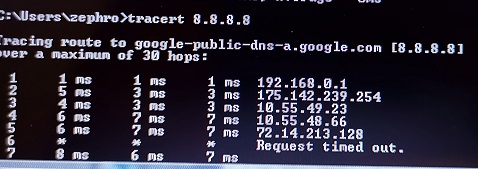
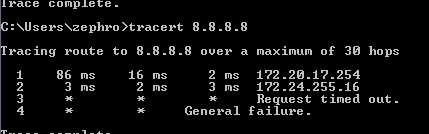
Can you still ping to 8.8.8.8/8.8.4.4 when the issue happen?
island
post Feb 13 2018, 04:44 AM

Regular
******
Senior Member
1,731 posts

Joined: Jan 2007


QUOTE(sheep @ Feb 12 2018, 07:09 PM)
No idea why, this feel very weird...

Are you still connected to the internet?

Can you still ping to 8.8.8.8/8.8.4.4 when the issue happen?
*
Try reset the router several time. And turn off for 15 minute and reconfiguration again. Maybe it's also dial on demand too, check those settings. Disabled the remote access on the router, etc
TSD-Link
post Feb 16 2018, 05:48 PM

Getting Started
**
Junior Member
67 posts

Joined: Oct 2017
user posted image
TSD-Link
post Feb 16 2018, 05:49 PM

Getting Started
**
Junior Member
67 posts

Joined: Oct 2017
QUOTE(labtec @ Feb 11 2018, 12:38 AM)
is this DSL-2750E model consider good enough for 8Mbps streamyx?

I using LAN cable for my xiaomi tx box but it always stuck at buffering from time to time and potong steam. And i have 3-5 devices connect through wifi to the modem, is the model cannot handle the workload?
*
Hello, what about your other devices?

For example you have 3 - 5 devices, are all of them experiencing this "stuck" or is it just the Mi TV Box?
labtec
post Feb 16 2018, 11:45 PM

Regular
******
Senior Member
1,556 posts

Joined: Jan 2003
Just the mi box have this issue
sheep
post Feb 21 2018, 05:40 PM

Casual
***
Junior Member
338 posts

Joined: Nov 2005
QUOTE(labtec @ Feb 16 2018, 11:45 PM)
Just the mi box have this issue
*
you can try to connect the mi box using cable and see if the same problem is happening...

It might be a bandwidth problem... or Wi-Fi interference ...
labtec
post Feb 22 2018, 05:30 PM

Regular
******
Senior Member
1,556 posts

Joined: Jan 2003
QUOTE(sheep @ Feb 21 2018, 05:40 PM)
you can try to connect the mi box using cable and see if the same problem is happening...

It might be a bandwidth problem... or Wi-Fi interference ...
*
the mix box is using cable, and it keep stopping for buffering with 8Mbps Steamyx
TSD-Link
post Feb 28 2018, 11:52 PM

Getting Started
**
Junior Member
67 posts

Joined: Oct 2017
With the new mydlink App, set-up is never easier.

However, please note that if you are currently using DCS-8000LH and DCS-8100LH and would like to use the new mydlink App,you will not be able to fallback to the old mydlink LITE app or do 24 HRS recording on DCS-8100LH SD cards.

Other than these two cameras, both mydlink App and mydlink LITE can parallel run at the same time.


TSD-Link
post Feb 28 2018, 11:52 PM

Getting Started
**
Junior Member
67 posts

Joined: Oct 2017
QUOTE(labtec @ Feb 22 2018, 05:30 PM)
the mix box is using cable, and it keep stopping for buffering with 8Mbps Steamyx
*
Hello, where are you located?
Alert_RaZO
post Mar 6 2018, 10:08 AM

On my way
****
Junior Member
601 posts

Joined: May 2013


which router can support streamyx, unifi and 4g all in one?
TSD-Link
post Mar 6 2018, 10:47 AM

Getting Started
**
Junior Member
67 posts

Joined: Oct 2017
QUOTE(Alert_RaZO @ Mar 6 2018, 10:08 AM)
which router can support streamyx, unifi and 4g all in one?
*
Hello, DSL-G2452DG is the one, with 4G Firmware coming soon.
hafiz_control
post Mar 11 2018, 10:45 PM

Getting Started
**
Junior Member
105 posts

Joined: Jan 2003
hi and greetings, can you help me to configure my new dlink router modem - am replacing the crappy netis modem from TM. using unifi copper here. tried but somehow am not able to connect on the vdsl part. thanks
SilentVampire
post Mar 11 2018, 10:49 PM

Networking Enthusiast
*******
Senior Member
5,714 posts

Joined: Mar 2007


QUOTE(hafiz_control @ Mar 11 2018, 10:45 PM)
hi and greetings, can you help me to configure my new dlink router modem - am replacing the crappy netis modem from TM. using unifi copper here. tried but somehow am not able to connect on the vdsl part. thanks
*
See my reply to you on the other thread.
memini
post May 6 2018, 12:20 PM

New Member
*
Junior Member
12 posts

Joined: Nov 2007
Hi. Firstly thanks for setting up this thread.

FYI I just bought myslef a 882. Reviews on this are great.

However I got a problem where all connection to this lag big time. For example if connected to 882 my phone will take forever to connect or change website in browser. However such problems will cease to exist when using my other router of different brand.

I am using unifi.

Appreciate your help.

SilentVampire
post May 6 2018, 01:09 PM

Networking Enthusiast
*******
Senior Member
5,714 posts

Joined: Mar 2007


QUOTE(memini @ May 6 2018, 12:20 PM)
Hi. Firstly thanks for setting up this thread.

FYI I just bought myslef a 882. Reviews on this are great.

However I got a problem where all connection to this lag big time. For example if connected to 882 my phone will take forever to connect or change website in browser. However such problems will cease to exist when using my other router of different brand.

I am using unifi.

Appreciate your help.
*
Disable IPv6 first and change DNS.
memini
post May 8 2018, 01:38 AM

New Member
*
Junior Member
12 posts

Joined: Nov 2007
Ok.

Will try to disable ipv6.

DNS currently pointing to 8.8.8.8 and 8.8.4.4 whis are google dns i believe
memini
post May 12 2018, 12:17 AM

New Member
*
Junior Member
12 posts

Joined: Nov 2007
1. disabled IPv6. Done
2. dns already pointed to google dns.
3. restarted. Done.
4. still same. lagging in wired and wireless mode.

SAD


SilentVampire
post May 12 2018, 10:34 AM

Networking Enthusiast
*******
Senior Member
5,714 posts

Joined: Mar 2007


QUOTE(memini @ May 12 2018, 12:17 AM)
1. disabled IPv6.  Done
2. dns already pointed to google dns.
3. restarted. Done.
4. still same. lagging in wired and wireless mode.

SAD
*
Send in for RMA. You should still be under warranty.
memini
post May 13 2018, 07:42 PM

New Member
*
Junior Member
12 posts

Joined: Nov 2007
Thanks.

Will send for RMA and see from there...

This post has been edited by memini: May 13 2018, 07:44 PM
GC 2014
post May 14 2018, 01:55 PM

Casual
***
Junior Member
465 posts

Joined: Jun 2014
I am interested to get one too, wonder what is the price range and when will this launched ?


QUOTE(D-Link @ Mar 6 2018, 10:47 AM)
Hello, DSL-G2452DG is the one, with 4G Firmware coming soon.
*
SilentVampire
post May 14 2018, 02:16 PM

Networking Enthusiast
*******
Senior Member
5,714 posts

Joined: Mar 2007


QUOTE(GC 2014 @ May 14 2018, 01:55 PM)
I am interested to get one too, wonder what is the price range and when will this launched ?
*
Lol bro, it has been out for some time: https://www.lazada.com.my/products/d-link-a...s113335550.html

But, the 4G firmware is not out yet.
GC 2014
post May 14 2018, 02:56 PM

Casual
***
Junior Member
465 posts

Joined: Jun 2014
Thanks for your recommendation. any model which can support
Streamyx & Unifiy as well as broadband ? ( Maxis / CELCOM / DIGI / Unify Mobile) ?

My area unify port full, while waiting for them to add port, plan to subscribe broadband first.
Heard Unify mobile (formally WEBE) planning to have a new package launching soon..wonder anybody know ?

SilentVampire
post May 14 2018, 03:07 PM

Networking Enthusiast
*******
Senior Member
5,714 posts

Joined: Mar 2007


QUOTE(GC 2014 @ May 14 2018, 02:56 PM)
Thanks for your recommendation. any model which can support
Streamyx & Unifiy as well as broadband ? ( Maxis / CELCOM / DIGI / Unify Mobile) ?

My area unify port full, while waiting for them to add port, plan to subscribe broadband first. 
Heard Unify mobile (formally WEBE) planning to have a new package launching soon..wonder anybody know ?
*
None so far bro. If you want only mobile router, I recommend either one if thus models:

1) https://www.lazada.com.my/products/tp-link-...rzTYYT&search=1

2) https://www.lazada.com.my/products/tp-link-...rzTYYT&search=1

Or you can find something cheaper yourself.
GC 2014
post May 14 2018, 05:50 PM

Casual
***
Junior Member
465 posts

Joined: Jun 2014
How to see which router have stronger wifi capability via the spec ?

QUOTE(SilentVampire @ May 14 2018, 03:07 PM)
None so far bro. If you want only mobile router, I recommend either one if thus models:

1) https://www.lazada.com.my/products/tp-link-...rzTYYT&search=1

2) https://www.lazada.com.my/products/tp-link-...rzTYYT&search=1

Or you can find something cheaper yourself.
*
SilentVampire
post May 14 2018, 09:36 PM

Networking Enthusiast
*******
Senior Member
5,714 posts

Joined: Mar 2007


QUOTE(GC 2014 @ May 14 2018, 05:50 PM)
How to see which router have stronger wifi capability via the spec ?
*
Hard to say without using but mobile routers are not known for its wireless coverage.
iAmACN
post May 18 2018, 05:19 PM

Getting Started
**
Junior Member
60 posts

Joined: Dec 2012
Hi Any known issues with using DAP1360 as a repeater with AC 1200 TP Link Router (UNIFI)
RUGGEDFIX
post Jun 13 2018, 01:05 AM

New Member
*
Junior Member
28 posts

Joined: May 2014
QUOTE(iAmACN @ May 18 2018, 05:19 PM)
Hi Any known issues with using DAP1360 as a repeater with AC 1200 TP Link Router (UNIFI)
*
Hi i am using DAP-1360 connect with TM original AC1200. Touch wood cool2.gif.So far so good,
Satisfied with the performance on this prices range. rclxms.gif rclxms.gif rclxms.gif

This post has been edited by RUGGEDFIX: Jun 13 2018, 01:06 AM
ktek
post Jun 19 2018, 05:45 PM

小喇叭
********
All Stars
13,189 posts

Joined: Jul 2006
QUOTE(D-Link @ Feb 28 2018, 11:52 PM)
*
u can help me set dsl-d2452dg ?
maxis fiber setup
kenneth686
post Jun 21 2018, 10:48 AM

Getting Started
**
Junior Member
235 posts

Joined: Jan 2005


QUOTE(ktek @ Jun 19 2018, 05:45 PM)
u can help me set dsl-d2452dg ?
maxis fiber setup
*
Hi you may refer to thesetup guide as below:

http://support.dlink.com.sg/Downloads/DSL-...p-for-Unifi.pdf

icon_question.gif
ktek
post Jun 21 2018, 05:20 PM

小喇叭
********
All Stars
13,189 posts

Joined: Jul 2006
QUOTE(kenneth686 @ Jun 21 2018, 10:48 AM)
Hi you may refer to thesetup guide as below:

http://support.dlink.com.sg/Downloads/DSL-...p-for-Unifi.pdf

icon_question.gif
*
I read first. Tq bro
kenling
post Jul 6 2018, 03:03 AM

Casual
***
Junior Member
481 posts

Joined: Jan 2003
From: Cheras
DIR-882 multiple reviews said 2 USBs for printer and file sharing. It doesn't support printer sharing. SADS.
junsheng
post Jul 6 2018, 05:32 AM

---> pokemon ftw <---
******
Senior Member
1,257 posts

Joined: Apr 2011
From: Penang Malaysia, sometime KL


QUOTE(kenling @ Jul 6 2018, 03:03 AM)
DIR-882 multiple reviews said 2 USBs for printer and file sharing. It doesn't support printer sharing. SADS.
*
flash 3rd party firmware like tomato ddwrt open wrt
Alpha_Tay
post Jul 24 2018, 02:33 PM

Beware The Spammer Star!
******
Senior Member
1,725 posts

Joined: Jan 2003
Any change log for this new unifi firmware? Thx.

QUOTE(Alpha_Tay @ Jul 23 2018, 11:01 PM)
there is a new firmware for unifi D-Link DIR-850L

just getting new firmware upgrade notification via mydlink at Mon 7/23/2018, 2:27 PM

before firmware upgrade,

Management >> Upgrade

Firmware Information

Check for New Firmware

New Firmware Version: 2.10
New Firmware Date: 2018/07/21

after firmware upgrade,

Management >> Upgrade

Firmware Information

Current Firmware Version: 2.10, Thu 28 Jun 2018
Current Firmware Date: 2018-06-28 17:32:00
didnt found any changelog over the internet at the moment, cant even download the firmware anywhere else, download and upgrade via d-link router interface.
*
cho
post Jul 24 2018, 06:21 PM

Casual
***
Junior Member
369 posts

Joined: Sep 2004
From: Kajang


QUOTE(Alpha_Tay @ Jul 24 2018, 02:33 PM)
Any change log for this new unifi firmware? Thx.
*
its on their website now

» Click to show Spoiler - click again to hide... «

Alpha_Tay
post Jul 25 2018, 12:28 AM

Beware The Spammer Star!
******
Senior Member
1,725 posts

Joined: Jan 2003
QUOTE(cho @ Jul 24 2018, 06:21 PM)
its on their website now

» Click to show Spoiler - click again to hide... «

*
thx.

https://www.dlink.com.my/dir-850l-msia/#firmware
Alpha_Tay
post Aug 4 2018, 09:30 PM

Beware The Spammer Star!
******
Senior Member
1,725 posts

Joined: Jan 2003
found some minor trick.

if you setup System Log E-mail Settings via router web interface, the E-mail Title you would receive at your E-mail is RG log .

if you setup System Log E-mail Settings via mydlink.com with Internet Explorer ActiveX or Firefox NPAPI Plugins, Firefox NPAPI Plugins now only still available at Firefox Extended Support Release (ESR), the E-mail Title you would receive at your E-mail is mydlink Test Mail .

if you setup System Log E-mail Settings via mydlink Lite Android App, the E-mail Title you would receive at your E-mail is Test+mail+from+Android+App .

the E-mail Title is the only different, everything else was the same.

---

another minor trick.

WPA only or WPA2 only setting,

the router web interface and mydlink Lite Android App only has WPA/WPA2 setting, but the mydlink.com with Internet Explorer ActiveX or Firefox NPAPI Plugins has WPA only or WPA2 only setting.

---

another minor trick.

this option only available via mydlink.com with Internet Explorer ActiveX or Firefox NPAPI Plugins and mydlink Lite Android App, it does not available at router web interface.

(via E-Mail)

Notify me when:

New device connected

Device failed to connect

New firmware available


all trick are perform on unifi D-Link DIR-850L, not sure about other model.

This post has been edited by Alpha_Tay: Aug 5 2018, 03:10 PM
cho
post Aug 5 2018, 12:34 PM

Casual
***
Junior Member
369 posts

Joined: Sep 2004
From: Kajang


QUOTE(Alpha_Tay @ Aug 4 2018, 09:30 PM)
found some minor trick.

if you setup System Log E-mail Settings via router web interface, the E-mail Title you would receive at your E-mail is RG log .

if you setup System Log E-mail Settings via mydlink.com with Internet Explorer ActiveX or Firefox NPAPI Plugins, Firefox NPAPI Plugins now only still available at Firefox Extended Support Release (ESR), the E-mail Title you would receive at your E-mail is mydlink Test Mail .

if you setup System Log E-mail Settings via mydlink Lite Android App, the E-mail Title you would receive at your E-mail is Test+mail+from+Android+App .

the E-mail Title is the only different, everything else was the same.
another minor trick.

WPA only or WPA2 only setting,

the router web interface and mydlink Lite Android App only has WPA/WPA2 setting, but the mydlink.com with Internet Explorer ActiveX or Firefox NPAPI Plugins has WPA only or WPA2 only setting.
another minor trick.

this option only available via mydlink.com with Internet Explorer ActiveX or Firefox NPAPI Plugins and mydlink Lite Android App, it does not available at router web interface.

(via E-Mail)

Notify me when:

New device connected

Device failed to connect

New firmware available
all trick are perform on unifi D-Link DIR-850L, not sure about other model.
*
Wow, nice finding.. tq for sharing smile.gif)

Alpha_Tay
post Aug 5 2018, 03:09 PM

Beware The Spammer Star!
******
Senior Member
1,725 posts

Joined: Jan 2003
QUOTE(cho @ Aug 5 2018, 12:34 PM)
Wow, nice finding.. tq for sharing smile.gif)
*
welcome
Alpha_Tay
post Aug 9 2018, 11:33 AM

Beware The Spammer Star!
******
Senior Member
1,725 posts

Joined: Jan 2003
the D-Link Dir-850L given by TM, not sure due to the Realtek Chipset or D-Link Design, the wireless ping would always higher than wired ping by around 3ms, pinging ip example TM own ipv4 1.9.1.9 and ipv6 2001:e68::b:68 or any other ipv4 and ipv6.

the client was same room with the wireless router, there is no interference at wifi, speedtest was be able to reach full speed.

the D-Link DSL-2640B given by TM for streamyx previously, also have such issue, the wireless ping would always higher than wired ping by around 3ms, pinging ip example TM own 1.9.1.9 or any other ip.
island
post Aug 9 2018, 07:35 PM

Regular
******
Senior Member
1,731 posts

Joined: Jan 2007


QUOTE(Alpha_Tay @ Aug 9 2018, 11:33 AM)
the D-Link Dir-850L given by TM, not sure due to the Realtek Chipset or D-Link Design, the wireless ping would always higher than wired ping by around 3ms, pinging ip example TM own ipv4 1.9.1.9 and ipv6 2001:e68::b:68 or any other ipv4 and ipv6.

the client was same room with the wireless router, there is no interference at wifi, speedtest was be able to reach full speed.

the D-Link DSL-2640B given by TM for streamyx previously, also have such issue, the wireless ping would always higher than wired ping by around 3ms, pinging ip example TM own 1.9.1.9 or any other ip.
*
Simply TM router issues. Encounters many similar issues. I also using 2750e for many years non TM router without any weird issues . Also try lower down the wifi output power,see how come.
Alpha_Tay
post Aug 10 2018, 12:06 AM

Beware The Spammer Star!
******
Senior Member
1,725 posts

Joined: Jan 2003
QUOTE(island @ Aug 9 2018, 07:35 PM)
Simply TM router issues. Encounters many similar issues. I also using 2750e for many years non TM router without any weird issues . Also try lower down the wifi output power,see how come.
*
oic thx.
Alpha_Tay
post Aug 11 2018, 12:22 PM

Beware The Spammer Star!
******
Senior Member
1,725 posts

Joined: Jan 2003
this message keep show up at syslog of D-Link DIR-850L, wonder what that is, anyway to fix it?

AdvRDNSSLifetime <= 2*MaxRtrAdvInterval would allow stale DNS servers to be deleted faster

Ignoring deprecated RDNSS preference.


syncomp
post Sep 23 2018, 05:37 PM

Casual
***
Junior Member
498 posts

Joined: Jun 2009


Hi D Link,

My DIR 850L is not functioning. I tried to scan for SSID, both 5 Ghz & 2.4 Ghz was not available. I tried to configure the modem via LAN, but my LAN port doest not detect any connection from this router.
The only light that is ON is the POWER light. But sometimes after I turn it off, the globe icon blinking with orange colour
island
post Sep 23 2018, 06:15 PM

Regular
******
Senior Member
1,731 posts

Joined: Jan 2007


QUOTE(syncomp @ Sep 23 2018, 05:37 PM)
Hi D Link,

My DIR 850L is not functioning. I tried to scan for SSID, both 5 Ghz & 2.4 Ghz was not available. I tried to configure the modem via LAN, but my LAN port doest not detect any connection from this router.
The only light that is ON is the POWER light. But sometimes after I turn it off, the globe icon blinking with orange colour
*
Feel like game over
cho
post Sep 23 2018, 09:55 PM

Casual
***
Junior Member
369 posts

Joined: Sep 2004
From: Kajang


QUOTE(syncomp @ Sep 23 2018, 05:37 PM)
Hi D Link,

My DIR 850L is not functioning. I tried to scan for SSID, both 5 Ghz & 2.4 Ghz was not available. I tried to configure the modem via LAN, but my LAN port doest not detect any connection from this router.
The only light that is ON is the POWER light. But sometimes after I turn it off, the globe icon blinking with orange colour
*
do you manually configured IP address on your PC/Laptop for connection through LAN port?

is your DIR 850L connected to BTU? is yes, how is your BTU LED?

the globe light off means when there is no internet connection


SilentVampire
post Sep 23 2018, 09:57 PM

Networking Enthusiast
*******
Senior Member
5,714 posts

Joined: Mar 2007


QUOTE(syncomp @ Sep 23 2018, 05:37 PM)
Hi D Link,

My DIR 850L is not functioning. I tried to scan for SSID, both 5 Ghz & 2.4 Ghz was not available. I tried to configure the modem via LAN, but my LAN port doest not detect any connection from this router.
The only light that is ON is the POWER light. But sometimes after I turn it off, the globe icon blinking with orange colour
*
Hard reset it. If still not working, get your own one. See the link on my sig for list of compatible routers.
syncomp
post Sep 24 2018, 12:59 PM

Casual
***
Junior Member
498 posts

Joined: Jun 2009


QUOTE(island @ Sep 23 2018, 06:15 PM)
Feel like game over
*
After a day of struggle, that's what I thought too

QUOTE(cho @ Sep 23 2018, 09:55 PM)
do you manually configured IP address on your PC/Laptop for connection through LAN port?

is your DIR 850L connected to BTU? is yes, how is your BTU LED?

the globe light off means when there is no internet connection
*
My LAN Port Cant even detect LAN connection from all 4 of the router port. So, I guess I still not configure anything.

My BTU got no problem. Right now, I am using Archer C5 router for my house. I tried to use my brother D Link 850L Router and I ended up asking you guys whether you guys ever experience like this.

QUOTE(SilentVampire @ Sep 23 2018, 09:57 PM)
Hard reset it. If still not working, get your own one. See the link on my sig for list of compatible routers.
*
Thanks for the link, I've read it, I think this router faulty. Because the router would've shown the SSID signal in the first place, whether or not you configure it right?
SilentVampire
post Sep 24 2018, 01:27 PM

Networking Enthusiast
*******
Senior Member
5,714 posts

Joined: Mar 2007


QUOTE(syncomp @ Sep 24 2018, 12:59 PM)
After a day of struggle, that's what I thought too
My LAN Port Cant even detect LAN connection from all 4 of the router port. So, I guess I still not configure anything.

My BTU got no problem. Right now, I am using Archer C5 router for my house. I tried to use my brother D Link 850L Router and I ended up asking you guys whether you guys ever experience like this.
Thanks for the link, I've read it, I think this router faulty. Because the router would've shown the SSID signal in the first place, whether or not you configure it right?
*
Yes, it is gone. Time to change router to something else better.
Edison83
post Sep 24 2018, 08:25 PM

No Games No Life.
******
Senior Member
1,374 posts

Joined: Jun 2008
From: Red Comet


I would like to share some problem and solution I found to all. My model is DIR-878, may apply to its sibling model.

Problem - getting capped at 200mbps instead of 800mbps download speed. Yup, unifi turbo just rolled at my location.

Solution - Under QoS Setting, remove any device linked to the priority table. My speed was capped even when I put my PC in Highest priority, once I remove it from the list, it can download at 800mbps.

Note - all testing is done in gigabit network with CAT7 cable. No hardware limitation here.

Side note - I need to pay unifi personel (will appear in my bill) that come to my home to check this, cause the problem is caused by my side, not unifi. I have them come with their router and tested running at 800mbps.


On the other story, while setting my router, I use the old IE, everything was ok, except VLAN pages failed to load, no error whatsoever, just a blank (the rest of the menu and logo is still there). Then I use chrome, whenever I try to apply setting, it will ask for my router password and restart the whole procedure again.... however the setting wasn't applied. While using chrome, I can see like few hidden setting on the menu, but unable to access it (this wasn't appear at all at IE nor edge). Lastly, everything when smooth with Microsoft Edge... Any idea how is this happening?

This post has been edited by Edison83: Sep 24 2018, 08:33 PM
jimhorn
post Sep 25 2018, 11:40 AM

Casual
***
Junior Member
407 posts

Joined: Jul 2005


Does anyone know if the latest D-link DIR-842 (Rev C2) router provided by Unifi can flash with diff firmware??

Main concern is to remove the @unifi suffix for the wireless AP so can share with my existing Asus router.
island
post Sep 25 2018, 06:05 PM

Regular
******
Senior Member
1,731 posts

Joined: Jan 2007


QUOTE(Edison83 @ Sep 24 2018, 08:25 PM)
I would like to share some problem and solution I found to all. My model is DIR-878, may apply to its sibling model.

Problem - getting capped at 200mbps instead of 800mbps download speed. Yup, unifi turbo just rolled at my location.

Solution - Under QoS Setting, remove any device linked to the priority table. My speed was capped even when I put my PC in Highest priority, once I remove it from the list, it can download at 800mbps.

Note - all testing is done in gigabit network with CAT7 cable. No hardware limitation here.

Side note - I need to pay unifi personel (will appear in my bill) that come to my home to check this, cause the problem is caused by my side, not unifi. I have them come with their router and tested running at 800mbps.
On the other story, while setting my router, I use the old IE, everything was ok, except VLAN pages failed to load, no error whatsoever, just a blank (the rest of the menu and logo is still there). Then I use chrome, whenever I try to apply setting, it will ask for my router password and restart the whole procedure again.... however the setting wasn't applied. While using chrome, I can see like few hidden setting on the menu, but unable to access it (this wasn't appear at all at IE nor edge). Lastly, everything when smooth with Microsoft Edge... Any idea how is this happening?
*
Hard reset the router, don't restore settings from backup settings files. See how. And save a copy a backup settings too, just incase you can't reconfigures it. And took photo on important things.
island
post Sep 25 2018, 06:08 PM

Regular
******
Senior Member
1,731 posts

Joined: Jan 2007


QUOTE(jimhorn @ Sep 25 2018, 11:40 AM)
Does anyone know if the latest D-link DIR-842 (Rev C2) router provided by Unifi can flash with diff firmware??

Main concern is to remove the @unifi suffix for the wireless AP so can share with my existing Asus router.
*
Feel. No! It's a customized toy's for TM. Just ADSL TM router, flash it, goes crazy 😰
Rovers9
post Sep 25 2018, 09:35 PM

Getting Started
**
Junior Member
145 posts

Joined: Nov 2009


Anyone facing any problem with the QoS engine in the Unifi DIR 842 router?

Was able to save the settings earlier and then it can't anymore. Removed/add client card > Save but no changes
idealhometech
post Sep 25 2018, 10:29 PM

NCS
*****
Senior Member
949 posts

Joined: Oct 2010
From: Yen Lee NCS Enterprise (Seri Kembangan)
Having proble with DLINK DIR-842, always unable to access the configuration page 192.168.0.1
Ping 192.168.0.1 got reply.
After restart the router i can access the page, but after maybe few minute, cannot.


This post has been edited by idealhometech: Sep 26 2018, 09:33 AM
Edison83
post Sep 27 2018, 06:48 PM

No Games No Life.
******
Senior Member
1,374 posts

Joined: Jun 2008
From: Red Comet


QUOTE(Rovers9 @ Sep 25 2018, 09:35 PM)
Anyone facing any problem with the QoS engine in the Unifi DIR 842 router?

Was able to save the settings earlier and then it can't anymore. Removed/add client card > Save but no changes
*
If anything like me, may need try othe browser. Try edge, mine has problem like yours in Chrome.

wirelessbuyer
post Sep 27 2018, 07:18 PM

Casual
***
Junior Member
346 posts

Joined: Jul 2012
QUOTE(idealhometech @ Sep 25 2018, 10:29 PM)
Having proble with DLINK DIR-842, always unable to access the configuration page 192.168.0.1
Ping 192.168.0.1 got reply.
After restart the router i can access the page, but after maybe few minute, cannot.
*
I'm having the same issue last time with my DIR-850L, cant access the web interface after few days and need to restart each time. After update with the latest firmware, then the issue is fixed.

This post has been edited by wirelessbuyer: Sep 27 2018, 07:19 PM
shahie
post Sep 27 2018, 07:23 PM

On my way
****
Junior Member
506 posts

Joined: Feb 2005
Hi

i’m on 300mbps. i have Dir-842 (for first floor) and Dir-882 (ground floor room, connected to BTU) currently. plan to get another Dir-878 for my living room at ground floor. all the router connected via the cat 5e LAN currently. the question here, any huge different in performance between 878 and 882?

This post has been edited by shahie: Sep 27 2018, 07:24 PM
SilentVampire
post Sep 27 2018, 08:08 PM

Networking Enthusiast
*******
Senior Member
5,714 posts

Joined: Mar 2007


QUOTE(shahie @ Sep 27 2018, 07:23 PM)
Hi

i’m on 300mbps. i have Dir-842 (for first floor) and Dir-882 (ground floor room, connected to BTU) currently. plan to get another Dir-878 for my living room at ground floor. all the router connected via the cat 5e LAN currently. the question here, any huge different in performance between 878 and 882?
*
Nope, no difference.
Rovers9
post Sep 27 2018, 08:43 PM

Getting Started
**
Junior Member
145 posts

Joined: Nov 2009


QUOTE(Edison83 @ Sep 27 2018, 06:48 PM)
If anything like me,  may need try othe browser. Try edge, mine has problem like yours in Chrome.
*
tried Edge, Safari
no changes, problem remains the same
Khalid21
post Sep 28 2018, 03:14 PM

Regular
******
Senior Member
1,138 posts

Joined: May 2010
hi Dlink
can test wifi speed using dir 878 for unifi turbo
shahie
post Sep 29 2018, 07:24 AM

On my way
****
Junior Member
506 posts

Joined: Feb 2005
Hi

This wifi speed from dir-882, about 4m from the router, average simen wall. package 300mbps. device note 8. average 2 person at home and using the broadband. no torrent and download activity during that speed test. max wifi speed (due to the limitation of the device) is 866mbps. you can see the drop in wifi speed just only on that distance.

This post has been edited by shahie: Sep 29 2018, 07:29 AM


Attached thumbnail(s)
Attached Image Attached Image
island
post Sep 29 2018, 04:30 PM

Regular
******
Senior Member
1,731 posts

Joined: Jan 2007


QUOTE(shahie @ Sep 29 2018, 07:24 AM)
Hi

This wifi speed from dir-882, about 4m from the router, average simen wall. package 300mbps. device note 8. average 2 person at home and using the broadband. no torrent and download activity during that speed test. max wifi speed (due to the limitation of the device) is 866mbps. you can see the drop in wifi speed just only on that distance.
*
You need to set the right configuration for the router WiFi that work for you. Simply, high bandwidth short distance theory. Google it, what's those settings means 😱
shahie
post Sep 29 2018, 04:48 PM

On my way
****
Junior Member
506 posts

Joined: Feb 2005
QUOTE(island @ Sep 29 2018, 04:30 PM)
You need to set the right configuration for the router WiFi that work for you. Simply, high bandwidth short distance theory. Google it, what's those settings means 😱
*
you mean 20/40Mhz bandwidth for 5ghz band? most advise 5ghz only on 80mhz than.
Khalid21
post Sep 29 2018, 07:27 PM

Regular
******
Senior Member
1,138 posts

Joined: May 2010
QUOTE(shahie @ Sep 29 2018, 07:24 AM)
Hi

This wifi speed from dir-882, about 4m from the router, average simen wall. package 300mbps. device note 8. average 2 person at home and using the broadband. no torrent and download activity during that speed test. max wifi speed (due to the limitation of the device) is 866mbps. you can see the drop in wifi speed just only on that distance.
*
any pro and con this router... interested to buy ...now unifi 500mbps
shahie
post Sep 29 2018, 08:25 PM

On my way
****
Junior Member
506 posts

Joined: Feb 2005
QUOTE(Khalid21 @ Sep 29 2018, 07:27 PM)
any  pro and con this router... interested to buy ...now unifi 500mbps
*
still new with this router. so far with their price range and the review, consider ideal for my connection (300mbps) with Mu-MiMO capabilities. for 500mbps, advise you to get dir-885L, or wait the feedback from anyone with 500mbps on this dir-882.
yakumo
post Sep 30 2018, 05:27 PM

Getting Started
**
Junior Member
261 posts

Joined: Dec 2004
From: petaling jaya
Hi, in have a dlink dir842 that was given by tm for unifi replacing my tplink ac1300.
Here is my question is their a way to flash the original Tm firmware with the original non tm firmware?
Its kinda blocking sites even I changed my DNS server.
My old dlink works fine

This post has been edited by yakumo: Sep 30 2018, 05:59 PM
GuyM
post Sep 30 2018, 09:32 PM

Regular
******
Senior Member
1,787 posts

Joined: Jul 2007
QUOTE(yakumo @ Sep 30 2018, 05:27 PM)
Hi, in have a dlink dir842 that was given by tm for unifi replacing my tplink ac1300.
Here is my question is their a way to flash the original Tm firmware with the original non tm firmware?
Its kinda blocking sites even I changed my DNS server.
My old dlink works fine
*
Like to know as well
Scissorshand
post Oct 1 2018, 06:22 PM

Regular
******
Senior Member
1,691 posts

Joined: Nov 2008
Guys,

On wifi channels for 5ghz ofr DIR-842 AC1200 router...

802.11 Mode: What's the best? Mixed 802.11 a/n/ac or just 802.11 n/ac?
Wi-Fi Channel: Auto or something else?

What other security should i be vary of or set in this router?
Edison83
post Oct 1 2018, 11:29 PM

No Games No Life.
******
Senior Member
1,374 posts

Joined: Jun 2008
From: Red Comet


QUOTE(Khalid21 @ Sep 28 2018, 03:14 PM)
hi Dlink
can test wifi speed using dir 878 for unifi turbo
*
i'm using this model, no problem getting 800mbps. just watch out for QoS engine. just leave it as default. dont touch any of its settings.
Called their customer service, they said can support up to 1000mbps. Future proof abit i guess?

Khalid21
post Oct 2 2018, 02:36 PM

Regular
******
Senior Member
1,138 posts

Joined: May 2010
QUOTE(Edison83 @ Oct 1 2018, 11:29 PM)
i'm using this model, no problem getting 800mbps. just watch out for QoS engine. just leave it as default. dont touch any of its settings.
Called their customer service, they said can support up to 1000mbps. Future proof abit i guess?
*
How about WiFi Speed

GuyM
post Oct 3 2018, 02:37 PM

Regular
******
Senior Member
1,787 posts

Joined: Jul 2007
Where to set the 80hz channel on dir842?
Edison83
post Oct 4 2018, 07:24 AM

No Games No Life.
******
Senior Member
1,374 posts

Joined: Jun 2008
From: Red Comet


QUOTE(Khalid21 @ Oct 2 2018, 02:36 PM)
How about WiFi Speed
*
my double storey house cover well. no dead spot compared to my old router
greyshadow
post Oct 4 2018, 10:50 AM

I bleed it out, Diggin' deeper just to throw it away!
******
Senior Member
1,844 posts

Joined: Jan 2003
From: Kingdom of Sarawak


QUOTE(yakumo @ Sep 30 2018, 05:27 PM)
Hi, in have a dlink dir842 that was given by tm for unifi replacing my tplink ac1300.
Here is my question is their a way to flash the original Tm firmware with the original non tm firmware?
Its kinda blocking sites even I changed my DNS server.
My old dlink works fine
*
beside changing the usual IPv4 DNS
make sure you change IPv6 DNS server as well
2001:4860:4860::8888 and/or 2001:4860:4860::8844.

after that mine kinda works, sometime but not all the time hmm.gif

now looking for a way to disable the IPv6, it's making some of my smartdns services not working
greyshadow
post Oct 4 2018, 12:24 PM

I bleed it out, Diggin' deeper just to throw it away!
******
Senior Member
1,844 posts

Joined: Jan 2003
From: Kingdom of Sarawak


Anyway, my DIR842 given by telekom also got some issues, after setting up the router, setting my own password, I won't be able to login again after once or 2 times login, stating wrong password.
reset again, using back the stock password also facing same issue
I only can access the router after I perform a hardware reset using the pin hmm.gif

Anyone else facing the similar issue?
supertjx
post Oct 4 2018, 01:51 PM

New Member
*
Newbie
4 posts

Joined: Aug 2009
Anyone has any clue on how to setup the DIR842 given by Telekom into repeater mode?
darkwalker
post Oct 4 2018, 03:16 PM

New Member
*
Junior Member
34 posts

Joined: May 2010
TM have tune down the Dlink DIR-842 features tremendously. I cannot perform MAC filtering on the my new router. Need help to unlock the hidden menu.
SilentVampire
post Oct 4 2018, 03:25 PM

Networking Enthusiast
*******
Senior Member
5,714 posts

Joined: Mar 2007


QUOTE(darkwalker @ Oct 4 2018, 03:16 PM)
TM have tune down the Dlink DIR-842 features tremendously. I cannot perform MAC filtering on the my new router. Need help to unlock the hidden menu.
*
No surprises there. That is why it is better to buy your own router, as you can do whatever you want with it.
greyshadow
post Oct 4 2018, 04:22 PM

I bleed it out, Diggin' deeper just to throw it away!
******
Senior Member
1,844 posts

Joined: Jan 2003
From: Kingdom of Sarawak


QUOTE(SilentVampire @ Oct 4 2018, 03:25 PM)
No surprises there. That is why it is better to buy your own router, as you can do whatever you want with it.
*
yeah, planning to replace it

beside hardcoded the @unifi into your wifi ID doh.gif
it's just too dumb! lots of features supposed to be there one but wasn't available.

change one simple setting at it took a minute or so to update doh.gif doh.gif

and lastly, did I mention it gets tremendously hot when I stack it on top of my Unifi modem? till the point both hanged?


firdausbhari
post Oct 4 2018, 04:40 PM

Look at all my stars!!
*******
Senior Member
2,281 posts

Joined: Feb 2012


Dlink router is crap. firmware total crap.
SilentVampire
post Oct 4 2018, 05:02 PM

Networking Enthusiast
*******
Senior Member
5,714 posts

Joined: Mar 2007


QUOTE(greyshadow @ Oct 4 2018, 04:22 PM)
yeah, planning to replace it

beside hardcoded the @unifi into your wifi ID doh.gif
it's just too dumb!  lots of features supposed to be there one but wasn't available.

change one simple setting at it took a minute or so to update doh.gif doh.gif

and lastly, did I mention it gets tremendously hot when I stack it on top of my Unifi modem? till the point both hanged?
*
Just change your router to something else. Refer to the link in my signature and choose a decent router for your speed.

By the way, you should not stack it on top of your modem. That will cause both unit to overheat, which you can see happened when you do that.
greyshadow
post Oct 5 2018, 08:15 AM

I bleed it out, Diggin' deeper just to throw it away!
******
Senior Member
1,844 posts

Joined: Jan 2003
From: Kingdom of Sarawak


QUOTE(SilentVampire @ Oct 4 2018, 05:02 PM)
Just change your router to something else. Refer to the link in my signature and choose a decent router for your speed.

By the way, you should not stack it on top of your modem. That will cause both unit to overheat, which you can see happened when you do that.
*
never encountered any heat issues with my previous streamyx modem and mi router when I stacked them together, so I thought this 2 should be OK also, manatau that's not the case
thinking to change to Tenda AC18, anyone use it before? how's the stability?
SilentVampire
post Oct 5 2018, 08:18 AM

Networking Enthusiast
*******
Senior Member
5,714 posts

Joined: Mar 2007


QUOTE(greyshadow @ Oct 5 2018, 08:15 AM)
never encountered any heat issues with my previous streamyx modem and mi router when I stacked them together, so I thought this 2 should be OK also, manatau that's not the case
thinking to change to Tenda AC18, anyone use it before? how's the stability?
*
See here: https://forum.lowyat.net/topic/4504268
island
post Oct 7 2018, 06:09 AM

Regular
******
Senior Member
1,731 posts

Joined: Jan 2007


QUOTE(firdausbhari @ Oct 4 2018, 04:40 PM)
Dlink router is crap. firmware total crap.
*
Not sure about it. I only using dlink and linksys router. Others brand look odds, only basis configuration's available for users. Mostly you mean those routers come with the TM logo? That's crap for any routers with ISP logo on it, customized. Talking about crap, try aztech, tplink, you going to crying like a baby

This post has been edited by island: Oct 7 2018, 06:12 AM
island
post Oct 7 2018, 06:10 AM

Regular
******
Senior Member
1,731 posts

Joined: Jan 2007


Oops

This post has been edited by island: Oct 7 2018, 06:11 AM
firdausbhari
post Oct 8 2018, 01:07 AM

Look at all my stars!!
*******
Senior Member
2,281 posts

Joined: Feb 2012


QUOTE(island @ Oct 7 2018, 06:09 AM)
Not sure about it. I only using dlink and linksys router. Others brand look odds, only basis configuration's available for users. Mostly you mean those routers come with the TM logo? That's crap for any routers with ISP logo on it, customized. Talking about crap, try aztech, tplink, you going to crying like a baby
*
Yes bro. Those customized firmware are crap.

But i still prefer other brand UI than DLink

island
post Oct 8 2018, 06:14 AM

Regular
******
Senior Member
1,731 posts

Joined: Jan 2007


QUOTE(firdausbhari @ Oct 8 2018, 01:07 AM)
Yes bro. Those customized firmware are crap.

But i still prefer other brand UI than DLink
*
I like lots of options and configuration and settings. Can fine tune.
Scissorshand
post Oct 8 2018, 09:37 PM

Regular
******
Senior Member
1,691 posts

Joined: Nov 2008
Sifus, and calling out soonwai andblacktubi

Trying to setup vpn on DIR-842 router and encounter this issue (WRITTEN IN RED), what do i do? totally noob here bangwall.gif

Firmware is HW:C2 FW:3.01TM

This post has been edited by Scissorshand: Oct 9 2018, 03:51 PM


Attached thumbnail(s)
Attached Image
yakumo
post Oct 10 2018, 09:34 AM

Getting Started
**
Junior Member
261 posts

Joined: Dec 2004
From: petaling jaya
QUOTE(greyshadow @ Oct 4 2018, 10:50 AM)
beside changing the usual IPv4 DNS
make sure you change IPv6 DNS server as well
2001:4860:4860::8888 and/or 2001:4860:4860::8844.

after that mine kinda works, sometime but not all the time hmm.gif

now looking for a way to disable the IPv6, it's making some of my smartdns services not working
*
the sometimes not all the time actually is when the tm proxy is down
greyshadow
post Oct 10 2018, 10:58 AM

I bleed it out, Diggin' deeper just to throw it away!
******
Senior Member
1,844 posts

Joined: Jan 2003
From: Kingdom of Sarawak


QUOTE(Scissorshand @ Oct 8 2018, 09:37 PM)
Sifus, and calling out soonwai andblacktubi

Trying to setup vpn on DIR-842 router and encounter this issue (WRITTEN IN RED), what do i do? totally noob here bangwall.gif

Firmware is HW:C2 FW:3.01TM
*
I think you setup the VPN at wrong setting area
greyshadow
post Oct 10 2018, 11:00 AM

I bleed it out, Diggin' deeper just to throw it away!
******
Senior Member
1,844 posts

Joined: Jan 2003
From: Kingdom of Sarawak


QUOTE(yakumo @ Oct 10 2018, 09:34 AM)
the sometimes not all the time actually is when the tm proxy is down
*
well, I managed to disabled the IPv6, and disabled the DNS relay, and have set the manual DNS in the setting, seems working now
but I still get the TM DNS as 3rd & 4th DNS hmm.gif
probably it's from the modem or setting within TM's VLAN
Scissorshand
post Oct 10 2018, 10:35 PM

Regular
******
Senior Member
1,691 posts

Joined: Nov 2008
QUOTE(greyshadow @ Oct 10 2018, 10:58 AM)
I think you setup the VPN at wrong setting area
*
Do adv where would be t he right place. I've try setting at PPTP also same error. bangwall.gif
yakumo
post Oct 11 2018, 09:32 AM

Getting Started
**
Junior Member
261 posts

Joined: Dec 2004
From: petaling jaya
QUOTE(greyshadow @ Oct 10 2018, 11:00 AM)
well, I managed to disabled the IPv6, and disabled the DNS relay, and have set the manual DNS in the setting, seems working now
but I still get the TM DNS as 3rd & 4th DNS hmm.gif
probably it's from the modem or setting within TM's VLAN
*
how did you manage to disable the DNS relay? ohmy.gif
greyshadow
post Oct 11 2018, 10:08 AM

I bleed it out, Diggin' deeper just to throw it away!
******
Senior Member
1,844 posts

Joined: Jan 2003
From: Kingdom of Sarawak


QUOTE(yakumo @ Oct 11 2018, 09:32 AM)
how did you manage to disable the DNS relay? ohmy.gif
*
look into the settings, it's there
junclj
post Oct 15 2018, 10:33 AM

Look at all my stars!!
*******
Senior Member
2,347 posts

Joined: Apr 2008


QUOTE(Scissorshand @ Oct 8 2018, 09:37 PM)
Sifus, and calling out soonwai andblacktubi

Trying to setup vpn on DIR-842 router and encounter this issue (WRITTEN IN RED), what do i do? totally noob here bangwall.gif

Firmware is HW:C2 FW:3.01TM
*
saw here but why don't just use openvpn directly? no need to bother with your router
download from here https://openvpn.net/


This post has been edited by junclj: Oct 15 2018, 10:34 AM
GadgetzKL
post Oct 15 2018, 02:48 PM

Getting Started
**
Junior Member
92 posts

Joined: Oct 2014
can anyone advice is the TM 850L can support 300mbps? Mine only able to get 90+mbps on wifi 5ghz..
SilentVampire
post Oct 15 2018, 03:13 PM

Networking Enthusiast
*******
Senior Member
5,714 posts

Joined: Mar 2007


QUOTE(GadgetzKL @ Oct 15 2018, 02:48 PM)
can anyone advice is the TM 850L can support 300mbps? Mine only able to get 90+mbps on wifi 5ghz..
*
Yes, it can. Click the link on my signature to see reasons why you might be getting only 90+ Mbps. It could be that your BTU is capped at 100Mbps. Test with wired LAN from router to PC directly.
tertiary
post Oct 16 2018, 09:39 AM

On my way
****
Junior Member
664 posts

Joined: Nov 2016
Bad streaming performance over LAN with D-Link 850L supplied by Time.

I was using a Xiaomi Mi Router 3 when I was on Time 100Mbps plan, but decided to give the 850 a try after being upgraded to 500Mbps.

I stream through a Cat 6 LAN cable direct to my Android TV box which runs various APKs like Swift Streamz, Mobdro etc.

With the Mi 3 streaming was pretty smooth, but with the 850 it's terrible - lots of buffering on all apps. It's weird because when I test the speed with the Ookla Android app (not in a browser) I get over 500Mbps down and about 350MBps up, which is waaayyyy more than I would need to stream. These streams are just SD or 720P at the most, and the Mi 3 (limited to 100Mbps WAN-LAN) copes with them just fine.

What could be the problem? I'm not downloading anything else when I stream. Both radios are on but not in use. I have the latest FW 2.21. QoS is off. Puzzling!
junclj
post Oct 16 2018, 12:15 PM

Look at all my stars!!
*******
Senior Member
2,347 posts

Joined: Apr 2008


Have some question to ask for D-Link technical support, I got a D-Link DGS1016D and been used for more than 2 years already. Currently my unifi was turboed to 500mbps. Previously is using Asus RT-AC55UHP then now was upgraded to Asus RT-AC86U. I'm not so sure this problem is happened before upgrade or after upgrade.

When I plug to a megabit router, usually the gigabit switch is showing in yellow light. The problem is, when I connect to my gigabit switch will cause my megabit router download speed was limited at 10mbps download speed but full speed 100mbps for upload.

However, there is no problem when I plug with a gigabit router to do as access point. The download speed and upload speed all in normal. Nearly full speed for both 2.4Ghz and 5Ghz. 2.4GHz around 80~90mbps download speed and 5Ghz around 400mbps download speed.

May I know what is the problem for my gigabit switch? For the 10/100 LAN issue.

I was noticed that, when every megabit devices got this abnormal issue as long as that devices are connected to my gigabit switch as yellow light.

This post has been edited by junclj: Oct 16 2018, 03:02 PM
Khalid21
post Oct 17 2018, 12:41 PM

Regular
******
Senior Member
1,138 posts

Joined: May 2010
dlink DIR-880L discountinue
neocyke
post Oct 17 2018, 11:26 PM

New Member
*
Junior Member
16 posts

Joined: Oct 2010
From: K.Batas, Penang


Hallo @d-link.

Git question. Recently bought a DSL-G2452DG to use with Unifi. After setup internet all works fine except for one problem. For some reason, the iptv connection will stop working after several hours of no use. Have to reboot the router then only will work again. Is there a setting somewhere I can change to fix this?
island
post Oct 18 2018, 02:40 AM

Regular
******
Senior Member
1,731 posts

Joined: Jan 2007


QUOTE(junclj @ Oct 16 2018, 12:15 PM)
Have some question to ask for D-Link technical support, I got a D-Link DGS1016D and been used for more than 2 years already. Currently my unifi was turboed to 500mbps. Previously is using Asus RT-AC55UHP then now was upgraded to Asus RT-AC86U. I'm not so sure this problem is happened before upgrade or after upgrade.

When I plug to a megabit router, usually the gigabit switch is showing in yellow light. The problem is, when I connect to my gigabit switch will cause my megabit router download speed was limited at 10mbps download speed but full speed 100mbps for upload.

However, there is no problem when I plug with a gigabit router to do as access point. The download speed and upload speed all in normal. Nearly full speed for both 2.4Ghz and 5Ghz. 2.4GHz around 80~90mbps download speed and 5Ghz around 400mbps download speed.

May I know what is the problem for my gigabit switch? For the 10/100 LAN issue.

I was noticed that, when every megabit devices got this abnormal issue as long as that devices are connected to my gigabit switch as yellow light.
*
Dude, megabits VS gigabits was totally differ monsters. Simply explained it, lower output VS higher output.
alvinddm
post Oct 18 2018, 06:23 PM

Casual
***
Junior Member
443 posts

Joined: Apr 2008


Where to get dir842 c2 firmware?
xinjiechew
post Oct 19 2018, 10:13 PM

Getting Started
**
Junior Member
138 posts

Joined: Sep 2014


hi anyone using dlink dir 882 that is free by time? anyone know how to setup unifi for that router because the interface is different that what we would see in dlink firmware...plus the firmware version is xxx.TT...i tried download firmware from dlink malaysia but when i update it says unable to update...any sifu can help? I use the free router for my parents house since i already using another router for my Time...
junclj
post Oct 19 2018, 10:19 PM

Look at all my stars!!
*******
Senior Member
2,347 posts

Joined: Apr 2008


QUOTE(xinjiechew @ Oct 19 2018, 10:13 PM)
hi anyone using dlink dir 882 that is free by time? anyone know how to setup unifi for that router because the interface is different that what we would see in dlink firmware...plus the firmware version is xxx.TT...i tried download firmware from dlink malaysia but when i update it says unable to update...any sifu can help? I use the free router for my parents house since i already using another router for my Time...
*
cant login unifi account as pppoe mode? remember to change iptv mode to unifi-home.
yandebunena
post Oct 19 2018, 10:39 PM

Getting Started
**
Junior Member
168 posts

Joined: Sep 2012
QUOTE(greyshadow @ Oct 10 2018, 11:00 AM)
well, I managed to disabled the IPv6, and disabled the DNS relay, and have set the manual DNS in the setting, seems working now
but I still get the TM DNS as 3rd & 4th DNS hmm.gif
probably it's from the modem or setting within TM's VLAN
*
how to disable that ipv6
xinjiechew
post Oct 19 2018, 11:45 PM

Getting Started
**
Junior Member
138 posts

Joined: Sep 2014


QUOTE(junclj @ Oct 19 2018, 10:19 PM)
cant login unifi account as pppoe mode? remember to change iptv mode to unifi-home.
*
after i set up pppoe and i cant seems to get the vlan right and there is no iptv mode...
junclj
post Oct 19 2018, 11:54 PM

Look at all my stars!!
*******
Senior Member
2,347 posts

Joined: Apr 2008


QUOTE(xinjiechew @ Oct 19 2018, 11:45 PM)
after i set up pppoe and i cant seems to get the vlan right and there is no iptv mode...
*
usually can go online after login to pppoe

xinjiechew
post Oct 19 2018, 11:58 PM

Getting Started
**
Junior Member
138 posts

Joined: Sep 2014


QUOTE(junclj @ Oct 19 2018, 11:54 PM)
usually can go online after login to pppoe

*
ya i also saw that video but the problem is my interface is totally different that what is in the video...i even googled and cant find any video about the interface...i think is too new haha
Macnair
post Oct 21 2018, 07:37 AM

Getting Started
**
Junior Member
61 posts

Joined: Aug 2016


Is there a firmware update to dir882? Also, Is it normal to get disconnection errors at the router settings? My wifi stays connected but the error from the page shows once or twice.
doggy1989
post Oct 21 2018, 10:58 AM

Getting Started
**
Junior Member
50 posts

Joined: Mar 2011


Hi I recently bought a DCS 8525 LH Cam..
I download the mydlink app n everything..but where and how do I View the recorded videos ?all I able to to see is the live feeds ...I am trying to find the recorded videos from maybe a day or 2 or 3 days ago...I check everywhere in the app..sd card ..seen nothing recorded..
I put in a 128gb micro sd ..but don’t seems to be recording anything or where am I suppose to check it ? The app can’t see the recorded videos?
kelvin
post Oct 23 2018, 09:45 AM

Casual
***
Junior Member
467 posts

Joined: Jan 2003
Hi,
Is there any way to restore back the D-Link stock firmware from the TIME firmware to DIR-882 which I bought from TIME shop?
Thanks.

This post has been edited by kelvin: Oct 23 2018, 11:06 AM
TSD-Link
post Oct 23 2018, 04:33 PM

Getting Started
**
Junior Member
67 posts

Joined: Oct 2017
QUOTE(GuyM @ Sep 30 2018, 09:32 PM)
Like to know as well
*
You will need to change the DNS on the Internet Page.
also change the DSN on the IPv6 page also
TSD-Link
post Oct 23 2018, 04:36 PM

Getting Started
**
Junior Member
67 posts

Joined: Oct 2017
QUOTE(Scissorshand @ Oct 1 2018, 06:22 PM)
Guys,

On wifi channels for 5ghz ofr DIR-842 AC1200 router...

802.11 Mode: What's the best? Mixed 802.11 a/n/ac or just 802.11 n/ac?
Wi-Fi Channel: Auto or something else?

What other security should i be vary of or set in this router?
*
802.11 Mode: Mixed 802.11 a/n/ac should have the max compatibility
Wi-Fi Channel: Auto are best

Security The default are good, remember to change password.
xjoshualaw29
post Oct 26 2018, 10:20 PM

Casual
***
Junior Member
304 posts

Joined: Aug 2018


Hello,

I just bought an DIR-867 today and tried to set it up for unifi. However, It keep going back to the step 1 in the wizard as soon I go into setting Wifi ID and Password for my router. Is it the firmware problem? Please help.
alvinddm
post Oct 26 2018, 10:40 PM

Casual
***
Junior Member
443 posts

Joined: Apr 2008


QUOTE(xjoshualaw29 @ Oct 26 2018, 10:20 PM)
Hello,

I just bought an DIR-867 today and tried to set it up for unifi. However, It keep going back to the step 1 in the wizard as soon I go into setting Wifi ID and Password for my router. Is it the firmware problem? Please help.
*
May I know how much you bought and from where?
xjoshualaw29
post Oct 26 2018, 11:22 PM

Casual
***
Junior Member
304 posts

Joined: Aug 2018


QUOTE(alvinddm @ Oct 26 2018, 10:40 PM)
May I know how much you bought and from where?
*
RM439 at PC Image, Wisma Saberkas, Kuching, Sarawak.
FusionXY
post Oct 27 2018, 10:52 AM

LAZZIE ON VACATION
*******
Senior Member
3,834 posts

Joined: Aug 2016

QUOTE(xjoshualaw29 @ Oct 26 2018, 10:20 PM)
Hello,

I just bought an DIR-867 today and tried to set it up for unifi. However, It keep going back to the step 1 in the wizard as soon I go into setting Wifi ID and Password for my router. Is it the firmware problem? Please help.
*
Try to update to the latest firmware.

Thanks
alvinddm
post Oct 27 2018, 12:45 PM

Casual
***
Junior Member
443 posts

Joined: Apr 2008


QUOTE(xjoshualaw29 @ Oct 26 2018, 11:22 PM)
RM439 at PC Image, Wisma Saberkas, Kuching, Sarawak.
*
Thanks!
Have you settled your problem?
If not, try factory reset from 192.168.0.1 and/or reset button on router.
xjoshualaw29
post Oct 27 2018, 01:51 PM

Casual
***
Junior Member
304 posts

Joined: Aug 2018


QUOTE(FusionXY @ Oct 27 2018, 10:52 AM)
Try to update to the latest firmware.

Thanks
*
It is on the latest firmware based on the support page. The issue was it can't be configured on Google Chrome. It can only be configured on Mozilla Firefox and Internet Explorer zzz. Thanks for the help
jasonchan323
post Oct 28 2018, 10:01 AM

Getting Started
**
Junior Member
72 posts

Joined: Mar 2012


Just installed DLink DIR 882 yesterday that ordered from TIME. Quite satisfy with the speed, able to reach 500mbps by 5GHz wireless. (adapter is TP link 9UH).

However that's a problem. Normally i watch movies by streaming files from my pc, but now i cannot even finish a 45min drama due to the TV quit back to main screen while im streaming the movie. I have to play and fast forward the movie over and over again due to this issue. Another thing is I always have to restart my router in order my TV can link with my PC. Previously none of these issue with my DIR 850L so i reckon its the problem of my new router.

Is it something to do with the setting?
alvinddm
post Oct 28 2018, 11:46 AM

Casual
***
Junior Member
443 posts

Joined: Apr 2008


QUOTE(jasonchan323 @ Oct 28 2018, 10:01 AM)
Just installed DLink DIR 882 yesterday that ordered from TIME. Quite satisfy with the speed, able to reach 500mbps by 5GHz wireless. (adapter is TP link 9UH).

However that's a problem. Normally i watch movies by streaming files from my pc, but now i cannot even finish a 45min drama due to the TV quit back to main screen while im streaming the movie. I have to play and fast forward the movie over and over again due to this issue. Another thing is I always have to restart my router in order my TV can link with my PC. Previously none of these issue with my DIR 850L so i reckon its the problem of my new router.

Is it something to do with the setting?
*
I'm no expert but maybe router overheating?
jasonchan323
post Oct 28 2018, 06:13 PM

Getting Started
**
Junior Member
72 posts

Joined: Mar 2012


QUOTE(alvinddm @ Oct 28 2018, 11:46 AM)
I'm no expert but maybe router overheating?
*
just 2 days only dah overheating? bangwall.gif
island
post Oct 29 2018, 06:02 AM

Regular
******
Senior Member
1,731 posts

Joined: Jan 2007


QUOTE(jasonchan323 @ Oct 28 2018, 06:13 PM)
just 2 days only dah overheating?  bangwall.gif
*
Hahahaha, I also moded my adsl router all the chipset's in it With cpu thermal pad. Fever...
broken_heart
post Oct 29 2018, 01:48 PM

Getting Started
**
Junior Member
260 posts

Joined: Jul 2008
Hello, i just got my D-Link AC1200.
May i know how to setup DVR (CCTV). Which one should i set virtual server or port forwarding?

Thank you
taqu
post Oct 29 2018, 07:49 PM

Enthusiast
*****
Junior Member
864 posts

Joined: May 2005
QUOTE(broken_heart @ Oct 29 2018, 01:48 PM)
Hello, i just got my D-Link AC1200.
May i know how to setup DVR (CCTV). Which one should i set virtual server or port forwarding?

Thank you
*
Virtual server
TSD-Link
post Oct 31 2018, 04:26 PM

Getting Started
**
Junior Member
67 posts

Joined: Oct 2017
QUOTE(kelvin @ Oct 23 2018, 09:45 AM)
Hi,
Is there any way to restore back the D-Link stock firmware from the TIME firmware to DIR-882 which I bought from TIME shop?
Thanks.
*
No, that is a customized version.


TSD-Link
post Oct 31 2018, 04:30 PM

Getting Started
**
Junior Member
67 posts

Joined: Oct 2017
QUOTE(broken_heart @ Oct 29 2018, 01:48 PM)
Hello, i just got my D-Link AC1200.
May i know how to setup DVR (CCTV). Which one should i set virtual server or port forwarding?

Thank you
*
You can follow this page on D-Link

https://www.dlink.com.sg/dir-842/

[56840] DIR-842 – How to configure Port Forwarding Multi ports.?
[56838] DIR-842 – How to configure Port Forwarding?

This post has been edited by D-Link: Oct 31 2018, 04:30 PM
scorpenez
post Oct 31 2018, 08:44 PM

New Member
*
Newbie
10 posts

Joined: Oct 2018
Hi, i just bought DIR 882 for unifi turbo 500Mbs. Currently i stay at double storey house. Can i know suggested repeater for me to buy to extend my wifi coverage in mode 5Ghz. Thank you.
SilentVampire
post Oct 31 2018, 09:07 PM

Networking Enthusiast
*******
Senior Member
5,714 posts

Joined: Mar 2007


QUOTE(scorpenez @ Oct 31 2018, 08:44 PM)
Hi, i just bought DIR 882 for unifi turbo 500Mbs. Currently i stay at double storey house. Can i know suggested repeater for me to buy to extend my wifi coverage in mode 5Ghz. Thank you.
*
RE450 or RE650.
scorpenez
post Nov 1 2018, 08:18 AM

New Member
*
Newbie
10 posts

Joined: Oct 2018
I buy DIR 882 and finish setup for unifi. Result of my speedtest on mode 5Ghz around 300Mbps (ok for me). After firmware update, i found that speedtest result on mode 5Ghz only not more than 70Mbps.

Because of that, i decided to restore to factory setting, i have can't setting for VLAN. Can anyone help me how to solve this problem. I also try to downgrade firmware but failed.

This post has been edited by scorpenez: Nov 1 2018, 08:18 AM


Attached thumbnail(s)
Attached Image Attached Image
scorpenez
post Nov 1 2018, 03:45 PM

New Member
*
Newbie
10 posts

Joined: Oct 2018
Problem solved when i try using other browser.

Current situation:
1. Wifi on mode 5Ghz can archive around 300Mbps.
2. LAN connection only result below 70Mbps. Before this i'm able to get speed around 500Mbps using old router from unifi (DIR 850). Anyone can help me?
dragna
post Nov 2 2018, 10:43 AM


*******
Senior Member
5,252 posts

Joined: Jan 2003
From: Apple MACland


Question for those that are owning the DIR-882. Are you guys able to get the schedule to function properly? The unit my friend is using does not seem to work when all the rules are set correctly, the WiFi still stays on.
jasonchan323
post Nov 13 2018, 10:19 PM

Getting Started
**
Junior Member
72 posts

Joined: Mar 2012


got my DIR 882 from TIME. But it seems like the wireless connection keep disconnected every 15 to 20 min. Its annoying even though it auto reconnects back. Please advice is it anything to do with the firmware? Current firmware is 3.5.8TT. Please advice
island
post Nov 14 2018, 06:15 PM

Regular
******
Senior Member
1,731 posts

Joined: Jan 2007


QUOTE(jasonchan323 @ Nov 13 2018, 10:19 PM)
got my DIR 882 from TIME. But it seems like the wireless connection keep disconnected every 15 to 20 min. Its annoying even though it auto reconnects back. Please advice is it anything to do with the firmware? Current firmware is 3.5.8TT. Please advice
*
WEP or WPA2 ? Or maybe is overheating.
AVFAN
post Nov 14 2018, 06:32 PM

20k VIP Club
*********
All Stars
24,453 posts

Joined: Nov 2010
QUOTE(D-Link @ Oct 31 2018, 04:30 PM)
Hi,

Like to check with u... dlink dir842, can it be used as a repeater?

I couldnt find it in the router UI.

Thanks.
caviars
post Nov 15 2018, 09:37 PM

Regular
******
Senior Member
1,142 posts

Joined: Jan 2006
Hi,

I just bought Dlink DR825+ and set it up with Unifi. I am experiencing frequent disconnection issue where Unifi connection will drop after ~10 minutes. Then I am not able to connect again unless I reboot the router or modem. It will then re-connect before disconnecting after 10 mins or so.

It is not Unifi/modem issue as my connection is fine with my old router.

Wifi and LAN both working fine. I suspect it is setting issue.

I am following the guide from the link below for setup. Is there anything extra need to be done?


https://www.dlink.com.sg/wp-content/uploads..._Setup_Card.pdf


taqu
post Nov 15 2018, 11:20 PM

Enthusiast
*****
Junior Member
864 posts

Joined: May 2005
New D-Link DIR-868L reporting in.

I believe this is an underrated router bcoz it's old and tabung-shaped similar to its ugly sister DIR-850L, but it's the cheapest AC1750 router today. Even cheaper than Tenda AC15 (AC1900) with nearly similar performance. Limited units though.

I didn't setup it as a router (already using TP-Link C1200 for that), only as wired AP to cover ground floor.
AVFAN
post Nov 19 2018, 01:08 AM

20k VIP Club
*********
All Stars
24,453 posts

Joined: Nov 2010
D LINK rep no more here to take questions?

delaciox
post Nov 20 2018, 08:07 PM

Getting Started
**
Junior Member
185 posts

Joined: Dec 2008
From: Puchong


anyone using DIR-842 C1 TM router??

have you got problem only “Connected client: 48” than mean only 48 device can connect. more than will cannot get DHCP ip and can't internet
SilentVampire
post Nov 20 2018, 10:05 PM

Networking Enthusiast
*******
Senior Member
5,714 posts

Joined: Mar 2007


QUOTE(delaciox @ Nov 20 2018, 08:07 PM)
anyone using DIR-842 C1 TM router??

have you got problem only “Connected client: 48” than mean only 48 device can connect. more than will cannot get DHCP ip and can't internet
*
Just adjust the DHCP scope to be wider. Anyway, if you have more than 48 clients, time to get a new better router.
SilentVampire
post Nov 20 2018, 10:05 PM

Networking Enthusiast
*******
Senior Member
5,714 posts

Joined: Mar 2007


QUOTE(delaciox @ Nov 20 2018, 08:07 PM)
anyone using DIR-842 C1 TM router??

have you got problem only “Connected client: 48” than mean only 48 device can connect. more than will cannot get DHCP ip and can't internet
*
Just adjust the DHCP scope to be wider. Anyway, if you have more than 48 clients, time to get a new better router.
cryspower
post Nov 21 2018, 12:01 AM

Getting Started
**
Junior Member
115 posts

Joined: May 2005
From: どこかなあ
hi, i just got a DIR882 this morning, after setting up with my Unifi , i find that it reboots itself every now and then, sometimes about half an hour , sometimes an hour or 2. so i upgraded its firmware to the latest, still happening. tried other stuffs such as disabling the smart connect, doesn't help either.
anything else i can do? other than waiting for the d-link support to reply my email, that is.
TSD-Link
post Dec 7 2018, 06:17 PM

Getting Started
**
Junior Member
67 posts

Joined: Oct 2017
QUOTE(cryspower @ Nov 21 2018, 12:01 AM)
hi, i just got a DIR882 this morning, after setting up with my Unifi , i find that it reboots itself every now and then, sometimes about half an hour , sometimes an hour or 2. so i upgraded its firmware to the latest, still happening. tried other stuffs such as disabling the smart connect, doesn't help either.
anything else i can do? other than waiting for the d-link support to reply my email, that is.
*
We will Pm you please reply us.

Thank You


labtec
post Dec 8 2018, 11:43 PM

Regular
******
Senior Member
1,556 posts

Joined: Jan 2003
May I know can DSL-2750E modem support 5Mbps upload speed if I subscribe to unifi 10Mbps lite plan?


I saw DSL-2750E modem spec mentioned that it can only support 1 Mbps upstream and I got confused.

- High-Speed internet
Latest ADSL2/2+ standards provide Internet transmission of up to 24 Mbps downstream,
1 Mbps upstream
Ryou
post Dec 9 2018, 01:56 PM

Enthusiast
*****
Senior Member
866 posts

Joined: Aug 2008
Hi Guys. I am using Dir-842 and received UNIFI 500Mbps Turbo Upgrade.

I can get roughly 450~470Mbps on LAN. However, when I use my smartphone (a Redmi 5 Plus) on the 5Ghz connection, I could only get about 90~100Mbps when sitting right next to the router. Is this speed considered normal? I thought this is an AC1200 Router?
SilentVampire
post Dec 9 2018, 03:49 PM

Networking Enthusiast
*******
Senior Member
5,714 posts

Joined: Mar 2007


QUOTE(Ryou @ Dec 9 2018, 01:56 PM)
Hi Guys. I am using Dir-842 and received UNIFI 500Mbps Turbo Upgrade.

I can get roughly 450~470Mbps on LAN. However, when I use my smartphone (a Redmi 5 Plus) on the 5Ghz connection, I could only get about 90~100Mbps when sitting right next to the router. Is this speed considered normal? I thought this is an AC1200 Router?
*
Yes. Your phone only has 5GHz N, and not AC. You can’t expect too much from it.

It is an AC1200 router, but it is a value that combines both 2.4GHz and 5GHz. It is only a 2x2 MIMO router, which means that it can only achieve probably 300Mbps max in real life on 5GHz AC, so your 90 to 100Mbps value on your phone which only supports 5GHz N sounds about right.

I suggest you read this: https://forum.lowyat.net/topic/4658454

And my signature for more info.
si|verfish
post Dec 13 2018, 12:09 AM

New Member
*
Junior Member
10 posts

Joined: Oct 2005
Hi, I just got a DIR-882 and got it connected to Unifi. I've also updated it to the latest firmware. My question is related to changing the DNS. I've changed the Primary and Secondary DNS server setting and saved it. I've also rebooted the router several times. However, I am still connected to the TM DNS servers. What did I miss?
Ryou
post Dec 13 2018, 08:52 AM

Enthusiast
*****
Senior Member
866 posts

Joined: Aug 2008
My DIR-842's WiFi is very unstable. The phone keeps losing connection and gets reconnected every time. I wonder any other users facing the same problem?
SilentVampire
post Dec 13 2018, 09:18 AM

Networking Enthusiast
*******
Senior Member
5,714 posts

Joined: Mar 2007


QUOTE(si|verfish @ Dec 13 2018, 12:09 AM)
Hi, I just got a DIR-882 and got it connected to Unifi. I've also updated it to the latest firmware. My question is related to changing the DNS. I've changed the Primary and Secondary DNS server setting and saved it. I've also rebooted the router several times. However, I am still connected to the TM DNS servers. What did I miss?
*
Disable IPv6.

QUOTE(Ryou @ Dec 13 2018, 08:52 AM)
My DIR-842's WiFi is very unstable. The phone keeps losing connection and gets reconnected every time. I wonder any other users facing the same problem?
*
Change router.
si|verfish
post Dec 13 2018, 10:23 AM

New Member
*
Junior Member
10 posts

Joined: Oct 2005
QUOTE(SilentVampire @ Dec 13 2018, 09:18 AM)
Disable IPv6.
*
Oh really? Ok, I'll try that. Thanks!
Ryou
post Dec 13 2018, 11:38 AM

Enthusiast
*****
Senior Member
866 posts

Joined: Aug 2008
QUOTE(SilentVampire @ Dec 13 2018, 09:18 AM)
Disable IPv6.
Change router.
*
But that's a router I just bought last month. I just want to know is this phenomenon normal?
SilentVampire
post Dec 13 2018, 11:47 AM

Networking Enthusiast
*******
Senior Member
5,714 posts

Joined: Mar 2007


QUOTE(Ryou @ Dec 13 2018, 11:38 AM)
But that's a router I just bought last month. I just want to know is this phenomenon normal?
*
Did you try adjusting the bandwidth to 20MHz for 2.4GHz and 40MHz for 5GHz?
Ryou
post Dec 13 2018, 11:49 AM

Enthusiast
*****
Senior Member
866 posts

Joined: Aug 2008
QUOTE(SilentVampire @ Dec 13 2018, 11:47 AM)
Did you try adjusting the bandwidth to 20MHz for 2.4GHz and 40MHz for 5GHz?
*
Nope. I goes with default setting when I setup my router. Will try and see whether this works.
yed
post Dec 13 2018, 08:02 PM

Casual
***
Junior Member
375 posts

Joined: Mar 2008
From: Selangor


What is the latest firmware for dlink 882?
storky20
post Dec 14 2018, 12:39 AM

Getting Started
**
Junior Member
182 posts

Joined: Feb 2008
Hi all, just bought a second D-Link DIR-842 to cover for the top floor of the house.
Previously TM installed a DIR-842 when Turbo was implemented so I thought the setup is the same.

However, it seems that if I want to setup this second router, I need to setup using a different connection instead of a PPPoE like the first router? Could anyone help give like a brief overview of what needs to be different for this second router?

Sorry if the question's a bit noob, not too familiar with networking setups.

Thanks guys.
TSD-Link
post Dec 14 2018, 10:16 AM

Getting Started
**
Junior Member
67 posts

Joined: Oct 2017
QUOTE(yakumo @ Sep 30 2018, 05:27 PM)
Hi, in have a dlink dir842 that was given by tm for unifi replacing my tplink ac1300.
Here is my question is their a way to flash the original Tm firmware with the original non tm firmware?
Its kinda blocking sites even I changed my DNS server.
My old dlink works fine
*
You have to change the ipv6 DNS as well..
As shown like the page below

https://developers.google.com/speed/public-dns/docs/using

This post has been edited by D-Link: Dec 14 2018, 10:18 AM
TSD-Link
post Dec 14 2018, 10:17 AM

Getting Started
**
Junior Member
67 posts

Joined: Oct 2017
QUOTE(Ryou @ Dec 13 2018, 08:52 AM)
My DIR-842's WiFi is very unstable. The phone keeps losing connection and gets reconnected every time. I wonder any other users facing the same problem?
*
Are you on the latest firmware?

We seem to fixed some wifi issue there...

TSD-Link
post Dec 14 2018, 10:18 AM

Getting Started
**
Junior Member
67 posts

Joined: Oct 2017
QUOTE(storky20 @ Dec 14 2018, 12:39 AM)
Hi all, just bought a second D-Link DIR-842 to cover for the top floor of the house.
Previously TM installed a DIR-842 when Turbo was implemented so I thought the setup is the same.

However, it seems that if I want to setup this second router, I need to setup using a different connection instead of a PPPoE like the first router? Could anyone help give like a brief overview of what needs to be different for this second router?

Sorry if the question's a bit noob, not too familiar with networking setups.

Thanks guys.
*
What would you want to do?
Extend the network over wire/wireless?


storky20
post Dec 14 2018, 10:22 AM

Getting Started
**
Junior Member
182 posts

Joined: Feb 2008
QUOTE(D-Link @ Dec 14 2018, 10:18 AM)
What would you want to do?
Extend the network over wire/wireless?
*
Over wireless.
Meaning, no modem for the second floor router.
Just a direct telephone port to router connection for second floor while the main connection is in the ground floor with the TM setup.

Not sure if it’s possible.
Might have gotten the wrong model for this situation 😂
kayroll
post Dec 14 2018, 05:50 PM

On my way
****
Senior Member
612 posts

Joined: Jul 2009
From: Kuantan
Need some comments on dlink ac 2600-882. Is it easy to setup for unifi. Now on 800mbps. Did this router enough for 800mbps on lan? Already placed order at lazada. Thanks
Khalid21
post Dec 14 2018, 06:56 PM

Regular
******
Senior Member
1,138 posts

Joined: May 2010
QUOTE(kayroll @ Dec 14 2018, 05:50 PM)
Need some comments on dlink ac 2600-882. Is it easy to setup for unifi. Now on 800mbps. Did this router enough for 800mbps on lan? Already placed order at lazada. Thanks
*
if you dont need usb3 better take dir 878 same spec - rm200
SilentVampire
post Dec 14 2018, 06:57 PM

Networking Enthusiast
*******
Senior Member
5,714 posts

Joined: Mar 2007


QUOTE(kayroll @ Dec 14 2018, 05:50 PM)
Need some comments on dlink ac 2600-882. Is it easy to setup for unifi. Now on 800mbps. Did this router enough for 800mbps on lan? Already placed order at lazada. Thanks
*
Yes, it is enough.
kayroll
post Dec 14 2018, 07:07 PM

On my way
****
Senior Member
612 posts

Joined: Jul 2009
From: Kuantan
QUOTE(Khalid21 @ Dec 14 2018, 06:56 PM)
if you dont need usb3 better take dir 878 same spec    - rm200
*
Thanks
kayroll
post Dec 14 2018, 07:21 PM

On my way
****
Senior Member
612 posts

Joined: Jul 2009
From: Kuantan
QUOTE(SilentVampire @ Dec 14 2018, 06:57 PM)
Yes, it is enough.
*
Thanks. Anyone know what latest firmware for this router.
SilentVampire
post Dec 15 2018, 07:53 AM

Networking Enthusiast
*******
Senior Member
5,714 posts

Joined: Mar 2007


QUOTE(kayroll @ Dec 14 2018, 07:21 PM)
Thanks. Anyone know what latest firmware for this router.
*
See here: https://www.dlink.com.my/dir-882/#firmware
kayroll
post Dec 15 2018, 12:22 PM

On my way
****
Senior Member
612 posts

Joined: Jul 2009
From: Kuantan
QUOTE(SilentVampire @ Dec 15 2018, 07:53 AM)
Thank you bos. Just received my parcel. Gonna try how this router perform.

Attached Image

This post has been edited by kayroll: Dec 15 2018, 12:28 PM
SilentVampire
post Dec 15 2018, 12:50 PM

Networking Enthusiast
*******
Senior Member
5,714 posts

Joined: Mar 2007


QUOTE(kayroll @ Dec 15 2018, 12:22 PM)
Thank you bos. Just received my parcel. Gonna try how this router perform.

Attached Image
*
Just check and see if you are on the latest firmware.
kayroll
post Dec 15 2018, 01:47 PM

On my way
****
Senior Member
612 posts

Joined: Jul 2009
From: Kuantan
QUOTE(SilentVampire @ Dec 15 2018, 12:50 PM)
Just check and see if you are on the latest firmware.
*
Sticker on box v1.1.
SilentVampire
post Dec 15 2018, 03:27 PM

Networking Enthusiast
*******
Senior Member
5,714 posts

Joined: Mar 2007


QUOTE(kayroll @ Dec 15 2018, 01:47 PM)
Sticker on box v1.1.
*
I meant firmware which you can see on the router GUI page. That is hardware version bro, but sounds like you have the latest hardware version.
kayroll
post Dec 15 2018, 06:21 PM

On my way
****
Senior Member
612 posts

Joined: Jul 2009
From: Kuantan
QUOTE(SilentVampire @ Dec 15 2018, 03:27 PM)
I meant firmware which you can see on the router GUI page. That is hardware version bro, but sounds like you have the latest hardware version.
*
Right now didn't have pppoe password, tomorrow will setup bro. Scared tm reset my pppoe then no live football match tonight biggrin.gif
SilentVampire
post Dec 15 2018, 06:23 PM

Networking Enthusiast
*******
Senior Member
5,714 posts

Joined: Mar 2007


QUOTE(kayroll @ Dec 15 2018, 06:21 PM)
Right now didn't have pppoe password, tomorrow will setup bro. Scared tm reset my pppoe then no live football match tonight biggrin.gif
*
Lol take your time then and enjoy the match.
yed
post Dec 15 2018, 08:07 PM

Casual
***
Junior Member
375 posts

Joined: Mar 2008
From: Selangor


QUOTE(SilentVampire @ Dec 15 2018, 03:27 PM)
I meant firmware which you can see on the router GUI page. That is hardware version bro, but sounds like you have the latest hardware version.
*
Do you mean latest firmware or hardware? If hardware means 882 have many specs?
SilentVampire
post Dec 15 2018, 09:06 PM

Networking Enthusiast
*******
Senior Member
5,714 posts

Joined: Mar 2007


QUOTE(yed @ Dec 15 2018, 08:07 PM)
Do you mean latest firmware or hardware? If hardware means 882 have many specs?
*
I meant latest hardware. It doesn’t have many specs, but I think it is the newest one.
soR
post Dec 16 2018, 02:57 AM

Regular
******
Senior Member
1,140 posts

Joined: Oct 2011
Hello guys eversince i switch router to D-Link DIR-867 ive had intermittent disconnection (doesnt matter while playing game or just normal browsing). Even more weird sometimes on app like discord (its like skype but made for gamer) my friends can hear me when i speak but i cant hear them in return, but i know they are talking cause the app will highlight anyones name when they speak is just that i cant hear them but they can still hear me.

Im on UNIFI 300MBPS(turboed) previous router Innatech RG4332, connected through LAN cable this is my motherboard https://www.gigabyte.com/Motherboard/Z370-A...ing-5-rev-10#kf
Router firmware latest.

I've tried powering down the router/modem, even switch 2 different cat5e cable its still happening. Somehow i think theres no disconnection inside games and on desktop use when i connect the cable to the port 2 of the router yet, but the discord app thingy situation above still occurs.(possible of port 1 being faulty?)

things i havent tried yet
-ask tm to reset my port
-perform a factory reset on my router(if i do this i have to do the settings again, and be able to use my pppoe password again right?)
-try cat6 cable from ugreen on port 1(this cable still havent arrived)

rclxub.gif rclxub.gif rclxub.gif

edit: forgot to mention one time i disconnected in game, i notice in network adapter speed it capped my speed to 10mbps(where previously it was 1.0Gbps, i reconnected the lan cable then it go back to 1.0Gbps.
All these intermittent disconnection aboved will reconnect itselfs after 5-8sec)

This post has been edited by soR: Dec 16 2018, 03:13 AM
SilentVampire
post Dec 16 2018, 07:43 AM

Networking Enthusiast
*******
Senior Member
5,714 posts

Joined: Mar 2007


QUOTE(soR @ Dec 16 2018, 02:57 AM)
Hello guys eversince i switch router to D-Link DIR-867 ive had intermittent disconnection (doesnt matter while playing game or just normal browsing). Even more weird sometimes on app like discord (its like skype but made for gamer) my friends can hear me when i speak but i cant hear them in return, but i know they are talking cause the app will highlight anyones name when they speak is just that i cant hear them but they can still hear me.

Im on UNIFI 300MBPS(turboed) previous router Innatech RG4332, connected through LAN cable this is my motherboard https://www.gigabyte.com/Motherboard/Z370-A...ing-5-rev-10#kf
Router firmware latest.

I've tried powering down the router/modem, even switch 2 different cat5e cable its still happening. Somehow i think theres no disconnection inside games and on desktop use when i connect the cable to the port 2 of the router yet, but the discord app thingy situation above still occurs.(possible of port 1 being faulty?)

things i havent tried yet
-ask tm to reset my port
-perform a factory reset on my router(if i do this i have to do the settings again, and be able to use my pppoe password again right?)
-try cat6 cable from ugreen on port 1(this cable still havent arrived)

rclxub.gif  rclxub.gif  rclxub.gif

edit: forgot to mention one time i disconnected in game, i notice in network adapter speed it capped my speed to 10mbps(where  previously it was 1.0Gbps, i reconnected the lan cable then it go back to 1.0Gbps.
All these intermittent disconnection aboved will reconnect itselfs after 5-8sec)
*
Disable IPv6.
soR
post Dec 16 2018, 05:16 PM

Regular
******
Senior Member
1,140 posts

Joined: Oct 2011
QUOTE(SilentVampire @ Dec 16 2018, 07:43 AM)
Disable IPv6.
*
how do i do that? also may i know why did you suggest disabling IPv6 what does it cause? just want to know the in n out off this stuffs. thanks!

also timer was 10 hours before, now i checked its 6 hours? it reset on its own? now on my phone i can only see 2.4ghz wifi, my 5ghz missing..
user posted image


This post has been edited by soR: Dec 16 2018, 08:17 PM
Zephro
post Dec 16 2018, 09:19 PM

Getting Started
**
Junior Member
174 posts

Joined: Nov 2005
Hi, Recently bought a DIR-842.
Setup the VLANs as per D-LINK guide, PPPOE connection seems ok but wifi has no internet connection. Same with wired, can get DHCP IP but no internet.

user posted image

Traceroute from old router

user posted image

Traceroute from DIR-842

user posted image

Seems like gateway issue? Can't seem to set it on the router though.

Already disabled IPV6 and updated firmware to latest. Hardware version is C1.

Any idea on the issue?
SilentVampire
post Dec 16 2018, 09:42 PM

Networking Enthusiast
*******
Senior Member
5,714 posts

Joined: Mar 2007


QUOTE(soR @ Dec 16 2018, 05:16 PM)
how do i do that? also may i know why did you suggest disabling IPv6 what does it cause? just want to know the in n out off this stuffs. thanks!

also timer was 10 hours before, now i checked its 6 hours? it reset on its own? now on my phone i can only see 2.4ghz wifi, my 5ghz missing..
user posted image
*
IPv6 is not optimized for use here. 5GHz N or AC? Does your phone support AC?

QUOTE(Zephro @ Dec 16 2018, 09:19 PM)
Hi, Recently bought a DIR-842.
Setup the VLANs as per D-LINK guide, PPPOE connection seems ok but wifi has no internet connection. Same with wired, can get DHCP IP but no internet.

user posted image

Traceroute from old router

user posted image

Traceroute from DIR-842

user posted image

Seems like gateway issue? Can't seem to set it on the router though.

Already disabled IPV6 and updated firmware to latest. Hardware version is C1.

Any idea on the issue?
*
Gateway issue. You have been assigned a private IP for some reason, so of course you won’t get Internet connection.
Zephro
post Dec 16 2018, 09:53 PM

Getting Started
**
Junior Member
174 posts

Joined: Nov 2005
QUOTE(SilentVampire @ Dec 16 2018, 09:42 PM)
Gateway issue. You have been assigned a private IP for some reason, so of course you won’t get Internet connection.
*
Oh yeah, 172 is private IP range. Weird.
Could the BTU need replacing? I don't think it's changed for 5 years.
I get a public IP when I use the old router though.

EDIT: OK, after some testing I found out that the new dlink 842 connected to the PPPOE, even after using an invalid login. This gave it a private IP.
So is the router or BTU at fault here?

This post has been edited by Zephro: Dec 16 2018, 10:12 PM
soR
post Dec 16 2018, 09:54 PM

Regular
******
Senior Member
1,140 posts

Joined: Oct 2011
QUOTE(SilentVampire @ Dec 16 2018, 09:42 PM)
IPv6 is not optimized for use here. 5GHz N or AC? Does your phone support AC?
*
How do i disable IPV6? on the computer or on the router?

For the WiFi at first when i finish setting the router and got connected to the internet, i straight connected to the wifi on Smart Connect(Dlink) enabled, ive read some wifi configurations that 5ghz offer faster speed so i disable the smart connect the option of enabling 2.4G and 5G popped out so i just renamed them and setup the password and didnt change a thing on the advanced settings. Connected on 5G line no problem and both wifi has full signal. Today i got back my phone auto connect to 2.4G and 5G missing.

WiFi settings for 2.4G/5G (default)
» Click to show Spoiler - click again to hide... «


This post has been edited by soR: Dec 16 2018, 10:02 PM
Zephro
post Dec 16 2018, 10:14 PM

Getting Started
**
Junior Member
174 posts

Joined: Nov 2005
QUOTE(soR @ Dec 16 2018, 09:54 PM)
How do i disable IPV6? on the computer or on the router?
You can disable on router.
Settings > Internet > ipv6 > my Internet connection > local connectivity only
SilentVampire
post Dec 16 2018, 10:54 PM

Networking Enthusiast
*******
Senior Member
5,714 posts

Joined: Mar 2007


QUOTE(Zephro @ Dec 16 2018, 09:53 PM)
Oh yeah, 172 is private IP range. Weird.
Could the BTU need replacing? I don't think it's changed for 5 years.
I get a public IP when I use the old router though.

EDIT: OK, after some testing I found out that the new dlink 842 connected to the PPPOE, even after using an invalid login. This gave it a private IP.
So is the router or BTU at fault here?
*
Try to reset the router and enter all your details again, and see if that makes a difference.

QUOTE(soR @ Dec 16 2018, 09:54 PM)
How do i disable IPV6? on the computer or on the router?

For the WiFi at first when i finish setting the router and got connected to the internet, i straight connected to the wifi on Smart Connect(Dlink) enabled, ive read some wifi configurations that 5ghz offer faster speed so i disable the smart connect the option of enabling 2.4G and 5G popped out so i just renamed them and setup the password and didnt change a thing on the advanced settings. Connected on 5G line no problem and both wifi has full signal. Today i got back my phone auto connect to 2.4G and 5G missing.

WiFi settings for 2.4G/5G (default)
» Click to show Spoiler - click again to hide... «

*
Router. Set 5GHz to Wi-Fi Channel 36, 802.11 Mode - n/ac, Channel width 40Mhz. Set 2.4GHz, 802.12 Mode - n only, Channel width 20Mhz only.
Zephro
post Dec 16 2018, 11:10 PM

Getting Started
**
Junior Member
174 posts

Joined: Nov 2005
QUOTE(SilentVampire @ Dec 16 2018, 10:54 PM)
Try to reset the router and enter all your details again, and see if that makes a difference.
Still the same, getting private ip.
BTU is alcatel lucent I240G so should be okay.
Maybe I'll exchange the router instead.
soR
post Dec 16 2018, 11:34 PM

Regular
******
Senior Member
1,140 posts

Joined: Oct 2011
QUOTE(SilentVampire @ Dec 16 2018, 10:54 PM)
Router. Set 5GHz to Wi-Fi Channel 36, 802.11 Mode - n/ac, Channel width 40Mhz. Set 2.4GHz, 802.12 Mode - n only, Channel width 20Mhz only.
*
How do i disable ipv6 on the router?

my 5GHz magically appeared now, i didnt even key in your suggested settings yet. Your settings are the optimal for those bands is it?
I realize i went to the back room of my house i got single bar on the signal on 5ghz, while 2.4ghz probably 3-4 bar. I know 2.4Ghz are better if you are further from the router. Does the settings you provide help with combating the signals strenght? just wondering

This post has been edited by soR: Dec 17 2018, 04:59 AM
SilentVampire
post Dec 17 2018, 07:50 AM

Networking Enthusiast
*******
Senior Member
5,714 posts

Joined: Mar 2007


QUOTE(Zephro @ Dec 16 2018, 11:10 PM)
Still the same, getting private ip.
BTU is alcatel lucent I240G so should be okay.
Maybe I'll exchange the router instead.
*
Try with another router and see if that still happened. If it does, then possibly your account is tied to the old router.

QUOTE(soR @ Dec 16 2018, 11:34 PM)
How do i disable ipv6 on the router?

my 5GHz magically appeared now, i didnt even key in your suggested settings yet. Your settings are the optimal for those bands is it?
I realize i went to the back room of my house i got single bar on the signal on 5ghz, while 2.4ghz probably 3-4 bar. I know 2.4Ghz are better if you are further from the router. Does the settings you provide help with combating the signals strenght? just wondering
*
I think someone replied to you earlier on how to do it? Yes, my settings are the optimal for those bands.

For 5GHz signal strength improvement, you need a better more expensive router. My suggested settings won't do it.
Zephro
post Dec 17 2018, 09:21 AM

Getting Started
**
Junior Member
174 posts

Joined: Nov 2005
QUOTE(SilentVampire @ Dec 17 2018, 07:50 AM)
Try with another router and see if that still happened. If it does, then possibly your account is tied to the old router.
Hi bro, think you're right. It's probably tied to the old router. Weird.
Usually unifi accounts aren't tied to router?
I gave up and used a static IP for the new router, connected over wired to the old router and I'm getting 100 mbps anyway over wireless so I'll leave it at that. My line is 100mbps anyway. Haha.
SilentVampire
post Dec 17 2018, 09:31 AM

Networking Enthusiast
*******
Senior Member
5,714 posts

Joined: Mar 2007


QUOTE(Zephro @ Dec 17 2018, 09:21 AM)
Hi bro, think you're right. It's probably tied to the old router. Weird.
Usually unifi accounts aren't tied to router?
I gave up and used a static IP for the new router, connected over wired to the old router and I'm getting 100 mbps anyway over wireless so I'll leave it at that. My line is 100mbps anyway. Haha.
*
Usually they are not. But, I think it is tied to the MAC address of your old router. What you can do is see if there is any function to spoof the MAC address of the old router to the new router, but I don't think most modern routers have that function unless it is a modem router. Anyway, good solution and as long as it works, all good.
soR
post Dec 17 2018, 09:01 PM

Regular
******
Senior Member
1,140 posts

Joined: Oct 2011
QUOTE(Zephro @ Dec 16 2018, 10:14 PM)
You can disable on router.
Settings > Internet > ipv6 > my Internet connection > local connectivity only
*
Thank you like this right? do i need to disable those advanced IPV6 ULA settings, its like that by default when i change to 'LOCAL CONNECTIVITY ONLY'
user posted image

QUOTE(SilentVampire @ Dec 17 2018, 07:50 AM)
I think someone replied to you earlier on how to do it? Yes, my settings are the optimal for those bands.

For 5GHz signal strength improvement, you need a better more expensive router. My suggested settings won't do it.
*
set like this right?
» Click to show Spoiler - click again to hide... «


for 5Ghz, i cant set to Channel width 40Mhz. Theres only dropdown option for
-Auto 20/40/80Mhz
-Auto 20/40Mhz
which one should i go for? So far no intermittent disconnections at all ingame or outside game even before disabling IPV6, still having that weird problem in Discord APP tho (im disabling IPV6, and see tonight if that weird problem arise again in Discord APP).

This post has been edited by soR: Dec 17 2018, 09:03 PM
SilentVampire
post Dec 17 2018, 09:10 PM

Networking Enthusiast
*******
Senior Member
5,714 posts

Joined: Mar 2007


QUOTE(soR @ Dec 17 2018, 09:01 PM)
Thank you like this right? do i need to disable those advanced IPV6 ULA settings, its like that by default when i change to 'LOCAL CONNECTIVITY ONLY'
user posted image
set like this right?
» Click to show Spoiler - click again to hide... «


for 5Ghz, i cant set to Channel width 40Mhz. Theres only dropdown option for
-Auto 20/40/80Mhz
-Auto 20/40Mhz
which one should i go for? So far no intermittent disconnections at all ingame or outside game even before disabling IPV6, still having that weird problem in Discord APP tho (im disabling IPV6, and see tonight if that weird problem arise again in Discord APP).
*
Auto 20/40/80 MHz then.
kayroll
post Dec 18 2018, 05:47 PM

On my way
****
Senior Member
612 posts

Joined: Jul 2009
From: Kuantan
QUOTE(SilentVampire @ Dec 15 2018, 12:50 PM)
Just check and see if you are on the latest firmware.
*
Attached Image
nixuotan
post Dec 18 2018, 06:35 PM

New Member
*
Junior Member
45 posts

Joined: Oct 2011


What's the highest wifi speed achieved through DIR-882? Phone or PC doesnt matter. I'm maxing out at 530 down and 500 up. 1Gbps connection.
Khalid21
post Dec 18 2018, 06:46 PM

Regular
******
Senior Member
1,138 posts

Joined: May 2010
QUOTE(nixuotan @ Dec 18 2018, 06:35 PM)
What's the highest wifi speed achieved through DIR-882? Phone or PC doesnt matter. I'm maxing out at 530 down and 500 up. 1Gbps connection.
*
if lan should maximum connection
Khalid21
post Dec 18 2018, 06:46 PM

Regular
******
Senior Member
1,138 posts

Joined: May 2010
QUOTE(nixuotan @ Dec 18 2018, 06:35 PM)
What's the highest wifi speed achieved through DIR-882? Phone or PC doesnt matter. I'm maxing out at 530 down and 500 up. 1Gbps connection.
*
if lan should maximum connection
kayroll
post Dec 18 2018, 06:55 PM

On my way
****
Senior Member
612 posts

Joined: Jul 2009
From: Kuantan
QUOTE(nixuotan @ Dec 18 2018, 06:35 PM)
What's the highest wifi speed achieved through DIR-882? Phone or PC doesnt matter. I'm maxing out at 530 down and 500 up. 1Gbps connection.
*
With lan can goes up 800++mbps. On unifi 800mbps. Wifi range can go around 80-90 feets.

This post has been edited by kayroll: Dec 18 2018, 07:00 PM
SilentVampire
post Dec 18 2018, 08:48 PM

Networking Enthusiast
*******
Senior Member
5,714 posts

Joined: Mar 2007


QUOTE(kayroll @ Dec 18 2018, 05:47 PM)
Attached Image
*

Looks to be the latest firmware.

QUOTE(nixuotan @ Dec 18 2018, 06:35 PM)
What's the highest wifi speed achieved through DIR-882? Phone or PC doesnt matter. I'm maxing out at 530 down and 500 up. 1Gbps connection.
*
That sounds like the max already. It all depends on your devices and if it supports the speed as well. Most devices only have 2x2 MIMO, which supports up to 867Mbps as a theoretical maximum, so your 530Mbps is to be expected.
nixuotan
post Dec 19 2018, 12:23 PM

New Member
*
Junior Member
45 posts

Joined: Oct 2011


QUOTE(SilentVampire @ Dec 18 2018, 08:48 PM)
That sounds like the max already. It all depends on your devices and if it supports the speed as well. Most devices only have 2x2 MIMO, which supports up to 867Mbps as a theoretical maximum, so your 530Mbps is to be expected.
*
I see. I was gonna blame it on the setup guy from TIME. Dude didnt even know how to setup a guest network. Anyways this is better than the old Archer C1200 which would barely give me 300+ down so I guess I can be satisfied for now.
SilentVampire
post Dec 19 2018, 01:40 PM

Networking Enthusiast
*******
Senior Member
5,714 posts

Joined: Mar 2007


QUOTE(nixuotan @ Dec 19 2018, 12:23 PM)
I see. I was gonna blame it on the setup guy from TIME. Dude didnt even know how to setup a guest network. Anyways this is better than the old Archer C1200 which would barely give me 300+ down so I guess I can be satisfied for now.
*
That’s really incompetent on his part. As long as you are happy all good.
jasonanthony
post Dec 19 2018, 07:46 PM

Getting Started
**
Junior Member
66 posts

Joined: Apr 2011


I just bought a dlink 882 router for my unifi 800 turbo upgrade. Previously using the dlink 868l. My problem is my unifi tv sometimes shows no signal , this never happened with my old router. All the cables are new.
Each time no signal, have to restart the setup box repeatedly until it starts working again. Anyone knows what is causing this problem?
cbkhoo1492006
post Dec 24 2018, 01:11 PM

New Member
*
Junior Member
33 posts

Joined: Nov 2010


Hi, recently I purchase a DIR-825+ wifi router.
I trying to upgrade the firmware but end up firmware dated 2016.
I currently want to find it stock firmware dated JAN 2018 or maybe newer.
I cant found its firmware at www.dlink.com.my
Does anyone have its stock firmware dated at JAN 2018 or maybe newer?
Thanks.
soR
post Dec 24 2018, 06:40 PM

Regular
******
Senior Member
1,140 posts

Joined: Oct 2011
Hey guys, my iptv stop working showing no signals since yesterday previously it was fine (but internet/phone is working).
Im using D-Link DIR867 and follow this guide when i first set it up https://www.blacktubi.com/d-link-unifi-router-setup/ .

Called Dlink support they checked all my settings on VLAN tab seems everything is fine, even ask me to change the cable from the IPTV box to router lan port 4 still didnt solve the problem. They they ask me to use back my old unifi provided router and after set it up again my iptv is working, also internet and phone.

What could be the problem here?Should i reset the dlink router to default and set everything up again? i cant call back Dlink support since its past call support time.

This post has been edited by soR: Dec 24 2018, 07:38 PM
soR
post Dec 25 2018, 02:45 AM

Regular
******
Senior Member
1,140 posts

Joined: Oct 2011
QUOTE(soR @ Dec 24 2018, 06:40 PM)
Hey guys, my iptv stop working showing no signals since yesterday previously it was fine (but internet/phone is working).
Im using D-Link DIR867 and follow this guide when i first set it up https://www.blacktubi.com/d-link-unifi-router-setup/ .

Called Dlink support they checked all my settings on VLAN tab seems everything is fine, even ask me to change the cable from the IPTV box to router lan port 4 still didnt solve the problem. They they ask me to use back my old unifi provided router and after set it up again my iptv is working, also internet and phone.

What could be the problem here?Should i reset the dlink router to default and set everything up again? i cant call back Dlink support since its past call support time.
*
solved it after changed to unifi router and back to the dlink, everything works fine now on the D-link router.

SilentVampire

Hello again, my issues with disconnecting ingame and also weird voice problems in discord App still happens (even disabled IPv6). Yesterday night was so bad i change back to my old Innatech RG4332 router by tm and both of the problem didnt occur anymore for all my gaming hours yesterday from 8pm tilll 2am.

Did i left out any settings? or something? faulty? eversince i change my old tm router to the D-Link router its been giving me problems except that im having 300mbps speed but issues as above.

rclxub.gif rclxub.gif

This post has been edited by soR: Dec 25 2018, 02:48 AM
TSD-Link
post Dec 31 2018, 01:01 PM

Getting Started
**
Junior Member
67 posts

Joined: Oct 2017
QUOTE(AVFAN @ Nov 14 2018, 06:32 PM)
Hi,

Like to check with u... dlink dir842, can it be used as a repeater?

I couldnt find it in the router UI.

Thanks.
*
I'm Sorry but 842 don't have this feature..
TSD-Link
post Dec 31 2018, 01:07 PM

Getting Started
**
Junior Member
67 posts

Joined: Oct 2017
QUOTE(soR @ Dec 24 2018, 06:40 PM)
Hey guys, my iptv stop working showing no signals since yesterday previously it was fine (but internet/phone is working).
Im using D-Link DIR867 and follow this guide when i first set it up https://www.blacktubi.com/d-link-unifi-router-setup/ .

Called Dlink support they checked all my settings on VLAN tab seems everything is fine, even ask me to change the cable from the IPTV box to router lan port 4 still didnt solve the problem. They they ask me to use back my old unifi provided router and after set it up again my iptv is working, also internet and phone.

What could be the problem here?Should i reset the dlink router to default and set everything up again? i cant call back Dlink support since its past call support time.
*
We will check on that...
Sorry for any issue caused.
TSD-Link
post Dec 31 2018, 01:08 PM

Getting Started
**
Junior Member
67 posts

Joined: Oct 2017
QUOTE(cbkhoo1492006 @ Dec 24 2018, 01:11 PM)
Hi, recently I purchase a DIR-825+ wifi router.
I trying to upgrade the firmware but end up firmware dated 2016.
I currently want to find it stock firmware dated JAN 2018 or maybe newer.
I cant found its firmware at www.dlink.com.my
Does anyone have its stock firmware dated at JAN 2018 or maybe newer?
Thanks.
*
Did you face any issue on the DIR-825+?
SilentVampire
post Dec 31 2018, 01:09 PM

Networking Enthusiast
*******
Senior Member
5,714 posts

Joined: Mar 2007


QUOTE(soR @ Dec 25 2018, 02:45 AM)
solved it after changed to unifi router and back to the dlink, everything works fine now on the D-link router.

SilentVampire

Hello again, my issues with disconnecting ingame and also weird voice problems in discord App still happens (even disabled IPv6). Yesterday night was so bad i change back to my old Innatech RG4332 router by tm and both of the problem didnt occur anymore for all my gaming hours yesterday from 8pm tilll 2am.

Did i left out any settings? or something? faulty? eversince i change my old tm router to the D-Link router its been giving me problems except that im having 300mbps speed but issues as above.

rclxub.gif  rclxub.gif
*
Sorry for late reply. No idea bro. Sounds like there is a defect. I suggest RMA it and get TP-Link. Sorry to hear that though. I have not used D-Link routers for a long time.
TSD-Link
post Dec 31 2018, 01:09 PM

Getting Started
**
Junior Member
67 posts

Joined: Oct 2017
QUOTE(jasonanthony @ Dec 19 2018, 07:46 PM)
I just bought a dlink 882 router for my unifi 800 turbo upgrade. Previously using the dlink 868l. My problem is my unifi tv sometimes shows no signal , this never happened with my old router. All the cables are new.
Each time no signal, have to restart the setup box repeatedly until it starts working again. Anyone knows what is causing this problem?
*
We will check on that and will update you later.
TSD-Link
post Dec 31 2018, 01:12 PM

Getting Started
**
Junior Member
67 posts

Joined: Oct 2017
QUOTE(SilentVampire @ Dec 16 2018, 09:42 PM)
IPv6 is not optimized for use here. 5GHz N or AC? Does your phone support AC?
Gateway issue. You have been assigned a private IP for some reason, so of course you won’t get Internet connection.
*
Just to check if you have your issue fixed?
SilentVampire
post Dec 31 2018, 01:48 PM

Networking Enthusiast
*******
Senior Member
5,714 posts

Joined: Mar 2007


QUOTE(D-Link @ Dec 31 2018, 01:12 PM)
Just to check if you have your issue fixed?
*
Hi D-Link, you tagged the wrong person. I have no issues.
TSD-Link
post Dec 31 2018, 02:06 PM

Getting Started
**
Junior Member
67 posts

Joined: Oct 2017
QUOTE(Zephro @ Dec 16 2018, 09:19 PM)
Hi, Recently bought a DIR-842.
Setup the VLANs as per D-LINK guide, PPPOE connection seems ok but wifi has no internet connection. Same with wired, can get DHCP IP but no internet.

user posted image

Traceroute from old router

user posted image

Traceroute from DIR-842

user posted image

Seems like gateway issue? Can't seem to set it on the router though.

Already disabled IPV6 and updated firmware to latest. Hardware version is C1.

Any idea on the issue?
*
Just to check is your issue fixed?
imalmighty
post Dec 31 2018, 03:19 PM

mic test
*****
Senior Member
732 posts

Joined: Dec 2017
Recovery Mode of TM variant of Dlink DIR-842 C2 with FW 3.01 TM, is it present in this firmware version? I cant seem to login to 192.168.0.1, the furthest i got is get the power indicator to blink in green color...
cbkhoo1492006
post Jan 1 2019, 12:25 PM

New Member
*
Junior Member
33 posts

Joined: Nov 2010


QUOTE(D-Link @ Dec 31 2018, 01:08 PM)
Did you face any issue on the DIR-825+?
*
No I dont have any issue with the router right now, just want to flash back the original firmware dated JAN 2018
arremie
post Jan 1 2019, 01:06 PM

hmm...
*******
Senior Member
4,865 posts

Joined: Mar 2008
anyone else with dir-882 has issue of unifi iptv not working. setup is as usual with vlan 600 for iptv n lan 4 set to iptv mode. so far me and my friend has same issue with this router. appreciate any help

using latest firmware...
Current Firmware Version: 1.11
Current Firmware Date: 2018-07-03T20:10:01

This post has been edited by arremie: Jan 1 2019, 01:27 PM
TSD-Link
post Jan 4 2019, 11:54 AM

Getting Started
**
Junior Member
67 posts

Joined: Oct 2017
QUOTE(imalmighty @ Dec 31 2018, 03:19 PM)
Recovery Mode of TM variant of Dlink DIR-842 C2 with FW 3.01 TM, is it present in this firmware version? I cant seem to login to 192.168.0.1, the furthest i got is get the power indicator to blink in green color...
*
Please send warranty if that don't work...
TSD-Link
post Jan 4 2019, 11:56 AM

Getting Started
**
Junior Member
67 posts

Joined: Oct 2017
QUOTE(arremie @ Jan 1 2019, 01:06 PM)
anyone else with dir-882 has issue of unifi iptv not working. setup is as usual with vlan 600 for iptv n lan 4 set to iptv mode. so far me and my friend has same issue with this router. appreciate any help

using latest firmware...
Current Firmware Version: 1.11
Current Firmware Date: 2018-07-03T20:10:01
*
There are some know issue on the DIR-882 with IPTV now.
We are working on a fix.

Will come back to you all soon.

Thank You

This post has been edited by D-Link: Jan 4 2019, 11:56 AM
noos
post Jan 4 2019, 12:01 PM

On my way
****
Junior Member
577 posts

Joined: Feb 2006


Hi, can u recommend a router which can support WiFi download speed up to 800mbps? Thx.
SilentVampire
post Jan 4 2019, 12:17 PM

Networking Enthusiast
*******
Senior Member
5,714 posts

Joined: Mar 2007


QUOTE(noos @ Jan 4 2019, 12:01 PM)
Hi, can u recommend a router which can support WiFi download speed up to 800mbps? Thx.
*
Click on the signature on my link and read the green text for list of recommended routers.
arremie
post Jan 5 2019, 09:43 PM

hmm...
*******
Senior Member
4,865 posts

Joined: Mar 2008
QUOTE(D-Link @ Jan 4 2019, 11:56 AM)
There are some know issue on the DIR-882 with IPTV now.
We are working on a fix.

Will come back to you all soon.

Thank You
*
Thanks for the confirmation. We will wait for the fix. Apart from that particular issue this is a great router. Great performance for the price.
hubbys
post Jan 10 2019, 04:20 PM

New Member
*
Junior Member
7 posts

Joined: Jul 2007


QUOTE(arremie @ Jan 5 2019, 09:43 PM)
Thanks for the confirmation. We will wait for the fix. Apart from that particular issue this is a great router. Great performance for the price.
*
try to do factory reset and re-configure your router, it works for me after updated the firmware. anyhow now another new issue come out is that 5ghz wifi signal unable to detect. just bought from ookas but the devices looks very old a lot of dust inside after open the box. rclxub.gif
yed
post Jan 10 2019, 07:00 PM

Casual
***
Junior Member
375 posts

Joined: Mar 2008
From: Selangor


QUOTE(hubbys @ Jan 10 2019, 04:20 PM)
try to do factory reset and re-configure your router, it works for me after updated the firmware. anyhow now another new issue come out is that 5ghz wifi signal unable to detect. just bought from ookas but the devices looks very old a lot of dust inside after open the box. rclxub.gif
*
Better check back with ookas. Hopefully it is not a used one
arremie
post Jan 10 2019, 09:16 PM

hmm...
*******
Senior Member
4,865 posts

Joined: Mar 2008
QUOTE(hubbys @ Jan 10 2019, 04:20 PM)
try to do factory reset and re-configure your router, it works for me after updated the firmware. anyhow now another new issue come out is that 5ghz wifi signal unable to detect. just bought from ookas but the devices looks very old a lot of dust inside after open the box. rclxub.gif
*
doesnt work still. i got that satellite logo with red cross
sneaker
post Jan 11 2019, 12:13 AM

Getting Started
**
Junior Member
64 posts

Joined: May 2009


I cannot detect 5G WiFi network even enable the setting in my router DIR-882. When I brought the router before firmware update, I can detect the 5G WiFi. I've disable smart connect.

Anyone facing same problem?

Current Firmware Version: 1.11
Current Firmware Date: 2018-07-03T20:10:01

hubbys
post Jan 11 2019, 11:01 AM

New Member
*
Junior Member
7 posts

Joined: Jul 2007


QUOTE(sneaker @ Jan 11 2019, 12:13 AM)
I cannot detect 5G WiFi network even enable the setting in my router DIR-882. When I brought the router before firmware update, I can detect the 5G WiFi. I've disable smart connect.

Anyone facing same problem?

Current Firmware Version: 1.11
Current Firmware Date: 2018-07-03T20:10:01
*
same here, not sure is it due to the firmware issue, feels worst than my mi 3 router. if not the mi 3 router lan only support 100mbps i also won't change it. signal for 2.4ghz also almost similar only, a bit regret to purchase it.
jpong1
post Jan 11 2019, 04:15 PM

Getting Started
**
Junior Member
292 posts

Joined: Jun 2016
I am new DLINK user as today with DIR-842, here I comes to learn more about DLINK and setting to boost my new toy...^^
sneaker
post Jan 11 2019, 05:55 PM

Getting Started
**
Junior Member
64 posts

Joined: May 2009


QUOTE(hubbys @ Jan 11 2019, 11:01 AM)
same here, not sure is it due to the firmware issue, feels worst than my mi 3 router. if not the mi 3 router lan only support 100mbps i also won't change it. signal for 2.4ghz also almost similar only, a bit regret to purchase it.
*
Is there a way that we can revert back to old firmware?
arremie
post Jan 11 2019, 10:48 PM

hmm...
*******
Senior Member
4,865 posts

Joined: Mar 2008
QUOTE(sneaker @ Jan 11 2019, 12:13 AM)
I cannot detect 5G WiFi network even enable the setting in my router DIR-882. When I brought the router before firmware update, I can detect the 5G WiFi. I've disable smart connect.

Anyone facing same problem?

Current Firmware Version: 1.11
Current Firmware Date: 2018-07-03T20:10:01
*
dont set your 5g wifi channel to auto. manually select any 2 digit band only
mastafreak
post Jan 12 2019, 02:11 PM

New Member
*
Junior Member
43 posts

Joined: Sep 2008
From: Selangor Darul Ehsan


Hello Sifus,

Just got my DIR-885L today. Set it up accordingly and got the internet connected. However, I am only getting 80-95Mbps DL speed compared to 800+ with TM DIR-850L. Is there any setting I am missing? Your advice is greatly appreciated. I also notice under Wireless I do not have the option to set 2.4 & 5Ghz in DIR-885L compared to DIR-850L.

885L Firmware: 1.20
Cable: CAT 5 cable that came with the box and also tried using back the same cable provided with DIR-850L.

When I switch back to 850L, I am able to get the speed back to 800Mbps.

Reset on 885L is done as well, same issue.

This post has been edited by mastafreak: Jan 12 2019, 02:31 PM
SilentVampire
post Jan 12 2019, 02:56 PM

Networking Enthusiast
*******
Senior Member
5,714 posts

Joined: Mar 2007


QUOTE(mastafreak @ Jan 12 2019, 02:11 PM)
Hello Sifus,

Just got my DIR-885L today. Set it up accordingly and got the internet connected. However, I am only getting 80-95Mbps DL speed compared to 800+ with TM DIR-850L. Is there any setting I am missing? Your advice is greatly appreciated. I also notice under Wireless I do not have the option to set 2.4 & 5Ghz in DIR-885L compared to DIR-850L.

885L Firmware: 1.20
Cable: CAT 5 cable that came with the box and also tried using back the same cable provided with DIR-850L.

When I switch back to 850L, I am able to get the speed back to 800Mbps.

Reset on 885L is done as well, same issue.
*
You need Cat 5e and above cable, ideally Cat 6. Check to see if there is a setting somewhere to manually set the LAN ports to 1000Mbps. D-Link products does not have a good product page, so can't see settings for you.
mastafreak
post Jan 12 2019, 06:00 PM

New Member
*
Junior Member
43 posts

Joined: Sep 2008
From: Selangor Darul Ehsan


QUOTE(SilentVampire @ Jan 12 2019, 02:56 PM)
You need Cat 5e and above cable, ideally Cat 6. Check to see if there is a setting somewhere to manually set the LAN ports to 1000Mbps. D-Link products does not have a good product page, so can't see settings for you.
*
Hey bro,

Yup, tried with Cat 5E cable. Don't have a Cat 6 cable. The same cable when I attach it back with DIR-850L then it works fine. Under Settings > Network > Advanced settings, I found WAN Port Speed and selected 1000Mbps but it did not make any difference. bangwall.gif
jpong1
post Jan 12 2019, 09:20 PM

Getting Started
**
Junior Member
292 posts

Joined: Jun 2016
refer IPv6 , do we need to set it to "Auto-detect" or "local connectivity only" ?
thanks
SilentVampire
post Jan 12 2019, 10:04 PM

Networking Enthusiast
*******
Senior Member
5,714 posts

Joined: Mar 2007


QUOTE(mastafreak @ Jan 12 2019, 06:00 PM)
Hey bro,

Yup, tried with Cat 5E cable. Don't have a Cat 6 cable. The same cable when I attach it back with DIR-850L then it works fine. Under Settings > Network > Advanced settings, I found WAN Port Speed and selected 1000Mbps but it did not make any difference.  bangwall.gif
*
That's weird. Contact D-Link support.

QUOTE(jpong1 @ Jan 12 2019, 09:20 PM)
refer IPv6 , do we need to set it to "Auto-detect" or "local connectivity only" ?
thanks
*
Auto-detect should be fine.
jpong1
post Jan 12 2019, 10:30 PM

Getting Started
**
Junior Member
292 posts

Joined: Jun 2016
QUOTE(SilentVampire @ Jan 12 2019, 10:04 PM)
That's weird. Contact D-Link support.
Auto-detect should be fine.
*
Thanks , cause by default is OFF and if we ON it , it will be set to "Local connectivity only"
michaelkkl
post Jan 12 2019, 10:53 PM

Casual
***
Junior Member
362 posts

Joined: Jan 2011
QUOTE(jpong1 @ Jan 12 2019, 09:20 PM)
refer IPv6 , do we need to set it to "Auto-detect" or "local connectivity only" ?
thanks
*
Select PPPoE and you're ready to go smile.gif
ryder
post Jan 13 2019, 12:00 PM

Ice Madness
*****
Senior Member
875 posts

Joined: Jan 2006
From: The Obsidian Order


QUOTE(soR @ Dec 25 2018, 02:45 AM)
solved it after changed to unifi router and back to the dlink, everything works fine now on the D-link router.

SilentVampire

Hello again, my issues with disconnecting ingame and also weird voice problems in discord App still happens (even disabled IPv6). Yesterday night was so bad i change back to my old Innatech RG4332 router by tm and both of the problem didnt occur anymore for all my gaming hours yesterday from 8pm tilll 2am.

Did i left out any settings? or something? faulty? eversince i change my old tm router to the D-Link router its been giving me problems except that im having 300mbps speed but issues as above.

rclxub.gif  rclxub.gif
*
Hi There..Did you manage to fix your problem? I am facing the same exact issue with you and the same router
powerwoot
post Jan 13 2019, 12:52 PM

讨厌的 ubuntu
*******
Senior Member
2,930 posts

Joined: Jan 2007
From: Kolej Universiti Agrosains Malaysia, Melaka


Hi there, does anyone can guide me to do the port forward from the DSL-G2452DG modem router? I am only see in NAT the port triggering, looked lthe same as port forward as I can set udp/tcp and some port number but I can't assigned my PC IP number into it. My other NETIS supplied by TM however I can do it as more straight forward.
soR
post Jan 13 2019, 11:05 PM

Regular
******
Senior Member
1,140 posts

Joined: Oct 2011
QUOTE(ryder @ Jan 13 2019, 12:00 PM)
Hi There..Did you manage to fix your problem? I am facing the same exact issue with you and the same router
*
which issue are u experiencing.

mastafreak
post Jan 15 2019, 01:45 PM

New Member
*
Junior Member
43 posts

Joined: Sep 2008
From: Selangor Darul Ehsan


QUOTE(SilentVampire @ Jan 12 2019, 10:04 PM)
That's weird. Contact D-Link support.
Auto-detect should be fine.
*
Till date no response from D-Link Support. Submitted a report via their website. Only received the automatic response. Tried live chat twice, no luck. PM them in FB also, no response. Next, probably need to call them but they only available during office hours.
SilentVampire
post Jan 15 2019, 03:27 PM

Networking Enthusiast
*******
Senior Member
5,714 posts

Joined: Mar 2007


QUOTE(mastafreak @ Jan 15 2019, 01:45 PM)
Till date no response from D-Link Support. Submitted a report via their website. Only received the automatic response. Tried live chat twice, no luck. PM them in FB also, no response. Next, probably need to call them but they only available during office hours.
*
That's sad to hear, man. I use to like their products but they seem to be regressing rather than progressing. TP-Link and Tenda have eaten their market share as a result of that.
mastafreak
post Jan 15 2019, 04:53 PM

New Member
*
Junior Member
43 posts

Joined: Sep 2008
From: Selangor Darul Ehsan


QUOTE(SilentVampire @ Jan 15 2019, 03:27 PM)
That's sad to hear, man. I use to like their products but they seem to be regressing rather than progressing. TP-Link and Tenda have eaten their market share as a result of that.
*
Yeah, kinda regret buying it now. Spoke to Advancenet Technology, the D-Link distributor. They are unsure of the issue as well, requesting me to bring the modem over to them. Sigh. mega_shok.gif
SilentVampire
post Jan 15 2019, 05:04 PM

Networking Enthusiast
*******
Senior Member
5,714 posts

Joined: Mar 2007


QUOTE(mastafreak @ Jan 15 2019, 04:53 PM)
Yeah, kinda regret buying it now. Spoke to Advancenet Technology, the D-Link distributor. They are unsure of the issue as well, requesting me to bring the modem over to them. Sigh.  mega_shok.gif
*
Probably get another unit and see if it works. If it doesn't, ask for a refund or cut your losses, and get another product besides D-Link.
tayung
post Jan 25 2019, 01:41 PM

New Member
*
Newbie
3 posts

Joined: Jan 2019
Hi, I'm using DIR-867 router and there is a problem which I enable 5Ghz but it is not visible on any device. May I know what is the problem?
SilentVampire
post Jan 25 2019, 03:44 PM

Networking Enthusiast
*******
Senior Member
5,714 posts

Joined: Mar 2007


QUOTE(tayung @ Jan 25 2019, 01:41 PM)
Hi, I'm using DIR-867 router and there is a problem which I enable 5Ghz but it is not visible on any device. May I know what is the problem?
*
Your device probably doesn't support 5GHz AC, only N.
tayung
post Jan 25 2019, 04:51 PM

New Member
*
Newbie
3 posts

Joined: Jan 2019
QUOTE(SilentVampire @ Jan 25 2019, 03:44 PM)
Your device probably doesn't support 5GHz AC, only N.
*
But my device can detect other 5Ghz SSID. Is my router settings have problem? Even update firmware, disable 2.4Ghz still can't.

This post has been edited by tayung: Jan 25 2019, 05:02 PM
SilentVampire
post Jan 25 2019, 08:58 PM

Networking Enthusiast
*******
Senior Member
5,714 posts

Joined: Mar 2007


QUOTE(tayung @ Jan 25 2019, 04:51 PM)
But my device can detect other 5Ghz SSID. Is my router settings have problem? Even update firmware, disable 2.4Ghz still can't.
*
Other 5GHz SSID are probably N. Did you try changing channels to 5GHz 36 or anything less than 100?
tayung
post Jan 26 2019, 10:00 AM

New Member
*
Newbie
3 posts

Joined: Jan 2019
QUOTE(SilentVampire @ Jan 25 2019, 08:58 PM)
Other 5GHz SSID are probably N. Did you try changing channels to 5GHz 36 or anything less than 100?
*
I tried 36, 40, 44, 48 channel still not visible. Even tried with suggested settings on previous reply.

This post has been edited by tayung: Jan 26 2019, 10:02 AM
SilentVampire
post Jan 26 2019, 10:52 AM

Networking Enthusiast
*******
Senior Member
5,714 posts

Joined: Mar 2007


QUOTE(tayung @ Jan 26 2019, 10:00 AM)
I tried 36, 40, 44, 48 channel still not visible. Even tried with suggested settings on previous reply.
*
Something is wrong then. I suggest RMA. Could be a hardware issue.
muscaa
post Jan 26 2019, 02:45 PM

Regular
******
Senior Member
1,232 posts

Joined: Sep 2005
QUOTE(mastafreak @ Jan 12 2019, 02:11 PM)
Hello Sifus,

Just got my DIR-885L today. Set it up accordingly and got the internet connected. However, I am only getting 80-95Mbps DL speed compared to 800+ with TM DIR-850L. Is there any setting I am missing? Your advice is greatly appreciated. I also notice under Wireless I do not have the option to set 2.4 & 5Ghz in DIR-885L compared to DIR-850L.

885L Firmware: 1.20
Cable: CAT 5 cable that came with the box and also tried using back the same cable provided with DIR-850L.

When I switch back to 850L, I am able to get the speed back to 800Mbps.

Reset on 885L is done as well, same issue.
*
How you managed to get 800mbps on 850L? I can only get 300+ maximum for DL
arremie
post Jan 27 2019, 12:05 PM

hmm...
*******
Senior Member
4,865 posts

Joined: Mar 2008
Attached Image

great speed with dir-882. not to mention very stable connection also. but hypptv still not working sad.gif
SilentVampire
post Jan 28 2019, 10:44 AM

Networking Enthusiast
*******
Senior Member
5,714 posts

Joined: Mar 2007


QUOTE(arremie @ Jan 27 2019, 12:05 PM)
Attached Image

great speed with dir-882. not to mention very stable connection also. but hypptv still not working  sad.gif
*
HyppTV port set to VLAN600? Plugged in to the right port?
kayroll
post Jan 28 2019, 11:03 AM

On my way
****
Senior Member
612 posts

Joined: Jul 2009
From: Kuantan
QUOTE(arremie @ Jan 27 2019, 12:05 PM)
Attached Image

great speed with dir-882. not to mention very stable connection also. but hypptv still not working  sad.gif
*
Are u on fw 1.1.1? Anyway long time not heard from you boss?
arremie
post Jan 28 2019, 06:59 PM

hmm...
*******
Senior Member
4,865 posts

Joined: Mar 2008
QUOTE(SilentVampire @ Jan 28 2019, 10:44 AM)
HyppTV port set to VLAN600? Plugged in to the right port?
*
yup all those

QUOTE(kayroll @ Jan 28 2019, 11:03 AM)
Are u on fw 1.1.1? Anyway long time not heard from you boss?
*
yup using latest firmware 1.11
more in fb ht grp nowadays bro
dannychen
post Jan 30 2019, 10:02 AM

Regular
******
Senior Member
1,263 posts

Joined: Dec 2009
QUOTE(supertjx @ Oct 4 2018, 01:51 PM)
Anyone has any clue on how to setup the DIR842 given by Telekom into repeater mode?
*
QUOTE(darkwalker @ Oct 4 2018, 03:16 PM)
TM have tune down the Dlink DIR-842 features tremendously. I cannot perform MAC filtering on the my new router. Need help to unlock the hidden menu.
*
QUOTE(AVFAN @ Nov 14 2018, 06:32 PM)
Hi,

Like to check with u... dlink dir842, can it be used as a repeater?

I couldnt find it in the router UI.

Thanks.
*
QUOTE(storky20 @ Dec 14 2018, 12:39 AM)
Hi all, just bought a second D-Link DIR-842 to cover for the top floor of the house.
Previously TM installed a DIR-842 when Turbo was implemented so I thought the setup is the same.

However, it seems that if I want to setup this second router, I need to setup using a different connection instead of a PPPoE like the first router? Could anyone help give like a brief overview of what needs to be different for this second router?

Sorry if the question's a bit noob, not too familiar with networking setups.

Thanks guys.
*
Any solution on how to setup DIR-842 supplied by Unifi as a repeater?
AVFAN
post Jan 30 2019, 10:13 AM

20k VIP Club
*********
All Stars
24,453 posts

Joined: Nov 2010
QUOTE(dannychen @ Jan 30 2019, 10:02 AM)
Any solution on how to setup DIR-842 supplied by Unifi as a repeater?
*
someone said can:
https://forum.lowyat.net/topic/4481865/+20#bottom
TSD-Link
post Feb 11 2019, 11:06 AM

Getting Started
**
Junior Member
67 posts

Joined: Oct 2017
QUOTE(dannychen @ Jan 30 2019, 10:02 AM)
Any solution on how to setup DIR-842 supplied by Unifi as a repeater?
*
DIR-842 don't have repeater mode...
TSD-Link
post Feb 11 2019, 11:10 AM

Getting Started
**
Junior Member
67 posts

Joined: Oct 2017
QUOTE(darkwalker @ Oct 4 2018, 03:16 PM)
TM have tune down the Dlink DIR-842 features tremendously. I cannot perform MAC filtering on the my new router. Need help to unlock the hidden menu.
*
We have merge this in to the parental control.

When you see the "client card" you can perform parental control there using MAC.
TSD-Link
post Feb 11 2019, 11:12 AM

Getting Started
**
Junior Member
67 posts

Joined: Oct 2017
QUOTE(delaciox @ Nov 20 2018, 08:07 PM)
anyone using DIR-842 C1 TM router??

have you got problem only “Connected client: 48” than mean only 48 device can connect. more than will cannot get DHCP ip and can't internet
*
48 Client all on the wireless or on LAN?
What is the distribution like?
TSD-Link
post Feb 11 2019, 11:13 AM

Getting Started
**
Junior Member
67 posts

Joined: Oct 2017
QUOTE(tayung @ Jan 25 2019, 04:51 PM)
But my device can detect other 5Ghz SSID. Is my router settings have problem? Even update firmware, disable 2.4Ghz still can't.
*
Probability hardware issue

Please help to RMA the device.

Can pm us the SN?
sgpdsmss
post Feb 12 2019, 12:51 PM

Regular
******
Senior Member
1,704 posts

Joined: Jan 2005
dear dlink..

TM provided dlink DIR-842 has Mac filtering function ?
i find the Mac filtering function but cant found ...
May i know where the function located ?

thanks .
samiulhassan
post Feb 13 2019, 09:34 AM

New Member
*
Newbie
16 posts

Joined: Jul 2017


QUOTE(D-Link @ Dec 7 2018, 06:17 PM)
We will Pm you please reply us.

Thank You
*
hi,

did you problem got resolved? i got mine from time and version is firmware version is 3.5.8TT. wondering if i can download the firmware from d-link website and possible to use it? at the back, the hardware version saying R1 though.

ksking
post Feb 19 2019, 04:11 PM

~The King Of K Song~
*****
Senior Member
910 posts

Joined: Jun 2005


Anyone with D-Link DWA-182?
nomar
post Feb 24 2019, 06:32 AM

Getting Started
**
Junior Member
132 posts

Joined: Jan 2003
Need assistance due cannot login to router setting.
I've change my username and password before but now when I'm trying to login to router the 'username' part always shows 'Admin'. That part is greyed out so I can't change it.
Short of complete reset of the router what can I do ? TQ ( router is 850L)
suaji
post Mar 1 2019, 11:18 AM

New Member
*
Newbie
1 posts

Joined: Oct 2010


Hi Admin..

May i get original firmware for DNS-313. I lost my cd. I cant get that firmware in Dlink Malaysia Website. And i also sent email to rma since last year but no one reply my email. I did sent it to Dlink TW, UK, AU. But NO ONE from Dlink Support replying my email. When i tried to flash firmware from TW, UK, AU website, i cant login it with default password "admin + blank". I tried to reset many time but same.

I can see my harddisk from network and usb direct only.
Thanks in advanced. Sorry my noob english.
soR
post Mar 1 2019, 04:31 PM

Regular
******
Senior Member
1,140 posts

Joined: Oct 2011
My dlink 867 can deliver the unifi turbo speed, but really not stable its actually anoying. Hypptv sometimes not working at all have to reboot every hardware (modem/router/iptv box) to fix it until it starts to work again and hope for the best. Intermittent disconnection too.

Dont know how to fix or i missed some crucial set up order. halp
cpt7
post Mar 4 2019, 11:06 AM

New Member
*
Junior Member
16 posts

Joined: Jul 2010


Dear Dlink,

any solution to hypptv issue with DIR882?
soR
post Mar 4 2019, 03:37 PM

Regular
******
Senior Member
1,140 posts

Joined: Oct 2011
QUOTE(cpt7 @ Mar 4 2019, 11:06 AM)
Dear Dlink,

any solution to hypptv issue with DIR882?
*
what problem are you experiencing? mine DIR867 have issues too lol.
cpt7
post Mar 4 2019, 03:57 PM

New Member
*
Junior Member
16 posts

Joined: Jul 2010


QUOTE(soR @ Mar 4 2019, 03:37 PM)
what problem are you experiencing? mine DIR867 have issues too lol.
*
hypptv unable to connect at all.. internet is ok.. just bought the unit..

FW flashed to latest v1.11 but still the same
ah78
post Mar 13 2019, 07:21 AM

New Member
*
Newbie
35 posts

Joined: Feb 2018
QUOTE(soR @ Mar 4 2019, 03:37 PM)
what problem are you experiencing? mine DIR867 have issues too lol.
*
QUOTE(cpt7 @ Mar 4 2019, 03:57 PM)
hypptv unable to connect at all.. internet is ok.. just bought the unit..

FW flashed to latest v1.11 but still the same
*
I just bought DIR-867 and started panic on why still no internet @ Step 9.
https://www.blacktubi.com/d-link-unifi-router-setup/
Thanks for this guide I have been able to connect to Internet and upgrade the firmware.

However, myHypptv is still not working even I have been follow the step up till end. The channel list is shown in HyppTV app, but when i get in to the channel, there a 'no antenna' symbol and no video/audio produced, (but I get the channel and show name/list).

Anyone that can help?

This post has been edited by ah78: Mar 13 2019, 07:23 AM
youseemi
post Mar 15 2019, 09:08 PM

New Member
*
Newbie
3 posts

Joined: Jun 2017


I just bought DIR-825+ from lazada and i've setup everything including UNIFI login.
However I still don't get internet connection. Any advice or solutions?
Alpha_Tay
post Mar 19 2019, 10:12 PM

Beware The Spammer Star!
******
Senior Member
1,725 posts

Joined: Jan 2003
hi, have anyone tried DIR-850L USB port with pendrive? my pendrive have a yellow LED that would blinking when it's in reading or writing. it's blinking non-stop 24x7 when i plug it into DIR-850L USB port. even with confirm no USB pendrive usage from internet and LAN, and just rebooted DIR-850L router.
BenYeeHua
post Mar 20 2019, 03:53 AM

Regular
******
Senior Member
1,873 posts

Joined: Nov 2010


QUOTE(youseemi @ Mar 15 2019, 09:08 PM)
I just bought DIR-825+ from lazada and i've setup everything including UNIFI login.
However I still don't get internet connection. Any advice or solutions?
*
Follow the guideline? The VLAN part. thumbsup.gif
https://www.dlink.com.sg/wp-content/uploads..._Setup_Card.pdf
SilentVampire
post Mar 20 2019, 11:25 AM

Networking Enthusiast
*******
Senior Member
5,714 posts

Joined: Mar 2007


QUOTE(youseemi @ Mar 15 2019, 09:08 PM)
I just bought DIR-825+ from lazada and i've setup everything including UNIFI login.
However I still don't get internet connection. Any advice or solutions?
*
You will need to enable VLAN tagging for Unifi?

QUOTE(Alpha_Tay @ Mar 19 2019, 10:12 PM)
hi, have anyone tried DIR-850L USB port with pendrive? my pendrive have a yellow LED that would blinking when it's in reading or writing. it's blinking non-stop 24x7 when i plug it into DIR-850L USB port. even with confirm no USB pendrive usage from internet and LAN, and just rebooted DIR-850L router.
*
Time to get a new router
VeeJay
post Mar 22 2019, 02:20 PM

Look at all my stars!!
*******
Senior Member
3,845 posts

Joined: Aug 2005


QUOTE(Alpha_Tay @ Mar 19 2019, 10:12 PM)
hi, have anyone tried DIR-850L USB port with pendrive? my pendrive have a yellow LED that would blinking when it's in reading or writing. it's blinking non-stop 24x7 when i plug it into DIR-850L USB port. even with confirm no USB pendrive usage from internet and LAN, and just rebooted DIR-850L router.
*
I tested long time ago with a 3TB hardisk, it worked fine sharing over the network. I tried multiple hardisk using using external caddy, but it only reads the first hardisk....Just to share
island
post Mar 24 2019, 02:15 PM

Regular
******
Senior Member
1,731 posts

Joined: Jan 2007


just little be cautions while using the router USB port, last time it killed one set of my computer system, notebook, speaker, router, keyboard, USB hub, mouse, etc!
annoymous1234
post Mar 25 2019, 04:31 PM

Look at all my stars!!
*******
Senior Member
7,614 posts

Joined: Mar 2009

QUOTE(youseemi @ Mar 15 2019, 09:08 PM)
I just bought DIR-825+ from lazada and i've setup everything including UNIFI login.
However I still don't get internet connection. Any advice or solutions?
*
hey. how is this router? is it good? do u face any wifi disconnecting?
JuneResources
post Apr 3 2019, 03:22 PM

ONE Stop Resources
*******
Senior Member
4,167 posts

Joined: Mar 2012
From: Kuala Lumpur


Hi guy, I just got the D-Link DIR 842 model..
Saw there is a unifi suffix behind during for the wifi ssid..

And I saw from Dlink official website of the firmware, can I just upgrade the firmware to V3.10? Is it the same thing just like V3.01?

https://www.dlink.com.my/dir-842/#firmware
SilentVampire
post Apr 3 2019, 04:20 PM

Networking Enthusiast
*******
Senior Member
5,714 posts

Joined: Mar 2007


QUOTE(JuneResources @ Apr 3 2019, 03:22 PM)
Hi guy, I just got the D-Link DIR 842 model..
Saw there is a unifi suffix behind during for the wifi ssid..

And I saw from Dlink official website of the firmware, can I just upgrade the firmware to V3.10? Is it the same thing just like V3.01?

https://www.dlink.com.my/dir-842/#firmware
*
You can try, but make sure you have your PPPoE username and password handy. By the way, the @unifi is hardcoded unless you get your own router.
JuneResources
post Apr 3 2019, 04:31 PM

ONE Stop Resources
*******
Senior Member
4,167 posts

Joined: Mar 2012
From: Kuala Lumpur


QUOTE(SilentVampire @ Apr 3 2019, 04:20 PM)
You can try, but make sure you have your PPPoE username and password handy. By the way, the @unifi is hardcoded unless you get your own router.
*
You mean after I upgrade to V3.10, still have @Unifi behind for wifi SSID. Is it?
Damn it, just feel ugly of the physical router surface with big word "Unifi.." (That's not important)

The most important wanna to remove this shit wifi ssid.. There is "no free lunch of marketing ads" promo unifi.. puke.gif

This post has been edited by JuneResources: Apr 3 2019, 04:31 PM
SilentVampire
post Apr 3 2019, 06:22 PM

Networking Enthusiast
*******
Senior Member
5,714 posts

Joined: Mar 2007


QUOTE(JuneResources @ Apr 3 2019, 04:31 PM)
You mean after I upgrade to V3.10, still have @Unifi behind for wifi SSID. Is it?
Damn it, just feel ugly of the physical router surface with big word "Unifi.." (That's not important)

The most important wanna to remove this shit wifi ssid.. There is "no free lunch of marketing ads" promo unifi.. puke.gif
*
You can try to flash it and see if it is still there. Hopefully not?
youseemi
post Apr 4 2019, 02:40 PM

New Member
*
Newbie
3 posts

Joined: Jun 2017


QUOTE(BenYeeHua @ Mar 20 2019, 03:53 AM)
Thanks bro. after few times of trying managed to connect to unifi.
JuneResources
post Apr 5 2019, 10:47 AM

ONE Stop Resources
*******
Senior Member
4,167 posts

Joined: Mar 2012
From: Kuala Lumpur


QUOTE(SilentVampire @ Apr 3 2019, 06:22 PM)
You can try to flash it and see if it is still there. Hopefully not?
*
Ok, I try to flash it.. icon_rolleyes.gif

Alpha_Tay
post May 17 2019, 01:24 PM

Beware The Spammer Star!
******
Senior Member
1,725 posts

Joined: Jan 2003
there is some issue with the new firmware 2.12TM for TM Unifi D-Link DIR-850L, System Log E-Mail doesn't work anymore, receive 0 System Log E-Mail since force upgraded to new firmware 2.12TM, but Local System Log still work, and it still show Sending the Log to [E-Mail] from time to time.

Wi-Fi keep disconnect from time to time. as mention by other, [transmit power down 1 bar, although MAX 100% power.]

the Firmware Auto-Update/Force-Update happen at around 12:15AM, while some people still using the internet, should have set it to 5AM or something. Previous Firmware was on 2.10TM.


QUOTE(Alpha_Tay @ May 16 2019, 12:38 AM)
there is a new firmware update version 2.12TM for TM Unifi D-Link DIR-850L that just force update and restart router, changelog currently unknown.

Current Firmware Version: 2.12, Wed 27 Feb 2019
Current Firmware Date: 2019-02-27 14:17:00

it seem lower the direct 1st hop ipv4 ping from 6ms to 3ms over ethernet. the firmware update probably have some logic change that result in lower the direct 1st hop ipv4 ping from 6ms to 3ms over ethernet. if i trace route with pingplotter to destination other than just 1st hop ipv4, the 1st hop ping would be around 1-2ms only, but direct 1st hop ipv4 ping would be much higher at around 6ms.

destination ping result are still the same at around 6ms, for example http://speedtest.tm.com.my/tmspeedtest.html

i do see some other unifi user have with 3ms at http://speedtest.tm.com.my/tmspeedtest.html , it is probably have to do with their local TM unifi equipment and network design, it have nothing to do with package speed, still the same ping after 10x speed upgrade.
*
QUOTE(Alpha_Tay @ May 16 2019, 09:58 AM)
not available for download at D-Link website yet at the moment, but can download internally at Router Web Interface.

http://192.168.0.1/UpdateFirmware.html

https://www.dlink.com.my/how-to-upgrade-fir...aysia-dir-850l/

https://www.dlink.com.my/support/Downloads/...ware-online.pdf
*
QUOTE(birain @ May 16 2019, 11:17 AM)
it's already 2.12TM firmware. sweat.gif  was secretly upgraded, now my transmit power down 1 bar, although MAX 100% power. sweat.gif
*
askm
post May 17 2019, 02:14 PM

Getting Started
**
Junior Member
134 posts

Joined: Sep 2016


QUOTE(Alpha_Tay @ May 17 2019, 01:24 PM)
there is some issue with the new firmware 2.12TM for TM Unifi D-Link DIR-850L, System Log E-Mail doesn't work anymore, receive 0 System Log E-Mail since force upgraded to new firmware 2.12TM, but Local System Log still work, and it still show Sending the Log to [E-Mail] from time to time.

Wi-Fi keep disconnect from time to time. as mention by other, [transmit power down 1 bar, although MAX 100% power.]

the Firmware Auto-Update/Force-Update happen at around 12:15AM, while some people still using the internet, should have set it to 5AM or something. Previous Firmware was on 2.10TM.
*
I got 2 units TM Unifi Dlink DIR-850L both of running firmware 2.08TM (SSID without @unifi behind). One is currently using coonected unifi and other for spare keeping. So far both of them no issue at all. But recently I was using tablet & laptop can't auto connect the WIFI when power on time. I need to disconnect the WIFI on laptop/tablet and switch it back then got internet (no restart router). Don't know this is router problem or laptop/tablet issue.

Micky78
post May 17 2019, 05:26 PM

Regular
******
Senior Member
1,192 posts

Joined: Nov 2008
From: Cheras


QUOTE(JuneResources @ Apr 3 2019, 03:22 PM)
Hi guy, I just got the D-Link DIR 842 model..
Saw there is a unifi suffix behind during for the wifi ssid..

And I saw from Dlink official website of the firmware, can I just upgrade the firmware to V3.10? Is it the same thing just like V3.01?

https://www.dlink.com.my/dir-842/#firmware
*
i got the router in 2019, mean the latest firmware already preinstall? or i need access to the router to check?


XiaoGuiZuo
post May 18 2019, 06:48 PM

Getting Started
**
Junior Member
104 posts

Joined: Jul 2015
Hi guys, may I know what is the latest firmware of 2750u?

The firmware download page seems is messy with regional and some unversion too.

Thanks for help.
JuneResources
post May 20 2019, 08:36 AM

ONE Stop Resources
*******
Senior Member
4,167 posts

Joined: Mar 2012
From: Kuala Lumpur


QUOTE(Micky78 @ May 17 2019, 05:26 PM)
i got the router in 2019, mean the latest firmware already preinstall? or i need access to the router to check?
*
Your router is get from where, is it TM give you one?

If it is, then the preinstall one is TM build in firmware.
Suggest you access to the router to check the firmware for double confirmation.


Micky78
post May 20 2019, 11:00 AM

Regular
******
Senior Member
1,192 posts

Joined: Nov 2008
From: Cheras


QUOTE(JuneResources @ May 20 2019, 08:36 AM)
Your router is get from where, is it TM give you one?

If it is, then the preinstall one is TM build in firmware.
Suggest you access to the router to check the firmware for double confirmation.
*
my router is provided by tm..

after GOTO router page.. just click enter... i just aware no password for dlink router?
JuneResources
post May 21 2019, 10:35 AM

ONE Stop Resources
*******
Senior Member
4,167 posts

Joined: Mar 2012
From: Kuala Lumpur


QUOTE(Micky78 @ May 20 2019, 11:00 AM)
my router is provided by tm..

after GOTO router page.. just click enter... i just aware no password for dlink router?
*
By right there is a password before access to the router, but no username.
I haven't try to flash the original firmware, cause quite complicated of unifi password.

Plus there is no options for user to change unifi password. Kinda very poor security for the unifi account. shakehead.gif
Micky78
post May 21 2019, 02:36 PM

Regular
******
Senior Member
1,192 posts

Joined: Nov 2008
From: Cheras


QUOTE(JuneResources @ May 20 2019, 08:36 AM)
Your router is get from where, is it TM give you one?

If it is, then the preinstall one is TM build in firmware.
Suggest you access to the router to check the firmware for double confirmation.
*
ytday able to access to the router via using the pw at the bottom of the router..seem not much information can be obtain fr the router i.e suvh as who is using accessing the router, how many data had been utilize etc
Graiggg
post May 26 2019, 07:26 AM

New Member
*
Newbie
5 posts

Joined: Dec 2013
It seems like I can't set the main QoS engine bandwith on DIR-842. Every time I click save, the page just loads but nothing's changed. Also no 30 sec timer.

Btw I just want to limit this router's global speed since this house only got rm79 basic with 60gb data cap.
Scissorshand
post May 31 2019, 04:30 PM

Regular
******
Senior Member
1,691 posts

Joined: Nov 2008
ANYONE SUCCESSFULLY USE VPN ON THE DIR842 ROUTER FROM UNIFI? If yes, pls guide and which vpn
blacktubi
post Jun 1 2019, 02:13 PM

-
Group Icon
Elite
8,401 posts

Joined: Jul 2008

QUOTE(Graiggg @ May 26 2019, 07:26 AM)
It seems like I can't set the main QoS engine bandwith on DIR-842. Every time I click save, the page just loads but nothing's changed. Also no 30 sec timer.

Btw I just want to limit this router's global speed since this house only got rm79 basic with 60gb data cap.
*
The QoS don't really work.

QUOTE(Scissorshand @ May 31 2019, 04:30 PM)
ANYONE SUCCESSFULLY USE VPN ON THE DIR842 ROUTER FROM UNIFI? If yes, pls guide and which vpn
*
It is a VPN server and not a client.
Askzra
post Jun 3 2019, 04:57 PM

Getting Started
**
Junior Member
268 posts

Joined: Jul 2012
From: Kuching


hi, i just bought dlink DWR-932C E1, for my digi i150.

got problem where sometime the modem will shut down itself. if want to say battery dead, sometime it happens during charging (but only the power icon lights up, others turn off).

power saving feature is disabled.

this cause problem with my downloads. any suggestion to overcome this? my firmware is 01.04.DRS
Micky78
post Jun 8 2019, 01:42 AM

Regular
******
Senior Member
1,192 posts

Joined: Nov 2008
From: Cheras


i noticed my unifi DIR 842 is using v3.01 TM firmware, but from Dlink website the latest is 3.1 since july 2018.

when i access to my router, i not able to detect any new firmware?
pls advice whether i should ask technician to come to update to latest firmware?
Graiggg
post Jun 19 2019, 12:54 AM

New Member
*
Newbie
5 posts

Joined: Dec 2013
QUOTE(blacktubi @ Jun 1 2019, 02:13 PM)
The QoS don't really work.
*
It was working before though. Managed to make up/dl speed to 2 mbps each from 300 mbps (original). Tested max download, and it stay 2 mbps, then I change it into 30 mbps to test back if it messed up the system.It was the last time it for to work.

Attached Image

Now I can't even change it back, up speed is still shitty 2 mbps.
blacktubi
post Jun 19 2019, 11:19 AM

-
Group Icon
Elite
8,401 posts

Joined: Jul 2008

QUOTE(Graiggg @ Jun 19 2019, 12:54 AM)
It was working before though. Managed to make up/dl speed to 2 mbps each from 300 mbps (original). Tested max download, and it stay 2 mbps, then I change it into 30 mbps to test back if it messed up the system.It was the last time it for to work.

Attached Image

Now I can't even change it back, up speed is still shitty 2 mbps.
*
It rarely work in my test. Maybe a full reset can help.
xhakox
post Jul 14 2019, 04:54 AM

Enthusiast
*****
Senior Member
744 posts

Joined: Sep 2011


Hi sifus,

I’ve recently purchased a 2ndhand D-Link DIR882 router which I believe it’s a TIME fibre set. It’s running on firmware version 3.5.8tt (something like that).

However, I’m using TM@Unifi and I couldn’t get it to work. I’ve already tried changing its pppoe to my unifi account login details. And it seemed like the router is not getting any internet connection.

What did I miss here? I tried googling around for ways to configure this router but I couldn’t find any guides that actually work. Or simply because it’s outdated. Because I noticed the guides on google show different interface and features than what I’m currently seeing when I wanna set up the router which really makes me confuse.

I’m starting to think that I made a wrong purchase. Or perhaps I didn’t properly configure the router for it to work.

Could anyone lend me a hand?
SilentVampire
post Jul 14 2019, 10:28 AM

Networking Enthusiast
*******
Senior Member
5,714 posts

Joined: Mar 2007


QUOTE(xhakox @ Jul 14 2019, 04:54 AM)
Hi sifus,

I’ve recently purchased a 2ndhand D-Link DIR882 router which I believe it’s a TIME fibre set. It’s running on firmware version 3.5.8tt (something like that).

However, I’m using TM@Unifi and I couldn’t get it to work. I’ve already tried changing its pppoe to my unifi account login details. And it seemed like the router is not getting any internet connection.

What did I miss here? I tried googling around for ways to configure this router but I couldn’t find any guides that actually work. Or simply because it’s outdated. Because I noticed the guides on google show different interface and features than what I’m currently seeing when I wanna set up the router which really makes me confuse.

I’m starting to think that I made a wrong purchase. Or perhaps I didn’t properly configure the router for it to work.

Could anyone lend me a hand?
*
VLAN tagging enabled? If it is a used TIME unit, they did not enable VLAN tagging as they do need to do so. If it is using TIME firmware, you might not be able to enable VLAN. Probably best to check. If you can’t enable VLAN tagging, you will have to flash TM firmware or the stock firmware.

xhakox
post Jul 14 2019, 10:43 AM

Enthusiast
*****
Senior Member
744 posts

Joined: Sep 2011


QUOTE(SilentVampire @ Jul 14 2019, 10:28 AM)
VLAN tagging enabled? If it is a used TIME unit, they did not enable VLAN tagging as they do need to do so. If it is using TIME firmware, you might not be able to enable VLAN. Probably best to check. If you can’t enable VLAN tagging, you will have to flash TM firmware or the stock firmware.
*
Yeah, I tried vlan tagging as well but it doesn’t work.

Any idea how to flash TM firmware for this router?
SilentVampire
post Jul 14 2019, 12:55 PM

Networking Enthusiast
*******
Senior Member
5,714 posts

Joined: Mar 2007


QUOTE(xhakox @ Jul 14 2019, 10:43 AM)
Yeah, I tried vlan tagging as well but it doesn’t work.

Any idea how to flash TM firmware for this router?
*
Go to the product page and see if there is a firmware for there.
xhakox
post Jul 14 2019, 01:43 PM

Enthusiast
*****
Senior Member
744 posts

Joined: Sep 2011


QUOTE(SilentVampire @ Jul 14 2019, 12:55 PM)
Go to the product page and see if there is a firmware for there.
*
I think there is only the official router firmware at their product page.

Is it possible to force update the firmware?
heidarren
post Jul 14 2019, 03:54 PM

Getting Started
**
Junior Member
248 posts

Joined: Aug 2018
QUOTE(xhakox @ Jul 14 2019, 01:43 PM)
I think there is only the official router firmware at their product page.

Is it possible to force update the firmware?
*
Try Padavan firmware, known as the best 3rd party firmware for MTK platform, they have good support for DIR882
xhakox
post Jul 14 2019, 06:29 PM

Enthusiast
*****
Senior Member
744 posts

Joined: Sep 2011


QUOTE(heidarren @ Jul 14 2019, 03:54 PM)
Try Padavan firmware, known as the best 3rd party firmware for MTK platform, they have good support for DIR882
*
I'm fairly new to this.

Could you guide me on how it works?

EDIT:// Looked around the web and found it. But I could only find that their supported hardware is A1. But mine is R1. So no luck?

This post has been edited by xhakox: Jul 14 2019, 06:46 PM
heidarren
post Jul 14 2019, 07:49 PM

Getting Started
**
Junior Member
248 posts

Joined: Aug 2018
https://www.acwifi.net/7629.html
If you can read Chinese, sorry I can't seems to find any guide in English.
The steps is like enter recovery mode > flash DD-WRT > flash breed > flash Padavan, you will need WinSCP and Putty to have these steps done, might sounds complicated but just follow the guide and it's pretty simple
xhakox
post Jul 14 2019, 09:24 PM

Enthusiast
*****
Senior Member
744 posts

Joined: Sep 2011


QUOTE(heidarren @ Jul 14 2019, 07:49 PM)
https://www.acwifi.net/7629.html
If you can read Chinese, sorry I can't seems to find any guide in English.
The steps is like enter recovery mode > flash DD-WRT > flash breed > flash Padavan, you will need WinSCP and Putty to have these steps done, might sounds complicated but just follow the guide and it's pretty simple
*
Unfortunately, I can't read Chinese. However, thanks for sharing. I'll find a way to translate the page.
SilentVampire
post Jul 14 2019, 10:48 PM

Networking Enthusiast
*******
Senior Member
5,714 posts

Joined: Mar 2007


QUOTE(xhakox @ Jul 14 2019, 01:43 PM)
I think there is only the official router firmware at their product page.

Is it possible to force update the firmware?
*
Should be, but do it at your own risk.
heidarren
post Jul 14 2019, 11:37 PM

Getting Started
**
Junior Member
248 posts

Joined: Aug 2018
QUOTE(SilentVampire @ Jul 14 2019, 10:48 PM)
Should be, but do it at your own risk.
*
I think it can be done by holding reset button and turn on the router, keep holding the button for 10 secs and release, set your PC IP to 192.168.0.x, then open the webpage 192.168.0.1, this will enter the recovery mode

But do it at ur own risk for sure
SmallPotato2011
post Jul 17 2019, 11:45 PM

Regular
******
Senior Member
1,248 posts

Joined: May 2011
I am using an original unifi router below and want to view my DVR thru internet (via IP address).

Model Name: DIR-842
Hardware Version: C2
Firmware Version: 3.01TM

I have refer some online guideline and setup the virtual server as "port forwarding" to the DVR, e.g 192.168.0.88:88. I can view my DVR within my LAN network but whenever I put the external IP address, I cant view it. Try to using some online open port check tool (e.g: https://canyouseeme.org/ ), the result is negative (error message:
Error: I could not see your service on 210.187.XXX.XXX on port (88)
Reason: Connection timed out )
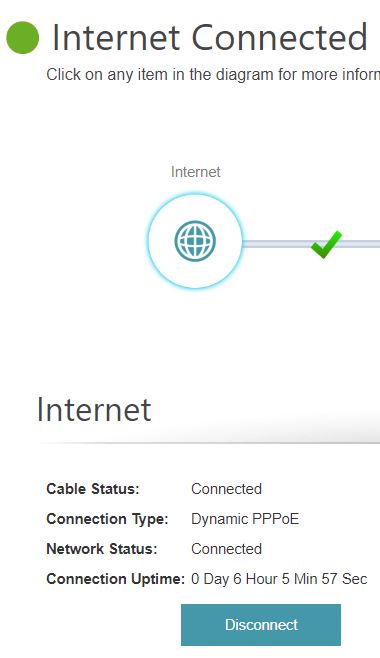
Not sure if anyone of you encounter similar problem like mine. Appreciate if you can share me some hints. Thanks in advance.
SilentVampire
post Jul 18 2019, 07:57 AM

Networking Enthusiast
*******
Senior Member
5,714 posts

Joined: Mar 2007


QUOTE(SmallPotato2011 @ Jul 17 2019, 11:45 PM)
I am using an original unifi router below and want to view my DVR thru internet (via IP address).

Model Name: DIR-842
Hardware Version: C2
Firmware Version: 3.01TM

I have refer some online guideline and setup the virtual server as "port forwarding" to the DVR, e.g 192.168.0.88:88. I can view my DVR within my LAN network but whenever I put the external IP address, I cant view it. Try to using some online open port check tool (e.g: https://canyouseeme.org/ ), the result is negative (error message:
Error: I could not see your service on 210.187.XXX.XXX on port (88)
Reason: Connection timed out )

Not sure if anyone of you encounter similar problem like mine. Appreciate if you can share me some hints. Thanks in advance.
*
You will need a public IP assigned to you. You are probably on private IP now. Call TM and ask to be assigned a public IP. Keep in mind that Unifi Basic 30Mbps are only assigned a private IP and they will not assign a public IP to you.
BTS1501
post Jul 19 2019, 09:34 AM

Getting Started
**
Junior Member
250 posts

Joined: May 2019
QUOTE(xhakox @ Jul 14 2019, 04:54 AM)
Hi sifus,

I’ve recently purchased a 2ndhand D-Link DIR882 router which I believe it’s a TIME fibre set. It’s running on firmware version 3.5.8tt (something like that).

*
firmware version : v1.00B07
https://www.dlink.com.my/dir-882-my/#firmware

How to configure :
https://www.dlink.com.my/support/Downloads/...878_842_882.pdf
SmallPotato2011
post Jul 19 2019, 06:14 PM

Regular
******
Senior Member
1,248 posts

Joined: May 2011
QUOTE(SilentVampire @ Jul 18 2019, 07:57 AM)
You will need a public IP assigned to you. You are probably on private IP now. Call TM and ask to be assigned a public IP. Keep in mind that Unifi Basic 30Mbps are only assigned a private IP and they will not assign a public IP to you.
*
Checked with unifi, they said my IP is under public IP now... bro, how ah? 🤔 any further hint?

QUOTE
Dear Sir/Madam,

Thank you for contacting unifi.

Referring to your email dated 18th July 2019 on the issue. We regret the inconvenience caused.

Pertaining to the query, upon checking in the system, we found that your current connection is establish under public IP. Therefore, you are advised to refer direct to device vendor for further assistance and feedback.
SmallPotato2011
post Jul 19 2019, 11:16 PM

Regular
******
Senior Member
1,248 posts

Joined: May 2011
I have try to Enable Remote Management with a particular port, e.g: 88... (was try to use this port for my DVR), it is viewable thru "https://canyouseeme.org/" . That's mean ISP did not block this port from my public IP....

So, I really dont know how to do now...

While set for Virtual Server thru my router DIR-842 for my DVR with port 88.... but still cannot viewable thru "https://canyouseeme.org/"...

Any brother can help? Please advise...

This post has been edited by SmallPotato2011: Jul 19 2019, 11:17 PM
SUStheonecafe
post Jul 20 2019, 07:50 AM

New Member
*
Junior Member
43 posts

Joined: Jul 2019


QUOTE(SilentVampire @ Jul 18 2019, 07:57 AM)
You will need a public IP assigned to you. You are probably on private IP now. Call TM and ask to be assigned a public IP. Keep in mind that Unifi Basic 30Mbps are only assigned a private IP and they will not assign a public IP to you.
*
I am on the new unifi rm129… do you know how to check if im assign a public ip or behind a double nat private ip?

I read somewhere if your router wan ip address ia the same as "what is my ip" in google then is public. If not then its private… not sure how true hmm.gif

This post has been edited by theonecafe: Jul 20 2019, 08:08 AM
SilentVampire
post Jul 20 2019, 08:24 AM

Networking Enthusiast
*******
Senior Member
5,714 posts

Joined: Mar 2007


QUOTE(SmallPotato2011 @ Jul 19 2019, 11:16 PM)
I have try to Enable Remote Management with a particular port, e.g: 88... (was try to use this port for my DVR), it is viewable thru "https://canyouseeme.org/" . That's mean ISP did not block this port from my public IP....

So, I really dont know how to do now...

While set for Virtual Server thru my router DIR-842 for my DVR with port 88.... but still cannot viewable thru "https://canyouseeme.org/"...

Any brother can help? Please advise...
*
Try disabling IPv6. I can see that IPv6 is active. You should be on public IP according to TM.

QUOTE(theonecafe @ Jul 20 2019, 07:50 AM)
I am on the new unifi rm129… do you know how to check if im assign a public ip or behind a double nat private ip?

I read somewhere if your router wan ip address ia the same as "what is my ip" in google then is public. If not then its private… not sure how true hmm.gif
*
You should be on public IP, and yes, if your router WAN address is same as whatsmyip, then it is public.
SUStheonecafe
post Jul 20 2019, 02:06 PM

New Member
*
Junior Member
43 posts

Joined: Jul 2019


QUOTE(SilentVampire @ Jul 20 2019, 08:24 AM)
Try disabling IPv6. I can see that IPv6 is active. You should be on public IP according to TM.
You should be on public IP, and yes, if your router WAN address is same as whatsmyip, then it is public.
*
Tq
SmallPotato2011
post Jul 20 2019, 03:13 PM

Regular
******
Senior Member
1,248 posts

Joined: May 2011
QUOTE(SilentVampire @ Jul 20 2019, 08:24 AM)
Try disabling IPv6. I can see that IPv6 is active. You should be on public IP according to TM.
You should be on public IP, and yes, if your router WAN address is same as whatsmyip, then it is public.
*
Disable the IPv6 already. Still cannot... 😕
SilentVampire
post Jul 20 2019, 04:39 PM

Networking Enthusiast
*******
Senior Member
5,714 posts

Joined: Mar 2007


QUOTE(SmallPotato2011 @ Jul 20 2019, 03:13 PM)
Disable the IPv6 already. Still cannot... 😕
*
Hmmm, you sure you on public IP? Log into your router and see what your WAN IP is? Please download Pingplotter and attach a picture of the trace to Google.com here on an Imgur link.

This post has been edited by SilentVampire: Jul 20 2019, 04:39 PM
Axdeaf
post Jul 20 2019, 08:45 PM

New Member
*
Newbie
3 posts

Joined: Jan 2011
QUOTE(xhakox @ Jul 14 2019, 04:54 AM)
Hi sifus,

I’ve recently purchased a 2ndhand D-Link DIR882 router which I believe it’s a TIME fibre set. It’s running on firmware version 3.5.8tt (something like that).

However, I’m using TM@Unifi and I couldn’t get it to work. I’ve already tried changing its pppoe to my unifi account login details. And it seemed like the router is not getting any internet connection.

What did I miss here? I tried googling around for ways to configure this router but I couldn’t find any guides that actually work. Or simply because it’s outdated. Because I noticed the guides on google show different interface and features than what I’m currently seeing when I wanna set up the router which really makes me confuse.

I’m starting to think that I made a wrong purchase. Or perhaps I didn’t properly configure the router for it to work.

Could anyone lend me a hand?
*
bro, i have the same issue as you. but mine is maxis. i had tried to flashing the stock firmware or ddwrt but still doesnt work. it said "Flashing failed ERROR - the image you uploaded failed to pass verification. Please make sure to use an official update."

i think i had purchased a "brick" that cannot be usable to Maxis/Unifi. haha.

Any sifu out there able to help? i dont mind bricking the dir 882 since already consider a "brick" to me.
SmallPotato2011
post Jul 21 2019, 10:49 PM

Regular
******
Senior Member
1,248 posts

Joined: May 2011
QUOTE(SilentVampire @ Jul 20 2019, 04:39 PM)
Hmmm, you sure you on public IP? Log into your router and see what your WAN IP is? Please download Pingplotter and attach a picture of the trace to Google.com here on an Imgur link.
*
Bro, yes. I am confirm. Enclose the relevant information in attachment. Hopefully can get some clue from you..


Attached thumbnail(s)
Attached Image Attached Image Attached Image
SilentVampire
post Jul 22 2019, 09:21 AM

Networking Enthusiast
*******
Senior Member
5,714 posts

Joined: Mar 2007


QUOTE(SmallPotato2011 @ Jul 21 2019, 10:49 PM)
Bro, yes. I am confirm. Enclose the relevant information in attachment. Hopefully can get some clue from you..
*
Looks like everything is configured correctly. I have no idea why you can't access the CCTV. I suggest trying with another router, as it could be a router issue.
SmallPotato2011
post Jul 22 2019, 10:09 AM

Regular
******
Senior Member
1,248 posts

Joined: May 2011
QUOTE(SilentVampire @ Jul 22 2019, 09:21 AM)
Looks like everything is configured correctly. I have no idea why you can't access the CCTV. I suggest trying with another router, as it could be a router issue.
*
Thanks a lot bro...
BenYeeHua
post Jul 23 2019, 07:01 AM

Regular
******
Senior Member
1,873 posts

Joined: Nov 2010


QUOTE(SmallPotato2011 @ Jul 21 2019, 10:49 PM)
Bro, yes. I am confirm. Enclose the relevant information in attachment. Hopefully can get some clue from you..
*
Maybe you are going to the wrong page, try click on the "Port Forwarding" on the left side of "Save" button.

And yes, I know that they are similar feature, except Virtual Server allow you to change different port for local and remote.
But worth a try. icon_rolleyes.gif

Also here is the guideline for setting up multiple port forward for single local IP address/machine, don't forgot to remove the config saved on "Virtual Server". wink.gif
http://support.dlink.com.sg/Downloads/DIR-...ulti-ports..pdf

If still unable to access via WAN, try disable the "Enable SPI IPv4" on Firewall settings, some SPI on router is too strict and causing issues to some features.


If still unable, well, try upgrade the firmware, it is v3.10 for the latest version, the upgrade page should allow you to "Check for New Firmware" and upgrade to latest version.

https://www.dlink.com.my/DIR-842/#firmware
---
Just a warning, the DMZ is the last, not recommend method, if after disable SPI and upgrade firmware don't solve your port forward issues, then change your router, or having a CCTV that having better method to bypass the Firewall(like connect to the cloud, but that is another privacy issues la).

This post has been edited by BenYeeHua: Jul 23 2019, 07:07 AM
chilskater
post Jul 28 2019, 01:06 AM

Regular
******
Senior Member
1,124 posts

Joined: Oct 2004
Best adsl modem?
Ludens92
post Jul 31 2019, 01:21 AM

New Member
*
Newbie
1 posts

Joined: Jul 2017


Hi i bought D-link DIR-895L AC5300 recently and it has some problems that i hope can troubleshoot:
1. Sometimes netflix will not load thumbnails and is often times unplayable in windows 10 app and browsers as well as ipad on the network using this router specifically (i tested other routers and no problems). I will attach pictures.
2. I sometimes cannot access certain websites. For example this one. Sometimes it will work.
3. The wifi speed is not as advertised when in smart connect mode.
4. This is the second d-link router i received after i requested a replacement from the seller for the same problems. I am thinking this is a d-link problem instead of a faulty router. Please advise on how to proceed.

user posted image

user posted image
edisoner90
post Aug 25 2019, 02:33 PM

Casual
***
Junior Member
355 posts

Joined: Sep 2013
is unifi stock router D-Link AC1200 DIR 842 better than TP-Link ARCHER AC1200??

This post has been edited by edisoner90: Aug 25 2019, 02:37 PM
SilentVampire
post Aug 25 2019, 03:26 PM

Networking Enthusiast
*******
Senior Member
5,714 posts

Joined: Mar 2007


QUOTE(edisoner90 @ Aug 25 2019, 02:33 PM)
is unifi stock router D-Link AC1200 DIR 842 better than TP-Link ARCHER AC1200??
*
Yes, but both are extremely basic. I recommend that you get your own third party router.
edisoner90
post Aug 25 2019, 04:33 PM

Casual
***
Junior Member
355 posts

Joined: Sep 2013
QUOTE(SilentVampire @ Aug 25 2019, 03:26 PM)
Yes, but both are extremely basic. I recommend that you get your own third party router.
*
thanks bro...i alrdy got a better router.. plan sell this router at garage sales.. hahaha
Singh93
post Sep 8 2019, 09:18 AM

Getting Started
**
Junior Member
224 posts

Joined: Sep 2019


Dlink 878 ,can support unifitv? Has the firmware been updated
kons
post Sep 9 2019, 03:25 PM

Конс
Group Icon
Moderator
6,180 posts

Joined: Oct 2004


Updated DIR-878 to firmware 1.2 yesterday.

Then captcha become 404 not found and I cannot login to the mgmt GUI anymore.
Keep saying the captcha is wrong.

user posted image
Singh93
post Sep 9 2019, 08:53 PM

Getting Started
**
Junior Member
224 posts

Joined: Sep 2019


Try reset router and try again
ejslayer
post Sep 11 2019, 08:04 PM

Getting Started
**
Junior Member
51 posts

Joined: Jun 2006
From: another planet


hello, im having issue with my Unifi Dlink Router, DIR-842 C2,
everytime i plug in cctv connection to the router, in few hours, sometimes few days, connection is lost, (power button blinking) n i will need to restart the router.. it will be ok n then will lost connection again later on.. repeatitively.. pls help..

this only happen if i plug in the cctv nvr, else no lost of connection happen at all.
*no issue with cctv nvr, checked. technician said maybe i need to check or open some port for the cctv, not sure this is done by ISP or a simple configuration on the router..

This post has been edited by ejslayer: Sep 11 2019, 08:11 PM
SilentVampire
post Sep 11 2019, 10:57 PM

Networking Enthusiast
*******
Senior Member
5,714 posts

Joined: Mar 2007


QUOTE(ejslayer @ Sep 11 2019, 08:04 PM)
hello, im having issue with my Unifi Dlink Router, DIR-842 C2,
everytime i plug in cctv connection to the router, in few hours, sometimes few days, connection is lost, (power button blinking) n i will need to restart the router.. it will be ok n then will lost connection again later on.. repeatitively.. pls help..

this only happen if i plug in the cctv nvr, else no lost of connection happen at all.
*no issue with cctv nvr, checked. technician said maybe i need to check or open some port for the cctv, not sure this is done by ISP or a simple configuration on the router..
*
Change to your own router.
ejslayer
post Sep 14 2019, 09:54 AM

Getting Started
**
Junior Member
51 posts

Joined: Jun 2006
From: another planet


QUOTE(SilentVampire @ Sep 11 2019, 10:57 PM)
Change to your own router.
*
unifi router not meant for cctv?

Jjuggler
post Sep 14 2019, 11:29 AM

Narcissistic Genius
******
Senior Member
1,341 posts

Joined: Dec 2016
QUOTE(ejslayer @ Sep 11 2019, 08:04 PM)

*no issue with cctv nvr, checked. technician said maybe i need to check or open some port for the cctv, not sure this is done by ISP or a simple configuration on the router..
*
There is your answer. Port forwarding. You can do this by yourself. Unifi provided router is basic, but it should be sufficient enough for general use unless if you wish to opt for a better third party router.
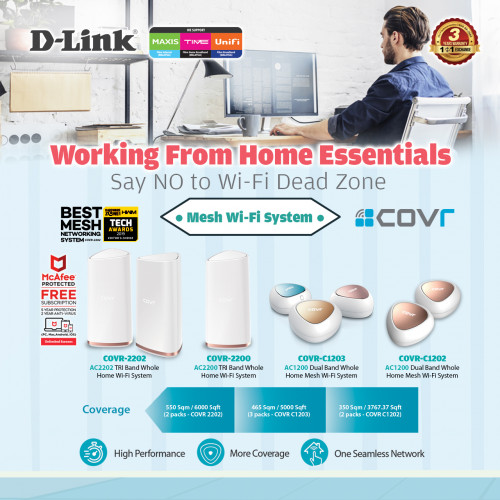
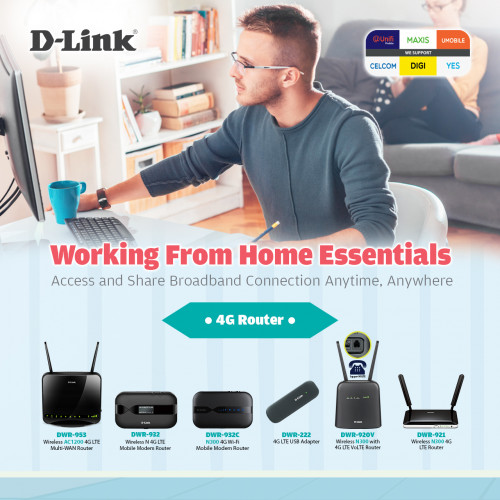
SilentVampire
post Sep 14 2019, 01:47 PM

Networking Enthusiast
*******
Senior Member
5,714 posts

Joined: Mar 2007


QUOTE(ejslayer @ Sep 14 2019, 09:54 AM)
unifi router not meant for cctv?
*
Unifi router is very basic. I only recommend you get another one as it sounds like it is a router issue.
ejslayer
post Sep 15 2019, 10:08 AM

Getting Started
**
Junior Member
51 posts

Joined: Jun 2006
From: another planet


QUOTE(Jjuggler @ Sep 14 2019, 11:29 AM)
There is your answer. Port forwarding. You can do this by yourself. Unifi provided router is basic, but it should be sufficient enough for general use unless if you wish to opt for a better third party router.
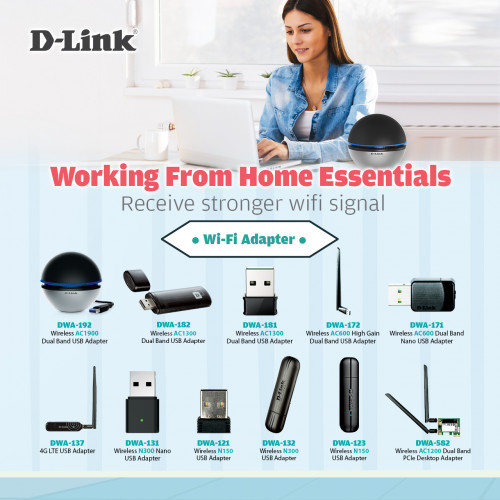
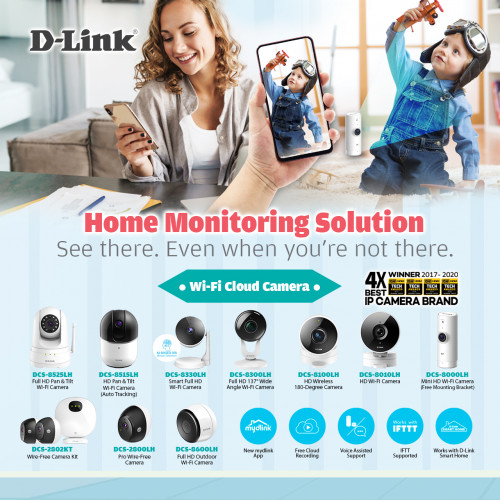
*
QUOTE(SilentVampire @ Sep 14 2019, 01:47 PM)
Unifi router is very basic. I only recommend you get another one as it sounds like it is a router issue.
*
thx guys, will try out a diff router n do port forwarding as well.. see what works.. thx
Max
post Sep 19 2019, 07:56 AM

Regular
******
Senior Member
1,705 posts

Joined: Jan 2003
From: Sepang - Putrajaya - Cyberjaya


i got DLink 842 C2 too after turbo to 300mbps.

it seems that this router not very stable..
if heavy PC downloading (lan), iptv sometimes got laggy.
the wifi also seems unstable, my phone always got receive notification of no internet on wifi (2.4ghz).. and on 5ghz it sometimes disconnected. doh.gif

on the other matter, how much MBps should i expected downloading from unifi 300mbps ? hmm.gif unsure.gif


Singh93
post Sep 29 2019, 10:44 AM

Getting Started
**
Junior Member
224 posts

Joined: Sep 2019


QUOTE(Max @ Sep 19 2019, 08:56 AM)
i got DLink 842 C2 too after turbo to 300mbps.

it seems that this router not very stable..
if heavy PC downloading (lan), iptv sometimes got laggy.
the wifi also seems unstable, my phone always got receive notification of no internet on wifi (2.4ghz).. and on 5ghz it sometimes disconnected.  doh.gif

on the other matter, how much MBps should i expected downloading from unifi 300mbps ?  hmm.gif  unsure.gif
*
Highly recommend u chang your router to something better,try asus/tplink routers.
On the other hand, U should be getting 37MB/s download speed
chuppy
post Oct 9 2019, 12:00 AM

Getting Started
**
Junior Member
55 posts

Joined: Sep 2005
QUOTE(xhakox @ Jul 14 2019, 09:24 PM)
Unfortunately, I can't read Chinese. However, thanks for sharing. I'll find a way to translate the page.
*
Have u solve the problem ??
I also have the dir822 from time internet. Still figuring how to do.
chuppy
post Oct 9 2019, 12:09 AM

Getting Started
**
Junior Member
55 posts

Joined: Sep 2005
QUOTE(D-Link @ Oct 31 2018, 04:26 PM)
No, that is a customized version.
*
Which means this router is useless. Unless I am on the time internet??

jiun89
post Oct 11 2019, 05:39 PM

New Member
*
Junior Member
26 posts

Joined: Jul 2009
hi everyone, Please help..... i m new to networking.. Bought dir 895L but have no idea to connect to maxis.

any sifu can help c whats the problem?

user posted image
SilentVampire
post Oct 11 2019, 06:10 PM

Networking Enthusiast
*******
Senior Member
5,714 posts

Joined: Mar 2007


QUOTE(jiun89 @ Oct 11 2019, 05:39 PM)
hi everyone, Please help..... i m new to networking.. Bought dir 895L but have no idea to connect to maxis.

any sifu can help c whats the problem?

user posted image
*
You need to configure VLAN tagging or IPTV mode for Maxis. Did you do that already? See here: http://global.dlink.com.sg/faq/faq_pdfs/DI...AN(Singtel).pdf

It is either VLAN 621 or 11 for Internet access.
jiun89
post Oct 11 2019, 06:20 PM

New Member
*
Junior Member
26 posts

Joined: Jul 2009
QUOTE(SilentVampire @ Oct 11 2019, 06:10 PM)
You need to configure VLAN tagging or IPTV mode for Maxis. Did you do that already? See here: http://global.dlink.com.sg/faq/faq_pdfs/DI...AN(Singtel).pdf

It is either VLAN 621 or 11 for Internet access.
*
thanks.. but we dont use iptv, is that a must to do vlan ? the port also ngam ngam enough use for lan connecting cctv, printer, nas, pc..
BenYeeHua
post Oct 12 2019, 07:18 AM

Regular
******
Senior Member
1,873 posts

Joined: Nov 2010


QUOTE(jiun89 @ Oct 11 2019, 06:20 PM)
thanks.. but we dont use iptv, is that a must to do vlan ? the port also ngam ngam enough use for lan connecting cctv, printer, nas, pc..
*
Just follow this until step 6, don't change the interface to IPTV at step 7, and you will having your 4 port for internet use. tongue.gif

And just FYI.
CODE
For Maxis VLAN
Internet: 621

http://support.dlink.com.sg/Downloads/DIR-...-and-TM(MY).pdf
SilentVampire
post Oct 12 2019, 08:25 AM

Networking Enthusiast
*******
Senior Member
5,714 posts

Joined: Mar 2007


QUOTE(jiun89 @ Oct 11 2019, 06:20 PM)
thanks.. but we dont use iptv, is that a must to do vlan ? the port also ngam ngam enough use for lan connecting cctv, printer, nas, pc..
*
Yes, Maxis and TM use VLAN tagging for Internet. If there are not enough LAN ports, I suggest getting a switch for additional LAN ports.
momuchi
post Oct 21 2019, 11:34 PM

Regular
******
Senior Member
1,065 posts

Joined: Jan 2003
From: Born in Kedah, Now @Putrajaya


QUOTE(Axdeaf @ Jul 20 2019, 08:45 PM)
bro, i have the same issue as you. but mine is maxis. i had tried to flashing the stock firmware or ddwrt but still doesnt work. it said "Flashing failed ERROR - the image you uploaded failed to pass verification. Please make sure to use an official update."

i think i had purchased a "brick" that cannot be usable to Maxis/Unifi. haha.

Any sifu out there able to help? i dont mind bricking the dir 882 since already consider a "brick" to me.
*
Try Russian firmware, TIME using them ftp.dlink.ru there also latest BETA SUPERMESH firmware V4.0

http://dlink.ru/ru/products/9/2239_d.html

This post has been edited by momuchi: Oct 21 2019, 11:37 PM
island
post Oct 24 2019, 01:37 AM

Regular
******
Senior Member
1,731 posts

Joined: Jan 2007


mod heatsink andor fan too for the router chipset
TSD-Link
post Nov 5 2019, 10:40 AM

Getting Started
**
Junior Member
67 posts

Joined: Oct 2017
QUOTE(Singh93 @ Sep 8 2019, 09:18 AM)
Dlink 878 ,can support unifitv? Has the firmware been updated
*
Yes, it can work without issue.
TSD-Link
post Nov 5 2019, 10:47 AM

Getting Started
**
Junior Member
67 posts

Joined: Oct 2017
QUOTE(Askzra @ Jun 3 2019, 04:57 PM)
hi, i just bought dlink DWR-932C E1, for my digi i150.

got problem where sometime the modem will shut down itself. if want to say battery dead, sometime it happens during charging (but only the power icon lights up, others turn off).

power saving feature is disabled.

this cause problem with my downloads. any suggestion to overcome this? my firmware is 01.04.DRS
*
Please send your device to warranty and checking.
It might be a device or battery issue which caused the auto shutdown.
XiaoGuiZuo
post Nov 9 2019, 11:11 AM

Getting Started
**
Junior Member
104 posts

Joined: Jul 2015
Hi all, I am having issue with one of the router that I have purchased few months ago.

Details below:
HW Version: J1
FW Version: ADM-206-DSL-2750U_DRS_NOF_R2064_20180209.adm-206-dsl-2750u_drs_nof_r2064_20180209

There is one issue which is the web management page will go to Error 500 after certain times, and need to restart in order to get the login page back.

user posted image

I have update the firmware to latest one as mentioned above but it is still having this issue, can someone helping out or have any idea on this?

weejian97
post Nov 12 2019, 11:34 AM

Getting Started
**
Junior Member
58 posts

Joined: Oct 2019


May I know the the connector plug size of DIR-842 router's power adapter? I wish to buy a new adapter
Max
post Nov 12 2019, 11:42 AM

Regular
******
Senior Member
1,705 posts

Joined: Jan 2003
From: Sepang - Putrajaya - Cyberjaya


QUOTE(weejian97 @ Nov 12 2019, 11:34 AM)
May I know the the connector plug size of DIR-842 router's power adapter? I wish to buy a new adapter
*
iinm, dir842 is non 'std (5.5mm)' size dc jack. it use smaller dc jack. dry.gif
if not wrong, 3.5mm size.

This post has been edited by Max: Nov 12 2019, 11:43 AM
kojan
post Nov 15 2019, 08:11 PM

New Member
*
Junior Member
15 posts

Joined: Jan 2010
Dear Support,
Im using yes sim card.. It seem it cannot work with DWR-932C E1. Does the modem support yes 4g sim?
island
post Nov 16 2019, 03:08 PM

Regular
******
Senior Member
1,731 posts

Joined: Jan 2007


QUOTE(XiaoGuiZuo @ Nov 9 2019, 11:11 AM)
Hi all, I am having issue with one of the router that I have purchased few months ago.

Details below:
HW Version: J1
FW Version: ADM-206-DSL-2750U_DRS_NOF_R2064_20180209.adm-206-dsl-2750u_drs_nof_r2064_20180209

There is one issue which is the web management page will go to Error 500 after certain times, and need to restart in order to get the login page back.

user posted image

I have update the firmware to latest one as mentioned above but it is still having this issue, can someone helping out or have any idea on this?
*
go for warrenty ASAP. if not mistaken the internal memory chipset is about to K.O. File system fragmentation
Zhe Xia
post Nov 29 2019, 09:51 PM

Getting Started
**
Junior Member
57 posts

Joined: Jan 2014


I bought the new model Dir-2660.
On the box it said,
"McAfee Protected
Free Subscription
5 year protection"

I use web browser to log into the router page but there is no menu selection for the "Protection from McAfee"
On the back of box, it said "all controlled and managed via mobile app".

But I prefer to use my laptop to access the router's setting page,
is there a way for me to control the "Protection" from laptop's web browser? (to turn on the "Protection" and check the status)?


hyalbert
post Dec 3 2019, 06:51 PM

New Member
*
Junior Member
31 posts

Joined: Oct 2008


I am currently using TM Unifi D-Link AC1200 DIR 842 stock router and all devices are connecting on wireless mode only. I would like to connect a android box using the LAN port. Is there any configuration to be done for using LAN or I just connect the cable to the LAN port?
SilentVampire
post Dec 3 2019, 10:45 PM

Networking Enthusiast
*******
Senior Member
5,714 posts

Joined: Mar 2007


QUOTE(Zhe Xia @ Nov 29 2019, 09:51 PM)
I bought the new model Dir-2660.
On the box it said,
"McAfee Protected
Free Subscription
5 year protection"

I use web browser to log into the router page but there is no menu selection for the "Protection from McAfee"
On the back of box, it said "all controlled and managed via mobile app".

But I prefer to use my laptop to access the router's setting page,
is there a way for me to control the "Protection" from laptop's web browser? (to turn on the "Protection" and check the status)?
*
Try logging into the router GUI. Go to a PC and run ipconfig/all to get the default gateway, and log into it to manage it.

QUOTE(hyalbert @ Dec 3 2019, 06:51 PM)
I am currently using TM Unifi D-Link AC1200 DIR 842 stock router and all devices are connecting on wireless mode only. I would like to connect a android box using the LAN port. Is there any configuration to be done for using LAN or I just connect the cable to the LAN port?
*
No. Just connect the cable to the LAN port and it will work.
JayceOoi
post Dec 12 2019, 09:29 AM

Pro Blogger
*******
Senior Member
2,741 posts

Joined: Jan 2007
For those interested...


Rainings
post Jan 12 2020, 12:31 PM

Regular
******
Senior Member
1,100 posts

Joined: Jul 2008
there is an exploit discover on DLink modem model DSL-2877AL
https://www.bleepingcomputer.com/news/secur...lose-passwords/

on the official au site it released a patch for it
can i use it to update my model on malaysia set?
http://support.dlink.com.au/Download/downl...L&type=Firmware

I also discovered there is always a random weird devices show up on the DHCP table.
Not any device that i own or from my family members.
usually something like this.

android-24fcc788014831d8 54:27:58:E5:23:32
HUAWEI_Y7_Prime 8C:25:05:A2:B2:BF
dlinkap EC:22:80:E3:98:44
Tenda F4:F2:6D:31:2A:26
android?? 00:9F:AC:6E:06:27

No matter how complicated my wifi password is it keep showing up weird devices on my DHCP table.

It is a pretty serious exploit.
please advise.

This post has been edited by Rainings: Jan 12 2020, 12:36 PM
moiskyrie
post Jan 19 2020, 12:32 PM

Look at all my stars!!
*******
Senior Member
3,217 posts

Joined: Dec 2006
From: City of Neko~~Nyaa~
Want to ask, currently using tm provide dir-842 router,
Got software need activate using port 3306, but no matter how I try port forward, the port still close. .
Any thing that I can try?
Using unifi 300mbps...
eugene_tan6
post Mar 10 2020, 11:07 PM

Casual
***
Junior Member
395 posts

Joined: Jan 2010


Hi guys, i recently switched to the D-link 878 router using maxis fibre. But, ever since I switched to this router, I am constantly getting a playback error when i stream youtube or other streaming sites whether i am on desktop or laptop. I tried clearing my cache for my browser since it could be the issue according to google but the problem still persists. Though the video loads when i refresh the page. Is there a problem with settings on my router? I followed all the steps following the guide. My internet speed and etc has no issues.
TSD-Link
post Mar 24 2020, 09:55 AM

Getting Started
**
Junior Member
67 posts

Joined: Oct 2017
D-Link Malaysia: Working from Home Essentials - Stay Connected, Productive & Secure

user posted image

Working from home? D-Link ensure that you are able to stay connected and keep an eye on your loved ones while you stay focused on your work at the same time with DWR-920V 4G LTE Wireless N300 Router with Voice LTE & DCS-8000LH Mini HD Wi-Fi Camera! 📡👁

DWR-920V + DCS-8000LH Bundle Set is now available on the market!

user posted image

user posted image

DWR-920V
Features:
✅ High-speed 4G LTE/3G connection up to 150Mbps downlink/ 50Mbps uplink
✅ Wireless N with speed up to 300Mbps
✅ Share a 4G LTE connection with up to 16 Wi-Fi devices
✅ Multiple 4G LTE (external) and Wi-Fi (internal) antennas for improved coverage
✅ 2 x Gigabit LAN ports, w/one port configurable as WAN
✅ RJ-11 phone port to connect a home phone
✅ Onboard Micro SIM slot


user posted image

DCS-8000LH
Features:
✅ Day & Night Vision
✅ Motion & Sound Detection
✅ Compact (mini) size
✅ Free Cloud Recording
✅ View and manage your camera remotely using the mydlink app
✅ Easy Setup


🛒 Shop now (selling at RM388 only):
➡️ Lazada: https://www.lazada.com.my/shop/d-link-official-store/
➡️ Shopee: https://shopee.com.my/dlink.os


For more information:
D-Link Malaysia Official Facebook
D-Link Malaysia Official Website


This post has been edited by D-Link: Mar 24 2020, 09:55 AM
dannyliew26 P
post Mar 24 2020, 10:30 AM

New Member
*
Probation
3 posts

Joined: Mar 2020
In this lockdown period, this bundle definitely can help me when working from home, will consider to buy one
freedjoe P
post Mar 24 2020, 05:45 PM

New Member
*
Probation
3 posts

Joined: Mar 2020
kind of good offer due this covid-19 issues for monitoring my office 👍🏽
muhdafi2693 P
post Mar 26 2020, 12:06 PM

New Member
*
Probation
4 posts

Joined: Mar 2020
thi is good promotion , i will buy it due lock down issues , for safety use to my office rclxms.gif
muhdafi2693 P
post Mar 26 2020, 05:35 PM

New Member
*
Probation
4 posts

Joined: Mar 2020
this is good promotion , i will buy it due lock down issues , for safety use to my home rclxms.gif
TSD-Link
post Mar 30 2020, 02:38 PM

Getting Started
**
Junior Member
67 posts

Joined: Oct 2017
D-Link Malaysia: Working from Home Essentials - Stay Connected, Productive & Secure

user posted image

Working from home? D-Link ensure that you are able to stay connected and keep an eye on your loved ones while you stay focused on your work at the same time 📡👁

Smart Mesh Router

user posted image

Upgrade to D-Link EXO Smart Mesh Router to enjoy a high speed mesh Wi-Fi and stay protected from viruses with the built-in McAfee antivirus protection.

Features:
✅ Smart Mesh Wi-Fi: lets you mix-and match compatible D-Link Wi-Fi Mesh routers and extenders to scale up your mesh Wi-Fi according to your needs.
✅ Free 5-Year + 2 Years McAfee Antivirus Protection for every device connected
✅ Works with Google Assistant or Alexa
✅ Comprehensive Parental Controls


Wi-Fi Mesh System

user posted image

Stay connected with D-Link COVR Mesh Wi-Fi System for a stable, consistent, and truly seamless Wi-Fi.

Features:
✅ Wi-Fi Mesh: the powerful mesh solution that gives you perfect Wi-Fi coverage in every corner of your home.
✅ More Coverage: with coverage options up to 6000 sq. ft.
✅ One Seamless Network: there's just one wireless network name (SSID) for your entire home, no matter where you are.


4G Router

user posted image

Delivering a fast and reliable network is what we do. Access and share broadband connection anytime, anywhere with D-Link 4G routers.

Wi-Fi Adapter

user posted image

Get a better and stronger Wi-Fi signal with D-Link Wi-Fi Adapters.

Wi-Fi Cloud Camera

user posted image

Keep an eye on your loved ones while you stay focused on your work at the same time with D-Link Wi-Fi Cloud Cameras! 📡👁

Features:
✅ Day & night vision
✅ Motion & Sound detection
✅ View and manage your camera remotely using the mydlink app
✅ Free cloud recording
✅ Easy setup


🛒 Shop now:
➡️ Lazada: https://www.lazada.com.my/shop/d-link-official-store/
➡️ Shopee: https://shopee.com.my/dlink.os


For more information:
D-Link Malaysia Official Facebook
D-Link Malaysia Official Website

dannyliew26 P
post Mar 30 2020, 02:50 PM

New Member
*
Probation
3 posts

Joined: Mar 2020
Used the D-Link EXO Mesh Router before, has POWERFULL PROCESSOR AND CAN ADD ON MESH EXTENDER FOR EXTEND COVERAGE
And their IP cam is EASY SETTING AND CAN USE APP SEE THE CLOUD RECORD👍👍
muhdafi2693 P
post Mar 30 2020, 02:57 PM

New Member
*
Probation
4 posts

Joined: Mar 2020
one of my best solution because , it save the cost and giving a best performance aswell . worth every bucks .👍🏽👍🏽👍🏽
iPad
post Mar 31 2020, 09:13 PM

New Member
*
Junior Member
9 posts

Joined: Feb 2010
QUOTE(D-Link @ Mar 30 2020, 02:38 PM)
D-Link Malaysia: Working from Home Essentials - Stay Connected, Productive & Secure

user posted image

Working from home? D-Link ensure that you are able to stay connected and keep an eye on your loved ones while you stay focused on your work at the same time 📡👁

Smart Mesh Router

user posted image

Upgrade to D-Link EXO Smart Mesh Router to enjoy a high speed mesh Wi-Fi and stay protected from viruses with the built-in McAfee antivirus protection.

Features:
✅ Smart Mesh Wi-Fi: lets you mix-and match compatible D-Link Wi-Fi Mesh routers and extenders to scale up your mesh Wi-Fi according to your needs.
✅ Free 5-Year + 2 Years McAfee Antivirus Protection for every device connected
✅ Works with Google Assistant or Alexa
✅ Comprehensive Parental Controls


Wi-Fi Mesh System

user posted image

Stay connected with D-Link COVR Mesh Wi-Fi System for a stable, consistent, and truly seamless Wi-Fi.

Features:
✅ Wi-Fi Mesh: the powerful mesh solution that gives you perfect Wi-Fi coverage in every corner of your home.
✅ More Coverage: with coverage options up to 6000 sq. ft.
✅ One Seamless Network: there's just one wireless network name (SSID) for your entire home, no matter where you are.


4G Router

user posted image

Delivering a fast and reliable network is what we do. Access and share broadband connection anytime, anywhere with D-Link 4G routers.

Wi-Fi Adapter

user posted image

Get a better and stronger Wi-Fi signal with D-Link Wi-Fi Adapters.

Wi-Fi Cloud Camera

user posted image

Keep an eye on your loved ones while you stay focused on your work at the same time with D-Link Wi-Fi Cloud Cameras! 📡👁

Features:
✅ Day & night vision
✅ Motion & Sound detection
✅ View and manage your camera remotely using the mydlink app
✅ Free cloud recording
✅ Easy setup


🛒 Shop now:
➡️ Lazada: https://www.lazada.com.my/shop/d-link-official-store/
➡️ Shopee: https://shopee.com.my/dlink.os


For more information:
D-Link Malaysia Official Facebook
D-Link Malaysia Official Website

*
Hi. I spoilt my power adapter for my routher D-Link DiR842 C2. Can i know the power pin to connect to the router is how many mm ? 2.1mm / 1.35mm or something else. Thanx for reply. Tq

alanelf
post Apr 2 2020, 01:19 AM

The Geek
****
Senior Member
640 posts

Joined: Mar 2006
From: S.Jaya, Selangor
Does any one here use The DIR-1360 or DIR-2660 Router facing google / YouTube / gmail unable to access and bad WiFi signal
Alpha_Tay
post Apr 3 2020, 07:12 PM

Beware The Spammer Star!
******
Senior Member
1,725 posts

Joined: Jan 2003
DIR-842 Firmware Release Notes

Firmware: 3.13B09 Hotfix
Hardware: Cx
Date: December 23, 2019

Problems Resolved: - CVE-2019-18852 - Hard-coded telnet credentials

3rd Party Report Information:- https://nvd.nist.gov/vuln/detail/CVE-2019-18852

DISCLAIMER: Please note that this is a device beta software, beta firmware, or hot-fix release which is still undergoing final testing before its official release. The beta software, beta firmware, or hot-fix is provided on an “as is” and “as available” basis and the user assumes all risk and liability for use thereof. D-Link does not provide any warranties, whether express or implied, as to the suitability or usability of the beta firmware. D-Link will not be liable for any loss, whether such loss is direct, indirect, special or consequential, suffered by any party as a result of their use of the beta firmware.

ftp://ftp2.dlink.com/SECURITY_ADVISEMENTS...3B09_HOTFIX.pdf

ftp://ftp2.dlink.com/SECURITY_ADVISEMENTS...3B09_HOTFIX.zip

https://support.dlink.com/ProductInfo.aspx?m=DIR-842


D-Link Corporation confidential

DIR-842 Firmware Release Notes

Firmware: FW v3.13
Hardware: Rev. C x
Data:2019/11/1

Note:
• The firmware version is advanced to v3.1 3
• The firmware v3.1 3 must be upgraded from the transitional version of firmware v3.02 b03 _middle

Problem Resolved:
• Fix ipv6 issue in special environment

Enhancements:
• Support WPA3/ SAE
• Force user to setup admin password during wizard flow.
• Support tftpd64.

---------------------- END ----------------------

http://pmdap.dlink.com.tw/PMD/GetAgileFile...0724E7;27239.0;

http://pmdap.dlink.com.tw/PMD/GetAgileFile...0724E7;27239.0;

D-Link Corporation confidential

DIR-842 Firmware Release Notes

Firmware: FW v3.02
Hardware: Rev. C x
Data:2018/07/20

Note:
The firmware v3.02
is the transitiona l version for upgrading to v3.10b005 or later version.

---------------------- END ----------------------


http://pmdap.dlink.com.tw/PMD/GetAgileFile...7575E7;13898.0;

http://pmdap.dlink.com.tw/PMD/GetAgileFile...7575E7;13898.0;

https://tsd.dlink.com.tw/


should be compatible with unifi D-Link DIR-842, same firmware as from D-Link malaysia website.

https://www.dlink.com.my/DIR-842/

https://www.dlink.com.sg/wp-content/uploads...1_FW310b051.zip

https://www.dlink.com.my/DIR-842/


Certification ID: WFA70905

Date of Last Certification July 25, 2019

Model Number DIR-842

Product Identifier(s) DIR-843 A1 (SKU)

Hardware Version Product: C1, Wi-Fi Component: C1

Firmware Version Product: 3.13, Wi-Fi Component: 3.13

Summary of Certifications

PROGRAM

Wi-Fi CERTIFIED™ a, b, g, n, ac

WPA™ - Personal

WPA2™ - Personal

WPA3™ - Personal


http://certifications.prod.wi-fi.org/pdf/c...ad?cid=WFA70905

This post has been edited by Alpha_Tay: Apr 3 2020, 07:41 PM
Rudd
post Apr 6 2020, 03:34 AM

Look at all my stars!!
*******
Senior Member
4,043 posts

Joined: Jul 2010

D-Link 920v, does it able to force lock LTE band?
Using for unifi air.
cendolpulut
post Apr 6 2020, 10:45 AM

New Member
*
Newbie
24 posts

Joined: Oct 2018
Hi guys,
Recently bought a COVR-2202 for my house.
I've turned off DNS Relay due to bad experiences in the first few days, however recently my devices will suddenly lose connection to internet (all at the same time).
Checking ipconfig shows me that the DNS server has changed to
fec0:0:0:ffff::1%1
fec0:0:0:ffff::2%1
fec0:0:0:ffff::3%1

instead of the expected 192168.1.1

What could be the issue?

devil_x
post Apr 6 2020, 10:44 PM

Casual
***
Junior Member
483 posts

Joined: Jan 2003
From: some where..some place

hi, bought AC1750, aka DIR842. saw previous post, suggested to factory reset but still no success. anyway to enter the router admin??

first time use, enter blank, not working. tried "admin", tried "password" also not working. factory reset, tried again also not working. i cant setup to change my wifi password.

any suggestion to resolve this??

thanks in advance!

also. on the packaging, it says its DIR-868L, but the router admin login page says its DIR-842. so in actual, its 842 or 868??


This post has been edited by devil_x: Apr 6 2020, 10:50 PM
PC_CHEAH
post Apr 7 2020, 03:41 PM

Getting Started
**
Junior Member
67 posts

Joined: Jun 2015


QUOTE(devil_x @ Apr 6 2020, 10:44 PM)
hi, bought AC1750, aka DIR842. saw previous post, suggested to factory reset but still no success. anyway to enter the router admin??

first time use, enter blank, not working. tried "admin", tried "password" also not working. factory reset, tried again also not working. i cant setup to change my wifi password.

any suggestion to resolve this??

thanks in advance!

also. on the packaging, it says its DIR-868L, but the router admin login page says its DIR-842. so in actual, its 842 or 868??
*
Check the stickers below the router to confirm which model u have
Aqils
post Apr 8 2020, 12:03 AM

New Member
*
Junior Member
12 posts

Joined: May 2013
Hi, I have the DIR-842. 5Ghz sometimes disconnect all devices for like 20 seconds every 1 or 2 hours. 2.4Ghz is okay.

Also when using Plex on my Samsung TV, my connection sometimes drops.

Anyone know why?
SilentVampire
post Apr 8 2020, 11:16 AM

Networking Enthusiast
*******
Senior Member
5,714 posts

Joined: Mar 2007


QUOTE(Aqils @ Apr 8 2020, 12:03 AM)
Hi, I have the DIR-842. 5Ghz sometimes disconnect all devices for like 20 seconds every 1 or 2 hours. 2.4Ghz is okay.

Also when using Plex on my Samsung TV, my connection sometimes drops.

Anyone know why?
*
Yes, the router is crap unfortunately. Time to change.
alex_ck2
post Apr 8 2020, 01:28 PM

New Member
*
Newbie
7 posts

Joined: May 2008
Anybody know how to set up VPN using DIR-868? Would appreciate if you can share.
Hwoarang45
post Apr 11 2020, 06:37 AM

Hardcore Gamer
******
Senior Member
1,848 posts

Joined: Jan 2003
From: Boleh Land


im interested to upgrade my aging router , may i know can DIR-825+ wan support PPPoE mode over my dlink dsl modem for streamyx? currently using tplink 3600 to PPPoE over the dlink modem.
Hwoarang45
post Apr 12 2020, 03:54 AM

Hardcore Gamer
******
Senior Member
1,848 posts

Joined: Jan 2003
From: Boleh Land


does @d-link rep reply here anymore ?
Alpha_Tay
post Apr 12 2020, 12:24 PM

Beware The Spammer Star!
******
Senior Member
1,725 posts

Joined: Jan 2003
https://www.dlink.com.my/dir-825-2/

https://www.dlink.com.sg/wp-content/uploads..._Setup_Card.pdf

https://tsd.dlink.com.tw/

http://pmdap.dlink.com.tw/PMD/GetAgileFile...Size=5020834.0;
Hwoarang45
post Apr 12 2020, 02:45 PM

Hardcore Gamer
******
Senior Member
1,848 posts

Joined: Jan 2003
From: Boleh Land


nvm thx

This post has been edited by Hwoarang45: Apr 13 2020, 01:10 AM
hoxxaf
post Apr 25 2020, 08:36 PM

Getting Started
**
Junior Member
138 posts

Joined: May 2008
Hi. Im using DWR-920v wireless 4g router with digi Infinite 150. The signal here ranging 2-3. Just wonder, if I use this antenna(MIMO 4g antenna), can the signal will be better? (reach 4 bar maybe)

antenna: https://www.youtube.com/watch?v=jSAlruMXq-w
steventan85
post May 4 2020, 12:59 PM

Look at all my stars!!
*******
Senior Member
6,447 posts

Joined: Jan 2006
is DIR868L @ RM85 , Shopee a good buy ?

just need a normal router for normal daily usage.....

1200sf condo with 3 rooms ... current DIR850L cant cover the 3rd room .... hope to use DIR850L as bridging mode ....
Alpha_Tay
post Jun 15 2020, 04:57 PM

Beware The Spammer Star!
******
Senior Member
1,725 posts

Joined: Jan 2003
it seem there is some bug at the unifi D-Link DIR-850L router 2.12TM firmware release at 2019, Dahua imou Ip Camera Cloud Live Stream would Disconnect 99% of time, While LAN and Wifi Live Stream still working 100% of time, but 6 Models, 4 Brands of newer and older generation Ip Camera Cloud Live Stream would still working well 100% of time.

tried to reset and reconfig/setting manually without config backup and upload unifi D-Link DIR-850L router, bug issue still happen.

tried to Enable UPnP: ; IPv4 Multicast Streams: ; IPv6 Multicast Streams: ; Application Level Gateway (ALG) Configuration ; PPTP: ; IPSec (VPN): ; RTSP: ; SIP: ; and Multiple Port Forwarding, work a while and Cloud Disconnect again.

Enable DMZ: work but didn't spend the times to test it for how long, but DMZ work for only single device/IP.

Tested Dahua imou Ip Camera Cloud Live Stream with TP-Link Deco M4 v2 Latest Firmware 190917 , working 100% of time.

more Detail Report here : https://forum.lowyat.net/index.php?showtopi...&#entry97021190

subscribe and install unifi fibre 30mbps at December 2017, the unifi D-Link DIR-850L router came with newer Default Firmware 2.09TM , the Sticker at the plastic router casing and package box bottom has Firmware 2.09TM written, the big multiple Realtek Chipset security issue was fixed with this Default Firmware. never tried to play with different Region firmware upload & install manually with this router, the only firmware upgrade done was 2.10TM and 2.12TM , at router web interface Check for New Firmware.

tried to Flash unifi D-Link DIR-850L with newest international Firmware 2.23 with lastest fixes, 1st Boot to D-Link Router Recovery Mode and flash Middle Firmware DIR850LB1_FW210WWb03.bin , then router web interface Upgrade Manually DIR850LB1_FW220WWb03.bin , then DIR850LB1_FW223WWb01.bin , after that Restore To Factory Default Settings and reconfig/setting manually without config backup and upload.

https://forum.lowyat.net/index.php?showtopi...&#entry86448823

http://forums.dlink.com/index.php?topic=44909.0

ftp://ftp2.dlink.com/SECURITY_ADVISEMENTS...CH_v2.20B03.zip

http://pmdap.dlink.com.tw/PMD/GetAgileFile...3494E7;19623.0;

http://pmdap.dlink.com.tw/PMD/GetAgileFile...0064E7;15877.0;

ftp://ftp2.dlink.com/PRODUCTS/DIR-850L/RE...BM8_WW_BETA.zip

with Latest international Firmware 2.23 , all [Dahua imou Ip Camera Cloud Live Stream would Disconnect 99% of time] issue was gone, now Dahua imou Ip Camera Cloud Cloud Live Stream was working 100% of time, same as all other [6 Models, 4 Brands of newer and older generation Ip Camera Cloud Live Stream would still working well 100% of time.] with all setting turned off [UPnP: ; IPv4 Multicast Streams: ; IPv6 Multicast Streams: ; Application Level Gateway (ALG) Configuration ; PPTP: ; IPSec (VPN): ; RTSP: ; SIP: ; Multiple Port Forwarding ; DMZ]

another issue happen since 2.12TM firmware also gone, System Log E-Mail, now it's also working 100% of time. this issue doesn't happen at 2.10TM firmware.

https://forum.lowyat.net/index.php?showtopi...&#entry92708171

https://forum.lowyat.net/index.php?showtopi...&#entry92708161

https://forum.lowyat.net/index.php?showtopi...&#entry92708142

the D-Link DIR-850L international firmware doesn't have TM TR-069 and other customization, router web interface is much smoother.
stanum
post Jun 16 2020, 12:40 AM

SharePoint enthusiast
*****
Senior Member
706 posts

Joined: Jan 2005


Hi all.
Need help. Just bought COVR-1100 to extend my wifi network with COVR-2202 unfortunately. I cannot extend it. Seems like COVR-1100 are not compatible with COVR-2202. Other way is to create separate network, but i dont want that. All i want is to have all 4 dlink mesh wifi (2x covr-2202 & 2x covr-1100) to work together as unified AP. I am bit frustrated now. Spending a lot of money but didnt get any result that i want. What should i do? Any helpers or guidance to point me to the correct resolution? Tq
DemonKnight
post Aug 23 2020, 03:19 PM

Getting Started
**
Junior Member
238 posts

Joined: Jun 2008
Dlink such a rubbish pruducer should be vanish from earth

This post has been edited by DemonKnight: Aug 23 2020, 03:19 PM
Alpha_Tay
post Aug 25 2020, 01:28 PM

Beware The Spammer Star!
******
Senior Member
1,725 posts

Joined: Jan 2003
QUOTE(Alpha_Tay @ Aug 16 2020, 04:30 AM)
unifi D-Link DIR-850L B1 international firmware 2.23 can reach 800mbps speedtest smoothly without issue, while unifi TP-Link C1200 v1 couldnt do it.

is it due to architecture different even though C1200 has around 36% better CPU?

RTL8197D Lexra RLX5281 500 / 660 MHz

https://forum.openwrt.org/t/support-for-dli...r-850l-b1/68569

https://wikidevi.wi-cat.ru/Realtek/SoC

Broadcom BCM47189B0 900 MHz

http://en.techinfodepot.shoutwiki.com/wiki...cher_C1200_v1.x

https://www.speedtest.net/result/c/7f65af1d...a2-4aa849c7d47d

Test Description DIR-850L
WAN - LAN 910 Mbps
LAN - WAN 907 Mbps
Total Simultaneous 312 Mbps
Maximum Simultaneous Connections 19,705
Firmware Version 1.0.7

https://www.smallnetbuilder.com/wireless/wi...eviewed?start=2
*
miyakochan89
post Sep 23 2020, 08:28 AM

Wut?
*******
Senior Member
6,724 posts

Joined: Aug 2008


Im using Dlink AC2600. Lately i have been having intermittent connection issues with its Wifi, happens on my phone and PC.

PC - streaming stops every 10 minutes until i refresh, gaming keeps getting disconnected, can't connect back until i flush dns.

Phone - video call/call via wifi keeps getting disconnected half way.

What is going on ya?
I am using TIME.

I checked the firmware, there's no further update.

This post has been edited by miyakochan89: Sep 23 2020, 08:29 AM
island
post Oct 6 2020, 02:28 PM

Regular
******
Senior Member
1,731 posts

Joined: Jan 2007


How can I configure the dsl 2750e-v1 work like a repeater? Or bridge with differ dlink model router? I found out dlink website says bridge mode, just not sure what's and how it work?
hengcw
post Jan 18 2021, 08:38 AM

New Member
*
Newbie
4 posts

Joined: Nov 2009
Hi D-Link support
Recently bought D-link DIR1360 to replace old Unifi Router.
Everything run good with easy setup.
Before replace to D-link DIR1360. I'm connect my hypptv box with through WIFI from old Unifi router.
I'm try to setup WIFI connectivity hypptv. But there is no setting for me to do that.
Can you guys add this setting in new firmware? Some D-link router can be done.
taqu
post Jan 18 2021, 01:04 PM

Enthusiast
*****
Junior Member
864 posts

Joined: May 2005
QUOTE(Alpha_Tay @ Jun 15 2020, 04:57 PM)
it seem there is some bug at the unifi D-Link DIR-850L router 2.12TM firmware release at 2019, Dahua imou Ip Camera Cloud Live Stream would Disconnect 99% of time, While LAN and Wifi Live Stream still working 100% of time, but 6 Models, 4 Brands of newer and older generation Ip Camera Cloud Live Stream would still working well 100% of time.

tried to reset and reconfig/setting manually without config backup and upload unifi D-Link DIR-850L router, bug issue still happen.

tried to Enable UPnP: ; IPv4 Multicast Streams: ; IPv6 Multicast Streams: ; Application Level Gateway (ALG) Configuration ; PPTP: ; IPSec (VPN): ; RTSP: ; SIP: ; and Multiple Port Forwarding, work a while and Cloud Disconnect again.

Enable DMZ: work but didn't spend the times to test it for how long, but DMZ work for only single device/IP.

Tested Dahua imou Ip Camera Cloud Live Stream with TP-Link Deco M4 v2 Latest Firmware 190917 , working 100% of time.

more Detail Report here : https://forum.lowyat.net/index.php?showtopi...&#entry97021190

subscribe and install unifi fibre 30mbps at December 2017, the unifi D-Link DIR-850L router came with newer Default Firmware 2.09TM , the Sticker at the plastic router casing and package box bottom has Firmware 2.09TM written, the big multiple Realtek Chipset security issue was fixed with this Default Firmware. never tried to play with different Region firmware upload & install manually with this router, the only firmware upgrade done was 2.10TM and 2.12TM , at router web interface Check for New Firmware.

tried to Flash unifi D-Link DIR-850L with newest international Firmware 2.23 with lastest fixes, 1st Boot to D-Link Router Recovery Mode and flash Middle Firmware DIR850LB1_FW210WWb03.bin , then router web interface Upgrade Manually DIR850LB1_FW220WWb03.bin , then DIR850LB1_FW223WWb01.bin , after that Restore To Factory Default Settings and reconfig/setting manually without config backup and upload.

https://forum.lowyat.net/index.php?showtopi...&#entry86448823

http://forums.dlink.com/index.php?topic=44909.0

ftp://ftp2.dlink.com/SECURITY_ADVISEMENTS...CH_v2.20B03.zip

http://pmdap.dlink.com.tw/PMD/GetAgileFile...3494E7;19623.0;

http://pmdap.dlink.com.tw/PMD/GetAgileFile...0064E7;15877.0;

ftp://ftp2.dlink.com/PRODUCTS/DIR-850L/RE...BM8_WW_BETA.zip

with Latest international Firmware 2.23 , all [Dahua imou Ip Camera Cloud Live Stream would Disconnect 99% of time] issue was gone, now Dahua imou Ip Camera Cloud Cloud Live Stream was working 100% of time, same as all other [6 Models, 4 Brands of newer and older generation Ip Camera Cloud Live Stream would still working well 100% of time.] with all setting turned off [UPnP: ; IPv4 Multicast Streams: ; IPv6 Multicast Streams: ; Application Level Gateway (ALG) Configuration ; PPTP: ; IPSec (VPN): ; RTSP: ; SIP: ; Multiple Port Forwarding ; DMZ]

another issue happen since 2.12TM firmware also gone, System Log E-Mail, now it's also working 100% of time. this issue doesn't happen at 2.10TM firmware.

https://forum.lowyat.net/index.php?showtopi...&#entry92708171

https://forum.lowyat.net/index.php?showtopi...&#entry92708161

https://forum.lowyat.net/index.php?showtopi...&#entry92708142

the D-Link DIR-850L international firmware doesn't have TM TR-069 and other customization, router web interface is much smoother.
*
Dahua have cloud service & app to view your stream outside? My D-Link IP cameras have no issue with port forwarding the last time I use DIR-850L with 2.12 TM firmware. Otherwise I think both are not compatible.
taqu
post Jan 18 2021, 01:08 PM

Enthusiast
*****
Junior Member
864 posts

Joined: May 2005
QUOTE(DemonKnight @ Aug 23 2020, 03:19 PM)
Dlink such a rubbish pruducer should be vanish from earth
*
Agree to some extent. I use their IP cameras without any problem. D-Link DIR-868L default firmware is nothing great until I flashed third-party Tomato firmware biggrin.gif
Alpha_Tay
post Jan 18 2021, 04:01 PM

Beware The Spammer Star!
******
Senior Member
1,725 posts

Joined: Jan 2003
QUOTE(taqu @ Jan 18 2021, 01:04 PM)
Dahua have cloud service & app to view your stream outside? My D-Link IP cameras have no issue with port forwarding the last time I use DIR-850L with 2.12 TM firmware. Otherwise I think both are not compatible.
*
QUOTE(Alpha_Tay @ Jun 15 2020, 04:57 PM)
it seem there is some bug at the unifi D-Link DIR-850L router 2.12TM firmware release at 2019, Dahua imou Ip Camera Cloud Live Stream would Disconnect 99% of time, While LAN and Wifi Live Stream still working 100% of time, but 6 Models, 4 Brands of newer and older generation Ip Camera Cloud Live Stream would still working well 100% of time.
*
rkwan67
post Feb 4 2021, 08:31 PM

Look at all my stars!!
*******
Senior Member
2,455 posts

Joined: Feb 2005
From: --Hidden--


Hi D-Link,

i recently was given D-Link DIR-825M for signing up TM Unifi. however, i have issue with Static route configuration. whenever i enable static route with the following config, the PPPoE will disconnect and never connect again. once i delete my route, and disable static route, then PPPoE would just work.

is this a bug? has it able to resolved via firmware?

Firmware version: HW:A1 FW:DIR-825M_V1.1.7

user posted image
coo|dude
post Feb 6 2021, 12:03 PM

Cool By The Pool!
******
Senior Member
1,064 posts

Joined: Oct 2008


I have DNS-320 sharecenter which I haven't been using for a long time. Today I boot it up and realized it is on a static IP and I am unable to access its configuration page despite entering the IP address on my browser. I am unsure if it is on the subnet or not. So I tried to reset it by clicking on the reset button at the back of the sharecenter but it doesn't seem to reset.

How can I reset it or at least access it's configuration page?


bell2roy
post Feb 11 2021, 10:01 AM

New Member
*
Junior Member
29 posts

Joined: Mar 2015
@d-link May I know what is the vlan number settings for digi fiber internet,VOIP,IPTV include(digi,digi-CT Sabah,digi TNB,digi TM)?

Attached Image
Edison83
post Mar 16 2021, 11:36 PM

No Games No Life.
******
Senior Member
1,374 posts

Joined: Jun 2008
From: Red Comet


Do anyone having trouble with the new DIR-X5460??

Problem
1. Keep getting randomly disconnected from the internet and it automatically reconnect later on. There 1 time it took 1 minute to reconnect.
2. Within the 1st 24hours of use, my wifi signal totally gone, but when i check the setting, it was enabled. The fix is just restart the router, however this shouldn't happen anyway.
3. Obviously I bought DIR-X5460, why in setting it was named DIR-X1560?

Is this a known issue or should I get a refund?


[UPDATE] It seems that D-Link themselves flash the wrong firmware on my batch. Download the firmware tsd.dlink.com.tw
Then do manual firmware update, now tested for 12 hours without a single disconnection from the internet (compare from before at least once every hour).
Will report back if the internet connection still unstable otherwise can consider already fixed.

This post has been edited by Edison83: Mar 18 2021, 10:15 AM
Brotherjoe
post Mar 23 2021, 10:39 PM

Look at all my stars!!
*******
Senior Member
2,215 posts

Joined: Jan 2003
From: Ipoh/Penang/PJ/Melaka
Anyone here using openwrt firmware?
https://openwrt.org/toh/start
StevenL
post Apr 19 2021, 01:06 PM

Enthusiast
*****
Junior Member
732 posts

Joined: Jul 2010
D-Link

Hi current DIR-842 provided by TM is 3.06TM dated 29-04-2019. Can i update it to latest Firmware: v3.13B05 per your website? Also will the new firmware allows the router to become a repeater?

Or should i just dump this and get a better latest router with Wifi 6

Thanks!
gc68
post May 5 2021, 04:46 PM

Getting Started
**
Junior Member
132 posts

Joined: Jan 2011

Dual DIR-X5460 in mesh network configuration ?

I heard that D-Link will be releasing an updated firmware that allows multiple DIR-X5460 routers to be configured as a mesh network.

Rumour says that the firmware will be out in June.

Can anyone confirm this ?
gc68
post May 6 2021, 09:18 AM

Getting Started
**
Junior Member
132 posts

Joined: Jan 2011
QUOTE(Edison83 @ Mar 16 2021, 11:36 PM)
Do anyone having trouble with the new DIR-X5460??

Problem
1. Keep getting randomly disconnected from the internet and it automatically reconnect later on. There 1 time it took 1 minute to reconnect.
2. Within the 1st 24hours of use, my wifi signal totally gone, but when i check the setting, it was enabled. The fix is just restart the router, however  this shouldn't happen anyway.
3. Obviously I bought DIR-X5460, why in setting it was named DIR-X1560?

Is this a known issue or should I get a refund?
[UPDATE] It seems that D-Link themselves flash the wrong firmware on my batch. Download the firmware tsd.dlink.com.tw
Then do manual firmware update, now tested for 12 hours without a single disconnection from the internet (compare from before at least once every hour).
Will report back if the internet connection still unstable otherwise can consider already fixed.
*
Thanks for sharing.

I bought the X5460 about the same time as you did. My firmware version is 1.04.

Is your current firmware on v1.10 ?

I just noticed that v1.10 supports Easy Mesh now - just what I was looking for!


gc68
post May 11 2021, 09:55 AM

Getting Started
**
Junior Member
132 posts

Joined: Jan 2011
Appreciate your thoughts and comments on these options of set up using D-Link equipment :

1x DIR-X5460

2x COVR 1870

user posted image
ksuuk
post May 15 2021, 08:31 PM

Getting Started
**
Junior Member
56 posts

Joined: May 2012


QUOTE(gc68 @ May 11 2021, 04:55 AM)
Appreciate your thoughts and comments on these options of set up using D-Link equipment :

1x DIR-X5460

2x COVR 1870

user posted image
*
A, as usually router is more powerful and more adjustable and if needed You can change it, or add more accesspoints.


2 Pages  1 2 >Top
 

Change to:
| Lo-Fi Version
0.8522sec    0.65    6 queries    GZIP Disabled
Time is now: 2nd December 2025 - 07:56 PM