

QUOTE(Seager @ Jul 10 2020, 08:29 PM)
Hi folks
Any of you able to get Baby TV on astro go?

Nope, due to the content rights.Any of you able to get Baby TV on astro go?
Any recommended android box for Astro Go?
|
|
 Jul 11 2020, 12:43 AM Jul 11 2020, 12:43 AM
Return to original view | IPv6 | Post
#1
|
 
Senior Member
1,024 posts Joined: Jun 2019 
|
QUOTE(Seager @ Jul 10 2020, 08:29 PM) Hi folks Nope, due to the content rights.Any of you able to get Baby TV on astro go? |
|
|
|
|
|
Jul 17 2020, 01:39 AM
Return to original view | IPv6 | Post
#2
|
|
Senior Member
1,024 posts Joined: Jun 2019
|
QUOTE(cannavaro @ Jul 16 2020, 09:12 PM) CODE https://drive.google.com/file/d/1YZflQONzEydh9hl3_5_lQ4iUp2eZ73WZ/view?usp=drivesdk I guess my device isn’t supported just yet? But overall, it’s kinda refreshing to see Astro is finally following unifi TV’s suit though. This post has been edited by doubleM2: Jul 17 2020, 01:40 AM |
|
|
Jul 17 2020, 12:58 PM
Return to original view | IPv6 | Post
#3
|
|
Senior Member
1,024 posts Joined: Jun 2019
|
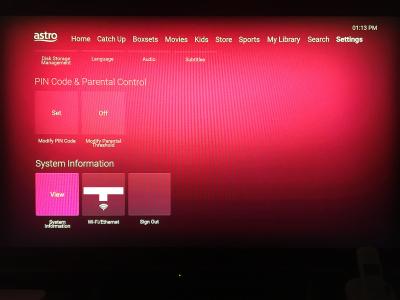
QUOTE(joshhd @ Jul 17 2020, 09:42 AM) Is it even more responsive than Ultra Box? It’s by far more responsive than the actual Ultra Box you’re using. I wish I could give you some screenshots, but the pictr.com extension got down since yesterday.. server problem I guess? Anyway, the Settings page is identical as Ultra Box as well, I give you the list of it.How about Settings page? Can take pic see what are the menus available? The Settings page includes: Preferences 1. Disk Storage Management - 200 hours of free storage 2. App Language 3. Audio 4. Subtitles PIN Code & Parental Control 1. Modify PIN Code 2. Modify Parental Threshold System Information 1. View System Information - Diagnostics 2. WiFi/Ethernet 3. Sign Out This post has been edited by doubleM2: Jul 17 2020, 12:59 PM |
|
|
Jul 17 2020, 03:35 PM
Return to original view | Post
#4
|
|
Senior Member
1,024 posts Joined: Jun 2019
|
QUOTE(joshhd @ Jul 17 2020, 01:52 PM) Hmmm... Then what major difference did you see between Astro Go app and Astro TV app on your Mi Box? As of this writing, I keep getting an error message, quote “There was a problem during playback. Please try again.” So I’m not getting access at all through streaming live TV and VOD content, as I said maybe this device isn’t supported yet. Though I’m curious about the picture quality as well.How about the streaming picture quality? Is it the same as Astro Go, where live TV channels are in 25fps? Or the channels are in 50fps (make it look as if you're watching from an actual Astro STB)? Any updates I’ll share with you guys later. joshhd liked this post
|
|
|
Jul 17 2020, 08:57 PM
Return to original view | IPv6 | Post
#5
|
|
Senior Member
1,024 posts Joined: Jun 2019
|
Screengrabs from the Astro TV Beta App using my Mi Box S


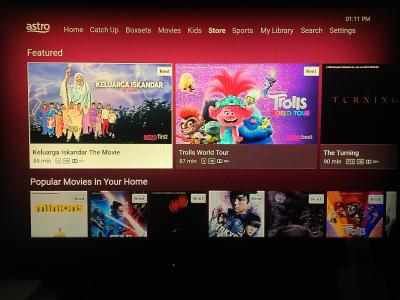

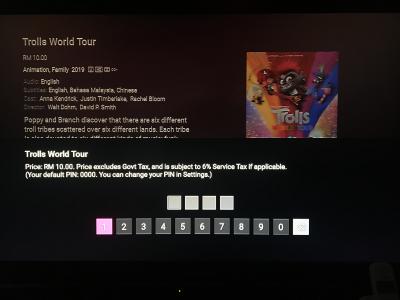


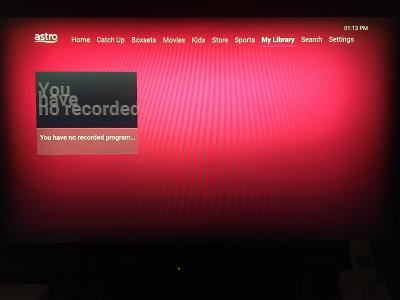
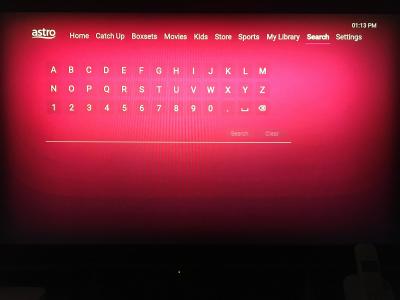


|
|
|
Jul 18 2020, 07:48 PM
Return to original view | IPv6 | Post
#6
|
|
Senior Member
1,024 posts Joined: Jun 2019
|
QUOTE(joshhd @ Jul 18 2020, 06:09 PM) I'm not a beta tester for Astro TV app, but base on the screenshots given above, I'll just share my opinion here... Yea I agree with you. Such clutter causing headache aiyo.. Minimalism is a must.I don't like that all channel type options are shown in the same horizontal line like this: 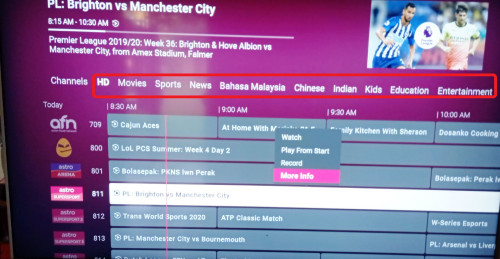 It makes it very "messy" and "too much unnecessary information" shown in the same page. I prefer if they would put it a dropdown menu like the current one on Ultra Box, makes it look clean and organised... 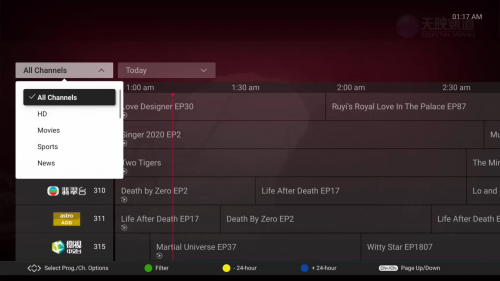 But the good thing is, finally they put the programme info summary on top corner of the screen, which the current Ultra Box software still appear as blank (refer photo above)... And also, a pop up menu appears (Watch, Play from Start, Record....) as you press OK to select the programme. This one good  And I hope they can use other fonts in their upcoming updates... Roboto font is too commonly used...  If Astro wants to use a font that supports all languages (especially Chinese and Tamil characters), maybe they can consider use free fonts from the 'Google Noto Font' family for their English/Malay UI language: https://www.google.com/get/noto/ Any modern looking fonts but not those commonly seen fonts like Roboto will do |
|
|
|
|
|
Aug 7 2020, 01:22 PM
Return to original view | IPv6 | Post
#7
|
|
Senior Member
1,024 posts Joined: Jun 2019
|
QUOTE(cannavaro @ Aug 7 2020, 10:30 AM) there is now an updated astro go ATV apk, no more error when trying to watch on android tv 9 device (such as the mi box s with latest updates applied) Can you share the apk link here? I would love to try PseudoWoodo and tharmaraj liked this post
|
|
|
Aug 8 2020, 12:36 AM
Return to original view | IPv6 | Post
#8
|
|
Senior Member
1,024 posts Joined: Jun 2019
|
QUOTE(azwandy @ Aug 7 2020, 10:55 PM) bit.ly/astrotvappv2  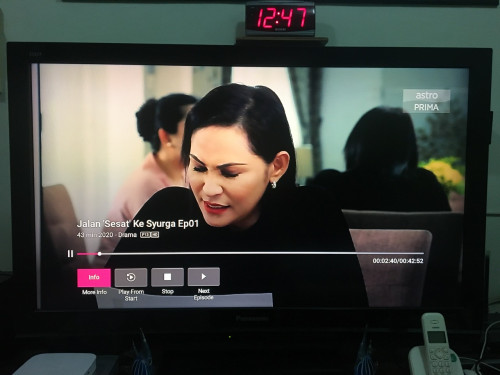 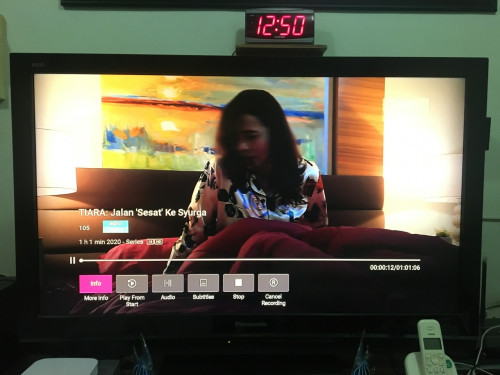 OMG thanks a lot! Now can play Live TV, VOD, and even cloud recording content with ease. Heck, it’s even better picture quality. 50 fps wow it’s great. This post has been edited by doubleM2: Aug 8 2020, 12:52 AM amir_baharuddin, Scissorshand, and 1 other liked this post
|
|
|
Aug 9 2020, 10:43 PM
Return to original view | IPv6 | Post
#9
|
|
Senior Member
1,024 posts Joined: Jun 2019
|
QUOTE(AVFAN @ Aug 9 2020, 08:39 AM) this apk for ATV... do u simply use old id/pw on ATV device or need be registered as beta user first? I use my Astro ID since Astro GO itself was accessible to non-Astro subscribers.. nearly 4 years ago.beta user is closed already, right? So yes I use that same ID to register as beta user before it was closed for new sign-ups. |
|
|
Aug 9 2020, 10:47 PM
Return to original view | IPv6 | Post
#10
|
|
Senior Member
1,024 posts Joined: Jun 2019
|
QUOTE(Seager @ Aug 9 2020, 01:24 PM) Thanks.. no issue with installation but when logging in, it keeps saying access to smart TV has already been utilised.. Try remove it from "Registered Device" in Settings on your Astro GO app.Strange. This post has been edited by doubleM2: Aug 9 2020, 10:55 PM |
|
|
Aug 10 2020, 01:29 PM
Return to original view | Post
#11
|
|
Senior Member
1,024 posts Joined: Jun 2019
|
QUOTE(tharmaraj @ Aug 10 2020, 09:49 AM) what device you are using? thanks. Mi Box S  tharmaraj liked this post
|
|
|
Aug 28 2020, 04:42 AM
Return to original view | IPv6 | Post
#12
|
|
Senior Member
1,024 posts Joined: Jun 2019
|
QUOTE(azwandy @ Aug 27 2020, 04:07 PM) R.I.P.. astro go for android tv box.. You mean Astro TV Beta App? Yeah me too. My two-month participation was over last Wednesday. Always good things came to an end. :'(This post has been edited by doubleM2: Aug 28 2020, 04:43 AM joshhd liked this post
|
|
|
Jun 12 2021, 03:06 AM
Return to original view | Post
#13
|
|
Senior Member
1,024 posts Joined: Jun 2019
|
QUOTE(annoymous1234 @ Jun 12 2021, 02:22 AM) Actually what resolution is aotg playing at on android boxes? It looks clear but when it comes to action scene, or fast movement, there's pixelation, it becomes not sharp during fast motion scenes 720p max resolution. |
| Change to: |  0.0682sec 0.0682sec
 0.68 0.68
 7 queries 7 queries
 GZIP Disabled GZIP Disabled
Time is now: 1st December 2025 - 03:20 PM |
 Quote
Quote