
Welcome Guest ( Log In | Register )

Outline · [ Standard ] · Linear+

Review ASUS RT-AC86U, Feature-packed advanced wireless router

views
     
graphidz
post Dec 21 2018, 11:48 PM

F.A.T.E
******
Senior Member
1,411 posts

Joined: Jun 2009
From: land of burung kenyalang

QUOTE(peguin78 @ Dec 10 2018, 09:46 PM)
Now its' my turn...sad.gif

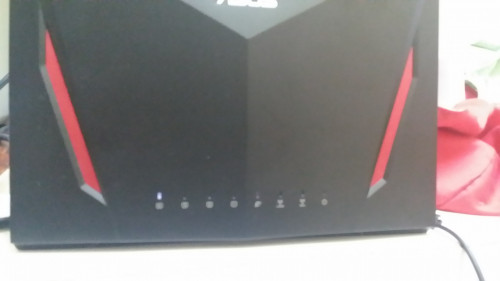
My AC86U suddenly died. Only the LAN 4 led lighted up. Cant access the home page etc. I tried to reset but unsuccessful. Any ideas guys?
user posted image
*
What a coincidence! Mine today suddenly got this issue. Earlier I tried to connect with my iPhone. It detected the wifi ssid but it said "incorrect password" which is very weird. So I turned off and turned the router back on only to discover this

Did this work again for you? Will try again tomorrow see if it somehow magically worked again sigh...

This post has been edited by graphidz: Dec 22 2018, 12:09 AM
graphidz
post Dec 22 2018, 09:31 AM

F.A.T.E
******
Senior Member
1,411 posts

Joined: Jun 2009
From: land of burung kenyalang

QUOTE(evilhomura89 @ Dec 22 2018, 12:55 AM)
May I know what is your HW version?
*
Unfortunately I don't know. I'm only at home using the Asus router in weekends since I have work in Cyberjaya on weekdays. Don't remember what firmware vision but the only time I updated was during initial setup, which was 3 months ago

QUOTE(peguin78 @ Dec 22 2018, 08:53 AM)
Nope. Tried that. Didn't work. In fact i tried the 30/30/30 rule to reset the router.  Also failed.

All my 12v appliances are connected to my 12v solar system.  These will include the unifi onu, astro decoder, media player and also my synology nas. Only the Asus was connected to mains since the voltage is at 19v and that also protected by a surge protector. However i suspect since we connect the power supply with a converter and it is loosely connected to the mains, would there be a chance of surge and spike and eventually spoil the router?

Later i will test the adapter with a multi meter and check whether the output is within the spec.
*
Hmm could be. But a lot of the ones I connect also sometime get spark but working well enough so I'm not very sure. If it is though, this might be the first time something died
graphidz
post Dec 22 2018, 07:13 PM

F.A.T.E
******
Senior Member
1,411 posts

Joined: Jun 2009
From: land of burung kenyalang

QUOTE(peguin78 @ Dec 22 2018, 04:42 PM)
I just checked the power supply.  It's well within the parameters.
*
I guess it's due to a sudden spark, especially initial plug in. Or just overheating. I'll baby the new one I'll get after this OTL
graphidz
post Jan 6 2019, 05:04 AM

F.A.T.E
******
Senior Member
1,411 posts

Joined: Jun 2009
From: land of burung kenyalang

user posted image

i think i know why my previous router died (this one is a new one. RMA unit by the seller)

the same symptom happened again. my iphone can't connect to the 5ghz. before it can't detect the signal, my iphone says "incorrect password". quickly turned on my pc and tried to log into my router, but couldn't. it just didn't load. had to turn off my router for a bit and let it cool down. after that it works normally again

this time i babied the router. bought a mini fan just for it. only 1-2 devices are connected to the 5ghz at one time and the temps for cpu and 5ghz are always 60C below. so the sudden high temp was a shock. so now i'm worried what should i do now

note : i turn off 2.4ghz because i didn't need to use it because my condo is small. i thought i could save power, heat, etc by turning it off
graphidz
post Jan 16 2019, 08:00 AM

F.A.T.E
******
Senior Member
1,411 posts

Joined: Jun 2009
From: land of burung kenyalang

QUOTE(PowerGadget @ Jan 15 2019, 11:56 PM)
how was your unit mate? mine was the same thing happened to me today which the 5Ghz is keep prompting incorrect password and can't connect it at all
*
The unit died and I exchanged for RMA from my seller. Right now it's working fine but I bought a fan for it just in case
graphidz
post Jan 16 2019, 11:35 AM

F.A.T.E
******
Senior Member
1,411 posts

Joined: Jun 2009
From: land of burung kenyalang

QUOTE(PowerGadget @ Jan 16 2019, 09:55 AM)
Where do you bought your router ya if you don't mind me asking?
*
Look up MyComputerHome on shopee and Lazada. Bought one for rm999. China unit though but he provides 3years warranty too
graphidz
post Jan 16 2019, 03:54 PM

F.A.T.E
******
Senior Member
1,411 posts

Joined: Jun 2009
From: land of burung kenyalang

QUOTE(JayceOoi @ Jan 16 2019, 11:50 AM)
Better get local unit @ RM1,099.00 in this case. China unit usually sold at RM600 during promotion.
*
I didn't find that when I purchased mine. I could only find those at 1.4k and if I got the twin unit, more value for money. Well now that I know this, I'll recommend it. Thanks for the heads up

Out of topic, but I saw a netgear r7800 for rm1131. Tempting though
graphidz
post Feb 2 2019, 08:15 PM

F.A.T.E
******
Senior Member
1,411 posts

Joined: Jun 2009
From: land of burung kenyalang

QUOTE(poi2005 @ Feb 2 2019, 06:42 PM)
Have you got this sorted out?

I got mine ac86u for two days was working fine. Today out of sudden wifi not connecting, power reboot, in boot looping mode already.
Tried asus firmware restored also wont work.
*
Sent it back to my seller and he agreed to exchange to another RMA unit. Works good for me
graphidz
post Feb 2 2019, 10:59 PM

F.A.T.E
******
Senior Member
1,411 posts

Joined: Jun 2009
From: land of burung kenyalang

QUOTE(poi2005 @ Feb 2 2019, 10:26 PM)
Ahh ok. I am going to RMA also. Btw, did u attached fan to it before and now? Just wondering is it necessary.
*
Don't really think attaching a fan helps THAT much. Although I don't use the fans recommended in this thread so my experience is very different lol. I just use a small fan you can get from any pc shop. Helps to maintain temperature less tuan 60C

Anyway, there was that one time when the router's 5ghz radio temp shot up. Search in this thread I posted a picture. And that was on the new router I replaced. Happened one time with this current fan I'm using.
graphidz
post Feb 4 2019, 12:41 PM

F.A.T.E
******
Senior Member
1,411 posts

Joined: Jun 2009
From: land of burung kenyalang

QUOTE(poi2005 @ Feb 3 2019, 11:51 PM)
Hmm, understand. Thanks for sharing the info. Its a good router but shame with some issues happening here and there after reading through this thread.
*
Yep that's really unfortunate. If you don't use any of the advanced functions (I bought this because it is quite good as a VPN router), you can get the Netgear r7800 for around the same Malaysian unit pricing.
graphidz
post Feb 24 2019, 09:12 AM

F.A.T.E
******
Senior Member
1,411 posts

Joined: Jun 2009
From: land of burung kenyalang

another day, another problem with the router doh.gif
for whatever reason suddenly today my phone can't connect to the wifi. used smart connect before this and my phone show either "incorrect password" or "unable to connect". same goes if i don't use the smart connect function. fortunately the ethernet is working fine

tried to check the router setting but loading up the settings page takes a long while. finally able to check the temperature of the radios, and found out the 5ghz show "disabled" instead of the temperature. i think this is the second time this has happened but the last one the whole thing didn't work. at least this time at least the router turns on and the ethernet still works

currently running on 384.9 merlin fw btw

i'm seriously regretting this purchase. replace this lemon unit and then sell it to get a better reliable router
graphidz
post Feb 24 2019, 11:12 AM

F.A.T.E
******
Senior Member
1,411 posts

Joined: Jun 2009
From: land of burung kenyalang

QUOTE(JayceOoi @ Feb 24 2019, 09:36 AM)
Did you install fans?
*
No but I am directing two fans at the router and the router's cpu stays at around 60C, 5ghz at 55C and 2.4ghz at less than 50C

Even then I only turn the router on when I'm at home, which is usually weekends because on weekdays, I'm away for work. So this router doesn't have that many uptime really

UPDATE : out of curiosity (but really, it shouldn't be a problem as far as i know), i tried 30-30-30 reset to see maybe it works again by resetting. and after rebooting, the router... became a paperweight. tried pressing the reset button for some time and the power button blink slowly. after searching a bit, it seems like it's in a bootloop issue. so i followed the following method to see if the router can be save, but after going through the steps, not working still :
https://www.snbforums.com/threads/ac86u-see...e-3#post-457517

after the router reboots, the lights flashes but no asus router is detected with phone. connecting LAN gives this weird periodic connect/disconnect issue. at "connected", it detects as unknown connection so can't go into the router page. 5 seconds later, it disconnects. and it repeats this

gonna return the router again in the next few days. so by then, if anybody can suggest any ideas, do tell

This post has been edited by graphidz: Feb 24 2019, 11:24 PM
graphidz
post Apr 7 2019, 07:22 PM

F.A.T.E
******
Senior Member
1,411 posts

Joined: Jun 2009
From: land of burung kenyalang

My replacement unit died (so that's 2 units died) in the span of 6 months. i asked my seller if can get a replacement. he said can't but he said he can take the unit back and compensate. i feel bad about it because both of us are losing money in this, but i blame asus i guess. great but flawed model. hopefully their other models don't suffer from this same fate

but that's the end of me buying the ac86u. can't recommend anyone buying it despite the great function/spec it has
graphidz
post Apr 7 2019, 07:36 PM

F.A.T.E
******
Senior Member
1,411 posts

Joined: Jun 2009
From: land of burung kenyalang

QUOTE(llk @ Apr 7 2019, 07:30 PM)
You bought locally? At least you got some compensation, we bought from Taobao and the money gone biggrin.gif
*
yeah local seller. but also china unit btw. sorry for your loss bro sweat.gif
graphidz
post Apr 23 2019, 01:30 AM

F.A.T.E
******
Senior Member
1,411 posts

Joined: Jun 2009
From: land of burung kenyalang

QUOTE(zgnd @ Apr 22 2019, 01:17 PM)
Hi Guys,

mine happen the samething LAN4 light up only... it suddenly become like that...
any clue what is happening?
*
Can't connect through wifi or lan? Try reset but most probably it's dead
graphidz
post Apr 23 2019, 04:11 PM

F.A.T.E
******
Senior Member
1,411 posts

Joined: Jun 2009
From: land of burung kenyalang

QUOTE(zgnd @ Apr 23 2019, 03:50 PM)
Tested both reset and 30-30-30 WPS reset also not working sad.gif
Manage to contact Taobao and will have to send back seller at China.
Anyone send back to China for claiming warraty?
*
Ouch. That's not going to be good. I was fortunate enough to have bought from a very good local seller so he helped me a lot. Good luck with your warranty


Change to:
| Lo-Fi Version
0.0397sec    0.43    7 queries    GZIP Disabled
Time is now: 5th December 2025 - 02:52 PM
