

 May 19 2019, 05:49 PM


QUOTE(JayceOoi @ Sep 1 2017, 12:00 PM)
Author's Note: The original review can be found at my blog - ASUS RT-AC86U Review @ JayceOoi.com.
Important Note - Do buy local unit with Asus Malaysia warranty at Lazada. Install fans to avoid overheat issue.

Introduction
A surprise gift from GearBest. I was not expecting ASUS RT-AC86U AC2900 Dual-Band Gigabit Wi-Fi Router with MU-MIMO at all. In short, ASUS RT-AC86U is the replacement for the popular ASUS RT-AC68U that serve me well for past 3 years. Loaded with built-in WTFast, faster AC2900 speeds boosted with NitroQAM, MU-MIMO, 256MB flash, 512MB RAM and newer PC-grade 1.8GHz dual-core processor. How does it perform compare to older RT-AC68U? Let's find out...
Special Thanks
This review is possible thanks to below companies. Be sure to check them out...
Package Content
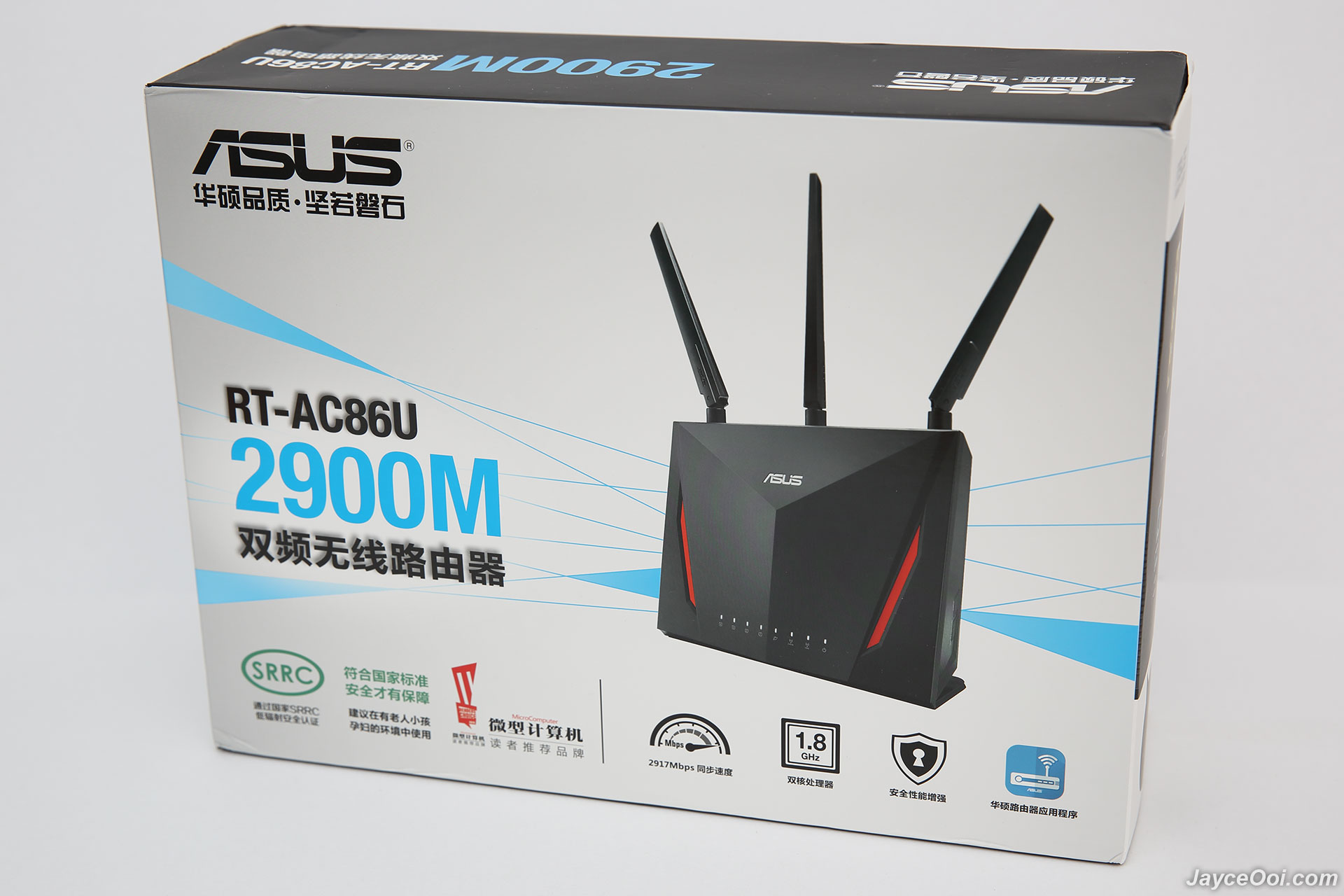
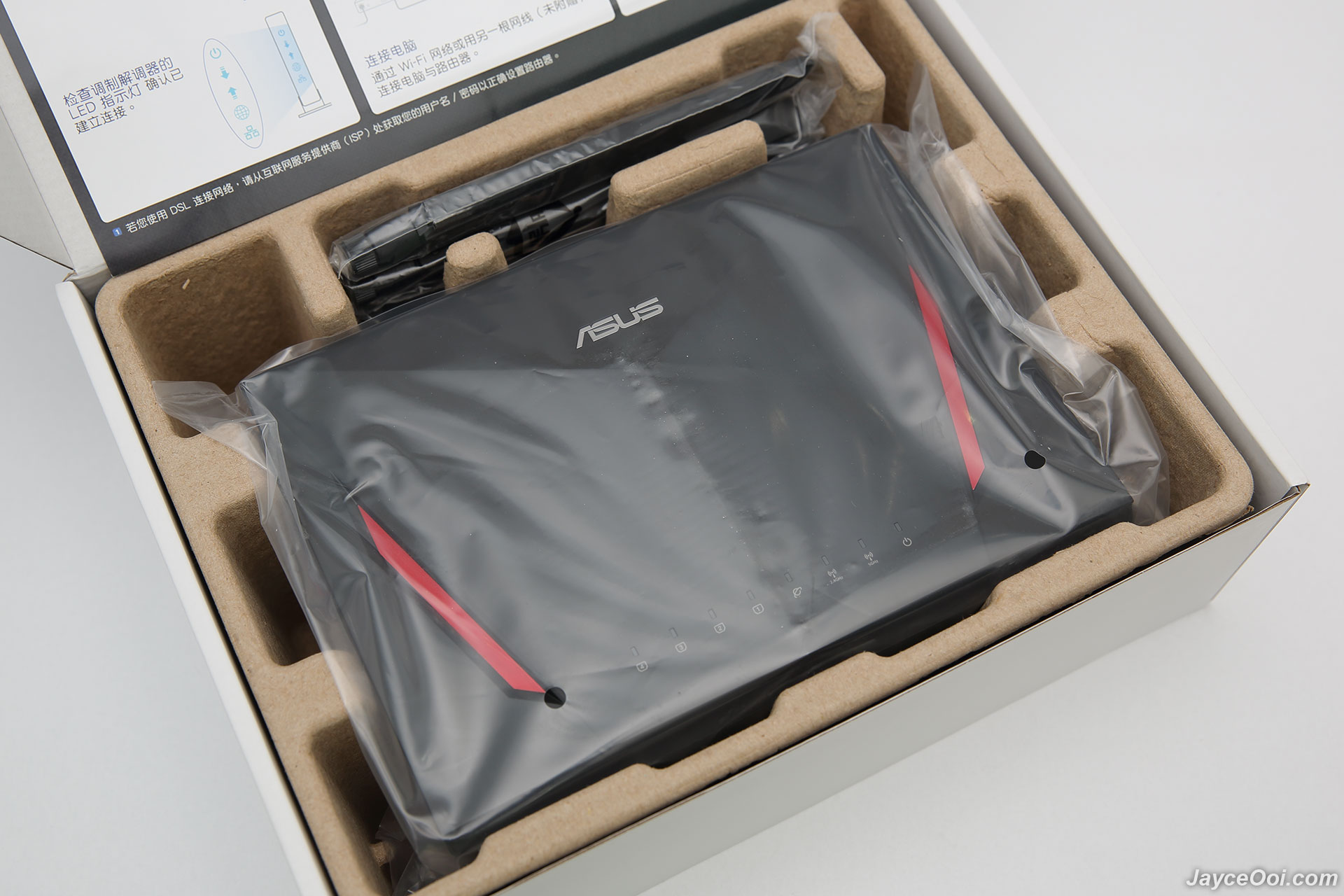
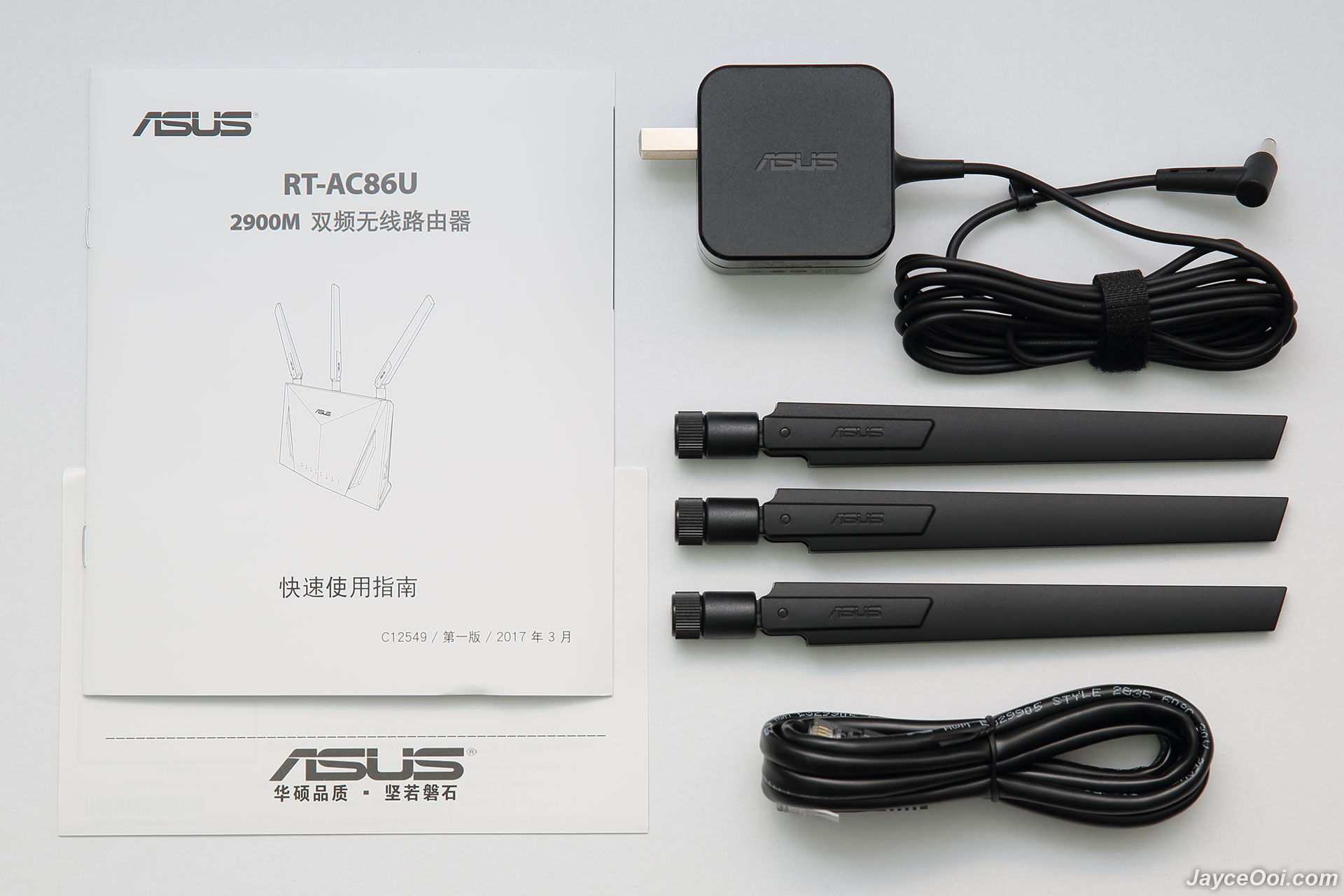
My ASUS RT-AC86U is China version as you can see. Well protected as well. In short, it shares the same packaging as my existing RT-AC68U. Once taken out RT-AC86U, you can find 3 detachable antennas, 19 V with max. 1.75 A power adaptor (US plug), RJ-45 cable, warranty info and quick start guide (in Chinese). No worry, you can download both English quick start guide and user manual at ASUS Website.


Build quality & Design
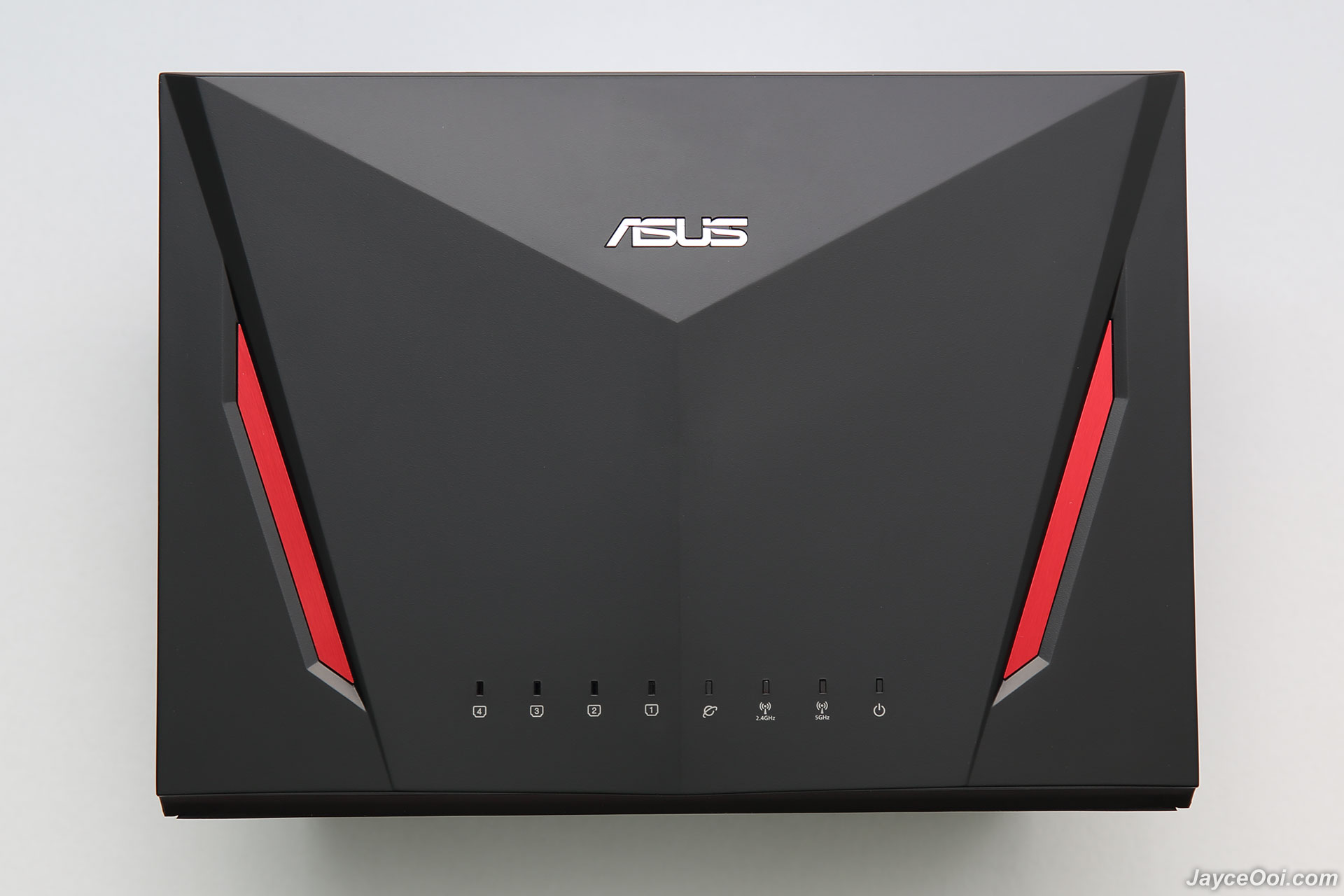
If you own / seen ASUS RT-AC68U previously, then you will familiar with RT-AC86U too. Basically, they are the same in shape and design. RT-AC86U has cooler and simpler cyber design at front while RT-AC68U has stylish diamond pattern design. By the way, RT-AC86U is a bit heavier at 872g. Having LED light indicators for 4 LAN ports, Internet WAN, 2.4GHz & 5GHz Wi-Fi and power status. Missing USB ports status from RT-AC68U. That's the major different. The rest are the same.

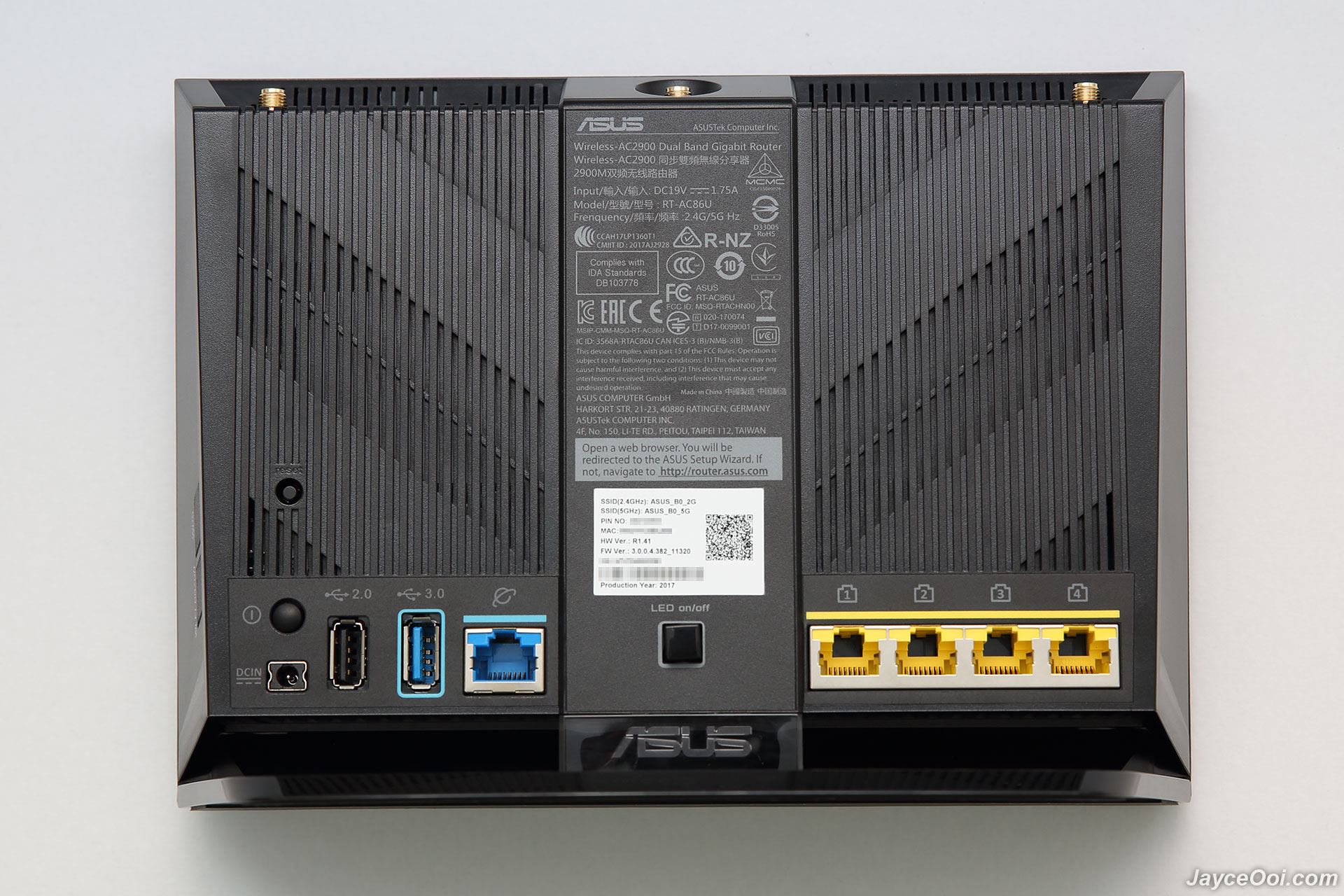
At back, there are reset button, power button, DC input, USB 2.0, USB 3.1 Gen 1 ports, WAN port, LED on/off switch and 4 Gigabit Ethernet ports. By the way, the back ASUS panel does not lit up anymore too (if you care about lighting effect).

Wi-Fi on/off and WPS buttons are located at the right as usual.

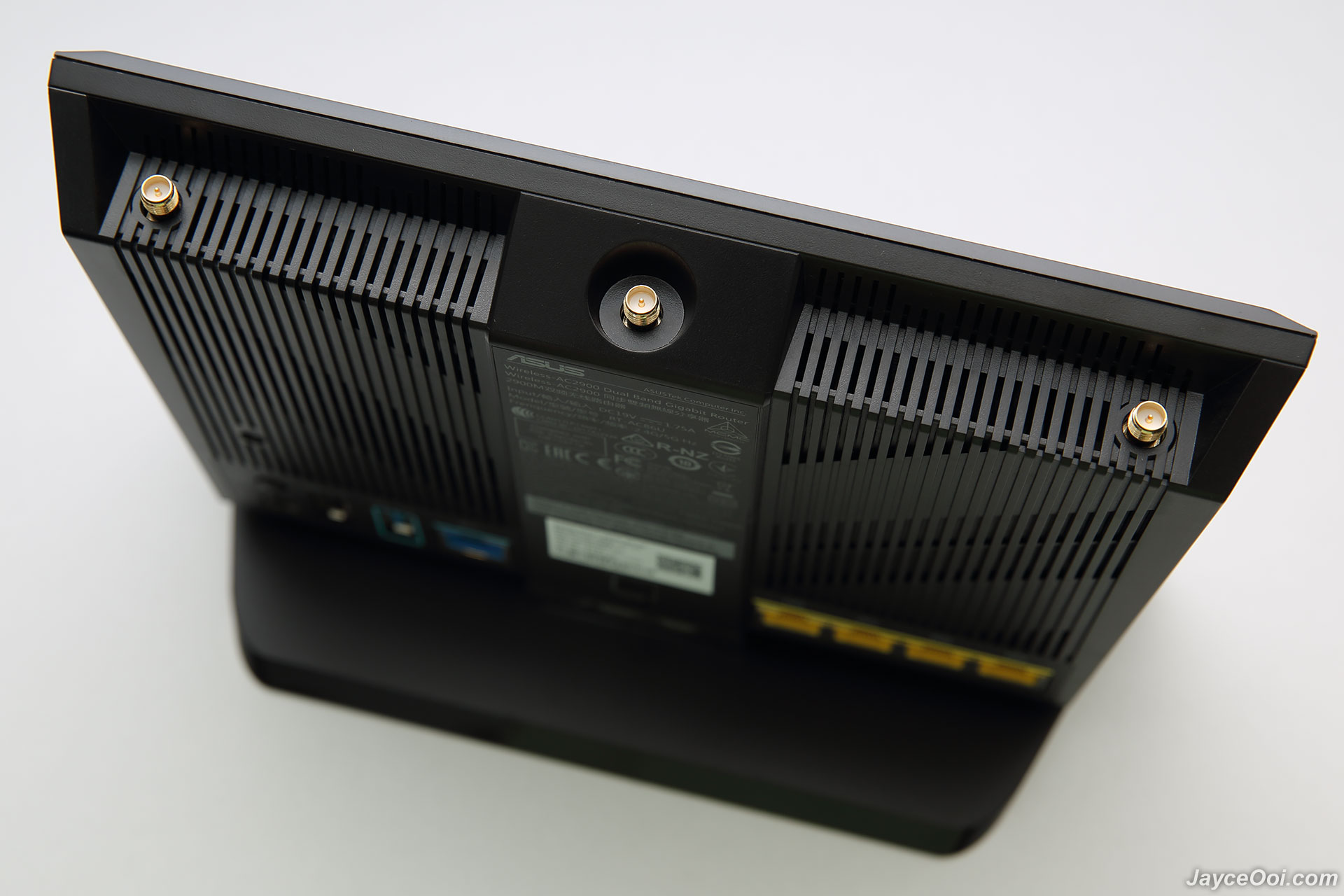
3 antenna jacks on top for detachable antennas. And another internal 3dBi antenna hidden inside for 5 GHz 4 x 4 connection.

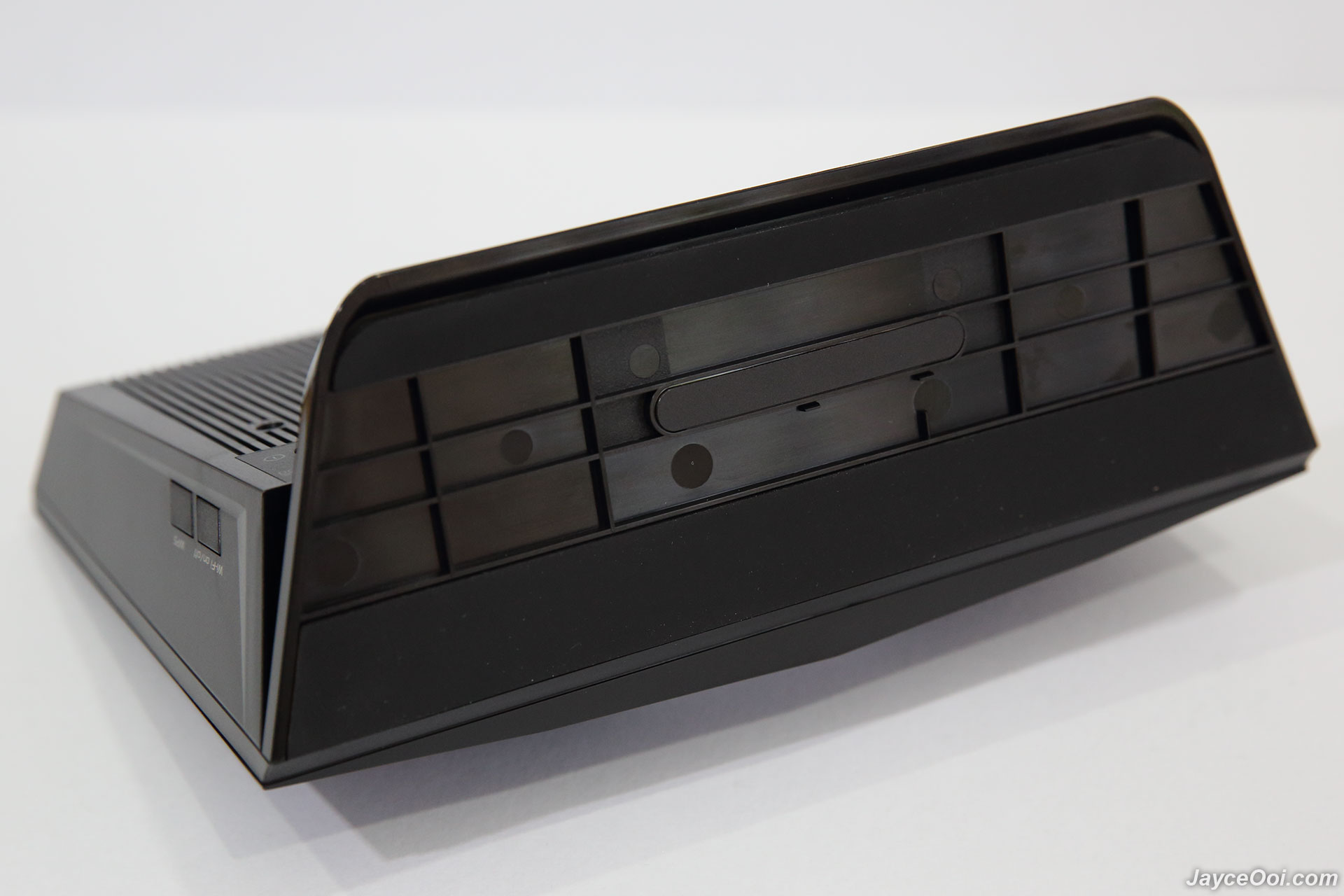
Finally, there are 2 long anti-skid pads at bottom to provide stability.


any fans u recommend to use on this ? Important Note - Do buy local unit with Asus Malaysia warranty at Lazada. Install fans to avoid overheat issue.
Introduction
A surprise gift from GearBest. I was not expecting ASUS RT-AC86U AC2900 Dual-Band Gigabit Wi-Fi Router with MU-MIMO at all. In short, ASUS RT-AC86U is the replacement for the popular ASUS RT-AC68U that serve me well for past 3 years. Loaded with built-in WTFast, faster AC2900 speeds boosted with NitroQAM, MU-MIMO, 256MB flash, 512MB RAM and newer PC-grade 1.8GHz dual-core processor. How does it perform compare to older RT-AC68U? Let's find out...
Special Thanks
This review is possible thanks to below companies. Be sure to check them out...
- GearBest for this ASUS RT-AC86U
- Kingston for 480GB Kingston SSDNow UV400 SSD
- ORICO for ORICO 6139U3 HDD Dock
Package Content
My ASUS RT-AC86U is China version as you can see. Well protected as well. In short, it shares the same packaging as my existing RT-AC68U. Once taken out RT-AC86U, you can find 3 detachable antennas, 19 V with max. 1.75 A power adaptor (US plug), RJ-45 cable, warranty info and quick start guide (in Chinese). No worry, you can download both English quick start guide and user manual at ASUS Website.
Build quality & Design
If you own / seen ASUS RT-AC68U previously, then you will familiar with RT-AC86U too. Basically, they are the same in shape and design. RT-AC86U has cooler and simpler cyber design at front while RT-AC68U has stylish diamond pattern design. By the way, RT-AC86U is a bit heavier at 872g. Having LED light indicators for 4 LAN ports, Internet WAN, 2.4GHz & 5GHz Wi-Fi and power status. Missing USB ports status from RT-AC68U. That's the major different. The rest are the same.
At back, there are reset button, power button, DC input, USB 2.0, USB 3.1 Gen 1 ports, WAN port, LED on/off switch and 4 Gigabit Ethernet ports. By the way, the back ASUS panel does not lit up anymore too (if you care about lighting effect).
Wi-Fi on/off and WPS buttons are located at the right as usual.

3 antenna jacks on top for detachable antennas. And another internal 3dBi antenna hidden inside for 5 GHz 4 x 4 connection.
Finally, there are 2 long anti-skid pads at bottom to provide stability.
 Quote
Quote


 too many pages, didnt look through it


 0.0454sec
 0.33
0.33
 7 queries
 GZIP Disabled