

Why AC86U so many lemon units eh?
Review ASUS RT-AC86U, Feature-packed advanced wireless router
Review ASUS RT-AC86U, Feature-packed advanced wireless router
|
|
 Dec 10 2018, 10:08 PM Dec 10 2018, 10:08 PM
Show posts by this member only | IPv6 | Post
#481
|
 
Senior Member
2,670 posts Joined: Sep 2006 
|
Why AC86U so many lemon units eh?
|
|
|
|
|
|
Dec 11 2018, 10:56 AM
|
|
Junior Member
162 posts Joined: Sep 2008 
|
Below is the reply email from Gearbest:- I am sorry to hear this issue with the product. Please kindly check our warranty here: http://www.gearbest.com/about/warranty-and-return.html Your item unfortunately is out of warranty as 12 months have passed since you purchased. Therefore it cannot be repaired, refunded or exchanged. The best we can do at this time is to offer 200 points for use on your next order. Please confirm whether I can go ahead and update your account with this discount. We look forward to hearing from you soon. Best regards, Bob_Feng BearBest Customer Service http://www.gearbest.com/ All the while I thought that Asus carry a 3-year warranty - no? |
|
|
Dec 11 2018, 02:07 PM
|
|
Senior Member
1,280 posts Joined: Jan 2003
|
QUOTE(peguin78 @ Dec 11 2018, 10:56 AM) All the while I thought that Asus carry a 3-year warranty - no? Asus Malaysia yes 3 yrs warranty, but others country not sure. |
|
|
Dec 11 2018, 03:15 PM
|
|
Junior Member
162 posts Joined: Sep 2008
|
I have requested Gearbest to assist me to RMA directly with Asus China but below is the answer:-
Thank you for contacting us. Sorry, for your country have 1 year warranty, so we can't offer help. Thank you for your understanding. Best regards, Bob_Feng GearBest Customer Service http://www.Gearbest.com Looks like i will accept their offer of 200 points.  |
|
|
Dec 11 2018, 04:57 PM
|
|
Junior Member
49 posts Joined: Nov 2008
|
Hi guys, can anyone tell me how to enable NAT acceleration for this modem? Can’t seems to find this option compare to other Asus model
|
|
|
Dec 11 2018, 05:26 PM
Show posts by this member only | IPv6 | Post
#486
|
|
Junior Member
49 posts Joined: Nov 2008
|
QUOTE(ppfoong @ Sep 30 2018, 09:37 AM) There are 2 NAT acceleration mechanisms for RT-AC86U, one is Packet Runner and another is Flow Cache. Do you mind to tell me how to enable the new mechanism, flow cache and packet runner pleaseFlow Cache should be up and running easily. I have trouble getting Packet Runner to be active despite disabling quite a lot of functions. In the syslog, I can see it tried to get up, then immediately shut down itself after detecting something. Maybe because I didn't disable the firewall function. |
|
|
|
|
|
Dec 11 2018, 06:25 PM
|

Junior Member
782 posts Joined: Jan 2003
|
QUOTE(peguin78 @ Dec 10 2018, 09:46 PM) Now its' my turn... hey bro. same case with me. use only for 3 months. I am going to pos laju saturday to ask for quote how much to send back to the seller in china for warranty. See if its worth it for such a big thing. Dang.My AC86U suddenly died. Only the LAN 4 led lighted up. Cant access the home page etc. I tried to reset but unsuccessful. Any ideas guys? 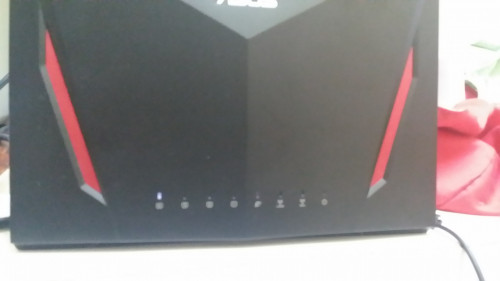 |
|
|
Dec 11 2018, 08:15 PM
|

Junior Member
879 posts Joined: Jan 2007
|
QUOTE(zarchrykl @ Sep 16 2018, 02:56 PM) same as mine. i think because the igmp/multicast disable (Due to hardware limitation, IGMP proxy cannot co-exist with IPTV function.), i am using ac58 before this and no problem,... Im having this annoying issue right now with AC86U. What is the feasible workaround? |
|
|
Dec 11 2018, 10:09 PM
Show posts by this member only | IPv6 | Post
#489
|
|
Junior Member
162 posts Joined: Sep 2008
|
QUOTE(kopiride @ Dec 11 2018, 07:25 PM) hey bro. same case with me. use only for 3 months. I am going to pos laju saturday to ask for quote how much to send back to the seller in china for warranty. See if its worth it for such a big thing. Dang. Please try to ask pos laju on the cost. It could be worth while to send it back for RMA. In my case, GearBest has refused to assist me. I am left with a heavy paper weight. |
|
|
Dec 12 2018, 12:08 AM
|
|
Junior Member
782 posts Joined: Jan 2003
|
QUOTE(peguin78 @ Dec 11 2018, 10:09 PM) Please try to ask pos laju on the cost. It could be worth while to send it back for RMA. In my case, GearBest has refused to assist me. I am left with a heavy paper weight. Yup, i will do that. In the mean i am getting from Singapore. Easier to do warranty. |
|
|
Dec 12 2018, 12:13 AM
|
|
Senior Member
809 posts Joined: Mar 2006 From: Ann Arbor
|
QUOTE(kopiride @ Dec 11 2018, 06:25 PM) hey bro. same case with me. use only for 3 months. I am going to pos laju saturday to ask for quote how much to send back to the seller in china for warranty. See if its worth it for such a big thing. Dang. QUOTE(peguin78 @ Dec 11 2018, 10:09 PM) Please try to ask pos laju on the cost. It could be worth while to send it back for RMA. In my case, GearBest has refused to assist me. I am left with a heavy paper weight. sorry to hear for both of you.do you guys by any chance are using external fan for router cooling? tried checking your previous posts but doesnt seem to indicate any. |
|
|
Dec 12 2018, 12:41 AM
Show posts by this member only | IPv6 | Post
#492
|

Junior Member
555 posts Joined: Jun 2008
|
QUOTE(Verblassen @ Dec 10 2018, 08:27 AM) Yeah. Heard the fans really help. I think if you put both in a pull configuration to suck the hot air out it should be fine. I think blow air in is a better position.When you suck air out from behind, you actually suck air in from the top. When you blow air in from behind, the air will hit the surface inside, reflected and continue to flow out from beside the fan, which you can actually feel it by putting your hand and feel the air flow. You will feel air blowing out from the router. |
|
|
Dec 12 2018, 12:44 AM
|
|
Junior Member
782 posts Joined: Jan 2003
|
QUOTE(AtMostFear @ Dec 12 2018, 12:13 AM) sorry to hear for both of you. nope. didnt know it requires to put a fan.do you guys by any chance are using external fan for router cooling? tried checking your previous posts but doesnt seem to indicate any. |
|
|
|
|
|
Dec 12 2018, 12:46 AM
Show posts by this member only | IPv6 | Post
#494
|
|
Junior Member
555 posts Joined: Jun 2008
|
QUOTE(Trrienty @ Dec 11 2018, 05:26 PM) Do you mind to tell me how to enable the new mechanism, flow cache and packet runner please Both of them are auto-enabled by the kernel during boot-up.They will auto-disable by the kernel if certain function is on, especially the QoS. Normally, Flow Cache will keep enabled, but Runner hard to keep enabled. You can check for the status in Tools > SysInfo screen (in Merlin firmware). |
|
|
Dec 12 2018, 06:33 AM
|
|
Senior Member
886 posts Joined: Dec 2004
|
Guys, is there a way to shut this router down gracefully without damaging the HDD attached?
|
|
|
Dec 12 2018, 08:52 AM
|

Senior Member
2,741 posts Joined: Jan 2007
|
QUOTE(CKKwan @ Dec 12 2018, 06:33 AM) Guys, is there a way to shut this router down gracefully without damaging the HDD attached? Go to admin page. Then select Safely Remove disk. After you can power off router any time. |
|
|
Dec 12 2018, 11:23 AM
|
|
Junior Member
49 posts Joined: Nov 2008
|
QUOTE(peguin78 @ Dec 10 2018, 09:46 PM) Now its' my turn... I think my AC86U died after a day usage! This morning wake up all led blinking and WiFi is not working. Tried reset and no response. Can’t access to modem home leg as well.My AC86U suddenly died. Only the LAN 4 led lighted up. Cant access the home page etc. I tried to reset but unsuccessful. Any ideas guys? Anyone know the cost to send back to China |
|
|
Dec 12 2018, 12:09 PM
|

Junior Member
87 posts Joined: Feb 2013 From: Wilayah Persekutuan, KL
|
QUOTE(ppfoong @ Dec 12 2018, 12:41 AM) I think blow air in is a better position. Oh yeah you're right ! So used to the Pc config I forgot that the router has vents at the top as well. How about dust build up though When you suck air out from behind, you actually suck air in from the top. When you blow air in from behind, the air will hit the surface inside, reflected and continue to flow out from beside the fan, which you can actually feel it by putting your hand and feel the air flow. You will feel air blowing out from the router.  |
|
|
Dec 12 2018, 02:47 PM
Show posts by this member only | IPv6 | Post
#499
|
|
Junior Member
879 posts Joined: Jan 2007
|
So yesterday i configured for auto reboot scheduler, which will run at 5am everyday. This morning i noticed the router unable to boot up, all led were off. Luckily after i reconnect the power adapter the router able to boot up successfully.
|
|
|
Dec 12 2018, 06:49 PM
|
|
Junior Member
555 posts Joined: Jun 2008
|
QUOTE(Verblassen @ Dec 12 2018, 12:09 PM) Oh yeah you're right ! So used to the Pc config I forgot that the router has vents at the top as well. How about dust build up though I didn't dismantle my unit. But looking at this photo taken by somebody, dust is likely to build up at the bottom on top of those USB and LAN connectors, and around the soldiering legs of the ICs, regardless you blow air in or suck air out or without using fan.Motherboard facing back:  Motherboard facing front:  The front part has a big metal piece, the ideal solution is to dig hole in front of the router, stick the fans onto the metal piece inside, and blow air out. This post has been edited by ppfoong: Dec 12 2018, 06:58 PM |
| Change to: |  0.0310sec 0.0310sec
 0.45 0.45
 6 queries 6 queries
 GZIP Disabled GZIP Disabled
Time is now: 3rd December 2025 - 01:07 AM |
 Quote
Quote