Outline ·
[ Standard ] ·
Linear+
The SSD Thread V6, Solid State Drive, Continued.
|
Jet23sky
|
 Nov 10 2019, 08:16 AM Nov 10 2019, 08:16 AM
|

|
QUOTE(Benefon @ Nov 10 2019, 12:48 AM) Thanks for the info, I think I will go for ADATA 512GB  |
|
|
|
|
|
Exeunt
|
Nov 11 2019, 12:02 PM
|
|
|
anyone bought the samsung 860 EVO 11.11 SALE ?
|
|
|
|
|
|
pandera999
|
Nov 11 2019, 07:58 PM
|
|
|
QUOTE(Exeunt @ Nov 11 2019, 12:02 PM) anyone bought the samsung 860 EVO 11.11 SALE ? m.2 xpg sx8200 pro 1tb is around rm599 |
|
|
|
|
|
Ronin_Amin
|
Nov 14 2019, 04:23 PM
|
|
|
Hi guys. Just got my adata sx8200 pro. Anything I should set up for the first time?
|
|
|
|
|
|
pandera999
|
Nov 14 2019, 10:36 PM
|
|
|
QUOTE(Ronin_Amin @ Nov 14 2019, 04:23 PM) Hi guys. Just got my adata sx8200 pro. Anything I should set up for the first time? yeah.. benchmark it.. |
|
|
|
|
|
Ronin_Amin
|
Nov 14 2019, 11:13 PM
|
|
|
QUOTE(pandera999 @ Nov 14 2019, 10:36 PM) Done. Anything else? These features from the adata toolbox, the optimisation thingies, worth doing? |
|
|
|
|
|
Maxieos
|
Nov 15 2019, 06:42 AM
|
|
|
QUOTE(Maxieos @ Oct 27 2019, 02:14 AM) Crucial MX500 WD Blue 3D Samsung 860 EVO Any different on them ? I see the different between Samsung vs Crucial is like almost 30% of price.Samsung 500mb is like RM380 while Crucial is RM300. What about WD Blue 3D features like cache ? No reply ? btw , how good is samsung ssd tool magician ? any benefits on rapid mode ? since crucial mx500 doesn't have ssd rapid tools only Crucial storage executive. |
|
|
|
|
|
NightFelix
|
Nov 16 2019, 03:12 PM
|
|
|
QUOTE(Maxieos @ Nov 15 2019, 06:42 AM) No reply ? btw , how good is samsung ssd tool magician ? any benefits on rapid mode ? since crucial mx500 doesn't have ssd rapid tools only Crucial storage executive. rapid mode is as rapid as its name, can google for performance review. update via software, good for lazy user, backup capable, health monitoring all in one. |
|
|
|
|
|
Maxieos
|
Nov 16 2019, 08:25 PM
|
|
|
QUOTE(NightFelix @ Nov 16 2019, 03:12 PM) rapid mode is as rapid as its name, can google for performance review. update via software, good for lazy user, backup capable, health monitoring all in one. Thanks the reason I ask because comes to performance in real world both the same.At some review mention , samsung evo 860 have 24GB SLC Ram Buffer but the real results crucial is the same and much better. But I am not sure what kind of nand manufacturer did both of them using and controller.Which controllable is much better ? |
|
|
|
|
|
TShorns
|
Nov 17 2019, 10:34 AM
|
|
|
QUOTE(Maxieos @ Nov 16 2019, 08:25 PM) Thanks the reason I ask because comes to performance in real world both the same.At some review mention , samsung evo 860 have 24GB SLC Ram Buffer but the real results crucial is the same and much better. But I am not sure what kind of nand manufacturer did both of them using and controller.Which controllable is much better ? on the grand scheme of things, for ssds that fall into the same category, they will perform similarly. if you're into details, like nand manufacturer, controller, etc., you can start by checking out specifications published by well-known review sites for the specific models. a 'much better' controller alone doesn't mean anything if the manufacturer, say, doesn't use the full channels supplied by the controller. |
|
|
|
|
|
chocobo7779
|
Nov 17 2019, 07:08 PM
|
|
|
QUOTE(horns @ Nov 17 2019, 10:34 AM) on the grand scheme of things, for ssds that fall into the same category, they will perform similarly. if you're into details, like nand manufacturer, controller, etc., you can start by checking out specifications published by well-known review sites for the specific models. a 'much better' controller alone doesn't mean anything if the manufacturer, say, doesn't use the full channels supplied by the controller. The firmware also plays a big part too  |
|
|
|
|
|
chocobo7779
|
Nov 17 2019, 07:10 PM
|
|
|
QUOTE(NightFelix @ Nov 16 2019, 03:12 PM) rapid mode is as rapid as its name, can google for performance review. update via software, good for lazy user, backup capable, health monitoring all in one. Rapid mode is just a fancy term for using your RAM as the data cache - it might provide additional performance (usually not noticeable in real world use), however bear in mind that you may risk losing/corrupting your data in the event of any power outage. This is due to the fact that your RAM is a volatile storage device and thus any data stored on the RAM will be lost after power loss. Hence I'll recommend this feature to be turned off This post has been edited by chocobo7779: Nov 17 2019, 07:11 PM |
|
|
|
|
|
TShorns
|
Nov 17 2019, 09:50 PM
|
|
|
QUOTE(chocobo7779 @ Nov 17 2019, 07:08 PM) The firmware also plays a big part too yes  that one receive updates from time to time so it's relatively ok to skip during ssd purchase hehe QUOTE(chocobo7779 @ Nov 17 2019, 07:10 PM) Rapid mode is just a fancy term for using your RAM as the data cache - it might provide additional performance (usually not noticeable in real world use), however bear in mind that you may risk losing/corrupting your data in the event of any power outage. This is due to the fact that your RAM is a volatile storage device and thus any data stored on the RAM will be lost after power loss. Hence I'll recommend this feature to be turned off .. or just use it for devices with battery or ups installed. i use ram cache all the times lol (primo cache mainly, because there is no rapid mode support for samsung nvme ssds) |
|
|
|
|
|
sHawTY
|
Nov 18 2019, 05:01 PM
|
|
|
Just received my ORICO M.2 NVMe SSD Case The heatsink works perfectly because they also provide thermal pad so that the heatsink has actual contact with the SSD 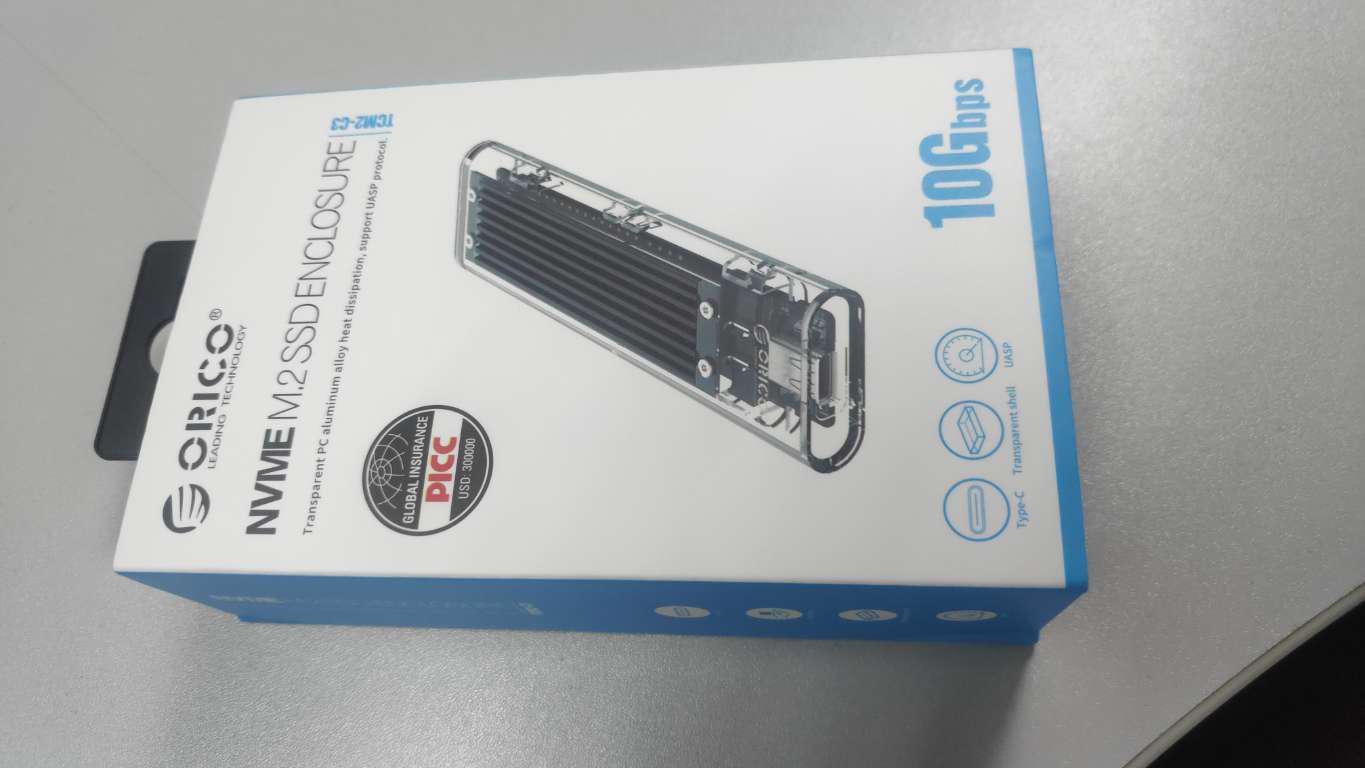 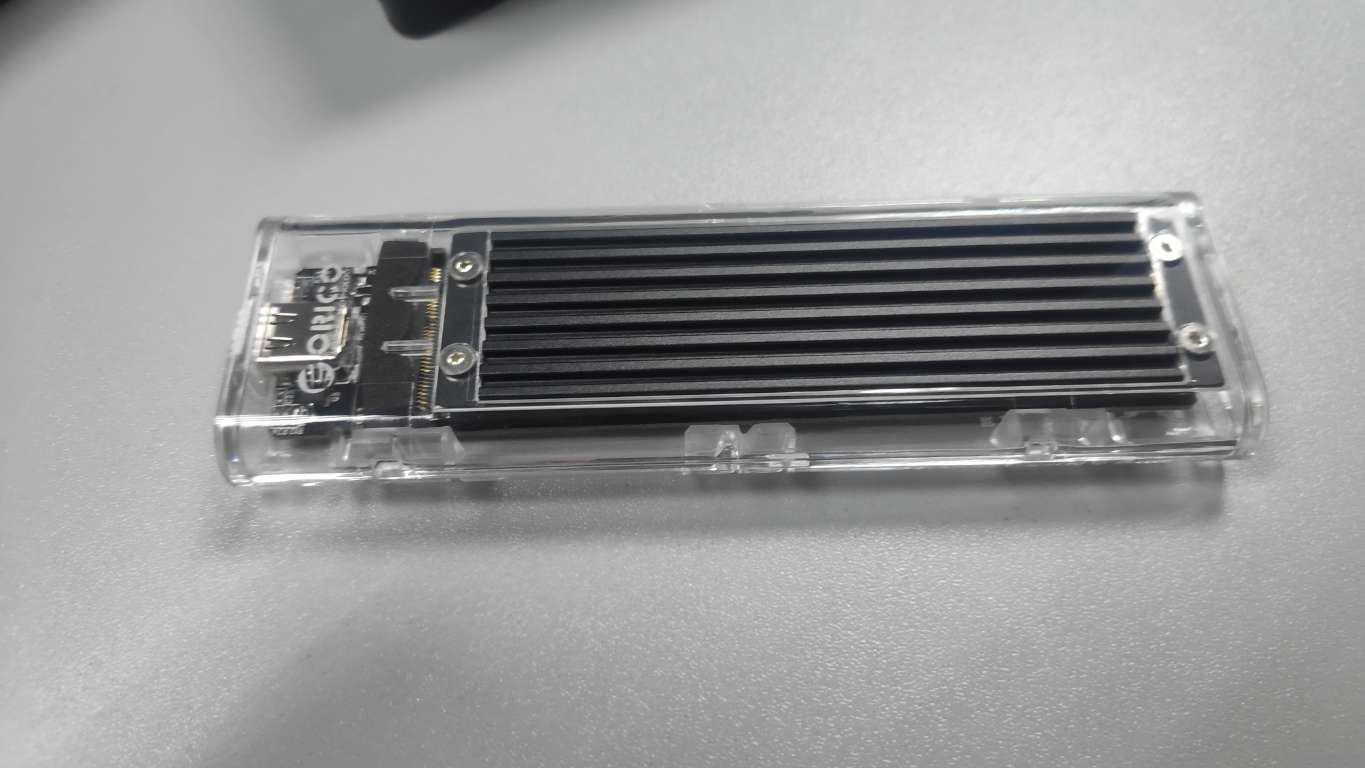 This post has been edited by sHawTY: Nov 18 2019, 05:49 PM This post has been edited by sHawTY: Nov 18 2019, 05:49 PM |
|
|
|
|
|
steevan1000
|
Nov 18 2019, 05:17 PM
|
|
|
QUOTE(sHawTY @ Nov 18 2019, 05:01 PM) Just received my ORICO M.2 NVMe SSD Case The heatsink works perfectly because they also provide thermal pad so that the heatsink has actual contact with SSD where u bought it from? any link? |
|
|
|
|
|
sHawTY
|
Nov 18 2019, 05:48 PM
|
|
|
QUOTE(steevan1000 @ Nov 18 2019, 05:17 PM) where u bought it from? any link? https://shopee.com.my/product/113963244/2107142466This post has been edited by sHawTY: Nov 18 2019, 05:48 PM |
|
|
|
|
|
sHawTY
|
Nov 18 2019, 07:30 PM
|
|
|
CrystalDiskMark on ORICO NVMe M.2 Case + ADATA SX8200 Pro 256GB Connected to USB 3.1 Gen 2 port on ASRock X399 Fatal1ty Professional Gaming motherboard 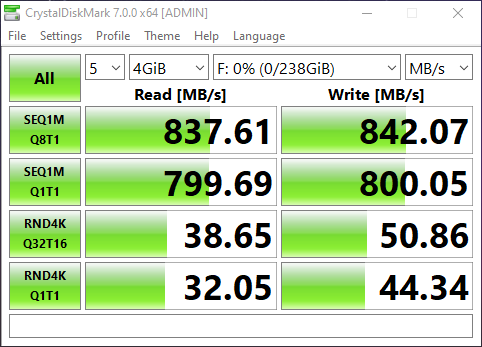 |
|
|
|
|
|
artificialRAGE
|
Nov 19 2019, 07:39 PM
|
Getting Started

|
Hello.
I'm thinking of getting a Samsung 860 EVO 2.5 inch to replace my photo backup. Currently its on a 500GB 2.5 inch HDD.
My concern is that is this model reliable? I'm a bit scared to move my only backup on a SSD as they tend to die without any warning. I had experienced where my boot SSD just died on me one day. HDDs at least starts making alarming noises and transfer speeds drops dramatically.
Thank you.
|
|
|
|
|
|
pandera999
|
Nov 19 2019, 08:56 PM
|
|
|
QUOTE(artificialRAGE @ Nov 19 2019, 07:39 PM) Hello. I'm thinking of getting a Samsung 860 EVO 2.5 inch to replace my photo backup. Currently its on a 500GB 2.5 inch HDD. My concern is that is this model reliable? I'm a bit scared to move my only backup on a SSD as they tend to die without any warning. I had experienced where my boot SSD just died on me one day. HDDs at least starts making alarming noises and transfer speeds drops dramatically. Thank you. i had this currently.. working well.. reliable..im curious what ssd u r using b4... if u compare, DRAM-less or DRAM SSD, dramless have shorter life span. |
|
|
|
|
|
sHawTY
|
Nov 20 2019, 10:44 AM
|
|
|
QUOTE(artificialRAGE @ Nov 19 2019, 07:39 PM) I'm a bit scared to move my only backup That's your problem right there If those photos are really important, you shouldn't backup in just 1 place Use cloud storage such as Google Drive / Box / OneDrive. Yes you have to pay for the subscription but you get peace of mind without having to worry that your photos will ever go away if your HDD/SSD ever dies on you If you're not willing to pay the subscription, then backup in multiple storage, not just 1 |
|
|
|
|




 Quote
Quote


 0.0309sec
 0.70
0.70
 6 queries
 GZIP Disabled