


This post has been edited by ajoi57: Aug 11 2017, 02:57 AM
Digi Infinite Fan Club [V3], Infinite 150, 100, 80
|
|
 Aug 11 2017, 02:56 AM Aug 11 2017, 02:56 AM
Return to original view | IPv6 | Post
#81
|
 
Senior Member
530 posts Joined: Jan 2010 From: South Lehgoland   
|
**soli double post dunno why
This post has been edited by ajoi57: Aug 11 2017, 02:57 AM |
|
|
|
|
|
Aug 12 2017, 02:46 PM
Return to original view | IPv6 | Post
#82
|
|
Senior Member
530 posts Joined: Jan 2010 From: South Lehgoland
|
QUOTE(BlueHeng @ Aug 12 2017, 02:37 PM) Guys, I've recently bought a B310 with a LF-ANT4G01 Manual thats mean u dont need the antenna.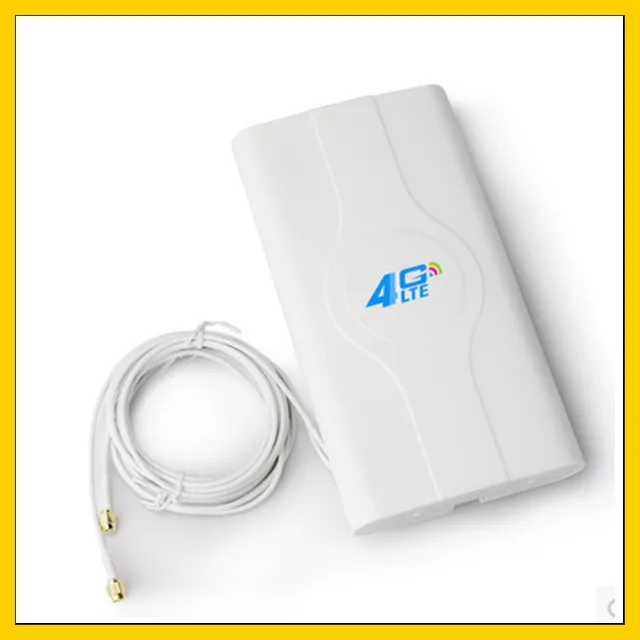 The antenna works well to boost my download speed (sometimes) but it seems like it severely affects my upload speed dropping down to 0.5mbps. Anyone has an idea on how to solve this? Much appreciated. With External Antenna  With Internal Antenna   |
|
|
Aug 12 2017, 07:24 PM
Return to original view | IPv6 | Post
#83
|
|
Senior Member
530 posts Joined: Jan 2010 From: South Lehgoland
|
QUOTE(BlueHeng @ Aug 12 2017, 06:52 PM)  Damn it's not cheap cost me RM100+ Damn it's not cheap cost me RM100+Will keep trying... fingers crossed.  |
|
|
Aug 13 2017, 06:32 PM
Return to original view | IPv6 | Post
#84
|
|
Senior Member
530 posts Joined: Jan 2010 From: South Lehgoland
|
QUOTE(fruitie @ Aug 13 2017, 06:09 PM)  I wish I can help more but I can't. Until I manage to get one for myself, this thing is still pending. I wish I can help more but I can't. Until I manage to get one for myself, this thing is still pending. So everyone just hold your horses. I will keep calm and continue using my E5186 until I see the thing.  can i get the link for reference sis?  |
|
|
Aug 14 2017, 12:08 PM
Return to original view | IPv6 | Post
#85
|
|
Senior Member
530 posts Joined: Jan 2010 From: South Lehgoland
|
QUOTE(arezz @ Aug 14 2017, 12:01 PM) wanna ask.. if the modem is unlocked unit, then no extra setting needed.i have huawei 5377. if i subscribe infinte 150, can i just put simkad in the modem? or any setting needed? just u better check digi coverage in your area first, later kaput blame digi scam pulak |
|
|
Aug 15 2017, 03:34 AM
Return to original view | IPv6 | Post
#86
|
|
Senior Member
530 posts Joined: Jan 2010 From: South Lehgoland
|
QUOTE(ais182 @ Aug 14 2017, 09:02 PM) Any user from Keningau Sabah? How the speedtest? it's better if u buy digi prepaid and try around your placeThis plan how long contract? dont have contract. u can potong anytime u want just need to pay for 2 month in advance, plus gst. online only promo |
|
|
|
|
|
Aug 19 2017, 08:06 PM
Return to original view | IPv6 | Post
#87
|
|
Senior Member
530 posts Joined: Jan 2010 From: South Lehgoland
|
here we go again
|
|
|
Aug 20 2017, 05:02 PM
Return to original view | IPv6 | Post
#88
|
|
Senior Member
530 posts Joined: Jan 2010 From: South Lehgoland
|
QUOTE(shazone49 @ Aug 20 2017, 05:01 PM) Is it hotspot just 5 devices at one time that hotspot pass (16) is applicable for infinite 80 only and i80 already gone long time.Please reply ASAP if i use archer mr200 is it still limit to 5 devices I want to subscribe this 150 infinite... no limit for infinite 150. read (15) check the spec for mr200, router nowdays can support up to 32-64 user easily. pardon me for the late reply This post has been edited by ajoi57: Aug 20 2017, 05:12 PM |
|
|
Aug 20 2017, 05:15 PM
Return to original view | IPv6 | Post
#89
|
|
Senior Member
530 posts Joined: Jan 2010 From: South Lehgoland
|
QUOTE(shazone49 @ Aug 20 2017, 05:12 PM) That mean if i subscribe now can go up more than 5 devices...Is it true yes its very true.read my edited reply on last post. |
|
|
Aug 20 2017, 05:52 PM
Return to original view | IPv6 | Post
#90
|
|
Senior Member
530 posts Joined: Jan 2010 From: South Lehgoland
|
QUOTE(pmg @ Aug 20 2017, 05:15 PM) That HotSpot Pass is only applicable to i80 I think, a package which is now no longer offered by DiGi yup. coverage and connectivity is a bigger problemi150 has no tethering limit AFAIK. It's likely congested AF though  |
|
|
Aug 20 2017, 05:56 PM
Return to original view | IPv6 | Post
#91
|
|
Senior Member
530 posts Joined: Jan 2010 From: South Lehgoland
|
QUOTE(shazone49 @ Aug 20 2017, 05:29 PM) I just now call digi centre.. they are mention like that about 5 devices at one time...is it u all try more than 5 devices at one time...please i need confirmation b4 subscribe if all connected are heavy user, the suggested device is 5 yes my usual device connection is more than 5. |
|
|
Aug 21 2017, 03:14 PM
Return to original view | IPv6 | Post
#92
|
|
Senior Member
530 posts Joined: Jan 2010 From: South Lehgoland
|
QUOTE(pia7295 @ Aug 21 2017, 03:05 PM) Nightmare!! connect your wifi firstJust receive the new E5186 router. Unbox and immediately do the firmware update using advance method as per the guide given by bro blacktubi. During flashing, I can see the MODE colour change to GREEN, meaning the update is successfully complete. After t. urn off everything and restart, I’m no longer ever able to login to my router again. Can you guy tell me what is missing ? on my PC, I can’t ever run the E5186 Toolbox 0.9. click the exe file and seem nothing popping up. Help… |
|
|
Aug 21 2017, 05:04 PM
Return to original view | IPv6 | Post
#93
|
|
Senior Member
530 posts Joined: Jan 2010 From: South Lehgoland
|
QUOTE(Glcotan @ Aug 21 2017, 05:00 PM) Guys, better if u look around from seller at digi infinite facebook group, u might save few hundred.Need help here. I was checking out Huawei Modem price in Lazada The E5186 seems to be a lot higher than 600? RM910 in this link, where to find cheaper one? http://www.lazada.com.my/huawei-e5186-4g-3...an-7685664.html How about this E5180? http://www.lazada.com.my/huawei-e5180-4g-l...m-14427704.html those modem is too expensive at lazada |
|
|
|
|
|
Aug 21 2017, 05:09 PM
Return to original view | IPv6 | Post
#94
|
|
Senior Member
530 posts Joined: Jan 2010 From: South Lehgoland
|
QUOTE(pia7295 @ Aug 21 2017, 05:08 PM) we didn't talk about flashing the unit. the seller said the unit they me should work in Malaysia as they sold many unit here. when the item arrive, u dont even try to connect and use it first?anyway, I have no choice other than return. and straight update the firmware using advance method? |
|
|
Aug 21 2017, 06:00 PM
Return to original view | Post
#95
|
|
Senior Member
530 posts Joined: Jan 2010 From: South Lehgoland
|
QUOTE(pia7295 @ Aug 21 2017, 05:15 PM) yes. I thought it should be a successful update , as so many of the bro here manage to get them right. well, everyone else already use it before upgrade thus we all know there is no problem with the unit at first place.is there a different to upgrade it then use? and i even try basic method first before proceed to advance method. how about u try reflashing it again and see how |
|
|
Aug 22 2017, 03:29 AM
Return to original view | IPv6 | Post
#96
|
|
Senior Member
530 posts Joined: Jan 2010 From: South Lehgoland
|
QUOTE(lunacy @ Aug 22 2017, 01:01 AM) How to use with this? Buy a modem and insert tghe sim card? Then can start sharing to phone, pc? Sorry noob here if u want to use it for home,better buy a reliable modem then share like normal broadband. QUOTE(pmg @ Aug 22 2017, 02:34 AM) This is confusing .... your bill so weird If my bill is like this, then that means I don't have to pay anything right ?  yeah supposely u dont have to pay anything |
|
|
Aug 23 2017, 04:09 AM
Return to original view | IPv6 | Post
#97
|
|
Senior Member
530 posts Joined: Jan 2010 From: South Lehgoland
|
QUOTE(lunacy @ Aug 23 2017, 12:58 AM) Mostly im the only user for myself. I don plan to get fix broadband as current stay is not permanent. lurk around in here u might saw pipul selling with good price compare to lazadaSorry my next question is, it is easy to get those modem? Where to get mostly? Lowyat or digital mall? Can get else where? |
|
|
Aug 23 2017, 04:39 PM
Return to original view | IPv6 | Post
#98
|
|
Senior Member
530 posts Joined: Jan 2010 From: South Lehgoland
|
QUOTE(tomastan4134 @ Aug 23 2017, 04:32 PM) oo i c speed wise not only base on which router u usewhat is the difference between cat4 and cat6. in terms of actual speed. (dont compare theoretical speed as i know ) cat4 is 150mbps cat 6 is 300mbps coverage, signal strength, place u put the router, congestion and yada yada. if u can get 70mb with your phone, then get a good router its always good to get the better one so u dont regret later. if u dont have enough budget, just buy within your budget. |
|
|
Aug 23 2017, 04:50 PM
Return to original view | IPv6 | Post
#99
|
|
Senior Member
530 posts Joined: Jan 2010 From: South Lehgoland
|
QUOTE(fruitie @ Aug 23 2017, 04:40 PM) In my opinion, phone is faster than router. im not comparing, just try to poison him to buy a better router QUOTE(tomastan4134 @ Aug 23 2017, 04:41 PM) the problem is i cant identify my phone is using which category at that time i get 70mbps. if i knew, i wont have this problem now. are u always get 70mbps speedtest or only 'that' time?u getting that speed inside your house or the place u wanna use i150? |
|
|
Aug 23 2017, 08:24 PM
Return to original view | IPv6 | Post
#100
|
|
Senior Member
530 posts Joined: Jan 2010 From: South Lehgoland
|
QUOTE(OzzyOzz @ Aug 23 2017, 08:11 PM) how ya to disable the voicemail? is it truly necessary? confused.. call cs and ask them to disable your voicemail QUOTE(budi1413 @ Aug 23 2017, 08:19 PM) I always disable voice mail. So whoever call me will not get voicemail charge if i'm not reachable. yeah i do the same for same reason too it's suck when calling someone then straight kena voicemail one. demit  |
|
Topic ClosedOptions
|
| Change to: |  0.0289sec 0.0289sec
 0.27 0.27
 7 queries 7 queries
 GZIP Disabled GZIP Disabled
Time is now: 3rd December 2025 - 12:03 AM |
 Quote
Quote