

What is the differences between Archer MR200 V1 and V2? Is there any hardware spec differences?
TP-LINK Malaysia Official Thread, Technical Enquiries and Support
TP-LINK Malaysia Official Thread, Technical Enquiries and Support
|
|
 Jul 23 2017, 01:26 PM Jul 23 2017, 01:26 PM
Return to original view | Post
#1
|
 
Junior Member
306 posts Joined: May 2009 
|
What is the differences between Archer MR200 V1 and V2? Is there any hardware spec differences?
|
|
|
|
|
|
Oct 11 2020, 08:24 AM
Return to original view | Post
#2
|
|
Junior Member
306 posts Joined: May 2009
|
I just bought a Mercusys AC12G (sub brand of TP Link).
Unfortunately, I didn't manage to set up the wifi setting in the router. "Unknown error:83" popping up and I can't do anything (changing the SSID name, changing the password, etc) I already update the firmware to the latest one (AC12G(EU)_V1_200722(English)). Attached thumbnail(s) 
|
|
|
Nov 2 2023, 09:12 PM
Return to original view | IPv6 | Post
#3
|
|
Junior Member
306 posts Joined: May 2009
|
Hi guys.
I am using TP Link EX510 Maxis Fibre stock router. The problem I am facing right now is, after resetting the router, I cannot set the new router password. It keep asking me to enter the correct password. I’ve been entering “admin”, my old password but still cannot login. AFAIK, after resetting, the router should set the new password right? But my router keep asking me to enter the password. 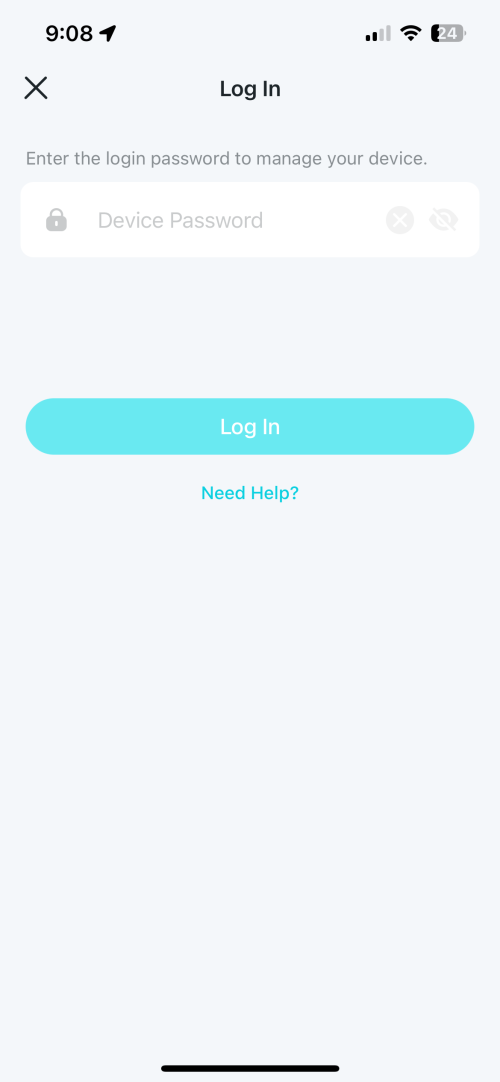 |
|
|
Nov 2 2023, 09:20 PM
Return to original view | IPv6 | Post
#4
|
|
Junior Member
306 posts Joined: May 2009
|
QUOTE(blacktubi @ Nov 2 2023, 09:15 PM) Have you look at the label behind the router? Nothing stated about the login password at the label. Only wifi password. |
|
|
Nov 2 2023, 09:22 PM
Return to original view | IPv6 | Post
#5
|
|
Junior Member
306 posts Joined: May 2009
|
QUOTE(PRSXFENG @ Nov 2 2023, 09:16 PM) Aginet App password is not known (or at least I dont know it so I never used the app) Still cannot login from webui.You have to manage it from webui, via 192.168.1.254 then the credentials printed will work   |
|
|
Nov 3 2023, 09:53 AM
Return to original view | IPv6 | Post
#6
|
|
Junior Member
306 posts Joined: May 2009
|
QUOTE(PRSXFENG @ Nov 2 2023, 10:00 PM) Maxis branded right... At last manage to login using tier 3. Please try the following credentials Tier 1 user user Tier 2 Administrator [Serial Number] Tier 3 MaxSysAdm !!bestHOME!!XXXX XXXX = last 4 of Serial Number Thanks alot!  Can use these credentials for Deco M4? |
|
|
Nov 3 2023, 02:00 PM
Return to original view | IPv6 | Post
#7
|
|
Junior Member
306 posts Joined: May 2009
|
QUOTE(PRSXFENG @ Nov 3 2023, 01:11 PM) No, those provided credentials are set by MAXIS on their provided routers Because the credentials your provide gave access to super user setting in the router. Your own Deco mesh would have a default password printed on it Both are tplink products, but isp provided ones are usually customized with special features or locked down in settings so that's why despite resetting, the maxis provided router keeps its default maxis passwords Now I can change and enable few features that has been locked in normal user mode. |
| Change to: |  0.1389sec 0.1389sec
 0.23 0.23
 7 queries 7 queries
 GZIP Disabled GZIP Disabled
Time is now: 2nd December 2025 - 09:36 AM |
 Quote
Quote