

do i need update firmware?
TP-LINK Malaysia Official Thread, Technical Enquiries and Support
|
|
 Mar 1 2018, 03:09 PM Mar 1 2018, 03:09 PM
Return to original view | Post
#1
|
 
All Stars
12,039 posts Joined: Oct 2017  
|
just seaching throught router setting,
do i need update firmware?
|
|
|
|
|
|
Nov 7 2018, 05:23 PM
Return to original view | Post
#2
|
|
All Stars
12,039 posts Joined: Oct 2017
|
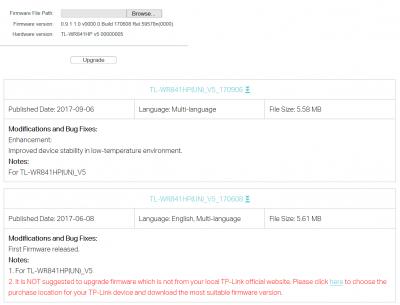
found unstable on network so try search for any update, new update are
New Features/Enhancement: 1. Added support WISP mode. 2. Added guest network under Access Point Mode. WISP what is it? google search but not understand TL-WR841HP V5 |
|
|
Feb 15 2020, 12:17 AM
Return to original view | Post
#3
|
|
All Stars
12,039 posts Joined: Oct 2017
|
Just get new phone
But why apps ask e mail? 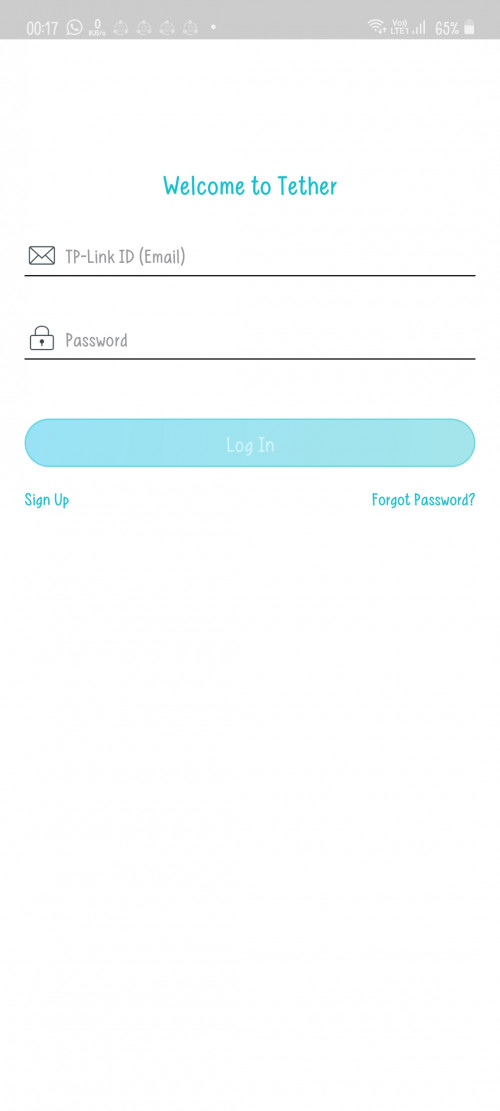 Before this just type admin |
|
|
Feb 15 2020, 02:06 PM
Return to original view | Post
#4
|
|
All Stars
12,039 posts Joined: Oct 2017
|
QUOTE(blacktubi @ Feb 15 2020, 02:03 PM) This is to login to the Tether app which let you to link your router to a TP-Link ID for additional security. Then i will use back website |
|
|
Dec 20 2021, 05:28 PM
Return to original view | Post
#5
|
|
All Stars
12,039 posts Joined: Oct 2017
|
hi, just setup ax20, how to connect ipv6? setting page more option that my previous router
ok, after google search i get back this post, is worked https://forum.lowyat.net/index.php?showtopi...post&p=85934778 and port 4 fixed voip? 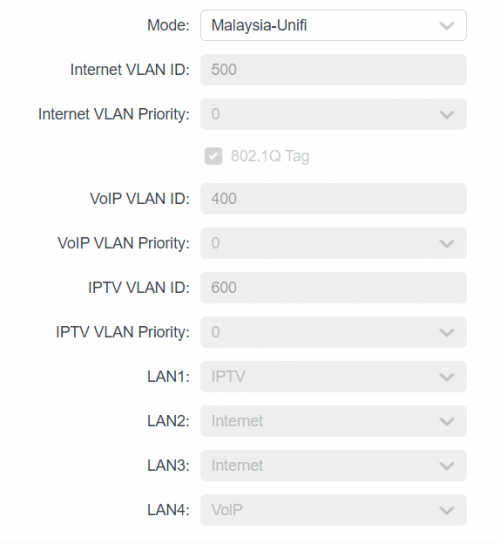 This post has been edited by PJng: Dec 20 2021, 08:35 PM |
|
|
Dec 21 2021, 08:09 PM
Return to original view | IPv6 | Post
#6
|
|
All Stars
12,039 posts Joined: Oct 2017
|
I dunno ask on where, do i need check any wifi setting about this?
Some area of my home on old router cannot use, only 1 bar Now new router can get 3 bar, but speed not stable, sometime 50, 70mbps, sometime only 5mbps and it keep switching back to data |
|
|
|
|
|
Dec 21 2021, 08:13 PM
Return to original view | IPv6 | Post
#7
|
|
All Stars
12,039 posts Joined: Oct 2017
|
QUOTE(FusionXY @ Dec 21 2021, 08:11 PM) 2.4GHz or 5GHz? Wow so fast respondTry install WiFi analyser then check channel not congested. I let 2.4ghz and 5ghz as one ssid, so not family confuse why got 2 wifi I search those app, try 2 nothing show, not sure which app can use |
|
|
Dec 21 2021, 08:33 PM
Return to original view | IPv6 | Post
#8
|
|
All Stars
12,039 posts Joined: Oct 2017
|
QUOTE(FusionXY @ Dec 21 2021, 08:28 PM) Using Android or IPhone? Ok found one is showing dataTry set both separate. Maybe much better. Android  2.4ghz orange color my wifi  5ghz red color behind purple my wifi |
|
|
Dec 21 2021, 08:48 PM
Return to original view | IPv6 | Post
#9
|
|
All Stars
12,039 posts Joined: Oct 2017
|
QUOTE(FusionXY @ Dec 21 2021, 08:39 PM) Yup. Try changing channels which one is not congested. 5ghz on listFor 2.4GHz best to use 1,6 or 11 5GHz need to check as no valid number for which channel is not congested. 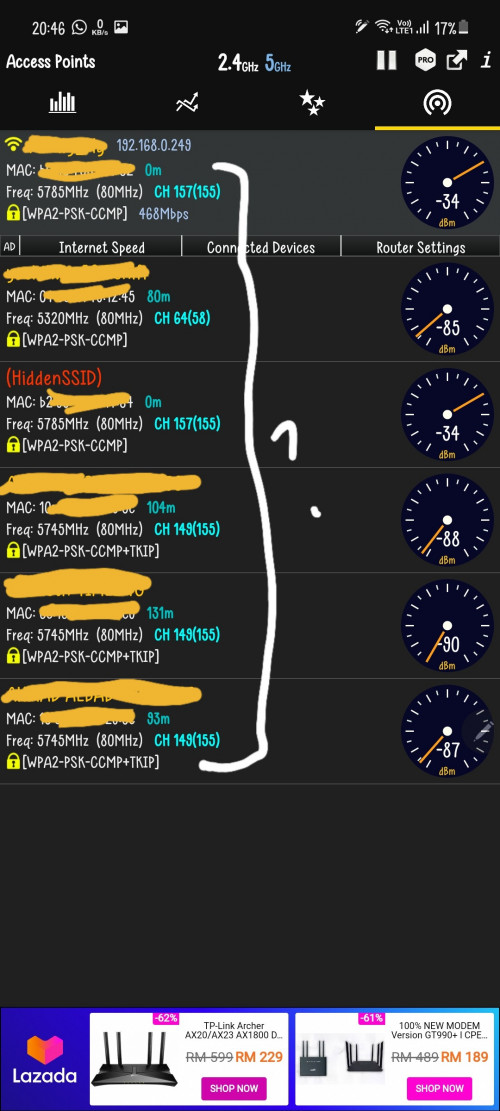 So i can just test different channel? |
|
|
Dec 28 2021, 12:48 AM
Return to original view | IPv6 | Post
#10
|
|
All Stars
12,039 posts Joined: Oct 2017
|
QUOTE(Skylinestar @ Dec 25 2021, 01:31 PM) Ok, forgot this postThis app even show wifi 6 logo, even my phone only support ac |
|
|
Jan 15 2022, 12:44 AM
Return to original view | IPv6 | Post
#11
|
|
All Stars
12,039 posts Joined: Oct 2017
|
QUOTE(jack2 @ Jan 14 2022, 09:44 PM) Any other alternative way? I just google search, only 100mbps portCannot solve it |
|
|
Feb 1 2022, 07:55 PM
Return to original view | Post
#12
|
|
All Stars
12,039 posts Joined: Oct 2017
|
since change to ax20, about 6 to 8 out of 10 time when i enter 192.168.0.1 will error, and auto change to address show on screenshot
i need enter again address 192.168.0.1, what caused? 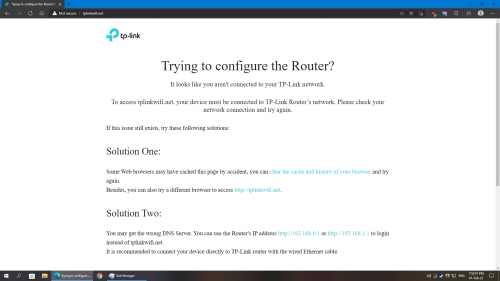 edit, got new update 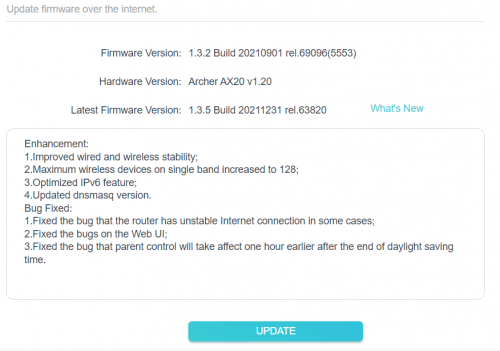 This post has been edited by PJng: Feb 1 2022, 07:56 PM |
|
|
Apr 11 2023, 09:04 PM
Return to original view | IPv6 | Post
#13
|
|
All Stars
12,039 posts Joined: Oct 2017
|
how to correctly open router page?
i use old router to extend wifi, both also TP link but when i open router page it keep open wrong page or throw error Trying to configure the Router? It looks like you aren't connected to your TP-Link network. To access tplinkwifi.net, your device must be connected to TP-Link Router’s network. Please check your network connection and try again. even i enter IP manually, opening some setting page will sudden stuck |
| Change to: |  0.1403sec 0.1403sec
 0.49 0.49
 7 queries 7 queries
 GZIP Disabled GZIP Disabled
Time is now: 3rd December 2025 - 05:39 AM |
 Quote
Quote