
Welcome Guest ( Log In | Register )

Bump Topic Topic Closed RSS Feed

Outline · [ Standard ] · Linear+

 Digi Infinite Fan Club [V2], Infinite 150 and Infinite 80

views
     
r-care
post Jun 20 2017, 05:06 PM

Getting Started
**
Junior Member
103 posts

Joined: Jul 2007


QUOTE(blacktubi @ Jun 20 2017, 05:00 PM)
Will try and do that during Hari Raya. I manage to find a way but further experiment required.
user posted image
Here's how a successful firmware flash looks like.
*
succesfully flash firmware & ui using tutorial you shared.
r-care
post Jun 20 2017, 05:21 PM

Getting Started
**
Junior Member
103 posts

Joined: Jul 2007


QUOTE(blacktubi @ Jun 20 2017, 05:12 PM)

Can you show a printscreen of the firmware you successfully flashed? Before and after if available.

How many attempt it takes?

*
i dont have screenshot before . but here after flashed. took me 4-5 attempt.


Attached thumbnail(s)
Attached Image
r-care
post Jun 20 2017, 05:25 PM

Getting Started
**
Junior Member
103 posts

Joined: Jul 2007


QUOTE(fruitie @ Jun 20 2017, 05:08 PM)
From my initial reading, it seems quite difficult. Don't dare to try and leave me with no router to use. laugh.gif
Is it difficult? I hope blacktubi can come out with a simpler version for us. tongue.gif
*
yes. quite difficult compared to other huawei model.

r-care
post Jun 20 2017, 05:31 PM

Getting Started
**
Junior Member
103 posts

Joined: Jul 2007


QUOTE(blacktubi @ Jun 20 2017, 05:26 PM)
We have the same firmware. biggrin.gif

The guide only manage to flash web UI no matter how long I leave it to run. I guess you have a pretty old firmware previously.
*
nope. previously i have 21.28x.xx.xx.xxx firmware.

first to third attempt only updated the web ui.

and i dont really know how i managed to get to latest firmware. tongue.gif thought might be mistake from the info, so i restore factory setting, the latest firmware still there. guess its my lucky day.

this latest firmware quite stable than previous.
r-care
post Jun 20 2017, 05:40 PM

Getting Started
**
Junior Member
103 posts

Joined: Jul 2007


QUOTE(blacktubi @ Jun 20 2017, 05:36 PM)
I pretty much have the same situation. I agree that the latest firmware is a lot more stable than the old one. tongue.gif

Do you have the same green LED show up in the end? That's how I got it to work.
*
exactly same. 1st i thought i bricked the router. prepared to try the USB serial method.
r-care
post Jun 21 2017, 04:33 PM

Getting Started
**
Junior Member
103 posts

Joined: Jul 2007


QUOTE(PenzoilGuy @ Jun 21 2017, 03:54 PM)
I just update the firmware from the "Update" Tabs then press the "Online Update" section..and press update...previously mine from 21.302.01.00.56 then updated to 21.310.01.20.11 (latest update same as Fruitie)
I just update from the "Update" Tabs...using Online Update. I still didn't do the flash thingy like other sifu...
*
your version got auto & 4g only?
r-care
post Jun 21 2017, 05:06 PM

Getting Started
**
Junior Member
103 posts

Joined: Jul 2007


QUOTE(PenzoilGuy @ Jun 21 2017, 04:48 PM)
I assumed u talking under Setting --> Network Setting --> Preferred Mode:
Mine have:-
1. 4G preferred
2. 2G Only
3. 3G Only
4. 4G Only
*
some huawei e5186 model have 4G only option. no other option & unable to change via toolbox app.
r-care
post Jun 21 2017, 05:53 PM

Getting Started
**
Junior Member
103 posts

Joined: Jul 2007


QUOTE(HolySatan @ Jun 21 2017, 05:32 PM)
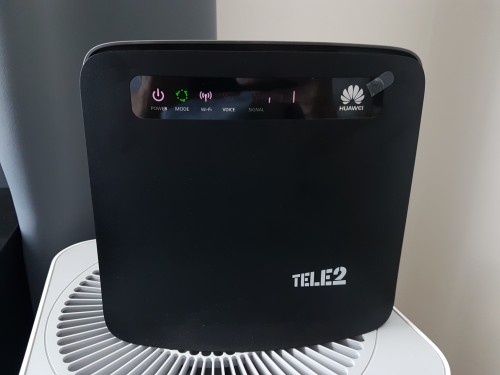
r u using tele2 white version?
black version no prob..
if flash to another fw also cannot fix 4g only..
so cannot use call

user posted image
*
nice info bro.

Topic ClosedOptions
 

Change to:
| Lo-Fi Version
0.0792sec    0.19    7 queries    GZIP Disabled
Time is now: 15th December 2025 - 04:01 AM