Welcome Guest ( Log In | Register )

Bump Topic Topic Closed RSS Feed

Outline · [ Standard ] · Linear+

 Digi Infinite Fan Club [V2], Infinite 150 and Infinite 80

views
     
pmg
post Jun 9 2017, 12:39 PM

Getting Started
**
Junior Member
124 posts

Joined: Jan 2007


QUOTE(Dozz @ Jun 9 2017, 11:51 AM)
I would say DiGi netowrk speed performance is really depend on location and what devices you use.

When i use iphone 7 plus, the max speed i got was 35Mbps , but now i'm using Huawei E5186 + external antenna , the speed boost up to 60-70Mbps at all time at the same location.

Here the speedtest result
[attachmentid=8886359]
*
Not on DIGI Infinite, but prepaid 1 GB for RM3 for tests.

Indoors, a paltry Streamyx-like "speed" of 4-5 Mbps shakehead.gif

Once I stepped out of my flat, I got 9 Mbps.

There is a cell tower nearby where the downloads goes to a whopping 30-35 Mbps on my Asus Zenfone 2 with CAT 4 LTE

So yeah, it depends very much on the location and time of the day as well
pmg
post Jun 9 2017, 02:55 PM

Getting Started
**
Junior Member
124 posts

Joined: Jan 2007


QUOTE(alexleow81 @ Jun 9 2017, 01:57 PM)
Bro. I think in PJ the connection is good! Last time I used xiaomi device and I can throw away the xiaomi device because the connection really sucks using it. But when I changed to Huawei Mate 9 Pro, everything's change 100% with great speed and coverage.

TRUST ME! DEVICE/PHONE DOES MATTERS MAN!
*
What Xiaomi device were you using ? Xiaomi has some nice CAT6 devices at sane prices

That Mate 9 Pro is a CAT12 LTE device, so no wonder you got that great result

edit : spelling

This post has been edited by pmg: Jun 9 2017, 02:55 PM
pmg
post Jun 12 2017, 11:55 AM

Getting Started
**
Junior Member
124 posts

Joined: Jan 2007


I feel like Huawei Malaysia didn't see the market demand for that E5186 LTE "modem".

So many discussions by Malaysians online, but such a limited availability - close to none really
pmg
post Jun 12 2017, 01:50 PM

Getting Started
**
Junior Member
124 posts

Joined: Jan 2007


QUOTE(blacktubi @ Jun 12 2017, 01:15 PM)
Those LTE CPE is never directly available to consumer. They only sell those to carriers.
*
I see.

Well, that explains why they often come in boxes with the word 'Optus' on it - an Australian Telco I believe
pmg
post Jun 13 2017, 12:30 PM

Getting Started
**
Junior Member
124 posts

Joined: Jan 2007


QUOTE(watekeke @ Jun 13 2017, 12:13 PM)
Dem digi.. so wanna find cheap phones with cat6/9/12 speed la like this
*
They start from RM2k. Someone reported here that the Huawei Mate 9 Pro works well with DiGi's LTE-A, download wise that is
pmg
post Jun 13 2017, 04:48 PM

Getting Started
**
Junior Member
124 posts

Joined: Jan 2007


QUOTE(evilsmile @ Jun 13 2017, 04:31 PM)
So i see a lot of people using Huawei E5186-22a

Very good spec. but unfortunately not a portable Mifi and the price is very expensive

if anyone find a good LTE-A/cat6 mifi that is not overpriced can share
*
I'm considering this portable one :

Huawei E5377 LTE MiFi Modem Router

Max download 150 Mbps "only" but the RM300 price seems reasonable IMHO
pmg
post Jun 13 2017, 06:15 PM

Getting Started
**
Junior Member
124 posts

Joined: Jan 2007


QUOTE(kopiride @ Jun 13 2017, 05:05 PM)
Does this one support that LTE-A? I see you guys specifically mentioned that for E5186. Really confuse with all these technical thing.
*
Huawei E5377 only supports LTE (up to 150 Mbps download)

Huawei E5186-22a supports LTE-A (up to 300 Mbps download) offered by Malaysian Telcos. Hence the RM800+ price, more than twice that of most LTE only devices

That being said, your location and the level of network congestion often matters more than the maximum download capacity of your device.
pmg
post Jun 13 2017, 08:19 PM

Getting Started
**
Junior Member
124 posts

Joined: Jan 2007


QUOTE(luke00 @ Jun 13 2017, 07:58 PM)
For E5186-22a, its cheaper buying from Taobao
*
I think that's a luxury for those who can read Chinese (or have someone trustworthy to do it for them)
pmg
post Jun 16 2017, 02:17 AM

Getting Started
**
Junior Member
124 posts

Joined: Jan 2007


QUOTE(Ebony & Ivory @ Jun 16 2017, 01:03 AM)
user posted image

Tplink MR200 user here, most of the time around 10 device connect to Wifi, a few on 5GHz while the rest on 2.4GHz, so far ok.
*
Thanks for sharing the speedtest result.

Question : With the Tplink MR200, are you able to game online with people from South East Asia without significant lag ? (I know that this depends more on the network than the router hardware)
pmg
post Jun 16 2017, 12:03 PM

Getting Started
**
Junior Member
124 posts

Joined: Jan 2007


QUOTE(fruitie @ Jun 16 2017, 11:40 AM)
Just like normal Mimo antenna. laugh.gif

» Click to show Spoiler - click again to hide... «

*
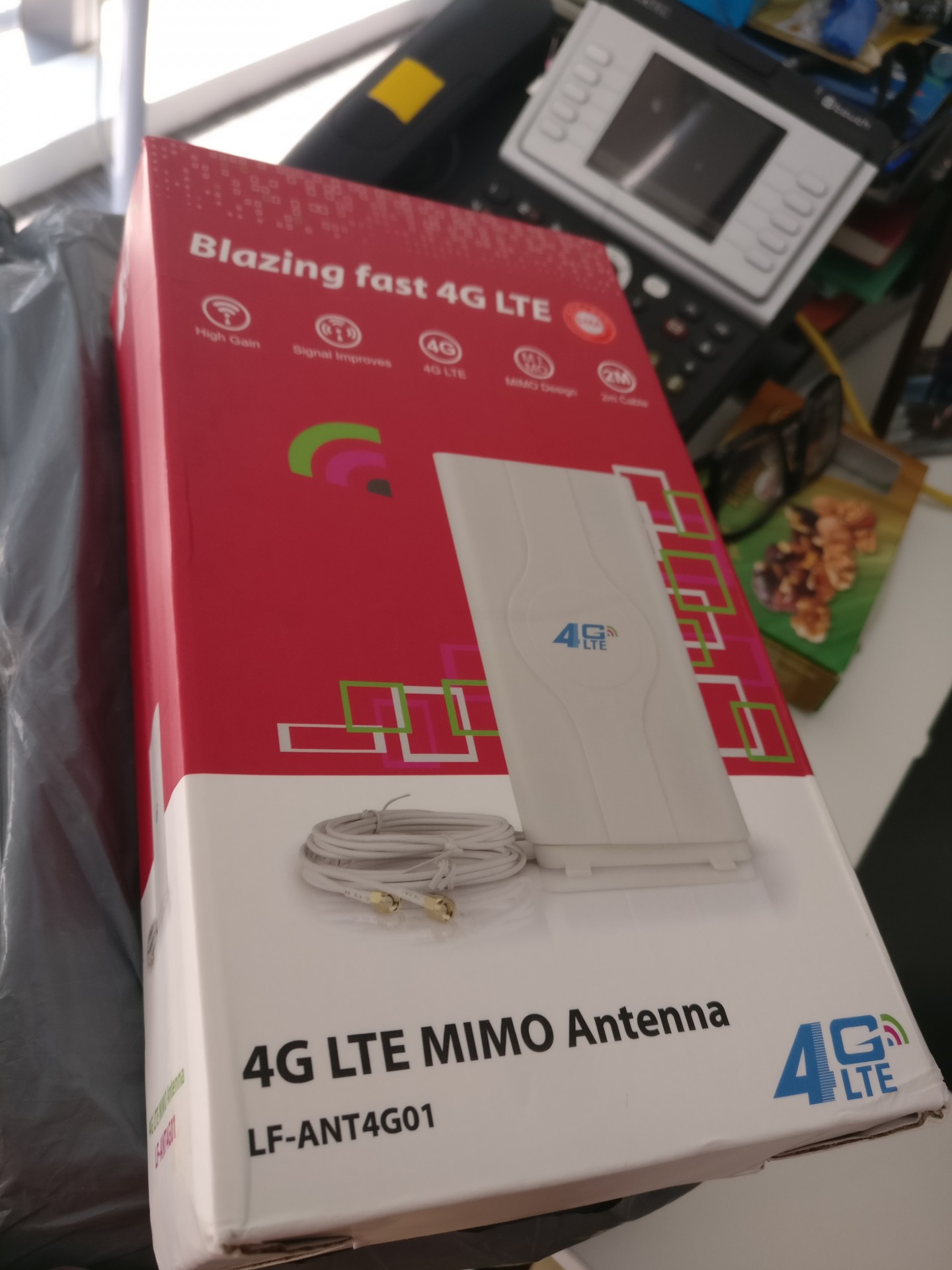
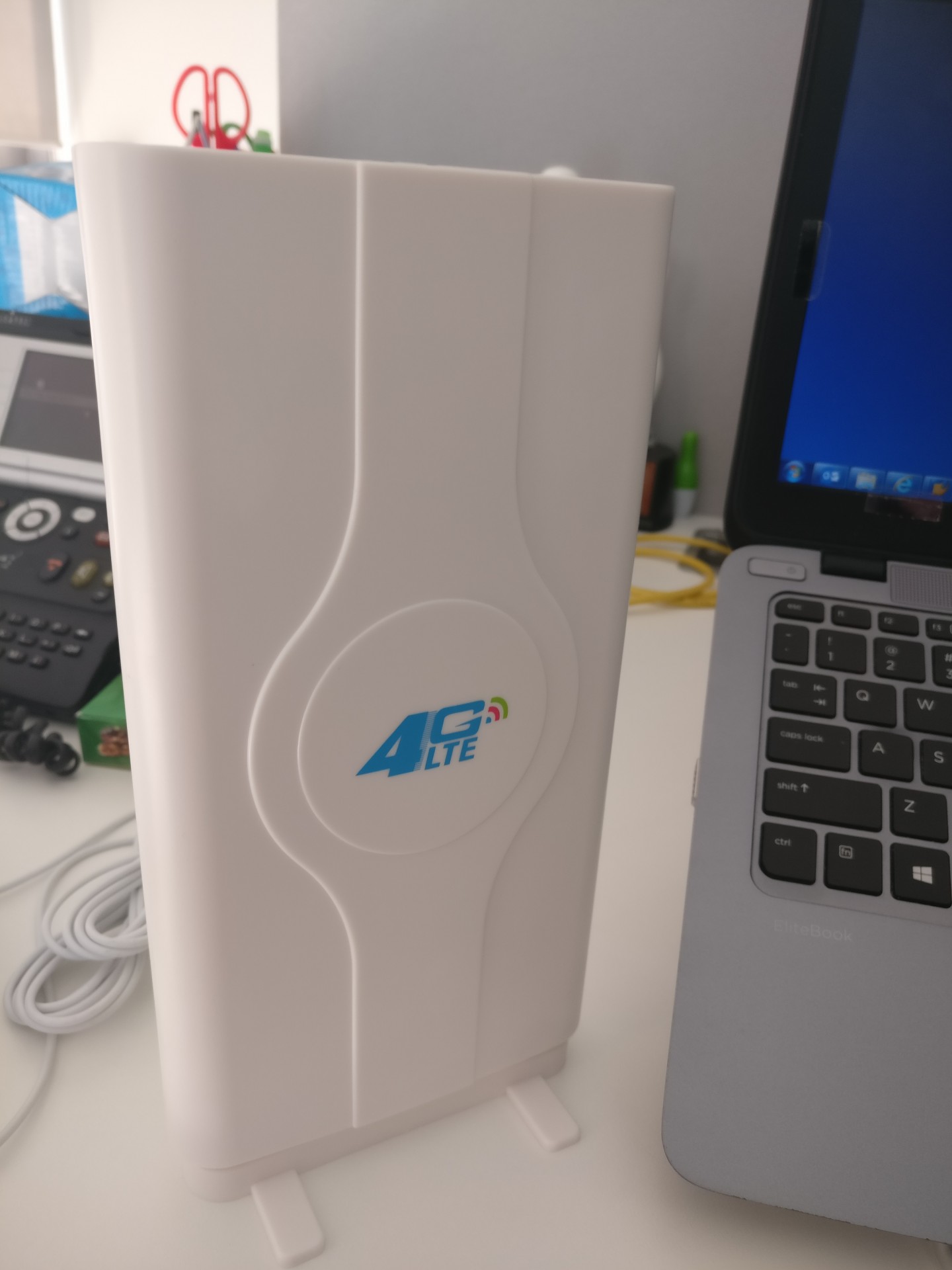
Where are you planning to put/mount this ? On your desk ? Indoors near some window ? Outdoor even ?


pmg
post Jun 16 2017, 01:35 PM

Getting Started
**
Junior Member
124 posts

Joined: Jan 2007


QUOTE(yeokz @ Jun 16 2017, 01:31 PM)
Sure it will as long as you have a USB 4G LTE modem to stick it into that router as I believe this model does not accept SIM card
pmg
post Jun 16 2017, 01:50 PM

Getting Started
**
Junior Member
124 posts

Joined: Jan 2007


QUOTE(yeokz @ Jun 16 2017, 01:38 PM)
ahh, mfw they use the wrong picture and i was looking at the picture of the modem with the sim card slot at the back, and thought wow its so cheap
*
I went to a physical store in Digital Mall (I think), PJ. Shocked at how cheap some 4G LTE routers are. Turns out they're actually just normal wireless routers that have no SIM slot and requires an external 4G modem either via USB or LAN. The packaging labels can be confusing sometimes especially when one is 4G hardware noob - which I was back then biggrin.gif
pmg
post Jun 19 2017, 06:22 PM

Getting Started
**
Junior Member
124 posts

Joined: Jan 2007


QUOTE(mrbs84 @ Jun 19 2017, 06:19 PM)
My connection to PS4 no problem, using huawei e5186s-22a. Try different modem maybe or try assign fixed ip for all the devices.
*
Can you game online on the PS4 without much lag on LTE (or LTE-A) ?
pmg
post Jun 21 2017, 03:14 AM

Getting Started
**
Junior Member
124 posts

Joined: Jan 2007


QUOTE(kernel123 @ Jun 21 2017, 12:35 AM)
how i wish could get good speed like u guys..50Mbps just too good in my life...guess i need to buy a house in kl.lol..
*
It doesn't matter where you are as long as you're close to a cell tower that offers LTE (or LTE-A) and also **not** congested

I'm near Awan Besar MRT station in Bukit Jalil, KL - a densely populated area. There's LTE here and close to a few cell towers. However come 7PM to 1AM, I can't use DiGi's LTE indoors as the network slows down to a halt. I'm no expert but I suspect there's congestion. Lots of folks use the net during those times.


pmg
post Jun 22 2017, 01:31 PM

Getting Started
**
Junior Member
124 posts

Joined: Jan 2007


QUOTE(jiaen0509 @ Jun 22 2017, 01:19 PM)
Finally got upgraded to Infinite 150... Use iPhone7+ as modem and connected to PC... Can get around 30mbps

[attachmentid=8918651]
*
How long did it take to upgrade ?

BTW, you upgraded from what package ?
pmg
post Jun 22 2017, 10:07 PM

Getting Started
**
Junior Member
124 posts

Joined: Jan 2007


QUOTE(blacktubi @ Jun 21 2017, 10:36 PM)
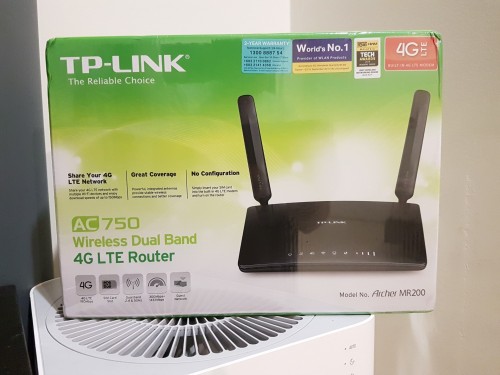
I just got a unit of TP-Link MR200 LTE router for testing. Initial review, surprisingly decent. It comes with Qualcomm MDM9225 modem which I find a little better than HiLink modems of the same generation.

Not as fast as the Cat6 E5186 but if you don't use Cat6, this is actually a pretty good choice. A lot of features in the firmware compared to Huawei.

Fun fact, the antennas are better than the stock E5186 antennas. Using them on my E5186 actually increase the performance. sweat.gif

Edit: The IPV6 is fully working if that's your thing.  biggrin.gif

user posted image
*
So nice that both antennas are bundled and shown in the box. Too often one will need to buy them separately rolleyes.gif
pmg
post Jun 23 2017, 01:37 AM

Getting Started
**
Junior Member
124 posts

Joined: Jan 2007


Ordered at 12:42 AM & got it 40 minutes later at around 1:20 AM. This is from an existing DiGi PrePaid number to Infinite 150. No new SIM needed.

user posted image
free url hosting

Now on to complaining about congestion & high ping biggrin.gif Later lorr
pmg
post Jun 23 2017, 10:22 AM

Getting Started
**
Junior Member
124 posts

Joined: Jan 2007


QUOTE(Neomax3 @ Jun 23 2017, 10:02 AM)
how long did you guys use that prepaid before converting to i150?
*
In my case, the PrePaid number I ported to Infinite 150 had been used for over a decade

pmg
post Jun 24 2017, 04:04 PM

Getting Started
**
Junior Member
124 posts

Joined: Jan 2007


QUOTE(ask8900 @ Jun 24 2017, 03:56 PM)
before 5180
[attachmentid=8921915]

now 5186
[attachmentid=8921916]
*
E5186s-22a purchased from Taobao ?
pmg
post Jun 24 2017, 06:25 PM

Getting Started
**
Junior Member
124 posts

Joined: Jan 2007


QUOTE(PenzoilGuy @ Jun 24 2017, 05:55 PM)
guy just curious...is there option to change external antenna in the e5186 menu? or is it automatic choose external antenna when connected?
*
For a Huawei LTE modem, there could be a setting as shown below. This is for B310 though, not E5186

user posted image

2 Pages  1 2 >Top
Topic ClosedOptions
 

Change to:
| Lo-Fi Version
0.0918sec    0.50    7 queries    GZIP Disabled
Time is now: 4th December 2025 - 06:39 AM