QUOTE(plateau @ Jun 6 2017, 07:45 AM)
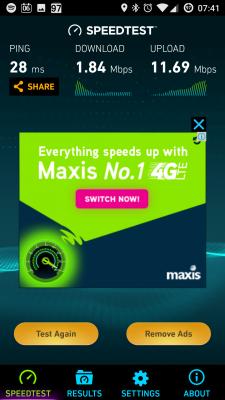
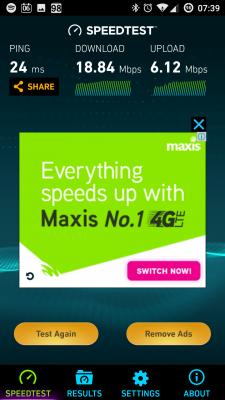
Did a few tests and from these tests, I think that digi may be limiting i150 users or probably allocating bandwidth for some reason like tower congestion or whatever.
Speedtest done with i150 vs digi prepaid at same location and same time :
Actually I don't think it works that way, in cases like yours. Certain public IP address has better speed than others. Here is what I do to get good speed.
1. Open Firefox/Chrome with two tabs. In first tab, load
http://beta.speedtest.net and change the testing server to "Kuala Lumpur:Maxis" (for reasons I don't want to state). In the second tab, open a website where you can check your public IPv4 address, such as
http://ipleak.net.
2. Take note of your public IPv4 address, and then run a test with the Maxis server. If you get nice upload speed but low download speed like in your result, then power off your phone/modem/router, wait for 5 seconds or so and start up your phone/modem/router again to change the public IPv4 address. Toggling the mobile data connection rarely works; it is highly likely that you will get the same address again.
3. After verifying that your IPv4 address has changed, run the test again. If you still get low download but high upload result, change the IPv4 address again. I think I have to do this several times last night just to get a good address.
BTW, if you run a test with the Maxis server and you got low download, low upload result, your tower is congested.


 Jun 5 2017, 05:34 PM


 Quote
Quote


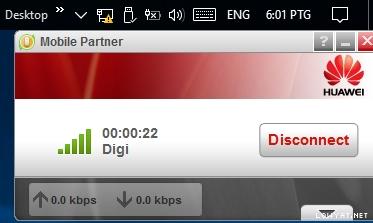


 . Im currently on postpaid 110. submitted form for infinite 150 couple of hours ago. hopefully it changes asap






 0.0264sec
 0.47
0.47
 6 queries
 GZIP Disabled