

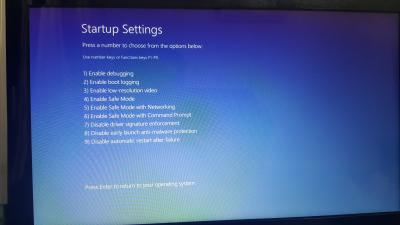
Just now my laptop failure to formatting windows 10. Keep ask me repair windows 10 but i didn't have windows cd because formatting using recovery windows. May i know how to solve it.....thanks
Attached thumbnail(s)

Windows 10, Problem on installing Windows 10
|
|
 Apr 14 2017, 08:51 PM, updated 9y ago Apr 14 2017, 08:51 PM, updated 9y ago
Show posts by this member only | Post
#1
|
 
Senior Member
1,215 posts Joined: Sep 2008 From: Selangor   
|
Hi All,
Just now my laptop failure to formatting windows 10. Keep ask me repair windows 10 but i didn't have windows cd because formatting using recovery windows. May i know how to solve it.....thanks Attached thumbnail(s)
|
|
|
|
|
|
Apr 14 2017, 09:00 PM
Show posts by this member only | Post
#2
|

Senior Member
1,921 posts Joined: Apr 2013 From: Petaling Jaya
|
Do you have a spare laptop or pc? Do you have a spare 16GB thumbdrive?
If you have both, go to google and search for windows 10 bootable usb. Then follow the microsoft link and make your thumbdrive into a bootable usb. Your motherboard supports UEFI, so it should be ok. Btw, how did you install it in the first place? lol Oh lol. Didnt read properly. Hm. Windows recovery then now got error? You need to try to do what i mentioned. Dont bother using CD, you need a 5GB and above dvd to burn it into. I tried. Lol. Using a USB for UEFI bios should be good. I already installed it in my work pc. Works like a charm.. Lol This post has been edited by bobowyc: Apr 14 2017, 09:05 PM |
|
|
Apr 14 2017, 09:06 PM
Show posts by this member only | Post
#3
|

All Stars
14,909 posts Joined: Jul 2005 
|
You don't need a Windows CD/DVD
These are what you need 1. Windows 10 ISO 2. A flash drive with at least 8GB 3. Rufus |
|
|
Apr 14 2017, 09:10 PM
Show posts by this member only | Post
#4
|
|
Senior Member
1,215 posts Joined: Sep 2008 From: Selangor
|
QUOTE(bobowyc @ Apr 14 2017, 09:00 PM) Do you have a spare laptop or pc? Do you have a spare 16GB thumbdrive? thanks yup i got another spare laptop.....i install windows through recovery inside system one but dunno why got corrupt thr and at first i get laptop also didn't burn out recovery windows into cd or hardisk.If you have both, go to google and search for windows 10 bootable usb. Then follow the microsoft link and make your thumbdrive into a bootable usb. Your motherboard supports UEFI, so it should be ok. Btw, how did you install it in the first place? lol Oh lol. Didnt read properly. Hm. Windows recovery then now got error? You need to try to do what i mentioned. Dont bother using CD, you need a 5GB and above dvd to burn it into. I tried. Lol. Using a USB for UEFI bios should be good. I already installed it in my work pc. Works like a charm.. Lol  so now i go dl windows 10 bootable usb???? wht the link ya |
|
|
Apr 14 2017, 09:14 PM
Show posts by this member only | Post
#5
|
|
Senior Member
1,921 posts Joined: Apr 2013 From: Petaling Jaya
|
QUOTE(lawtm @ Apr 14 2017, 09:10 PM) thanks yup i got another spare laptop.....i install windows through recovery inside system one but dunno why got corrupt thr and at first i get laptop also didn't burn out recovery windows into cd or hardisk. https://www.microsoft.com/en-au/software-download/windows10 so now i go dl windows 10 bootable usb???? wht the link ya This is the link, follow the instructions on what and how to do. Click the second icon; Using the tool to create installation media (USB flash drive, DVD or ISO file) to install Windows 10 on a different PC (click to show more or less information) < This. Good luck. Any questions u can ask here. lol |
|
|
Apr 14 2017, 09:49 PM
Show posts by this member only | Post
#6
|
|
Senior Member
1,215 posts Joined: Sep 2008 From: Selangor
|
QUOTE(bobowyc @ Apr 14 2017, 09:14 PM) https://www.microsoft.com/en-au/software-download/windows10 Ok thank finished install liao so now izzit plug the thumb drive inside laptop right.....wht the process yaThis is the link, follow the instructions on what and how to do. Click the second icon; Using the tool to create installation media (USB flash drive, DVD or ISO file) to install Windows 10 on a different PC (click to show more or less information) < This. Good luck. Any questions u can ask here. lol Forgot to stated here tht my current windows 10 is original one so after i install through usb one without effect tht original windows 10 key right? This post has been edited by lawtm: Apr 14 2017, 09:53 PM |
|
|
|
|
|
Apr 14 2017, 10:49 PM
Show posts by this member only | Post
#7
|
|
Senior Member
1,921 posts Joined: Apr 2013 From: Petaling Jaya
|
QUOTE(lawtm @ Apr 14 2017, 09:49 PM) Ok thank finished install liao so now izzit plug the thumb drive inside laptop right.....wht the process ya You should see two options, and there is an option to repair computer. Then you follow from there. Haha.Forgot to stated here tht my current windows 10 is original one so after i install through usb one without effect tht original windows 10 key right? |
|
|
Apr 14 2017, 10:53 PM
Show posts by this member only | Post
#8
|
|
Senior Member
1,215 posts Joined: Sep 2008 From: Selangor
|
QUOTE(bobowyc @ Apr 14 2017, 10:49 PM) You should see two options, and there is an option to repair computer. Then you follow from there. Haha. Sorry which one need to choose???? Can't boot thr using usbAttached thumbnail(s) 
|
|
|
Apr 14 2017, 11:02 PM
Show posts by this member only | Post
#9
|
|
Senior Member
1,921 posts Joined: Apr 2013 From: Petaling Jaya
|
QUOTE(lawtm @ Apr 14 2017, 10:53 PM) Sorry which one need to choose???? Can't boot thr using usb I think should be legacy. haha..Try changing both and see.. Lol.. Btw, your mobo supports uefi right? o.o This post has been edited by bobowyc: Apr 14 2017, 11:06 PM |
|
|
Apr 14 2017, 11:11 PM
|
|
Senior Member
1,215 posts Joined: Sep 2008 From: Selangor
|
QUOTE(bobowyc @ Apr 14 2017, 11:02 PM) I think should be legacy. haha.. Ya hahaTry changing both and see.. Lol.. Btw, your mobo supports uefi right? o.o |
|
|
Apr 14 2017, 11:17 PM
|
|
Senior Member
1,921 posts Joined: Apr 2013 From: Petaling Jaya
|
QUOTE(lawtm @ Apr 14 2017, 11:11 PM) Ya haha Haha, can work? |
|
|
Apr 15 2017, 07:43 AM
|
|
Senior Member
1,215 posts Joined: Sep 2008 From: Selangor
|
QUOTE(bobowyc @ Apr 14 2017, 11:17 PM) Haha, can work? Not yet because need to delete all partition hardisk just can proceed for installing windows on hardisk......tht time i delete 1 partition only for installing windows but failed to do so and i check it up at youtube saw them delete all partition for installing partition haha |
|
|
Apr 15 2017, 11:52 AM
|
|
Senior Member
1,921 posts Joined: Apr 2013 From: Petaling Jaya
|
QUOTE(lawtm @ Apr 15 2017, 07:43 AM) Not yet because need to delete all partition hardisk just can proceed for installing windows on hardisk......tht time i delete 1 partition only for installing windows but failed to do so and i check it up at youtube saw them delete all partition for installing partition haha Eh? You not repairing it? The bootable USB should be able to repair your windows. |
|
|
Apr 16 2017, 10:59 AM
|
|
Senior Member
1,215 posts Joined: Sep 2008 From: Selangor
|
QUOTE(bobowyc @ Apr 15 2017, 11:52 AM) Eh? You not repairing it? The bootable USB should be able to repair your windows. Really meh but i already delete all partition jor hahaThanks |
|
|
Apr 16 2017, 01:42 PM
|
|
Senior Member
1,921 posts Joined: Apr 2013 From: Petaling Jaya
|
QUOTE(lawtm @ Apr 16 2017, 10:59 AM) Really meh but i already delete all partition jor haha Haha.. Oh.. OKay lor.. lol. hahaThanks |
| Change to: |  0.0213sec 0.0213sec
 1.08 1.08
 6 queries 6 queries
 GZIP Disabled GZIP Disabled
Time is now: 12th December 2025 - 03:09 AM |
 Quote
Quote