Welcome Guest ( Log In | Register )

Outline · [ Standard ] · Linear+

Review Xiaomi Wireless Router Pro, Budget yet with great performance

views
     
TSJayceOoi
post Apr 11 2017, 10:13 AM, updated 8y ago

Pro Blogger
*******
Senior Member
2,741 posts

Joined: Jan 2007
Author's Note: The original review can be found at my blog - Xiaomi Wireless Router Pro Review @ JayceOoi.com.

user posted image

Introduction
Yeah... I have a wireless router that support MU-MIMO (Multi-User - multiple-input and multiple-output) at last. Support simultaneous dual band 2.4GHz and 5.0GHz 802.11ac wave2 networks up to 2533Mbps. And loaded with 3 Gigabit Ethernet ports. Yup, Xiaomi Wireless Router Pro is the one that I am talking about now. As usual, it can be managed with Mi Wi-Fi App easily. How does it perform? Let’s find out...

Special Thanks
This review is possible thanks to below companies. Be sure to check them out...user posted image

Package Content & Design
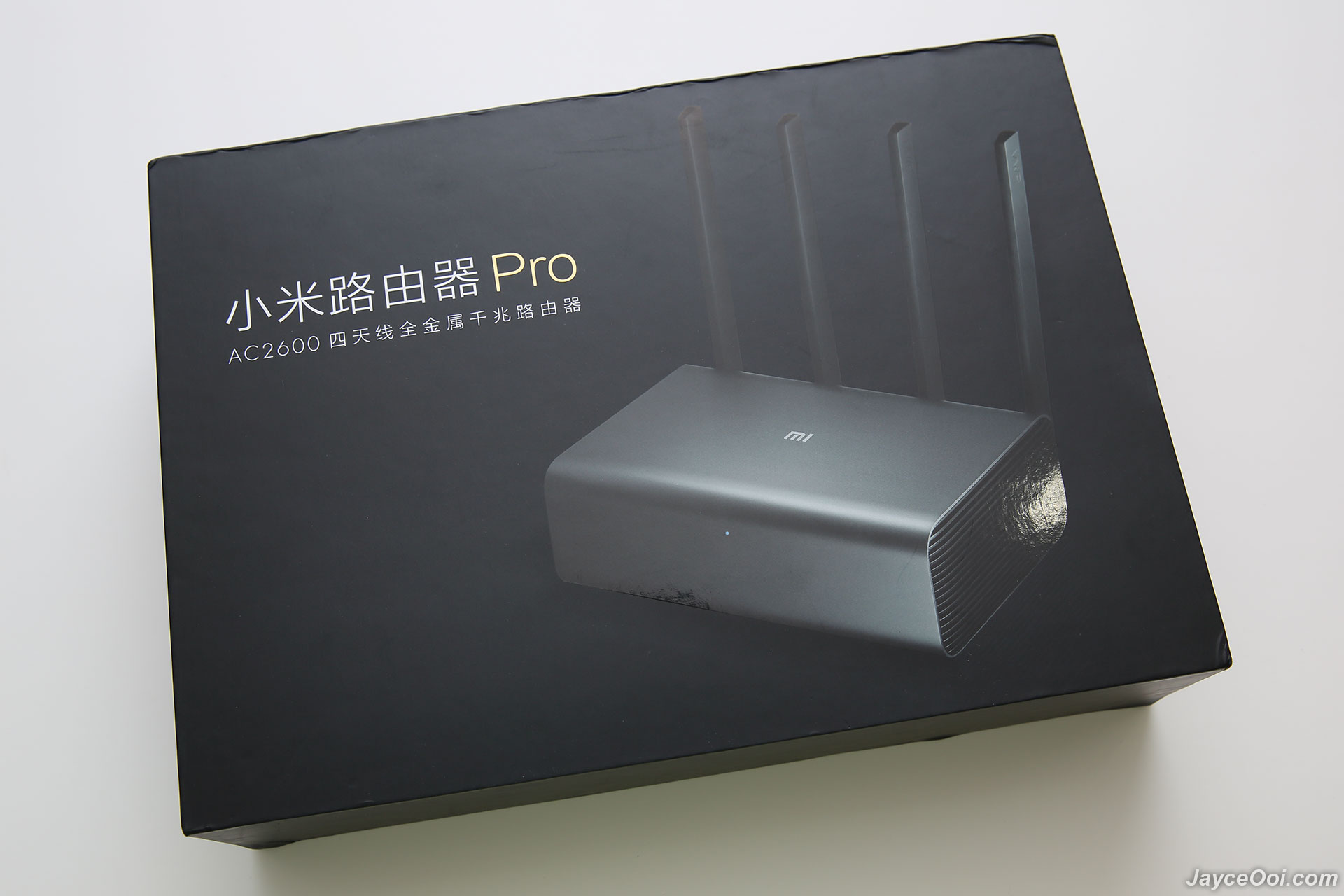
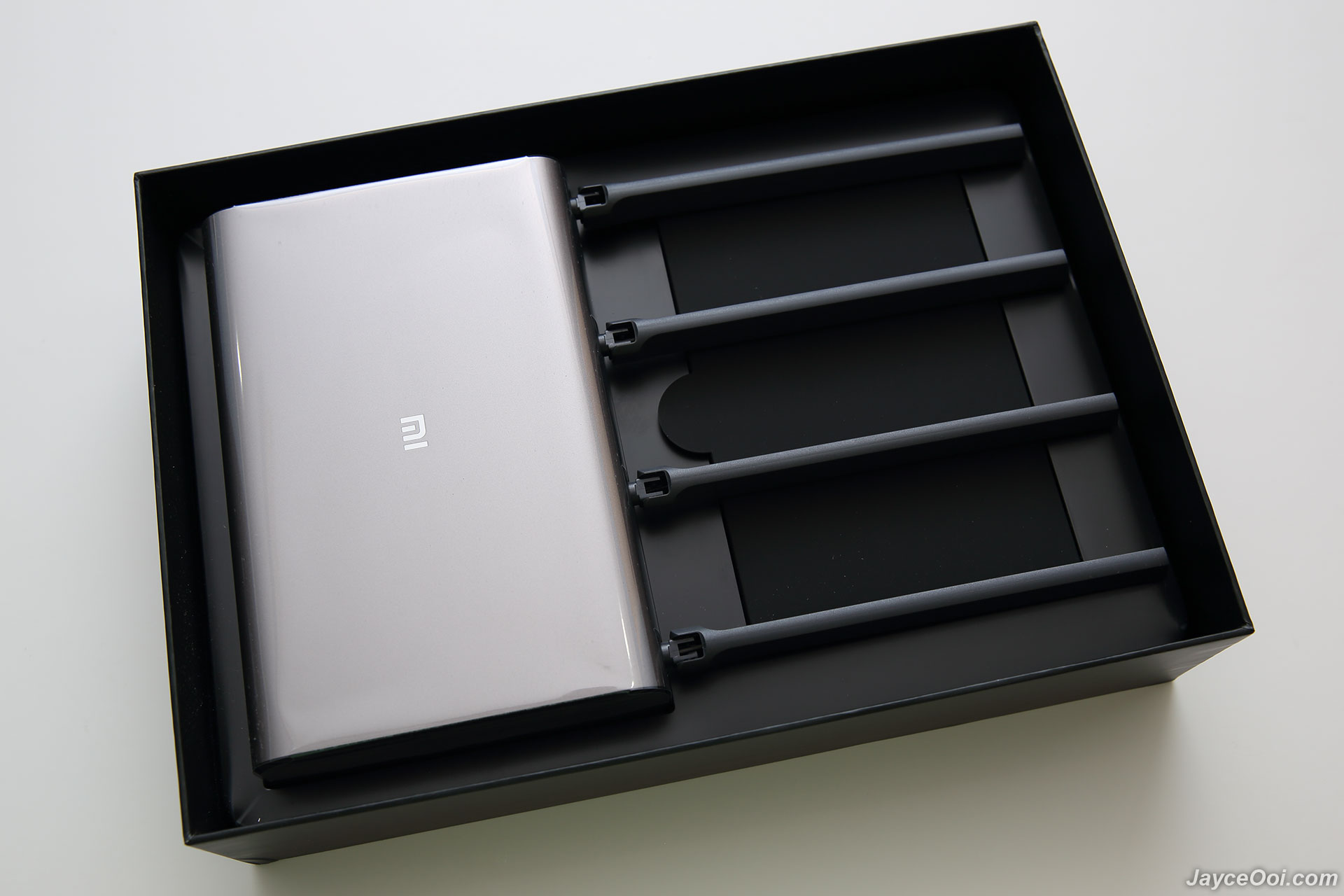
Xiaomi R3P Wireless Router Pro comes in a very nice and premium packaging. And well protected as you can see the router is covered with plastic. After take out Mi Wireless Router Pro, you can find US plug power adaptor and user manual in Chinese. Hmm... Will there be any issue with Chinese version? Let's find out later...
user posted image

user posted image

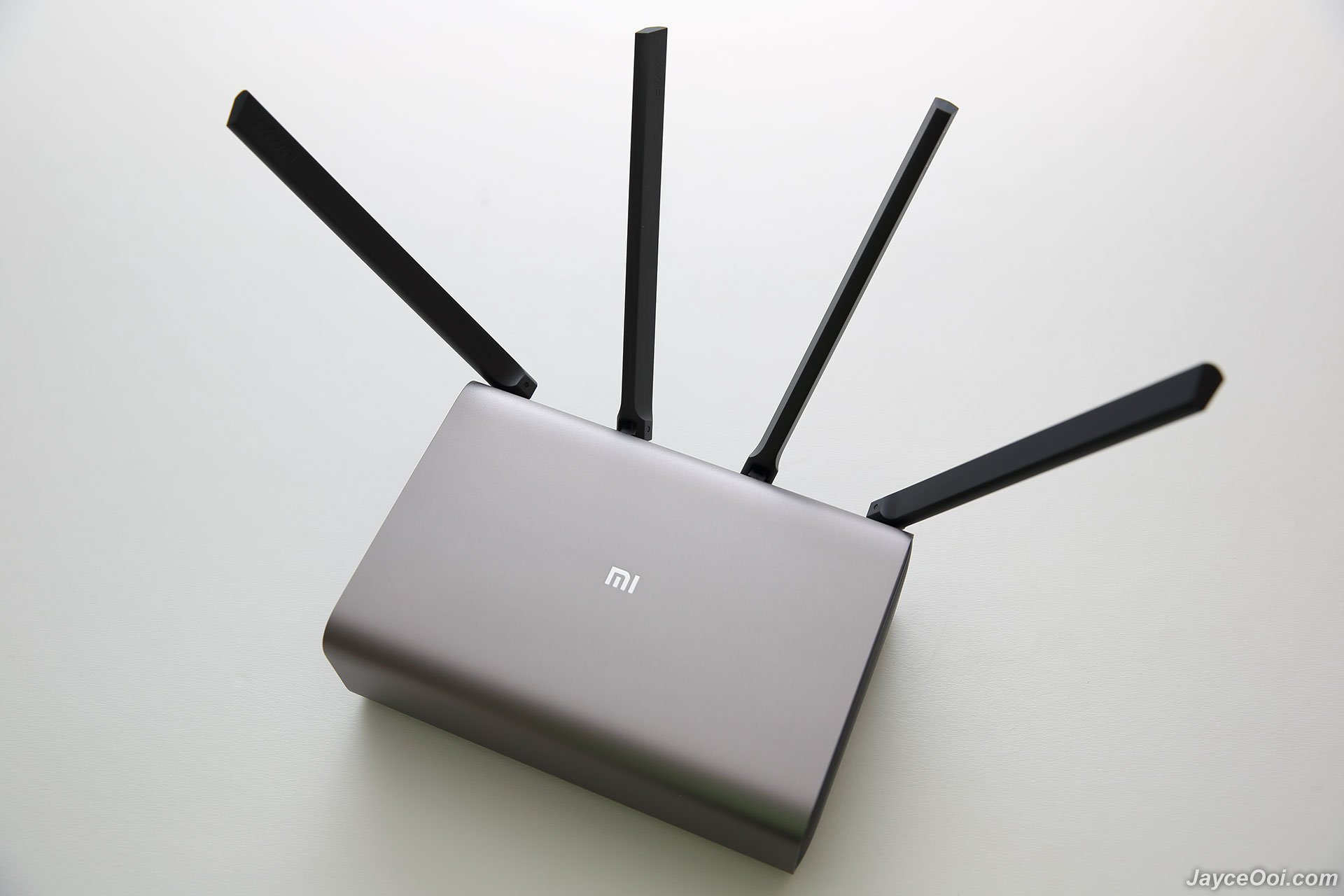
Excellent build quality is what you can get from Xiaomi Wireless Router Pro. All thanks to metal frame body and solid plastic antenna (side and back body are plastic too). And 932.2g in weight. By the way, Pro version has the same design like Xiaomi Wireless Router HD (R3D) with internal hard drive. However, Pro does not have the ability to install HDD / SSD manually as the slot is replaced with large heatsink.

user posted image

4 long antennas, 3 Gigabit Ethernet LAN ports, Ethernet WAN port, USB 3.0 port, power port and reset button are located at back.
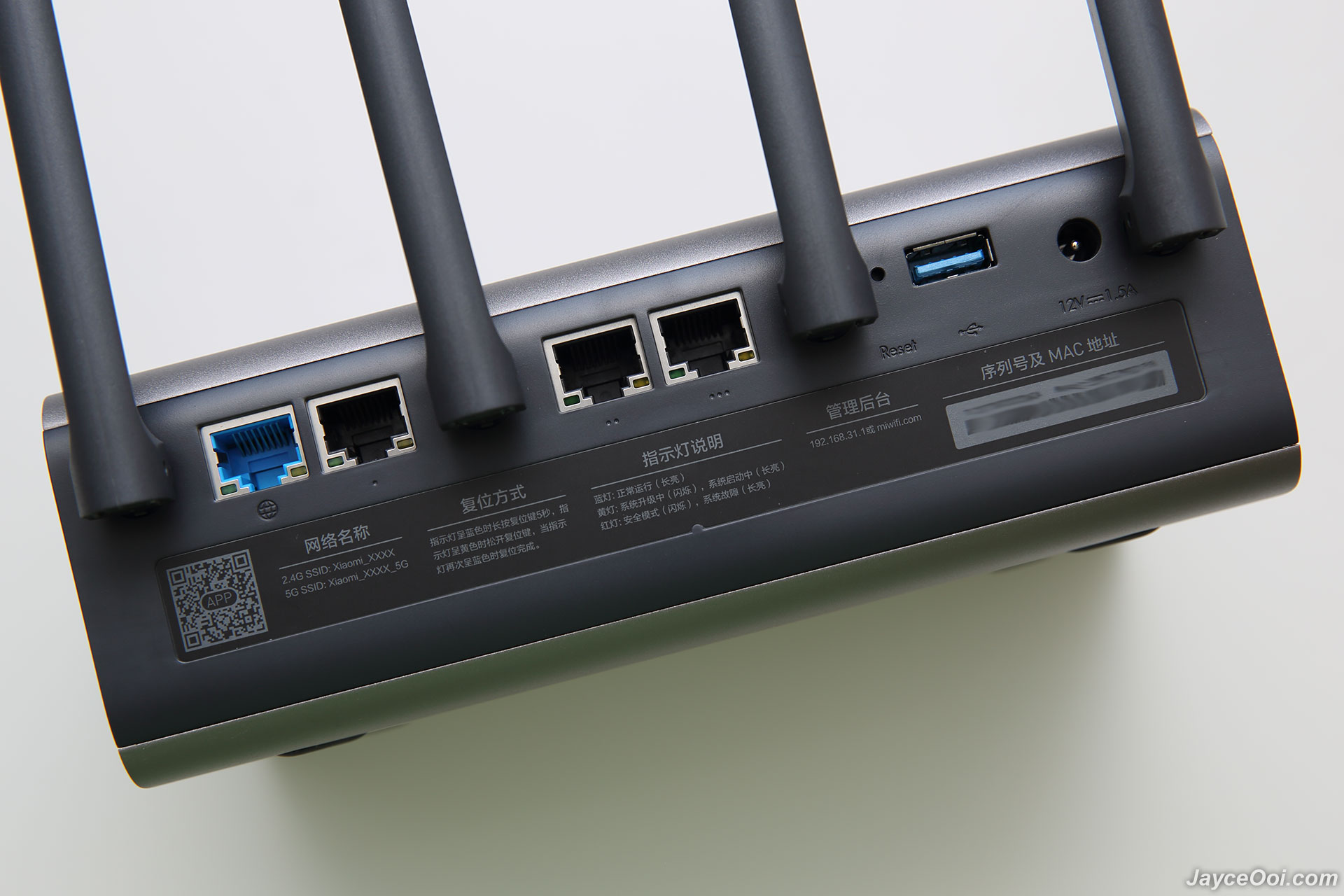
user posted image

4 anti-skid pads are located at the bottom. Don’t be fooled by their tiny sizes. They do provide strong grip and stability here. You need to apply quite some force in order to move the router.

user posted image

Installation
Hurrah!!! You can install Xiaomi Wireless Router Pro in English with Mi Wi-Fi app (can be found at Play Store and App Store for both Android and iOS devices). Just like Xiaomi WiFi Router 3 that I have. Installation is the same - simple and fast. Basically, you need to power on Xiaomi Wireless Router Pro. Then connect your cable/DSL modem Internet cable to WAN port. Use mobile phone to connect to Xiaomi Wireless Router Pro Wi-Fi. Then use MiWiFi App to setup Wi-Fi network name & password (you can set different admin password too). That’s all. You can start to use Xiaomi Wireless Router Pro now and access to Internet.

user posted image

FYI. If you don't have MiWiFi App, you are stuck with web interface in Chinese then. But no worry, Google Chrome translator can help...
TSJayceOoi
post Apr 11 2017, 10:13 AM

Pro Blogger
*******
Senior Member
2,741 posts

Joined: Jan 2007
Software
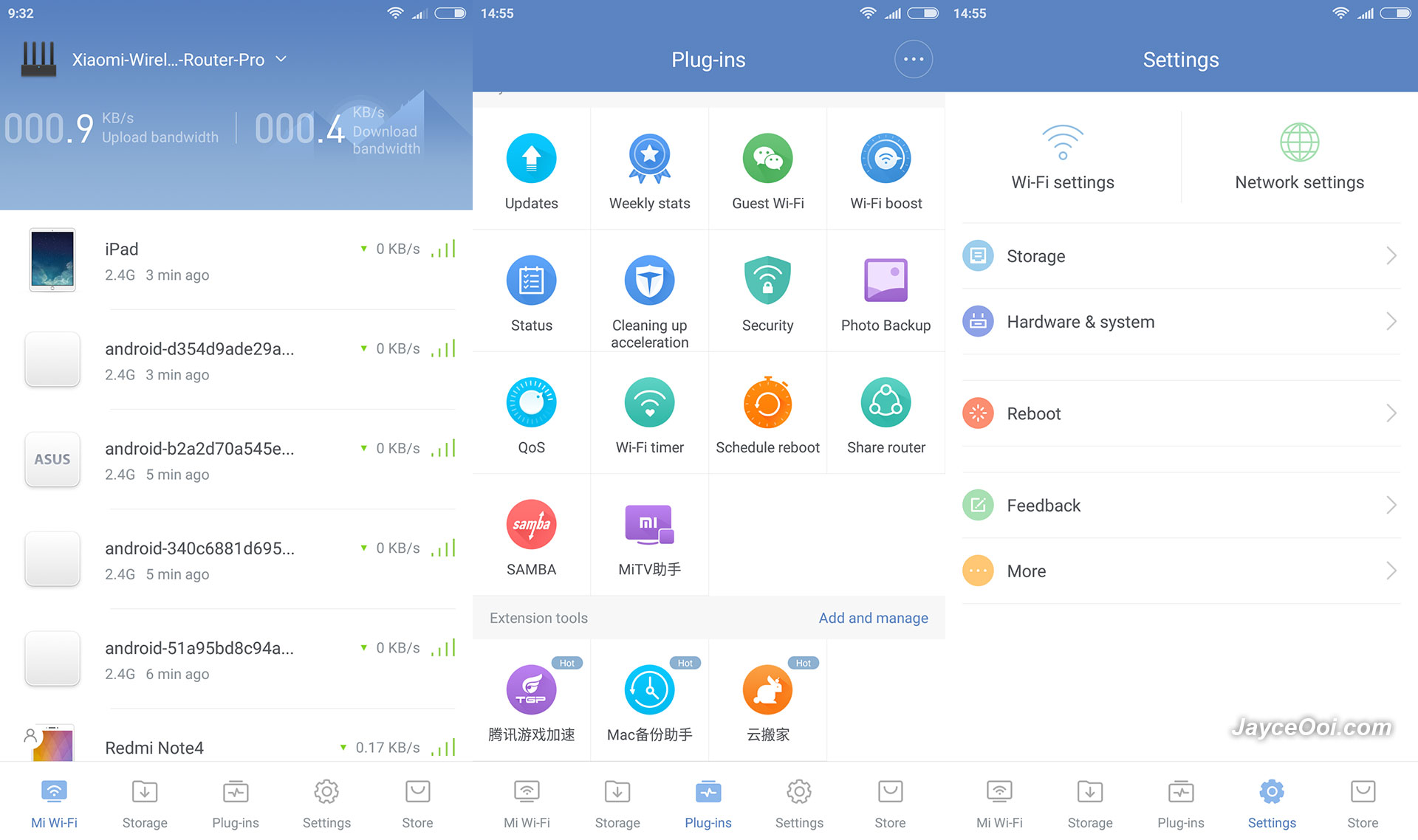
Mi Wi-Fi English application can be used on Xiaomi Wireless Router Pro Chinese edition. Everything is working fine as it should and in English. However, there certain wordings are still in Chinese. No worry, that's around 5 percent among all as you can see on below screenshots.

user posted image

Xiaomi Wireless Router Pro has lot of useful features like guest network, security (firewall), Wi-Fi boost, photo backup, QoS, Wi-Fi timer, SAMBA, schedule reboot and lot more. Every settings can be set from the app too. You can set it as repeater and access point modes on top of normal router mode too.

user posted image

Just like other Xiaomi router, built-in download manager (Xunlei) is there for you. With external USB hard drive, you can use Xiaomi Wireless Router Pro to download normal http, ftp and even BT torrent files. Yes, it can act as local NAS where all your movie, photo and music are stored there. With MU-MIMO, multiple devices can access it with ease and fast. Don't forget fast USB 3.0 port too.

Performance Result
Outstanding!!! I am not expecting that Xiaomi Wireless Router Pro to beat my US$200 Asus RT-AC68U router. Seriously, it win in 2.4GHz range battle where Asus is very good in that. As usual, both of them are placed at the same spot on 1st floor. And screenshots below were taken while I was on ground floor. FYI, Xiaomi Wireless Router Pro only cost half of Asus RT-AC68U.

user posted image

5GHz performance is almost on par. Yes, not far behind as you can see in WiFi Analyzer app. And in actual usage, I did not find any different at all between these two.

user posted image

Here is the WiFi Analyzer time graph for your reference. As you can see, Xiaomi Wireless Router Pro 2.4GHz performance is always on top. And win by 10 dBm.

user posted image

Yeah... I am getting network-attached storage (NAS) alike performance with USB hard drive on Xiaomi Wireless Router Pro through USB 3.0. That's for reading from USB SSD through Gigabit Ethernet. Writing is limited at 22MB/s on Ethernet. Don't know why as I can achieve higher writing speed through wireless.

user posted image

Xiaomi Wireless Router Pro is powered by MT7621A MIPS dual core @ 880MHz. Loaded with 256MB SLC nand flash and 512MB DDR3 RAM. OS based on OpenWRT. As usual, I put it to test as Asus RT-AC68U replacement. Guess what? I am getting the same maximum file transfer rate performance with wireless and much better on Ethernet. Same apply to latency as real-time online games like Clash Royale is smooth as usual. iPerf3 results show the same best rate too. And does not slow down at all when someone is transferring file to/fro USB hard drive. All my 10+ devices are happy with it. Overall, Xiaomi Wireless Router Pro is a better wireless router at lower price.

Advantages
  • 4x4 MU-MIMO 802.11ac
  • Support up to 2533Mbps & Gigabit Ethernet
  • 100MB/s USB 3.0 HDD reading speed
  • Packed with lot features
  • Built-in download manager
  • Top-notch build quality
Limitations
  • Web interface in Chinese
user posted image

Conclusion
Look no further, Xiaomi Wireless Router Pro is the one that suit both your need and budget. Perfect for home and small office use. Enjoy great wireless range and fast transfer rate. Don't forget that it is loaded with lot of useful features too. Interested?
TSJayceOoi
post Apr 16 2017, 11:39 AM

Pro Blogger
*******
Senior Member
2,741 posts

Joined: Jan 2007
QUOTE(coo|dude @ Apr 16 2017, 12:14 AM)
Can this be set up as a WiFi extender? If so, how to set that up?
*
Yes, just follow the simple instruction will do. No worry...

QUOTE(maxcheam @ Apr 16 2017, 10:47 AM)
nice review! I'm getting one to replace my current Mi Router Mini. Have you got a chance to stress test with multiple devices? Would like to know how MU-MIMO fair because I have a lot of China branded smart gadgets like smart plugs, IP cameras and so on.. notworthy.gif
*
Thanks. What kind of stress test?
TSJayceOoi
post Apr 17 2017, 10:14 AM

Pro Blogger
*******
Senior Member
2,741 posts

Joined: Jan 2007
QUOTE(maxcheam @ Apr 16 2017, 12:52 PM)
multiple active connections (at least 4).. This router supports 802.11ac wave2 (or more specifically MU-MIMO) which can handle multiple active connections without compromising the speed and performance. wave 1 routers will need the share the available shared wifi space and thus performance are impacted when more devices are connected, the wave 1 routers usually serve connected devices by serving them in a queue basis. Wave 2 routers on the other hand can handle it simultaneously.
*
Up to 10 active connections also no problem.
TSJayceOoi
post Apr 17 2017, 12:37 PM

Pro Blogger
*******
Senior Member
2,741 posts

Joined: Jan 2007
QUOTE(snakesolidus @ Apr 17 2017, 12:04 PM)
Can this be used as an Access Point?

My house is a 3-storey house
1)Modem Router is located at groudfloor, and there is a wall-LAN Port that connects to the first floor
2)First floor has the main living room, has a wall-LAN port connected from ground floor.  I plan to put a powerful router/acces point here
3)Second floor, will most likely get the wifi signal from First floor

Need your advice. Thanks:)
*
Yes. Just plug the LAN cable into WAN port will do.
TSJayceOoi
post Apr 17 2017, 03:50 PM

Pro Blogger
*******
Senior Member
2,741 posts

Joined: Jan 2007
QUOTE(andrekua2 @ Apr 17 2017, 01:34 PM)
100MB/s on wireless? Why do I feel like so fake? Did you reach them on 2.4GHz or 5GHz? Which wifi adapter are you using?
*
I must improve my writing skill. That's on Ethernet. smile.gif

QUOTE(snakesolidus @ Apr 17 2017, 02:21 PM)
I'm currently using Sunway Digital Wave as my ISP, they are on TIME backbone.

Does this router or other Xiaomi routers works with TIME?

Thanks for your prompt feedback smile.gif
*
No idea on Sunway Digital Wave and TIME. If they can work on normal wireless router, it should work on Xiaomi routers. No VLAN requirement like HyppTV, right? That for surely Xiaomi routers can't support.
TSJayceOoi
post Apr 17 2017, 04:10 PM

Pro Blogger
*******
Senior Member
2,741 posts

Joined: Jan 2007
QUOTE(sHawTY @ Apr 17 2017, 04:04 PM)
Too bad this router is not using Broadcom CPUs
Else we could install Tomato firmware on it

I hate OpenWRT - No offense to others who are using it

JayceOoi you didn't show us how you install the SSD inside that router
Some images or video or even a GIF file would be useful thumbsup.gif
*
It is connected through USB. blush.gif
TSJayceOoi
post Apr 18 2017, 11:20 AM

Pro Blogger
*******
Senior Member
2,741 posts

Joined: Jan 2007
QUOTE(kkm @ Apr 18 2017, 08:38 AM)
Any presets for Unifi, or can do VLAN settings for Hypptv?
*
Nope, official firmware does not support VLAN.
TSJayceOoi
post May 15 2017, 09:40 AM

Pro Blogger
*******
Senior Member
2,741 posts

Joined: Jan 2007
QUOTE(bytes00 @ Apr 20 2017, 02:10 PM)
price ?
*
QUOTE(barry @ May 14 2017, 12:45 PM)
Good job with the review, YayceOoi. I am looking for a suitable upgrade for my time 100mbps service, and i think this may be it. Where can i get it at the cheapest price?
*
All replied... smile.gif
TSJayceOoi
post Jun 12 2017, 08:47 PM

Pro Blogger
*******
Senior Member
2,741 posts

Joined: Jan 2007
QUOTE(xerophyll @ Jun 12 2017, 05:10 AM)
hi Jayce, i was wondering is it possible to connect this router with a mifi using the usb port for internet connection? internet -> mifi -> router
*
Didn't try mifi through USB. But Android USB tethering is not working. End up using Android hotspot mode to connect to it (set as repeater).
TSJayceOoi
post Jun 16 2017, 09:50 AM

Pro Blogger
*******
Senior Member
2,741 posts

Joined: Jan 2007
QUOTE(Emilly94 @ Jun 12 2017, 09:09 PM)
Great, it looks great. Can we get it in the US?
*
Yes. PM me for details. smile.gif
TSJayceOoi
post Jun 21 2017, 10:33 AM

Pro Blogger
*******
Senior Member
2,741 posts

Joined: Jan 2007
QUOTE(mousqy @ Jun 21 2017, 12:52 AM)
can this be used with maxis home fibre? replace that lousy thomson
*
Didn't have the chance to try Maxis fibre. Does it have a modem and wireless router? If yes, you can simply replace the router then.
TSJayceOoi
post Jun 22 2017, 09:38 AM

Pro Blogger
*******
Senior Member
2,741 posts

Joined: Jan 2007
QUOTE(mousqy @ Jun 22 2017, 03:26 AM)
even if i dont want voip and iptv?
fibre optic ---> maxis modem --> mi router wan port (use as ppoe dialer)
*
Can you use Maxis modem to dial directly? I do that on Streamyx modem.
TSJayceOoi
post Aug 29 2017, 08:19 AM

Pro Blogger
*******
Senior Member
2,741 posts

Joined: Jan 2007
QUOTE(Doraku @ Aug 29 2017, 03:45 AM)
Nice review thumbsup.gif  thumbsup.gif , Look like a great router but too bad i using streamyx wacko.gif  wacko.gif
*
Thanks. But why too bad? I am using Streamyx here as well. blush.gif
TSJayceOoi
post Aug 30 2017, 11:47 AM

Pro Blogger
*******
Senior Member
2,741 posts

Joined: Jan 2007
QUOTE(Doraku @ Aug 29 2017, 08:08 PM)
Cheap moderm router is enough for who using steamyx,since download speed and upload speed is super slow cry.gif  cry.gif ,been use streamyx for about 11 years,still wating for time fibre at my place 100Mbps at same price as streamyx 4mbps
*
True for normal surfing. A good wireless router is needed when you have lot of HD videos locally. Or lot of wireless devices connected at the same time. And improve on gaming latency too. smile.gif
TSJayceOoi
post Sep 1 2017, 11:49 AM

Pro Blogger
*******
Senior Member
2,741 posts

Joined: Jan 2007
QUOTE(sonypshomer @ Sep 1 2017, 01:34 AM)
I saw one in 11st with 8TB storage

http://www.11street.my/productdetail/xiaom...-drive-42241397

is that the same?
*
That's HD version with better CPU.
TSJayceOoi
post Sep 1 2017, 05:26 PM

Pro Blogger
*******
Senior Member
2,741 posts

Joined: Jan 2007
QUOTE(sonypshomer @ Sep 1 2017, 03:48 PM)
Is that a better buy?
*
Depend on your needs. It comes with 1TB 3.5" HDD built-in too.
TSJayceOoi
post Jan 18 2018, 03:12 PM

Pro Blogger
*******
Senior Member
2,741 posts

Joined: Jan 2007
QUOTE(haggy36 @ Jan 18 2018, 06:00 AM)
Hi JayceOoi

Under 'Plug-Ins' for this router it has 'weekly stats', which I assume should give a break down of websites visited by device for the week.
Every time I click on this I get 'no weekly stats'. Do you know what the problem is?

Thanks
*
Sorry, haggy36. No idea... Do check with Xiaomi Support. smile.gif
TSJayceOoi
post Jan 30 2018, 04:59 PM

Pro Blogger
*******
Senior Member
2,741 posts

Joined: Jan 2007
QUOTE(totss @ Jan 30 2018, 04:04 PM)
Hi JayceOoi.. may u share the link where i can download the openwrt firmware for this type of router (chipset same as yours) . could not find it
*
Sorry totss, I have no idea as well.


Change to:
| Lo-Fi Version
0.0267sec    0.50    7 queries    GZIP Disabled
Time is now: 4th December 2025 - 11:58 PM