

 Feb 1 2019, 11:10 AM


QUOTE(exshige @ Feb 1 2019, 10:44 AM)
spent couple of hours yesterday with my new minix u9...
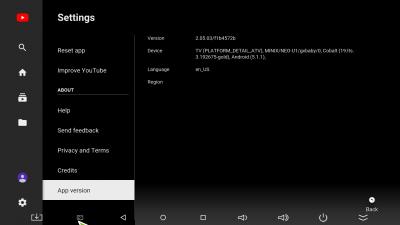
the navigation for most 3rd party apps is very difficult.. most of the time i dunno where is the highlighted for command and some apps can't even navigate at all like Astro On The Go using the default remote. With the A3 airmouse remote it makes it a bit easier but i have to constantly using the airmouse which is quite tiring on the hand... lol... the default youtube app interface is hard to use with the remote..
the responsiveness of the system on action command still got a bit lag compare to smartphone.. i thought a typical 8 core should already be overkill for menu UI tasks nowadays...
somehow i can't get speedtest.net app to work. i installed it, launched it, saw the first 2 screen of it saying that it want to know my location to determine server to ping, then i click next but then it shows a loading animation indefinitely...

Already updated to latest firmware FW08?the navigation for most 3rd party apps is very difficult.. most of the time i dunno where is the highlighted for command and some apps can't even navigate at all like Astro On The Go using the default remote. With the A3 airmouse remote it makes it a bit easier but i have to constantly using the airmouse which is quite tiring on the hand... lol... the default youtube app interface is hard to use with the remote..
the responsiveness of the system on action command still got a bit lag compare to smartphone.. i thought a typical 8 core should already be overkill for menu UI tasks nowadays...
somehow i can't get speedtest.net app to work. i installed it, launched it, saw the first 2 screen of it saying that it want to know my location to determine server to ping, then i click next but then it shows a loading animation indefinitely...
 Quote
Quote






 0.0382sec
 0.85
0.85
 6 queries
 GZIP Disabled