Outline ·
[ Standard ] ·
Linear+
Mi Smart Home Kit, opinion after used?
|
Theoutspokenguy
|
 Dec 3 2020, 09:16 AM Dec 3 2020, 09:16 AM
|

|
Guys am setting up also a mi smart home. I plan get a Google home mini. Can it command everything.
Heard people say Google home is global while mi smart home need use China server so got alot issue.
Next thing i wanna ask can I have a command like open door turn on all the lights. Close door turn off lights but if someone in the room it stay open.
This post has been edited by Theoutspokenguy: Dec 3 2020, 09:18 AM
|
|
|
|
|
|
Theoutspokenguy
|
Dec 3 2020, 09:49 AM
|
|
|
QUOTE(WhitE LighteR @ Dec 3 2020, 09:30 AM) afaik, google home can only be link to like 2 or 3 xiaomi types of device that targeted to be sold overseas if i not mistaken. it doesnt support all xiaomi device especially those imported from china devices. i would advice againts xiaomi smart home if u planning to use google home. I skip buying the Google smart speaker then. |
|
|
|
|
|
Theoutspokenguy
|
Dec 3 2020, 11:32 AM
|
|
|
QUOTE(WhitE LighteR @ Dec 3 2020, 11:11 AM) yea exactly. i find that xiaomi cannot handle complex scenario. they can only handle very very simple ones. there is also a delay between command. i think they purposely add this in to stop a flood of instruction to their servers. let say u set turn off light + delay timer, once triggered, the light turn off and if within let say 1 min u walk into the room, the sensor dont wan to trigger the turn on light because of this. it will wait until about a minute or so only excuting next instruction. so for 1 min u in the dark. only after tht 1 min u hav to redo the trigger to move then only it start execute again. they dont even put it in queue. I think the easiest to overcome this is to turn on all lights with switch but I thought if it uses gateway there no delay since its handle in the gateway via Bluetooth only delay comes from phone command? |
|
|
|
|
|
Theoutspokenguy
|
Dec 3 2020, 12:22 PM
|
|
|
QUOTE(WhitE LighteR @ Dec 3 2020, 12:07 PM) its using gateway + motion sensor. still have delay. my gateway is version 2 because i need a delay longer than 30 min. motion sensor detect no motion up to 30 min only. anything above that need to add delay. but the delay command once queue cannot be un-queue by sensor motion again. so sometimes when i still in the room, the light turn off anyway  Which gateway are you using? |
|
|
|
|
|
Theoutspokenguy
|
Dec 7 2020, 01:21 AM
|
|
|
QUOTE(poringkien @ Dec 4 2020, 03:05 PM) yea, there are so many out there made me confuse ..  where did you found those 100% compatible ? that's why i saw Aqara some say can compatible wtih alexa/googe home with Region choose to other. But i do not want to do double spending, hence, still digging around here.. haha.. What do you think about WPM ? they have zigbee gateway, some sensors and switches as well. after installed my mi gateway v3 i finally realize so many confusing problem. My mi bulb cannot detect by the gateway but can all detect by yeelight app. Door sensor cannot detect. My light strip is 1S cannot detect by app when i use singapore gateway. I use china gateway some stuff also cannot detect and its slow with delay. After press takes 3 to 10 seconds to trigger. So anyone know what the best server that can use the cross breed sensors? or list what we can buy or is there any manual way we can install? This post has been edited by Theoutspokenguy: Dec 7 2020, 01:27 AM |
|
|
|
|
|
Theoutspokenguy
|
Dec 7 2020, 08:21 AM
|
|
|
QUOTE(idoblu @ Dec 7 2020, 06:45 AM) Nothing to do with the gateway. Only zigbee devices are connected to the gateway, like your door sensor Bulbs, light strips are using wifi and connect to your router My door sensor cannot be found in the gateway if previously I set to China it was shown but when I installed the automated child appear nothing. I switch back to Singapore no issue. Cannot stand the delay to China server 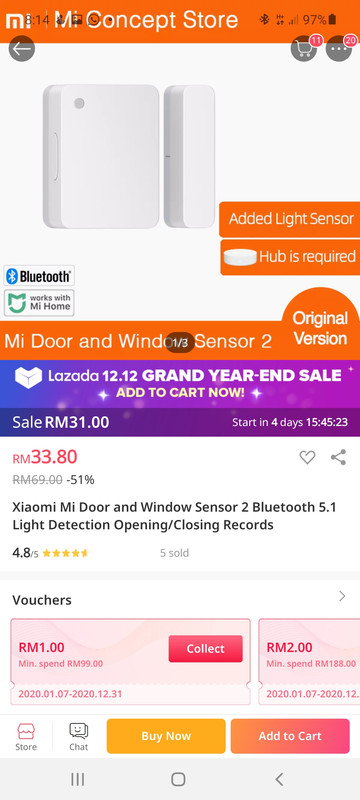 Here is my setup 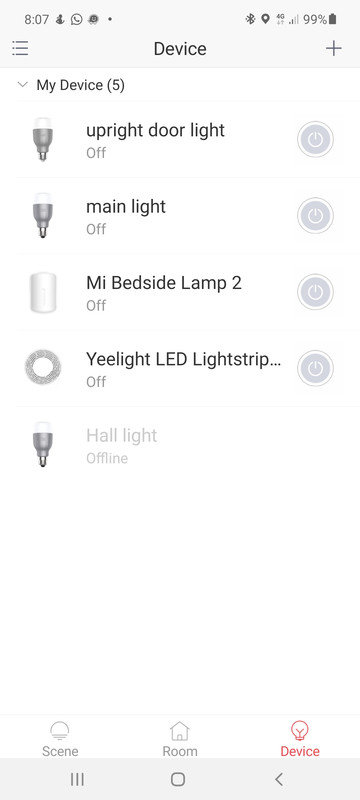  See the light strip is not in the mi home. One of my newer mi bulb is not detected by mi home too this one 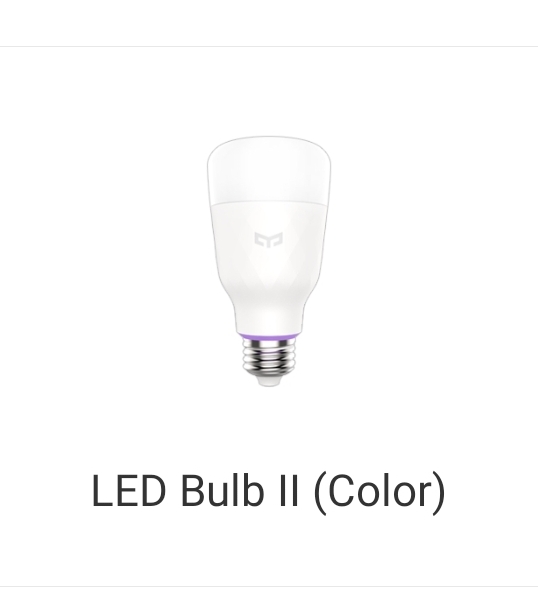 This post has been edited by Theoutspokenguy: Dec 7 2020, 08:25 AM This post has been edited by Theoutspokenguy: Dec 7 2020, 08:25 AM |
|
|
|
|
|
Theoutspokenguy
|
Dec 7 2020, 08:34 AM
|
|
|
QUOTE(apalexar @ Dec 7 2020, 08:28 AM) Is it the server issue? Cause some devices only supported under China server while global version devices are not support under China server Yes that the issue i know after I done my research. My question is any server that possible support both? Does global server device can use at China server?. After I look through the list I know i can only buy items show in the mi home add devices list. This post has been edited by Theoutspokenguy: Dec 7 2020, 08:34 AM |
|
|
|
|
|
Theoutspokenguy
|
Dec 7 2020, 08:50 AM
|
|
|
QUOTE(idoblu @ Dec 7 2020, 08:47 AM) oh your door sensor also Wifi boss so your gateway not use at all..... I already reset boss 3 seconds press. |
|
|
|
|
|
Theoutspokenguy
|
Dec 14 2020, 03:13 PM
|
|
|
QUOTE(poringkien @ Dec 7 2020, 05:38 PM) i have google around and found there is a mi home app that is modded by vevs. it help to "unlock" my roborock T6 which suppose to work only in Mainland. But i am unsure about Smart Home Kit. I tried didnt work. I switch to China server I can see the door/ window sensors. If switch to Singapore it disappear. My question how do I know which will work with Singapore server. I notice I keep buying conflict with China and global server This post has been edited by Theoutspokenguy: Dec 14 2020, 03:31 PM |
|
|
|
|



 Quote
Quote

 0.0175sec
 0.79
0.79
 7 queries
 GZIP Disabled