Welcome Guest ( Log In | Register )

Outline · [ Standard ] · Linear+

 Tutorial on Ubiquiti Edgerouter for unifi/maxis, Edgerouter settings ftw

views
     
TSwanttotree
post Dec 26 2016, 03:09 PM, updated 5y ago

On my way
****
Junior Member
677 posts

Joined: Apr 2008
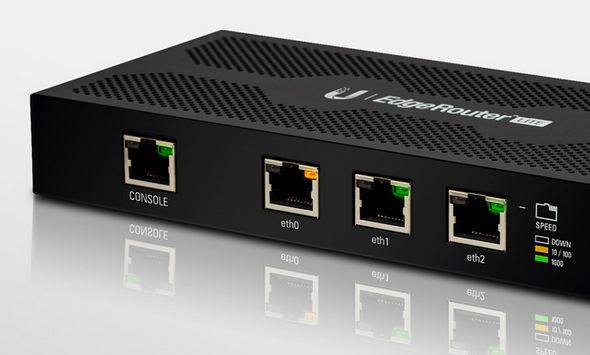
user posted image
Hey guys! A few months ago i posted a topic regarding edgerouter lite and how i finally set it up to use with my tm unifi with hypptv. I got involved with ubiquiti forum(amazing forum btw), asked around and had many experiments with the settings including cli based settings. Dont be afraid though. I had a discussion a few months ago with ubiquiti engineer and they agree that they should implement vlan based connection. Lo and behold, firmware 1.9 came out with a wizard that set up PPPoE connection with vlan tag! Pretty awesome of them to hear an opinion from a couple of forumer in Malaysia. I say kudos to Ubiquiti. This is important to all users in Malaysia that mainly connect to the internet the 'vlan' way.LOL.

Enough background check, lets get to it. In this tutorial, i will be using edgerouter-lite as reference. Lets hit it!


1) Download the latest firmware from ( https://www.ubnt.com/download/edgemax ). As of the day im writing this, the latest firmware is at 1.9.1

2) Log into your router page at 192.168.1.1, click system, click 'upload a file' on upload system image, wait a few seconds and the router will ask to reboot, then reboot. =)

3) After aprox 3 minutes the router will finish booting, login into the router again then click wizards, then click;
a) basic setup
b) PPPoE
c) fill in your unifi/maxis/time account name and password
d) click to check vlan, fill in vlan according to your isp (eg: unifi= 500 / maxis fiber= 621)
e) click 'configure this section' on (Optional) Secondary LAN port (eth2)
f) uncheck 'Enable the DHCP server'
g) under 'user setup' choose 'create new admin user', fill in your new user and password(dont use default ubnt, change your password! very important)
h) click apply and reboot.

Viola! your router is set up for internet use! enjoy!!!

Part one of the setup is done, this is mainly for people who doesnt care about iptv like hypptv or astro via maxis fiber. U can hop away and start your beautiful day with the edgerouter! Now moving on to part two where we will set up iptv, hypptv and astro via maxis fiber. lets go!

1) On the router dashboard page click on
a) Add interface
b) Add Vlan
c) Fill in Vlan id (eg: unifi= 600 / maxis fiber= 823)
d) Select eth0 on 'interface'
e) Fill in 'Hyyptv' or 'astro' according to your iptv
f) Click save

2) At 'Local 2', click on 'actions', 'config', change 'manually define ip address' to 'no address', click save.

3) Click on 'Config tree',
a) click interfaces, bridge, click add, fill in 'br0'
b) click ethernet, eth0, vif, 600, bridge-group, fill in 'br0' in 'bridge'
c) click eth2, bridge-group, fill in 'br0' in 'bridge'
d) click 'preview' and 'apply'

4) At this point you can plug your iptv cable to eth2 of your router, make sure restart the iptv box after plugging it in.

Thats it guys! its not as complicated as u think. sure if i were to make a tutorial using cli then that would be a slightly different story. LOL.

I hope u guys enjoy the tutorial! Please point out something that i missed or mistakes.

This wraps up this tutorial, please tell me if any of u guys need to set up ipv6 and set up dns forwarding, ipv6 forwarding, upnp or upnp2 with nat-pmp. These can be done on the next one. Cheers!
kutitata
post Dec 26 2016, 04:38 PM

Casual
***
Junior Member
322 posts

Joined: Dec 2007
Awesome thanks for writing this!

If I have 9 ethernet connections in total (3 desktop, 2 android boxes, 1 cctv dvr) and 3 of them need POE (to drive UAP AC LR) what would be the best hardware from ubiquiti to use? plan on getting a router and switch.

this is for home use only running on unifi
TSwanttotree
post Dec 26 2016, 06:25 PM

On my way
****
Junior Member
677 posts

Joined: Apr 2008
QUOTE(kutitata @ Dec 26 2016, 04:38 PM)
Awesome thanks for writing this!

If I have 9 ethernet connections in total (3 desktop, 2 android boxes, 1 cctv dvr) and 3 of them need POE (to drive UAP AC LR) what would be the best hardware from ubiquiti to use? plan on getting a router and switch.

this is for home use only running on unifi
*
Thanx man. U can go a few routes with ubiquiti. Depending on yr budget too.

1) Edgerouter-x and toughswitch 8ports

2) Edgerouter lite and edgeswitch 8 or unifi switch 8

3) edgerouter-x sfp and any 5/8 ports smart switch.

The last choice is there if u wanna minimize budget. Pair an edgerouter-x sfp with any smart switch. Netgear/cisco/linksys are all good. That would be the cheapest option.
If u wanna go all out, i would say get option 2.
kutitata
post Dec 28 2016, 05:54 PM

Casual
***
Junior Member
322 posts

Joined: Dec 2007
you have been so patient to answer my questions I am grateful to you

maybe you could also explain how to setup for cctv dvrs is it port forwarding?

does android boxes need any specific set up requirements?

how about the UAP AC LR?


eastherd
post Dec 28 2016, 06:20 PM

Getting Started
**
Junior Member
177 posts

Joined: Sep 2006


Just bought and setup ER-X. Work perfectly. (even though without TV yet, i can see the traffic coming in from the EdgeOS GUI).

Thanks!

I just bought 1X ER-X and 2XUAP-AC-LITE. Will get some old cisco POE switch soon.
TSwanttotree
post Dec 28 2016, 07:00 PM

On my way
****
Junior Member
677 posts

Joined: Apr 2008
QUOTE(kutitata @ Dec 28 2016, 05:54 PM)
you have been so patient to answer my questions I am grateful to you

maybe you could also explain how to setup for cctv dvrs is it port forwarding?

does android boxes need any specific set up requirements?

how about the UAP AC LR?
*
You are welcome sir, just an enthusiast helping another. Port forwarding is pretty straight forward(no pun intended). Its exactly how u setup with any decent router. U can easily find it in the router page. As for android android box, i have not seen any need for special configurations. U can always enable upnp or upnp2 if u want auto port assign on everyrhing else. Uap ac lr, all u need to do is enable poe 24v on es-8. Ur gonna use 3 uap lrs? Wow, yr house must be a mansion. =) Btw, may i know your speed subscription bro?

This post has been edited by wanttotree: Dec 28 2016, 07:01 PM
TSwanttotree
post Dec 28 2016, 07:04 PM

On my way
****
Junior Member
677 posts

Joined: Apr 2008
QUOTE(eastherd @ Dec 28 2016, 06:20 PM)
Just bought and setup ER-X. Work perfectly. (even though without TV yet, i can see the traffic coming in from the EdgeOS GUI).

Thanks!

I just bought 1X ER-X and 2XUAP-AC-LITE. Will get some old cisco POE switch soon.
*
Awesome. Thats cool. Please do the hypptv sooner or later and share yr experience here. =) U guys can post your photos of the setup jere too. It would be nice to see how u guys set it.
kutitata
post Dec 28 2016, 09:07 PM

Casual
***
Junior Member
322 posts

Joined: Dec 2007
QUOTE(eastherd @ Dec 28 2016, 06:20 PM)
Just bought and setup ER-X. Work perfectly. (even though without TV yet, i can see the traffic coming in from the EdgeOS GUI).

Thanks!

I just bought 1X ER-X and 2XUAP-AC-LITE. Will get some old cisco POE switch soon.
*
Where did you buy the er-x and uap ac lite from, where will you buy the Cisco poe from?
kutitata
post Dec 28 2016, 09:09 PM

Casual
***
Junior Member
322 posts

Joined: Dec 2007
QUOTE(wanttotree @ Dec 28 2016, 07:04 PM)
Awesome. Thats cool. Please do the hypptv sooner or later and share yr experience here. =) U guys can post your photos of the setup jere too. It would be nice to see how u guys set it.
*
The setup would be another thing to have a tutorial on...

Hahahah...

I was just trying to imagine placing the switch and er-x and fiber modem on the wall to see how the cable connections will work....
kutitata
post Dec 28 2016, 09:17 PM

Casual
***
Junior Member
322 posts

Joined: Dec 2007
QUOTE(wanttotree @ Dec 28 2016, 07:00 PM)
You are welcome sir, just an enthusiast helping another. Port forwarding is pretty straight forward(no pun intended). Its exactly how u setup with any decent router. U can easily find it in the router page. As for android android box, i have not seen any need for special configurations. U can always enable upnp or upnp2 if u want auto port assign on everyrhing else. Uap ac lr, all u need to do is enable poe 24v on es-8. Ur gonna use 3 uap lrs? Wow, yr house must be a mansion. =) Btw, may i know your speed subscription bro?
*
My house is actually quite small but I wanted the best coverage even in the kitchen and all that plus through the walls and rebar I am afraid the signal will be poor.

This set up will be at a new house currently under renovation so I am not sure what unifi speed I will use either the 30 or 50 plan.
TSwanttotree
post Dec 28 2016, 09:32 PM

On my way
****
Junior Member
677 posts

Joined: Apr 2008
QUOTE(kutitata @ Dec 28 2016, 09:09 PM)
The setup would be another thing to have a tutorial on...

Hahahah...

I was just trying to imagine placing the switch and er-x and fiber modem on the wall to see how the cable connections will work....
*
Putting it on the wall will look nice.i did think bout smthg like that. It just looks modern n "canggih'
TSwanttotree
post Dec 28 2016, 09:36 PM

On my way
****
Junior Member
677 posts

Joined: Apr 2008
QUOTE(kutitata @ Dec 28 2016, 09:17 PM)
My house is actually quite small but I wanted the best coverage even in the kitchen and all that plus through the walls and rebar I am afraid the signal will be poor.

This set up will be at a new house currently under renovation so I am not sure what unifi speed I will use either the 30 or 50 plan.
*
Oh cool. I can see quite a few ppl i know been renovating/rewiring their house. Makes me feel like rewiring mine too. Oh mannn. Im jealous of u guys.
kutitata
post Dec 29 2016, 07:54 AM

Casual
***
Junior Member
322 posts

Joined: Dec 2007
I am curious, why is the Edge Router X cheaper than the Edge Router Lite although the ER-X has more ports?

Okey I did some googling and found this :-

https://help.ubnt.com/hc/en-us/articles/219...r-Should-I-Use-

The main difference between ER-X and ER Lite is the pps...

1 mil vs 130k does it make a difference?

This post has been edited by kutitata: Dec 29 2016, 08:11 AM
TSwanttotree
post Dec 29 2016, 08:17 AM

On my way
****
Junior Member
677 posts

Joined: Apr 2008
QUOTE(kutitata @ Dec 29 2016, 07:54 AM)
I am curious, why is the Edge Router X cheaper than the Edge Router Lite although the ER-X has more ports?
*
Edgerouter-x has a mediatek processor running at 880mhz single core. Paired with a switch chip. This router is capable of offloading a nated internet up to 800mbit/second.
In the other hand, edgerouter lite has a cavium processor running at 500mhz dual core. All of the ports are connected to the cpu directly, because it lacks a switch chip. So if u have an internet that can provide 2gbit/second, u can actually pull 920mbit/second per port from the other 2 lan. Usually people use this router because they have their own robust l2/l3 switch to pair it with. I hope my expalanation is clear. Cheers
kutitata
post Dec 29 2016, 10:27 AM

Casual
***
Junior Member
322 posts

Joined: Dec 2007
QUOTE(wanttotree @ Dec 29 2016, 08:17 AM)
Edgerouter-x has a mediatek processor running at 880mhz single core. Paired with a switch chip. This router is capable of offloading a nated internet up to 800mbit/second.
In the other hand, edgerouter lite has a cavium processor running at 500mhz dual core. All of the ports are connected to the cpu directly, because it lacks a switch chip. So if u have an internet that can provide 2gbit/second, u can actually pull 920mbit/second per port from the other 2 lan. Usually people use this router because they have their own robust l2/l3 switch to pair it with. I hope my expalanation is clear. Cheers
*
Okey, so for an unifi application could the ER Lite difference be noticable? I am no expert in networking or IT.

I am now mulling using both connect both the

Fiber Modem

--ER Lite

---ER X

----Desktop

----Desktop

----US-8-150

-----(balance connections)

Does this configuration makes sense? Or no difference?

Or should I connect the US-8-150 to the ER Lite directly?

blink.gif

This post has been edited by kutitata: Dec 29 2016, 10:29 AM
sikentut
post Dec 29 2016, 10:45 AM

Getting Started
**
Junior Member
87 posts

Joined: Jul 2016
you are an absolute legend.should pin this up
TSwanttotree
post Dec 29 2016, 02:15 PM

On my way
****
Junior Member
677 posts

Joined: Apr 2008
QUOTE(sikentut @ Dec 29 2016, 10:45 AM)
you are an absolute legend.should pin this up
*
Thank u so much bro. My intention is only to capture the energy of network community here locally. Cz everywhere else is really good. Im hoping this will get some of us to advance ahead level up with the best out there. Cheers to u. N u guys.
TSwanttotree
post Dec 29 2016, 02:21 PM

On my way
****
Junior Member
677 posts

Joined: Apr 2008
QUOTE(kutitata @ Dec 29 2016, 10:27 AM)
Okey, so for an unifi application could the ER Lite difference be noticable? I am no expert in networking or IT.

I am now mulling using both connect both the

Fiber Modem

--ER Lite

---ER X

----Desktop

----Desktop

----US-8-150

-----(balance connections)

Does this configuration makes sense? Or no difference?

Or should I connect the US-8-150 to the ER Lite directly?

blink.gif
*
Its not a very good idea to put edgerouter-x in between edgerouter-lite and us-8. May i know why u r trying to set up two routers together? Maybe i can figure something out.
About edgerouter lite being noticable compared to edgerouter-x. Most probably not. As long as u are not breaking the 920-940mbps, it wont make any difference in performance. But in case of pairing it with a couple of switch, it will improve yr lan eg: file transfer or local file streaming. So the choice is yours, in many household application. U wont go wrong with either.
Look at it this way.

If u have more ethernet devices eg: desktop,nas,laptop,tv,streaming box,cctv,a bunch of aps. = Er-l + switch/switches

But if u have something like this eg: smartphones, 1-2 APs, laptop connected to wifi, ipad, wireless tv. = Er-x
Im sure by now u can get the idea.

This post has been edited by wanttotree: Dec 29 2016, 02:28 PM
kutitata
post Dec 29 2016, 02:56 PM

Casual
***
Junior Member
322 posts

Joined: Dec 2007
QUOTE(wanttotree @ Dec 29 2016, 02:21 PM)
Its not a very good idea to put edgerouter-x in between edgerouter-lite and us-8. May i know why u r trying to set up two routers together? Maybe i can figure something out.
About edgerouter lite being noticable compared to edgerouter-x. Most probably not. As long as u are not breaking the 920-940mbps, it wont make any difference in performance. But in case of pairing it with a couple of switch, it will improve yr lan eg: file transfer or local file streaming. So the choice is yours, in many household application. U wont go wrong with either.
Look at it this way.

If u have more ethernet devices eg: desktop,nas,laptop,tv,streaming box,cctv,a bunch of aps. = Er-l + switch/switches

But if u have something like this eg: smartphones, 1-2 APs, laptop connected to wifi, ipad, wireless tv. = Er-x
Im sure by now u can get the idea.
*
I am trying to connect all 9 connections. Actually 2 them won't be used often (maybe not used at all).

Ethernet devices : 1 mac desktop, 1 hypp tv, 1 cctv dvr, 1 android box, 3 APs...

So I have decided to go for ER-L + US-8, that way I can connect to 8 devices (7 in us-8, 1 in er-lite, and in future add a dumb switch to add more connections). I will leave one out for now.

What would be your ideal set up for 6 connections and 3 APs?


TSwanttotree
post Dec 30 2016, 12:58 AM

On my way
****
Junior Member
677 posts

Joined: Apr 2008
QUOTE(kutitata @ Dec 29 2016, 02:56 PM)
I am trying to connect all 9 connections. Actually 2 them won't be used often (maybe not used at all).

Ethernet devices : 1 mac desktop, 1 hypp tv, 1 cctv dvr, 1 android box, 3 APs...

So I have decided to go for ER-L + US-8, that way I can connect to 8 devices (7 in us-8, 1 in er-lite, and in future add a dumb switch to add more connections). I will leave one out for now.

What would be your ideal set up for 6 connections and 3 APs?
*
I think maybe get an er-poe and a dumb 8 port switch. Get a decent ones.
jio
post Dec 30 2016, 03:54 AM

Casual
***
Junior Member
383 posts

Joined: May 2005
QUOTE(wanttotree @ Dec 29 2016, 08:17 AM)
Edgerouter-x has a mediatek processor running at 880mhz single core. Paired with a switch chip. This router is capable of offloading a nated internet up to 800mbit/second.
In the other hand, edgerouter lite has a cavium processor running at 500mhz dual core. All of the ports are connected to the cpu directly, because it lacks a switch chip. So if u have an internet that can provide 2gbit/second, u can actually pull 920mbit/second per port from the other 2 lan. Usually people use this router because they have their own robust l2/l3 switch to pair it with. I hope my expalanation is clear. Cheers
*
ER-X actually had dual core. The NAT (over PPPoE without encryption/compression) performance I tested is actually about 900Mbps single direction. I read it was somehow crippled by design that it cannot do 1Gbps bidirectional. And what do you mean by 2Gbps internet? 1Gb bidirectional (2x1Gbps)? That doesn't mean you can download at 2Gbps, just that you can upload 1Gbps & download 1Gbps at the same time. Technically speaking it is possible for 2Gbps single direction if you connect all the 3 ports to a switch with VLAN etc, but it will be messy & not worth the money.

Anyway since you have ERL, can you benchmark (NAT over PPPoE without encyption/compression) it when you free. I'm curious about the actual number since back when I used to have an ERL, PPPoE offloading was not supported back then.

This post has been edited by jio: Dec 30 2016, 03:55 AM
kutitata
post Dec 30 2016, 01:13 PM

Casual
***
Junior Member
322 posts

Joined: Dec 2007
QUOTE(wanttotree @ Dec 30 2016, 12:58 AM)
I think maybe get an er-poe and a dumb 8 port switch. Get a decent ones.
*
Thank you so much! This is my favorite thread on lowyat!

What would be a decent Dumb Switch? Looking at Ubiquiti looks like they don't have


TSwanttotree
post Dec 30 2016, 05:19 PM

On my way
****
Junior Member
677 posts

Joined: Apr 2008
QUOTE(kutitata @ Dec 30 2016, 01:13 PM)
Thank you so much! This is my favorite thread on lowyat!

What would be a decent Dumb Switch? Looking at Ubiquiti looks like they don't have
*
Ubiquiti dont have one. Maybe u can look into netgear gs108 or linksys lgs108. Even the ones from cisco is not that expensive. Heyy.. ur the best man! Its my fav too. Probably a lil bias. Lol
TSwanttotree
post Dec 30 2016, 05:26 PM

On my way
****
Junior Member
677 posts

Joined: Apr 2008
QUOTE(jio @ Dec 30 2016, 03:54 AM)
ER-X actually had dual core. The NAT (over PPPoE without encryption/compression) performance I tested is actually about 900Mbps single direction. I read it was somehow crippled by design that it cannot do 1Gbps bidirectional. And what do you mean by 2Gbps internet? 1Gb bidirectional (2x1Gbps)? That doesn't mean you can download at 2Gbps, just that you can upload 1Gbps & download 1Gbps at the same time. Technically speaking it is possible for 2Gbps single direction if you connect all the 3 ports to a switch with VLAN etc, but it will be messy & not worth the money.

Anyway since you have ERL, can you benchmark (NAT over PPPoE without encyption/compression) it when you free. I'm curious about the actual number since back when I used to have an ERL, PPPoE offloading was not supported back then.
*
Thank you for pointing it out. Maybe i was just trying explain it in theory. I think u have explained it better than i did. Yes, all of the performance details u mentioned are accurate. Pppoe from a few guys off ubiquiti forum hit 920ish up and down. I can try do the test but i have to fly back home to sarawak to do that. I hope u can find someone who can do that since my erl is not very accessible for the time being.
kutitata
post Dec 31 2016, 10:31 AM

Casual
***
Junior Member
322 posts

Joined: Dec 2007
How is the interface for ER-POE to control the UAP AC LR?

Because the US-8-150 is perfect for that right? how about the ER-POE?

Briging this article to attention as well:-

https://community.ubnt.com/t5/EdgeMAX/ERPoE...RO/td-p/1507325

This post has been edited by kutitata: Dec 31 2016, 10:35 AM
TSwanttotree
post Dec 31 2016, 01:47 PM

On my way
****
Junior Member
677 posts

Joined: Apr 2008
QUOTE(kutitata @ Dec 31 2016, 10:31 AM)
How is the interface for ER-POE to control the UAP AC LR?

Because the US-8-150 is perfect for that right? how about the ER-POE?

Briging this article to attention as well:-

https://community.ubnt.com/t5/EdgeMAX/ERPoE...RO/td-p/1507325
*
U can use the unifi controller for us-8 and all your aps. Only er-poe has its own web gui.
kutitata
post Jan 1 2017, 12:43 PM

Casual
***
Junior Member
322 posts

Joined: Dec 2007
So after reading and trying to understand...

For 9 connections (3 of needing POE)

option A
ERPOE5 & Linksys LGS108

option B
ERL & US-8-150 (1 WAN and 2 LAN on ERL)

option C
ERL connects to US-8-150 which connects to Linksys LGS 108

TSwanttotree
post Jan 1 2017, 06:00 PM

On my way
****
Junior Member
677 posts

Joined: Apr 2008
QUOTE(kutitata @ Jan 1 2017, 12:43 PM)
So after reading and trying to understand...

For 9 connections (3 of needing POE)

option A
ERPOE5 & Linksys LGS108

option B
ERL & US-8-150 (1 WAN and 2 LAN on ERL)

option C
ERL connects to US-8-150 which connects to Linksys LGS 108
*
Option A is perfect
Option B only gives 8 usable ports
Option C is a no brainer.
=)
kutitata
post Jan 1 2017, 06:16 PM

Casual
***
Junior Member
322 posts

Joined: Dec 2007
QUOTE(wanttotree @ Jan 1 2017, 06:00 PM)
Option A is perfect
Option B only gives 8 usable ports
Option C is a no brainer.
=)
*
Thanks again for answering my question...

One last thing...

when I do set up all the LANs, how will it go?

the three APs connected to the ER-POE will be on separate LANs?

How will that affect the network..?


Some people set up one LAN for wired and a WLAN for the wireless...

Then it would be ERL, TS-5-POE and Linksys LGS108


TSwanttotree
post Jan 1 2017, 11:08 PM

On my way
****
Junior Member
677 posts

Joined: Apr 2008
QUOTE(kutitata @ Jan 1 2017, 06:16 PM)
Thanks again for answering my question...

One last thing...

when I do set up all the LANs, how will it go?

the three APs connected to the ER-POE will be on separate LANs?

How will that affect the network..?
Some people set up one LAN for wired and a WLAN for the wireless...

Then it would be ERL, TS-5-POE and Linksys LGS108
*
u can set it up either way. a lot of people do that because they want to segment their activity. some even do it for fun. setup different subnet for different places in the house. saperate their cctv is common. i think you should segment subnet separating only cctv vs all other online devices. unless u have voip, u can add another subnet with different vlan.
wired and wireless is not necessarily needed to be separated. what if u want to cast your youtube from yr phone to your tv via chromecast or miracast. yr phone and your tv wont be able to see each other if u want to cast. maybe you want to stream something from your nas to your laptop. that also prevent it to communicate to each other.

erl+ts5poe+lgs108 is not bad. it makes it possible for u to setup hypptv together.

your setup maybe look like this for erl
eth0 = wan
eth1= lan 1
eth2= hypptv

lan 1 can daisy chain both ts5poe and lgs108 with no issue.
ts5poe can accommodate 3 aps and one more lan available to use
lgs108 is clearly open for everything else. =)
kutitata
post Jan 3 2017, 10:22 AM

Casual
***
Junior Member
322 posts

Joined: Dec 2007
QUOTE(wanttotree @ Jan 1 2017, 11:08 PM)
u can set it up either way. a lot of people do that because they want to segment their activity. some even do it for fun. setup different subnet for different places in the house. saperate their cctv is common. i think you should segment subnet separating only cctv vs all other online devices. unless u have voip, u can add another subnet with different vlan.
wired and wireless is not necessarily needed to be separated. what if u want to cast your youtube from yr phone to your tv via chromecast or miracast. yr phone and your tv wont be able to see each other if u want to cast. maybe you want to stream something from your nas to your laptop. that also prevent it to communicate to each other.

erl+ts5poe+lgs108 is not bad. it makes it possible for u to setup hypptv together.

your setup maybe look like this for erl
eth0 = wan
eth1= lan 1
eth2= hypptv

lan 1 can daisy chain both ts5poe and lgs108 with no issue.
ts5poe can accommodate 3 aps and one more lan available to use
lgs108 is clearly open for everything else. =)
*
Thank you so much smile.gif

I would like to view the CCTV stream on mobile devices whilst at home, would that mean that it should be on the same subnet?

ERL

-Hypptv

-LGS108

--(all 6 connections)

--TS5POE

---(3 UAP AC LR)

---(Spare)

What about QoS? Does it help in a home set up? Like for instance to prioritize the android boxes to ensure good streaming?


welwitchia
post Jan 3 2017, 10:53 AM

Regular
******
Senior Member
1,219 posts

Joined: Jan 2003
Hi Where does one buy this brand in KL?
Many thanks!

kutitata
post Jan 3 2017, 12:47 PM

Casual
***
Junior Member
322 posts

Joined: Dec 2007
QUOTE(welwitchia @ Jan 3 2017, 10:53 AM)
Hi Where does one buy this brand in KL?
Many thanks!
*
a few resellers listed here:-

https://www.ubnt.com/distributors/#asia
TSwanttotree
post Jan 3 2017, 01:35 PM

On my way
****
Junior Member
677 posts

Joined: Apr 2008
QUOTE(kutitata @ Jan 3 2017, 10:22 AM)
Thank you so much  smile.gif

I would like to view the CCTV stream on mobile devices whilst at home, would that mean that it should be on the same subnet?

ERL

-Hypptv

-LGS108

--(all 6 connections)

--TS5POE

---(3 UAP AC LR)

---(Spare)

What about QoS? Does it help in a home set up? Like for instance to prioritize the android boxes to ensure good streaming?
*
Its all based on your own activity and how much people are using it simultiniously. If u have 30mbps and at least 2 ppl are streaming 4k videos at the same time, may a person is gaming online too. Maybe qos is a good idea. But other than that, the router on its own is performing rly well. Eg: 5 ppl max in my house at one time, i stream netflix 4k, another person stream youtube 4k, while another stream netflix on her phone. And the rest use normal youtube and web surfing normally. Never once my 50mbps is having a hiccup. Everything loads without buffer, n never slow down. Then again, this example is for a 50mbps. 30mbps and lower will vary. Non 4k streamer are always happy with 20-30mbps in my experience. Cheers
kutitata
post Jan 3 2017, 06:45 PM

Casual
***
Junior Member
322 posts

Joined: Dec 2007
QUOTE(wanttotree @ Jan 3 2017, 01:35 PM)
Its all based on your own activity and how much people are using it simultiniously. If u have 30mbps and at least 2 ppl are streaming 4k videos at the same time, may a person is gaming online too. Maybe qos is a good idea. But other than that, the router on its own is performing rly well. Eg: 5 ppl max in my house at one time, i stream netflix 4k, another person stream youtube 4k, while another stream netflix on her phone. And the rest use normal youtube and web surfing normally. Never once my 50mbps is having a hiccup. Everything loads without buffer, n never slow down. Then again, this example is for a 50mbps. 30mbps and lower will vary. Non 4k streamer are always happy with 20-30mbps in my experience. Cheers
*
Wow, are you using the erl?

Mind explaining a bit on your hardware and set up?
TSwanttotree
post Jan 4 2017, 10:54 PM

On my way
****
Junior Member
677 posts

Joined: Apr 2008
QUOTE(kutitata @ Jan 3 2017, 06:45 PM)
Wow, are you using the erl?

Mind explaining a bit on your hardware and set up?
*
Yeap i am on erl. Using a 8port smart switch to handle my vlan and lan. One uap ac lite. All can acommodate 10+ wired and wireless.
kutitata
post Jan 5 2017, 07:40 AM

Casual
***
Junior Member
322 posts

Joined: Dec 2007
QUOTE(wanttotree @ Jan 4 2017, 10:54 PM)
Yeap i am on erl. Using a 8port smart switch to handle my vlan and lan. One uap ac lite. All can acommodate 10+ wired and wireless.
*
Okey, so now I am sold!
kutitata
post Jan 5 2017, 07:47 AM

Casual
***
Junior Member
322 posts

Joined: Dec 2007
What about

ER-SFP & LGS108...

why ER-SFP and ER-POE5 so much difference in price?
TSwanttotree
post Jan 5 2017, 09:20 PM

On my way
****
Junior Member
677 posts

Joined: Apr 2008
QUOTE(kutitata @ Jan 5 2017, 07:47 AM)
What about

ER-SFP & LGS108...

why ER-SFP and ER-POE5 so much difference in price?
*
Er-x sfp is basically er-x with sfp port. If u gonna find a use for it thats gonna be great. Price diff is because its not the same hardware. Both exist for somewhat diff users. In this case, er-sfp is better paired with sfp featured switch. Eg: es8 or us8.
kutitata
post Jan 6 2017, 01:08 PM

Casual
***
Junior Member
322 posts

Joined: Dec 2007
then you have convinced me to go the ERPOE5 + LGS108 route

can we set the hypptv to the LGS108 ?

This post has been edited by kutitata: Jan 6 2017, 01:09 PM
TSwanttotree
post Jan 7 2017, 04:32 PM

On my way
****
Junior Member
677 posts

Joined: Apr 2008
I was thinkin u were to get erl+ts5poe+lgs108. I hope u understood. U did mentioned a few options, but its your decision 100% to buy which one.
kutitata
post Jan 8 2017, 03:33 PM

Casual
***
Junior Member
322 posts

Joined: Dec 2007
QUOTE(wanttotree @ Jan 7 2017, 04:32 PM)
I was thinkin u were to get erl+ts5poe+lgs108. I hope u understood. U did mentioned a few options, but its your decision 100% to buy which one.
*
Yea, I agree I am being going through so many options...

I mean to be honest they all cost almost the same...

Would a ERL+TS5POE+LGS108 be better than a ERPOE5+LGS108? I know you explain me it to me so many times...

blink.gif

Another question, how do we set up the UAP AC LR that the clients will keep re-connecting to the AP that is closest to them?
TSwanttotree
post Jan 17 2017, 06:51 PM

On my way
****
Junior Member
677 posts

Joined: Apr 2008
QUOTE(kutitata @ Jan 8 2017, 03:33 PM)
Yea, I agree I am being going through so many options...

I mean to be honest they all cost almost the same...

Would a ERL+TS5POE+LGS108 be better than a ERPOE5+LGS108? I know you explain me it to me so many times...

blink.gif

Another question, how do we set up the UAP AC LR that the clients will keep re-connecting to the AP that is closest to them?
*
Sorry bro, i was on vacation. Im back. Yes it would be better. I recommended u that because i dont want to confuse u with more setups. So u can go ahead use erl+tspoe5+lgs108.

To get load balancing aps can be done if u applied a unifi controller. Either u get one from unifi, or install one via linux on any used pc and serve as one. Keep in mind, lr is long range, so usually ppl dial down minimum rssi so it will disconnect once signal is low, and look for closest one. The uap ac lr does not support seamless roaming, so u gotta set rssi manually to make it work.(yes, all ac versions dont support seemless roaming)

This post has been edited by wanttotree: Jan 17 2017, 06:58 PM
irwan6179
post Jan 18 2017, 03:12 PM

Regular
******
Senior Member
1,040 posts

Joined: Oct 2004
From: the other side


Can it just be setting the SSID/password the same? With proper rssi i think we can achieve the so-called seamless roaming.
TSwanttotree
post Jan 18 2017, 03:26 PM

On my way
****
Junior Member
677 posts

Joined: Apr 2008
QUOTE(irwan6179 @ Jan 18 2017, 03:12 PM)
Can it just be setting the SSID/password the same? With proper rssi i think we can achieve the so-called seamless roaming.
*
Yes u r right good sir. As simple as that. Thats y sometimes lr is giving more problems than solution when it comes to multiple ap.(more expensive is in some cases)
TSwanttotree
post Jan 21 2017, 04:20 PM

On my way
****
Junior Member
677 posts

Joined: Apr 2008
Hey guys, i will be free around next week. I am planning to write another tutorial on edgerouter. How bout ipv6 for unifi? Or hypptv and internet using one single port?(not tested yet). Vlan tagging for guess network? I will be writing one based on requests.
Shaney
post Feb 3 2017, 02:39 AM

Getting Started
**
Junior Member
279 posts

Joined: Nov 2008
From: Heart <3


QUOTE(wanttotree @ Jan 21 2017, 04:20 PM)
Hey guys, i will be free around next week. I am planning to write another tutorial on edgerouter. How bout ipv6 for unifi? Or hypptv and internet using one single port?(not tested yet).  Vlan tagging for guess network? I will be writing one based on requests.
*
Hi there.
It seems like e could tag vlan on wireless.

I wonder is it possible for us to tag vlan 600 for ip tv through wifi?
kutitata
post Feb 7 2017, 02:29 PM

Casual
***
Junior Member
322 posts

Joined: Dec 2007
looking forward to your next tutorial wanttotree
TSwanttotree
post Feb 11 2017, 06:27 PM

On my way
****
Junior Member
677 posts

Joined: Apr 2008
I was waiting for responds here for a while before i decided. Anyway, i think i will come up with ipv6 tutorial soon. The tutorial is basically as simple as copy and paste in the ssh terminal. So stay tuned. =)
kutitata
post Feb 23 2017, 07:56 AM

Casual
***
Junior Member
322 posts

Joined: Dec 2007
QUOTE(wanttotree @ Feb 11 2017, 06:27 PM)
I was waiting for responds here for a while before i decided. Anyway, i think i will come up with ipv6 tutorial soon. The tutorial is basically as simple as copy and paste in the ssh terminal. So stay tuned. =)
*
nod.gif
bear1305
post Feb 27 2017, 04:43 PM

New Member
*
Junior Member
34 posts

Joined: Oct 2004
From: Selangor.


Hi..

Any idea if I have setup my ER-X using load balance and currently running on a Time Broadband connection. How do I set it up to use it with a TM Unifi? Can I add in the vlan directly to the eth port to accept a Unifi connection?
TSwanttotree
post Feb 27 2017, 07:32 PM

On my way
****
Junior Member
677 posts

Joined: Apr 2008
Yes , u can bro. Just update to 1.9.1 then follow the instruction. Or u can manually add new connection by;
Delete previous pppoe connection(time). Then add vlan 500. Then add another pppoe under ethx.500. lemme know if u cant find them.

This post has been edited by wanttotree: Feb 27 2017, 07:33 PM
bear1305
post Mar 1 2017, 03:07 PM

New Member
*
Junior Member
34 posts

Joined: Oct 2004
From: Selangor.


Hi..

I'm on 1.9.1 currently and already setup using Load Balance; not the one with vlan. But only one pppoe used currently. The 2nd pppoe is currently disconnected. I plan to use the 2nd pppoe with Unifi.

So, can I add the vlan to the eth port directly or need to setup from scratch again?


TSwanttotree
post Mar 1 2017, 03:15 PM

On my way
****
Junior Member
677 posts

Joined: Apr 2008
QUOTE(bear1305 @ Mar 1 2017, 03:07 PM)
Hi..

I'm on 1.9.1 currently and already setup using Load Balance; not the one with vlan. But only one pppoe used currently. The 2nd pppoe is currently disconnected. I plan to use the 2nd pppoe with Unifi.

So, can I add the vlan to the eth port directly or need to setup from scratch again?
*
Yes u can add vlan easily. Just add vlan interface, then add pppoe on top of that.
pandera999
post Mar 1 2017, 11:36 PM

모든 것​에는 정해진 때​가 있으니
*******
Senior Member
6,214 posts

Joined: Sep 2010
From: Busan, Kr | Kuching, Swk


thumbs up.. bookmark
TSwanttotree
post Mar 2 2017, 01:42 AM

On my way
****
Junior Member
677 posts

Joined: Apr 2008
QUOTE(pandera999 @ Mar 1 2017, 11:36 PM)
thumbs up.. bookmark
*
Hey thanx man. Meant a lot to me. Cheers
bear1305
post Mar 2 2017, 10:26 AM

New Member
*
Junior Member
34 posts

Joined: Oct 2004
From: Selangor.


QUOTE(wanttotree @ Mar 1 2017, 03:15 PM)
Yes u can add vlan easily. Just add vlan interface, then add pppoe on top of that.
*
Hi..

Noted, thanks. Will try on that.

By the way, one more question, my setup is as below:-
eth0 - switch0.110, switch0.120, switch0.130
eth1 - pppoe1
eth2 - pppoe2
eth3 - switch0.110, switch0.120, switch0.130
eth4 - not configured anything

I tried configuring eth4 to assign IP by DHCP without any vlan. But, it doesn't seem to assign an address and I can't access internet.

I also tried being on a static address 10.20.100.100 as my ER-X gateway address is on .251, and I'm plugged in to port eth0 and yet no access to internet.
But, at same time, I have traffic coming in from eth3 via vlan 110, 120 & 130 without any problem accessing internet.

Am I missing out something here?


TSwanttotree
post Mar 2 2017, 03:13 PM

On my way
****
Junior Member
677 posts

Joined: Apr 2008
QUOTE(bear1305 @ Mar 2 2017, 10:26 AM)
Hi..

Noted, thanks. Will try on that.

By the way, one more question, my setup is as below:-
eth0 - switch0.110, switch0.120, switch0.130
eth1 - pppoe1
eth2 - pppoe2
eth3 - switch0.110, switch0.120, switch0.130
eth4 - not configured anything

I tried configuring eth4 to assign IP by DHCP without any vlan. But, it doesn't seem to assign an address and I can't access internet.

I also tried being on a static address 10.20.100.100 as my ER-X gateway address is on .251, and I'm plugged in to port eth0 and yet no access to internet.
But, at same time, I have traffic coming in from eth3 via vlan 110, 120 & 130 without any problem accessing internet.

Am I missing out something here?
*
Please post yr config bro.
pandera999
post Mar 2 2017, 03:15 PM

모든 것​에는 정해진 때​가 있으니
*******
Senior Member
6,214 posts

Joined: Sep 2010
From: Busan, Kr | Kuching, Swk


QUOTE(bear1305 @ Mar 2 2017, 10:26 AM)
Hi..

Noted, thanks. Will try on that.

By the way, one more question, my setup is as below:-
eth0 - switch0.110, switch0.120, switch0.130
eth1 - pppoe1
eth2 - pppoe2
eth3 - switch0.110, switch0.120, switch0.130
eth4 - not configured anything

I tried configuring eth4 to assign IP by DHCP without any vlan. But, it doesn't seem to assign an address and I can't access internet.

I also tried being on a static address 10.20.100.100 as my ER-X gateway address is on .251, and I'm plugged in to port eth0 and yet no access to internet.
But, at same time, I have traffic coming in from eth3 via vlan 110, 120 & 130 without any problem accessing internet.

Am I missing out something here?
*
if you put eth4 as DHCP... from where eth4 will get the DHCP? hmm.gif it needs DHCP input.. unless you assign them an IP, then it will gives IP to PC or any devices connected to eth4..
bear1305
post Mar 3 2017, 04:27 PM

New Member
*
Junior Member
34 posts

Joined: Oct 2004
From: Selangor.


QUOTE(wanttotree @ Mar 2 2017, 03:13 PM)
Please post yr config bro.
*
Sorry, newbie here..what's the command to get the config from CLI? blush.gif
yogakang
post Mar 6 2017, 01:27 PM

New Member
*
Newbie
1 posts

Joined: Mar 2017
QUOTE(wanttotree @ Dec 26 2016, 03:09 PM)

http://lg.io/assets/erlite.png 
Hey guys! A few months ago i posted a topic regarding edgerouter lite and how i finally set it up to use with my tm unifi with hypptv. I got involved with ubiquiti forum(amazing forum btw), asked around and had many experiments with the settings including cli based settings. Dont be afraid though. I had a discussion a few months ago with ubiquiti engineer and they agree that they should implement vlan based connection. Lo and behold, firmware 1.9 came out with a wizard that set up PPPoE connection with vlan tag! Pretty awesome of them to hear an opinion from a couple of forumer in Malaysia. I say kudos to Ubiquiti. This is important to all users in Malaysia that mainly connect to the internet the 'vlan' way.LOL.

Enough background check, lets get to it. In this tutorial, i will be using edgerouter-lite as reference. Lets hit it!
1) Download the latest firmware from ( https://www.ubnt.com/download/edgemax ). As of the day im writing this, the latest firmware is at 1.9.1

2) Log into your router page at 192.168.1.1, click system, click 'upload a file' on upload system image, wait a few seconds and the router will ask to reboot, then reboot. =)

3) After aprox 3 minutes the router will finish booting, login into the router again then click wizards, then click;
a) basic setup
b) PPPoE
c) fill in your unifi/maxis/time account name and password
d) click to check vlan, fill in vlan according to your isp (eg: unifi= 500 / maxis fiber= 621)
e) click 'configure this section' on (Optional) Secondary LAN port (eth2)
f) uncheck 'Enable the DHCP server'
g) under 'user setup' choose 'create new admin user', fill in your new user and password(dont use default ubnt, change your password! very important)
h) click apply and reboot.

Viola! your router is set up for internet use! enjoy!!!

Part one of the setup is done, this is mainly for people who doesnt care about iptv like hypptv or astro via maxis fiber. U can hop away and start your beautiful day with the edgerouter! Now moving on to part two where we will set up iptv, hypptv and astro via maxis fiber. lets go!

1) On the router dashboard page click on
a) Add interface
b) Add Vlan
c) Fill in Vlan id (eg: unifi= 600 / maxis fiber= 823)
d) Select eth0 on 'interface'
e) Fill in 'Hyyptv' or 'astro' according to your iptv
f) Click save

2) At 'Local 2', click on 'actions', 'config', change 'manually define ip address' to 'no address', click save.

3) Click on 'Config tree',
a) click interfaces, bridge, click add, fill in 'br0'
b) click ethernet, eth0, vif, 600, bridge-group, fill in 'br0' in 'bridge'
c) click eth2, bridge-group, fill in 'br0' in 'bridge'
d) click 'preview' and 'apply'

4) At this point you can plug your iptv cable to eth2 of your router, make sure restart the iptv box after plugging it in.

Thats it guys! its not as complicated as u think. sure if i were to make a tutorial using cli then that would be a slightly different story. LOL.

I hope u guys enjoy the tutorial! Please point out something that i missed or mistakes.

This wraps up this tutorial, please tell me if any of u guys need to set up ipv6 and set up dns forwarding, ipv6 forwarding, upnp or upnp2 with nat-pmp. These can be done on the next one. Cheers!
*


Hi Guys,

Do you have the guideline on setting the Maxis Business Fibre with Fixed IP?
Just bought a Edge Router Poe 5

I followed this guideline

Thanks

Shaney
post Apr 20 2017, 09:25 AM

Getting Started
**
Junior Member
279 posts

Joined: Nov 2008
From: Heart <3


Any chance to get IPv4 and IPv6 enabled on this router ?
So far I couldn't find any tutorial on it.
biatche
post Apr 29 2017, 04:40 PM

Regular
******
Senior Member
1,649 posts

Joined: Jan 2003
anybody wanna buy my edgerouter X?
TSwanttotree
post Apr 29 2017, 05:10 PM

On my way
****
Junior Member
677 posts

Joined: Apr 2008
QUOTE(biatche @ Apr 29 2017, 04:40 PM)
anybody wanna buy my edgerouter X?
*
Pm me yr price and reason to sell pls
biatche
post May 4 2017, 05:18 AM

Regular
******
Senior Member
1,649 posts

Joined: Jan 2003
for anybody interested do pm me

my reason for sale is that im a mikrotik advocate. i don't really like edgeos as a whole in comparison to mikrotik. its still better than consumer routers

in fact, i also have a unifi uap-ac-lite which i wanna let go as well. again it has no issues i just do not like managing ubnt products as a whole.

i have a substantially more complex network setup than usual and so my experience with it does not apply to most people.
evilfish
post May 11 2017, 10:42 AM

New Member
*
Junior Member
27 posts

Joined: Mar 2007
Thank you wanttotree bro for putting up this useful guide for us just follow the instruction it just work on unifi -> now thinking should I change my 8 port gigabit swtich (TP link).
TSwanttotree
post May 13 2017, 12:28 AM

On my way
****
Junior Member
677 posts

Joined: Apr 2008
QUOTE(evilfish @ May 11 2017, 10:42 AM)
Thank you wanttotree bro for putting up this useful guide for us just follow the instruction it just work on unifi -> now thinking should I change my 8 port gigabit swtich (TP link).
*
My pleasure sir. May i know why u wanna change yr switch? Any particular setup ur looking into?
evilfish
post May 13 2017, 10:07 AM

New Member
*
Junior Member
27 posts

Joined: Mar 2007
QUOTE(wanttotree @ May 13 2017, 12:28 AM)
My pleasure sir. May i know why u wanna change yr switch? Any particular setup ur looking into?
*
No particular reason, just thinking that family members watching a lot of youtube and tv apps on mobile phone or tablet at times causes stuttering despite i am on unifi 30mbs so I am thinking may be need a switch with capable QOS to do the job properly. (I didn't turn on the smart qos on ERL, want to leave that for the switch). My network topology is simple :

BTU-> ERL -> Switch (TP LINK 8 port gigabit switch (plug and play type)) -> IP TV
-> Hypp TV -> Old NAS (single bay) -> going to change to 4Bay later...funding WIP
-> Smart TV
-> AP (RT-AC68U) -> smart phones (3), Tablet (2), laptop (2), IPTV

Any suggestions or any things can further improve?
Thanks
TSwanttotree
post May 13 2017, 01:29 PM

On my way
****
Junior Member
677 posts

Joined: Apr 2008
QUOTE(evilfish @ May 13 2017, 10:07 AM)
No particular reason, just thinking that family members watching a lot of youtube and tv apps on mobile phone or tablet at times causes stuttering despite i am on unifi 30mbs so I am thinking may be need a switch with capable QOS to do the job properly. (I didn't turn on the smart qos on ERL, want to leave that for the switch). My network topology is simple :

BTU-> ERL -> Switch (TP LINK 8 port gigabit switch (plug and play type)) -> IP TV
                -> Hypp TV                                                                          -> Old NAS (single bay) -> going to change to 4Bay later...funding WIP         
                                                                                                            -> Smart TV
                                                                                                            -> AP (RT-AC68U) -> smart phones (3), Tablet (2), laptop (2), IPTV

Any suggestions or any things can further improve?
Thanks
*
Your setup is not bad at all. While waiting for yr future switch based qos, why not give the smart qos on the erl a go? Just to see if it improve or the other way around.

My theory is u may suffer from buffer bloat, one or several of your device used up or hogs yr upload speed which is capped at 10mbps. This may cause the stutter in your setup. Once the upload que is used up, it will suffer yr download speed regardless of hw much bandwidth u still have.

I hope i didnt confuse u. U can read up many available articles regarding bufferbloat online. A simple solution is to enable smart qos so it can manage the bandwidth to avoid bufferbloat to occur. Cheers.

evilfish
post May 13 2017, 01:37 PM

New Member
*
Junior Member
27 posts

Joined: Mar 2007
QUOTE(wanttotree @ May 13 2017, 01:29 PM)
Your setup is not bad at all. While waiting for yr future switch based qos, why not give the smart qos on the erl a go? Just to see if it improve or the other way around.

My theory is u may suffer from buffer bloat, one or several of your device used up or hogs yr upload speed which is capped at 10mbps. This may cause the stutter in your setup. Once the upload que is used up, it will suffer yr download speed regardless of hw much bandwidth u still have.

I hope i didnt confuse u. U can read up many available articles regarding bufferbloat online. A simple solution is to enable smart qos so it can manage the bandwidth to avoid bufferbloat to occur. Cheers.
*
Thanks for the heads up... will test it tonight.
evilfish
post May 13 2017, 07:43 PM

New Member
*
Junior Member
27 posts

Joined: Mar 2007
QUOTE(evilfish @ May 13 2017, 01:37 PM)
Thanks for the heads up... will test it tonight.
*
Hey Bro, it works. Now everybody is happy. Thanks a bunch.
TSwanttotree
post May 14 2017, 12:02 AM

On my way
****
Junior Member
677 posts

Joined: Apr 2008
QUOTE(evilfish @ May 13 2017, 07:43 PM)
Hey Bro, it works. Now everybody is happy. Thanks a bunch.
*
That was quick. =)
Glad it works out for u. Have a good one.
jack208
post May 19 2017, 03:40 PM

Casual
***
Junior Member
335 posts

Joined: Apr 2006
From: Kuala Lumpur


Is your EdgeRouter X still available to sell, biatche? I've PMed you.

QUOTE(biatche @ May 4 2017, 05:18 AM)
for anybody interested do pm me

my reason for sale is that im a mikrotik advocate. i don't really like edgeos as a whole in comparison to mikrotik. its still better than consumer routers

in fact, i also have a unifi uap-ac-lite which i wanna let go as well. again it has no issues i just do not like managing ubnt products as a whole.

i have a substantially more complex network setup than usual and so my experience with it does not apply to most people.
*
evilfish
post May 21 2017, 03:50 PM

New Member
*
Junior Member
27 posts

Joined: Mar 2007
QUOTE(jack208 @ May 19 2017, 03:40 PM)
Is your EdgeRouter X still available to sell, biatche? I've PMed you.
*
Hey jack208, i happened to ask him on that particular item as well- he has sold off. (just to let you know)
mintgadget
post May 21 2017, 04:04 PM

Casual
***
Junior Member
328 posts

Joined: Jun 2008
hey guys i too have an EdgeRouter X to let go, pm me if interested. decided to try out USG instead.
biatche
post May 22 2017, 12:01 PM

Regular
******
Senior Member
1,649 posts

Joined: Jan 2003
yeah the erx is gone, i wanna let go of my uap-ac-lite-us @ rm360 incl shiping eventually also. you fellas are welcome to pm me for arrangements also.

unit is perfectly fine. i just boycott ubnt from here on. so yes, im selling while dissing the company, negative marketing.
pandera999
post May 22 2017, 12:02 PM

모든 것​에는 정해진 때​가 있으니
*******
Senior Member
6,214 posts

Joined: Sep 2010
From: Busan, Kr | Kuching, Swk


QUOTE(biatche @ May 22 2017, 12:01 PM)
yeah the erx is gone, i wanna let go of my uap-ac-lite-us @ rm360 incl shiping eventually also. you fellas are welcome to pm me for arrangements also.

unit is perfectly fine. i just boycott ubnt from here on. so yes, im selling while dissing the company, negative marketing.
*
any issue u facing? hmm.gif
Cyclipse
post May 22 2017, 08:26 PM

Getting Started
**
Junior Member
92 posts

Joined: Oct 2008


QUOTE(biatche @ May 22 2017, 12:01 PM)
yeah the erx is gone, i wanna let go of my uap-ac-lite-us @ rm360 incl shiping eventually also. you fellas are welcome to pm me for arrangements also.

unit is perfectly fine. i just boycott ubnt from here on. so yes, im selling while dissing the company, negative marketing.
*
hmm mind to explain why you are unsatisfied with UBNT? Thinking of getting one ER-X but somehow stopped by your comments ohmy.gif ohmy.gif
biatche
post May 26 2017, 11:46 AM

Regular
******
Senior Member
1,649 posts

Joined: Jan 2003
QUOTE(Cyclipse @ May 22 2017, 08:26 PM)
hmm mind to explain why you are unsatisfied with UBNT? Thinking of getting one ER-X but somehow stopped by your comments  ohmy.gif  ohmy.gif
*
1. because after buying an edgeswitch poe 24p, i learned that many people over the world have experienced an approx 30% fail rate. all power-related / shortcircuit issue. ubnt dont really respond in the forums.
2. edgeos -- they don't release new versions. i can't write firewall the way i want. actually i can, but zone based firewalls require 30x literally more lines to accomplish the same thing. ask about new features, ask about why zbf is slow, totally ignored in forums
3. unifi-ap -- well, this is the only ok product.. but i dont like having to install a controller on a single machine. i know there are workarounds for that but sorry, i think ill just stick with mikrotik.
4. edgeos -- based on old debian. packages are out of date. can't easily install packages any longer. gotta use dpkg to install stuff. troublesome.

i have several complaints with mikrotik BUT MT does respond and listen.

hows that UBNT? like i said, i would post about your garbage company policy and i did.

This post has been edited by biatche: May 26 2017, 11:49 AM
Cyclipse
post May 27 2017, 01:32 PM

Getting Started
**
Junior Member
92 posts

Joined: Oct 2008


QUOTE(biatche @ May 26 2017, 11:46 AM)
1. because after buying an edgeswitch poe 24p, i learned that many people over the world have experienced an approx 30% fail rate. all power-related / shortcircuit issue. ubnt dont really respond in the forums.
2. edgeos -- they don't release new versions. i can't write firewall the way i want. actually i can, but zone based firewalls require 30x literally more lines to accomplish the same thing. ask about new features, ask about why zbf is slow, totally ignored in forums
3. unifi-ap -- well, this is the only ok product.. but i dont like having to install a controller on a single machine. i know there are workarounds for that but sorry, i think ill just stick with mikrotik.
4. edgeos -- based on old debian. packages are out of date. can't easily install packages any longer. gotta use dpkg to install stuff. troublesome.

i have several complaints with mikrotik BUT MT does respond and listen.

hows that UBNT? like i said, i would post about your garbage company policy and i did.
*
Thanks for your input. Appreciate that thumbsup.gif

Will definitely reconsidered on the purchase.

Thanks.
pandera999
post Jul 18 2017, 01:46 PM

모든 것​에는 정해진 때​가 있으니
*******
Senior Member
6,214 posts

Joined: Sep 2010
From: Busan, Kr | Kuching, Swk


wanttotree TIME dont have vlan tagging.. but i think DNS might be interfering
ZatyAzman
post Aug 13 2017, 01:53 PM

New Member
*
Junior Member
14 posts

Joined: Apr 2012
Oiseh, finally got the chance to read post dirik tok bro. Memang mantap. Proud of you and your generosity in sharing knowledge and information.

Keep it up my good man. Bookmarked!
kutitata
post Aug 18 2017, 09:10 AM

Casual
***
Junior Member
322 posts

Joined: Dec 2007
finally got unifi and starting setting up my network....

right now it is a mess and 1 AP not working (hopefully just a termination issue)

user posted image

user posted image

will post more pictures as it gets cleaner

as per wantootree advise i went for

ERL + TS5POE + LGS108 + UAP AC LR(3 units)
immensemorbid
post Sep 26 2017, 11:53 PM

New Member
*
Newbie
6 posts

Joined: Feb 2008


Hi, i need some help with setting up Edge Router X for unifi and hypptv. I got this from a friend and was trying to play around with it. I followed your guide and i managed to get pppoe set up on eth0, providing internet to switchports eth1-4 using basic setup. However i can't seem to set vlan on eth1, error saying switchport in use.

I did try setting up again with the steps provided

"e) click 'configure this section' on (Optional) Secondary LAN port (eth2)
f) uncheck 'Enable the DHCP server"

Hypptv was running but I'm not getting internet on other switch ports although pppoe is connected.

My idea is to use this router as a main router for internet and hypptv, and use it as a dhcp server while connecting an access point to it to provide wireless to wifi devices.

Appreciate your help guys smile.gif I'm still pretty new to this. Trying to move out from using the off the shelf consumer routers.
kyleham
post Oct 1 2017, 03:47 PM

New Member
*
Newbie
11 posts

Joined: Mar 2009
Sorry guys, could I check with you,
anyone have port forwarding issue with TM unifi and edge router x?

I follow the step,
its easy to configure, but none of the port forwarding is working.

pandera999
post Oct 4 2017, 05:17 PM

모든 것​에는 정해진 때​가 있으니
*******
Senior Member
6,214 posts

Joined: Sep 2010
From: Busan, Kr | Kuching, Swk


QUOTE(kyleham @ Oct 1 2017, 03:47 PM)
Sorry guys, could I check with you,
anyone have port forwarding issue with TM unifi and edge router x?

I follow the step,
its easy to configure, but none of the port forwarding is working.
*
did u enable something like this?

user posted image
pandera999
post Oct 4 2017, 05:21 PM

모든 것​에는 정해진 때​가 있으니
*******
Senior Member
6,214 posts

Joined: Sep 2010
From: Busan, Kr | Kuching, Swk


QUOTE(immensemorbid @ Sep 26 2017, 11:53 PM)
Hi, i need some help with setting up Edge Router X for unifi and hypptv. I got this from a friend and was trying to play around with it. I followed your guide and i managed to get pppoe set up on eth0, providing internet to switchports eth1-4 using basic setup. However i can't seem to set vlan on eth1, error saying switchport in use.

I did try setting up again with the steps provided

"e) click 'configure this section' on (Optional) Secondary LAN port (eth2)
f) uncheck 'Enable the DHCP server"

Hypptv was running but I'm not getting internet on other switch ports although pppoe is connected.

My idea is to use this router as a main router for internet and hypptv, and use it as a dhcp server while connecting an access point to it to provide wireless to wifi devices.

Appreciate your help guys smile.gif I'm still pretty new to this. Trying to move out from using the off the shelf consumer routers.
*
can use port 2 right..
so at eth1 or eth2... configure it to use vlan tagging...put in vlan id, then interfaces eth1 or 2, or 3 or 4... let address in dhcp mode
ncys1
post Oct 4 2017, 06:11 PM

Getting Started
**
Junior Member
296 posts

Joined: Mar 2010


QUOTE(wanttotree @ Dec 26 2016, 03:09 PM)
This wraps up this tutorial, please tell me if any of u guys need to set up ipv6 and set up dns forwarding, ipv6 forwarding, upnp or upnp2 with nat-pmp. These can be done on the next one. Cheers!
*
Could you post a simple guide on how to get IPv6 up?
lwk523
post Oct 5 2017, 02:38 PM

Premium Q Trader
******
Senior Member
1,040 posts

Joined: Mar 2006


QUOTE(mintgadget @ May 21 2017, 04:04 PM)
hey guys i too have an EdgeRouter X to let go, pm me if interested. decided to try out USG instead.
*
USG can work with Unifi as well ? Is it the same ?

Thank you
pandera999
post Oct 5 2017, 05:42 PM

모든 것​에는 정해진 때​가 있으니
*******
Senior Member
6,214 posts

Joined: Sep 2010
From: Busan, Kr | Kuching, Swk


QUOTE(lwk523 @ Oct 5 2017, 02:38 PM)
USG can work with Unifi as well ?  Is it the same ?

Thank you
*
Yes.. USG is same family with UniFi APs. nod.gif and so far it is compatible with TM UniFi, Maxis, and Time nod.gif
mintgadget
post Oct 5 2017, 05:59 PM

Casual
***
Junior Member
328 posts

Joined: Jun 2008
QUOTE(lwk523 @ Oct 5 2017, 02:38 PM)
USG can work with Unifi as well ?  Is it the same ?

Thank you
*
it should, sorry i am not on unifi or maxis. USG is so much more "eye candy" compared to ERX smile.gif
kyleham
post Oct 13 2017, 02:21 PM

New Member
*
Newbie
11 posts

Joined: Mar 2009
QUOTE(pandera999 @ Oct 4 2017, 05:17 PM)
did u enable something like this?

user posted image
*
sorry,
its my mistake,
LAN interface has to add switch.0 as well, else port forwarding wont work.


btw,

could I ask 1 more question?
anyone here has ever try to use 5fixed ip unifi with edge router?

I manage to add in all 5 public ip into single wan..

but.. of cos , all in / out traffic is using first public IP,
any idea how to set 1 LAN ip (example 192.168.1.10) to use my 2nd public IP ?

I already have 1 server(192.168.1.2) using port 80,
but I have another webserver (192.168.1.10) need to use port 80 as well...

stucking here..

haiz..

pandera999
post Oct 14 2017, 02:29 AM

모든 것​에는 정해진 때​가 있으니
*******
Senior Member
6,214 posts

Joined: Sep 2010
From: Busan, Kr | Kuching, Swk


QUOTE(kyleham @ Oct 13 2017, 02:21 PM)
sorry,
its my mistake,
LAN interface has to add switch.0 as well, else port forwarding wont work.
btw,

could I ask 1 more question?
anyone here has ever try to use 5fixed ip unifi with edge router?

I manage to add in all 5 public ip into single wan..

but.. of cos , all in / out traffic is using first public IP,
any idea how to set 1 LAN ip (example 192.168.1.10) to use my 2nd public IP ?

I already have 1 server(192.168.1.2) using port 80,
but I have another webserver (192.168.1.10) need to use port 80 as well...

stucking here..

haiz..
*
5 fixed ip unifi? load balancing? u cant have 2 webserver using same port in 1 router.. you can create and use another port.
kyleham
post Oct 16 2017, 02:02 PM

New Member
*
Newbie
11 posts

Joined: Mar 2009
QUOTE(pandera999 @ Oct 14 2017, 02:29 AM)
5 fixed ip unifi? load balancing? u cant have 2 webserver using same port in 1 router.. you can create and use another port.
*
not load balancing.

unifi 100mbps business package is dynamic IP,
in order to get fixed IP u need to top up RM300/mth then they will assign 5 public ip for you.

so my company permanently get public IP 175.xx.xxx.81 to 175.xx.xxx.85 from TM for this 100mbps account.

so now I want to assign public IP
175.xx.xxx.81:80 to 192.168.1.2:80
175.xx.xx.82:80 to 192.168.1.3:80


any idea how to do add in all 5 public ip into the router ?


Attached thumbnail(s)
Attached Image
pandera999
post Oct 16 2017, 02:58 PM

모든 것​에는 정해진 때​가 있으니
*******
Senior Member
6,214 posts

Joined: Sep 2010
From: Busan, Kr | Kuching, Swk


QUOTE(kyleham @ Oct 16 2017, 02:02 PM)
not load balancing.

unifi 100mbps business package is dynamic IP,
in order to get fixed IP u need to top up RM300/mth then they will assign 5 public ip for you.

so my company permanently get public IP 175.xx.xxx.81 to 175.xx.xxx.85 from TM for this 100mbps account.

so now I want to assign public IP
175.xx.xxx.81:80 to 192.168.1.2:80
175.xx.xx.82:80 to 192.168.1.3:80
any idea how to do add in all 5 public ip into  the router ?
*
ok... basically, you have 1 WAN with fixed dynamic IP after top up. you just want to add 5 public ip into router. this is for vpn?

if you restart your router.. will the Ip currently inside the picture change?
kyleham
post Oct 16 2017, 04:16 PM

New Member
*
Newbie
11 posts

Joined: Mar 2009
QUOTE(pandera999 @ Oct 16 2017, 02:58 PM)
ok... basically, you have 1 WAN with fixed dynamic IP after top up. you just want to add 5 public ip into router. this is for vpn?

if you restart your router.. will the Ip currently inside the picture change?
*
nope, that ip 175.xx.xx.81 is permanently assign to me until I terminate my unifi, so even restart the ip would not change.

not for VPN purpose,
it just I have 2 webservers (192.168.1.2, and 192.168.1.3) both using port 80
so I want to do port forward which ip 175.xx.xx.81:80 forward to 192.168.1.2:80 and 175.xx.xx.82:80 forward to 192.168.1.3:80
pandera999
post Oct 16 2017, 04:42 PM

모든 것​에는 정해진 때​가 있으니
*******
Senior Member
6,214 posts

Joined: Sep 2010
From: Busan, Kr | Kuching, Swk


QUOTE(kyleham @ Oct 16 2017, 04:16 PM)
nope, that ip 175.xx.xx.81 is permanently assign to me until I terminate my unifi, so even restart the ip would not change.

not for VPN purpose,
it just I have 2 webservers (192.168.1.2, and 192.168.1.3) both using port 80
so I want to do port forward which ip 175.xx.xx.81:80 forward to 192.168.1.2:80 and 175.xx.xx.82:80 forward to 192.168.1.3:80
*
how bout under routing tab.. is there any those ip shown there?
lwk523
post Nov 8 2017, 01:15 PM

Premium Q Trader
******
Senior Member
1,040 posts

Joined: Mar 2006


Hi,

How to see all the clients with all the usage info in the router ?


zzzhhhzzz
post Nov 9 2017, 08:26 AM

Regular
******
Senior Member
1,671 posts

Joined: Apr 2012
hi guys.. wanted to ask your opinion.. whats the advantage of using enterprise grade router like the one from Ubiquiti as compared to consumer grade router like ASUS ?
mar0o
post Nov 11 2017, 10:27 AM

New Member
*
Newbie
1 posts

Joined: Nov 2017
Hi wanttotree.

Recently I purchase ER Poe5 and UAP AC Pro.

I cant automatically connect to router, I need to manually key in the IP into Network Connection setting.
It will randomly connect to router on IP automatic mode, but it will also randomly lost connection.

Also for example when I change admin info, the router will lost connection when re-booting, it wont go back to log in page.

Connecting to UNIFI is another thing.
After key in PPPoE info it shows connected at Dashboard but have no internet connection in my computer.

It can randomly have internet connection but will lost when router lost connection or when I log out the router.

WHen my computer get connected to UNIFI setting the UAP AC PRO is a breeze.

Can anyone help me on what happen and how do I rectify the things and get my computer connected to UNIFI.

Thanks.

This post has been edited by mar0o: Nov 11 2017, 11:00 AM
luthansa
post Nov 15 2017, 12:52 PM

New Member
*
Junior Member
47 posts

Joined: Feb 2006


Hi, using ERX and UAP lite. It's been great.
Hyyptv connected to eth02. Any guide on how to connect to Hyyptv to stb using wifi? Tq
ace888
post Dec 2 2017, 01:16 PM

Getting Started
**
Junior Member
68 posts

Joined: Apr 2009
Hello everyone,
Can anyone help introduce me to a proper seller? Potentially, I’m looking for Edgerouter or switch
I’m aware of the resellers from the website but they have been unresponsive 😊😀

Thank you

This post has been edited by ace888: Dec 2 2017, 02:43 PM
teohes
post Jan 29 2019, 03:49 PM

New Member
*
Junior Member
17 posts

Joined: Jan 2010


Reviving this note ... I hope its the right place to do it. If not, Please point me in the right direction...

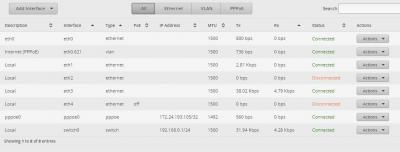
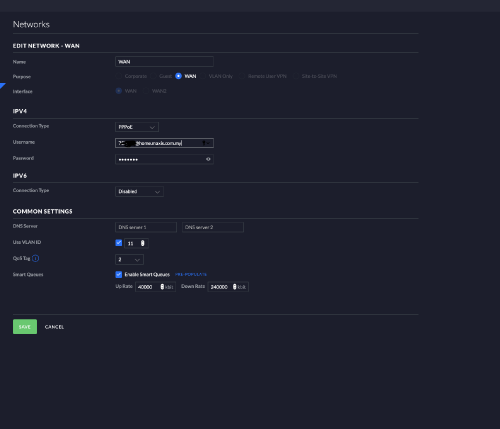
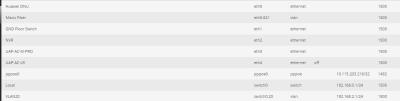
I just got Maxis Fibre and am setting up an Edgerouter-X following the excellant original instructions of this post. I have upgraded the ER-X to 1.10.8. Using Basic Setup, I have setup the PPPOE and VLAN (621) and appears to be connecting to MAXIS OK. (see the attached screen shots below)

I am able to ping both the pppoe addresses but I don't seem to be able to access the internet (feels like there's no route out). I have attached the ip route and ping outputs below.

The tutorial is clear and simple enough to follow and I am at a loss of what else to try. Anyone can help ? Thanks

---------------------outAttached Image Attached Image put from CLI ----------

ttt@ubnt:~$ ip route
default dev pppoe0 scope link
172.24.193.105 dev pppoe0 proto kernel scope link
172.24.193.254 dev pppoe0 proto kernel scope link src 172.24.193.105
192.168.0.0/24 dev switch0 proto kernel scope link src 192.168.0.1

ttt@ubnt:~$ ping 192.168.0.1
PING 192.168.0.1 (192.168.0.1) 56(84) bytes of data.
64 bytes from 192.168.0.1: icmp_req=1 ttl=64 time=0.297 ms
64 bytes from 192.168.0.1: icmp_req=2 ttl=64 time=0.228 ms
^C
--- 192.168.0.1 ping statistics ---
2 packets transmitted, 2 received, 0% packet loss, time 999ms
rtt min/avg/max/mdev = 0.228/0.262/0.297/0.038 ms

ttt@ubnt:~$ ping 172.24.193.105
PING 172.24.193.105 (172.24.193.105) 56(84) bytes of data.
64 bytes from 172.24.193.105: icmp_req=1 ttl=64 time=0.272 ms
64 bytes from 172.24.193.105: icmp_req=2 ttl=64 time=0.260 ms
^C
--- 172.24.193.105 ping statistics ---
2 packets transmitted, 2 received, 0% packet loss, time 999ms
rtt min/avg/max/mdev = 0.260/0.266/0.272/0.006 ms

ttt@ubnt:~$ ping 172.24.193.254
PING 172.24.193.254 (172.24.193.254) 56(84) bytes of data.
64 bytes from 172.24.193.254: icmp_req=1 ttl=255 time=1.49 ms
64 bytes from 172.24.193.254: icmp_req=2 ttl=255 time=0.597 ms
^C
--- 172.24.193.254 ping statistics ---
2 packets transmitted, 2 received, 0% packet loss, time 1001ms
rtt min/avg/max/mdev = 0.597/1.048/1.499/0.451 ms
TSwanttotree
post Jan 29 2019, 04:16 PM

On my way
****
Junior Member
677 posts

Joined: Apr 2008
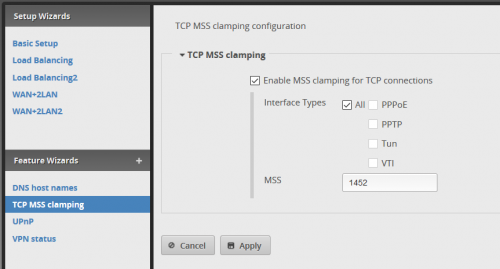
Hi, have you set your mss-clamp to 1452 and select "all"?
teohes
post Jan 29 2019, 05:19 PM

New Member
*
Junior Member
17 posts

Joined: Jan 2010


Thanks for quick suggestion ....

Yes, mss-clamp set at 1452 and "All" selected.

Edit: I forgot to mention ... it didn't work. Do I need to set the MTU manually to 1492?
Edit2: Changed MTU on pppoe to 1492 , still no joy !

This post has been edited by teohes: Jan 29 2019, 06:47 PM


Attached thumbnail(s)
Attached Image
TSwanttotree
post Jan 29 2019, 07:35 PM

On my way
****
Junior Member
677 posts

Joined: Apr 2008
U can try these;
1) mss clamp instead of "all" try "pppoe"
2) set your dns to your preferred dns server. Etc: 1.1.1.1

3) factory default, then re setup the whole thing.
4) revert to previous firmware and re setup.

Good luck
teohes
post Jan 31 2019, 12:34 PM

New Member
*
Junior Member
17 posts

Joined: Jan 2010


Ok....I have tried all the above suggestions (numerous times) with no success. I have even tried V1.9.1 (that was the version in the tutorial above.)

This is where I am at with the following settings:

Tried ER-X version 1.10.8, 1.9.7 hotfix 3, 1.9.1
Tried MSS 1452, 1412
NS =1.1.1.1


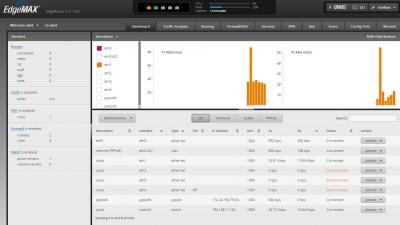
I am seriously out of idea. I am attaching the latest ER-X Dashboard and Routing screenshot and also a txt file from "show configuration" in the hope that someone can shed so light on this.

One thing I noticed is there don't seem to be a gateway configuration in the show configuration.


Attached thumbnail(s)
Attached Image Attached Image

Attached File(s)
Attached File  ERX_v1.10.8_ShowConfig.txt ( 4.13k ) Number of downloads: 25
teohes
post Jan 31 2019, 12:57 PM

New Member
*
Junior Member
17 posts

Joined: Jan 2010


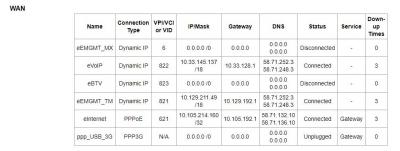
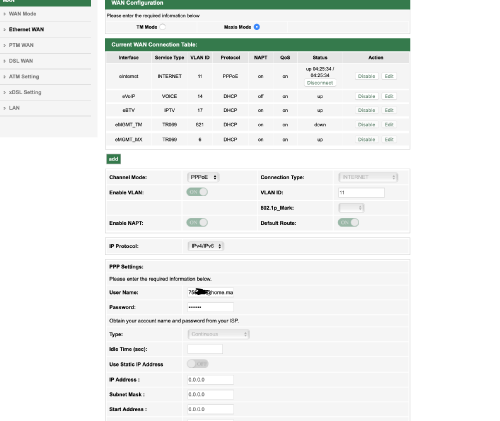
Looking at my MAXIS TP-LINK ArcherC5v modem settings, I noticed the following in the WAN setting that is not in the ERX "show configuration" txt file.

The MAXIS modem setting has the PPPoE/621 with GW 10.105.192.1 See attached screenshot of the WAN Status on the ArcherCv5

BTW: Would really be useful if someone with Edgerouter on Maxis Fibre can kindly post their "show configuration" output (or Please PM me with the file if you do not wish to share the file publicly ?)


Attached thumbnail(s)
Attached Image
TSwanttotree
post Jan 31 2019, 01:33 PM

On my way
****
Junior Member
677 posts

Joined: Apr 2008
QUOTE(teohes @ Jan 31 2019, 12:57 PM)
Looking at my MAXIS TP-LINK ArcherC5v modem settings, I noticed the following in the WAN setting that is not in the ERX "show configuration" txt file. 

The MAXIS modem setting has the PPPoE/621 with GW 10.105.192.1  See attached screenshot of the WAN Status on the ArcherCv5

BTW:  Would really be useful if someone with Edgerouter on Maxis Fibre can kindly post their "show configuration" output  (or Please PM me with the file if you do not wish to share the file publicly ?)
*
The config txt looks okay to me. But whats weird is your ip on erx is at 172.24.x.x/32 while on yr tplink its at 10.105.x.x/32. Is that normal for maxis private ip? From this info, my guess is either your user-id and password might be wrongly typed. Or it could your account might be due. Im on maxis public ip so im not so familiar with private ip subnet(s). Other than that, i cant catch anything wrong. Yr vlan config, auto firewall, auto masquerade are all on point.
teohes
post Jan 31 2019, 03:09 PM

New Member
*
Junior Member
17 posts

Joined: Jan 2010


Good news! @wanttotree

You were spot on ! when you wrote: " From this info, my guess is either your user-id and password might be wrongly typed."

I just called MAXIS to verify my account login details and it appears the technician who installed my MAXIS fibre wrote it down in-correctly !

SO THANK YOU VERY MUCH for your help! I just got it working.

This post has been edited by teohes: Jan 31 2019, 03:26 PM
teohes
post Jan 31 2019, 03:32 PM

New Member
*
Junior Member
17 posts

Joined: Jan 2010


FWIW: I just did a ping checking for MTU now that my MAXIS PPPoE is working.

>ping yahoo.com -f -l 1464

Pinging yahoo.com [72.30.35.9] with 1464 bytes of data:
Reply from 72.30.35.9: bytes=1464 time=264ms TTL=47

Ping statistics for 72.30.35.9:
Packets: Sent = 4, Received = 4, Lost = 0 (0% loss),
Approximate round trip times in milli-seconds:
Minimum = 264ms, Maximum = 264ms, Average = 264ms

>ping yahoo.com -f -l 1465

Pinging yahoo.com [72.30.35.9] with 1465 bytes of data:
Reply from 192.168.1.1: Packet needs to be fragmented but DF set.
Packet needs to be fragmented but DF set.

Ping statistics for 72.30.35.9:
Packets: Sent = 3, Received = 1, Lost = 2 (66% loss),

So I guess MAXIS PPPoE MTU is 1464 and MSS-Clamp should be 1424 ?
TSwanttotree
post Jan 31 2019, 03:57 PM

On my way
****
Junior Member
677 posts

Joined: Apr 2008
QUOTE(teohes @ Jan 31 2019, 03:09 PM)
Good news!  @wanttotree

You were spot on ! when you wrote: " From this info, my guess is either your user-id and password might be wrongly typed." 

I just called MAXIS to verify my account login details and it appears the technician who installed my MAXIS fibre wrote it down in-correctly !

SO THANK YOU VERY MUCH for your help!  I just got it working.
*
You are welcome, it is a good idea that u sent enough info so "we" can spot something. The config txt is good idea, but the snapshot of both erx and tplink summary was clever. I never have thought to ask u to get those screenshot.
TSwanttotree
post Jan 31 2019, 04:05 PM

On my way
****
Junior Member
677 posts

Joined: Apr 2008
QUOTE(teohes @ Jan 31 2019, 03:32 PM)
FWIW:  I just did a ping checking for MTU now that my MAXIS PPPoE is working.

>ping yahoo.com -f -l 1464

Pinging yahoo.com [72.30.35.9] with 1464 bytes of data:
Reply from 72.30.35.9: bytes=1464 time=264ms TTL=47

Ping statistics for 72.30.35.9:
    Packets: Sent = 4, Received = 4, Lost = 0 (0% loss),
Approximate round trip times in milli-seconds:
    Minimum = 264ms, Maximum = 264ms, Average = 264ms

>ping yahoo.com -f -l 1465

Pinging yahoo.com [72.30.35.9] with 1465 bytes of data:
Reply from 192.168.1.1: Packet needs to be fragmented but DF set.
Packet needs to be fragmented but DF set.

Ping statistics for 72.30.35.9:
    Packets: Sent = 3, Received = 1, Lost = 2 (66% loss),

So I guess MAXIS PPPoE MTU is 1464 and MSS-Clamp should be 1424 ?
*
I have done the traditional 1492 mtu and mss clamp 1452 without any fragmentation.
i did try to ping up to 1464 and it works. I think you might be right on that. Thank you for pointing it out.

Do enable your pppoe offload, vlan offload and ipv6 offload too(if u havent already).

Bonus;
Follow my ipv6 tutorial to get it running. It sped up a lot of good ipv6 based site and streaming. Eg: fb, insta, snapchat, and best of all youtube and netflix. Cheers.

This post has been edited by wanttotree: Jan 31 2019, 04:20 PM
teohes
post Jan 31 2019, 04:53 PM

New Member
*
Junior Member
17 posts

Joined: Jan 2010


Will look into pppoe, vlan and ipv6 offload (have not looked at this yet)

Busy configuring my raspi-hole ( https://pi-hole.net/ ....an opensource ad blocker running on the raspberry pi). Done !!

Also just setup ubiquiti controller on raspi and configuring my UAP-AC-PRO now.

Need to figure out all the vlan stuff next as I have over 30 IOT devices, kids streaming, NAS etc....

BTW: I missed your ipv6 tutorial so that is a must read. Ha..... I just found it !

This post has been edited by teohes: Jan 31 2019, 04:56 PM
TSwanttotree
post Jan 31 2019, 05:49 PM

On my way
****
Junior Member
677 posts

Joined: Apr 2008
QUOTE(teohes @ Jan 31 2019, 04:53 PM)
Will look into pppoe, vlan and ipv6 offload (have not looked at this yet)

Busy configuring my raspi-hole ( https://pi-hole.net/  ....an opensource ad blocker running on the raspberry pi).  Done !!

Also just setup ubiquiti controller on raspi and configuring my UAP-AC-PRO now.

Need to figure out all the vlan stuff next as I have over 30 IOT devices, kids streaming, NAS etc....   

BTW:  I missed your ipv6 tutorial so that is a must read.  Ha..... I just found it !
*
Cool. Pi hole is amazing. Now pair that with unbound(your very own dns server). It would make a very powerful snappy experience. I will post tutorial on that if theres demand. In the meantime, looking forward for your ipv6 success.
jyhk_junk
post Mar 10 2019, 07:41 PM

New Member
*
Junior Member
36 posts

Joined: Oct 2005
From: PJ


hi wanttotree,
Just brought the Unifi-USG and tried to configure the port LAN-2 to use for TM Hyppo-TV box, but the nearest solution i got is those that use to gather with Unifi-Switch. Which my current setup is without Unifi-Switch (only use USG). (my LAN already can access to internet via USG as the gateway).

Current setup-
TM modem <-> USG (WAN port) & USG (LAN-1 port) <-> LAN.

Can you help to share any guide or advise any link /Reference on how to configure the LAN-2 to use for TM-Hyppo Box.

many thanks
TSwanttotree
post Mar 10 2019, 10:17 PM

On my way
****
Junior Member
677 posts

Joined: Apr 2008
QUOTE(jyhk_junk @ Mar 10 2019, 07:41 PM)
hi wanttotree,
Just brought the Unifi-USG and tried to configure the port LAN-2 to use for TM Hyppo-TV box, but the nearest solution i got is those that use to gather with Unifi-Switch. Which my current setup is without Unifi-Switch (only use USG). (my LAN already can access to internet via USG as the gateway).

Current setup-
TM modem <-> USG (WAN port) & USG (LAN-1 port) <-> LAN.

Can you help to share any guide or advise any link /Reference on how to configure the LAN-2 to use for TM-Hyppo Box.

many thanks
*
hello bro jyhk_junk, i know usg uses the same hardware as edgerouter-lite, and i heard that its possible to configure it through ssh then create and modify the json file. i dont have a usg in hand and i cant verify if its gonna work. did some googling and not much people has done vlan tag bridging for iptv use.

i am aware of the unifi switch method, i experienced that any cheap smart/managed switch will work. i also was told by several forumer here that any layer 2 switch will work as well. (even better because no additional setting needed). So it is not necessary to spend more for another unifi switch.

If i had a usg at hand, i would have make it a late night project tonight (lol), i hope there is another forumer out here that are kind to share their setup. sorry mate.
Gaara92
post Mar 15 2019, 04:39 PM

Herald
****
Junior Member
612 posts

Joined: Mar 2008


QUOTE(kutitata @ Dec 29 2016, 02:56 PM)
I am trying to connect all 9 connections. Actually 2 them won't be used often (maybe not used at all).

Ethernet devices : 1 mac desktop, 1 hypp tv, 1 cctv dvr, 1 android box, 3 APs...

So I have decided to go for ER-L + US-8, that way I can connect to 8 devices (7 in us-8, 1 in er-lite, and in future add a dumb switch to add more connections). I will leave one out for now.

What would be your ideal set up for 6 connections and 3 APs?
*
I have an US-8-60W to let go, if you interest I wanna let it go for RM450. Not really use because I am using ES-16-POE already
Gaara92
post Mar 15 2019, 04:47 PM

Herald
****
Junior Member
612 posts

Joined: Mar 2008


QUOTE(wanttotree @ Mar 10 2019, 10:17 PM)
hello bro jyhk_junk, i know usg uses the same hardware as edgerouter-lite, and i heard that its possible to configure it through ssh then create and modify the json file. i dont have a usg in hand and i cant verify if its gonna work. did some googling and not much people has done vlan tag bridging for iptv use.

i am aware of the unifi switch method, i experienced that any cheap smart/managed switch will work. i also was told by several forumer here that any layer 2 switch will work as well. (even better because no additional setting needed). So it is not necessary to spend more for another unifi switch.

If i had a usg at hand, i would have make it a late night project tonight (lol), i hope there is another forumer out here that are kind to share their setup. sorry mate.
*
get a usg only rm595 tongue.gif
TSwanttotree
post Mar 15 2019, 06:49 PM

On my way
****
Junior Member
677 posts

Joined: Apr 2008
QUOTE(Gaara92 @ Mar 15 2019, 04:47 PM)
get a usg only rm595 tongue.gif
*
LOL. No hate for usg, but its a bit limited for my liking. Its pretty, sure, but with that price i can get smthg better. just my 2 cents.
Gaara92
post Mar 15 2019, 08:52 PM

Herald
****
Junior Member
612 posts

Joined: Mar 2008


QUOTE(wanttotree @ Mar 15 2019, 06:49 PM)
LOL. No hate for usg, but its a bit limited for my liking. Its pretty, sure, but with that price i can get smthg better. just my 2 cents.
*
i myself own an edgerouter, a lot of mikrotik, ubiquiti unifi switch, ap pro. Thinking to get a usg to do experiment with it.
TSwanttotree
post Apr 10 2019, 01:04 AM

On my way
****
Junior Member
677 posts

Joined: Apr 2008
QUOTE(Gaara92 @ Mar 15 2019, 08:52 PM)
i myself own an edgerouter, a lot of mikrotik, ubiquiti unifi switch, ap pro. Thinking to get a usg to do experiment with it.
*
it would be interesting to see what u can do with it. Please let me know if u post anything exciting here(assuming u alrdy get yr hands on one). cheers
TSwanttotree
post Apr 16 2019, 07:13 PM

On my way
****
Junior Member
677 posts

Joined: Apr 2008
I recently found out that some of you have problem with setting up edgerouter-x with my tutorial, specifically with hypptv. Please be informed that it does work perfectly with edgerouter-x. If any of u need a step by step, do reply here to let me know.
zegxro
post Jun 6 2019, 10:18 AM

New Member
*
Junior Member
23 posts

Joined: Jan 2006
From: subang, USJ


QUOTE(wanttotree @ Apr 16 2019, 07:13 PM)
I recently found out that some of you have problem with setting up edgerouter-x with my tutorial, specifically with hypptv. Please be informed that it does work perfectly with edgerouter-x. If any of u need a step by step, do reply here to let me know.
*
hi, i re-reply biggrin.gif.. i reply before but some how it did not show..

Anyway it will be great if you can do the step by step tutorial for EdgeRouter-x v2.0.3 firmware.. internet working just fine.. HyppTV failed.. done some try and error session.. same result..

One thing im not sure of, if i understand correctly.. by using your configuration.. the eth0 will be free.. eth2 will be the HyppTV port.. why is that ?.. cant we just use the eth0 as the HyppTV port since it already on the VLAN 600 hmm.gif..

Update : oh ya forget to mention.. eth4 = internet ( VLAN 500 ) / eth0 = HyppTV ( VLAN 600 ) <-- was planing to make eth0 as the HyppTV port.. if possible..

Update : Found the problem.. VLAN should be set on the same INTERNET port.. in my case eth4 n it should have 2 Vlan eth4.500 & eth4.600.. sweat.gif

This post has been edited by zegxro: Jun 7 2019, 01:05 AM
haturaya
post Aug 13 2019, 12:54 PM

Look at all my stars!!
Group Icon
Elite
2,553 posts

Joined: Jan 2003
QUOTE(wanttotree @ Apr 16 2019, 07:13 PM)
I recently found out that some of you have problem with setting up edgerouter-x with my tutorial, specifically with hypptv. Please be informed that it does work perfectly with edgerouter-x. If any of u need a step by step, do reply here to let me know.
*
Doesn't work at all or not smooth? Care to elaborate. hmm.gif

Thanks
immensemorbid
post Jan 23 2020, 12:14 AM

New Member
*
Newbie
6 posts

Joined: Feb 2008


QUOTE(wanttotree @ Dec 26 2016, 03:09 PM)
user posted image
Hey guys! A few months ago i posted a topic regarding edgerouter lite and how i finally set it up to use with my tm unifi with hypptv. I got involved with ubiquiti forum(amazing forum btw), asked around and had many experiments with the settings including cli based settings. Dont be afraid though. I had a discussion a few months ago with ubiquiti engineer and they agree that they should implement vlan based connection. Lo and behold, firmware 1.9 came out with a wizard that set up PPPoE connection with vlan tag! Pretty awesome of them to hear an opinion from a couple of forumer in Malaysia. I say kudos to Ubiquiti. This is important to all users in Malaysia that mainly connect to the internet the 'vlan' way.LOL.

Enough background check, lets get to it. In this tutorial, i will be using edgerouter-lite as reference. Lets hit it!
1) Download the latest firmware from ( https://www.ubnt.com/download/edgemax ). As of the day im writing this, the latest firmware is at 1.9.1

2) Log into your router page at 192.168.1.1, click system, click 'upload a file' on upload system image, wait a few seconds and the router will ask to reboot, then reboot. =)

3) After aprox 3 minutes the router will finish booting, login into the router again then click wizards, then click;
a) basic setup
b) PPPoE
c) fill in your unifi/maxis/time account name and password
d) click to check vlan, fill in vlan according to your isp (eg: unifi= 500 / maxis fiber= 621)
e) click 'configure this section' on (Optional) Secondary LAN port (eth2)
f) uncheck 'Enable the DHCP server'
g) under 'user setup' choose 'create new admin user', fill in your new user and password(dont use default ubnt, change your password! very important)
h) click apply and reboot.

Viola! your router is set up for internet use! enjoy!!!

Part one of the setup is done, this is mainly for people who doesnt care about iptv like hypptv or astro via maxis fiber. U can hop away and start your beautiful day with the edgerouter! Now moving on to part two where we will set up iptv, hypptv and astro via maxis fiber. lets go!

1) On the router dashboard page click on
a) Add interface
b) Add Vlan
c) Fill in Vlan id (eg: unifi= 600 / maxis fiber= 823)
d) Select eth0 on 'interface'
e) Fill in 'Hyyptv' or 'astro' according to your iptv
f) Click save

2) At 'Local 2', click on 'actions', 'config', change 'manually define ip address' to 'no address', click save.

3) Click on 'Config tree',
a) click interfaces, bridge, click add, fill in 'br0'
b) click ethernet, eth0, vif, 600, bridge-group, fill in 'br0' in 'bridge'
c) click eth2, bridge-group, fill in 'br0' in 'bridge'
d) click 'preview' and 'apply'

4) At this point you can plug your iptv cable to eth2 of your router, make sure restart the iptv box after plugging it in.

Thats it guys! its not as complicated as u think. sure if i were to make a tutorial using cli then that would be a slightly different story. LOL.

I hope u guys enjoy the tutorial! Please point out something that i missed or mistakes.

This wraps up this tutorial, please tell me if any of u guys need to set up ipv6 and set up dns forwarding, ipv6 forwarding, upnp or upnp2 with nat-pmp. These can be done on the next one. Cheers!
*
Hi, I need help. I'm currently using edgerouter X. I cannot get tm hypptv to work. I've tried following your guide. Internet works now.
I have eth0 set for pppoe

eth0 has both vlan 500 and 600
local2 (eth1) set to no address
bridge group br0 added
eth0 vif 600 added bridge group br0
eth1 bridge group br0

hypptv still wont work. am i doing anything wrong?

My plan is to use eth0 for pppoe and eth1 for hypptv
eth234 will be used for other devices (access points etc.)

current firmware version 1.10.3

appreciate your advice. thanks.
TSwanttotree
post Jan 23 2020, 12:29 AM

On my way
****
Junior Member
677 posts

Joined: Apr 2008
QUOTE(immensemorbid @ Jan 23 2020, 12:14 AM)
Hi, I need help. I'm currently using edgerouter X. I cannot get tm hypptv to work. I've tried following your guide. Internet works now.
I have eth0 set for pppoe

eth0 has both vlan 500 and 600
local2 (eth1) set to no address
bridge group br0 added
eth0 vif 600 added bridge group br0
eth1 bridge group br0

hypptv still wont work. am i doing anything wrong?

My plan is to use eth0 for pppoe and eth1 for hypptv
eth234 will be used for other devices (access points etc.)

current firmware version 1.10.3

appreciate your advice. thanks.
*
Remove eth1 from the switch0
immensemorbid
post Jan 23 2020, 09:00 AM

New Member
*
Newbie
6 posts

Joined: Feb 2008


QUOTE(wanttotree @ Jan 23 2020, 12:29 AM)
Remove eth1 from the switch0
*
Should I try to reset the whole thing and reconfigure again?
I've tried the basic setup wizard with either using single Lan option
or having two Lans option.
TSwanttotree
post Jan 23 2020, 12:16 PM

On my way
****
Junior Member
677 posts

Joined: Apr 2008
QUOTE(immensemorbid @ Jan 23 2020, 09:00 AM)
Should I try to reset the whole thing and reconfigure again?
I've tried the basic setup wizard with either using single Lan option
or having two Lans option.
*
Unnecessary. Just go to config tree interface, then switch0, look for interface eth1 and delete it. That will remove the eth1 from the switch chip.
immensemorbid
post Jan 23 2020, 04:30 PM

New Member
*
Newbie
6 posts

Joined: Feb 2008


QUOTE(wanttotree @ Jan 23 2020, 12:16 PM)
Unnecessary. Just go to config tree interface, then switch0, look for interface eth1 and delete it. That will remove the eth1 from the switch chip.
*
OK got it to work now. Thanks Bro!
TSwanttotree
post Jan 23 2020, 10:33 PM

On my way
****
Junior Member
677 posts

Joined: Apr 2008
Cheers
kokhoong0624
post Jan 23 2020, 11:57 PM

Casual
***
Junior Member
404 posts

Joined: Aug 2015
QUOTE(wanttotree @ Jan 23 2020, 10:33 PM)
Cheers
*
Hello, good day to you!
I just got a UDM and tried to set up Maxis fibre with the UDM.. And I tried these settings and it did not work for me. Do you mind giving me some insights?
I tried VLAn 621 and VLAN 11 (as stated in my maxis router profile) and it did not work... And I tried Qos from 1-4 too..

Thanks in advance!

user posted image

user posted image
TSwanttotree
post Jan 24 2020, 07:53 AM

On my way
****
Junior Member
677 posts

Joined: Apr 2008
QUOTE(kokhoong0624 @ Jan 23 2020, 11:57 PM)
Hello, good day to you!
I just got a UDM and tried to set up Maxis fibre with the UDM.. And I tried these settings and it did not work for me. Do you mind giving me some insights?
I tried VLAn 621 and VLAN 11 (as stated in my maxis router profile) and it did not work... And I tried Qos from 1-4 too..

Thanks in advance!

user posted image

user posted image
*
Yours should work with vlan tag 11. The config looks fine to my eyes though. Not sure why that wouldnt work. Have you tried letting it connect for a little while?

This post has been edited by wanttotree: Jan 24 2020, 07:54 AM
kokhoong0624
post Jan 24 2020, 10:45 AM

Casual
***
Junior Member
404 posts

Joined: Aug 2015
QUOTE(wanttotree @ Jan 24 2020, 07:53 AM)
Yours should work with vlan tag 11. The config looks fine to my eyes though. Not sure why that wouldnt work. Have you tried letting it connect for a little while?
*
Thanks so much for your reply! May I know if I should leave QoS on? And on what number.. I’ll try again after I get back from my hometown.

Also, happy holidays!
Will update you once I go back and test again
TSwanttotree
post Jan 24 2020, 03:49 PM

On my way
****
Junior Member
677 posts

Joined: Apr 2008
QUOTE(kokhoong0624 @ Jan 24 2020, 10:45 AM)
Thanks so much for your reply! May I know if I should leave QoS on? And on what number.. I’ll try again after I get back from my hometown.

Also, happy holidays!
Will update you once I go back and test again
*
Happy holidays to you too. I suggest turning off qos.
iamsobloodysick
post Jan 28 2020, 03:49 PM

Look at all my stars!!
*******
Senior Member
2,006 posts

Joined: Mar 2005
From: Truly Malaise
Took the plunge to try out ER-4 before moving to my new house. It actually looks much bigger than what I thought. biggrin.gif
TSwanttotree
post Jan 28 2020, 04:19 PM

On my way
****
Junior Member
677 posts

Joined: Apr 2008
QUOTE(iamsobloodysick @ Jan 28 2020, 03:49 PM)
Took the plunge to try out ER-4 before moving to my new house. It actually looks much bigger than what I thought. biggrin.gif
*
Yes it is bigger and wider than most edgerouters. Its is really powerful. Congrats on the purchase. What switch and ap(s) do you pair it with. Curious.
iamsobloodysick
post Jan 28 2020, 06:57 PM

Look at all my stars!!
*******
Senior Member
2,006 posts

Joined: Mar 2005
From: Truly Malaise
QUOTE(wanttotree @ Jan 28 2020, 04:19 PM)
Yes it is bigger and wider than most edgerouters. Its is really powerful. Congrats on the purchase. What switch and ap(s) do you pair it with. Curious.
*
I haven't decided on the switch, AP and cameras but most likely I'll go with the Unifi series. ER will be the odd one.

Has anyone configured a VPN client on ER?

HuorEarfalas
post May 8 2020, 05:22 PM

Casual
***
Junior Member
382 posts

Joined: Sep 2006


Can anyone guide me through the CONFIG JSON setup? I intend to configure the USG PRO 4 to be the main firewall for Internet VLAN and VOIP VLAN
Geshi P
post May 19 2020, 03:25 PM

New Member
*
Probation
2 posts

Joined: May 2020
Hello wanttotree,
When I came across this thread on ERX, I was so happy.
I’m a total newbie and am basically a plug and play guy.
Recently I bought an ERX SFP for my music (Tidal music) streaming system. Will the set up be similar to your tutorial in your first post here?
My system will basically be as follows:
Modem>ERX SFP >audiophile switch>music server>DAC.
There will be an access point connected to the ERX for WiFi use and a NAS connected to the switch..
Your suggestion on any changes will be appreciated.
Thanks in advance.
Jjuggler
post May 19 2020, 04:45 PM

Narcissistic Genius
******
Senior Member
1,341 posts

Joined: Dec 2016
EdgeRouter 6P user reporting in. This is my first Ubiquiti gear and I do like this router for its cool features.
TSwanttotree
post May 19 2020, 05:58 PM

On my way
****
Junior Member
677 posts

Joined: Apr 2008
QUOTE(Geshi @ May 19 2020, 03:25 PM)
Hello wanttotree,
When I came across this thread on ERX, I was so happy.
I’m a total newbie and am basically a plug and play guy.
Recently I bought an ERX SFP for my music (Tidal music) streaming system. Will the set up be similar to your tutorial in your first post here?
My system will basically be as follows:
Modem>ERX SFP >audiophile switch>music server>DAC.
There will be an access point connected to the ERX for WiFi use and a NAS connected to the switch..
Your suggestion on any changes will be appreciated.
Thanks in advance.
*
I wouldnt think it would be any more different. May i know what is audiophile switch though?
TSwanttotree
post May 19 2020, 05:59 PM

On my way
****
Junior Member
677 posts

Joined: Apr 2008
QUOTE(Jjuggler @ May 19 2020, 04:45 PM)
EdgeRouter 6P user reporting in. This is my first Ubiquiti gear and I do like this router for its cool features.
*
Thats a great first device. It will serve u a really long time.
Geshi P
post May 19 2020, 08:21 PM

New Member
*
Probation
2 posts

Joined: May 2020
QUOTE(wanttotree @ May 19 2020, 05:58 PM)
I wouldnt think it would be any more different. May i know what is audiophile switch though?
*
It’s the JCAT M12 Gold switch.

TSwanttotree
post May 19 2020, 08:51 PM

On my way
****
Junior Member
677 posts

Joined: Apr 2008
QUOTE(Geshi @ May 19 2020, 08:21 PM)
It’s the JCAT M12 Gold switch.
*
Wow quick google. Not cheap. Anyways. Enjoy your new setup. Would love to hear about your music server setup. Please tag me if u happen to open a thread about it.
Anime4000
post May 20 2020, 06:56 PM

Look at all my stars!!
*******
Senior Member
2,399 posts

Joined: Jul 2009
From: /dev/null


I plan to bought ER-10X,
I wonder ER-10X able to handle NAT + PPPoE + QoS Fq_CoDel performance, will ER able to handle 500/500 speed with these enable?
Jjuggler
post May 20 2020, 09:49 PM

Narcissistic Genius
******
Senior Member
1,341 posts

Joined: Dec 2016
QUOTE(wanttotree @ May 19 2020, 05:59 PM)
Thats a great first device. It will serve u a really long time.
*
I did go through a few review on youtube about edgerouter generally. So putting my faith on my first ubiquiti product. But, I do happy with my choice. biggrin.gif
luthansa
post May 26 2020, 08:38 AM

New Member
*
Junior Member
47 posts

Joined: Feb 2006


Hi,
Using ERX. Is there any way to block UnifiTv using firewall rules. Want to block at night.
tried using lan, wan_in or wan_local firewall. still cannot.
Tq in advance
heidarren
post May 26 2020, 10:35 AM

Getting Started
**
Junior Member
248 posts

Joined: Aug 2018
QUOTE(luthansa @ May 26 2020, 08:38 AM)
Hi,
Using ERX. Is there any way to block UnifiTv using firewall rules. Want to block at night.
tried using lan, wan_in or wan_local firewall. still cannot.
Tq in advance
*
UnifiTV doesn't pass thru wan, I think the proper step will be like add firewall to interface eth0.600, then add a rule to block it.
luthansa
post May 26 2020, 11:45 AM

New Member
*
Junior Member
47 posts

Joined: Feb 2006


QUOTE(heidarren @ May 26 2020, 10:35 AM)
UnifiTV doesn't pass thru wan, I think the proper step will be like add firewall to interface eth0.600, then add a rule to block it.
*
Already tried it. But still cannot.
Anime4000
post May 30 2020, 12:26 PM

Look at all my stars!!
*******
Senior Member
2,399 posts

Joined: Jul 2009
From: /dev/null


QUOTE(Anime4000 @ May 20 2020, 06:56 PM)
I plan to bought ER-10X,
I wonder ER-10X able to handle NAT + PPPoE + QoS Fq_CoDel performance, will ER able to handle 500/500 speed with these enable?
*
Since no one answer my question, this what I did:
Attached Image
Attached Image
Attached Image
I using Maxis 300Mbps (50Mbps Upload)
ER-10X CPU very weak when enable QoS with 300Mbps download,
with QoS Enable, ER-10X give me 138Mbps,
so I enable QoS Upload, let hwnat for Download

Such Speed I have, with QoS Enable, ER-PRO-8 is the router performance
h11g
post Jun 7 2020, 10:06 PM

Look at all my stars!!
*******
Senior Member
2,114 posts

Joined: Nov 2004


guys sorry a newbie here, whats the advantage of using edge router vs something like Asus GT-AX11000 router?

TSwanttotree
post Jun 7 2020, 10:58 PM

On my way
****
Junior Member
677 posts

Joined: Apr 2008
QUOTE(h11g @ Jun 7 2020, 10:06 PM)
guys sorry a newbie here, whats the advantage of using edge router vs something like Asus GT-AX11000 router?
*
Asus router is designed for simplicity for setup and performance.

Ubiquiti is designed to be running stable(years without crash). Plus you can set it up to your hearts desire. Advanced firewall rules with multiple interfaces.

Both are good in its own way. Coming from asus products before i moved on to something that can be setup to my liking to feed my curiosity.
h11g
post Jun 8 2020, 11:30 AM

Look at all my stars!!
*******
Senior Member
2,114 posts

Joined: Nov 2004


QUOTE(wanttotree @ Jun 7 2020, 09:58 PM)
Asus router is designed for simplicity for setup and performance.

Ubiquiti is designed to be running stable(years without crash). Plus you can set it up to your hearts desire. Advanced firewall rules with multiple interfaces.

Both are good in its own way. Coming from asus products before i moved on to something that can be setup to my liking to feed my curiosity.
*
Ok cool, I’m looking into upgrading my router soon so I am exploring this option.
TSwanttotree
post Jun 8 2020, 12:31 PM

On my way
****
Junior Member
677 posts

Joined: Apr 2008
QUOTE(h11g @ Jun 8 2020, 11:30 AM)
Ok cool, I’m looking into upgrading my router soon so I am exploring this option.
*
Great. Wait for uap ax series. They are similarly priced to ac. Any edgerouters or usg can handle gigabit speed.
h11g
post Jun 8 2020, 01:33 PM

Look at all my stars!!
*******
Senior Member
2,114 posts

Joined: Nov 2004


QUOTE(wanttotree @ Jun 8 2020, 11:31 AM)
Great. Wait for uap ax series. They are similarly priced to ac. Any edgerouters or usg can handle gigabit speed.
*
UAP AX series uses 24V POE as well?
TSwanttotree
post Jun 8 2020, 01:54 PM

On my way
****
Junior Member
677 posts

Joined: Apr 2008
QUOTE(h11g @ Jun 8 2020, 01:33 PM)
UAP AX series uses 24V POE as well?
*
Im afraid not.

user posted image
h11g
post Jun 8 2020, 04:07 PM

Look at all my stars!!
*******
Senior Member
2,114 posts

Joined: Nov 2004


QUOTE(wanttotree @ Jun 8 2020, 12:54 PM)
Im afraid not.

user posted image
*
So we’ll need to get a switch to support 802.3 POE to work
TSwanttotree
post Jun 8 2020, 04:48 PM

On my way
****
Junior Member
677 posts

Joined: Apr 2008
QUOTE(h11g @ Jun 8 2020, 04:07 PM)
So we’ll need to get a switch to support 802.3 POE to work
*
If u buy single pack, it comes with an adapter that supports the poe standard respectively. Unless you are deploying more units, then u will need 802.3af supported poe switch.
Drian
post Jun 18 2020, 12:37 PM

Look at all my stars!!
*******
Senior Member
4,999 posts

Joined: Jan 2003


Quick question
Does the USG or edgerouter support openvpn?
if yes how is the speed like?

My appletv does not support vpn app , which means i will need to rely on the router to do the VPN stuff so that I can watch disney/netflix etc with US content.
My internet speed is now 500mbit and it seems like my ac-68u can't do full 500mbit with openvpn. I think it was only 30Mbit/s when openvpn is on.


TSwanttotree
post Jun 18 2020, 01:09 PM

On my way
****
Junior Member
677 posts

Joined: Apr 2008
QUOTE(Drian @ Jun 18 2020, 12:37 PM)
Quick question
Does the USG or edgerouter support openvpn?
if yes how is the speed like?

My appletv does not support vpn app , which means i will need to rely on the router to do the VPN stuff so that I can watch disney/netflix etc with US content.
My internet speed is now 500mbit and it seems like my ac-68u can't do full 500mbit with openvpn. I think it was only 30Mbit/s when openvpn is on.
*
Edgerouters does support openvpn. Though none of the model can reach 500mbps. If you rely on vpn, i would recommend to run any x86 based routers. Eg: pfsense/opnsense/openwrt(x86) running on any descent cpu over 2ghz.

I would look into wireguard instead of openvpn, provided that your vpn provider offers it. Wireguard uses a lot less cpu/crypto resources which result faster connection.
TSwanttotree
post Jun 18 2020, 01:13 PM

On my way
****
Junior Member
677 posts

Joined: Apr 2008
A quick google, i found someone runs wireguard vpn on his rt-ac86u.

user posted image

This post has been edited by wanttotree: Jun 18 2020, 01:21 PM
Drian
post Jun 18 2020, 06:14 PM

Look at all my stars!!
*******
Senior Member
4,999 posts

Joined: Jan 2003


QUOTE(wanttotree @ Jun 18 2020, 01:09 PM)
Edgerouters does support openvpn. Though none of the model can reach 500mbps. If you rely on vpn, i would recommend to run any x86 based routers. Eg: pfsense/opnsense/openwrt(x86) running on any descent cpu over 2ghz.

I would look into wireguard instead of openvpn, provided that your vpn provider offers it. Wireguard uses a lot less cpu/crypto resources which result faster connection.
*
pfsense ...hmm steep learning curve but I guess you're right, the fastest I think for home consumer is the AC-86u with its 1.8GHz cpu.


TSwanttotree
post Jun 18 2020, 06:39 PM

On my way
****
Junior Member
677 posts

Joined: Apr 2008
QUOTE(Drian @ Jun 18 2020, 06:14 PM)
pfsense ...hmm steep learning curve but I guess you're right, the fastest I think for home consumer is the AC-86u with its 1.8GHz cpu.
*
For a beginner yes pretty steep. Openvpn can only utilize 1 cpu core. Wireguard can use multiple cores. Easier on openwrt. Goodluck with your journey.
jongoz
post Jun 28 2020, 11:10 AM

New Member
*
Junior Member
33 posts

Joined: Jan 2003


Hi all,
I am trying to get ER-X to work nicely with VOIP setup on the old Archer c5v (i've given up the BTU HG8240H route)

Previously I'm on Openwrt setup and it was working nicely. Plug Archer c5v to Wan port and the er-x port (eth1) that has untag vlan 821/822.

I've followed the tutorial here but somehow the archer c5v is not communicating. here's the step i have done:


Followed the previous setup to create 'local 2' and disabled secondary IP - in the ER-X its now eth1 (not eth2).

Setup Vlan 821 and 822. tag to eth0 (CPU)

user posted image

Setup Bridge - br1

user posted image

Then i link the vlan 821 and 822 into vif br1

user posted image

After that i link br1 into the eth1 port

user posted image

reboot both er-x and archer. still not connected.

anybody can help? what am i doing wrong?
TSwanttotree
post Jun 28 2020, 11:55 AM

On my way
****
Junior Member
677 posts

Joined: Apr 2008
QUOTE(jongoz @ Jun 28 2020, 11:10 AM)
Hi all,
I am trying to get ER-X to work nicely with VOIP setup on the old Archer c5v (i've given up the BTU HG8240H route)

Previously I'm on Openwrt setup and it was working nicely. Plug Archer c5v to Wan port  and the er-x port (eth1) that has untag vlan 821/822.

I've followed the tutorial here but somehow the archer c5v is not communicating. here's the step i have done:
Followed the previous setup to create 'local 2' and disabled secondary IP - in the ER-X its now eth1 (not eth2).

Setup Vlan 821 and 822. tag to eth0 (CPU)

user posted image

Setup Bridge - br1

user posted image

Then i link the vlan 821 and 822 into vif br1

user posted image

After that i link br1 into the eth1 port

user posted image

reboot both er-x and archer. still not connected.

anybody can help? what am i doing wrong?
*
Have you made sure that your eth1 is at pvid(untag) instead of vid(tag)?
That setting is at = Dashboard > switch0 > Actions > Config > VLAN
I figure you might not have checked that cz i didnt see any of it mentioned in your post.
jongoz
post Jun 28 2020, 12:13 PM

New Member
*
Junior Member
33 posts

Joined: Jan 2003


whoa thanks for the quick reply

this is my current setup.
switc0 is only for eth2,eth3,eth4.
eth1 is currently not setup

what should i do?

user posted image


QUOTE(wanttotree @ Jun 28 2020, 11:55 AM)
Have you made sure that your eth1 is at pvid(untag) instead of vid(tag)?
That setting is at = Dashboard > switch0 > Actions > Config > VLAN
I figure you might not have checked that cz i didnt see any of it mentioned in your post.
*
jongoz
post Jun 28 2020, 12:25 PM

New Member
*
Junior Member
33 posts

Joined: Jan 2003


i made changes like this, rebooted archer but also not connecting.

user posted image

QUOTE(jongoz @ Jun 28 2020, 12:13 PM)
whoa thanks for the quick reply

this is my current setup.
switc0 is only for eth2,eth3,eth4.
eth1 is currently not setup

what should i do?

user posted image
*
TSwanttotree
post Jun 28 2020, 12:30 PM

On my way
****
Junior Member
677 posts

Joined: Apr 2008
QUOTE(jongoz @ Jun 28 2020, 12:25 PM)
i made changes like this, rebooted archer but also not connecting.

user posted image
*
Make sure eth0 is on vid. Uncheck other port not used for vlan. Im no longer using maxis, so maybe voip is on 821. Try that. I also saw your eth0 is not enabled for vlan aware.

This post has been edited by wanttotree: Jun 28 2020, 12:30 PM
jongoz
post Jun 28 2020, 12:50 PM

New Member
*
Junior Member
33 posts

Joined: Jan 2003


it doesn't allow me to tick eth0 for switch.

i think the only way to do it is a proper vlan setup for all switch ports. maybe i need to setup local vlan = 1, bridge it so that it does the routing properly.

hope to get some light at the end of the tunnel... right now have to live without VOIP for a while

QUOTE(wanttotree @ Jun 28 2020, 12:30 PM)
Make sure eth0 is on vid. Uncheck other port not used for vlan. Im no longer using maxis, so maybe voip is on 821. Try that. I also saw your eth0 is not enabled for vlan aware.
*
TSwanttotree
post Jun 28 2020, 02:03 PM

On my way
****
Junior Member
677 posts

Joined: Apr 2008
QUOTE(jongoz @ Jun 28 2020, 12:50 PM)
it doesn't allow me to tick eth0 for switch.

i think the only way to do it is a proper vlan setup for all switch ports. maybe i need to setup local vlan = 1, bridge it so that it does the routing properly.

hope to get some light at the end of the tunnel... right now have to live without VOIP for a while
*
Thats correct. Just as long as u alrdy tag 822/821 on eth0. Right now what you should do is. Instead of bridging eth0.822 with eth1. You should bridge eth0.822 with sw0.
Anime4000
post Jun 28 2020, 09:08 PM

Look at all my stars!!
*******
Senior Member
2,399 posts

Joined: Jul 2009
From: /dev/null


QUOTE(jongoz @ Jun 28 2020, 11:10 AM)
Hi all,
I am trying to get ER-X to work nicely with VOIP setup on the old Archer c5v (i've given up the BTU HG8240H route)

Previously I'm on Openwrt setup and it was working nicely. Plug Archer c5v to Wan port  and the er-x port (eth1) that has untag vlan 821/822.

I've followed the tutorial here but somehow the archer c5v is not communicating. here's the step i have done:
Followed the previous setup to create 'local 2' and disabled secondary IP - in the ER-X its now eth1 (not eth2).

Setup Vlan 821 and 822. tag to eth0 (CPU)

user posted image

Setup Bridge - br1

user posted image

Then i link the vlan 821 and 822 into vif br1

user posted image

After that i link br1 into the eth1 port

user posted image

reboot both er-x and archer. still not connected.

anybody can help? what am i doing wrong?
*
QUOTE(wanttotree @ Jun 28 2020, 02:03 PM)
Thats correct. Just as long as u alrdy tag 822/821 on eth0. Right now what you should do is. Instead of bridging eth0.822 with eth1. You should bridge eth0.822 with sw0.
*
This is what I did with ER-X:
Attached Image
Attached Image

eth0.821--br0--eth4.821
eth0.822--br1--eth4.822

It works just fine biggrin.gif
jongoz
post Jun 28 2020, 09:36 PM

New Member
*
Junior Member
33 posts

Joined: Jan 2003


OMG!! it works! thank you bro. now can move on to other mini project

QUOTE(Anime4000 @ Jun 28 2020, 09:08 PM)
This is what I did with ER-X:
Attached Image
Attached Image

eth0.821--br0--eth4.821
eth0.822--br1--eth4.822

It works just fine biggrin.gif
*
mazranz
post Jul 9 2020, 05:26 PM

New Member
*
Junior Member
37 posts

Joined: Apr 2006
From: PeeJay
Hi guys... need some help with config or ideas:

I have Edge Router working on my Unifi network (home) therefore 1 port is set for hypptv.

... now, can I set a port for internet and do a split at the TV location with a USW-MINI switch to then split to hypptv iptv and network port?
I have the ubiquiti unifi network running already for others.

Thanks.
TSwanttotree
post Jul 9 2020, 11:06 PM

On my way
****
Junior Member
677 posts

Joined: Apr 2008
QUOTE(mazranz @ Jul 9 2020, 05:26 PM)
Hi guys... need some help with config or ideas:

I have Edge Router working on my Unifi network (home) therefore 1 port is set for hypptv.

... now, can I set a port for internet and do a split at the TV location with a USW-MINI switch to then split to hypptv iptv and network port?
I have the ubiquiti unifi network running already for others.

Thanks.
*
You can bridge your vlan1 and vlan600 ports. Make sure tagged vlan 600 and leave the normal vlan1 untagged on the trunk port on your usw. Then u can untag(vlan600) on one of the port for connecting to hypptv. Leave the rest of the port(vlan1).
mazranz
post Jul 10 2020, 10:11 AM

New Member
*
Junior Member
37 posts

Joined: Apr 2006
From: PeeJay
QUOTE(wanttotree @ Jul 9 2020, 11:06 PM)
You can bridge your vlan1 and vlan600 ports. Make sure tagged vlan 600 and leave the normal vlan1 untagged on the trunk port on your usw. Then u can untag(vlan600) on one of the port for connecting to hypptv. Leave the rest of the port(vlan1).
*
Sorry, I'm don't quite follow. Bridge is done on the USW or ErX?

so is it correct to say on ErX, I bridge vlan 1 and vlan600 to the port that goes to the hypptv.... then at the hypptv side, I put the USW which I will configure to untag vlan600 on one of its ports?
hayenadeblue
post Aug 9 2020, 04:31 PM

Getting Started
**
Junior Member
53 posts

Joined: Nov 2011


Hi wanttotree (and everyone else),

I just ordered ER-4 (I know it is an overkill for normal user, which I am, but I look forward to use all the functions that the router capable in the future). Very excited about it but I did noticed, one of the differences between ER-4 and ER-X commonly used here is the internal switching capability. I know, ER-4 can do switching by software (some call it bridging), but I do not have plan to use that feature.

I don't bother with switching because I just need one RJ45 port from the ER-4 to my other switch that handle the switching part. I also do not use the HyppTV, only use the phone, which connected to the supplied modem.

My question, if I disable the bridging/switching (feel free to correct me if I'm using the wrong term):

1. with eth0 set as my WAN (this is default, or I can also set eth3 which is SFP port as WAN), what will happen with eth1, eth2 and eth3 (SFP port)?

2. Can I simply connect the eth1 to my other switch? I believe it is possible after configuring the DHCP etc. but with bridging/switching disabled, what will happen with the other ports?

I am also thinking of simplifying my server rack, and thinking of ditching the modem or BTU supplied by TM. With SFP port at the ER-4, do you think it is possible, by using certain adapter to connect the fibre to the SFP port?

This post has been edited by hayenadeblue: Aug 9 2020, 04:32 PM
TSwanttotree
post Aug 10 2020, 12:36 AM

On my way
****
Junior Member
677 posts

Joined: Apr 2008
QUOTE(hayenadeblue @ Aug 9 2020, 04:31 PM)
Hi wanttotree (and everyone else),

I just ordered ER-4 (I know it is an overkill for normal user, which I am, but I look forward to use all the functions that the router capable in the future). Very excited about it but I did noticed, one of the differences between ER-4 and ER-X commonly used here is the internal switching capability. I know, ER-4 can do switching by software (some call it bridging), but I do not have plan to use that feature.

I don't bother with switching because I just need one RJ45 port from the ER-4 to my other switch that handle the switching part. I also do not use the HyppTV, only use the phone, which connected to the supplied modem.

My question, if I disable the bridging/switching (feel free to correct me if I'm using the wrong term):

1. with eth0 set as my WAN (this is default, or I can also set eth3 which is SFP port as WAN), what will happen with eth1, eth2 and eth3 (SFP port)?

2. Can I simply connect the eth1 to my other switch? I believe it is possible after configuring the DHCP etc. but with bridging/switching disabled, what will happen with the other ports?

I am also thinking of simplifying my server rack, and thinking of ditching the modem or BTU supplied by TM. With SFP port at the ER-4, do you think it is possible, by using certain adapter to connect the fibre to the SFP port?
*
1) you can set any port to be wan or lan.(multiple wan(s) and lan(s) too)
2) Your other eth ports wont be usable. Usually people just left it alone after they setup their wan and lan ports. Some will utilize all 4 with multiple interfaces.

I wont recommend using sfp module for our isp. They lock it to their respective vendor. There and some people did a hack to make it work, but i cant help you with that case(sorry).
hayenadeblue
post Aug 13 2020, 12:08 PM

Getting Started
**
Junior Member
53 posts

Joined: Nov 2011


QUOTE(wanttotree @ Aug 10 2020, 12:36 AM)
1) you can set any port to be wan or lan.(multiple wan(s) and lan(s) too)
2) Your other eth ports wont be usable. Usually people just left it alone after they setup their wan and lan ports. Some will utilize all 4 with multiple interfaces.

I wont recommend using sfp module for our isp. They lock it to their respective vendor. There and some people did a hack to make it work, but i cant help you with that case(sorry).
*
Many thanks for the fast reply! I noticed that, even though I can only reply back only today. Really appreciate it.

Got my ER-4, followed your basic setup as shown in the first page. However, I cannot connect to the internet. Looks like the modem (ONU device) does not give IP to the ER-4. Here is my screenshot.

Attached Image

VLAN ID is set to 500

Attached Image

Everything is default except for the eth1 that I changed from 192.168.1.1 to 192.168.0.1 because I already have devices in my home network that fixed to this IP ranges (192.168.0.XXX)

Attached Image

And I changed the user account too! BUT, after restarting the router, there is no IP assign to my eth0 AND eth0.500 as shown below

Attached Image

My PC can get IP address, which mean that the DHCP is working but it looks like something wrong at my WAN side. Can you point me towards the right direction? I know, you are using ERX, but maybe you have any idea?

I did use eth0 during the setup (from my PC through a 24 ports TP-LINK non-managed switch) and after reboot, my PC is connected to eth1 (through the switch) and eth0 is connected to the ONU/modem. No IPTV is used/involved. My phone is connected directly to the ONU/modem.

Thanks.

This post has been edited by hayenadeblue: Aug 13 2020, 12:19 PM
TSwanttotree
post Aug 13 2020, 12:46 PM

On my way
****
Junior Member
677 posts

Joined: Apr 2008
QUOTE(hayenadeblue @ Aug 13 2020, 12:08 PM)
Many thanks for the fast reply! I noticed that, even though I can only reply back only today. Really appreciate it.

Got my ER-4, followed your basic setup as shown in the first page. However, I cannot connect to the internet. Looks like the modem (ONU device) does not give IP to the ER-4. Here is my screenshot.

Attached Image

VLAN ID is set to 500

Attached Image

Everything is default except for the eth1 that I changed from 192.168.1.1 to 192.168.0.1 because I already have devices in my home network that fixed to this IP ranges (192.168.0.XXX)

Attached Image

And I changed the user account too! BUT, after restarting the router, there is no IP assign to my eth0 AND eth0.500 as shown below

Attached Image

My PC can get IP address, which mean that the DHCP is working but it looks like something wrong at my WAN side. Can you point me towards the right direction? I know, you are using ERX, but maybe you have any idea?

I did use eth0 during the setup (from my PC through a 24 ports TP-LINK non-managed switch) and after reboot, my PC is connected to eth1 (through the switch) and eth0 is connected to the ONU/modem. No IPTV is used/involved. My phone is connected directly to the ONU/modem.

Thanks.
*
It should all work with that config. Make sure u done your mss clamping too.

user posted image
hayenadeblue
post Aug 13 2020, 01:18 PM

Getting Started
**
Junior Member
53 posts

Joined: Nov 2011


QUOTE(wanttotree @ Aug 13 2020, 12:46 PM)
It should all work with that config. Make sure u done your mss clamping too.

user posted image
*
Thanks for the very quick reply.

Ok, just did that,

Attached Image

But still no IP at WAN side, and I cannot access the Internet. I can access my NAS though. I've already update the firmware before. In the meantime, I simply plug back the TM router and my Internet works.

Thanks.
hayenadeblue
post Aug 13 2020, 05:10 PM

Getting Started
**
Junior Member
53 posts

Joined: Nov 2011


QUOTE(hayenadeblue @ Aug 13 2020, 01:18 PM)
Thanks for the very quick reply.

Ok, just did that,

Attached Image

But still no IP at WAN side, and I cannot access the Internet. I can access my NAS though. I've already update the firmware before. In the meantime, I simply plug back the TM router and my Internet works.

Thanks.
*
I found the solution. The hotfix firmware is the reason i.e. the latest v2.0.8 is buggy. When I use the v1.10.11, I can connect to the Internet without any issue.

Thanks for all the help!
TSwanttotree
post Aug 13 2020, 05:14 PM

On my way
****
Junior Member
677 posts

Joined: Apr 2008
QUOTE(hayenadeblue @ Aug 13 2020, 05:10 PM)
I found the solution. The hotfix firmware is the reason i.e. the latest v2.0.8 is buggy. When I use the v1.10.11, I can connect to the Internet without any issue.

Thanks for all the help!
*
thats cool. glad it worked. i heard the recent firmwares had bugs. btw my edgerouter lite is no longer on site. its at my parents house now(only update the firmware once a year). sorry i couldnt spot the bug for ya. cheers.
wicca P
post Aug 16 2020, 08:57 PM

New Member
*
Probation
1 posts

Joined: Aug 2020
QUOTE(jyhk_junk @ Mar 10 2019, 07:41 PM)
hi wanttotree,
Just brought the Unifi-USG and tried to configure the port LAN-2 to use for TM Hyppo-TV box, but the nearest solution i got is those that use to gather with Unifi-Switch. Which my current setup is without Unifi-Switch (only use USG). (my LAN already can access to internet via USG as the gateway).

Current setup-
TM modem <-> USG (WAN port) & USG (LAN-1 port) <-> LAN.

Can you help to share any guide or advise any link /Reference on how to configure the LAN-2 to use for TM-Hyppo Box.

many thanks
*
Hi, i am trying to set up my usg but cannot seem to connect to internet after entering pppoe settings. would appreciate it very much if you can help me on this with the steps you took! tq
mugen
post Oct 29 2020, 07:26 AM

Getting Started
**
Junior Member
279 posts

Joined: Jan 2003
From: Petaling Jaya Kuala Lumpur


Hi, I am having intermittent issues with my TPlink Maxis router. From what have found after weeks of monitoring, the router will hang for some 1-2 minutes in a day and I will be experiencing internet disruption.

I need to replace this shitty TPlink router with something better.

I have searched and found few ubiquiti router options and I am not sure if this will work, please help me on this.

My Requirements:
- Package with maxis 500Mbps Download 100 Mbps Upload.
- For wifi, I am using the airties mesh provided by maxis, so I dont need a dream machine.
- I need a stable internet without disruption(I mean not router hang), other issues if with ISP it will be sort out seperately.
- Ports required: 2 LAN connections to upstairs and 1 LAN port for the IPTV.

Few Options i have found:
A) EdgeRouter™ X
B) EdgeRouter™ 4 - from this model onward, it seems to be over 1k, I am not sure if I need to go to this?
C) EdgeRouter™ 6

Kindly help.

Btw, I have tested and tried with my old Mikrotik 750GL(old old model used in unifi) and i am able to get maximum 150Mbps Download and 94Mbps Upload.
TSwanttotree
post Oct 29 2020, 01:39 PM

On my way
****
Junior Member
677 posts

Joined: Apr 2008
QUOTE(mugen @ Oct 29 2020, 07:26 AM)
Hi, I am having intermittent issues with my TPlink Maxis router. From what have found after weeks of monitoring, the router will hang for some 1-2 minutes in a day and I will be experiencing internet disruption.

I need to replace this shitty TPlink router with something better.

I have searched and found few ubiquiti router options and I am not sure if this will work, please help me on this.

My Requirements:
- Package with maxis 500Mbps Download 100 Mbps Upload.
- For wifi, I am using the airties mesh provided by maxis, so I dont need a dream machine.
- I need a stable internet without disruption(I mean not router hang), other issues if with ISP it will be sort out seperately.
- Ports required: 2 LAN connections to upstairs and 1 LAN port for the IPTV.

Few Options i have found:
A) EdgeRouter™ X
B) EdgeRouter™ 4 - from this model onward, it seems to be over 1k, I am not sure if I need to go to this?
C) EdgeRouter™ 6

Kindly help.

Btw, I have tested and tried with my old Mikrotik 750GL(old old model used in unifi) and i am able to get maximum 150Mbps Download and 94Mbps Upload.
*
I would not recommend er4 and er6 unless you have a lot bigger user base, 200 upwards clients for example. Even er-x is already overkill for many home users. Trust me that includes myself. In this case er-x is perfect for you. Er-x can do 1gbit internet connection and not break a sweat.

From my experience using er-lite for over 4 years. The router never need to reboot at all. 100% no hangs since i bought it in 2016. Same thing with most of the forumers in this thread that i help since i post this tutorial (almost 70-80% own er-x). The only time the router restart is because of electricity trip or lost and when i do a firmware update every year.

mugen
post Oct 29 2020, 04:09 PM

Getting Started
**
Junior Member
279 posts

Joined: Jan 2003
From: Petaling Jaya Kuala Lumpur


QUOTE(wanttotree @ Oct 29 2020, 01:39 PM)
I would not recommend er4 and er6 unless you have a lot bigger user base, 200 upwards clients for example. Even er-x is already overkill for many home users. Trust me that includes myself. In this case er-x is perfect for you. Er-x can do 1gbit internet connection and not break a sweat.

From my experience using er-lite for over 4 years. The router never need to reboot at all. 100% no hangs since i bought it in 2016. Same thing with most of the forumers in this thread that i help since i post this tutorial (almost 70-80% own er-x). The only time the router restart is because of electricity trip or lost and when i do a firmware update every year.
*
Cool, thanks for your help. I will go for er-x. And while researching ubiquiti, I got introduced to usg and cloud key. Do you use any or your have any references in forum which i may refer to.
TSwanttotree
post Oct 29 2020, 09:33 PM

On my way
****
Junior Member
677 posts

Joined: Apr 2008
QUOTE(mugen @ Oct 29 2020, 04:09 PM)
Cool, thanks for your help. I will go for er-x. And while researching ubiquiti, I got introduced to usg and cloud key. Do you use any or your have any references in forum which i may refer to.
*
Usg is essentially er lite paired with unifi. Prettier interface with moderate setting options. A lot more expensive imo. Not sure a cloud key would improve experience. Unless u have specific reasons to get it. I got both er lite and usg. I can say i prefer edgerouters a lil bit more. Cz usg is a little bit hard to configure for more advanced settings. Rm200 vs Rm600 for no difference performance in real world. Your decision ultimately. Both will give u great experience.
mugen
post Nov 2 2020, 07:23 PM

Getting Started
**
Junior Member
279 posts

Joined: Jan 2003
From: Petaling Jaya Kuala Lumpur


I have configured the edge router X but I am only getting 370Mbps download at max only.
heidarren
post Nov 2 2020, 07:53 PM

Getting Started
**
Junior Member
248 posts

Joined: Aug 2018
QUOTE(mugen @ Nov 2 2020, 07:23 PM)
I have configured the edge router X but I am only getting 370Mbps download at max only.
*
Don’t forget to enable hardware offload
mugen
post Nov 2 2020, 08:22 PM

Getting Started
**
Junior Member
279 posts

Joined: Jan 2003
From: Petaling Jaya Kuala Lumpur


thanks for the tip, got it enabled (https://help.ui.com/hc/en-us/articles/115006567467-EdgeRouter-Hardware-Offloading) and set MTU to 1452 then only it works. if MTU1492, i can only get 120Mbps after setting the hardware offload.
TSwanttotree
post Nov 2 2020, 11:43 PM

On my way
****
Junior Member
677 posts

Joined: Apr 2008
QUOTE(mugen @ Nov 2 2020, 08:22 PM)
thanks for the tip, got it enabled (https://help.ui.com/hc/en-us/articles/115006567467-EdgeRouter-Hardware-Offloading) and set MTU to 1452 then only it works. if MTU1492, i can only get 120Mbps after setting the hardware offload.
*
Keep your mtu at 1492, but change your mss clamp to 1452 instead
mugen
post Nov 3 2020, 02:05 PM

Getting Started
**
Junior Member
279 posts

Joined: Jan 2003
From: Petaling Jaya Kuala Lumpur


QUOTE(wanttotree @ Nov 2 2020, 11:43 PM)
Keep your mtu at 1492, but change your mss clamp to 1452 instead
*
Yeap, my mistake. I mean mss clamp updated to 1452.
sil3ntHunt3r
post Nov 4 2020, 01:53 PM

S.H.I.E.L.D
*****
Senior Member
877 posts

Joined: Jan 2003


QUOTE(wanttotree @ Oct 29 2020, 01:39 PM)
I would not recommend er4 and er6 unless you have a lot bigger user base, 200 upwards clients for example. Even er-x is already overkill for many home users. Trust me that includes myself. In this case er-x is perfect for you. Er-x can do 1gbit internet connection and not break a sweat.

From my experience using er-lite for over 4 years. The router never need to reboot at all. 100% no hangs since i bought it in 2016. Same thing with most of the forumers in this thread that i help since i post this tutorial (almost 70-80% own er-x). The only time the router restart is because of electricity trip or lost and when i do a firmware update every year.
*
Thinking of migrating to Er-X.
May I know if Er-X can support 800Mbps package? or should I go with Er-X Lite?
TSwanttotree
post Nov 4 2020, 03:11 PM

On my way
****
Junior Member
677 posts

Joined: Apr 2008
QUOTE(sil3ntHunt3r @ Nov 4 2020, 01:53 PM)
Thinking of migrating to Er-X.
May I know if Er-X can support 800Mbps package? or should I go with Er-X Lite?
*
Er-x will do 800mbps easily. Just like the previous fellow forumer, do enable the offload. And dont forget to set mss clamping to 1452 on all interfaces. Good luck and enjoy.
taqu
post Jan 14 2021, 08:03 AM

Enthusiast
*****
Junior Member
864 posts

Joined: May 2005
New ER-X user reporting in biggrin.gif
taqu
post Jan 14 2021, 09:14 AM

Enthusiast
*****
Junior Member
864 posts

Joined: May 2005
QUOTE(hayenadeblue @ Aug 13 2020, 05:10 PM)
I found the solution. The hotfix firmware is the reason i.e. the latest v2.0.8 is buggy. When I use the v1.10.11, I can connect to the Internet without any issue.

Thanks for all the help!
*
I'm using firmware v2.0.9 & it's fine.
taqu
post Jan 21 2021, 10:09 PM

Enthusiast
*****
Junior Member
864 posts

Joined: May 2005
What I have done with my ER-X so far:

1. Normal Unifi config, DHCP, MSS clamping, HW offload, turn on DPI, enable UNMS, enable UISP mobile app
2. DNS server to my internal Adguard Home server, force all DNS/DOT requests to this server too (via NAT)
3. Port forwarding & hairpin/loopback NAT to my internal apps/services
4. DDNS to no-ip
5. Parental control, turn off Internet to my kids' devices at nighttime, using firewall policies & rulesets
6. Use Edgerouter's unofficial API (and some custom programming) to get active DHCP lease & current bandwidth, for my Grafana dashboards

user posted image

user posted image
jacktiew
post Jan 21 2021, 10:16 PM

Getting Started
**
Junior Member
289 posts

Joined: Sep 2012
QUOTE(taqu @ Jan 21 2021, 10:09 PM)
What I have done with my ER-X so far:

1. Normal Unifi config, DHCP, MSS clamping, HW offload, turn on DPI, enable UNMS, enable UISP mobile app
2. DNS server to my internal Adguard Home server, force all DNS/DOT requests to this server too (via NAT)
3. Port forwarding & hairpin/loopback NAT to my internal apps/services
4. DDNS to no-ip
5. Parental control, turn off Internet to my kids' devices at nighttime, using firewall policies & rulesets
6. Use Edgerouter's unofficial API (and some custom programming) to get active DHCP lease & current bandwidth, for my Grafana dashboards

user posted image

user posted image
*
May I know maximum how many providers can be set at once for DDNS?
taqu
post Jan 21 2021, 10:31 PM

Enthusiast
*****
Junior Member
864 posts

Joined: May 2005
QUOTE(jacktiew @ Jan 21 2021, 10:16 PM)
May I know maximum how many providers can be set at once for DDNS?
*
Not sure, I set 5 DDNS to no-ip
TSwanttotree
post Jan 22 2021, 12:23 AM

On my way
****
Junior Member
677 posts

Joined: Apr 2008
QUOTE(taqu @ Jan 21 2021, 10:09 PM)
What I have done with my ER-X so far:

1. Normal Unifi config, DHCP, MSS clamping, HW offload, turn on DPI, enable UNMS, enable UISP mobile app
2. DNS server to my internal Adguard Home server, force all DNS/DOT requests to this server too (via NAT)
3. Port forwarding & hairpin/loopback NAT to my internal apps/services
4. DDNS to no-ip
5. Parental control, turn off Internet to my kids' devices at nighttime, using firewall policies & rulesets
6. Use Edgerouter's unofficial API (and some custom programming) to get active DHCP lease & current bandwidth, for my Grafana dashboards

user posted image

user posted image
*
That dashboard looks awesome man. Didnt know that is available for edgerouters. Also, kudos on using firewall policies for managing internet for yr kids. I just experimented on adguard last month. I have to say its quite impressive, not to forget the pretty interface.
taqu
post Jan 22 2021, 12:44 AM

Enthusiast
*****
Junior Member
864 posts

Joined: May 2005
QUOTE(wanttotree @ Jan 22 2021, 12:23 AM)
That dashboard looks awesome man. Didnt know that is available for edgerouters. Also, kudos on using firewall policies for managing internet for yr kids. I just experimented on adguard last month. I have to say its quite impressive, not to forget the pretty interface.
*
Thanks. It's actually data from Edgerouter, Adguard Home, ntopng (amazing network monitor tool), blended together into Grafana. I used Pi-Hole before but I find Adguard Home better due to built-in DOH/DOT listeners.
Orpheus1120
post Jan 25 2021, 03:44 AM

Getting Started
**
Junior Member
176 posts

Joined: Dec 2008


I am thinking of porting over to maxis. Currently running on ER4. I have my firewall rules and port-forwarding all setup, and other settings like hardware offloading etc done.

How would I configure my existing ER4 for Maxis without losing my current configuration?
TSwanttotree
post Jan 25 2021, 01:22 PM

On my way
****
Junior Member
677 posts

Joined: Apr 2008
QUOTE(Orpheus1120 @ Jan 25 2021, 03:44 AM)
I am thinking of porting over to maxis. Currently running on ER4. I have my firewall rules and port-forwarding all setup, and other settings like hardware offloading etc done.

How would I configure my existing ER4 for Maxis without losing my current configuration?
*
Simply change yr vlan tag from 500 to 621. The rest stays the same.
Orpheus1120
post Jan 25 2021, 02:11 PM

Getting Started
**
Junior Member
176 posts

Joined: Dec 2008


QUOTE(wanttotree @ Jan 25 2021, 01:22 PM)
Simply change yr vlan tag from 500 to 621. The rest stays the same.
*
And my internet account info
amin_bp
post Jan 26 2021, 07:59 AM

New Member
*
Junior Member
13 posts

Joined: Mar 2005
I just purchased Edgemax Er-10X, added to it Synology NAS DS220+ and Mesh Router TPlink M9+ Deco. I used to have multiple AP router to serve my house , now only I router and 1 Wifi Mesh AP. I also have multiple CCTV camera mix Reolink ,Panasonic and Foscam. While its a hard rock stable router, I have some problem and need some help. I have upgraded to EdgeOSv2.0.9.

Speed and latency was fantastic, no more frequent pixelization on the Reolink camera, no more dropout VPN with ssh and Plex video is fast and stable, no more hang on fast forward video. The best thing is no more complained from my sons and daughter as their google meet classes is stable and no more dropouts. rclxms.gif thumbup.gif

I also applied config on this thread inclusive HW offloading, my problems are :

1. Speedtest on M9 Deco on my previous router(TPlink Archer C5) can go 500D/100U, but max I can go with this router is 450D/110U, increase 10% on upload speed but 10% reduction in download. What setting did I miss?

2. I am unable to set Hypptv Vlan 600. It does not work. If I do a network test on the setop box I get a failure on Central Connectivity and Multicast Test.

Is it possible Ubiquiti only focus to fix hyptv vlan 600 tagging on Edge router lite rather than high end Er10x? hmm.gif Anybody can help? icon_question.gif

taqu
post Jan 26 2021, 08:39 AM

Enthusiast
*****
Junior Member
864 posts

Joined: May 2005
QUOTE(amin_bp @ Jan 26 2021, 07:59 AM)
I just purchased Edgemax Er-10X, added to it Synology NAS DS220+ and Mesh Router TPlink M9+ Deco. I used to have multiple AP router to serve my house , now only I router and 1 Wifi Mesh AP. I also have multiple CCTV camera mix Reolink ,Panasonic and Foscam. While its a hard rock stable router, I have some problem and need some help. I have upgraded to EdgeOSv2.0.9.

Speed and latency was fantastic, no more frequent pixelization on the Reolink camera, no more dropout VPN with ssh and Plex video is fast and stable, no more hang on fast forward video. The best thing is no more complained from my sons and daughter as their google meet classes is stable and no more dropouts. rclxms.gif  thumbup.gif

I also applied config on this thread inclusive HW offloading, my problems are :

1. Speedtest on M9 Deco on my previous router(TPlink Archer C5)  can go 500D/100U, but max I can go with this router is 450D/110U, increase 10% on upload speed but 10% reduction in download. What setting did I miss?

2. I am unable to set Hypptv Vlan 600. It does not work. If I do a network test on the setop box I get a failure on Central Connectivity and Multicast Test.

Is it possible  Ubiquiti only focus to fix hyptv vlan 600 tagging on Edge router lite rather than high end Er10x?  hmm.gif Anybody can help? icon_question.gif
*
Perhaps v 2.0.9 still buggy on ER-10X? v 2.0.9 on my ER-X luckily stable & no speed reduction.
dannielshazmeer
post Jan 27 2021, 12:59 AM

On my way
****
Senior Member
628 posts

Joined: Apr 2016
bandwidth 80mhz will make i got a light headache? why does this happen? ubiquiti unifi AP AC Pro
taqu
post Jan 27 2021, 08:25 PM

Enthusiast
*****
Junior Member
864 posts

Joined: May 2005
QUOTE(dannielshazmeer @ Jan 27 2021, 12:59 AM)
bandwidth 80mhz will make i got a light headache? why does this happen? ubiquiti unifi AP AC Pro
*
What do you mean?
hayenadeblue
post Mar 31 2021, 12:30 AM

Getting Started
**
Junior Member
53 posts

Joined: Nov 2011


QUOTE(amin_bp @ Jan 26 2021, 07:59 AM)
I just purchased Edgemax Er-10X, added to it Synology NAS DS220+ and Mesh Router TPlink M9+ Deco. I used to have multiple AP router to serve my house , now only I router and 1 Wifi Mesh AP. I also have multiple CCTV camera mix Reolink ,Panasonic and Foscam. While its a hard rock stable router, I have some problem and need some help. I have upgraded to EdgeOSv2.0.9.

Speed and latency was fantastic, no more frequent pixelization on the Reolink camera, no more dropout VPN with ssh and Plex video is fast and stable, no more hang on fast forward video. The best thing is no more complained from my sons and daughter as their google meet classes is stable and no more dropouts. rclxms.gif  thumbup.gif

I also applied config on this thread inclusive HW offloading, my problems are :

1. Speedtest on M9 Deco on my previous router(TPlink Archer C5)  can go 500D/100U, but max I can go with this router is 450D/110U, increase 10% on upload speed but 10% reduction in download. What setting did I miss?

2. I am unable to set Hypptv Vlan 600. It does not work. If I do a network test on the setop box I get a failure on Central Connectivity and Multicast Test.

Is it possible  Ubiquiti only focus to fix hyptv vlan 600 tagging on Edge router lite rather than high end Er10x?  hmm.gif Anybody can help? icon_question.gif
*
Hi,
A bit off-topic (thats the culture in lowyat.net anyway). Do u run Plex Server in your NAS? How many 4K stream u can run? I am asking because DS220+ have Celeron processor. I am using AS4004T, non-Intel, but not good when it comes to Plex Server. I bought it bcoz of 10Gbps LAN, but still cannot test; 10 Gbps switch is still very expensive. I use the NAS for heavy file transfer. Right now, I set up Plex Server on one of my NVidia Shield TVs, runs okay, internally. But still cannot beat running through normal SMB and Kodi on every devices on my LAN. Very smooth. But I need to use Plex one day.

Sorry to hear abt your problem on your ER-X. I am on the latest firmware (ER-4) and on 500/100 Unifi package and my speedtest to TM servers can "spike" up to 8xx Mbps. I am also not using that kind of HyppTV. I just download the UnifiTV app into my Shield TV and key-in the username and password and can watch the content without any problem.

This post has been edited by hayenadeblue: Mar 31 2021, 01:47 AM
lazzy
post Jun 18 2021, 10:26 AM

New Member
*
Junior Member
38 posts

Joined: May 2006


Hi Sifus,

I had an ERL for many years but could never set it up for use with Maxis BB with VoIP.

Somewhat rather tagging vlan 821 & 822 to pass through eth2 to maxis (or rather Thomson) router does not work.

Is this only supported on ERX (with switching feature)?

Any feedback is much appreciated.

This post has been edited by lazzy: Jun 18 2021, 10:49 AM
kelvin4578
post Jul 4 2021, 12:21 AM

Getting Started
**
Junior Member
271 posts

Joined: Jan 2003
From: KL, wangsa Maju


QUOTE(taqu @ Jan 26 2021, 08:39 AM)
Perhaps v 2.0.9 still buggy on ER-10X? v 2.0.9 on my ER-X luckily stable & no speed reduction.
*
Bro i also got question for u, today i just get upgrade to 500 mbps unifi. I have using ER-X and using deco m9 as my wireless, pervious i get full speed as 300/50 after upgrade to 500 mbps i only got 250/120 for wireless. Did I miss something setting on router
taqu
post Jul 4 2021, 01:38 AM

Enthusiast
*****
Junior Member
864 posts

Joined: May 2005
QUOTE(kelvin4578 @ Jul 4 2021, 12:21 AM)
Bro i also got question for u, today i just get upgrade to 500 mbps unifi. I have using ER-X and using deco m9 as my wireless, pervious i get full speed as 300/50 after upgrade to 500 mbps i only got 250/120 for wireless. Did I miss something setting on router
*
Turn on hardware offload in ER-X.
kelvin4578
post Jul 4 2021, 08:03 AM

Getting Started
**
Junior Member
271 posts

Joined: Jan 2003
From: KL, wangsa Maju


QUOTE(taqu @ Jul 4 2021, 01:38 AM)
Turn on hardware offload in ER-X.
*
I have turn on, yesterday I have find solution is mtu and tcp mss
Batu1235 P
post Aug 22 2021, 12:15 PM

New Member
*
Probation
12 posts

Joined: Dec 2019
QUOTE(Anime4000 @ Jun 28 2020, 09:08 PM)
This is what I did with ER-X:
Attached Image
Attached Image

eth0.821--br0--eth4.821
eth0.822--br1--eth4.822

It works just fine biggrin.gif
*
Hi Sifu,

I notice that i configured for the VOIP, i could get dial tone but it cannot be dialed as it will have a long beep on whatever number i dial.
Another thing is whatever i connected to it (wired) will lose internet connection.

Thank you very much in advance.
Batu1235 P
post Aug 26 2021, 10:54 AM

New Member
*
Probation
12 posts

Joined: Dec 2019
QUOTE(Batu1235 @ Aug 22 2021, 12:15 PM)
Hi Sifu,

I notice that i configured for the VOIP, i could get dial tone but it cannot be dialed as it will have a long beep on whatever number i dial.
Another thing is whatever i connected to it (wired) will lose internet connection.

Thank you very much in advance.
*
user posted image

Currently this is my setup illustrated in the diagram above.

I manage to setup to go online but

1. I have no idea how to do the VOIP setup, tried several times and still fail. Could not find any step by step to do this.

2. to Fail over to 4G backup dongle, anyone know any guide for this?
TSwanttotree
post Aug 26 2021, 11:01 AM

On my way
****
Junior Member
677 posts

Joined: Apr 2008
QUOTE(Batu1235 @ Aug 26 2021, 10:54 AM)
user posted image

Currently this is my setup illustrated in the diagram above.

I manage to setup to go online but

1. I have no idea how to do the VOIP setup, tried several times and still fail. Could not find any step by step to do this.

2. to Fail over to 4G backup dongle, anyone know any guide for this?
*
You also need to bridge vlan 621 to maxis router. Yes, you need pppoe connected in maxis router too.
lazzy
post Aug 27 2021, 09:55 AM

New Member
*
Junior Member
38 posts

Joined: May 2006


QUOTE(Batu1235 @ Aug 26 2021, 10:54 AM)
user posted image

Currently this is my setup illustrated in the diagram above.

I manage to setup to go online but

1. I have no idea how to do the VOIP setup, tried several times and still fail. Could not find any step by step to do this.

2. to Fail over to 4G backup dongle, anyone know any guide for this?
*
I’m not familiar with ERX as I own ERL which does not support on-board switching as I read but a chap at local Ubiquiti distributor suggest bridging the entire eth0 (connected to Huawei modem) to eth2 (maxis router - connected to phone), then the normal internet vlan to eth1 which is then connected to my standalone AP.

This works like a charm for me; hope this helps.
sukhoi35mk
post Aug 28 2021, 01:03 PM

Casual
***
Junior Member
420 posts

Joined: Feb 2007
Hi All,

I want to ask the firewall in Ubiquiti Edge Router X 5 port Gigabit ER-X is capable of monitor ipv6 traffic? i am currently using tp-link AX50 and I found that the parental control work flawlessly with ipv4 but not with ipv6.

E.g. with ipv4 only, i can block websites such as youtube without any issue but once i enable ipv6 internet connection then the parental control become useless.

so i am planning maybe to add Ubiquiti Edge Router X between my AX50 and unifi modem to further control ipv6 traffic.

thanks
TSwanttotree
post Sep 14 2021, 09:05 AM

On my way
****
Junior Member
677 posts

Joined: Apr 2008
Hi everyone, before i start posting to other marketplaces, i would like to honor our own forumer by posting it here and the official ubiquiti thread. I am selling my usg3 in perfect condition barely used. Selling for rm289. You all know how much usg3 cost.
(First come first serve basis)
https://next.shahrocks.cf/index.php/s/3y4s76sxS6eYwT8
eddyann2 P
post Feb 16 2022, 06:54 PM

New Member
*
Probation
31 posts

Joined: Jan 2022
Previously on Unifi 100mbps. Just upgraded to Maxis 300 mbps.

a) using maxis router it went smooth, speedtest normally 280-290 mbps on wifi 5 device

b) using edgerouter the speedtest like stuck at 100 mbps. This is about the same with my unifi 100mbps.


eddyann2 P
post Feb 16 2022, 06:57 PM

New Member
*
Probation
31 posts

Joined: Jan 2022
QUOTE(eddyann2 @ Feb 16 2022, 06:54 PM)
Previously on Unifi 100mbps. Just upgraded to Maxis 300 mbps.

a) using maxis router it went smooth, speedtest normally 280-290 mbps on wifi 5 device

b) using edgerouter the speedtest like stuck at 100 mbps. This is about the same with my unifi 100mbps.
*
Previously on Unifi 100mbps. Just upgraded to Maxis 300 mbps.

a) using maxis router it went smooth, speedtest normally 280-290 mbps on wifi 5 device

b) using edgerouter the speedtest like stuck at 100 mbps. This is about the same with my unifi 100mbps.

Attached Image

what went wrong? internal speedtest from NAS to wifi 5 devices all registered above 300. some even hit 450mbps. so internally I dont think it has any problem
Jianny
post Oct 11 2022, 09:12 PM

New Member
*
Junior Member
26 posts

Joined: Dec 2006


QUOTE(eddyann2 @ Feb 16 2022, 06:57 PM)
Previously on Unifi 100mbps. Just upgraded to Maxis 300 mbps.

a) using maxis router it went smooth, speedtest normally 280-290 mbps on wifi 5 device

b) using edgerouter the speedtest like stuck at 100 mbps. This is about the same with my unifi 100mbps.

Attached Image

what went wrong? internal speedtest from NAS to wifi 5 devices all registered above 300. some even hit 450mbps. so internally I dont think it has any problem
*
Did you try this?
https://community.ui.com/questions/EdgeRout...9c-4efdc3e0c118
dranreb
post Jan 16 2023, 09:37 PM

New Member
*
Newbie
2 posts

Joined: Jan 2003
.

This post has been edited by dranreb: Jan 17 2023, 10:38 AM
victor_hoh
post Sep 4 2023, 08:17 AM

pump my muscles
******
Senior Member
1,191 posts

Joined: Nov 2004
From: Ipoh, now PJ


Hi all, sorry for reviving an old post. I am interested in getting an used ERX for my Unifi 300 connection. Currently I am using a D-Link X1870 mesh wifi, and I am thinking to replace it with ERX + Deco mesh (AP passthrough). Has anyone done this before, and is there any benefit in this? My idea is to separate WiFi from routing, where the mesh will simply handle WiFi traffic, while ERX performs the heavy lifting of PPPoE / routing / NAT / DHCP / parental control / etc. This is to achieve stability of the overall setup.


Change to:
| Lo-Fi Version
0.1423sec    0.14    6 queries    GZIP Disabled
Time is now: 3rd December 2025 - 06:59 AM