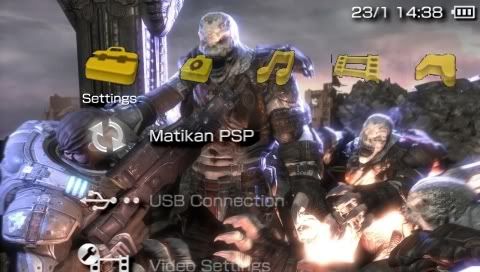
3.03OE-C is out
Technical PSP Homebrew Discussion Thread V2, Note: Please read discussion guidelines
Technical PSP Homebrew Discussion Thread V2, Note: Please read discussion guidelines
|
|
 Jan 25 2007, 08:22 PM Jan 25 2007, 08:22 PM
Return to original view | Post
#1
|
 
Senior Member
842 posts Joined: Jan 2003 From: ~around da world~  
|
3.03OE-C is out
|
|
|
|
|
|
Jan 26 2007, 10:23 AM
Return to original view | Post
#2
|
|
Senior Member
842 posts Joined: Jan 2003 From: ~around da world~
|
QUOTE(c9 @ Jan 25 2007, 09:57 PM) Yeah, I've flashed to OE-C. It loads faster than before. so like theres suppose to have a folder in psp tha contains all the coldboot/gameboot/ltn0.pgf etc? copy and paste? so confrim no need to use customizer/XFlash/PSPFiler? But then, I've to re-flash my custom XMB again..  EDIT: I need no flashing, now OE-C can access flash0 via USB. Just copy and paste instead.   |
|
|
Jan 26 2007, 10:43 AM
Return to original view | Post
#3
|
|
Senior Member
842 posts Joined: Jan 2003 From: ~around da world~
|
QUOTE(Ninja @ Jan 26 2007, 10:27 AM) Actually, you are accessing your flash0 directory from your PC. When you activated 'Toggle USB for flash0', you can browse through the flash0 using Windows explorer like what we usually do, when accessing MemorStick contents. So, just cut & paste any mods that you want, like custom XMB icon, you can just paste your custom 'topmenu_plugin.rco to flash0:/vsh/resource directly. so the Toggle USB for flash0 is from the recovery? thanks for explanation .im flashing the new custom firmware right now  edit: oh yes, it is from the recovery  just now succesfully upgraded just now succesfully upgradedThis post has been edited by four_add: Jan 26 2007, 10:45 AM |
|
|
Jan 26 2007, 11:05 AM
Return to original view | Post
#4
|
|
Senior Member
842 posts Joined: Jan 2003 From: ~around da world~
|
err, guys.. like wheres the background.bmp? cant find it in flash0, theres only 01-12.bmp and it shows the colour of this month
|
|
|
Jan 26 2007, 11:37 AM
Return to original view | Post
#5
|
|
Senior Member
842 posts Joined: Jan 2003 From: ~around da world~
|
in flash1 theres this theme folder and inside it is this wallpaper.bmp
anyone have this? after i replace the 01-12.bmp with a new one, only january shows the new background colour that i replace with. The rest are empty    @figure8 create text file with notepad can? erm, how to run the .bat file? |
|
|
Jan 26 2007, 02:40 PM
Return to original view | Post
#6
|
|
Senior Member
842 posts Joined: Jan 2003 From: ~around da world~
|
 after run the .bat file, finally get the 01-12.bmp file, thx figure8 edit: btw the new file of 01-12.bmp is arond 138KB while the ori is 72KB This post has been edited by four_add: Jan 26 2007, 02:42 PM |
|
|
|
|
|
Jan 26 2007, 03:34 PM
Return to original view | Post
#7
|
|
Senior Member
842 posts Joined: Jan 2003 From: ~around da world~
|
QUOTE(tot31 @ Jan 26 2007, 10:50 AM) The rebooter prx and topmenu_plugin custom icons hacks work with 3.03OE-C...really a great job. The Toggle USB for flash0 from the recovery menu is indeed a good feature. Can delete PSPFiler now. about the rebooter.prx is it plug-in or another copy and paste method? does it take less flash0 space? so far for the network icon(to prevent my 'anak buah' from pressing it), i only disable it thru 3.0x customizer. » Click to show Spoiler - click again to hide... « this one is it ? http://forums.maxconsole.net/showthread.php?t=44627 |
|
|
Jan 26 2007, 04:15 PM
Return to original view | Post
#8
|
|
Senior Member
842 posts Joined: Jan 2003 From: ~around da world~
|
QUOTE(tot31 @ Jan 26 2007, 04:02 PM) the rebooter_prx is actually a modified update_plugin.prx file. You just copy it over flash0:/vsh/nodule folder and the size is only 3kb which is smaller than the original update_plugin.prx. thx yes that the one.. now my psp is more safe  edit: font GOW tu dah penah cuba dulu, mmg kecik pon kalau guna black background, ok le skitThis post has been edited by four_add: Jan 26 2007, 04:16 PM |
|
|
Jan 26 2007, 06:50 PM
Return to original view | Post
#9
|
|
Senior Member
842 posts Joined: Jan 2003 From: ~around da world~
|
QUOTE(MR.Shiney @ Jan 26 2007, 04:48 PM) just curious, replace jpn0.pgf and the .bwfon filewhich font did the ps3 use? wish flash0 got a lil more free space  free up to 2meg of flash0 space http://forums.maxconsole.net/showthread.php?t=46127 so far everythin is fine, but what is this .bwfon anyway? |
|
|
Jan 26 2007, 06:55 PM
Return to original view | Post
#10
|
|
Senior Member
842 posts Joined: Jan 2003 From: ~around da world~
|
QUOTE(MR.Shiney @ Jan 26 2007, 06:54 PM) WOW! sweet!!! i used the link given(sendspace), it has the .pgf and .bwfon file. both at same sizedo i need to make the dummy files myself or the link given? |
|
|
Jan 26 2007, 11:34 PM
Return to original view | Post
#11
|
|
Senior Member
842 posts Joined: Jan 2003 From: ~around da world~
|
QUOTE(MR.Shiney @ Jan 26 2007, 11:00 PM) these are the side effects when replacing the files. i have prob like first pic too, just now checked. but whats the prob with 2nd and 3rd pic?all these i found myself » Click to show Spoiler - click again to hide... « btw, my game share option DID NOT work. does u guys face the same prob? game share option? the one that you access it at XMB? |
|
|
Jan 27 2007, 06:41 PM
Return to original view | Post
#12
|
|
Senior Member
842 posts Joined: Jan 2003 From: ~around da world~
|
QUOTE(MR.Shiney @ Jan 27 2007, 06:28 PM) nk replace gameboot ker?. owh, naseb baek.. dah recover belom?. so now after change to blood and slash gameboot, you cant play ps1 games? if replace back with ori gameboot, still cant also?aq ader recovery files dye kalo bro xde. note: just found out. if u replace ur gameboot inside flash0. u wont be able to play ur ps1 games ever again. is this what happened to my gameshare option?. i've changed my gameboot to my precious blood and slash gameboot  |
|
|
Jan 30 2007, 09:37 PM
Return to original view | Post
#13
|
|
Senior Member
842 posts Joined: Jan 2003 From: ~around da world~
|
QUOTE(TAGreptiles @ Jan 30 2007, 09:33 PM) ok...now that i'm well fed...wht is that? Recovery.. it lets you downgrade back to 1.5 if somehow you bricked the psp. u mean change the thingy to 1.5 bla bla bla? also it lets you change XMB icons, fonts, background, gameboot etc and the famous No UMD edit: plus plugins to let you screen capture the psp when playing games, and so much more This post has been edited by four_add: Jan 30 2007, 09:38 PM |
|
|
|
|
|
Jan 30 2007, 09:43 PM
Return to original view | Post
#14
|
|
Senior Member
842 posts Joined: Jan 2003 From: ~around da world~
|
QUOTE(TAGreptiles @ Jan 30 2007, 09:38 PM) can u tell me how to do that? hold R to go into recovery mode. then advance, choose flash0 if you want to change XMB icons and fonts(its in one of the folders) .. be careful and always make backup of ori files. maybe psp sifus here can explain it a bit detail  for No UMD, toggle it enable or disable at configuration for plugins, enable it at plugins section edit: BTW, the file for XMB icons is topmenu_plugin.rco font is ltn0.pgf This post has been edited by four_add: Jan 30 2007, 09:45 PM |
|
|
Jan 31 2007, 12:26 PM
Return to original view | Post
#15
|
|
Senior Member
842 posts Joined: Jan 2003 From: ~around da world~
|
QUOTE(Razorfin @ Jan 31 2007, 12:21 PM) Doing downgrading service at MV Starbucks 2pm. wow, gathering of downgrading! now more people will join the dark side FOC, anyone interested do drop by. |
|
|
Feb 4 2007, 11:24 PM
Return to original view | Post
#16
|
|
Senior Member
842 posts Joined: Jan 2003 From: ~around da world~
|
QUOTE(strace @ Feb 4 2007, 11:18 PM) 3.10 OE-A outto! wow. confirmed. updating.... |
|
|
Feb 5 2007, 12:06 AM
Return to original view | Post
#17
|
|
Senior Member
842 posts Joined: Jan 2003 From: ~around da world~
|
sucessfully upgraded. but after enable plugins back and changing top menu and background. psp went brick
anyone managed to change top menu and background without brick? now im back at 1.5.. updating again edit: back at 3.10OE again.. now im not gonna change anything at flash.. 2nd Edit: DO NOT change your topmenu_plugin.rco or it will brick! its confirmed. Sony seems to have change it somehow.. one more, changing background does not brick the psp  This post has been edited by four_add: Feb 5 2007, 12:28 AM |
|
|
Feb 5 2007, 12:49 AM
Return to original view | Post
#18
|
|
Senior Member
842 posts Joined: Jan 2003 From: ~around da world~
|
QUOTE(mfa333 @ Feb 5 2007, 12:45 AM) luckily your psp can be recover back using recovery mode... i havent change anything in flash except for the update_plugins.prx, ltn0.pgf and 01-12.bmp other than topmenu plugin problem, did u found other bugs? i've read at maxconsole that flashing opening_plugin.rco and opening_plugin.prx made the psp semi-brick.. is that the Cintro? |
|
|
Feb 5 2007, 03:02 AM
Return to original view | Post
#19
|
|
Senior Member
842 posts Joined: Jan 2003 From: ~around da world~
|
the gameboot path modifier works with 3.10OE, now im using 1.2 MB of gameboot without using flash0 space
also I have changed the fonts and XMB sound, no prob till now.. didnt touch Cintro yet hanging on games? i dunno.. right now too busy flashing the psp |
|
|
Feb 5 2007, 04:04 PM
Return to original view | Post
#20
|
|
Senior Member
842 posts Joined: Jan 2003 From: ~around da world~
|
QUOTE(MR.Shiney @ Feb 5 2007, 03:57 PM) what the hell?.. yup, cannot change the XMB icon anymore shyt. canot change the icon anymore. ah well.. im upgrading... SYHT! no time!! tusyen all day long  dang, hav to flash all over again @bro four_add. how did u use the gameboot path modifier? do we need a decrypted file thing from 3.10?. » Click to show Spoiler - click again to hide... «
|
|
Topic ClosedOptions
|
| Change to: |  0.0373sec 0.0373sec
 0.25 0.25
 7 queries 7 queries
 GZIP Disabled GZIP Disabled
Time is now: 7th December 2025 - 08:59 PM |
 Quote
Quote