greeting. finally powered up my core2 system last night. first time experience with intel cpu. after installing XP, reboot and straight to MIT in BIOS.
Test system:
CPU: E6600 ES
HSF: TTBT VX
RAM: 2*1GB Crucial Ballistix Tracer
MOBO: Gigabyte P35-DS3P BIOS=F5b (using beta as it's possible changing strap in BIOS

)
Room temp: 29-30C
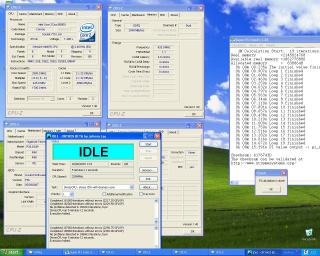
CPU temp: 35-60C (3.4Ghz) based on EasyTune5 and Bios.
CoreTemp, TAT, SpeedFan all show funny temp around 80-90+C while TAT even show 100+C.
here a summary on my 4 hours OC journey:
1st try after fresh install is 400*8@1.35V and ram at 400 with 4-4-4-8@1.8V, others at default. boot into windows without problem. NICE! then start benchmark with superPi and everest but for some reason, Everest ZLIB benchmark keep failing me. restart and bump vcore/vdimm to 1.36v/2.0v solved the problem.
then, target 450*8@1.4V and ram 450 4-4-4-12@2.2V. no luck. try pumping vMCH and vFSB by +0.25V still failed. but for some reason, using auto voltage setting able to boot into windows. very weird. forgot to print screen too lol

final run before going sleep, 425*8@1.39V and ram at 425 4-4-4-8@2.2V with other voltage at auto. finally hitting a stable clock. benchable and but not orthos friendly. sometimes failed cpu stressing.
» Click to show Spoiler - click again to hide... «
currently planning to run between 3.2Ghz - 3.4Ghz with 1.36V vcore.
my mini review on the P35-DS3P board;
PROS:
1. pretty strong vMCH and vFSB as i didn't bump it much during OC but yet it still able to clock high
2. vdrop doesn't look serious. around 0.03V when load
3. if OC setting failed for 3times, revert back to default. no more jumper reset lol
4. huge stock copper heatpipe cooler on northbridge. running and looking cool!
5. bios update very easy via thumbdrive
6. multiple BIOS profile with stats of success boot for each profile
7. mobo look very nice IMHO

CONS:
1. southbridge damn hot for some reason. can't even touch the copper heatsink on it for more than 2sec!
2. my Hiren's BOOTCD unable to run due to driver conflict

unable to make Ghost image
3. doesn't show current voltage setting on BIOS. Just either OK or FAILED lol
4. confusing voltage setting. instead of actual value, it's in increment. +0.5, +0.525, etc
too bad can't play with it anymore for next two weeks. starting tonight till mid july, can't access my pc



 Jun 19 2007, 10:44 PM


 Quote
Quote







 0.0311sec
 0.28
0.28
 6 queries
 GZIP Disabled