

 Jun 6 2007, 12:26 AM


QUOTE(ryder @ Jun 5 2007, 10:08 AM)
http://www.michaelstevenstech.com/XPrepairinstall.htm#RI
click on the skip to repair install link
the drivers are actually working, bur you have to force install it
1.open device manager
2.Right click on the conextant high definition.......bla bla bla
3.Click on update driver
4.Select no,not this time
5.Install from a list or specific device
6.Select don't search.I will choose the driver to install
7.Choose the audio devices option
8.Click on have disk
9.YOU ARE DONE

Ryder, or anyone - please help! I am in the same position. Just got myself Compaq Presario v3252AU, and sheer happiness of 1 hour vanished when I realized that there was no drivers provided. I had done my homework and managed to get all the proper drivers needed. My only problem is the same - audio. I had installed that Microsoft UUA or something, but when I installed Conexant, I faced the same problem mentioned - cannot detect the media.click on the skip to repair install link
the drivers are actually working, bur you have to force install it
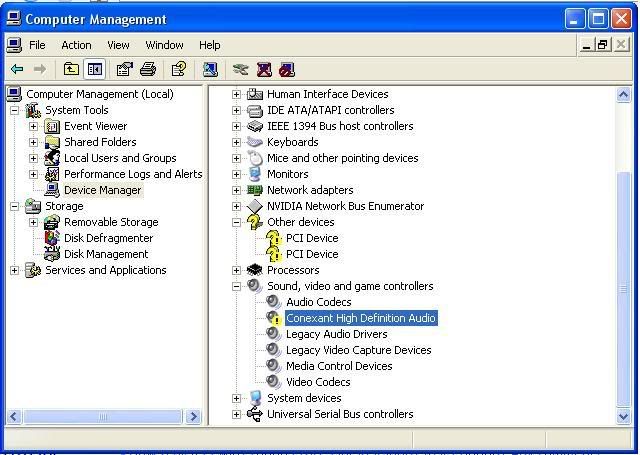
1.open device manager
2.Right click on the conextant high definition.......bla bla bla
3.Click on update driver
4.Select no,not this time
5.Install from a list or specific device
6.Select don't search.I will choose the driver to install
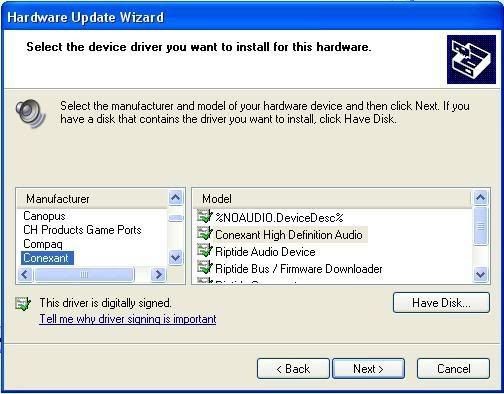
7.Choose the audio devices option
8.Click on have disk
9.YOU ARE DONE
I tried to follow your instruction, happy to think that there is a solution at last, but I am stuck at No.2. Where do I find this 'conxetant high definition..' in my device manager?
I have only this -

Please help. I really do not want to be stuck with a bohsia laptop.
Thank you. Anyone, please. Just help.
Jon
 Quote
Quote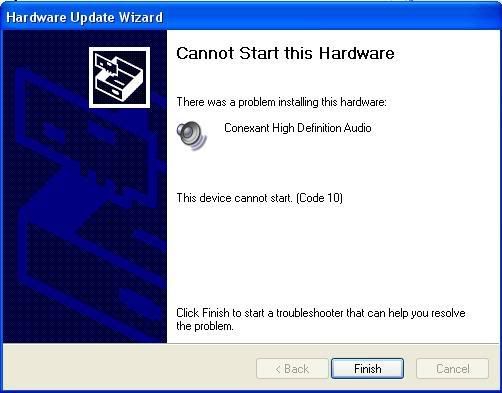


 0.0238sec
 0.69
0.69
 7 queries
 GZIP Disabled