QUOTE(backglider @ Feb 6 2018, 11:50 PM)
Hi guys! Appreciate if any1 can let me know the following information:
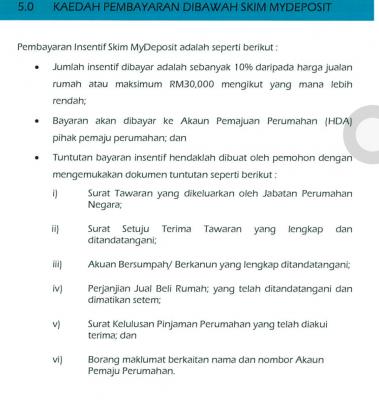
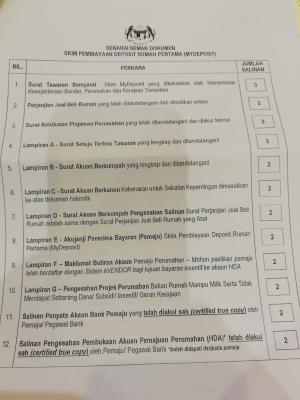
1) Where can I upload or where shall i use the "Surat tawaran /pengesahan terkini pembelian rumah daripada pemaju perumahan berlesen"? Because this doc is not required in the application form.
2) How can I get the "Surat sokongan dan pengesahan pemimpin tempatan"? Download from where? How and where can I get an authorised person to sign for me? After i get this surat successfully, where can I upload it or where shall i use it? Because this doc is not required in the application form.
Thank you very much.
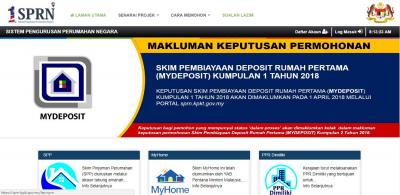
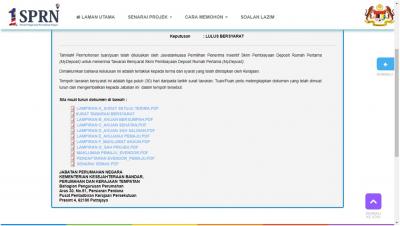
After you login, you have to click "MyDeposit" and click "MOHON". From there you can upload surat tawaran, and also download surat sokongan pemimpin tempatan.
You can't see these from your profile, where you update only your particulars with "HANTAR' showing at the bottom.
You can google search who is the authorised person(s) for the area you're staying and contact them to ask if they can sign it for you, then go and give them to sign. You may not get it immediately if they are not around at that time.
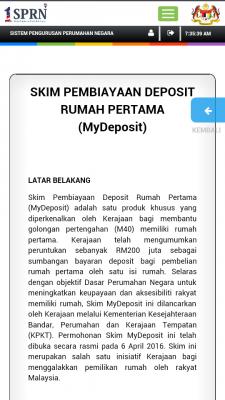
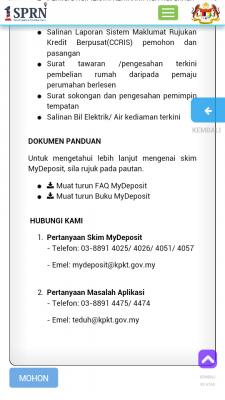
It's best you use pc to update. I just use my phone to screenshot for you to see where the MOHON button is at MyDeposit webpage. I suspect you are at PROFILE SAYA webpage, that's why you can't see those upload links.
Better go and get all docs signed fast, the closing date is in a week's time.
This post has been edited by Rei79: Feb 7 2018, 07:47 AM 

 Jan 24 2018, 07:02 PM


 but still you signed it within the opening period (15 Dec 2017 to 15 Feb 2018)
  the chance may be slim, but no harm to try
  just hope they can complete processing within two months after the closing date like what they promised
 Quote
Quote Can email to me (yanhui84@hotmail.com) so that I can get that sign while waiting for my CCRIS Report. Thank you so much for the help!






 0.0613sec
 0.56
0.56
 7 queries
 GZIP Disabled