

QUOTE(benji @ Mar 12 2016, 07:47 AM)
Updated.. Yeay

Hi bro your N9208 dual sim version ?Samsung Galaxy Note 5 & S6 Edge Plus Thread V5, Elegant thus Superior Samsung Technology
|
|
 Mar 12 2016, 07:48 AM Mar 12 2016, 07:48 AM
Return to original view | Post
#41
|
 
Senior Member
2,175 posts Joined: May 2008 From: ~Earth~™®©   
|
QUOTE(benji @ Mar 12 2016, 07:47 AM) Updated.. Yeay Hi bro your N9208 dual sim version ? |
|
|
|
|
|
Mar 12 2016, 07:57 AM
Return to original view | Post
#42
|
|
Senior Member
2,175 posts Joined: May 2008 From: ~Earth~™®©
|
QUOTE(buyou12 @ Mar 12 2016, 12:35 AM) Hi sifus, Since you are BB user i only can say 2 thing.Am on the hunt for a 2nd phone to replace an aging BB z10 and am attracted to this note 5. Why note 5 and not Galaxy? Because I think the s-pen would be good for productivity compared to BB. However, I am strongly discouraged by my friends who used to own Samsung devices and had not so good experienced where either the device would not last over a year or so and the motherboard will fry etc. So is a Samsung one of those products where it won't last more than a year before frying or constantly rebooting itself for no reason? Am kinda of skeptical about it. Of course most will say no technology will last for ever but as some of the sifus here point out, this is not a cheap device and it should last me atleast close to two years. Need opinions before I decide. Thanks in advance. 1. Note 5 because of the pen. 2. BB Priv because you are from BB. BB Priv vs Note 5 both have their own specialty and advantages. Thus your conclusion above said it should last you 2 years. I can assure you that Note 5 of course can last you for 2 years even 3 also no problem if you take care of the phone properly. But do remember now a numbers / portion of N5 users is having network freeze issue. I also can assure you that even android 7.0 is out you will get it but the only thing is that you need to wait because Samsung update is slow. |
|
|
Mar 12 2016, 07:59 AM
Return to original view | Post
#43
|
|
Senior Member
2,175 posts Joined: May 2008 From: ~Earth~™®©
|
QUOTE(dennis008 @ Mar 12 2016, 07:53 AM) isnt that a s6e+ not note 5 Opss i ternampak salah. (G9287) should be S6E+. You are right.  |
|
|
Mar 12 2016, 06:51 PM
Return to original view | Post
#44
|
|
Senior Member
2,175 posts Joined: May 2008 From: ~Earth~™®©
|
QUOTE(lkoky @ Mar 12 2016, 06:42 PM) hihi, Generally it wont have any issue as long as before you leave Malaysia remember to make more then 5 minutes phone calls first.about to travel to New Zealand, planning to get a local prepaid sim to stick it in my Note 5, for data and call. Just wonder will our m'sia set Note 5 has issue accepting NZ sim card in NZ? Example as below. 1. Now i am sure that you are using Malaysia SIM Card right. 2. Proceed to make a phone call with your local Malaysia friends or family. 3. Lets say example you call your friends in Malaysia and leave the phone on call straight for more then 5 minutes. 4. After that your regional lock will be unlock and you can use NZ Sim Card with no issue. The best is 7 minutes. Remember is you call out not people call in. |
|
|
Mar 12 2016, 10:04 PM
Return to original view | Post
#45
|
|
Senior Member
2,175 posts Joined: May 2008 From: ~Earth~™®©
|
ATTENTION EVERYONE!!! Please participate in the Owner List and Note 5 Network Issue Survey DIY Samsung Galaxy Note 5 & S6 Edge Plus Owner List Click on the link below To check your details / respondent / full owner list click on the link below Samsung Galaxy Note 5 Network Issue Survey Form Click on the link below To check your details / respondent / survey feedback Thanks for your cooperation.  |
|
|
Mar 13 2016, 06:09 PM
Return to original view | Post
#46
|
|
Senior Member
2,175 posts Joined: May 2008 From: ~Earth~™®©
|
ATTENTION EVERYONE!!! Please participate in the Owner List and Note 5 Network Issue Survey DIY Samsung Galaxy Note 5 & S6 Edge Plus Owner List Click on the link below To check your details / respondent / full owner list click on the link below Samsung Galaxy Note 5 Network Issue Survey Form Click on the link below To check your details / respondent / survey feedback Thanks for your cooperation. |
|
|
|
|
|
Mar 14 2016, 08:00 PM
Return to original view | Post
#47
|
|
Senior Member
2,175 posts Joined: May 2008 From: ~Earth~™®©
|
QUOTE(Max2006 @ Mar 14 2016, 06:53 PM) You mean for Note 5 Duos right? Because most of the single sim variant out there already received the M. I assumed that article is talking about the Duos variant. Erm chill bro.Well, IMO, that doesn't make sense at all. If Samsung really skip Marshmallow, then when we will get the N? Next year? Seriously?  But come to think of it, the recent small update did make me feel suspicious about it. While every Note 5 users on earth is waiting eagerly for the M rolling update, why the hell we got a small update last week instead? If I am working in Samsung software department, I should have skip the small update and give those users the M when the time has come. Anyway, if they really skip the M for our variant, who came up with this idea should be fired in no time!  The small update actually rolled out months ago. Is just only now we get it. I assume by end of this month we will get our MM Update. So relax, chill and wait out. By the way Samsung Updates are slow however Samsung Note and S user are lucky because Samsung will provide updates when Android N comes. Not all manufacturer will update their old flagship model however luckily Samsung does. |
|
|
Mar 14 2016, 08:53 PM
Return to original view | Post
#48
|
|
Senior Member
2,175 posts Joined: May 2008 From: ~Earth~™®©
|
QUOTE(JinLeon @ Mar 14 2016, 08:19 PM) Hi guys, this is my 1st time wanna connect my note 5 to pc, how come my pc keep telling me usb device not recognized, My pc is running on Window 7 and i cant found any usb debugging on my note 5 Download Samsung Kies 3 http://www.samsung.com/in/support/usefulsoftware/KIES/Inside there got Samsung Phone USB Driver. After install then restart PC then pluck in your phone then the phone will be automatically detected then you can transfer data normally like USB Storage. Yours is Win 7. Issues like that is normal. If yours is Win 8 or 10 then driver automatically have edi. |
|
|
Mar 16 2016, 06:02 PM
Return to original view | Post
#49
|
|
Senior Member
2,175 posts Joined: May 2008 From: ~Earth~™®©
|
QUOTE(AmericanPig @ Mar 16 2016, 02:59 PM) Thinking to trade up my 1-month-old note5 this Friday at KLCC Samsung roadshow. Wonder how much I have to pay for the top-up. Samsung will only offer you RM 1500. http://xchangemobile.com/Malaysia/Samsung/ If you really want to trade up to Samsung then sell your phone to me i would gladly buy your phone at RM 1500. By the way i recommend you don`t do this because its crazy. You need to add another RM 1500 ++ to get S7 Edge and its not worth it. Wait for Note 6 and then that time if you trade up then i understand why la but not for this S7 Edge. This post has been edited by Nephrite: Mar 16 2016, 06:06 PM Attached thumbnail(s) 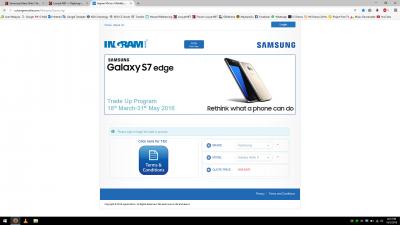
|
|
|
Mar 16 2016, 11:50 PM
Return to original view | Post
#50
|
|
Senior Member
2,175 posts Joined: May 2008 From: ~Earth~™®©
|
Lets say if change from Note 5 to S7 Edge now.
Lets say sell Note 5 outside maybe highest can get RM 2000. Then top-up near to RM 1k to get S7 Edge later 5 month from now Note 6 launch then Sell S7 Edge at maybe RM 2000 again then top-up near to RM 1k again. Wow this game changing phone by chasing technology easily lost RM 2k in half a year time. This phone changing addiction it a never ending cycle. Therefore people before you change please please please reconsider again because $$ nowadays is difficult to earn but easy to spend. If change from Note 5 to Note 6 then it is surely understandable but if change from N5 to S7E then back to N6 future its like taking roller coaster up down up down up down. Money = King when Bank inside got alot of King then future you will be King. Break point abit for N5 to N6. Lets say you sell N5 later you can get RM 1.7k then if N6 is RM 3k = just top-up RM 1.3k to get then N6 rather then loss extra RM 700. I am pretty sure N6 confirm have all S7E feature / hardware. (Only the curve edge feature i keep my finger cross) |
|
|
Mar 17 2016, 10:19 PM
Return to original view | Post
#51
|
|
Senior Member
2,175 posts Joined: May 2008 From: ~Earth~™®©
|
QUOTE(samsungXP @ Mar 17 2016, 10:07 PM) Mine always 4g+. What provider you using ?[attachmentid=6188562] How come got 4G+ ??? |
|
|
Mar 19 2016, 10:06 AM
Return to original view | Post
#52
|
|
Senior Member
2,175 posts Joined: May 2008 From: ~Earth~™®©
|
I am so so so disappointed with Samsung.
N920C and the rest of Single SIM version N5 all got Android M edi. Samsung S6E+ single and dual SIM also got Android M edi. How come N5 dual SIM still don`t have Android M yet arghhhh Other manufacturer like HTC, Sony, LG and others also roll out their Android M Firmware to their Flagship and Older device already. S6E+ and N5 not much difference only the major difference is the curve edges feature and the S-Pen and i don`t know why N5 update need wait so long. Thus the Network issue haizzz i got nothing to say edi. Yesterday when using Waze on Mobile Data got 4G then + GPS after search location then proceed the red message pop up no GPS Signal Found really played me up. Restart phone a few time then ok back. Feeling like going to get LG V10 instead of continuing using this N5. By the way those who got Gear VR think twice before update to Android M because my friend N5 - N920C AP Version updated to Android M and when use Gear VR got bugs like sometimes using half way the phone auto hang and freeze and sometimes when plug in to the Gear VR it is not detecting need to restart phone then only can detect. |
|
|
Mar 19 2016, 10:25 PM
Return to original view | Post
#53
|
|
Senior Member
2,175 posts Joined: May 2008 From: ~Earth~™®©
|
QUOTE(khaiandrew @ Mar 19 2016, 10:17 PM) Just wondering, does using a case affect the speed of wireless fast charging? Depends on case material.If your case is plastic or wood there will be no issue if it is metal then it will affect the wireless charging abit. |
|
|
|
|
|
Mar 22 2016, 11:21 PM
Return to original view | Post
#54
|
|
Senior Member
2,175 posts Joined: May 2008 From: ~Earth~™®©
|
QUOTE(x88yunkw @ Mar 22 2016, 10:53 PM) i wish Samsung will launch Galaxy Note 5 SE, i want a 4.5" - 4.7" Note SE. Samsung tries this last time "Note 3 Neo" the Neo series but failed because market sales for Neo series is quite dissatisfying. |
|
|
Mar 23 2016, 02:19 PM
Return to original view | Post
#55
|
|
Senior Member
2,175 posts Joined: May 2008 From: ~Earth~™®©
|
QUOTE(fazdnoah @ Mar 23 2016, 02:14 PM) New gold user reporting in This is very very unusual.Actually using it for a month now Batterywise used to get 15hrs with 5hr sot Now only got 7hrs with almost 3hrs sot Battery dropped 10 to 15% overnite without even touching it Suddenly miss my note4 so much My Note 5 overnight drop 1 to 2 % only. Somehow your Note 5 has too many background apps running or battery leak issue. |
|
|
Mar 23 2016, 07:15 PM
Return to original view | Post
#56
|
|
Senior Member
2,175 posts Joined: May 2008 From: ~Earth~™®©
|
For those who said that battery drain alot during night time is actually very subjective.
Why did i say so? There will be 2 scenario. Scenario 1 my own Note 5. Basically my own phone drop battery around 1 to 2% over the whole night where normally i sleep 6 to 8 hours. How do i preserve this constant drop percentage? Before sleep, normally i will pick up my phone and press the multitask button and close all applications. Thus i will go to smart manager app to press the clean all button and then only let the phone sleep. Thus for Note 5 battery don`t always cultivate the habit of charging even the battery % is still high. Use until left 15% and below only charge. Sometimes i use until left 3 to 5% then only charge. My phone is already 4 month old and according to the Samsung Phone Info Software so far i only charged my phone 129 times. Scenario 2 other people Note 5. Basically if the battery drop fast over night got many possibilities. 1. Battery it self got issue. 2. Motherboard leak battery. 3. Where Software Application runs alot in background. +++ Many others reason where contributed to the possibilities. Last but not least, i wont say that my perception is 100% true. Generally how battery % drop is decided by how user use their own phone. These subject of battery reduction over time is very very subjective where no body could measure how, why and when. None the less, my SOT time i always get in between 4.30 hours to 5.30 hours depends on how i toggle with the brightness and how often i use mobile data and GPS / Location. A gentle reminder. If you think that the battery drop unusual, please monitor it a few more time. If and only if it happen constantly then send your phone to Samsung SC they can help to check because Technician will always have their own sets of method. Cheers   |
|
|
Mar 24 2016, 03:50 PM
Return to original view | Post
#57
|
|
Senior Member
2,175 posts Joined: May 2008 From: ~Earth~™®©
|
QUOTE(Stitchie @ Mar 24 2016, 03:14 PM) According to the phone info app, my charger connect count is 694!? You always charge your phone ?I got it New 4 months back also how come the difference so huge 1 day you charge your phone how many time ? For me 1 day i charge my phone 1 time.  This post has been edited by Nephrite: Mar 24 2016, 03:54 PM |
|
|
Mar 24 2016, 06:10 PM
Return to original view | Post
#58
|
|
Senior Member
2,175 posts Joined: May 2008 From: ~Earth~™®©
|
QUOTE(mffa @ Mar 24 2016, 04:59 PM) Tq 4 ur info That Samsung Phone Info App is very very accurate. Don`t cultivate habit to compare with Apple. Both are in different platform.Me also quite high..463 cycle..but I really wonder this apps is really accurate like apple or not in term of measure charging cycle..example, lets say I charge two times..both at 50% then it will be count as 1 not 2..if apple cycle manage to measure like that, dunno this apps can calculate like that or not..463 is a high number, but I usually charge more than 1 times a day and I never charge below 30%..really sesak to charge below 30%.. Samsung once you pluck the cable to charge or to sync data via PC the Charger Connect Counter will add +1 regardless of you charge 10% ke 50% ke or 100%. |
|
|
Mar 24 2016, 07:11 PM
Return to original view | Post
#59
|
|
Senior Member
2,175 posts Joined: May 2008 From: ~Earth~™®©
|
QUOTE(Stitchie @ Mar 24 2016, 06:29 PM) I charge more than once a day, usually twice to 100%, several times like from 40 to 60... Last time when i send in my Note 3 into Samsung SC they said that if phone battery charge more then a limit count then the battery life would deteriorate easily.If it counts the number of plugging in to charge then it makes sense, but then I don't think it will reflect accurately the health of battery though Samsung phone battery if i am not mistaken is 500 to 700 times. Like my Canon DSLR 650D last time battery also kaput then the SC people said charge more then 500 times already of course kaput lo. It happens to powerbank also, certain powerbank also if change more then 500 times then the battery will kaput easily. The more you charge the battery the higher the level of usage wear and tear. Symptoms of battery getting weak is like bloated up, sudden high % of drainage or record state 80% of battery but suddenly the phone shut off and cannot start. This post has been edited by Nephrite: Mar 24 2016, 07:35 PM |
|
|
Mar 24 2016, 07:26 PM
Return to original view | Post
#60
|
|
Senior Member
2,175 posts Joined: May 2008 From: ~Earth~™®©
|
QUOTE(mffa @ Mar 24 2016, 06:30 PM) U said that samsung phone info apps is very2 accurate..but later on u said that: I stand on my own word yes indeed the apps is very accurate."Samsung once you pluck the cable to charge or to sync data via PC the Charger Connect Counter will add +1 regardless of you charge 10% ke 50% ke or 100%." Above statement show how inaccurate the app is..u plug in at 70, 60, 50% then it will count as 1 charging cycle..what a joke apps bro..there is nothing wrong to compare with apple..both have pros & cons..samsung try to catch up apple in term of software, and apple try to catch up samsung in term of hardware. Samsung is not like apple. I do understand what you want to say and explain but both Samsung and Apple had their own ways. For apple the charge cycle will trigger the flag once it reaches 100% However for Samsung they are different. Lets say you have 20% battery now and you charge add another 45% in so total it will reach 65%. In this case the charger connect count will add +1. They don`t care if it is 100% or not. I am lucky because last time when i send in my phone the Samsung SC Technician guy explained to me and share some of his knowledge with me. I wish you the same too. If you feel that your phone battery is not strong then send in to Samsung SC ask the technician guy check it for you and if can have a good chat with that guy ask that technician explain to you. Above the battery counter also got Earphone connect counter it works the same also where you pluck in your earphone then it will add +1. Regardless of you listen to music or not also will add +1. Once you pluck in only then it will +1. If Samsung Phone Info is a Joke App then why developer waste so much time in enhancing this app ? Samsung Phone Info App provide alot of information for consumer awareness where all these information is not easily accessible if all these apps is not available. This post has been edited by Nephrite: Mar 24 2016, 07:31 PM |
|
Topic ClosedOptions
|
| Change to: |  0.0433sec 0.0433sec
 0.72 0.72
 7 queries 7 queries
 GZIP Disabled GZIP Disabled
Time is now: 10th December 2025 - 03:20 PM |
 Quote
Quote