

Wah... you guys still talking about these stuff.
Home Theatre Best HDMI DVD Player, Have you Found it Yet?
Home Theatre Best HDMI DVD Player, Have you Found it Yet?
|
|
 Nov 29 2007, 09:51 AM Nov 29 2007, 09:51 AM
Return to original view | Post
#121
|
 
Senior Member
4,504 posts Joined: Jul 2005 From: Planet Naboo 
|
Wah... you guys still talking about these stuff.
|
|
|
|
|
|
Nov 29 2007, 03:07 PM
Return to original view | Post
#122
|
|
Senior Member
4,504 posts Joined: Jul 2005 From: Planet Naboo
|
QUOTE(rx330 @ Nov 29 2007, 09:55 AM) all else tok apa? We talk   Anyway... until now still no Malaysian bringing Oppo ah? I saw in China selling Oppo brand MP4 player. Kekekeke.... donno whether its the Oppo Oppo or Oppo China. Logo also look alike.  |
|
|
Nov 30 2007, 11:17 AM
Return to original view | Post
#123
|
|
Senior Member
4,504 posts Joined: Jul 2005 From: Planet Naboo
|
QUOTE(saiga @ Nov 29 2007, 06:34 PM) bro, alredi got you dream tv? What dream TV? 52" LCD Sharp? QUOTE(JayC75 @ Nov 30 2007, 08:35 AM) Hi all, Same row with Lobsterman is ESH la.Is Legend at SS2 located same shoplots area as Lobsterman?? Plan to get philips 5986 2moro. Thanks! QUOTE(mavric @ Nov 30 2007, 10:41 AM) hey guys, a bit off topic here...i'm planning to get an upconversion dvd player real soon...just wondering if those calibration discs like DVE, AVIA etc is best used with the normal dvd player or an upconversion player to calibrate my lcd tv? AVIA should be more user friendly. DVE, you must play from beginning and wait they talk cok.But heck... make sure you get a good HDMI player. It is the most important for your LCDs or plasmas or Projector. Digital all the way. 720p or 1080p, although there is difference, but the effect is not as "geng" |
|
|
Nov 30 2007, 02:56 PM
Return to original view | Post
#124
|
|
Senior Member
4,504 posts Joined: Jul 2005 From: Planet Naboo
|
QUOTE(rx330 @ Nov 30 2007, 12:20 PM) if u are asking those Qs , means u haven gone thru all the post  REPLY of the day!!! Kudos!!! QUOTE(rx330 @ Nov 30 2007, 12:46 PM) i never knew s-video cable can output sound one.....  Another REPLY of the Day. I also wanted to ask this same question... but I guess you are so fast... Another REPLY of the Day. I also wanted to ask this same question... but I guess you are so fast... QUOTE(zito9 @ Nov 30 2007, 02:21 PM) bro, where u got your AVIA? AVIA- I think its around RM140. DVE is around RM80-90... May be now is more expensive ... I donno.may i also know how much?? been looking for one.... thx in advance! Where I got it from? Amazon . com loh. |
|
|
Dec 4 2007, 08:41 AM
Return to original view | Post
#125
|
|
Senior Member
4,504 posts Joined: Jul 2005 From: Planet Naboo
|
QUOTE(JayC75 @ Dec 3 2007, 03:13 PM) is LEGEND SS2 selling philips s-video cable? Eh... this thread is talking about HDMI players la... not S Video cable la... aiyo...QUOTE(mavric @ Dec 3 2007, 05:28 PM) Have just got myself the 76H. Wonderful piece of equipment I must say. Nice on the 76H. Just out of curiosity, those who own this player as well, what do set for the HDMI colorspace...RGB or YCrBr? i tried turning on the BNR and MNR..but doesn't seem to have any effect on the PQ. Maybe my eyes are deceiving me..lol For me, I did not touch on the player's settings. I just set it on normal color. Then use my projector as the guidelines. So, if I were to set, it will be the projector. QUOTE(Thrust @ Dec 3 2007, 06:30 PM) Bro, if possible, try to avoid S-Video cable. This is the cable of the past. Get component or HDMI for best picture quality. S-Video is more or less the same as component only. U can't run away from S Video. Its the cable u need for Astro. If not, you need to run Coax cable and do normal tuning. |
|
|
Dec 4 2007, 10:44 AM
Return to original view | Post
#126
|
|
Senior Member
4,504 posts Joined: Jul 2005 From: Planet Naboo
|
QUOTE(rx330 @ Dec 4 2007, 09:57 AM) *hi -5 ic deadpeople Kekekeke!S Video is good la... (30 years ago) This post has been edited by timothyy: Dec 4 2007, 10:44 AM |
|
|
|
|
|
Dec 4 2007, 11:56 AM
Return to original view | Post
#127
|
|
Senior Member
4,504 posts Joined: Jul 2005 From: Planet Naboo
|
QUOTE(mavric @ Dec 4 2007, 10:56 AM) thanks for the feedback guys. experimented with the BNR and MNR settings and you're right..PQ very soft when it's on...it's nice in a way but unreal. had to get closer to the lcd tv to observe the difference. tested all my old ahem dvds and the feeling is like....whoa..so clear after the 76H does the upconversion. the 76H is the single most value for money product i purchased this year IT is notthe upconvert that made you feel Whoa... but ts the Digital vs Analog whoa factor. btw, can someone advice on the RGB..YCrBR setting on the 76H? i'm using HDMI..not component. Which seting is better? My lcd tv also has the option of choosing RGB, YCrBr4:4:4, and YCrBr4:2:2. Sorry I'm still learning abt all this. appreciate your feedback Anyway... if not mistaken, when you use HDMI, your player automatically unable to do setting right? (I forgot already). |
|
|
Dec 9 2007, 06:28 PM
Return to original view | Post
#128
|
|
Senior Member
4,504 posts Joined: Jul 2005 From: Planet Naboo
|
Elo. Why don't you use the DVI input?
If this is too troublesome, then the Philips will be a better choice as it has the USB port. |
|
|
Dec 10 2007, 05:28 PM
Return to original view | Post
#129
|
|
Senior Member
4,504 posts Joined: Jul 2005 From: Planet Naboo
|
QUOTE(Strik3 @ Dec 10 2007, 01:11 AM) Hello Timothy, No need hook DVD player already lo... just direct from your HTPC to TV via DVI/HDMI la.Do you mean hook up dvd player or the HDD player via DVI? Any tips regarding the HTib qn? heh... |
|
|
Dec 12 2007, 01:14 PM
Return to original view | Post
#130
|
|
Senior Member
4,504 posts Joined: Jul 2005 From: Planet Naboo
|
QUOTE(kvn1080 @ Dec 11 2007, 11:56 PM) Rm4999.00 OK... OK... not bad... now buy AW15 Free Sony 78H DVD player... Dragon War no:1 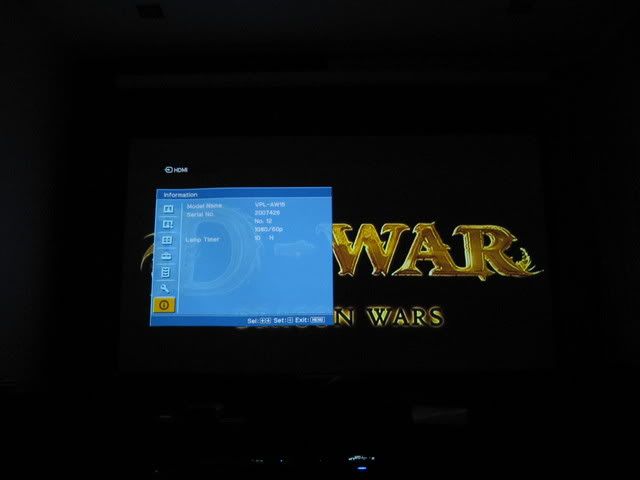 Dragon War no:2  Dragon War no:3 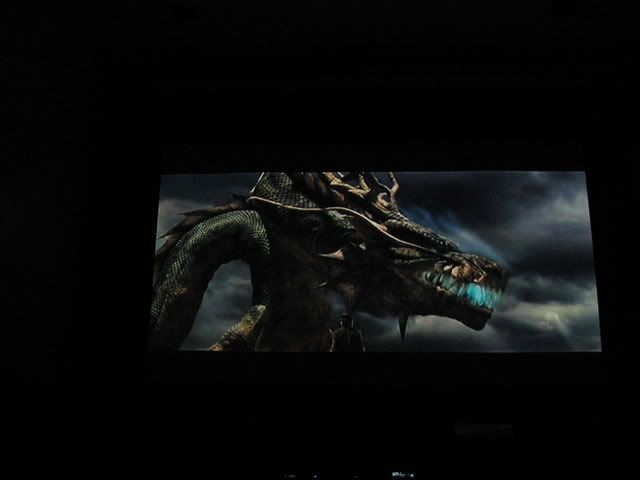  nice bor? nice bor?But try to take same shorts in reviews.a Then, u can only compare. |
|
|
Dec 13 2007, 03:19 PM
Return to original view | Post
#131
|
|
Senior Member
4,504 posts Joined: Jul 2005 From: Planet Naboo
|
Wah...now HDMI Player become HomeTheater + XXX talk already.
U all are old n rich...  |
|
|
Dec 13 2007, 06:07 PM
Return to original view | Post
#132
|
|
Senior Member
4,504 posts Joined: Jul 2005 From: Planet Naboo
|
So, its chosen already. No need talk loh.
|
|
|
Dec 14 2007, 01:01 PM
Return to original view | Post
#133
|
|
Senior Member
4,504 posts Joined: Jul 2005 From: Planet Naboo
|
QUOTE(LittleCow @ Dec 13 2007, 10:11 PM) I just bought the Phillips HDMI DVD player 5986k ..... and I realised that there are not much difference Your eyes may be got something wrong.playing DVD(ori or pirated) using normal and HDMI DVD player?? I thought suppose if we use HDMI connection, will get better pictures quality ? pls. enlighten !  Or, how big is your TV? 14"? The mot obvious improvement when move from analog to digital is the flickers. In analog, for example Astro, you will see lines gong up and down your screen/TV but for digital, its clear and smooth. Not so much on 720p or 1080p... this one only obvious when u have bigger TV/Screen. |
|
|
|
|
|
Dec 15 2007, 09:26 AM
Return to original view | Post
#134
|
|
Senior Member
4,504 posts Joined: Jul 2005 From: Planet Naboo
|
QUOTE(rx330 @ Dec 14 2007, 01:05 PM) fuiyoh... timothy kasi pijak lembu kecik... 14"....... No le... because I can't imagine no different from analog to digital. You might not get crispier or sharper images but for sure is the noise/interference and etc...QUOTE(kvn1080 @ Dec 14 2007, 01:12 PM) Yap~ VCD enuff....you`r right. if your TV is 14"~~~~ go for normal DVD player without HDMI can already....  price more cheaper~ QUOTE(LittleCow @ Dec 14 2007, 09:12 PM) well. I am using the Toshiba LCD 32A3500, I tried paired with try some twiggin... may be u r still using normal input on ur tva) Phillips HDMI 5986k (RM499) with HDMI cables b) Pensonic DVD with normal cables.. watches both original and pirated DVDs...found not much difference!! QUOTE(kvn1080 @ Dec 14 2007, 11:33 PM) Nothing is free bro....they already add in to the selling price~~~ aiyo... if bundled cables... its dirt cheap. buy cap ayam dvd player also come w all d analog cables. so, no much diff w hdmi cables If the DVD player comes with free HDMI cable..  |
|
|
Dec 15 2007, 09:09 PM
Return to original view | Post
#135
|
|
Senior Member
4,504 posts Joined: Jul 2005 From: Planet Naboo
|
Wow.... I see white lights...
Never experience such. |
|
|
Dec 28 2007, 02:03 PM
Return to original view | Post
#136
|
|
Senior Member
4,504 posts Joined: Jul 2005 From: Planet Naboo
|
Until now, I also donno what is the RGB or YrYgYb do... so... I never touch that.
|
|
|
Dec 29 2007, 11:03 AM
Return to original view | Post
#137
|
|
Senior Member
4,504 posts Joined: Jul 2005 From: Planet Naboo
|
QUOTE(flee93 @ Dec 28 2007, 11:12 PM) Don't buy Samsung HD-950 HDMI DVD Player, it is terrible!! (in picture quality) I mean, when you play DVD in 576p using HDMI, the video is worse than Speedy DVD player using S-Video cable, in fact, I think Speedy's player is much much better when viewing 576p in my Samsung 37'' LCD. When viewing in 720p@1080i, the video looks posterized, some sort of sketchy in the edges. If you buy pirate DVDs (3 in 1 collection), many lines appeared on the video, i think it is Ultra-Interlacing technology. When you play DivX, the video will stretches itself into the whole screen. Ugghh.. moreover, it says that it can upconvert videos to 768p, but this feature is unavailable. Please, don't buy this player, I bought this for RM599, Better stick to SONY. Ha! Ha! If you read the firs few posts on this thread, we already ruled out that Samsung cannot do its work.  QUOTE(htkaki @ Dec 28 2007, 11:22 PM) Pioneer 969 anyone? I wonder the fellow forummer has sold it or not at attractive price This was supposed to be OK only. 989 is the one... |
|
|
Jan 4 2008, 08:54 AM
Return to original view | Post
#138
|
|
Senior Member
4,504 posts Joined: Jul 2005 From: Planet Naboo
|
QUOTE(flee93 @ Dec 29 2007, 06:40 PM) Does Samsung LA37S8 37'' LCD TV supports 1080p? Bcuz I want to buY SONY NS78H that supports 1080p upscaling. Bcuz some HD Ready TV (1366 X 768) also supports 1080p. One more thing, which DVD player (76H n 78H) is better in quality when playing 720p? Don't think many of us have the oportunity to own both 76 and 78 and having a 1090p and 720p at the same time.Sometimes, don't compare too much. Your Samsung does not support 1080p, and probably only reach 720p. Seriously, the main concern is not 720p or 1080p especially for a display that is only 37inch. It is more like digital or analog signal. The digital signal would already blow your brains out if you have not tried before. The difference between 1080 and 720 is considered minimal for such TV size. QUOTE(mADmAN @ Dec 29 2007, 09:25 PM) guys...im in the middle of an LCD TV search and i found a very tempting offer from Samsung up til 18th Fen 2008 Samsung DVD is kinda "adjusted" for local market which is able to play ahem disc without much problem and region free. So, no worries. The only worry or concern is... "Do I want to keep the player or get a Sony 78H? LA40R81BX 40" LCD TV for RM 6399... FREE DVD-HD870 my question is... can this player play DVDs from US? coz i have a tendency of buying DVDs from amazon.com and wanna make sure that it can read those DVDs. QUOTE(sunauto @ Jan 4 2008, 12:40 AM) Well, 989 doesn't do 1080p and second hand one is around RM500 to RM600 in the market. I regretted paying RM3000 for it a few years back. Ha! HA! RM500 is goooooddd... However, it's a good sounding dvd-audio and sacd deck. Dvd performance is good but it doesn't handle poor quality discs that well as the ones from Sony. If I could transplant the lens mechanism from Sony to my 989, that will be great. It is still a good player. Only that, it is meant for rich people with all original DVDs. He! He! |
|
|
Jan 5 2008, 10:34 AM
Return to original view | Post
#139
|
|
Senior Member
4,504 posts Joined: Jul 2005 From: Planet Naboo
|
QUOTE(sunauto @ Jan 5 2008, 02:20 AM) Well, original dvds don't cost that much nowadays, some are RM39.90 to RM59.90 unlike last time, I used to buy them around RM130 to RM160 plus but to be frank, no matter what, we still want a dvd player which is not choosy about the media because there are cases of poorly authored original dvds like those Rm9.90 Chinese movies from Speedy Videos, those discs are thin and light weight, they don't play well on certain players. Those RM9.90 DVD has no diff compared to ahems.Anyway, to me, RM39.90 is still kinda high. I bought my 2 layers D9s only for RM5 (in China) and around RM7 in Sibu. Somore double layer.  |
|
|
Jan 5 2008, 09:01 PM
Return to original view | Post
#140
|
|
Senior Member
4,504 posts Joined: Jul 2005 From: Planet Naboo
|
Actually, most if not all DVD players in Malaysia is region free...
What you can do is bring a few of your own collection and test it first. Like it.. then buy |
|
Topic ClosedOptions
|
| Change to: |  0.0191sec 0.0191sec
 0.46 0.46
 7 queries 7 queries
 GZIP Disabled GZIP Disabled
Time is now: 9th December 2025 - 08:39 AM |
 Quote
Quote