Outline ·
[ Standard ] ·
Linear+
Q&A how to setup a surround pc, 5.1 setup but only 2 speaker working.
|
TSjackmok5489
|
 Oct 22 2015, 01:47 PM, updated 11y ago Oct 22 2015, 01:47 PM, updated 11y ago
|
Getting Started


|
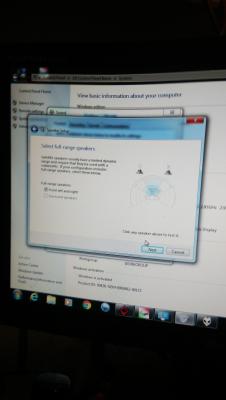
I am using Yamaha emx-200+mordaunt short floor stage,aiwa bookshelf spk and Kenwood center...this audio setup I am using for my PC desktop,unfortunately when I ply any thing from my PC thy is only 2 speaker or 4 speaker working...and I Dolby test my system the speaker seems like can't identify the correct device(when it shows the Left front speaKer suppose to working but the both front speaker voice out)a...need help...
|
|
|
|
|
|
TSjackmok5489
|
Oct 22 2015, 03:40 PM
|
Getting Started
|
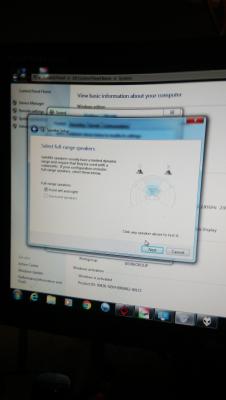
QUOTE(Zot @ Oct 22 2015, 01:52 PM) Go to Control Panel -> Speaker --> Speaker Setting Advance. Make sure you select 5.1 not Stereo ..... something like that  The PC can't detect the 5.1CH it only avialable for stereo...I saw it but I can't select...is it bcoz I am using onbiard sound chip? |
|
|
|
|
|
TSjackmok5489
|
Oct 22 2015, 04:23 PM
|
Getting Started
|
QUOTE(Zot @ Oct 22 2015, 03:54 PM) I think even on board chip also 5.1 nowadays. Maybe you try to update the sound driver on mobo. My mobo only LGA775 is old mobo |
|
|
|
|
|
TSjackmok5489
|
Oct 22 2015, 05:42 PM
|
Getting Started
|
Tis
|
|
|
|
|
|
TSjackmok5489
|
Oct 22 2015, 08:05 PM
|
Getting Started
|
Guys,THX for helping I had solve the prob...but the next prob I coming...nw I had set the mic jack,audio jack and the line in jack for 5.1 setup,but the point is my amplifier had only one pair of aux in how can I pair with 3 pair of RCA?
|
|
|
|
|
|
TSjackmok5489
|
Oct 22 2015, 08:52 PM
|
Getting Started
|
QUOTE(power911 @ Oct 22 2015, 08:18 PM) I'm still curious if the Yamaha emx-200 is a 5.1 channel receiver or a 8 slot mixer  I'm just gonna assume it's a Yamaha emx-200 vcd receiver If it really is the vcd receiver you're just gonna get stereo surround which isn't really a 5.1 surround setup. and you can only use aux in (or tape in or tv in but they're gonna be the same) Its vcd version.. may is tat any solution? |
|
|
|
|
|
TSjackmok5489
|
Oct 22 2015, 09:38 PM
|
Getting Started
|
QUOTE(power911 @ Oct 22 2015, 08:18 PM) I'm still curious if the Yamaha emx-200 is a 5.1 channel receiver or a 8 slot mixer I'm just gonna assume it's a Yamaha emx-200 vcd receiver If it really is the vcd receiver you're just gonna get stereo surround which isn't really a 5.1 surround setup. and you can only use aux in (or tape in or tv in but they're gonna be the same) Bro what's diff wif tat...if I wana make it 5 speaker works how to make it? |
|
|
|
|
|
TSjackmok5489
|
Oct 23 2015, 05:05 PM
|
Getting Started
|
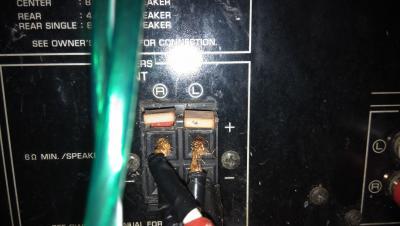
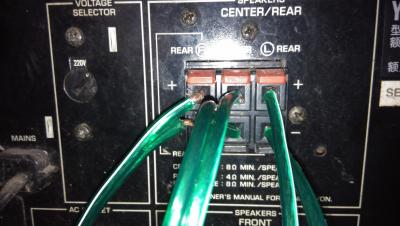
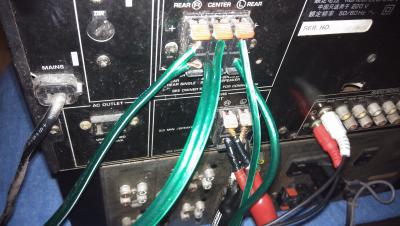
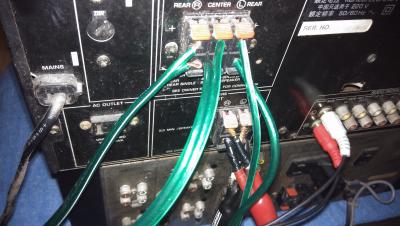
Connection
|
|
|
|
|



 Quote
Quote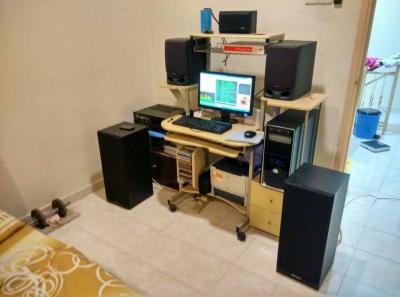





 0.0176sec
 0.33
0.33
 7 queries
 GZIP Disabled