

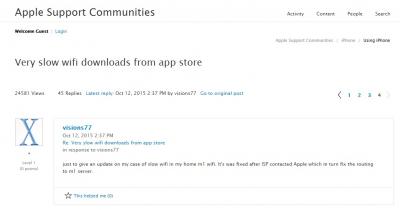
This user is on M1 Singapore, reported the issue to his ISP and was resolved few days later. I think it all goes down to how the ISP communicates and works with Apple on this.
This post has been edited by OKLY: Oct 15 2015, 10:02 AM
Can't update/download apps via Unifi WIFI, Stuck at 'Waiting' or extremely slow
|
|
 Oct 15 2015, 10:02 AM Oct 15 2015, 10:02 AM
Return to original view | IPv6 | Post
#1
|
 
Staff
12,089 posts Joined: Dec 2004 From: Malaysia  
|
I believe Apple made changes on their side which affected many.
This user is on M1 Singapore, reported the issue to his ISP and was resolved few days later. I think it all goes down to how the ISP communicates and works with Apple on this. This post has been edited by OKLY: Oct 15 2015, 10:02 AM |
|
|
|
|
|
Oct 15 2015, 10:39 AM
Return to original view | IPv6 | Post
#2
|
|
Staff
12,089 posts Joined: Dec 2004 From: Malaysia
|
So far if we are to use telco like Maxis, Celcom etc there are no issues right?
|
|
|
Nov 9 2015, 09:43 PM
Return to original view | Post
#3
|
|
Staff
12,089 posts Joined: Dec 2004 From: Malaysia
|
Same here, noticed that speeds are decent during peak hours as well since end of last week.
|
|
|
Jul 29 2016, 10:28 AM
Return to original view | Post
#4
|
|
Staff
12,089 posts Joined: Dec 2004 From: Malaysia
|
Level 3's DNS server is located in the USA, so by using Level 3's DNS, Apple's CDN sees us as from USA and routes us to a server in the USA.
When we use TM, Google, OpenDNS etc, it will see us as from Malaysia and routes us to the nearest CDN server which I believe is in Malaysia itself. Somehow TM's link to this server is having issues which causes the slow download speed from Apple's CDN server located locally. This post has been edited by OKLY: Jul 29 2016, 10:36 AM |
|
|
Jul 29 2016, 04:07 PM
Return to original view | IPv6 | Post
#5
|
|
Staff
12,089 posts Joined: Dec 2004 From: Malaysia
|
Yes VPN is a better solution as it will definitely route the traffic through their server's connection. Changing DNS is still a hit/miss thing, sometimes the CDN still routes back the problematic server.
|
| Change to: |  0.0132sec 0.0132sec
 0.33 0.33
 7 queries 7 queries
 GZIP Disabled GZIP Disabled
Time is now: 2nd December 2025 - 10:23 AM |
 Quote
Quote