Outline ·
[ Standard ] ·
Linear+
1 of the Asus Zenbook's USB seem like not function
|
SUSLaVilla
|
 Jun 25 2015, 10:59 PM, updated 11y ago Jun 25 2015, 10:59 PM, updated 11y ago
|
Getting Started


|
Well, i notice the 1 of the USB of my Zenbook seem to be not functioning. I plugged-in my External Hard Disk, got light came up from the HDD but nothing happened. IS like the HDD did not plugged into the laptop, then i test another USB and HDD worked fine. So I tried my wireless's USB on that faulty USB, again same.. is like nothing happened. But then my HDD's light lighted up means there's electric current flowing at the USB there.. so how come unable to detect 1? Does that mean my USB spoiled already?  |
|
|
|
|
|
pandera999
|
Jun 29 2015, 08:03 AM
|
|
|
QUOTE(LaVilla @ Jun 25 2015, 10:59 PM) Well, i notice the 1 of the USB of my Zenbook seem to be not functioning. I plugged-in my External Hard Disk, got light came up from the HDD but nothing happened. IS like the HDD did not plugged into the laptop, then i test another USB and HDD worked fine. So I tried my wireless's USB on that faulty USB, again same.. is like nothing happened. But then my HDD's light lighted up means there's electric current flowing at the USB there.. so how come unable to detect 1? Does that mean my USB spoiled already? seems like the usb port doesnt have enough power or some kind like hardware issue as well. try plug your external hdd on that port, then you right click to my computer > manage > Device Manager > Universal Serial Bus Controller and see if those port have warning icon  or » Click to show Spoiler - click again to hide... « i dont think the usb is spoil.. just having problem. sometimes, driver issue also contribute the problem |
|
|
|
|
|
SUSLaVilla
|
Jun 30 2015, 02:36 PM
|
Getting Started
|
QUOTE(pandera999 @ Jun 29 2015, 08:03 AM) seems like the usb port doesnt have enough power or some kind like hardware issue as well. try plug your external hdd on that port, then you right click to my computer > manage > Device Manager > Universal Serial Bus Controller and see if those port have warning icon or » Click to show Spoiler - click again to hide... « i dont think the usb is spoil.. just having problem. sometimes, driver issue also contribute the problem You are right. When I plugged in my kingston thumbdrive, the usb detected it and it worked fine. Haven't try my HDD yet though. |
|
|
|
|
|
pandera999
|
Jun 30 2015, 03:23 PM
|
|
|
QUOTE(LaVilla @ Jun 30 2015, 02:36 PM) You are right. When I plugged in my kingston thumbdrive, the usb detected it and it worked fine. Haven't try my HDD yet though. install the usb driver.. i hope it works.. sometimes.. reformat whole pc... also helps.. but that is last resolution if other step is not working |
|
|
|
|
|
xproc
|
Jun 30 2015, 05:42 PM
|
|
|
thanks... my gf zenbook sometime also have problem... i thought its faulty... will try your method
|
|
|
|
|
|
SUSLaVilla
|
Jun 30 2015, 05:58 PM
|
Getting Started
|
QUOTE(xproc @ Jun 30 2015, 05:42 PM) thanks... my gf zenbook sometime also have problem... i thought its faulty... will try your method Your gf's zenbook also got the erm... backlight breed problem? |
|
|
|
|
|
xproc
|
Jul 1 2015, 11:38 AM
|
|
|
QUOTE(LaVilla @ Jun 30 2015, 05:58 PM) Your gf's zenbook also got the erm... backlight breed problem? i not sure... what type of problem is that? |
|
|
|
|
|
SUSLaVilla
|
Jul 1 2015, 08:22 PM
|
Getting Started
|
QUOTE(xproc @ Jul 1 2015, 11:38 AM) i not sure... what type of problem is that? Something like this 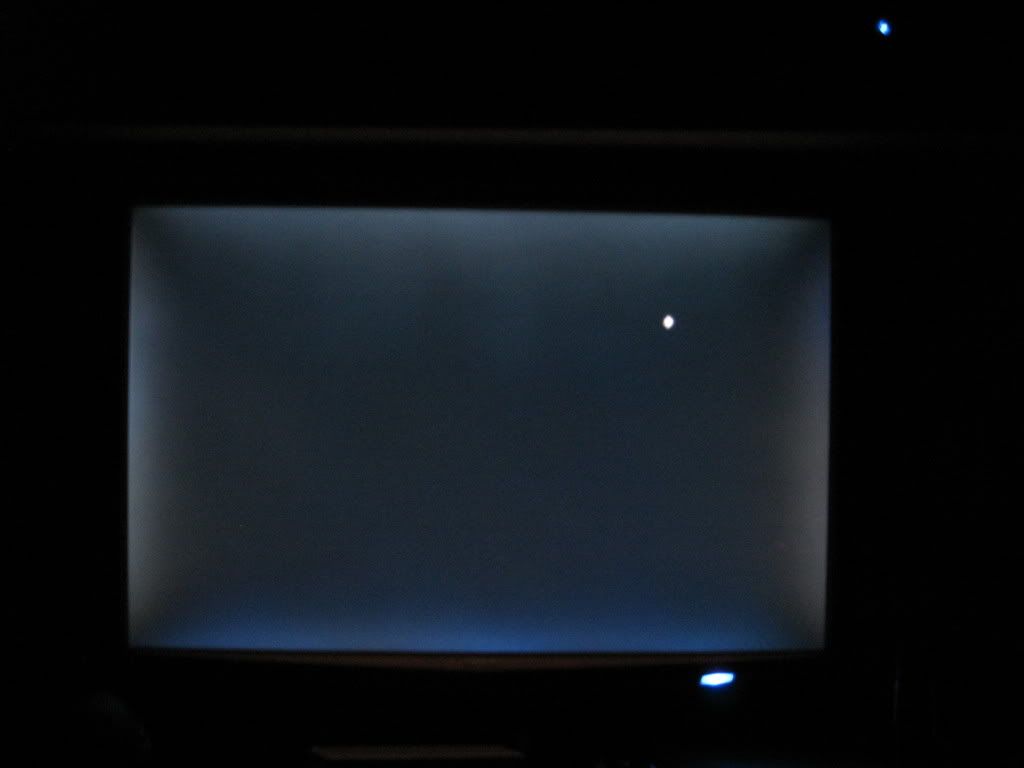 |
|
|
|
|
|
RyanHo
|
Jul 1 2015, 08:49 PM
|
Getting Started
|
QUOTE(LaVilla @ Jun 30 2015, 05:58 PM) Your gf's zenbook also got the erm... backlight breed problem? Bleed not breed |
|
|
|
|
|
xproc
|
Jul 2 2015, 08:32 AM
|
|
|
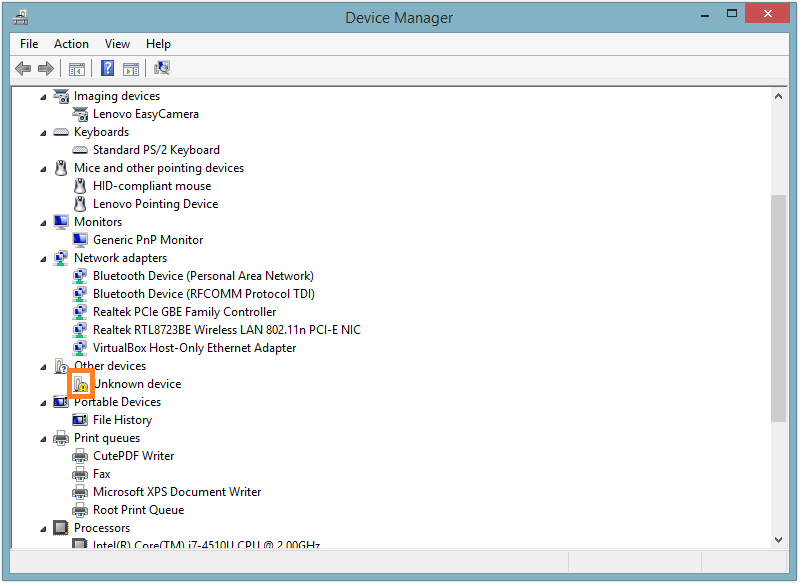
No this problem
|
|
|
|
|



 Quote
Quote




 0.0173sec
 0.33
0.33
 5 queries
 GZIP Disabled