Welcome Guest ( Log In | Register )

Bump Topic Topic Closed RSS Feed

Outline · [ Standard ] · Linear+

 AMD Radeon™ Discussion V13, Radeon Software 16.5.3, God Speed

views
     
rihuhs
post Aug 21 2015, 10:59 AM

Getting Started
**
Junior Member
167 posts

Joined: Jun 2007
From: Cheras


QUOTE(xonedl @ Aug 20 2015, 01:00 PM)
Hmm, anyone had problem with Catalyst 15.7.1 Windows 10 64 bit no HDMI output?
Just got a TV here, trying to link with HDMI and... no signal o.O
Currently output with VGA/DVI have signal. R9 280X


Nvm just my own stupidity... Cable loose...  shakehead.gif  hehehe
*
I'm actually experiencing this (though I have checked that the cable is indeed intact firmly to the HDMI port) after upgraded my PC to Windows 10 64-bit and installed the Catalyst 15.7.1

at first I thought it's the GPU but when I tried to plug in my display to a laptop (via HDMI) the problem still persists (no HDMI signal) which have made me think that it's the display that was faulty

I happen to have a DVI to VGA adapter (my display only have HDMI & VGA port) and when I tried it yesterday it works! all is working fine, aside from the fact that it can only go up to 1600x1200 (using 1600x900 to maintain the 16:9 ratio)

now I'm beginning to suspect that the driver could have been the cause as well. will try to uninstall/reinstall later this evening to find out


btw my PC specs:

Display: Dell S2240L
PC: Alienware X-51 R2
- Core i5-4460
- Radeon R9 270
- 8GB DDR3 RAM

This post has been edited by rihuhs: Aug 21 2015, 11:00 AM
rihuhs
post Aug 21 2015, 03:17 PM

Getting Started
**
Junior Member
167 posts

Joined: Jun 2007
From: Cheras


QUOTE(xonedl @ Aug 21 2015, 12:52 PM)
I dunno if really cable loose or something, although the HDMI socket on my 280X is a little loose... But thing seems to work after I shut down every thing, close all power. Then turn on power, start TV, start PC...

But now I have a different problem. Flickering on desktop. I suspect the driver is changing stuff in the background causing the screen to go black once in a while.
I'm not sure if tuning down gpu clock and memory clock to 950/1500 from 1125/1600 in CCC is the cause of the problem.
Edit: Might be software issue, now I suspecting Rainmeter......

My default clock is 1125/1600 but that really just too damn high, yesterday even try to game on 950/1500 the GPU went to 91°c on ProjectCars 2560x1440...  shocking.gif
Edit: down the voltage to 1075mV now it cools down to 68°c  thumbup.gif
*
I'm all running on factory stock sweat.gif

one of the turndowns of using SFF case: limited space. so I wouldn't bother with overclocking or anything tongue.gif
rihuhs
post Sep 8 2015, 04:11 PM

Getting Started
**
Junior Member
167 posts

Joined: Jun 2007
From: Cheras


QUOTE(Acid_RuleZz @ Sep 8 2015, 09:40 AM)
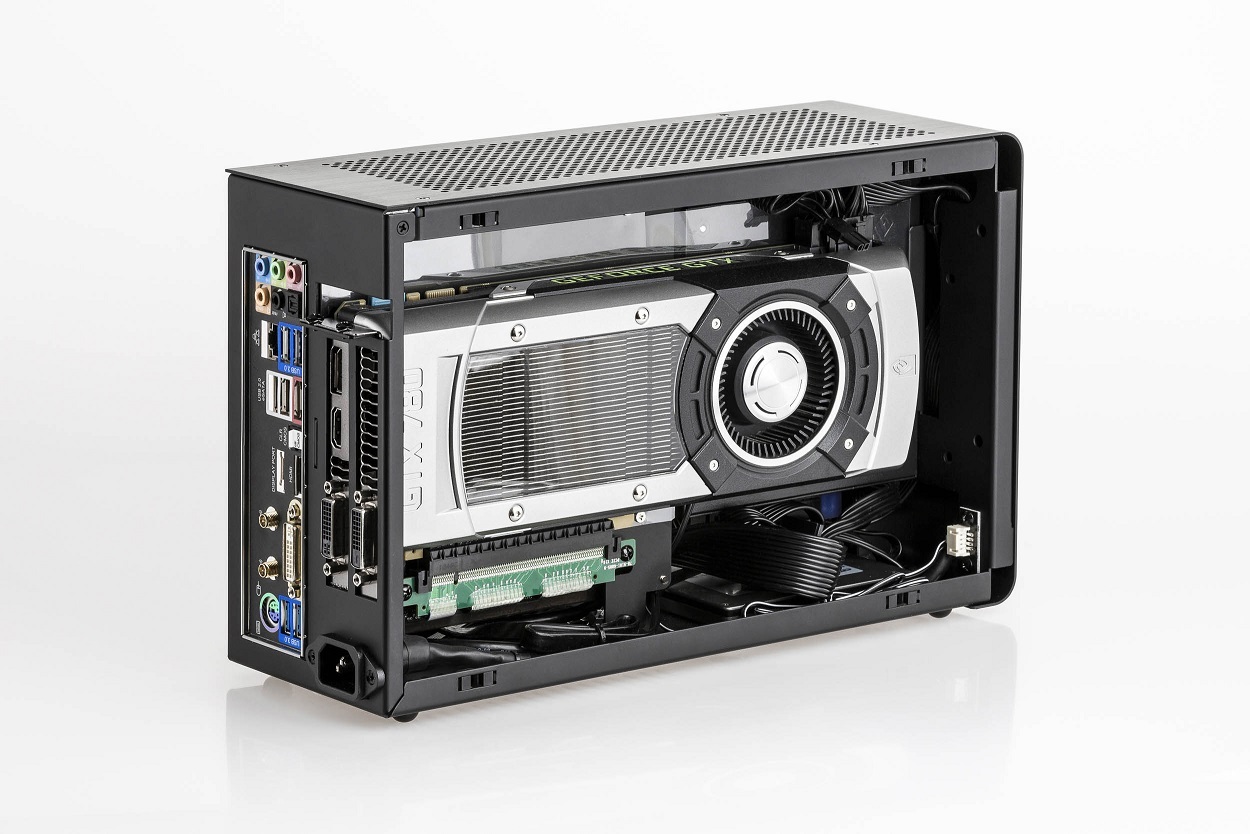
Dang, but this new case from DAN is smaller i think. Need to use riser for the GPU though.

edit: just notice that rig also use riser for the Nano.

» Click to show Spoiler - click again to hide... «

*
dat case made me drool.gif
rihuhs
post Sep 8 2015, 05:20 PM

Getting Started
**
Junior Member
167 posts

Joined: Jun 2007
From: Cheras


QUOTE(JohnLai @ Sep 8 2015, 04:13 PM)
And the price will make you feel UGHHHHHH  cry.gif
*
kinda expected sweat.gif
rihuhs
post Dec 7 2015, 08:42 AM

Getting Started
**
Junior Member
167 posts

Joined: Jun 2007
From: Cheras


hmm.. seems like the issue that I had previously with my HDMI port was all Windows 10's fault after all. dang it

yesterday tried to play some game but my rig crashes (my display was hooked to VGA to HDMI adapter all these while since the previous incident) and I was running on beta driver from AMD (mid-Nov release). decided to clean install and remove all versions of drivers.

the screen flickers normally, but somehow my gut suggested to test out the HDMI cable and it works! suddenly I was cursing all around thinking about the effort I was going through a few months back lol

unfortunately once I reinstalled the driver the HDMI connection was no longer detected, and I can only rely on either DVI to VGA adapter or HDMI to VGA adapter. pfffttt. still looking around for solution. also, I noticed that my system detected I was on 2 displays (?) which made suspect that was the reason all along why all of these occurred

sorry for the TL;DR post

Topic ClosedOptions
 

Change to:
| Lo-Fi Version
0.0534sec    0.51    7 queries    GZIP Disabled
Time is now: 10th December 2025 - 05:43 AM