

 Feb 19 2015, 12:39 AM, updated 11y ago


The TP-LINK Archer C7 is a really affordable AC1750 router priced below RM400. This easily make it the most affordable AC1750 router yet. It is fully compatible with TM Unifi.
Introduction
Quick Specs:
- Wireless AC1750
- 4 Gigabit LAN port + 1 Gigabit WAN port
- Dual USB 2.0 ports
- 3 detachable 5dBi wireless antenna
- 12V 2.5A power brick
It come with a power adapter, a LAN cable, some literature, a quick start CD and 3 5dBi wireless antenna.
The device come with 2 years warranty.
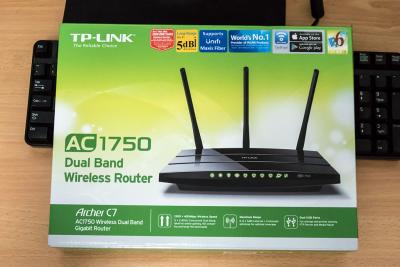

Device Overview

The build quality is alright with glossy plastic on top with hidden air vents. It did warm up like other router but nothing serious. You are able to hang the router on the wall if you want to.
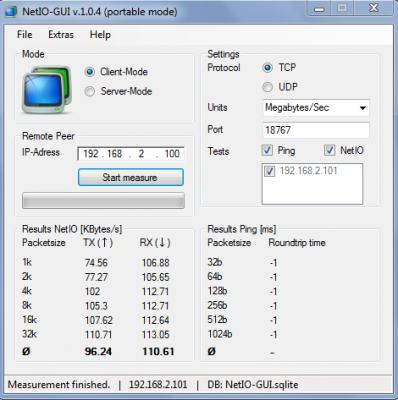
Ethernet LAN speedtest
The Archer C7 is stable, never face any issue with it. No congestion is observed when I am testing it with my NAS and other devices continuously streaming over the network.
Wireless is stable as well, I never face any drop after running the router continuously for a week. Performance is consistent, no issue with the wireless coverage. The coverage is relatively good, shouldn’t have any issue in a standard terrace house.
Wireless speed benchmark
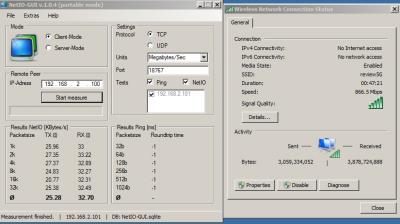
My test device is around 5m in front of the router. The test device I am using is the Macbook Air 2013 running Windows 7 which is capable of WiFi AC and speeds up to 867Mbps.
By using the NetIO tool, I am able to reach 261.6Mb/s (32.70MB/S) download speed and 202.24Mb/s (25.28MB/S) for the upload speed which is really impressive. I should be able to reach even higher speed with a better wireless adapter specifically a wireless adapter capable of WiFi AC1750. I will perform another test once I am able to get a better wireless adapter.
User Interface
It is the usual TP-LINK style on the Archer C7, simple and it works well. Everything is where it should be, clearly labeled with detail explanation on the right panel. The interface is smooth with no lags.
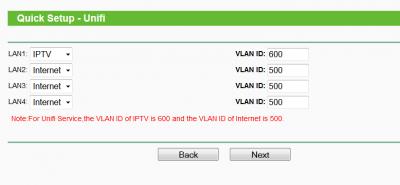
However, the QoS settings is quite confusing. But, for this kind of price, I won’t complaint. Unifi is fully supported on this router with manual VLAN tagging available as well.
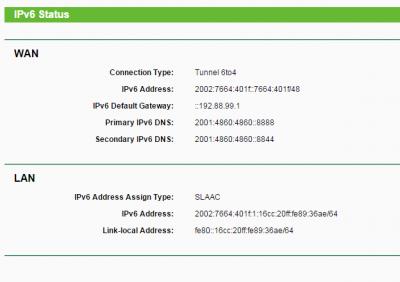
IPV6 is working by using 6to4. I can't test Native IPV6 due to some issue with the ISP.
You can try the user interface with the emulator here.

TP-LINK Tether app
TP-LINK Tether app
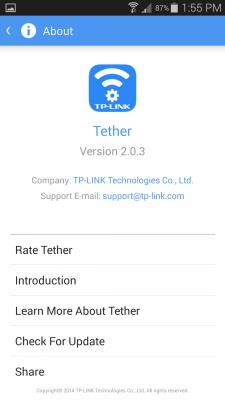
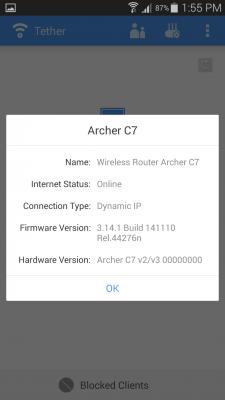
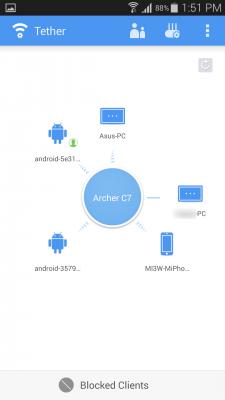
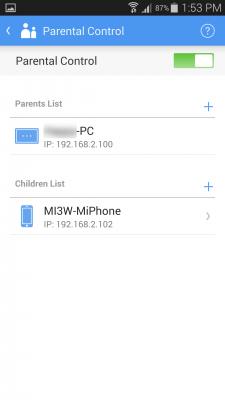
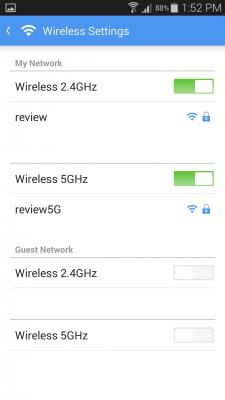
The new TP-LINK tether mobile app is really intuitive and simple to use. You are able to block a client from the router or configure parental control. The interface is simple and you get stuff done quickly. I particularly like the screen where it show all connected device visually.
The app is actually really well made, everything works well. I really like the app, I wish I am able to setup QoS on the app as well.
Sidenote: The Unifi firmware is not compatible with TP-LINK Tether yet.

Conclusion
The TP-LINK Archer C7 is one of the best devices you can get with the price you pay. It performs well and never face any issue when I am testing it. It is a very good replacement router for the stock Unifi router and you will definitely get a big performance and stability boost. The wireless performance is the main point of this device, get this if you need good wireless speed.
The Good
- Really affordable yet perform well
- Wireless performance is really good
- No frills interface
- TP-LINK tether app is really useful
- The QoS setting interface can be further improved
This post has been edited by blacktubi: Mar 4 2015, 08:42 PM
 Quote
Quote















 0.0698sec
 0.45
0.45
 6 queries
 GZIP Disabled