Welcome Guest ( Log In | Register )

Outline · [ Standard ] · Linear+

Unifi HELP TL-WR1043ND V2 HyppTV Fail Conncetion, TL-WR1043ND V2 HyppTV Fail Conncetion

views
     
TSjoshua_entol_85
post Feb 16 2015, 11:31 AM, updated 11y ago

New Member
*
Junior Member
23 posts

Joined: Oct 2004
From: Ampang Selangor ==> USM, Nibung Tebal


Broadband provider
ISP/package: Unifi VIP10
Location: Klang
Have you called your ISP's helpline?:

Personal equipment
Modem: I240G
Router: TL-WR1043ND V2 updated with latest firmware (TL-WR1043ND(UN)_V2_140912)
Reason of change: Batter router
Firewall used: Default

Problem details
First occurrence of problem: Since bought the TP-Link TL-WR1043ND V2
Problem frequency: Every time
Problem description:
-I’ve follow the setup procedure.
-Was able to connect to the internet via lan and wifi
-Unable to watch HyppTV. Seem to not establish the connection. But when change back to the default router (TRG212M), can watch normally.
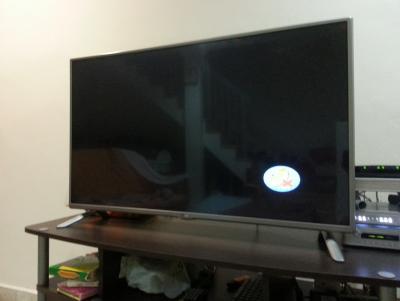
-Everything on the status bar for HyppTV shouwing the show title and time bar, but just no screen image.
-IPTV port is at Lan1 as follow.
-Reset it few times still cannot.

Any settings i need to pay more attention?

edisonedw
post Feb 16 2015, 01:56 PM

Regular
******
Senior Member
1,307 posts

Joined: Feb 2011
From: Kuala Lumpur cheras


How long u bought this router ? Exchange it to new1
TSjoshua_entol_85
post Feb 17 2015, 12:02 AM

New Member
*
Junior Member
23 posts

Joined: Oct 2004
From: Ampang Selangor ==> USM, Nibung Tebal


QUOTE(edisonedw @ Feb 16 2015, 01:56 PM)
How long u bought this router ? Exchange it to new1
*
Just got it yesterday...
TSjoshua_entol_85
post Feb 17 2015, 12:13 AM

New Member
*
Junior Member
23 posts

Joined: Oct 2004
From: Ampang Selangor ==> USM, Nibung Tebal


QUOTE(joshua_entol_85 @ Feb 17 2015, 12:02 AM)
Just got it yesterday...

I currently taking HyppTV Jambo Package and it seems like it can only watch only 8tv and NTV7.. but the rest are as such.

I didt know TP-Link was this bad... Should have pay more for ASUS router... But anyone have this problem b4?


*


Attached thumbnail(s)
Attached Image Attached Image Attached Image
edisonedw
post Feb 17 2015, 07:48 PM

Regular
******
Senior Member
1,307 posts

Joined: Feb 2011
From: Kuala Lumpur cheras


If after you changed the problem still the same i think that not router problem dy bro, did u call TM and ask ?might be BTU internet access not stable ?
QUOTE(joshua_entol_85 @ Feb 17 2015, 12:13 AM)

*
TSjoshua_entol_85
post Feb 17 2015, 09:08 PM

New Member
*
Junior Member
23 posts

Joined: Oct 2004
From: Ampang Selangor ==> USM, Nibung Tebal


QUOTE(edisonedw @ Feb 17 2015, 07:48 PM)
If after you changed the problem still the same i think that not router problem dy bro, did u call TM and ask ?might be BTU internet access not stable ?
*
The situation like this. When using tm original router everything is ok. Evey show can watch. But when use tp link.. only tv8 and ntv7 can watch.. did this switch 4 times still like this. I even revert the firmware to older version also same..

I guess its the tp link router problem.. but im no expert.. jz drop tp link malaysia a mail today. Will also try to exchange with the shop.. hope they allow it..
edisonedw
post Feb 17 2015, 09:42 PM

Regular
******
Senior Member
1,307 posts

Joined: Feb 2011
From: Kuala Lumpur cheras


Ic, like this might be firmware problem dy.
QUOTE(joshua_entol_85 @ Feb 17 2015, 09:08 PM)
The situation like this. When using tm original router everything is ok. Evey show can watch. But when use tp link.. only tv8 and ntv7 can watch.. did this switch 4 times still like this. I even revert the firmware to older version also same..

I guess its the tp link router problem.. but im no expert.. jz drop tp link malaysia a mail today. Will also try to exchange with the shop.. hope they allow it..
*
apexi78
post Feb 20 2015, 11:07 PM

End = Beginning = End
*****
Senior Member
889 posts

Joined: Jan 2003
From: KL
Can try to check on the firmware version. If it's latest one u r using, consider to adjust the MTU size to 1400.
CheaTeRz
post Feb 24 2015, 10:20 AM

They can't beat me so they call me Cheater. oh silly
******
Senior Member
1,400 posts

Joined: Nov 2007
From: Seksyen 24, Shah Alam


QUOTE(joshua_entol_85 @ Feb 17 2015, 09:08 PM)
The situation like this. When using tm original router everything is ok. Evey show can watch. But when use tp link.. only tv8 and ntv7 can watch.. did this switch 4 times still like this. I even revert the firmware to older version also same..

I guess its the tp link router problem.. but im no expert.. jz drop tp link malaysia a mail today. Will also try to exchange with the shop.. hope they allow it..
*
hey did you get the solution?

I got the same problem as you, just changed from the Dlink router, and the hypptv is not functioning.
It did on the first 4 days, then suddenly it shows no signal.
but when I tryied the old router, hypptv works perfectly again. :/

already updated to:
3.15.30 Build 140912 Rel.66929n

still the same. sweat.gif
TSjoshua_entol_85
post Feb 24 2015, 09:39 PM

New Member
*
Junior Member
23 posts

Joined: Oct 2004
From: Ampang Selangor ==> USM, Nibung Tebal


QUOTE(CheaTeRz @ Feb 24 2015, 10:20 AM)
hey did you get the solution?

I got the same problem as you, just changed from the Dlink router, and the hypptv is not functioning.
It did on the first 4 days, then suddenly it shows no signal.
but when I tryied the old router, hypptv works perfectly again. :/

already updated to:
3.15.30 Build 140912 Rel.66929n

still the same. sweat.gif
*
I now taking an external exam.. rclxub.gif so i did all update downgrade firmware also cannot. since i exam and i think i will fail cz of CNY mood... and playing with this router takes me 2 hr if i start... That being said, i've not yet try apexi78 suggestion to adjust the MTU size to 1400.

did you change the MTU value?

BTW TP link have yet to reply the TQ i send to them cry.gif
CheaTeRz
post Feb 24 2015, 09:50 PM

They can't beat me so they call me Cheater. oh silly
******
Senior Member
1,400 posts

Joined: Nov 2007
From: Seksyen 24, Shah Alam


QUOTE(joshua_entol_85 @ Feb 24 2015, 09:39 PM)
I now taking an external exam..  rclxub.gif so i did all update downgrade firmware also cannot. since i exam and i think i will fail cz of CNY mood... and playing with this router takes me 2 hr if i start... That being said, i've not yet try apexi78 suggestion to adjust the MTU size to 1400.

did you change the MTU value?

BTW TP link have yet to reply the TQ i send to them  cry.gif
*
Oh actually, I just managed to solve the problem 2 hours ago.

1st, tried to sized down the MTU value doesn't work. In fact, I raised the MTU value to 1492 and disable the IGMP Proxy on the LAN setup. (I did this after refer back to the stock Dlink router configuration)

But what really the problem was, I put a little bit more force of the cable and wag it up and down in the LAN 1 port and suddenly the connection become clear for all channel sweat.gif sweat.gif

I didn't know if your problem is the same as mine, but I did notice the port was a bit loose whatever cable I use tho.
TSjoshua_entol_85
post Feb 27 2015, 10:46 PM

New Member
*
Junior Member
23 posts

Joined: Oct 2004
From: Ampang Selangor ==> USM, Nibung Tebal


QUOTE(CheaTeRz @ Feb 24 2015, 09:50 PM)
Oh actually, I just managed to solve the problem 2 hours ago.

1st, tried to sized down the MTU value doesn't work. In fact, I raised the MTU value to 1492 and disable the IGMP Proxy on the LAN setup. (I did this after refer back to the stock Dlink router configuration)

But what really the problem was, I put a little bit more force of the cable and wag it up and down in the LAN 1 port and suddenly the connection become clear for all channel  sweat.gif  sweat.gif

I didn't know if your problem is the same as mine, but I did notice the port was a bit loose whatever cable I use tho.
*
Yeh!! thanks bro CheaTeRz and bro apexi78.. notworthy.gif notworthy.gif got it fixed.. change MTU value to 1492 and disable the IGMP Proxy done it!!! Case closed!!

Thank god did not resolve into buying new router!!
TSjoshua_entol_85
post Feb 28 2015, 09:13 AM

New Member
*
Junior Member
23 posts

Joined: Oct 2004
From: Ampang Selangor ==> USM, Nibung Tebal


Sad to say.. it worked ok yesterday... after all setting and what not..

but then after surfing the Internet and watching TV.. the hypptv will go to my previous problem... I would need to restart the hypptv unit (of the power and on again) ONLY then can watch the paid TV.. getting sick already..

Ingat all ok already mana tahu this happen.. now back to Huawei trg212m router.. sad.gif cry.gif cry.gif
CheaTeRz
post Feb 28 2015, 01:40 PM

They can't beat me so they call me Cheater. oh silly
******
Senior Member
1,400 posts

Joined: Nov 2007
From: Seksyen 24, Shah Alam


QUOTE(joshua_entol_85 @ Feb 28 2015, 09:13 AM)
Sad to say.. it worked ok yesterday... after all setting and what not..

but then after surfing the Internet and watching TV.. the hypptv will go to my previous problem... I would need to restart the hypptv unit (of the power and on again) ONLY then can watch the paid TV.. getting sick already..

Ingat all ok already mana tahu this happen.. now back to Huawei trg212m router.. sad.gif cry.gif  cry.gif
*
have you tried checking the cable properly? maybe try forcing a bit more on the cable at both end.

My HyppTV still working up till now without problem tho.

I did nothing else with the router except using the latest firmware available on the Malaysia site.

sweat.gif
zkteh
post Oct 24 2015, 10:16 PM

Getting Started
**
Junior Member
160 posts

Joined: May 2015
QUOTE(joshua_entol_85 @ Feb 28 2015, 09:13 AM)
Sad to say.. it worked ok yesterday... after all setting and what not..

but then after surfing the Internet and watching TV.. the hypptv will go to my previous problem... I would need to restart the hypptv unit (of the power and on again) ONLY then can watch the paid TV.. getting sick already..

Ingat all ok already mana tahu this happen.. now back to Huawei trg212m router.. sad.gif cry.gif  cry.gif
*
It works for me too, it just need some transition time to meet with a new friend, just leave it running there for couple hours and some restarts on HyypTV box despite some black screens, hangs and signal errors. Works fine afterwards.

Anyway, I know this is a late comment, but it might useful for viewers wink.gif

Thanks to CheaTeRz & apexi78. rclxms.gif
dericcyk
post May 5 2016, 09:33 PM

New Member
*
Junior Member
6 posts

Joined: Nov 2006


Thank you thank you thank you thank you works for me
sweengau
post Sep 12 2016, 01:35 PM

New Member
*
Junior Member
12 posts

Joined: Mar 2010


thanks thanks for the tips. I was stuck with this issue few months. Almost want to buy new router and wall plug. End up, by change the MTU and disable theIGMP proxy, all works well now.

many thanks again. notworthy.gif thumbup.gif rclxms.gif
baem.ab90
post Feb 24 2017, 06:49 AM

New Member
*
Junior Member
15 posts

Joined: Sep 2013


maigod almost cry ady. bought this shit mid last year, upgrade to latest malaysia firmware. did many many troubleshoot, same thing with hyyptv. so at the time I've decided to gave up on it and just set it up as a repeater instead.. until i see this thread today.... LOL many thanks!


Change to:
| Lo-Fi Version
0.0240sec    0.64    6 queries    GZIP Disabled
Time is now: 3rd December 2025 - 01:39 AM