Outline ·
[ Standard ] ·
Linear+
[FAQ] PC auto restart/Blue Screen (BSOD), All questions go here please.
|
apek1989
|
 Feb 11 2011, 12:44 AM Feb 11 2011, 12:44 AM
|

|
anyone can help me diagnose my problem..im kinda frustrated with my BSOD.. help me thx..   021111_18174_012.zip
 ( 18.44k )
Number of downloads: 17
020911_21699_01.zip ( 19.06k )
Number of downloads: 7
021111_18174_012.zip ( 18.44k )
Number of downloads: 17This post has been edited by apek1989: Feb 11 2011, 12:57 AM Attached File(s)
021011_27409_01.zip ( 10.43k )
Number of downloads: 8 |
|
|
|
|
|
apek1989
|
Feb 15 2011, 06:48 PM
|
|
|
QUOTE(badminto @ Feb 11 2011, 11:47 AM) This is problem caused by your nvidia. Update your gc driver to the latest from manufacturer. If not fix uninstall nvidia driver and reinstall it again. If not fix, make sure the graphic card is not overheating. Your feedback is appreciated  i already reinstall the nvidia driver..n same problem happen.. i think my problem because of the overheating of my gc..  any recommendation for me what to do??  |
|
|
|
|
|
apek1989
|
Feb 16 2011, 11:55 PM
|
|
|
QUOTE(badminto @ Feb 15 2011, 09:19 PM) Download speedfan and run it. If you don't know how to read it, post the screenshot 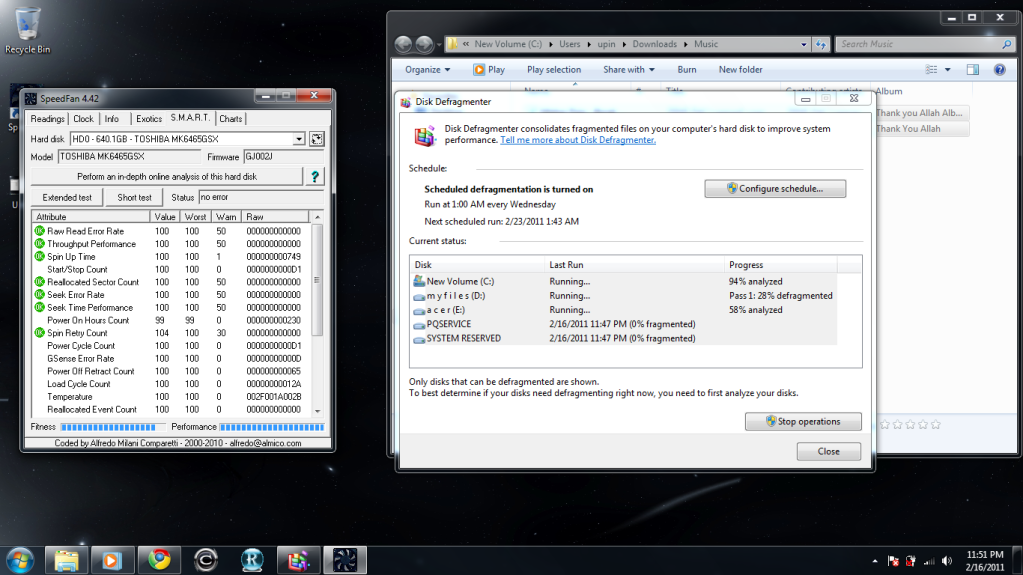 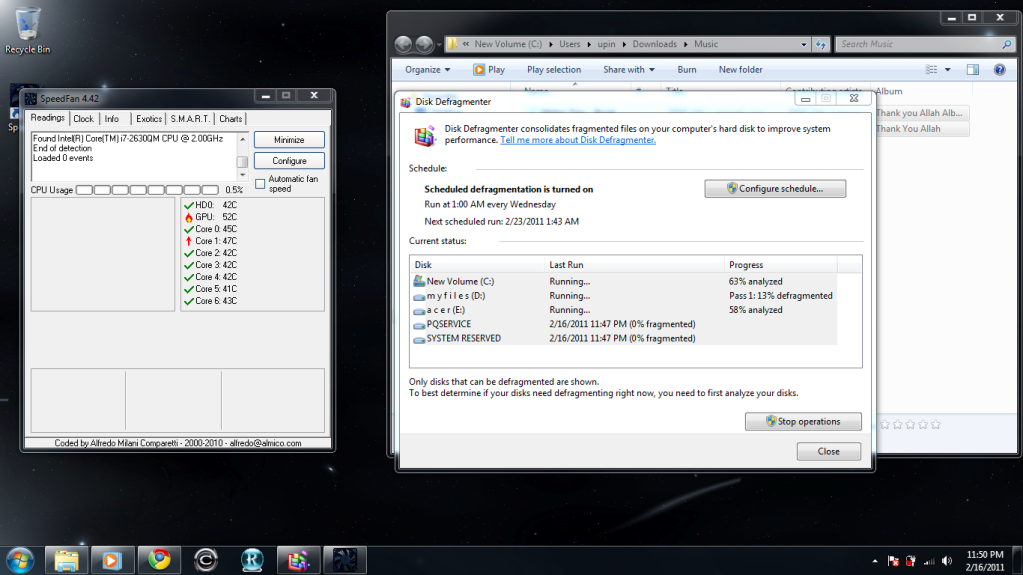 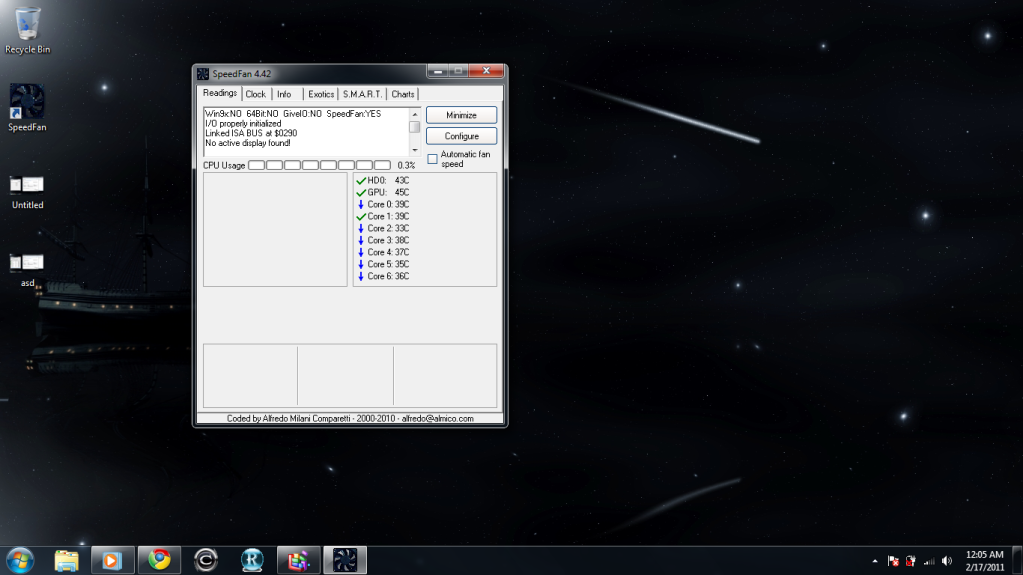 actually i dunno how to use the speedfan..this idle state. This post has been edited by apek1989: Feb 17 2011, 12:07 AM |
|
|
|
|





 Quote
Quote

 0.0627sec
 0.19
0.19
 7 queries
 GZIP Disabled