


hows the overclocking?
all the best..dun put too much juice..

btw, wanna ask u guys about Bus Speed and HT Link..
izzit norm to have 275.9 for both value?
pls explain anyone..


This post has been edited by mailboxaie: Dec 1 2007, 03:18 AM
AMD K8 Family Overclocking (754/939/940/AM2/1207), General discussions and newbies' guide
|
|
 Dec 1 2007, 01:37 AM Dec 1 2007, 01:37 AM
Return to original view | Post
#1
|
 
Junior Member
44 posts Joined: May 2006 From: KL  
|
any updates, wyman1991?
hows the overclocking? all the best..dun put too much juice.. btw, wanna ask u guys about Bus Speed and HT Link.. izzit norm to have 275.9 for both value? pls explain anyone.. This post has been edited by mailboxaie: Dec 1 2007, 03:18 AM |
|
|
|
|
|
Dec 1 2007, 11:49 PM
Return to original view | Post
#2
|
|
Junior Member
44 posts Joined: May 2006 From: KL
|
QUOTE(alive88 @ Dec 1 2007, 12:31 PM) ur clockspeed aka ur cpu speed is the bus speed times the multiplier bro alive88,its not normal...cdoz its too damn low..the reason it happens is bcoz u set the ht link multiplier to 1..so the ratio is 1:1..so,ur bus speed now is 276, u better set the ht multiplier to 5...not cpu multiplier(be sure bout this)  how to change the ht multiplier to 5 in msi bios.. the ht option is Auto/200MHz (if i choose 200MHz,the Bus Speed and HT Link will be same value) sowie for my noobness, please show me the right way   Thanks |
|
|
Dec 2 2007, 02:27 AM
Return to original view | Post
#3
|
|
Junior Member
44 posts Joined: May 2006 From: KL
|
QUOTE(alive88 @ Dec 2 2007, 12:50 AM) i dont know bout the msi bios. upload the cpuz..rite now just 2683.6MHz FSB 244*11 but u can check the ht link multiplier..the one u said auto/200, if im not mistaken its the bus speed...u not need to change that..usually u can find the ht multiplier have 1x 2x 3x 4x 5x and auto only..set it to 3x or 4x lah..afraid ur pc wont stable..to make it easier, post ur SS of cpu-z here  izzit better to run on dual or single channel? (2*512MB PC3200 Corsair) QUOTE(rainingzero @ Dec 2 2007, 01:34 AM) @mailboxaie noted,will inform on latest progress..thx bro alive88 and rainingzero.. if u cannot find any stting for HT multiplier in bios, then u can try to press ctrl+F1 while in bios. some mobo hide some of the features. how come u set the Ht mult to 1?? its too low..  be remember, for Lite ocing, just need to play around with ur bus speed, HT multiplier, CPU multiplier, divider, Vcore and Vdimm...  This post has been edited by mailboxaie: Dec 2 2007, 02:32 AM Attached thumbnail(s) 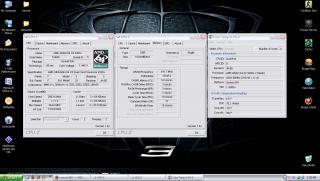
|
|
|
Dec 2 2007, 03:36 PM
Return to original view | Post
#4
|
|
Junior Member
44 posts Joined: May 2006 From: KL
|
4GHz?
dlm bios aku xde HT Multiplier...yang ade just HT Link Speed je... Penat dok main ngan CPU FSB Frequency je.. CPU Ratio X11.. CPU Volt default.. DDR Memory Frequency 100,133,166 or 200? mane satu nk set nih  Memory Volt default (2.6) DRAM Timing? can anyone blei bagi example? or explanation? Thanks |
|
|
Dec 4 2007, 03:18 AM
Return to original view | Post
#5
|
|
Junior Member
44 posts Joined: May 2006 From: KL
|
QUOTE(sniper69 @ Dec 3 2007, 02:12 PM) AMD OverDrive 2.09 - Download agreed, ive downloaded and tested..Source : Guru3D.Com Official Site downloaded, but i can't run the application, guess it's not supported the legacy a.k.a old socket (S-939) cam xleh support 939 socket je..huhu wats the best Memory timings and Memory frequency for Corsair Pro Series Xtreme Memory DDR 400 1024MB (2*512MB)? |
|
|
Dec 4 2007, 07:48 PM
Return to original view | Post
#6
|
|
Junior Member
44 posts Joined: May 2006 From: KL
|
found this info through the net..and i have sum questions..
 1. Memory frequency selection = Auto, 100, 133, 166, 200 MHz (you actually specify a multiplier to the HTT frequency) is this the HT multiplier? wats the best setting? 2. HT bus setup = frequency (Auto, 200 MHz) which is better for overclocking? auto or 200MHz? can anyone care to explain..  |
|
|
Dec 4 2007, 10:09 PM
Return to original view | Post
#7
|
|
Junior Member
44 posts Joined: May 2006 From: KL
|
@alive88
thanks, im waiting wif great hopes all the best to ocers.. |
|
|
Dec 6 2007, 02:54 AM
Return to original view | Post
#8
|
|
Junior Member
44 posts Joined: May 2006 From: KL
|
QUOTE(alive88 @ Dec 6 2007, 12:48 AM) look at ur cpu-z screenie.. core speed=bus speed X cpu multiplier bus speed=cpu frequency ht link=bus speed/cpu frequency X ht link multiplier(1x,2x,3x,4x,5x,auto) ram speed=corespeed divide by the ram divider main thing in OC is the bus speed a.k.a ur cpu frequency when u increase the bus speed, u will increase the ht link, and the ram speed. for example..ur default bus speed is 200mhz and multiplier x11.. say if ur ram is value ram ddr2 667..n u use 667 divider(ddr=double data rate=means 667/2=333) now, ur pc spec is like this..refer to the above point corespeed-2200(200 x 11) bus speed-(200) ht link-1000 (200 x 5(auto is always 5)) ram speed; cpu is 2200MHz and the divider is 667 ram speed=ur ram is (333) 667 effective 2200/333 = 6.6 = ur ram divider is 7 **then ram speed is 2200/7 = 314mhz( every time u increase the bus speed, the ram speed will increase together..) **(borrow likito calculation in am2 thread)thanks bro likito get it? if OC fail, check among these features..the ram problem can be solve in various way, etc, changing the ram divider and loosen the tming to make room for the proc ht link can be boost up till 1xxx..but when OC, keep under 1000 to make sure it stable.but once stable, make 1+++(1600 is sweet) play safe wif vcore!vdimm!and beware of the temp!  dont do any suicide attempt if ur not expert..(i dont coz im noob)hehe..but must be creative in tweaking!and lucky..haha dont do any suicide attempt if ur not expert..(i dont coz im noob)hehe..but must be creative in tweaking!and lucky..haha  thats all for now..mybe need to edit summore..sleepy rite now..anyone who find errors please help me to edit.. thanks QUOTE(sniper69 @ Dec 6 2007, 01:01 AM) read again... it's the only way to understand them... okie guys.. anyway... 1. it's meant limiting RAM speed to certain speed, say 200MHz or 166MHz (DDR = Double Data Rate = 200MHz x 2 = 400MHz), by selecting 166MHz, actually, you're forcing your DDR400 RAM to DDR333 (166MHz x 2) - this is useful for low overclocking RAM with superb highly overclocking CPU, or say, we just want to see what's the max CPU clock speed can go... 2. when overclocking, this should be set to manual, say at x2 or x3 multiplier, easier to say... must keep under 2000MHz (200MHz x 5 x 2) ill try sumthin new after reading to ur guidance.. i keep u guys posted wif my updates Thanks |
| Change to: |  0.0169sec 0.0169sec
 0.34 0.34
 7 queries 7 queries
 GZIP Disabled GZIP Disabled
Time is now: 7th December 2025 - 07:39 PM |
 Quote
Quote