Joined: May 2009
From: I'll follow wherever Tira goes
Introducing the mighty Edifier S760D
Wait what? S550? Apparently the box I received is not the S760D box so...
To start this review I would like to thank Edifier for sending out this speaker for review. It's not small my friend. (For all S730D and S550 owners, you will understand the size of it.) Edifier also had one of their members personally drove all the way to my house to deliver this unit to me
I'm thankful to have this chance to review this beast.
Package Design/Unboxing/First Impression I live in a small terrace house. I was worried that this takes up too much space but I guess the size isn't too big like I imagine. It is surprisingly light for a massive speaker setup. The person who delivered the speaker to my house was a young man and he carried the largest box into my house with no problem.
I don't remember it being that lightweight (I'll talk about the weight later in the review) As I have carried the box of the Edifier S730D, it was way much heavier than this unit
The box was a recycled box from an older model named S550. I'm guessing this was Edifier's display unit or something? I didn't ask.
Like most Edifier boxes, Edifier is generous by giving box-in-a-box configuration. It's just to prevent box from tearing as well as a good shield against impact.
Opening the small box confirms that it's Edifier S760D alright
Aha! Looks familiar doesn't it? Well... first look does seem like they didn't do any changes. But they did. Just wait as I finish the unboxing.
Probably my only picture that's out of focus. (I'm sorry that I'm lazy. ) Heavy Duty RCA cables for analog 5.1 connections.
They're in a ribbon form so customers don't have to worry about cable jungles but.....
There's still no escape to these shiny speaker wires
(I'm supposed to get the 3.5mm to RCA cables according to the instruction manual but I didn't get any here.)
This post has been edited by power911: Oct 30 2014, 10:46 PM
Joined: May 2009
From: I'll follow wherever Tira goes
Well lets continue to look at the satellites
I placed my S530D satellite with the S760D satellite. Guess which one is the S760D
Well... the answer is... Edifier S760D had a darker color tone to its speakers. The Greys on the S760D is somewhat a more classy brownish silver than the older models. The color kinda reminds me of the Anodized Aluminum used on Nitecore SRT3 flashlight. (Just ignore this line ><)
The center unit.
Well... The wired remote shows great difference.
Remote looks similar with the older units but they are the same size and same insides from what I see The only difference is that the LCD screen is black rather than blue It still has the old "phone stand" design.
The long one is the wireless infrared remote. (I don't know why the card remote was included. It doesn't work with the unit though)
oh I forgot about the included optical cable.
This post has been edited by power911: Oct 30 2014, 11:25 PM
Joined: May 2009
From: I'll follow wherever Tira goes
Here's the heart of the speaker
Big and massive! But wait... I see some flaws... Maybe because it's a display unit?
» Click to show Spoiler - click again to hide... «
welp... peeled off veneer and dusty top? I don't think this is a brand new unit~ nevertheless I fixed the flap with wood glue to prevent "myself" from tearing this further
This... Surprised me a lot! I was told that it's using an efficient Class D amp that doesn't heat up too much as well as improved amplification. (Correct me if I'm wrong about the Class D amp) Gotta agree. It's efficient. I mean, look at the cute little tiny heatsink. My tiny room doesn't heat up at all despite playing loud music. With tiny heatsink, reduced weight. With Class D amp... Even less required parts for weight reduction Now that kinda explains why it's so easy to carry this unit. But still... I'd recommend you asked a friend to help you carry it if you're purchasing a unit...or two
Gold connectors~ Now that's an upgrade. (My S530D don't have it)
Power plug with no fuse~ Maybe it's efficient to the point it doesn't need one? Well it's a 3 pin. I'm guessing an extra ground?
cable provided says otherwise... No fuse in plug... different head that doesn't fit Malaysian standard power sockets. You can substitute the power cable with some CPU Power Supply cable available anywhere in stores. No biggie.
I just use a travel adapter. It works
This post has been edited by power911: Nov 2 2014, 10:37 PM
Joined: May 2009
From: I'll follow wherever Tira goes
Test powering it BOOM Major difference. Black makes everything more professional.
The brightness drops but hey, I've always hated the brightness of my blue remote This is a good improvement.
Edit: I forgot to mention that the new wired remote has a wider viewing angle. My S530D basically fails when I have the remote flat on the table but the S760D wired remote is visible even at critical viewing angles
Some good size comparisons to show (especially the heatsink size)
While playing around... whoops~
The front grille just came out like butter.
They're just pressure fitted with these foam griptape
This needs some bass management yo~ Bass lovers will enjoy the view of this. I did notice a bigger dustcap as compared to the S730D and S550 Bigger as in it's basically the whole speaker membrane. Go google some pics and you'll see a size difference.
I don't remember where I found the link but if I'm not wrong, the S760D has "dual-voicecoil" yep... dual voicecoil. I wish I could dismantle this unit to confirm but I don't have the permission to do so.
This post has been edited by power911: Oct 31 2014, 02:01 AM
Joined: May 2009
From: I'll follow wherever Tira goes
Lets set this speaker up
Firstly: You need a big room. You need space. This speaker works on long distance listening without sounding noisy (so you can use it as a home theater) It may sound weird when you use it on a small room but it still works.
Secondly: It sounded nothing like the S550 You need friendly neighbors that accepts loud sounds
Yea.
The user interface is exactly the same as the old Edifier S550 but with additional features for Dolby Digital and ProLogic II
Using the wired remote alone will limit you to tune: -Bass -Treble -Front Left -Front Right -Center -Surround Left -Surround Right -Light opacity -(Hidden Mode for Surround delay time adjustment for Dolby ProLogic II)
as well as -Power on/off -Input -Factory Reset (by clicking power and function button)
Those were the traditional settings applied on the S550
With the Infrared Remote enables you to access "more modes" for this speaker namely -Mute button (rather than power off) -instant access to device input -Dolby ProLogic II on and off button -Dolby ProLogic II presets (Music, Movie, Emulator, Matrix, Virtual, Game) -Compressor On/Off switch for Dolby Digital
-Surround delay time adjustment for Dolby ProLogic II in the function list
Dolby Digital, Prologic II and AAC only works with digital input. Just bear in mind.
Finally lets began with how it sounds. It's what we're here for.
Device used: -Onboard Realtek Soundcard (works best) -Slevin Sent T-Muso PCM2704 -PS Vita/PSP -Xiaomi Mi3 as well as Edifier Optical In via: -T-Muso -Realtek SPDIF Optical
This beast is different. Unlike the sound of S530D the frequency and dynamic range is huge. Edifier of the past used to fail in 2 parts (to my ears) -Their trebles are clean but annoying -Their bass are not deep enough
The S760D improved these 2 aspects............ A LOT
The highs This unit no longer sounds like the old signature where they have clean but scratchy trebles. The highs are clean in a soft way. They don't sparkle in a hot way but they shine well. You can call it cold trebles but I'd say they're just smooth. They however, sounds like a 2" fullrange speaker producing trebles. (maybe it's just me... because it resembles the sound of my car tweeters) It reminds me of the Edifier Spinnaker's tweeter I used to review. The soft characteristic may blunt off the energy of a fast metal rock song but it isn't too bad once you got used to it.
The mids As the sound of S760D evolved, the mids changed too. It has gone less sweeter than my S530D. I personally prefer warm mids but a change in cold mids is not too bad. (I can always tame down the trebles if I wanted to) The mids perform very well in this case. Strong, Fast, Energetic, and Full Vocals gets the first play in mids. They sound round and big. No exaggeration in midbass even when bass is set to max. Female leads still has their sweetness in it without sounding annoying. You get clear vocals even when it is a noisy conversation. Electric guitar may sound messy and noisy in crunch characteristic but synth leads just sounds smooth and articulate.
The lows BOOM is the best word I can say. I used to hate a 10" woofer due to slow response in speed as well as they always sound boomy. But I think I can start loving this bass. It still has the slow lows of a 10" but the response is much tighter and hits much harder. Bass guitar solos would fail anyhow but if it's a generic bass support then it's a good support flow. However this bass is very prominent in kicks as it is VERY sensitive to beats.
I suspect that these were tuned lower to perform better. They were very different to what S730D sounds. S730D has a problem where the frequency range is limited. It sounded too high and doesn't go low enough to be considered a "sub"woofer The S760D however did sacrifice some midbass but it extends deep deep down to 35Hz before it gets cut off. I don't own a frequency meter to test but there are songs that has subbass that suddenly shines in this S760D
However the ProLogic II tunes the sound of S760D to a different character. Audiophiles usually would ignore the feature given but it's a good tool to have. I had to admit the Prologic II doesn't sound good to me but it wasn't too bad. You just need to accept a "new soundstage" if you're using ProLogic II.
ProLogic II works by taking useful bits in stereo sound and channels it surround. To make this effect perform, Digital input would be recommended over analog stereo.
What's seemed to be the main vocal, it smartly toss it into the center channel What seems to be others, it'll be played on the front stereo. What's left remains front left, what's right remains front right. What seems to sound like room reverb or echo, it all goes back to surround stereo.
All that under one simple stereo input.
But there are cases where ProLogic II detects some sound and smartly locates it around "correctly" It is up to the audio mixing engineer to implement this filter for ProLogic II.
Performance: Music.
I would say this isn't really a suitable unit for music listening (no 5.1 speakers were suitable in the first place unless you know what you're doing) Edifier is smart enough to always default to 2.1 setup while using digital. But even on a 5.1 analog input, the subwoofer bass is still present but low in volume. Common 5.1 would just have silent subwoofers when music is played.
Some good OSTs I listened to will be Aldnoah Zero OST by Sawano Hiroyuki
Songs were made in epic orchestral style + rock drum covers + electronic music. Especially on the song name aLIEz, the 2nd ending song to the anime Aldnoah Zero. Powerful drum kicks hits me right in the chest with bass lines coming in. Instrumental separation was fantastic and flawless. It makes identifying the layers of the songs easy.
Not to forget another OST that suits perfectly on Dolby ProLogic II
The 3rd Birthday OST
The 3rd Birthday OST works perfectly on Dolby ProLogic II If only I own a good high quality copy of it I would experience much better surround music.
Ignoring the ProLogic II part, I would like to talk about the song name Dive into Myself by Mitsuto Suzuki. This song introduced a series of ambient noise which I usually thought it was just humming tones. With the S760D new and improved subwoofer, I'm experiencing massive vibrations and it's one great massive experience of subwoofer earthquake.
Here's an example video I took Bass is massive in this and all bassheads would be pleased to view and listen to this
Here's another example I took with a normal japanese song by Annabel-Above Your Hand Which also surprised me with its capable bass.
Movies/Anime/Cartoons I'm a big fan of anime honestly. Not really into movies.
I did watch Captain America 2 The Winter Soldier but having it enabling the AAC... I guess it sounds pretty average.
I will proceed to talk about The Legend of Korra since it has Dolby Digital and AAC As this show is about elemental bending and fighting, and it is a cartoon... The voice are studio recorded. Studio recorded voices generally leaves a deep bassy tone to vocals due to proximity effect. With that in mind, bass is always an issue of interruption. With the Logitech Z2300, Putting the bass in half just muds up the entire vocals. With the Edifier S760D, putting bass and subwoofer at ridiculous max values leads to slightly thicken the tone but didn't affect the clarity at all. Fight scenes were fast and crisp with whooshes swirling around your room. With clean trebles, sparkles from afar can be heard even when the surround speakers were placed far. The center channel performs very well being a good all vocal speaker as every word spoken is clearly heard.
But how about the Dolby Prologic II feature? Any good to movies?
I have not found any movies but I did found an independent animation series that uses ProLogic II well. You can watch the videos here at RWBY - Rooster Teeth
It's just a fun little short video for entertainment. Voices were just in stereo. Enabling the ProLogic II drastically exaggerates the ProLogic II abilities to surround a stereo signal. Yes. True surround. Like connecting it as a 5.1 channel.
Sound Engineers of RWBY had them mixed where ProLogic II just works. I lack knowledge on how this works but it works. What's behind you actually sounds behind you.
Other than that I do watch anime "everyday" just to fill my time. If you remember me talking about Aldnoah Zero in the music section, well you need to watch this epic anime. I had ProLogic II enabled on this anime too but the effects isn't that obvious. It's mild But a good show like Aldnoah Zero with wonderful sound effects and proper music blends just makes this Edifier S760D shines like a true home theater.
Games Forgive me in this section but I don't play much games honestly. I play more online RPG games like Aion online... Well there's 5.1 surround so it works
I did play The 3rd Birthday on my PSP connected via analog with ProLogic II enabled There isn't much surround I can get other than ambient noise. Positioning is just stereo.
Battlefield 3 is always a good way to test 5.1 capability but I just don't feel the need to have surround? I did manage to spot few intruders thanks to the surround speakers but nothing too big.
I would say my impressions would be similar to the movies and anime section. What's good is good. (wow... great explanation )
Conclusion: Great improvement overall. I would say this is one of my top recommended speaker for anyone who needs a home theater or a crazy pc speaker. Bassheads are required to own at least a unit to experience the definition of bass.
Pros: -Improved Sound character -Dolby Digital, ProLogic II, AAC for the price of RM2k -Beautiful -LOUD -Multiple inputs for multiple devices -Powerful cinematic bass -Efficient Class D amplification without worrying about warming the room
Cons: -Design is basically from the old Edifier S550 -Not many clues to differentiate between S550 and S760D from the front -Dolby ProLogic II is still not refined yet -Wired controls are limited from Dolby settings -Massive woofer (it's a plus to me but not to many)
That's it. I had difficulty writing this review because I enjoyed this speaker so much that there's too many to talk about. I guess this is what they called love at first sight??? I shall proceed my listening and will update if there's anything new I found.
Well maybe the last con you need to deal would be this XD
Gotta clean that mess soon c:
This post has been edited by power911: Oct 31 2014, 02:02 AM
Joined: May 2009
From: I'll follow wherever Tira goes
QUOTE(jinggothegreat @ Oct 31 2014, 06:42 PM)
center sat comparison(side by side) against s550d? if 90% similar no need to show la
do me a favor, try playing a DTS movie with only center speaker active by muting other sats.
most of the time i have to jack up center sat volume to hear speeches. dont know if speaker or source.
I no longer have contact with an s550 owner (never tried the s550 encore though) but yea they're the same externally, just with that wet surface texture and darker grey accent
DTS worked fine with me. I gotta drop the center volume thou if not the center would just overpowered the whole thing
QUOTE(Quazacolt @ Oct 31 2014, 03:52 PM)
good review bro, enjoy it.
contemplating on getting either this or the S530/S530D, as my creative g500 is still under repair
I still love my S530D sound characteristics over this. I wouldn't mind owning this unit~ But if I need music I would rather have the S530D than this~
but damn the bass in this is violent
This post has been edited by power911: Oct 31 2014, 09:53 PM
Joined: May 2009
From: I'll follow wherever Tira goes
QUOTE(John Chaser @ Nov 24 2014, 04:38 AM)
TS, how much did you buy it for? Also where did you buy it from and do they offer delivery service?
I did not buy this unit as mentioned in my review. It was a review unit provided by Edifier
I'm not too sure about the exact price but it's around RM2000+ and you can get it at lowyat sri com or all it if I'm not mistaken. Usually the new Edifiers are always there
I did not buy this unit as mentioned in my review. It was a review unit provided by Edifier
I'm not too sure about the exact price but it's around RM2000+ and you can get it at lowyat sri com or all it if I'm not mistaken. Usually the new Edifiers are always there
can edifire adjust panaroma mode, center width and room dimension?
i hope the sound will improve after run-in as time passes by
despite that... prologic ii barely works on analog but more on digital.
anyway, edifier has 6 presets of music,movie,emulator,matrix,virtual and game for the dolby settings. panorama... not too sure. center width, it is locked in this unit. not sure why (it is recognized as center delay but you cannot do anything to it) Room dimension is not a feature inside but the delays you can tweak would somewhat fit in the room settings?
despite that... prologic ii barely works on analog but more on digital.
anyway, edifier has 6 presets of music,movie,emulator,matrix,virtual and game for the dolby settings. panorama... not too sure. center width, it is locked in this unit. not sure why (it is recognized as center delay but you cannot do anything to it) Room dimension is not a feature inside but the delays you can tweak would somewhat fit in the room settings?
in home theater receivers, PL2 music mode has these additional settings.
panaroma (on/off) combines front and rear channel for each left / right side become a big wall speaker wraparound u. center width (0-7) is different from delay i guess, it increase the involvement of front channel instead of solo center channel. kind of like sound stage control. dimension (1-6) works like front-rear fader
This post has been edited by ktek: Nov 25 2014, 09:21 PM
May I ask if 760d have the same problem as s550? The problem is regarding the crossover for Center and Surround channels. Basically, Front Left/Right sounds right but Center and Surround have bass frequencies not redirected to subwoofer so basically they sound "flat" if you output only to center/surround. This can be annoying on movies because voices coming from center have no "rich" sound. Seems like they're coming from a radio.
This post has been edited by mp3dom: Jan 18 2015, 10:14 PM
Joined: May 2009
From: I'll follow wherever Tira goes
QUOTE(mp3dom @ Jan 18 2015, 11:12 PM)
May I ask if 760d have the same problem as s550? The problem is regarding the crossover for Center and Surround channels. Basically, Front Left/Right sounds right but Center and Surround have bass frequencies not redirected to subwoofer so basically they sound "flat" if you output only to center/surround. This can be annoying on movies because voices coming from center have no "rich" sound. Seems like they're coming from a radio.
I believe they fix/avoided this problem? Sorry I no longer have this unit to test your issue (as I have returned the review unit back) If I remember correctly in Dolby or AAC 5.1 the center/sub is working fine with bass covering the fullness of sound
But if you're using S550 I assume analog inputs... that's the part I couldn't test to answer you.
On games using analog 5.1 the center sounded fine to me with bass working together.
Sorry I couldn't help you much in this part. My memory of it is limited to this far
I believe they fix/avoided this problem? Sorry I no longer have this unit to test your issue (as I have returned the review unit back) If I remember correctly in Dolby or AAC 5.1 the center/sub is working fine with bass covering the fullness of sound
But if you're using S550 I assume analog inputs... that's the part I couldn't test to answer you.
On games using analog 5.1 the center sounded fine to me with bass working together.
Sorry I couldn't help you much in this part. My memory of it is limited to this far
Well, thank you very much for the reply. No problem. I sold the s550 and I'm getting the s760d right now. I'll test and let you know, just in case. Thanks.
Well, thank you very much for the reply. No problem. I sold the s550 and I'm getting the s760d right now. I'll test and let you know, just in case. Thanks.
Ok, just coming back since I've received the s760d. While I'm generally happy with it (the crossover bug is finally fixed) now I'm having other problems (is it so difficult to sell products with no problems, eh Edifier?!). One is that Light 0 on the controller is not saved (light = 0 means that the display will turn similar to off after some seconds). If you set light=0 on the controller and then you power off the system, when you power on again the light defaults to 2. This doesn't happends with other values, which are correctly stored. This is a cosmetic bug which doesn't affect the usage. What is affecting is that I'm getting some crackles/pops from the right speaker without any apparent reason. It is not a PC/soundcard problem because the crackles/pops appears even without any connection (!!). I mean... pc off, no cable connected... only the speaker on. Is not a power fault either because I've attached the system also to an UPS (APC, with pure sinewave, so the power is almost perfect). I can't get an idea of why this is happening. It appears without any reason... there are cases when it appears after 20 minutes and other when you can hear 2-3 pops within 1 minute. It's so disturbing (!!). What can it be? Other are getting the same problem?
Sorry to bump... but this system is completely faulty in its design... even worst than s550. I can't understand the OP review at all. Apart the pops/crackles (I've seen other post around the net where other people are getting the same problems, so it's not my unit which is faulty), the inputs that works as expected are the digitals (toslink 1-2-3, coaxial) and CD-IN/AUX-IN. The 5.1 IN is completely wrong in its design. In S550 the crossover was wrong for Center and Surrounds (bass not redirected to subwoofer) but L/R works as expected. In S760D even the front L/R are missing the bass redirection!. This is clearly audible if you listen a 5.1 file via analog in and the same file as Dolby Digital. They should play the same but it is not! The Dolby/dts version (digital) have correct bass-redirection, sounds perfect with strong bass. The analog version on the other hand sounds 'flat'. The subwoofer sounds only if there's sound coming from the LFE channel (of a 5.1 mix) but it should also play the bass frequencies coming from the other channels (due to bass redirection)! Why this doesn't happens? Oh my god! This is totally wrong!
The OP says "But even on a 5.1 analog input, the subwoofer bass is still present but low in volume. Common 5.1 would just have silent subwoofers when music is played.". Absolutely not. Common 5.1 have bass redirection applied so even if the source doesn't have an LFE channel, the subwoofer still works *if needed* when there are lower frequencies not covered by main speaker. This is the bass management. The low frequencies doesn't just get "discarded". Common 2.0-only systems doesn't need subwoofer because they already have woofer for bass frequencies (other than mid and tweet). If you use Dolby Digital Live (encode whatever is the source to Dolby Digital) you can hear the right bass redirection applied. The Dolby Digital Live version (5.1) plays *exactly* as if you use analog AUX-IN or CD-IN.
To summarize: For stereo source: You can use analog AUX-IN or CD-IN or, alternatively, digital (optical/coaxial). This all plays fine (excluding the pops) For 5.1: You are obliged to use optical... so Dolby Digital or dts is fine. If your source is 5.1 wave or other formats you need to enable Dolby Digital Live or dts Connect on your soundcard (if you have those feature). Absolutely avoid 5.1 analog IN. It is faulty and plays wrongly. The fact that 5.1IN is faulty is a BIG problem because: - You can't use a better DAC (I have an Essence STX II which has far better DAC than the one you can find inside S760D but I just can't use it) - You can't do your own 5.1 mix (the sound you hear is not the sound you're mixing) - You can't watch your bluray in highest quality (dts-HD Master Audio and Dolby TrueHD should be decoded and sent via analog if you want to hear the full quality and not only the "core" which is the compressed part).
If your soundcard have the bass-redirection management via driver, you can try to use 5.1IN. You need to set the crossover frequency near 120 Hz (in that way, all frequencies below 120 Hz are sent to the LFE channel of the soundcard, so you overcome the faulty bass-redirection of the Edifier).
More than 700$ for a system that I can't use at its fullness, which sometimes pops, where I need to only use digital connections when I want to hear the sound as it should and I can't even use my DAC... I'm crying. I'll never buy Edifier again! Guys, don't buy this system!
Joined: Jan 2003
From: Edifier, Stax, Noctua and AirPulse
QUOTE(mp3dom @ Feb 22 2015, 08:53 AM)
Sorry to bump... but this system is completely faulty in its design... even worst than s550. I can't understand the OP review at all. Apart the pops/crackles (I've seen other post around the net where other people are getting the same problems, so it's not my unit which is faulty), the inputs that works as expected are the digitals (toslink 1-2-3, coaxial) and CD-IN/AUX-IN. The 5.1 IN is completely wrong in its design. In S550 the crossover was wrong for Center and Surrounds (bass not redirected to subwoofer) but L/R works as expected. In S760D even the front L/R are missing the bass redirection!. This is clearly audible if you listen a 5.1 file via analog in and the same file as Dolby Digital. They should play the same but it is not! The Dolby/dts version (digital) have correct bass-redirection, sounds perfect with strong bass. The analog version on the other hand sounds 'flat'. The subwoofer sounds only if there's sound coming from the LFE channel (of a 5.1 mix) but it should also play the bass frequencies coming from the other channels (due to bass redirection)! Why this doesn't happens? Oh my god! This is totally wrong!
The OP says "But even on a 5.1 analog input, the subwoofer bass is still present but low in volume. Common 5.1 would just have silent subwoofers when music is played.". Absolutely not. Common 5.1 have bass redirection applied so even if the source doesn't have an LFE channel, the subwoofer still works *if needed* when there are lower frequencies not covered by main speaker. This is the bass management. The low frequencies doesn't just get "discarded". Common 2.0-only systems doesn't need subwoofer because they already have woofer for bass frequencies (other than mid and tweet). If you use Dolby Digital Live (encode whatever is the source to Dolby Digital) you can hear the right bass redirection applied. The Dolby Digital Live version (5.1) plays *exactly* as if you use analog AUX-IN or CD-IN.
To summarize: For stereo source: You can use analog AUX-IN or CD-IN or, alternatively, digital (optical/coaxial). This all plays fine (excluding the pops) For 5.1: You are obliged to use optical... so Dolby Digital or dts is fine. If your source is 5.1 wave or other formats you need to enable Dolby Digital Live or dts Connect on your soundcard (if you have those feature). Absolutely avoid 5.1 analog IN. It is faulty and plays wrongly. The fact that 5.1IN is faulty is a BIG problem because: - You can't use a better DAC (I have an Essence STX II which has far better DAC than the one you can find inside S760D but I just can't use it) - You can't do your own 5.1 mix (the sound you hear is not the sound you're mixing) - You can't watch your bluray in highest quality (dts-HD Master Audio and Dolby TrueHD should be decoded and sent via analog if you want to hear the full quality and not only the "core" which is the compressed part).
If your soundcard have the bass-redirection management via driver, you can try to use 5.1IN. You need to set the crossover frequency near 120 Hz (in that way, all frequencies below 120 Hz are sent to the LFE channel of the soundcard, so you overcome the faulty bass-redirection of the Edifier).
More than 700$ for a system that I can't use at its fullness, which sometimes pops, where I need to only use digital connections when I want to hear the sound as it should and I can't even use my DAC... I'm crying. I'll never buy Edifier again! Guys, don't buy this system!
Sorry for the inconvenience cause, please send it to the dealer you bought from for warranty claim, we will check your it once we receive your speaker.
I really appreciate the answer. Can I get in touch with someone from Edifier that can answer me via email? In my country (Italy) there's no Edifier Multimedia dealer so I've bought it via Amazon Marketplace (external seller from Poland which uses Amazon as a store). For warranty claim I need to send the system through international shipment. Prior to spending a lot of money for shipment (due to high volume/weight) and have in return "the same system" (new but that works in the same way), I would like to know if the S760D, by design, have the bass-management as I explained above (reading the OP review, I would say that it is a design problem since he's confirming the same results with another unit). I can send a lot of "test files" which can clearly shows where's the problem. I really would like to fix this (for me but also for Edifier). The system, when working correctly, is really good but actually has so many flaws that it is almost not "usable" for some serious work/listening. All the similar systems from Logitech or other brands are almost "toys" (but have bass-management working as expected) so Edifier is the only choice available for a pc environment (excluding higher priced studio monitors). Thanks.
I really appreciate the answer. Can I get in touch with someone from Edifier that can answer me via email? In my country (Italy) there's no Edifier Multimedia dealer so I've bought it via Amazon Marketplace (external seller from Poland which uses Amazon as a store). For warranty claim I need to send the system through international shipment. Prior to spending a lot of money for shipment (due to high volume/weight) and have in return "the same system" (new but that works in the same way), I would like to know if the S760D, by design, have the bass-management as I explained above (reading the OP review, I would say that it is a design problem since he's confirming the same results with another unit). I can send a lot of "test files" which can clearly shows where's the problem. I really would like to fix this (for me but also for Edifier). The system, when working correctly, is really good but actually has so many flaws that it is almost not "usable" for some serious work/listening. All the similar systems from Logitech or other brands are almost "toys" (but have bass-management working as expected) so Edifier is the only choice available for a pc environment (excluding higher priced studio monitors). Thanks.
Maybe you can try contacting these guys in Italy? everyone who replied you here is from Malaysia so it's a bit hard to help you physically and on-site
Edifier Studio Distributor: ALBATROS MEDIA S.R.L. VIA M. T. DI CALCUTTA, 12, 40053 VALSAMOGGIA CRESPELLANO (BO) Italy Email: INFO@EMPIREMEDIA.IT
about the design flaw that you mentioned, contacting Edifier International should be the best solution, you could probably get their engineers to reply to you over there.
Edifier International Room 1610, 16th Floor, Lippo Centre, Tower II, 89 Queensway, Hong Kong Phone: +852 2522 6989 Fax: +852 2522 1989 For support enquiries in Europe, Asia Pacific the Middle East and Africa, please contact us at: enquiry@edifier.com or call the Edifier office nearest to you. For support enquiries in North America, please contact us at service@edifier.ca or call us at: 1 877 334 3437 (US and Canada)
May I ask if 760d have the same problem as s550? The problem is regarding the crossover for Center and Surround channels. Basically, Front Left/Right sounds right but Center and Surround have bass frequencies not redirected to subwoofer so basically they sound "flat" if you output only to center/surround. This can be annoying on movies because voices coming from center have no "rich" sound. Seems like they're coming from a radio.
That's why true AV receiver sound more natural, soft, high fidelity tweets and live. Every satellite comes from AV receiver is full range and subwoofer is PLUS via pre-out, combine with good external subwoofers, the bass more accurate and not boomy! movie or musics no problems at all and work flawlessly. Just my 2 cents
Well, I can ask to those reseller but they sell Studio models or Image models (infact, Multimedia models are very hard to find here). Maybe they'll support me even if I haven't bought it from them. I've already sent emails some days ago to the Edifier International Support and EMEA (Europe) support. Obviously, they haven't answered me. Without any support from Edifier, the only choice left to me is to write on forums. This is why I've wrote here.
QUOTE(Harold2009 @ Feb 24 2015, 04:56 AM)
That's why true AV receiver sound more natural, soft, high fidelity tweets and live. Every satellite comes from AV receiver is full range and subwoofer is PLUS via pre-out, combine with good external subwoofers, the bass more accurate and not boomy! movie or musics no problems at all and work flawlessly. Just my 2 cents
Ok, true AV receiver are better, I think the same. But the crossover problem is only for Edifier. I had in the past a (very) old Creative DTT2500. It's a consumer 5.1 system (one of the first in the market in the old days) but has the crossover setup correctly. The same apply for Logitech 5.1 models. They doesn't output HiFi sound quality but the "design" itself is right. On the other hand, here we have S550 which has right crossover setting for L/R but wrong for C/Ls/Rs, and S760D which has all wrong crossover setting for analog on all channels (digital is working right).
But the crossover problem is only for Edifier. I had in the past a (very) old Creative DTT2500. It's a consumer 5.1 system (one of the first in the market in the old days) but has the crossover setup correctly. The same apply for Logitech 5.1 models. They doesn't output HiFi sound quality but the "design" itself is right. On the other hand, here we have S550 which has right crossover setting for L/R but wrong for C/Ls/Rs, and S760D which has all wrong crossover setting for analog on all channels (digital is working right).
i emphatize your issue and that is also why i've been refraining on purchasing future 5.1 models since my Creative G500 died (forever under repair by lex )
price vs performance, and the concern of the crossovers/channels not doing good, so on so forth
Joined: Jan 2003
From: Edifier, Stax, Noctua and AirPulse
QUOTE(mp3dom @ Feb 24 2015, 09:03 PM)
Well, I can ask to those reseller but they sell Studio models or Image models (infact, Multimedia models are very hard to find here). Maybe they'll support me even if I haven't bought it from them. I've already sent emails some days ago to the Edifier International Support and EMEA (Europe) support. Obviously, they haven't answered me. Without any support from Edifier, the only choice left to me is to write on forums. This is why I've wrote here. Ok, true AV receiver are better, I think the same. But the crossover problem is only for Edifier. I had in the past a (very) old Creative DTT2500. It's a consumer 5.1 system (one of the first in the market in the old days) but has the crossover setup correctly. The same apply for Logitech 5.1 models. They doesn't output HiFi sound quality but the "design" itself is right. On the other hand, here we have S550 which has right crossover setting for L/R but wrong for C/Ls/Rs, and S760D which has all wrong crossover setting for analog on all channels (digital is working right).
Hi mp3dom,
Can i have your email? I already inform Edifier HQ the problem you encounter and they will contact you asap.
i emphatize your issue and that is also why i've been refraining on purchasing future 5.1 models since my Creative G500 died (forever under repair by lex ) price vs performance, and the concern of the crossovers/channels not doing good, so on so forth
Thanks for the support
QUOTE(Edifier @ Feb 25 2015, 08:11 AM)
Hi mp3dom,
Can i have your email? I already inform Edifier HQ the problem you encounter and they will contact you asap.
I've send it via PM just now. Please let me know. Thanks.
When the source is sending bitstream digital audio (example Dolby 5.1), the Edifier will decode it, bass manage it, and play nicely.
When you use the multichannel analog inputs, Edifier will bypass bass management. It is expecting the source (example JRiver software player) to do the bass management...with the Edifier only acting as a power amp and speaker.
It seems there's a flaw in the design... or Edifier may not even call it a flaw.
Uhmm, I don't think it is the software player that should do an analog bass-management. All the speakers are different from the others and it is not expected that a general user knows how to setup a software for bass-management purpose. Also, if you use ASIO as an output path, you have direct access to the hardware so the software player settings (but also the soundcard drivers) are just ignored (totally bypassed) and so the problem it is still not fixed. If I use the soundcard driver to manage the bass (ASUS/C-Media cards have the so-called "Flexbass", Creative have something similar) you have a quite good bass management (better than with no bass-management at all) but it doesn't sound as good as the original bass management (that you have when using digital connections). I agree with you, this is a design flaws. I'm only waiting to ask for a refund because If Edifier contacts me (not happened yet) I can made tests directly to the unit. I think it is in the Edifier interest to (at least) try to fix/investigate the problem (if they want, obviously).
This post has been edited by mp3dom: Feb 26 2015, 06:49 PM
Just to let all you know, exactly after a week, nobody from Edifier contacted me via email or here or even answered to my emails sent to the international support. Even more disappointed.
Joined: Jan 2003
From: Edifier, Stax, Noctua and AirPulse
QUOTE(mp3dom @ Mar 5 2015, 11:26 PM)
Just to let all you know, exactly after a week, nobody from Edifier contacted me via email or here or even answered to my emails sent to the international support. Even more disappointed.
Nobody contact you yet? I will check with them tomorrow.
mp3dom, was there any difference in sound quality when using TOSLINK cable over analog? Bass management aside. Do you also have the full range speakers option unchecked?
Excluding Bass Management, the sound is almost similar (the difference is due to the different DAC/Op-amp of the soundcard). Using ASIO, the full range/limited range option in drivers/Windows is just ignored (like all the other driver settings). The sound is always sent to each channels as it should ("full range"), then the sound goes into the amplifier that should manage the bass and re-directs the lower frequencies not covered by the satellites to the subwoofer (using ASIO as the output module you can be just sure that both drivers or Windows aren't messing something). With digital connection and stereo analog (Aux-In/CD-In) this works just fine. The digital and stereo analog have the same amount of bass frequencies and sounds identical (apart the difference in DAC/Op-amp mentioned above). With 5.1 there's a strong lack of bass frequencies. This not only with 2.0 input, but with native 5.1 as well. In 5.1 the subwoofer plays the LFE channel but the lower frequencies coming from satellites are strongly attenuated (if not discarded at all). With 5.1 (Dolby/dts) coming from digital this doesn't happen and the sound plays right.
(Still, nobody contacted me. Let's see if in this week something happens)
This post has been edited by mp3dom: Mar 8 2015, 10:50 PM
Excluding Bass Management, the sound is almost similar (the difference is due to the different DAC/Op-amp of the soundcard). Using ASIO, the full range/limited range option in drivers/Windows is just ignored (like all the other driver settings). The sound is always sent to each channels as it should ("full range"), then the sound goes into the amplifier that should manage the bass and re-directs the lower frequencies not covered by the satellites to the subwoofer (using ASIO as the output module you can be just sure that both drivers or Windows aren't messing something). With digital connection and stereo analog (Aux-In/CD-In) this works just fine. The digital and stereo analog have the same amount of bass frequencies and sounds identical (apart the difference in DAC/Op-amp mentioned above). With 5.1 there's a strong lack of bass frequencies. This not only with 2.0 input, but with native 5.1 as well. In 5.1 the subwoofer plays the LFE channel but the lower frequencies coming from satellites are strongly attenuated (if not discarded at all). With 5.1 (Dolby/dts) coming from digital this doesn't happen and the sound plays right.
(Still, nobody contacted me. Let's see if in this week something happens)
Hi, is this really a design flaw? I'm not really agree with you.
From what you mentioned, i believe this is intended design rather than flaw and i can understand the reason behind of such design.
The design is quite clear, if you want the speaker redirect/process internally, send digital signal into it, the built-in DAC and DSP will do the job.
Other than that, if you input multichannel analogue signal in, the speaker will just assume you want to bypass the internal built-in DAC and DSP and fully rely on the analogue signal and only do amplification without processing (or ADC->DSP->DAC which will lead to extra quality loss), so now your sound card is the main DAC/DSP.
Why stereo it will redirect the bass? Because in stereo mode your speaker is actually "2.1", not "2.0", like or dislike you have to let the internal DSP to re-direct bass to sub, simply because you won't be able to find 2.1 setting in your sound card (which can set bass re-direct in stereo mode) i believe.
Hi, sorry but to me it doesn't make any sense. If this is intended, then it was intended really wrong.
The sound card is not intended to do any bass management. Some sound card allows you to do so, it is an additional feature, but a lot of them doesn't offer this. Also this system is not only specific to "pc world". With analog you can connect it to whatever you want. A set-top bluray player or dvd player with 5.1 analog out will *NEVER* do any bass management. They will output the sound "as is", exactly like a normal sound card. The bass management, for these systems, is supposed to be managed by the speaker manufacturer -Edifier in this case- because it's the only one who built the system and knows how the crossover should be set for each particular speaker. Final user is not supposed to know how to set a bass management, unless we're speaking of high-end speakers where you can set the crossover for each independent speaker.
Also, if you have a pc with only analog out, you can't hear both 5.1 and 2.0 in the right way, unless you always switch back and forth the connections on the back of the subwoofer (insane).
The flaws is in the fact that the sound still passes from some form of processing, even on analog. If not, I would be able to send a full-range audio to a satellite speaker and have the risk to broke something (send a 30Hz frequency on a 2-way satellite...). So "something" is filtering that 30Hz frequency but rather than "redirect" it to the subwoofer (who can play that sound, and this is the right way to intend a crossover), it simply discard it.
Not considering that all the 5.1 amplifiers you can find in the market have the crossover working right and in the same way for both digital and analog input.
Another example... almost all musical dvd/bluray doesn't have a .1 channel (LFE). They're 5.0. This is intended as there's no so deep sound to justify an LFE channel. For a full range speakers this is not a problem, they can play it all. For limited range speakers (like this) the crossover should handle the < 120 Hz frequencies (not covered by the satellites) and redirect it to the subwoofer. This is automatic. Now, on this specific system... the sound you'll get is *flat* especially the bass (the instrument). You're hearing something totally different from what was recorded. You can't also use digital because the audio is 5.0 PCM (and toslink/coax carries only 2.0 pcm).
All these problems go away if the crossover works equally for both analog and digital, like 100% of the systems out there (excluding Edifier).
Your suggestion also doesn't explain why Edifier S550 (the model I had in the past) had the right crossover for L/R but wrong for C/Ls/Rs. And that system was an analog system only.
This post has been edited by mp3dom: Mar 9 2015, 01:00 AM
Ok, so i re-read all of your posts and i feel you drag it so long until ppl confuse on that already. So i came out with this simple conclusion:
1. For multi-channel (>2.1) analogue input with separate .1 LFE channel, you will still get bass from sub through separate .1 LFE channel from your source. But you want stronger bass due to the fact that LFE may only cover very low note (let say <50Hz, it depends on the producer how to encode the LFE channel), but your satellites can't go <150hz on paper, so you basically loss 50hz-150hz bass range.
2. You will only get into real trouble when you playback more than 2.0 analogue input (3.0,4.0,5.0) without separate .1 LFE, so you basically loss all the frequency note <150Hz due to your sub is not working now.
Are these points clear for you?
If yes, i think u need feedback to manufacturer/dealer. If they really don't have those setting that can re-direct bass and you feel unacceptable (yes, i do feel unacceptable), i think you should ask for refund the unit, i don't see any reason they can 'repair' ur speaker that design intended.
This post has been edited by coolkwc: Mar 9 2015, 11:04 AM
Joined: Jan 2003
From: Edifier, Stax, Noctua and AirPulse
QUOTE(John Chaser @ Mar 9 2015, 10:57 AM)
I really hope someone from Edifier can clear this. I'm so close to picking one up from IPmart. There's no way on can perform the 5.1 test on site.
This is the first time we received complain that S760D having flaw. Anyway, i already emailed Edifier International to contact bro mp3dom to check out what cause the problem.
1. For multi-channel (>2.1) analogue input with separate .1 LFE channel, you will still get bass from sub through separate .1 LFE channel from your source. But you want stronger bass due to the fact that LFE may only cover very low note (let say <50Hz, it depends on the producer how to encode the LFE channel), but your satellites can't go <150hz on paper, so you basically loss 50hz-150hz bass range.
Exactly
QUOTE
2. You will only get into real trouble when you playback more than 2.0 analogue input (3.0,4.0,5.0) without separate .1 LFE, so you basically loss all the frequency note <150Hz due to your sub is not working now.
Yes, but it's the 5.1IN diperse that have the flaw, so whatever you send using that input, lacks bass management. You can send even 2.0 to the 5.1IN if you want (only L/R) and the sound will be flat. 5.1 will be flat too, it will sound the .1 encoded in the stream but will not redirect the bass frequencies coming from all the other satellites to the subwoofer.
QUOTE
If yes, i think u need feedback to manufacturer/dealer. If they really don't have those setting that can re-direct bass and you feel unacceptable (yes, i do feel unacceptable), i think you should ask for refund the unit, i don't see any reason they can 'repair' ur speaker that design intended.
It's not only that "i feel it unacceptable"... it's the fact that this is a wrong design (I don't want "more bass", but the "original amount of bass"). Clearly, changing the unit with another will not fix the problem as, I think, all the units produced suffer from this. The only wish is that a "revision2" will be produced with all the fixes (we're speaking here of the crossover problem, but there are also other two problems... the pops/crackles and the setting "Light = 0" on the controller which is not saved after poweroff (while light = 1/2/3 are correctly saved).
From the review posted by Edifier I can't find if all the tests were made via analog or digital (or both). It is possible that the website review the unit using digital connection and so this explain the positive results (as I said previously, via digital connection there are no problems for the crossover).
This post has been edited by mp3dom: Mar 9 2015, 09:18 PM
Another week... another no-response. The only PM I've received here is from another user who is suffering the same problems... I'm just starting to think that it is Edifier (the company) itself who don't want to have a debate at all.
Another week... another no-response. The only PM I've received here is from another user who is suffering the same problems... I'm just starting to think that it is Edifier (the company) itself who don't want to have a debate at all.
Wow, this is still ongoing even with bro Edifier on the case?
From the looks of it, you will definitely need to approach the sound engineers at Edifier itself for the level of question you're asking.. I dunno about the rest of you but it's just a little overwhelming for me and probably no one in this forum (which is based in Malaysia BTW) could solve. I don't think that the Sound engineers from Edifier will post here as well as they are most likely based in China so probably they did not view your posts here.
Not sure if you have but there is another email you could try, enquiry@edifier.com, I sure do hope that you can get a sound reply.
I sent emails to almost all the possible contact account (including enquiry) without success. I am deeply sorry to post here since I'm not coming from Malaysia but it's the only way I have to just try to get some support from someone from Edifier (as far as I know, there are no international forums about Edifier, nor Edifier seller that read posts like on this forum). Maybe my misfortune can be helpful for some other possible buyers.
I would also like to say that today, finally and happily, someone from Edifier contacted me. I wrote the problems already mentioned here and I'll wait for a response. I'll let you know if something happens. I would like to thank Edifier (the user here) to help me to get in touch with the support.
If it's the same problem I get, it's from analog only and doesn't matter your soundcard. Infact it happens even if there is no connection at all (no input cable from pc to Edifier). Just power on the system, set to analog input and wait. On digital it doesn't happen.
Uhmm not so sure they're the speakers cable because in that case it would be present even for digital connection (I also tried to change the cable but the pops still remains). More probably it's the amplifier that have something that generate that static noise when using analog input. It happens for all the analogs, so 5.1IN but Aux-In and CD-In too. Toslink and coaxial, being digital, are not affected.
Currently, if you own S760D, the only way to hear the sound as intended (right bass), without problems (no static pops/crackles), is to use digital connections only.
This post has been edited by mp3dom: Mar 20 2015, 07:35 AM
Joined: May 2009
From: I'll follow wherever Tira goes
not too sure why did you guys get random popping noises because my testing period didn't do so. (and my house area has the dirtiest electric one can imagine) (been changing fuses non stop every time)
When you're listening something (unless it's... maybe... classical music) it is hard to hear it, because it get probably "masked" by the sound. It also depends by the volume on the controller. If you set low volume to (example) 10 and then the soundcard to 100% you probably can't hear the pops. In a quiet environment and controller set to 30 you can easily hear the pops.
Joined: Jan 2003
From: Edifier, Stax, Noctua and AirPulse
QUOTE(mp3dom @ Mar 20 2015, 04:21 PM)
When you're listening something (unless it's... maybe... classical music) it is hard to hear it, because it get probably "masked" by the sound. It also depends by the volume on the controller. If you set low volume to (example) 10 and then the soundcard to 100% you probably can't hear the pops. In a quiet environment and controller set to 30 you can easily hear the pops.
FYI, we tested the S760D in our office and Edifier engineer also tested it in their lab and we can't find the problem you encounter. so, we suspect your unit might be faulty, please send to the dealers you bought from for warranty claim.
We already sold the S760D in Malaysia more than half year and haven't received any complaint and RMA yet.
Please don't set the sound card volume to 100%, sometime it will generate unwanted noise too.
This post has been edited by Edifier: Mar 20 2015, 06:10 PM
The soundcard here is not the problem. As I said, the pops appears even when there's no connection at all to the pc/soundcard. Power on the S760D, with only all the speakers connected, is just enough to hear the pops. It is also better to no listen any music at all. Just keeps the system power on and wait in a quiet environment. The problem is that there seems to be no logic way to "trigger" the pops so it can appear after 40min, after 20min etc.
As for the faulty unit... please consider that I get that problem, infernore here seems to have the same problem and here:
other users ("DrWiktor" and "ma4eusz" from March, 2014) are complaining the same problem. The "pops" are similar to when you switch sources (which in that particular case is normal) but appears on analog input even when no audio cables are connected. Maybe the different electricity supply voltage can be partially the cause? Surely it's not a "disturb" on the electricity power supply, because I've the S760D connected to an UPS (APC Smart-Ups for precision) so the system is getting a pure sinewave power. If it's a faulty unit... then the faulty rate seems to be quite high! More probably, seems there's something wrong somewhere.
Since you tested it, do you also tested about the crossover problem? Are you exactly getting the same sound from both analog 5.1IN and digital with right bass management?
This post has been edited by mp3dom: Mar 20 2015, 06:47 PM
Joined: Jan 2003
From: Edifier, Stax, Noctua and AirPulse
QUOTE(mp3dom @ Mar 20 2015, 06:39 PM)
The soundcard here is not the problem. As I said, the pops appears even when there's no connection at all to the pc/soundcard. Power on the S760D, with only all the speakers connected, is just enough to hear the pops. It is also better to no listen any music at all. Just keeps the system power on and wait in a quiet environment. The problem is that there seems to be no logic way to "trigger" the pops so it can appear after 40min, after 20min etc.
As for the faulty unit... please consider that I get that problem, infernore here seems to have the same problem and here:
other users ("DrWiktor" and "ma4eusz" from March, 2014) are complaining the same problem. The "pops" are similar to when you switch sources (which in that particular case is normal) but appears on analog input even when no audio cables are connected. Maybe the different electricity supply voltage can be partially the cause? Surely it's not a "disturb" on the electricity power supply, because I've the S760D connected to an UPS (APC Smart-Ups for precision) so the system is getting a pure sinewave power. If it's a faulty unit... then the faulty rate seems to be quite high! More probably, seems there's something wrong somewhere.
Since you tested it, do you also tested about the crossover problem? Are you exactly getting the same sound from both analog 5.1IN and digital with right bass management?
Thanks for the info, will inform the Edifier engineer to test it out
Joined: May 2009
From: I'll follow wherever Tira goes
QUOTE(mp3dom @ Mar 20 2015, 05:21 PM)
When you're listening something (unless it's... maybe... classical music) it is hard to hear it, because it get probably "masked" by the sound. It also depends by the volume on the controller. If you set low volume to (example) 10 and then the soundcard to 100% you probably can't hear the pops. In a quiet environment and controller set to 30 you can easily hear the pops.
hmm... idk mang... I'd blast the hell out of these test units almost everyday for 1-2 months (you know... testing)
I left it at random volumes of 40 boost +3 or even 15 to 10 and nothing happened.
In those 1-2 months, did you test it extensively using also analog input? Static pops cames out only when using analog input, not digital. Also, on your test unit, using 5.1 analog input, had you no problem with bass management? You already 'catch' the problem when feeding 2.0 sound using 5.1 analog input... but I mean 5.1 input using true 5.1 signal (compared to digital)
Joined: May 2009
From: I'll follow wherever Tira goes
QUOTE(mp3dom @ Mar 22 2015, 02:43 AM)
In those 1-2 months, did you test it extensively using also analog input? Static pops cames out only when using analog input, not digital. Also, on your test unit, using 5.1 analog input, had you no problem with bass management? You already 'catch' the problem when feeding 2.0 sound using 5.1 analog input... but I mean 5.1 input using true 5.1 signal (compared to digital)
I had tested analog for half a month and digital for my another half. Never really switching off most of the time.
I had even turning on my dirty switch to test for pop and crackles because that issue is my biggest concern (as mentioned I had ugly electricity)
Using the analog 5.1 as a surround I didn't receive major problems (or more like I didn't notice it) because the sound pretty much flows naturally especially on games. Well... again, I didn't get to test your question so I couldn't answer much
For those who wants to test if the bass management is right (basically for those who own S550, S550 Encode and S760D, but I guess also for others 5.1 multimedia speakers from Edifier):
As you can see, it's a ZIP file containing 2 audio files. Both are the same (pink noise, the easiest way to test a speaker), the only difference is the coding. Both AC3 (Dolby Digital) and 5.1wav (LPCM) are provided for test on both analog and digital connection. In those audio files, the pink noise is routed to each speaker or pair of speakers. This is useful to test that all the speakers are set correctly (parity) and for calibration purposes. The order for the routing is:
Left -> Right -> Center -> LFE -> Left Surround -> Right Surround -> Left+Right -> Left Surround+Right Surround -> Left+Right+Left Surround+Right Surround
For this test, it is best to use a player which can route correctly the audio. I suggest MPC-HC (https://mpc-hc.org). Set up as Default WaveOut device for 5.1 analog and S/PDIF Out for Dolby Digital (also remember to set the MPC-HC audio decoder to bitstream AC3 over SPDIF). You can also use the analog file in a DAW using ASIO. This is preferred if you want to be sure that Windows or DirectSound doesn't alter anything.
This is what happens when you play the AC3 (Dolby) via digital connection on S760D: Each channel is played correctly. Pink noise carries also low frequencies. You can clearly hear that when the sound is routed to satellites, the subwoofer is playing bass frequencies as well. Higher volume low frequencies are played when the pink noise is on the LFE channel (as expected).
What happens when you play the 5.1 LPCM via analog connection (I repeat myself, the files are 100% exactly the same, with same pink noise at the same volume): Each satellites plays the mids/high frequencies of the pink noise. You get a somewhat flat sound, with subwoofer almost mute. Subwoofer is working only when it receive the LFE channel.
If you want to exaggerate the effect (so to make it really clear that it's a flaw): Keep toslink and 5.1analog cables connected (from soundcard to S760D) BUT remove the speaker cables. In this way, the unit will receive all the channels from the soundcard but ONLY the subwoofer will work (since the speakers have no cable connected to the unit). On Digital connection: Subwoofer is always working for each speaker, with higher volume when it plays the LFE channel. On Analog connection: Subwoofer is mute unless when it plays its LFE channel.
This post has been edited by mp3dom: Mar 29 2015, 06:58 AM
I did not buy this unit as mentioned in my review. It was a review unit provided by Edifier
I'm not too sure about the exact price but it's around RM2000+ and you can get it at lowyat sri com or all it if I'm not mistaken. Usually the new Edifiers are always there
phuk you 4 poisoning my head argh
by the way please test these song with max volume with max bass and review here how hard is the kick yo more addictive than coke i hope
I went copy and paste to your question to Edifier HQ about your questions and I got a reply (which is also copy & paste from my email.
"First and foremost, we want to say thank you so much for your email. We are delighted and thankful to have users and fans like you who have the patience and understanding to test and verify the quality of our product. Your knowledge is outstanding.
I just wanted to get back to you personally and let you know that the findings do reflect some characteristic of the product. A 5.1 analog input for S760D offers user a 6-channel pass through amplification with simple bass management, to assign specific frequency band to specific speaker.
With the intention of emphasizing the LFE effect, level match for 5.1 analog input here does not follow the traditional way. Bass management level match for 5.1 analog input is not a required test item by Dolby or DTS lab. This kind of setting may lead to some confusion if the speaker is used for professional application like music remix.
Please understand the speaker system also offers a wide range of SW trimmer settings. With +4 or +5 SW trimmer setting ratio, the traditional bass management level match can be restored. Since the product is designed for consumer application, and there are also preset equalization in the system for speaker compensation, we do not suggest that you use this product for professional applications.
I hope this helps clarify and verify your findings. If you ever do have any further questions, please do email us here directly and we will get back to you within a 48 hour turnaround."
Sorry for the late reply, I'm still in contact with Edifier support. To get a right bass management, you need to set SW+6 on the controller. In this way, a bass frequency is sent to the LFE that outputs that frequency at right volume. More or less, SW+6 on analog match the SW-0 on digital. Sound is still quite "dry" so to my taste I set SW+8 on analog which provide good and deep bass when needed but not constantly over-bloated. However, I still get problems. For example on 5.1 analog, while SW+6 provide a standard bass-management for frontal speakers, the surround speakers still lacks bass-management at all. Even with maxed out settings (SW+9) if you send a bass frequency to surrounds, the frequency is totally lost. On digital, surrounds have bass management too. Also, the last problem is the static pops on all the analogs and I can't find a way to avoid it. On this, a future confirmation from John Chaser would be gladly accepted. Try to use it on analog (when you'll receive it, obviously) and tell me if even your unit suffer from this.
The problem on Light = 0 not saved after power off is clearly a "bug" but it's more cosmetic. You have to set it every time you power on the unit (while the other settings are retained). I'll let you know if there's something new about other "issues".
Joined: May 2009
From: I'll follow wherever Tira goes
QUOTE(mp3dom @ Apr 9 2015, 05:50 PM)
The problem on Light = 0 not saved after power off is clearly a "bug" but it's more cosmetic. You have to set it every time you power on the unit (while the other settings are retained). I'll let you know if there's something new about other "issues".
tried muting the setup before powering off to see if it saves your setting? it may work
This post has been edited by power911: Apr 10 2015, 12:15 PM
Total cost including 6% GST was RM2199. Placed the order on Wednesday night and it arrived on Saturday morning. Quite fast.
I've tested AUX/CD(standard 2.1 stuff) input quite extensively with my handphone and desktop pc(ASUS XONAR DS). Very impressive. The sound coming from the satellites are very clean and doesn't sound muddy. I've tested Dolby ProLogicII as well and honestly I prefer to have that disabled. I also understand why alot of people dislike youtube audio. Music I tested with are Queen's entire album catalog, Mad Max Fury Road Official Score and Metallica's Ride The Lightning. The only 5.1 input I managed to test is optical. I've yet to test on analog 5.1 and I'll explain shortly why. I was curious to hear how DTS Connect/Interactive would perform with my games and movies(VLC). I've only tested with one game only for now and that's Mortal Kombat X. It performed quite admirably. The sounds of bones being shattered, flesh being ripped apart and and other miscellaneous things all sound perfect. The story cinematics utilize the full 5.1 pathways(the usual center for dialogs, side/rear for items behind the camera, etc.). For movies, I only tested with Mad Max Fury Road. Within a few minutes into the movie I already knew I choose right. It sounds as awesome as it should sound for a movie encoded in 5.1. I can't wait to try out my other movie collections on this baby.
Those were the good parts, now for the bad ones. The store page displays it as RM2099. The email I sent to Inter Asia to enquire if the price is including GST and they replied back saying it includes GST. However, upon adding it to your cart the price changes to RM2199. You guys(interAsia) might wanna check on this. Next is the cabling. If you go to the link I pasted above and scroll all the way down the page you'll see the items that are supposed to be packaged with the device. You don't get the 6 pieces of RCA to RCA cables and 3 pieces of 3.5mm to dual RCA cables as listed on the page. This is why I couldn't perform the analog 5.1 test. I was about to call up Inter Asia on this but decided not to because in the physical manual itself those cables are not listed. Might want to correct the diagram on the website. While the speaker wires to sub are at an adequate length, the given RCA connector cable, 3.5mm audio cable and optical cable are quite short. I would have preferred if they bundled 5 meter cables instead. Guess I'll need to go shopping tomorrow. Then there's the power cord . You'll need to buy a separate adapter to use with your wall sockets. Last is the warranty card. It's not chopped, however I assume I'm covered since I purchased this directly from Inter Asia.
This short review is pretty much no different than the initial one in this page. Minor issues with the cabling aside, I look forward to hearing more from the S760D. And I also look forward to the announcement for the 7.1 version.
Total cost including 6% GST was RM2199. Placed the order on Wednesday night and it arrived on Saturday morning. Quite fast.
I've tested AUX/CD(standard 2.1 stuff) input quite extensively with my handphone and desktop pc(ASUS XONAR DS). Very impressive. The sound coming from the satellites are very clean and doesn't sound muddy. I've tested Dolby ProLogicII as well and honestly I prefer to have that disabled. I also understand why alot of people dislike youtube audio. Music I tested with are Queen's entire album catalog, Mad Max Fury Road Official Score and Metallica's Ride The Lightning. The only 5.1 input I managed to test is optical. I've yet to test on analog 5.1 and I'll explain shortly why. I was curious to hear how DTS Connect/Interactive would perform with my games and movies(VLC). I've only tested with one game only for now and that's Mortal Kombat X. It performed quite admirably. The sounds of bones being shattered, flesh being ripped apart and and other miscellaneous things all sound perfect. The story cinematics utilize the full 5.1 pathways(the usual center for dialogs, side/rear for items behind the camera, etc.). For movies, I only tested with Mad Max Fury Road. Within a few minutes into the movie I already knew I choose right. It sounds as awesome as it should sound for a movie encoded in 5.1. I can't wait to try out my other movie collections on this baby.
Those were the good parts, now for the bad ones. The store page displays it as RM2099. The email I sent to Inter Asia to enquire if the price is including GST and they replied back saying it includes GST. However, upon adding it to your cart the price changes to RM2199. You guys(interAsia) might wanna check on this. Next is the cabling. If you go to the link I pasted above and scroll all the way down the page you'll see the items that are supposed to be packaged with the device. You don't get the 6 pieces of RCA to RCA cables and 3 pieces of 3.5mm to dual RCA cables as listed on the page. This is why I couldn't perform the analog 5.1 test. I was about to call up Inter Asia on this but decided not to because in the physical manual itself those cables are not listed. Might want to correct the diagram on the website. While the speaker wires to sub are at an adequate length, the given RCA connector cable, 3.5mm audio cable and optical cable are quite short. I would have preferred if they bundled 5 meter cables instead. Guess I'll need to go shopping tomorrow. Then there's the power cord . You'll need to buy a separate adapter to use with your wall sockets. Last is the warranty card. It's not chopped, however I assume I'm covered since I purchased this directly from Inter Asia.
This short review is pretty much no different than the initial one in this page. Minor issues with the cabling aside, I look forward to hearing more from the S760D. And I also look forward to the announcement for the 7.1 version.
Hi. thanks for your purchase and review! hope you enjoy listening to it. I'm sorry to tell you that there are some technical issue regarding the website as the speaker itself cost RM2199 instead of RM2099 shown. Our technical team is working on it. Really sorry about it.
Hi. thanks for your purchase and review! hope you enjoy listening to it. I'm sorry to tell you that there are some technical issue regarding the website as the speaker itself cost RM2199 instead of RM2099 shown. Our technical team is working on it. Really sorry about it.
Additional update, I finally bought myself those analog cables and tested it successfully. For the most part bass redirection seems to be operating fine on analog. The only differences I noticed is that analog seems to be slightly softer than digital. Example, on optical if I set the volume at 40 then on analog I need to set it at 50.
Joined: May 2009
From: I'll follow wherever Tira goes
QUOTE(John Chaser @ Dec 2 2015, 04:05 PM)
Additional update, I finally bought myself those analog cables and tested it successfully. For the most part bass redirection seems to be operating fine on analog. The only differences I noticed is that analog seems to be slightly softer than digital. Example, on optical if I set the volume at 40 then on analog I need to set it at 50.
Wow that's loud. Yup it's normal for optical to be louder than analog for most cases.Is your source weak? Try raising your source volume?
As far as I know my soundcard is weak but tested with different DAC I get louder volumes.
Ive never go more than 35 on casual listening though
I want to buy this Edifier S760D speaker in Indonesia but not available. does anybody know where is to buy in Malaysia that can ship to Pekanbaru Indonesia by EMS service. also any recommendation external sound card for home theater/ movie are welcome
I just got the S760D today. Hooked it up to the optical out of my Samsung TV. I'm not sure what I did wrong, but the sound is really soft. It's night time and I've got the volume all the way to 60, and I'm not worried that my neighbours are gonna complain. This just doesn't seem to be right. All the reviews I've read on this speaker claim massive sound.
The TV model is UA65KU6000, I've got the TV sound setting to audio output and PCM. The reason I put it on PCM is when I hooked the system up, it was by default in Dolby Digital, and the vocals were very muffled. It sounded like the vocals were being played only by the subwoofer. The only way I could get the vocals of the TV show I was watching to sound normal was to set output as PCM on the TV, and 2.1 (Dolby Digital off) on the speakers. If I turned DD on, I got the same muffled vocals.
So to recap, there are 2 issues:
1) Volume is much MUCH lower than what I heard this speaker is capable of.
2) Vocals are muffled on any setting other than PCM (from TV) and 2.1 (on speaker).
Someone plea se help me. What am I missing / doing wrong?
I just got the S760D today. Hooked it up to the optical out of my Samsung TV. I'm not sure what I did wrong, but the sound is really soft. It's night time and I've got the volume all the way to 60, and I'm not worried that my neighbours are gonna complain. This just doesn't seem to be right. All the reviews I've read on this speaker claim massive sound.
The TV model is UA65KU6000, I've got the TV sound setting to audio output and PCM. The reason I put it on PCM is when I hooked the system up, it was by default in Dolby Digital, and the vocals were very muffled. It sounded like the vocals were being played only by the subwoofer. The only way I could get the vocals of the TV show I was watching to sound normal was to set output as PCM on the TV, and 2.1 (Dolby Digital off) on the speakers. If I turned DD on, I got the same muffled vocals.
So to recap, there are 2 issues:
1) Volume is much MUCH lower than what I heard this speaker is capable of.
2) Vocals are muffled on any setting other than PCM (from TV) and 2.1 (on speaker). Someone plea se help me. What am I missing / doing wrong?
javascript:emoticon(':(')
Oh wait read that wrong. Could be that the Dolby Digital Codec (could be a newer or more advanced one, like Dolby Digital Plus) isn't compatible with the S760D. Are there any other output options, like DTS?
This post has been edited by VagueConcerns: May 4 2017, 12:48 AM
Oh wait read that wrong. Could be that the Dolby Digital Codec (could be a newer or more advanced one, like Dolby Digital Plus) isn't compatible with the S760D. Are there any other output options, like DTS?
First, an update. The 2nd issue seems to have fixed itself. I'm now getting proper volume for the vocals on both 5.1 Dolby Pro Logic (I mistakenly said Dolby Digital in my first post) as well as 2.1 (DPL switched off). When I hooked it up it was playing Life Story from Netflix, which is not encoded in 5.1. That may have been the issue - the encoding of the source material - which cut the vocals out from everything but the subwoofer. David Attenborough sounded like he had Barry White's vocal chords transplanted into him. When I later tried the movie Book of Eli, also off Netflix, and which is encoded in 5.1, everything was great.
To answer your Q yes, there is a 3rd option on the TV, DTS 2:5. Tried it, and it also is giving me all the correct frequencies from each speaker.
HOWEVER, the volume still seems a little soft. Now when I say "soft", it's taking into account all the stuff I've heard about this speaker. It's actually loud enough that I can feel the bass and the room is filled with sound when turned all the way up to 60 (max volume). I just thought it would be louder, is all. I'm just wondering if there is a run in period for new speakers, during which the amp doesn't give full volume. To protect or run in the speakers, maybe?
Either that or I'm getting deaf from all the abuse growing up playing with SPL car audios
This post has been edited by tjh000: May 4 2017, 07:28 PM
First, an update. The 2nd issue seems to have fixed itself. I'm now getting proper volume for the vocals on both 5.1 Dolby Pro Logic (I mistakenly said Dolby Digital in my first post) as well as 2.1 (DPL switched off). When I hooked it up it was playing Life Story from Netflix, which is not encoded in 5.1. That may have been the issue - the encoding of the source material - which cut the vocals out from everything but the subwoofer. David Attenborough sounded like he had Barry White's vocal chords transplanted into him. When I later tried the movie Book of Eli, also off Netflix, and which is encoded in 5.1, everything was great.
To answer your Q yes, there is a 3rd option on the TV, DTS 2:5. Tried it, and it also is giving me all the correct frequencies from each speaker.
HOWEVER, the volume still seems a little soft. Now when I say "soft", it's taking into account all the stuff I've heard about this speaker. It's actually loud enough that I can feel the bass and the room is filled with sound when turned all the way up to 60 (max volume). I just thought it would be louder, is all. I'm just wondering if there is a run in period for new speakers, during which the amp doesn't give full volume. To protect or run in the speakers, maybe?
Either that or I'm getting deaf from all the abuse growing up playing with SPL car audios
Doesn't the S760D have a 'Volume Boost' function? If it works like how it is named, maybe that would work. Have you tried that? Is the volume consistent? I mean, is the low volume only for dialogues? Also make sure that you're not in some sort of volume reduction mode (like Night Mode). Maybe have a go at turning Dynamic Range Compression on or off (but that feature is only encoded in Dolby Digital IINM).
If switching between all the available codecs and their various settings fail, and you still get low volumes, then it could be a number of things. Your hearing, S760D's design, or faulty receiver/amp section in the unit.


 Oct 30 2014, 10:25 PM, updated 6y ago


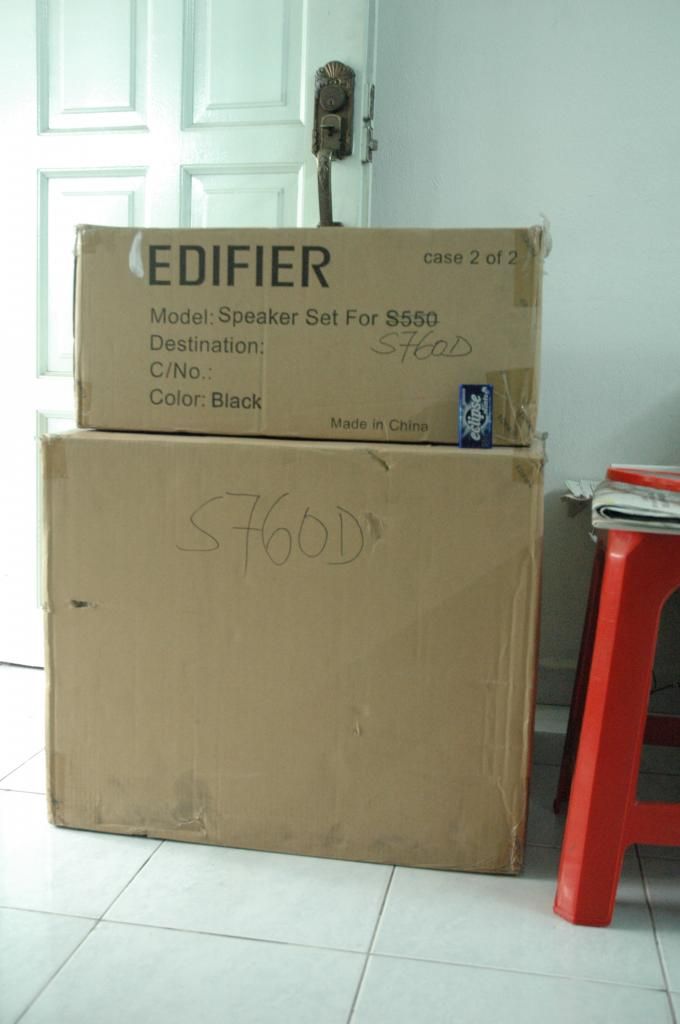
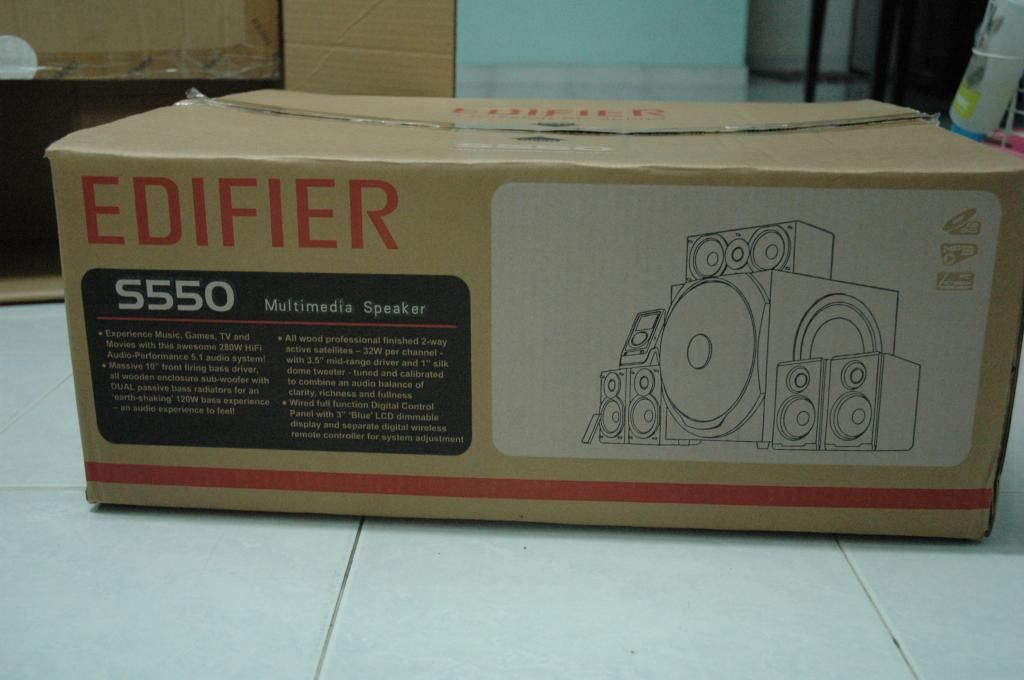
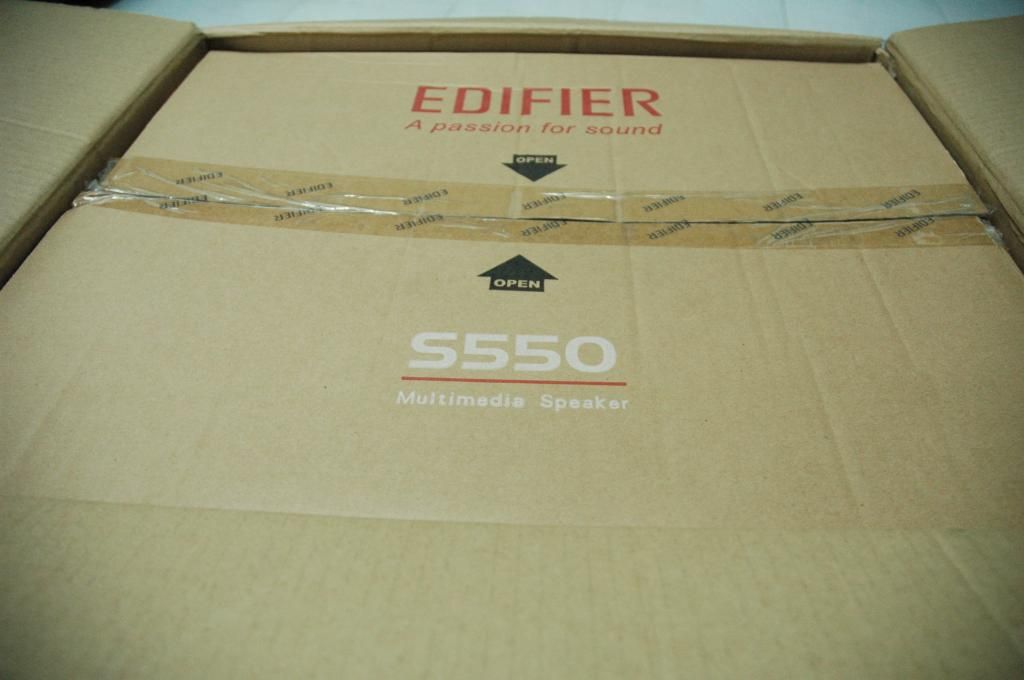
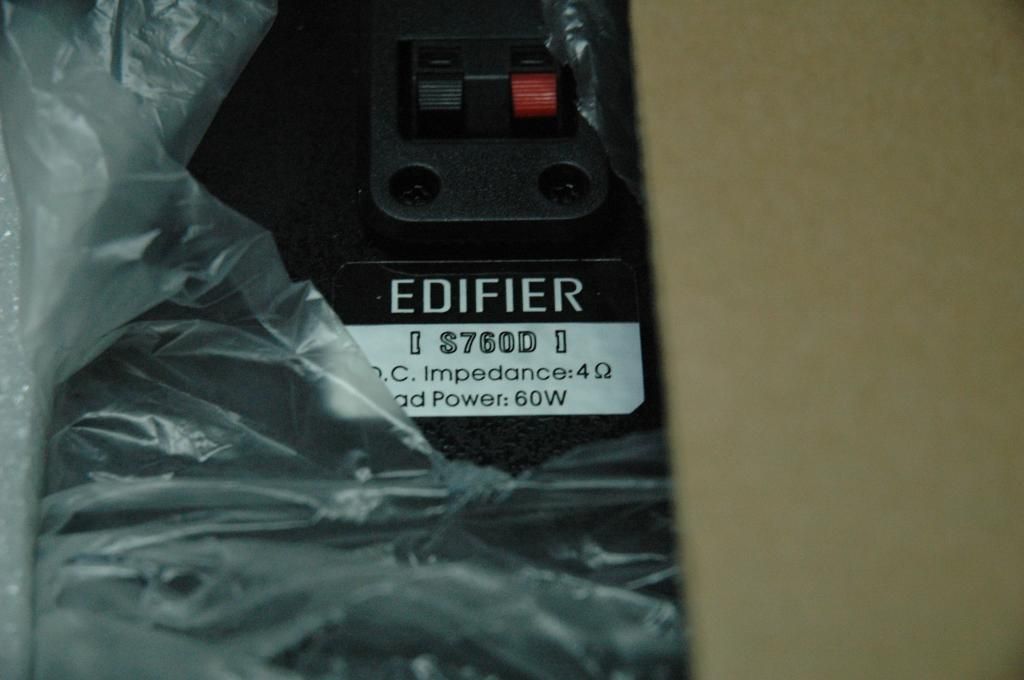
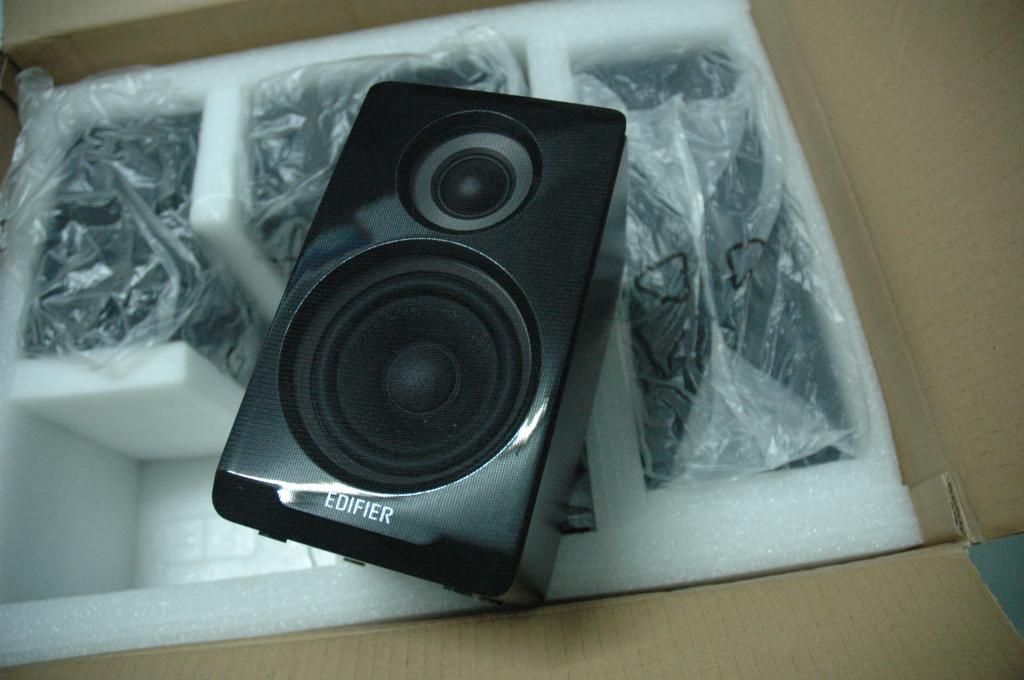
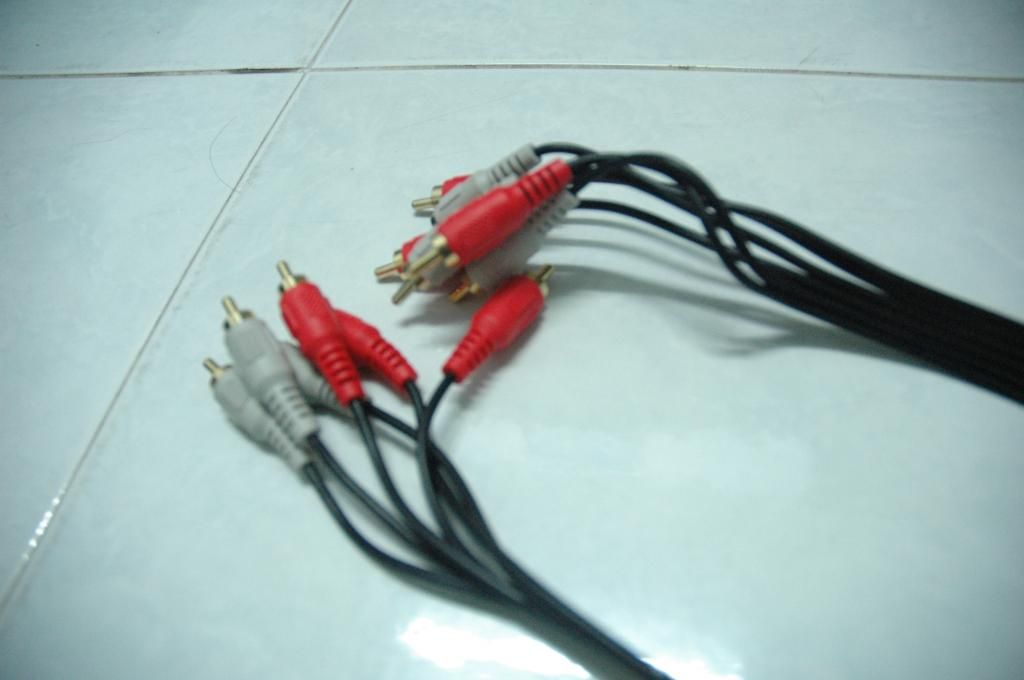
 )
)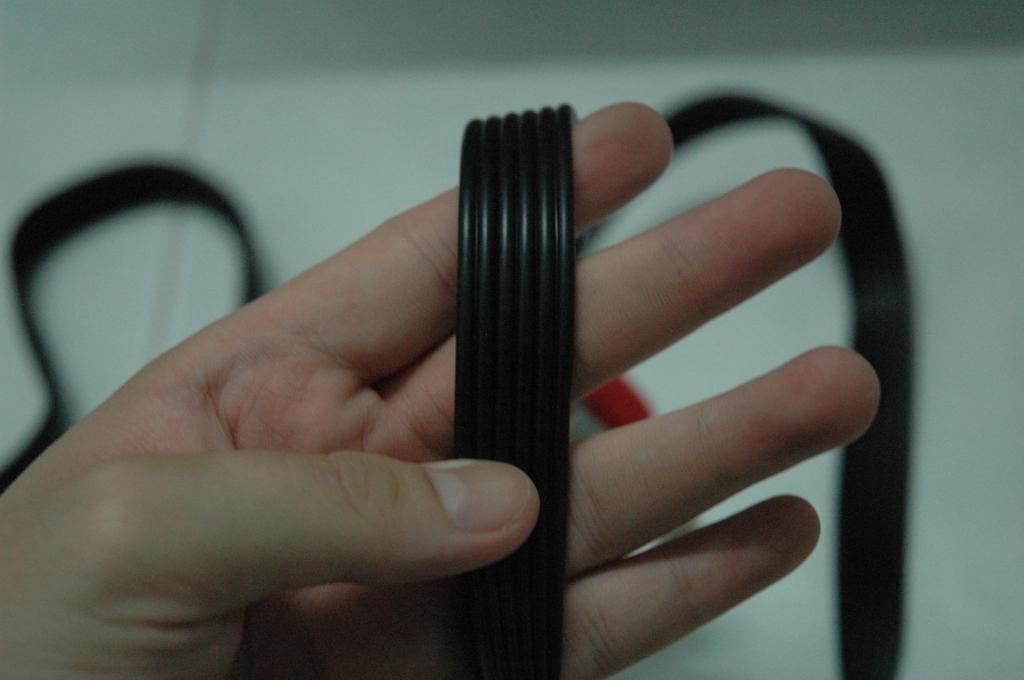
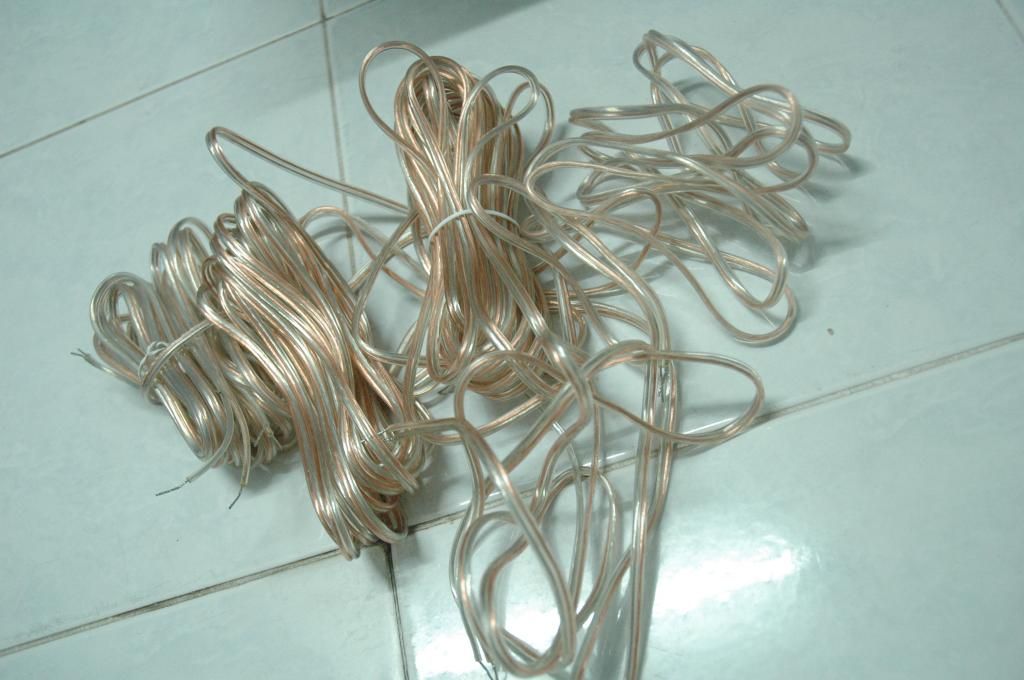
 Quote
Quote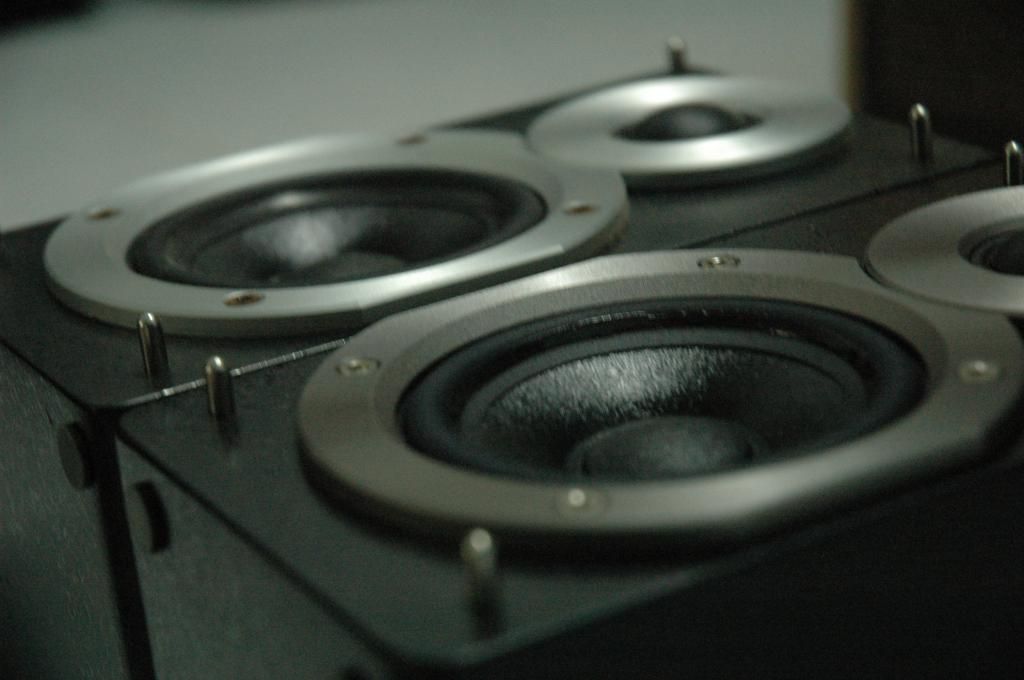
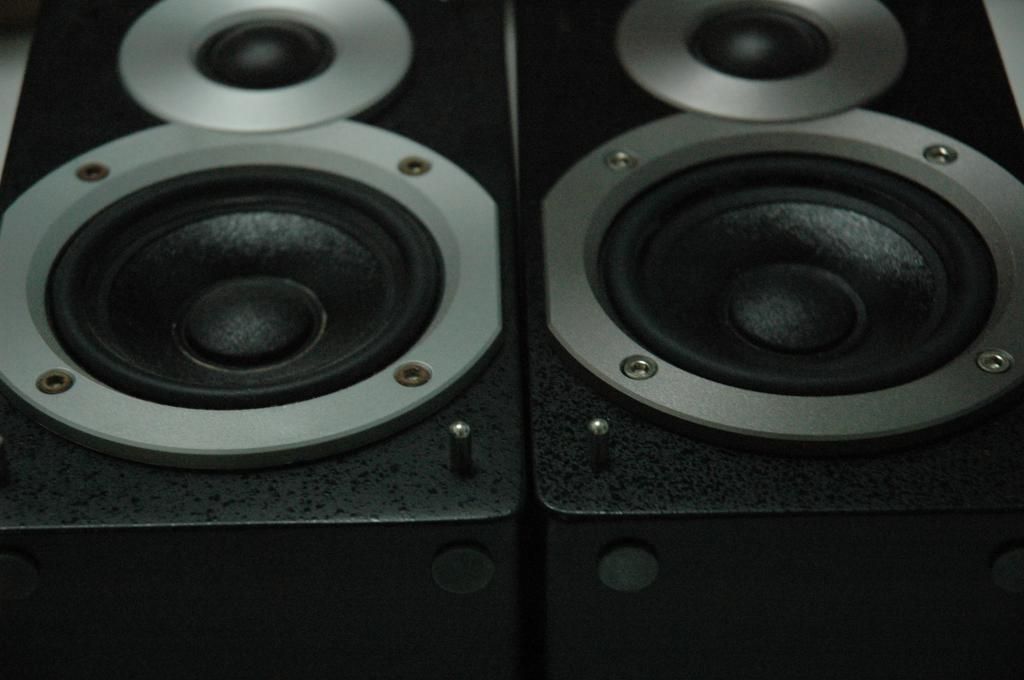

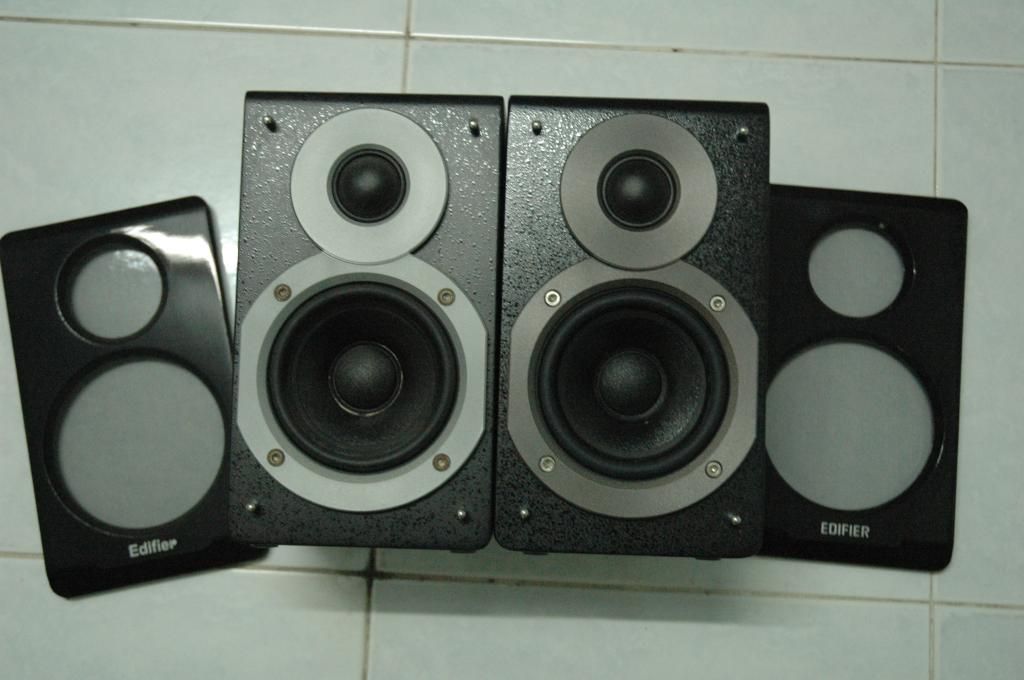
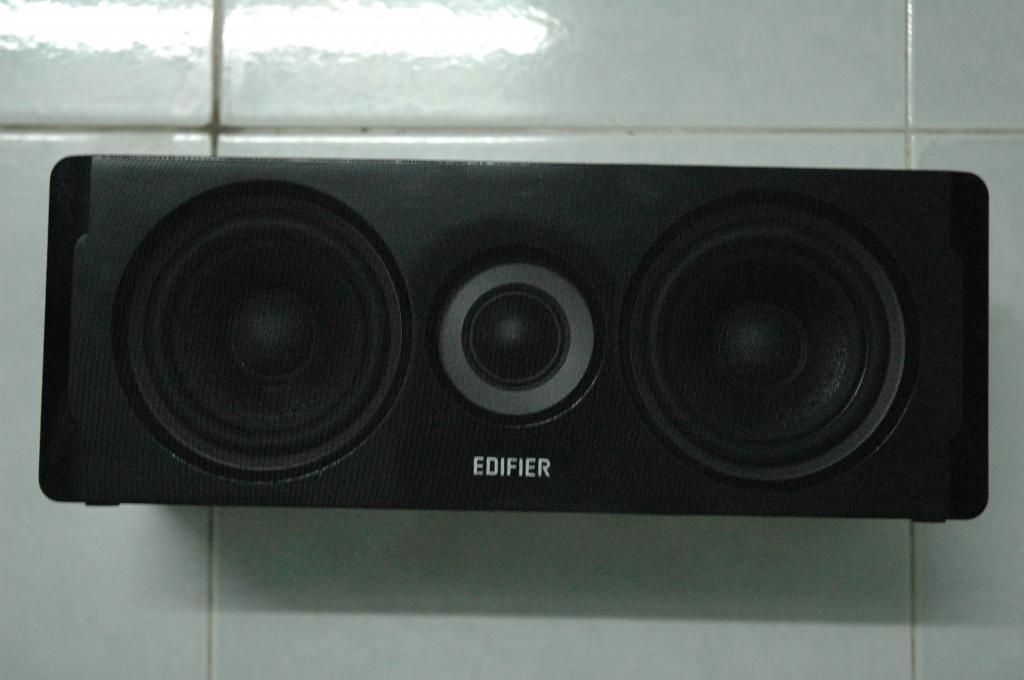
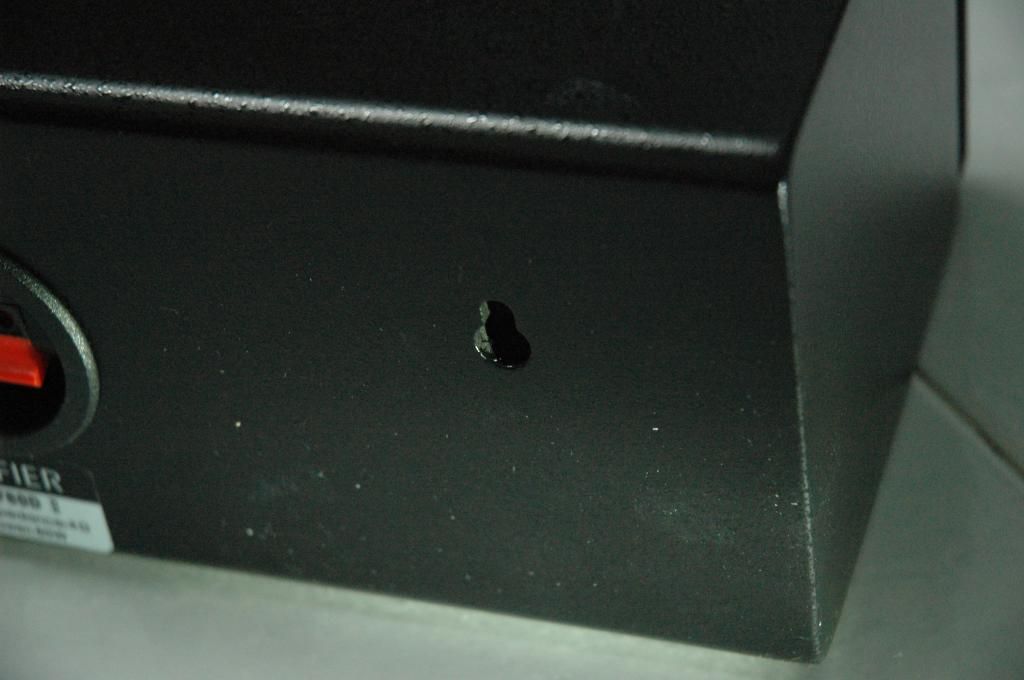
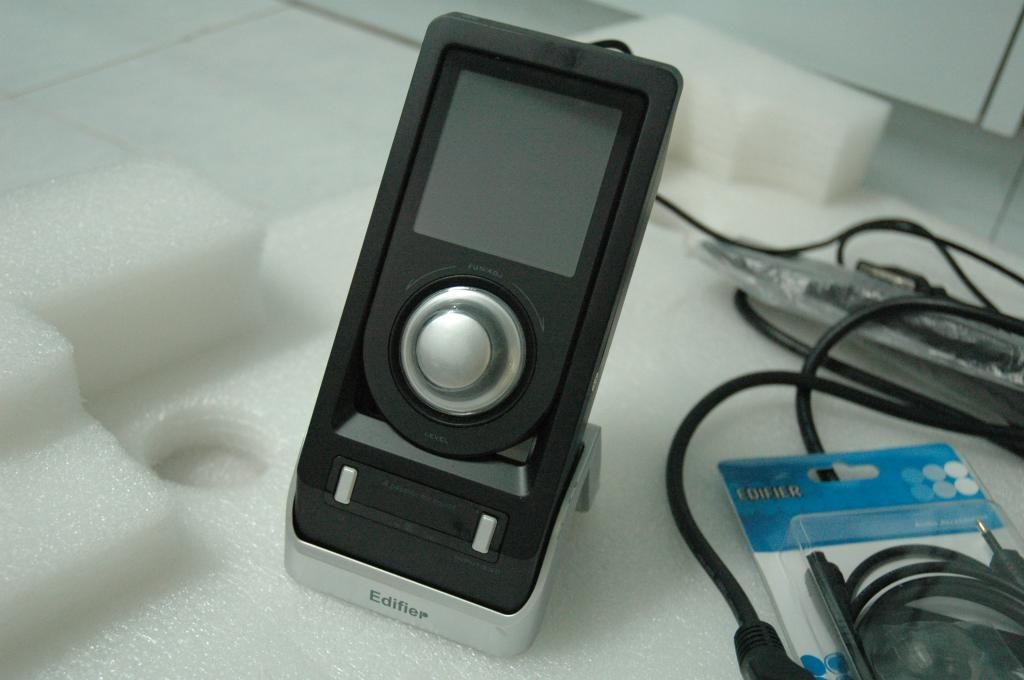
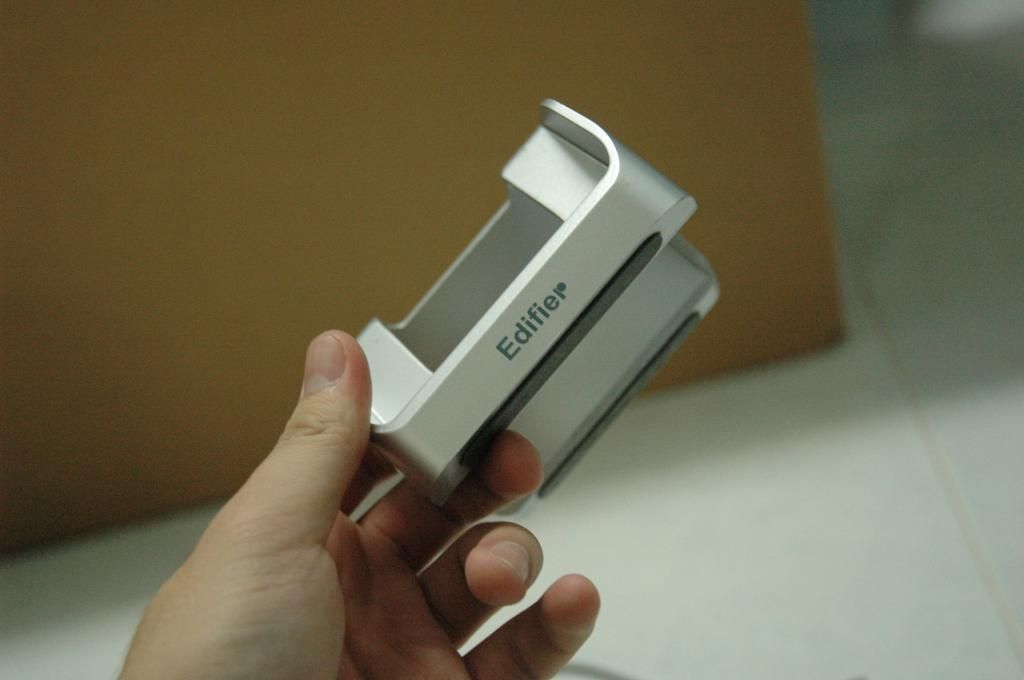
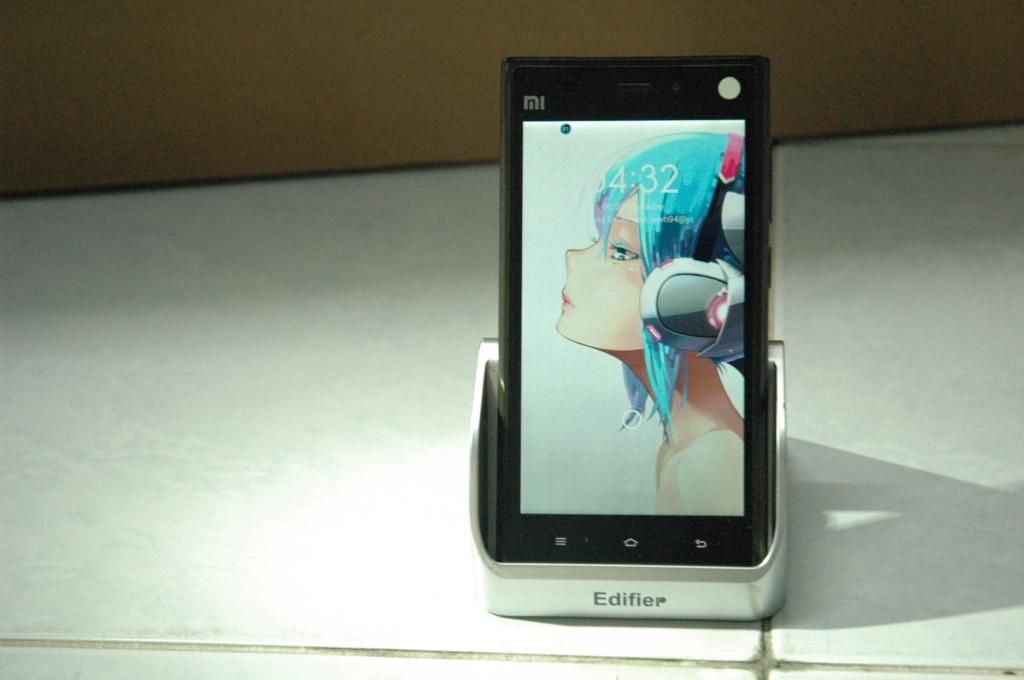
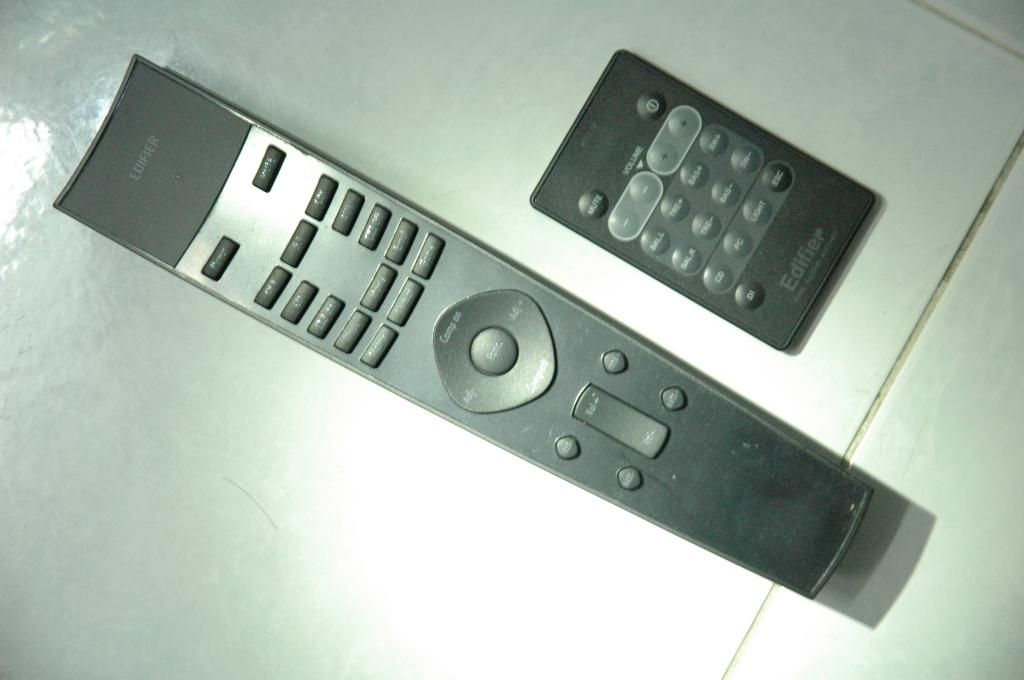
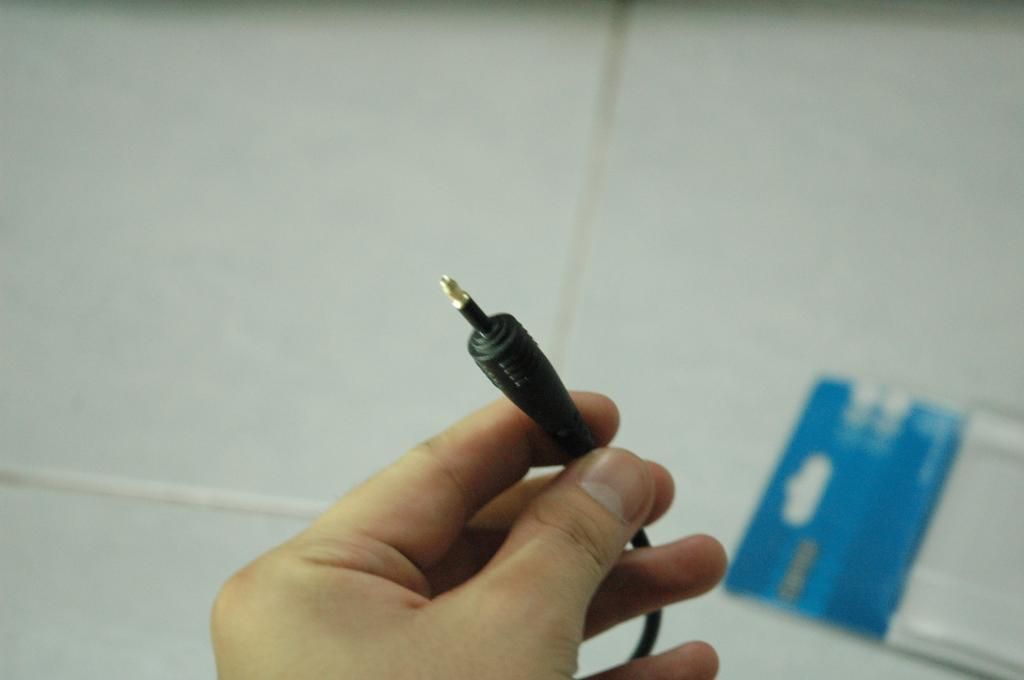

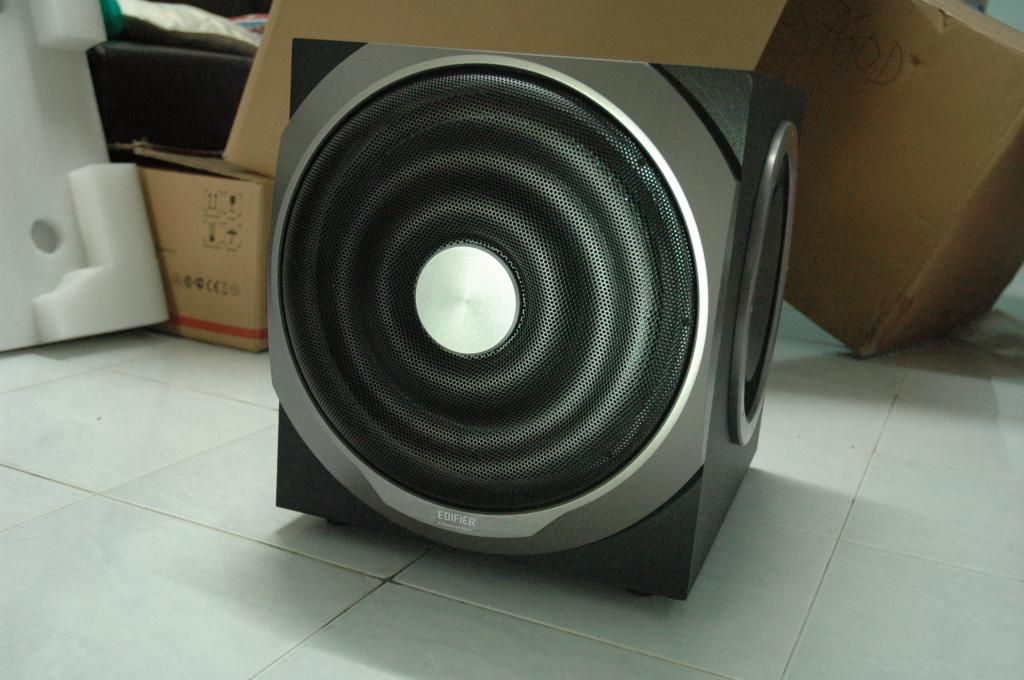
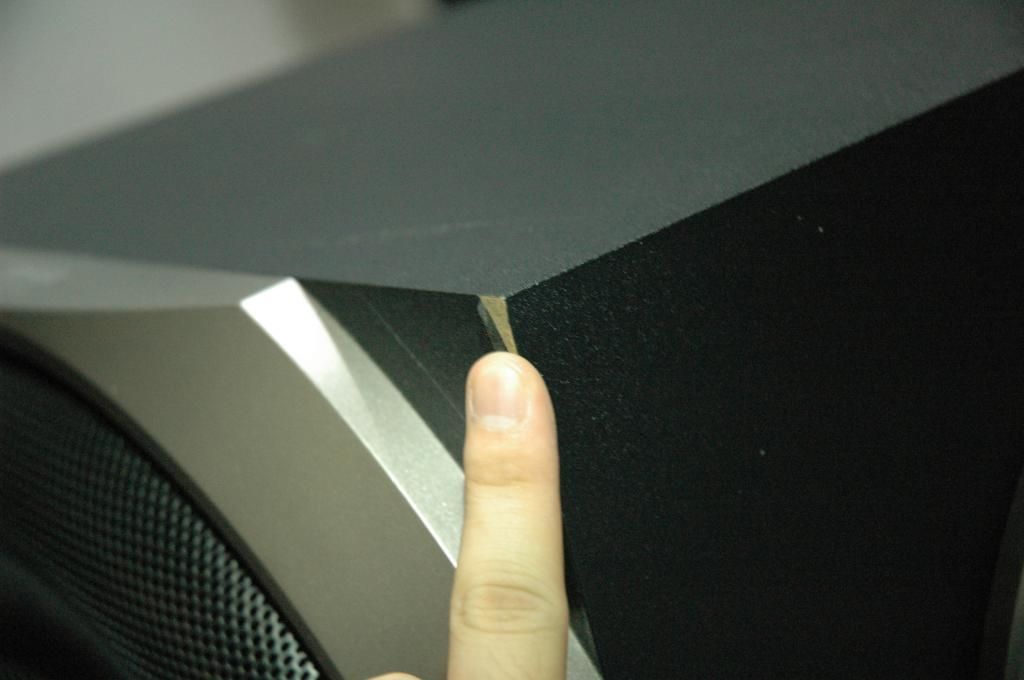
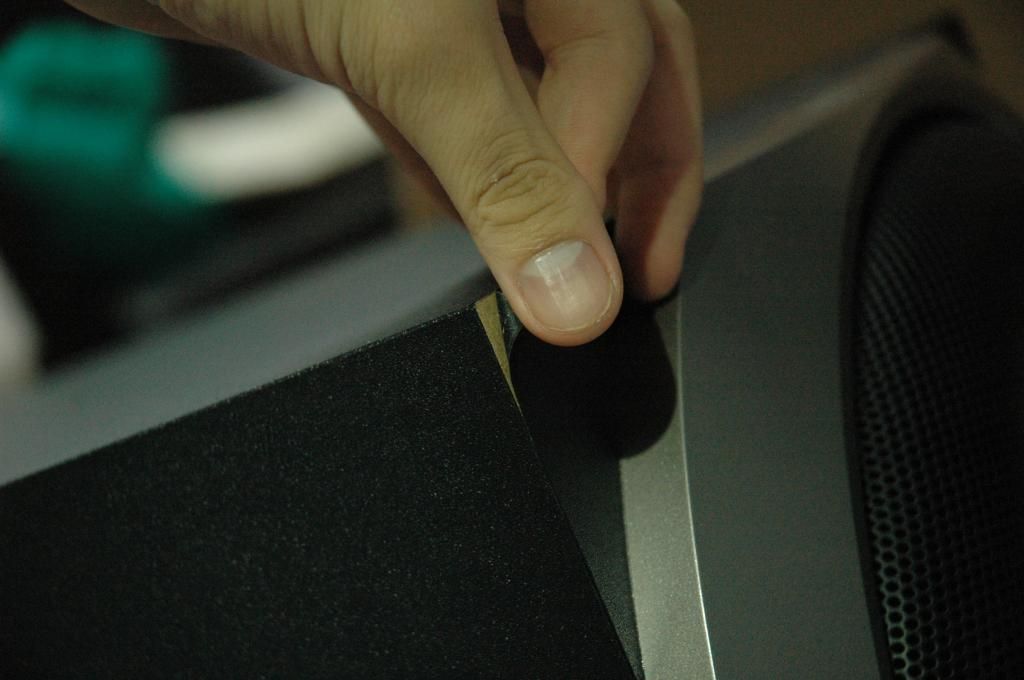
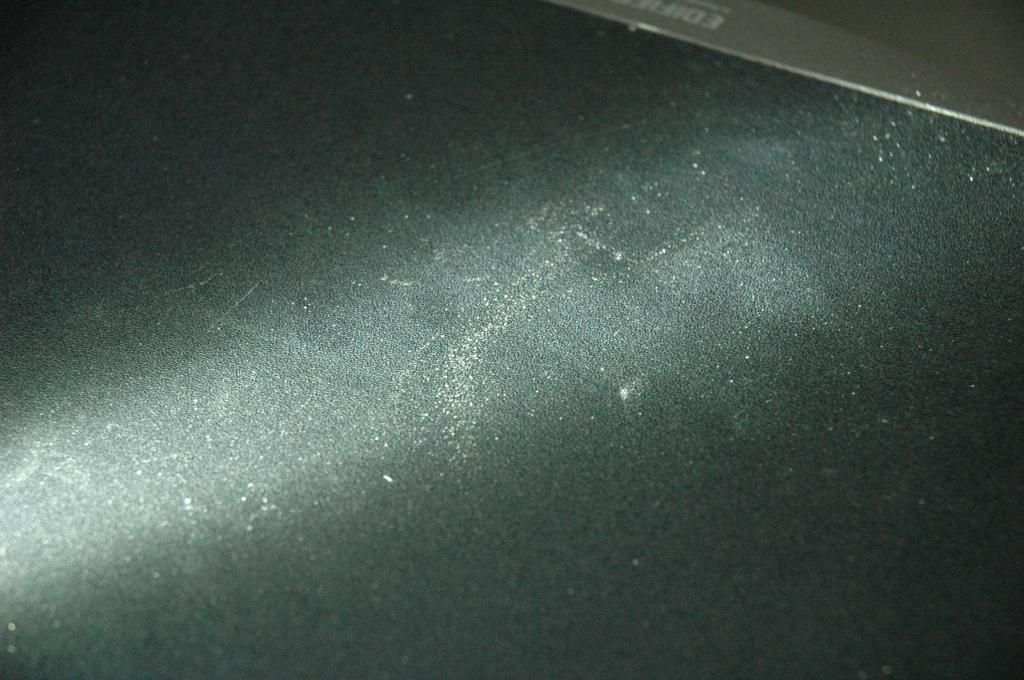
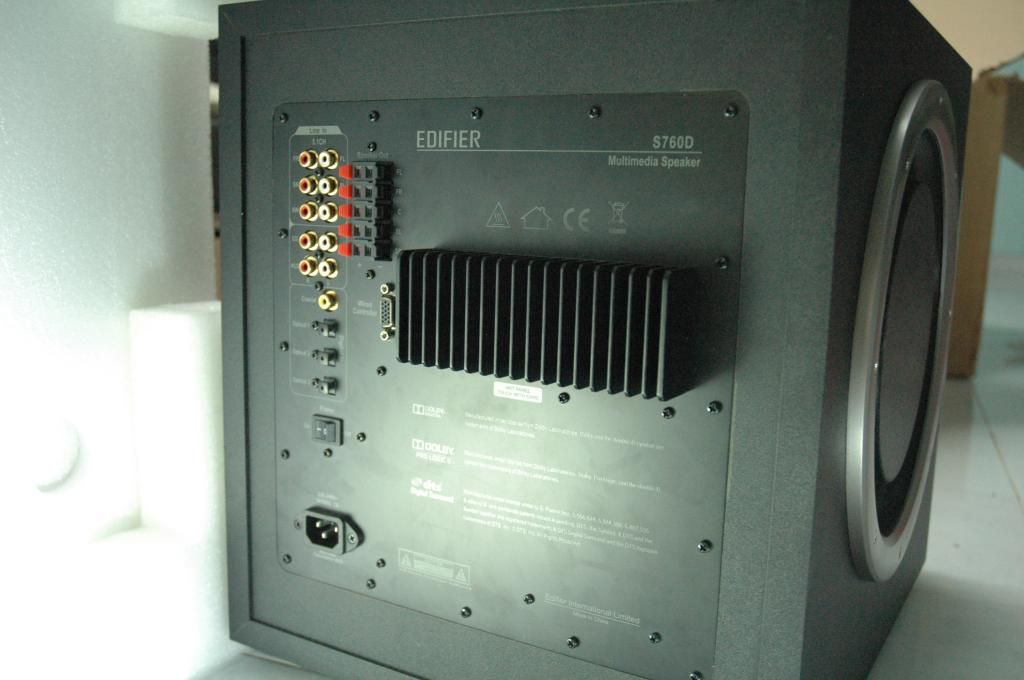

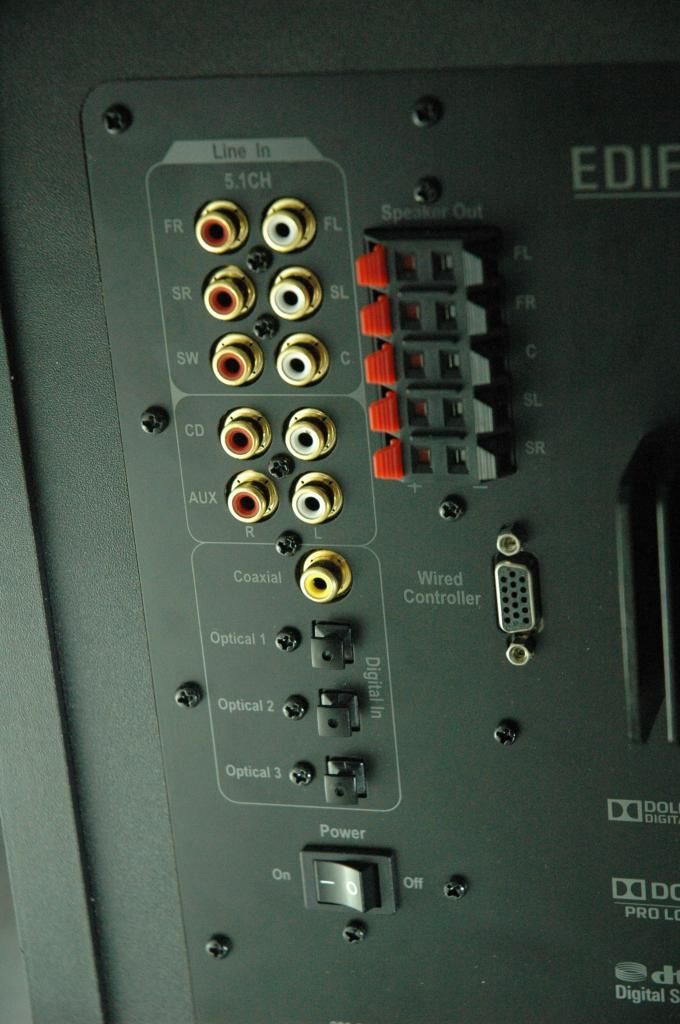
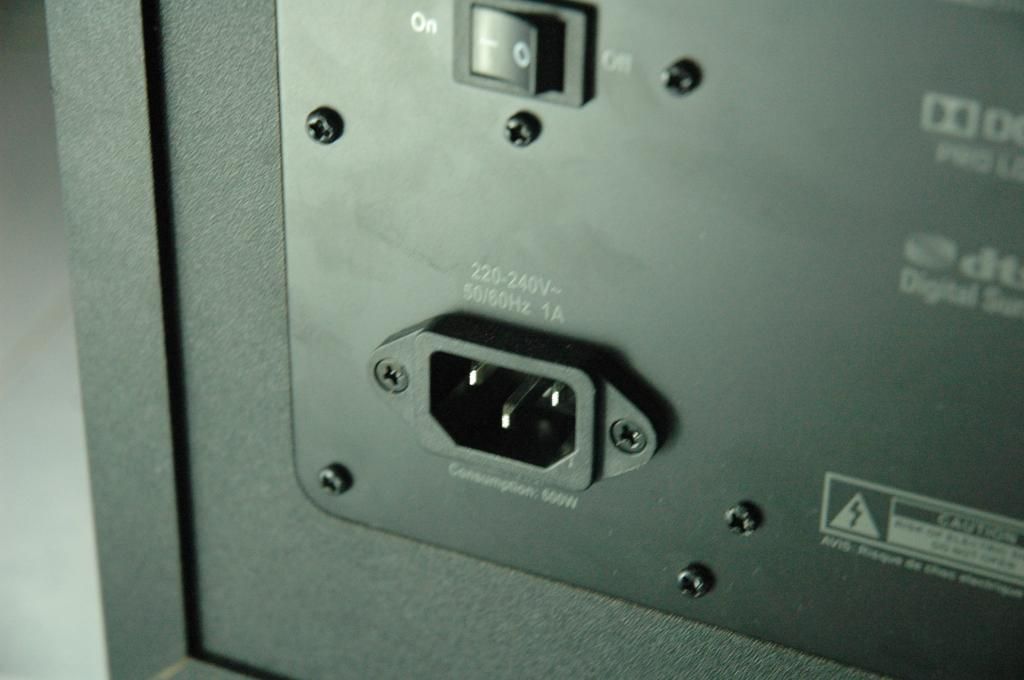
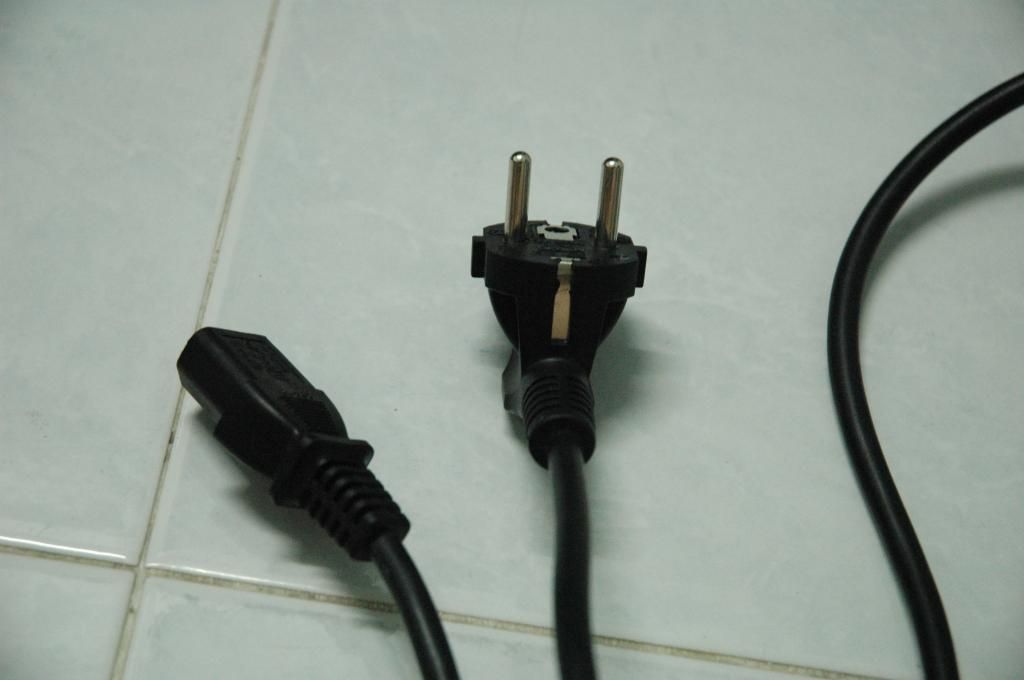
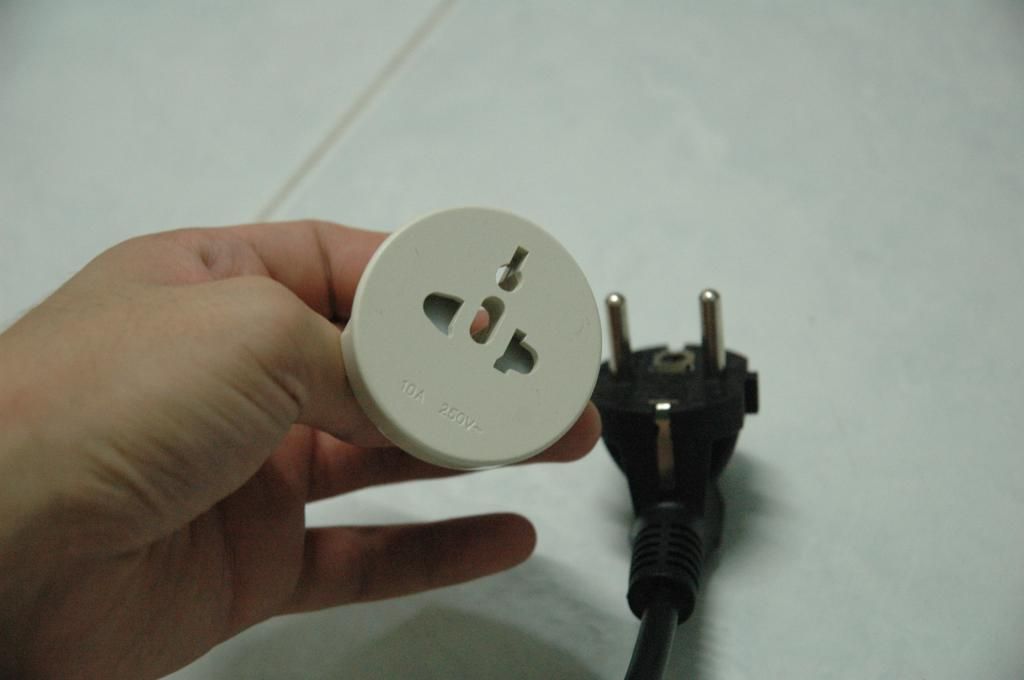

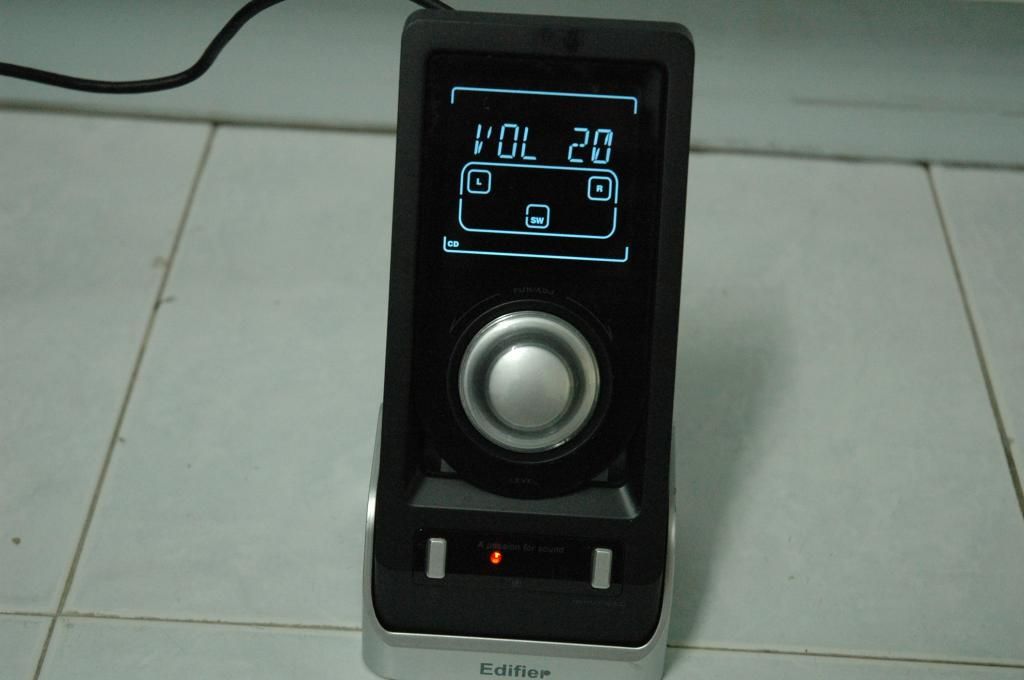
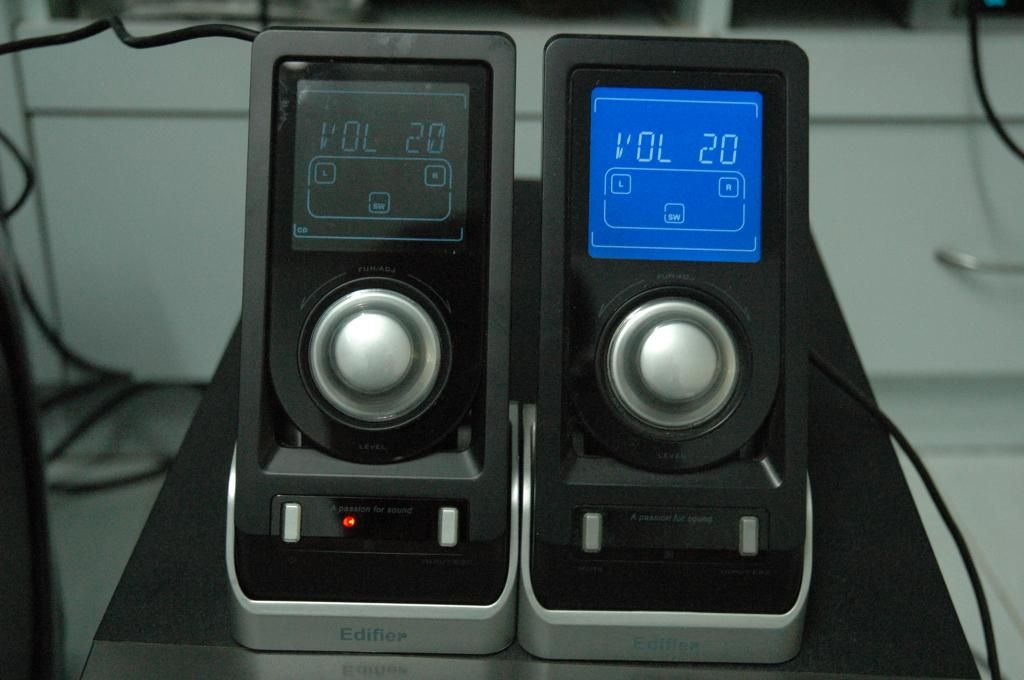
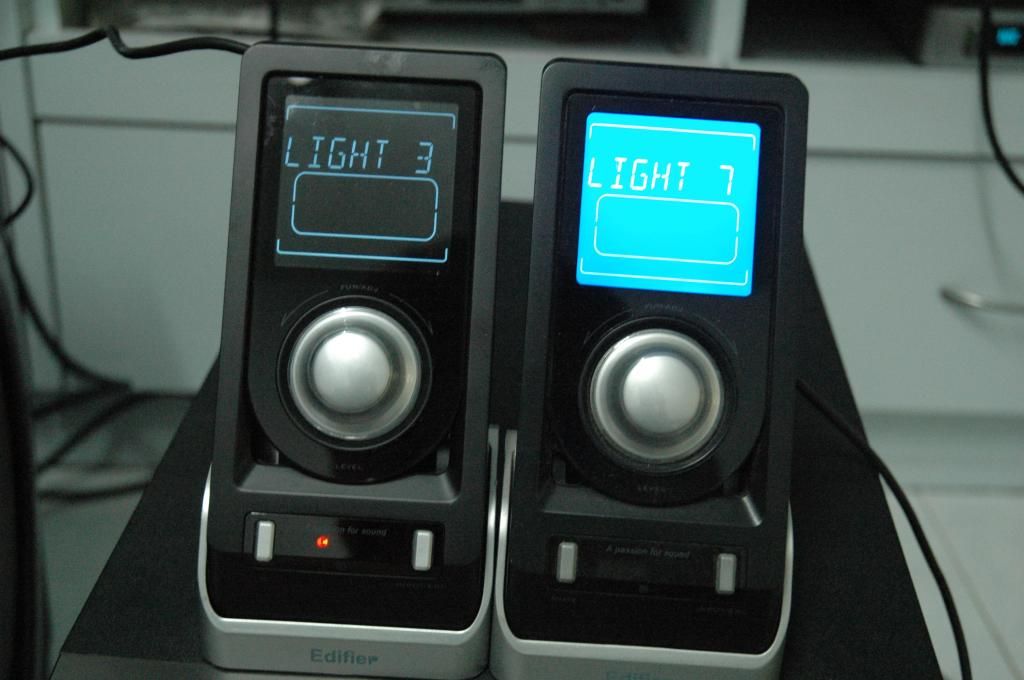
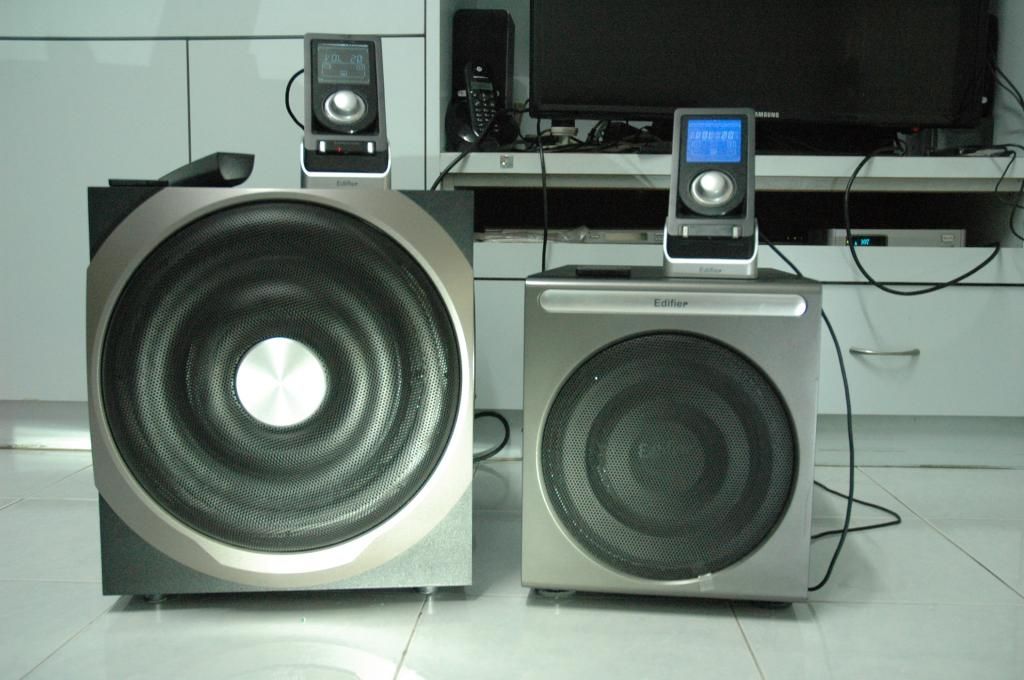
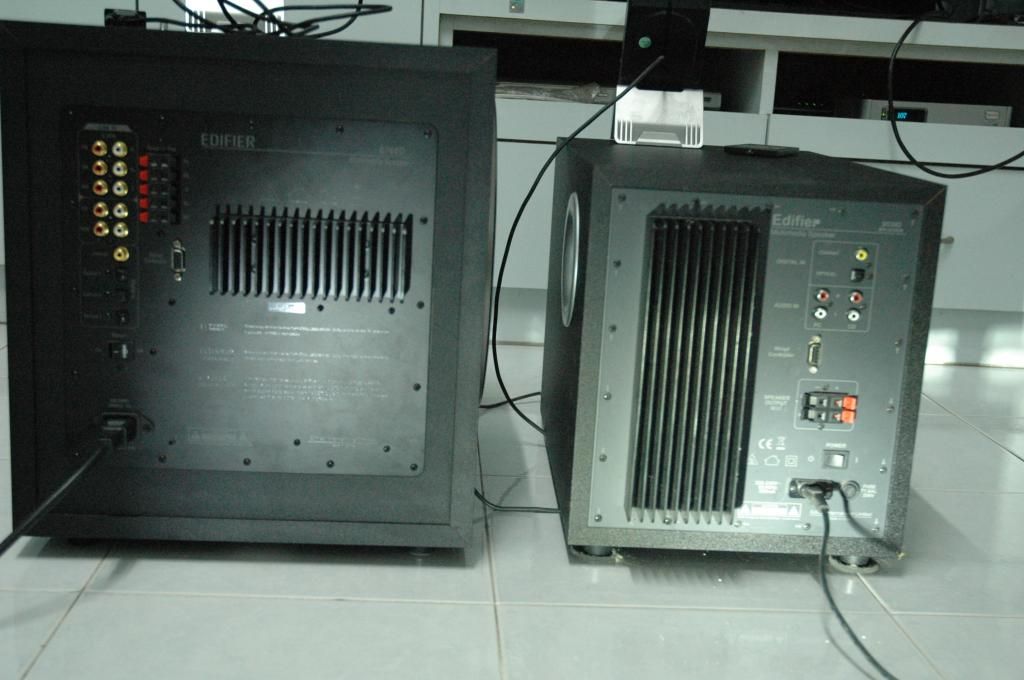
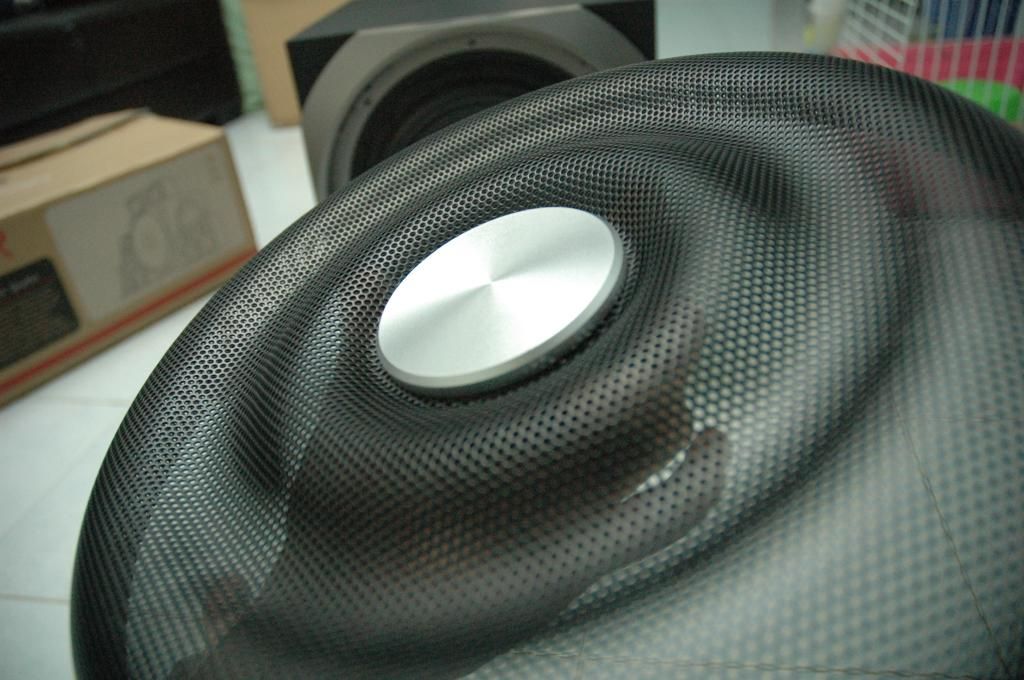
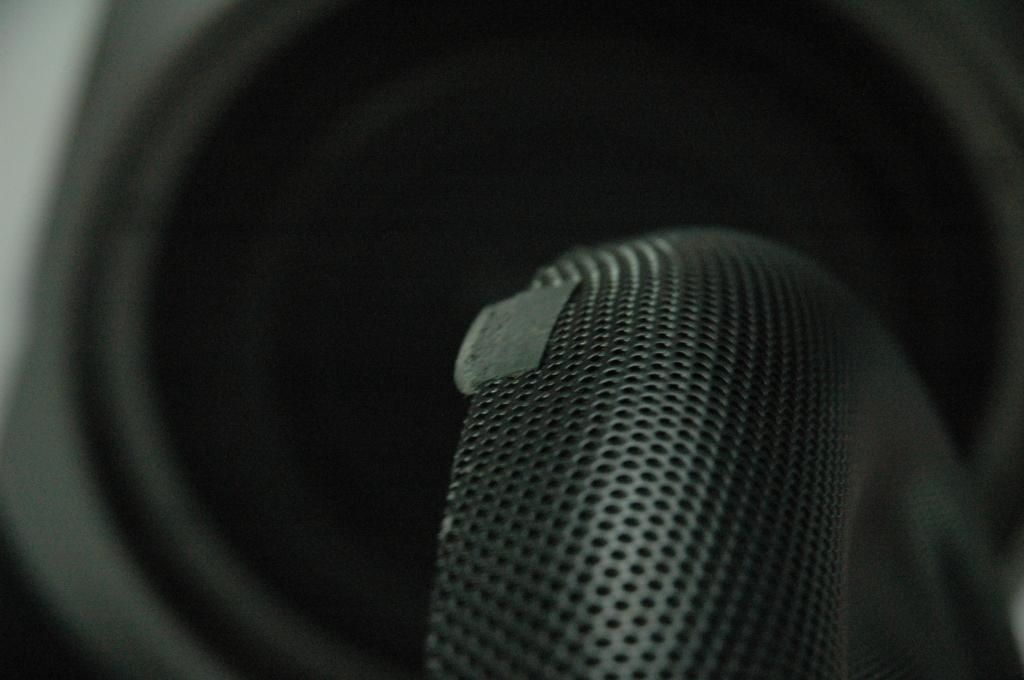
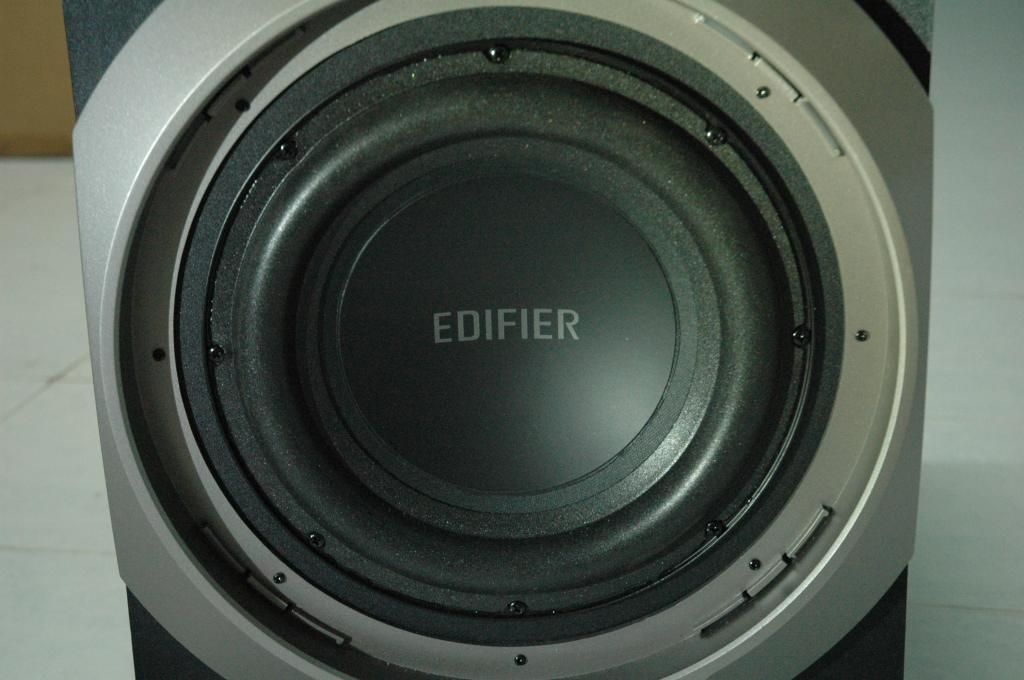
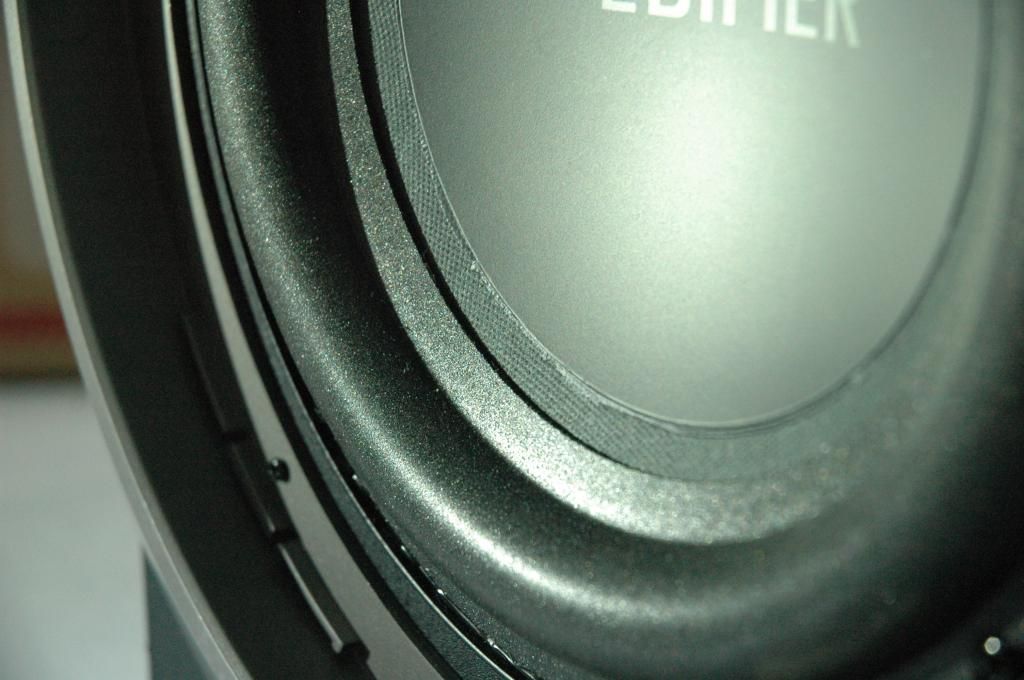





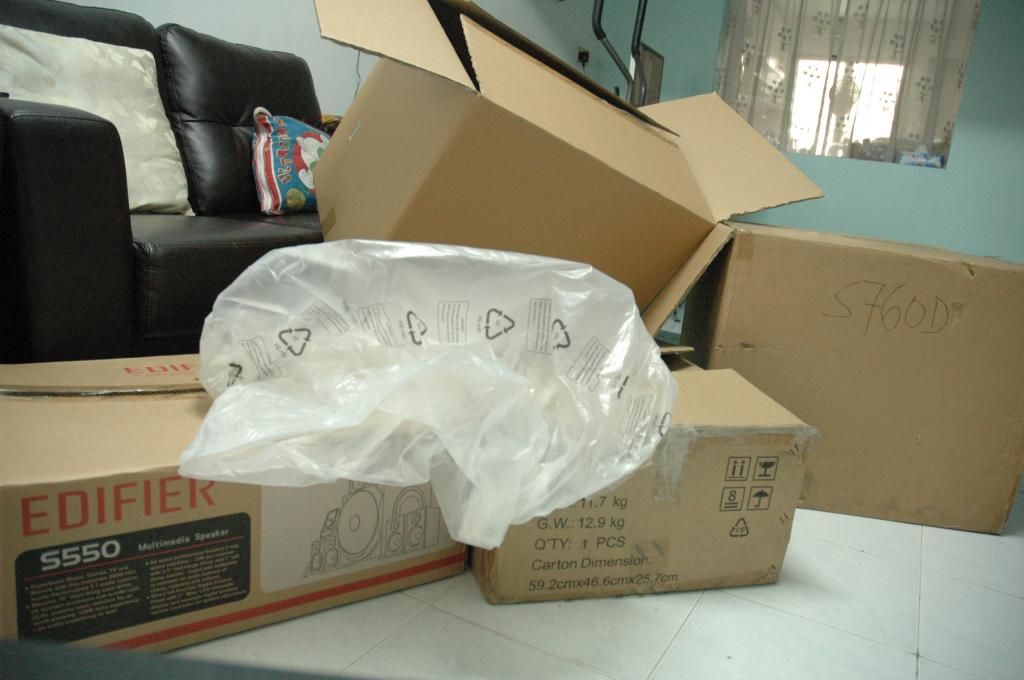



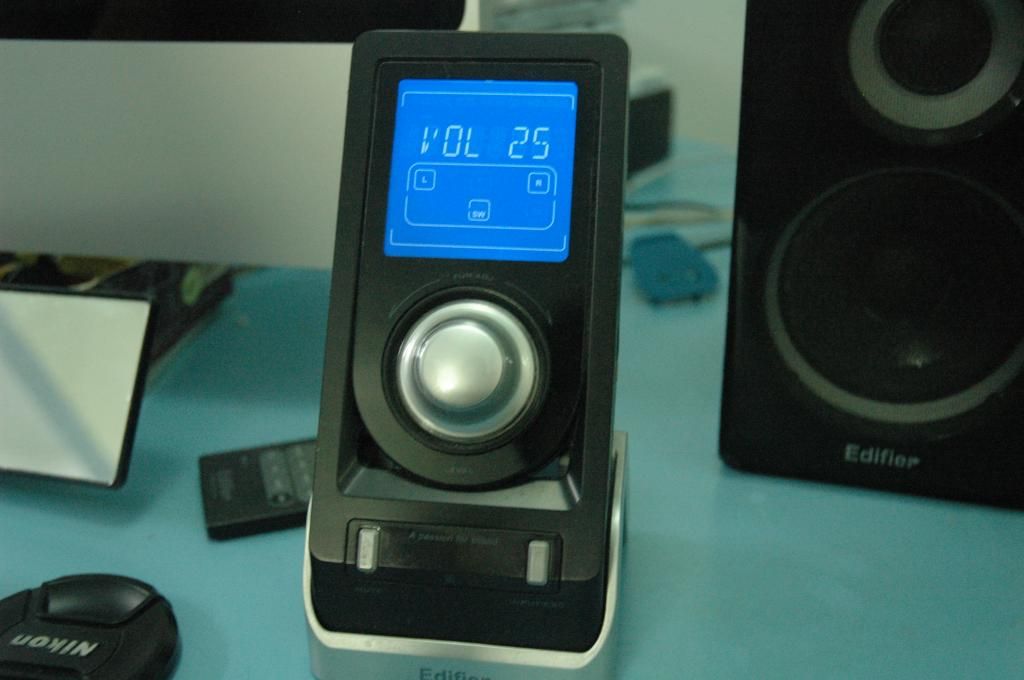
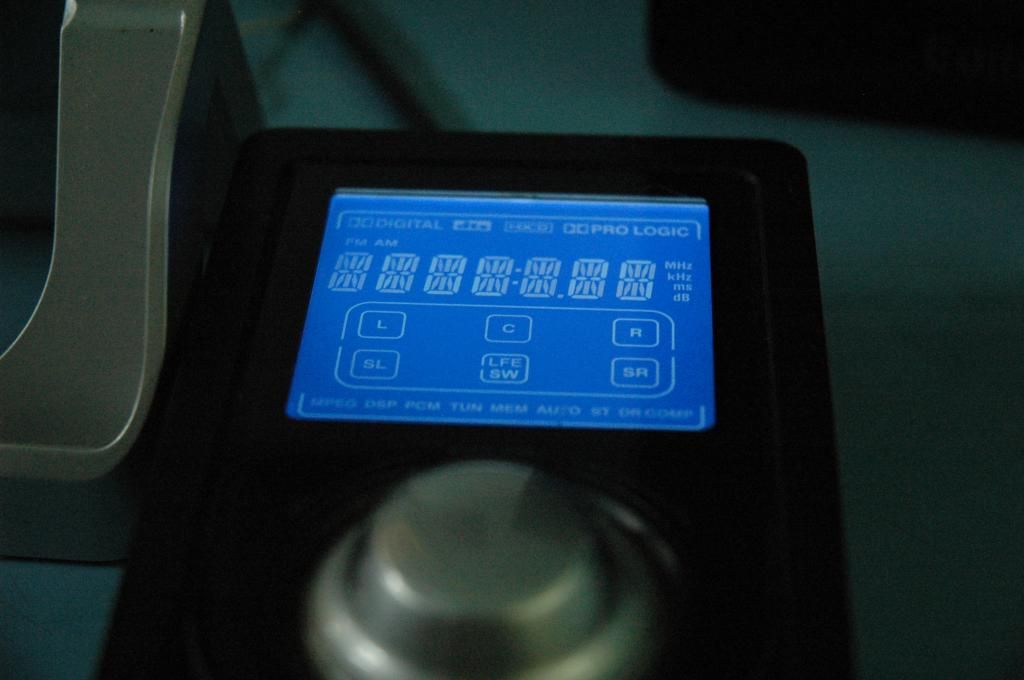
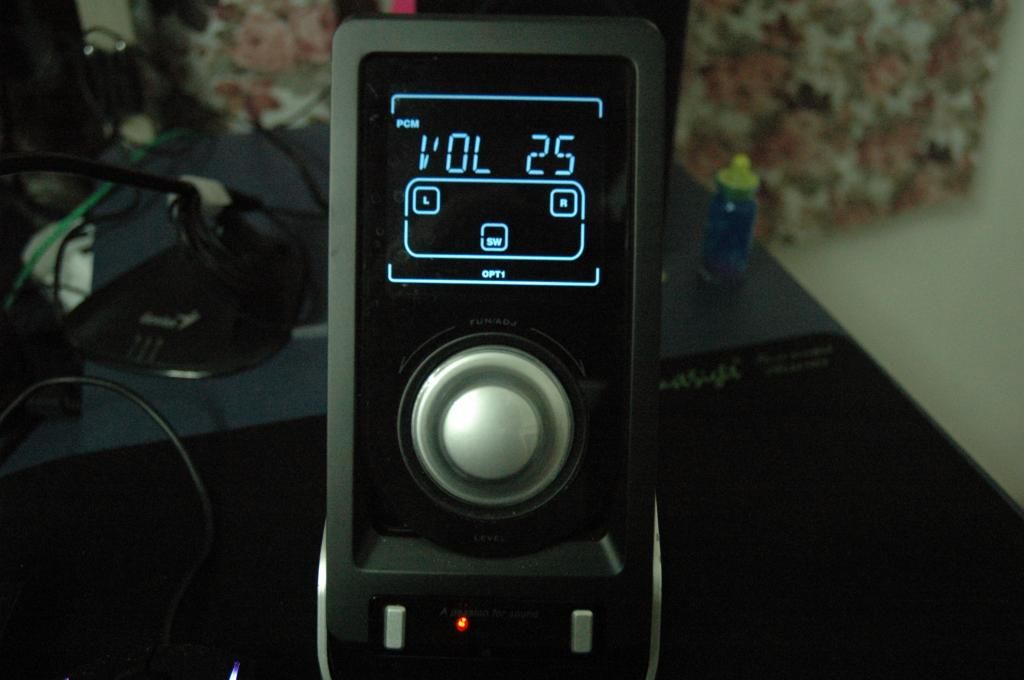
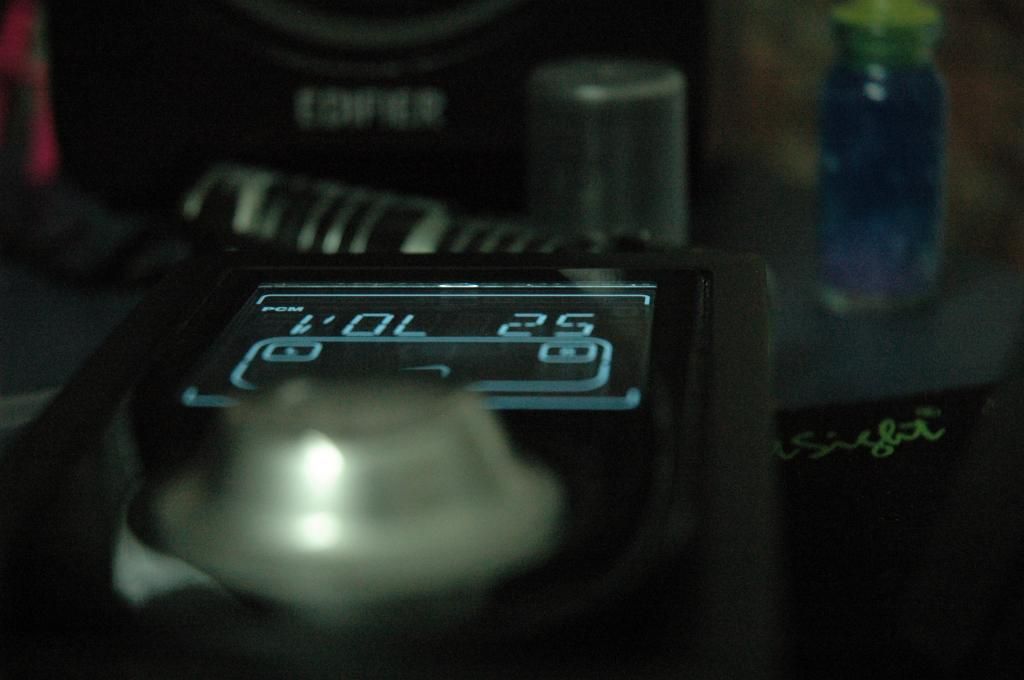








 You guys(interAsia) might wanna check on this. Next is the cabling. If you go to the link I pasted above and scroll all the way down the page you'll see the items that are supposed to be packaged with the device. You don't get the 6 pieces of RCA to RCA cables and 3 pieces of 3.5mm to dual RCA cables as listed on the page. This is why I couldn't perform the analog 5.1 test. I was about to call up Inter Asia on this but decided not to because in the physical manual itself those cables are not listed. Might want to correct the diagram on the website. While the speaker wires to sub are at an adequate length, the given RCA connector cable, 3.5mm audio cable and optical cable are quite short. I would have preferred if they bundled 5 meter cables instead. Guess I'll need to go shopping tomorrow. Then there's the power cord . You'll need to buy a separate adapter to use with your wall sockets. Last is the warranty card. It's not chopped, however I assume I'm covered since I purchased this directly from Inter Asia.


 0.0414sec
 0.74
0.74
 5 queries
 GZIP Disabled