

is this voltage n temp normal /sufficient??
Attached thumbnail(s)

Is this normal?, voltage/Temperature
|
|
 Aug 20 2006, 06:48 PM, updated 20y ago Aug 20 2006, 06:48 PM, updated 20y ago
Show posts by this member only | Post
#1
|
 
Senior Member
548 posts Joined: Sep 2005 
|
hi guys
is this voltage n temp normal /sufficient?? Attached thumbnail(s)
|
|
|
|
|
|
Aug 20 2006, 10:02 PM
Show posts by this member only | Post
#2
|

Senior Member
1,885 posts Joined: Jan 2005 From: Sydney / Penang  
|
QUOTE(benlaw @ Aug 20 2006, 06:48 PM) hi guys for the CPU, if you overclocked it, that's normal, but your HDD seems overheatedis this voltage n temp normal /sufficient??  |
|
|
Aug 20 2006, 10:43 PM
Show posts by this member only | Post
#3
|

All Stars
14,908 posts Joined: Jul 2005 
|
Yup...
You're harddisk seems burning... Isn't there any fans facing the front of your hard disk?  |
|
|
Aug 20 2006, 11:18 PM
Show posts by this member only | Post
#4
|

Senior Member
7,173 posts Joined: Jan 2003 From: PCH
|
QUOTE(benlaw @ Aug 20 2006, 06:48 PM) hi guys for CPU, (wat cpu anyway...) consider its in 'caution level' or u set ur desired temp set to 30°C, warning temp set to 40°C, then u wont get red burning icon, even thou the temp reading is at 51°C is this voltage n temp normal /sufficient??  the HDD part, yes...kinda hot la...shud be around mid-30°C to mid-40°C...get that... |
|
|
Aug 22 2006, 11:32 PM
Show posts by this member only | Post
#5
|
|
Senior Member
548 posts Joined: Sep 2005
|
look at new picture
the hd temperature seem not accurate how come Attached thumbnail(s) 
|
|
|
Aug 22 2006, 11:39 PM
Show posts by this member only | Post
#6
|
|
Senior Member
548 posts Joined: Sep 2005
|
back to normal
front case add one fan blow out hot air not bad reduce quite a lot Attached thumbnail(s) 
|
|
|
|
|
|
Aug 24 2006, 02:01 AM
Show posts by this member only | Post
#7
|

Senior Member
2,295 posts Joined: Jan 2005 From: Penang
|
mine even worst, but it's a firmware issue from western digital... temp readings damn high!!!!
This post has been edited by lichyetan: Aug 24 2006, 02:02 AM Attached thumbnail(s) 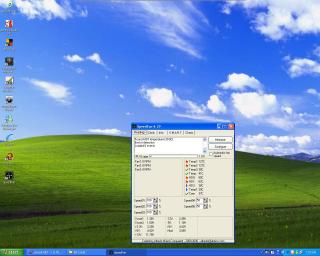
|
|
|
Aug 24 2006, 02:11 AM
Show posts by this member only | Post
#8
|

Senior Member
995 posts Joined: Mar 2005 From: Johor Bahru , Johor , Malaysia
|
QUOTE(lichyetan @ Aug 24 2006, 02:01 AM) mine even worst, but it's a firmware issue from western digital... temp readings damn high!!!! You sure? I have a WD IDE and it reports cool temps while the SATA II version reports idle 54 55 no fan or aircon 60+ even. Seems to be accurate since I touched it and it's bloody hot. |
|
|
Aug 30 2006, 05:50 PM
Show posts by this member only | Post
#9
|
 
Staff
1,368 posts Joined: Nov 2004 From: A' Ghà idhealtachd
|
wah,ur hdd very hot leh,threadstarter..
|
|
|
Aug 30 2006, 07:18 PM
|

Senior Member
635 posts Joined: Feb 2006
|
Hey my harddisk is around 69c.Is that normal.I got a fan infront of it too,but it's still hot.Anyone knows why?
|
|
|
Aug 30 2006, 07:21 PM
|

Senior Member
908 posts Joined: Jul 2006
|
QUOTE(Nemesis181188 @ Aug 30 2006, 07:18 PM) Hey my harddisk is around 69c.Is that normal.I got a fan infront of it too,but it's still hot.Anyone knows why? if 70celcius in aircon room then not okay lor.. gonna kill your HDD.. mine in aircon room 24/7 around 30~33 (34max while HDD benchmarking). |
|
|
Aug 31 2006, 02:05 PM
|
|
Senior Member
635 posts Joined: Feb 2006
|
Oh but my hd start at 48++c when i just on the computer.Even in air cond room dunno why it can go up to 60+.Anyone knows why?
|
|
|
Sep 1 2006, 03:14 AM
|

Newbie
2 posts Joined: Jan 2003
|
wat heatsink are u using ? show us a pic of ur casing. maybe we can improve on airflow ?
|
| Change to: |  0.0151sec 0.0151sec
 0.51 0.51
 6 queries 6 queries
 GZIP Disabled GZIP Disabled
Time is now: 1st December 2025 - 01:52 PM |
 Quote
Quote